engine VOLVO XC90 TWIN ENGINE 2019 Owner's Manual
[x] Cancel search | Manufacturer: VOLVO, Model Year: 2019, Model line: XC90 TWIN ENGINE, Model: VOLVO XC90 TWIN ENGINE 2019Pages: 697, PDF Size: 10.33 MB
Page 107 of 697
DISPLAYS AND VOICE CONTROL
}}
105
Related information
App menu in instrument panel (p. 103)
Messages in the instrument panel (p. 105) Messages in the instrument panel
The instrument panel shows messages in certain
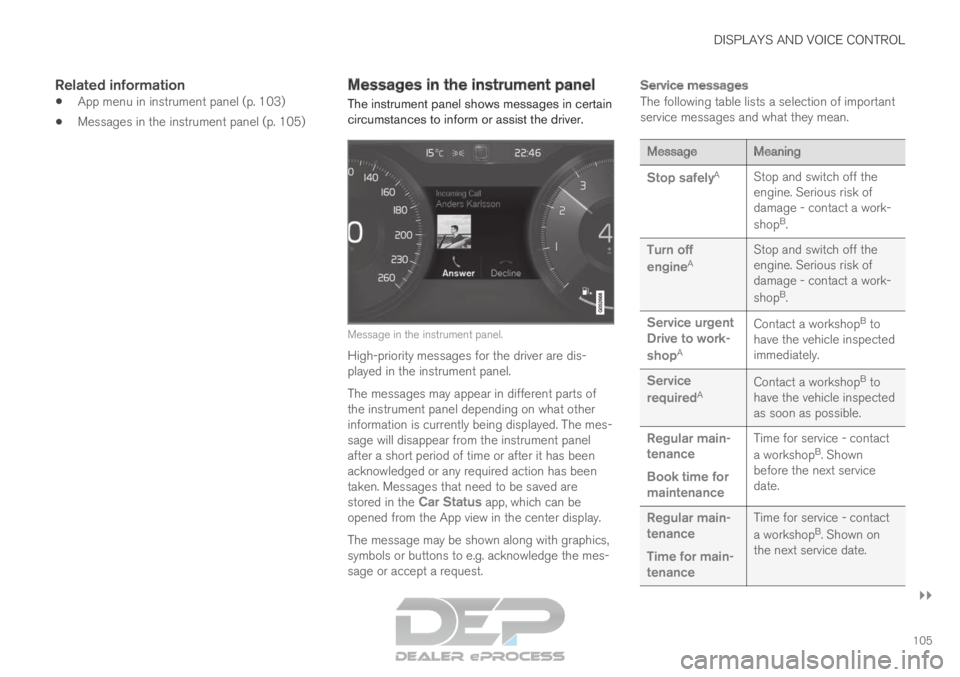
circumstances to inform or assist the driver. Message in the instrument panel.
High-priority messages for the driver are dis-
played in the instrument panel.
The messages may appear in different parts of
the instrument panel depending on what other
information is currently being displayed. The mes-
sage will disappear from the instrument panel
after a short period of time or after it has been
acknowledged or any required action has been
taken. Messages that need to be saved are
stored in the Car Status app, which can be
opened from the App view in the center display.
The message may be shown along with graphics,
symbols or buttons to e.g. acknowledge the mes-
sage or accept a request.
Service messages
The following table lists a selection of important
service messages and what they mean. Message
Meaning
Stop safely A
Stop and switch off the
engine. Serious risk of
damage - contact a work-
shopB
.
Turn off
engine A Stop and switch off the
engine. Serious risk of
damage - contact a work-
shop
B
.
Service urgent
Drive to work-
shop A Contact a workshop
B
to
have the vehicle inspected
immediately.
Service
required A Contact a workshop
B
to
have the vehicle inspected
as soon as possible.
Regular main-
tenance
Book time for
maintenance Time for service - contact
a workshop
B
. Shown
before the next service
date.
Regular main-
tenance
Time for main-
tenance Time for service - contact
a workshop
B
. Shown on
the next service date.
Page 108 of 697
||DISPLAYS AND VOICE CONTROL
106
Message
Meaning
Regular main-
tenance
Maintenance
overdue Time for service - contact
a workshop
B
. Shown when
the date for service has
passed.
Temporarily
off A A function has been tem-
porarily deactivated and
will be reactivated auto-
matically while driving or
after the engine is restar-
ted.A
Part of message, shown along with information on the location
of the problem.
B An authorized Volvo workshop is recommended.
Related information
Handling messages in the instrument panel
(p. 106)
Handling messages saved from the instru-
ment panel (p. 107)
Messages in the center display (p. 140) Handling messages in the
instrument panel
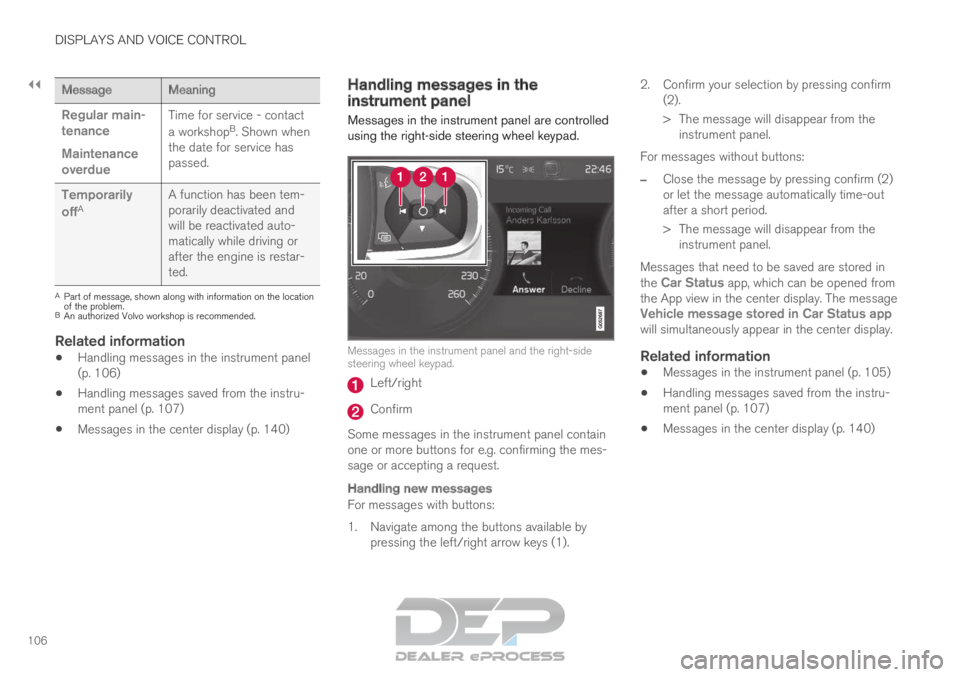
Messages in the instrument panel are controlled
using the right-side steering wheel keypad. Messages in the instrument panel and the right-side
steering wheel keypad.
Left/right
Confirm
Some messages in the instrument panel contain
one or more buttons for e.g. confirming the mes-
sage or accepting a request.
Handling new messages
For messages with buttons:
1. Navigate among the buttons available by pressing the left/right arrow keys (1). 2. Confirm your selection by pressing confirm
(2).
> The message will disappear from theinstrument panel.
For messages without buttons:
– Close the message by pressing confirm (2)
or let the message automatically time-out
after a short period.
>
The message will disappear from the
instrument panel.
Messages that need to be saved are stored in
the Car Status app, which can be opened from
the App view in the center display. The message
Vehicle message stored in Car Status app
will simultaneously appear in the center display.
Related information
Messages in the instrument panel (p. 105)
Handling messages saved from the instru-
ment panel (p. 107)
Messages in the center display (p. 140)
Page 109 of 697

DISPLAYS AND VOICE CONTROL
}}
107
Handling messages saved from the
instrument panel
Messages saved from the instrument panel and
center displays are handled in the center display. Saved messages can be viewed in the Car Status app.
The messages displayed in the
instrument panel that need to
be saved are stored in the Car
Status app in the center dis-
play. The message
Vehicle
message stored in Car
Status app will simultaneously
appear in the center display.
Reading saved messages
To read a saved message immediately:
– Tap the button to the right of the message
Vehicle message stored in Car Status
app in the center display.
>
The saved message will be displayed in
the Car Status app.
To read saved messages at a later time:
1. Open the Car Status app from App view in
the center display.
>
The app will open in the bottom tile of
Home view.
2. Select the Messages tab in the app.
>
A list of saved messages will be displayed.
3. Tap a message to expand/minimize it. > More information about the message willappear in the list and the image to the left
of the app will display information about
the message in graphic form.
Handling saved messages
In expanded form, some messages have two but-
tons available for booking service or reading the
Owner's Manual. Booking service for saved messages:
–
With the message in expanded form, tap
Request appoint.Call to make
Appointment 4
for assistance booking serv-
ice.
> With Request appoint.: The
Appointments tab will open in the app
and create a request for a service/repair
appointment.
With Call to make Appointment: The
phone app will open and call a service
center to make an appointment for service
or repairs.
Reading the Owner's Manual for saved mes-
sages:
– With the message in expanded form, tap
Owner's manual to read relevant informa- tion about the message in the Owner's Man-
ual.
>
The Owner's Manual will open in the cen-
ter display and provide information related
to the message.
Saved messages in the app are automatically
deleted each time the engine is started. 4
Market dependent. Volvo ID and selected workshop also need to be registe\
red
Page 117 of 697
DISPLAYS AND VOICE CONTROL
}}
* Option/accessory. 115
Activating and deactivating the
center display
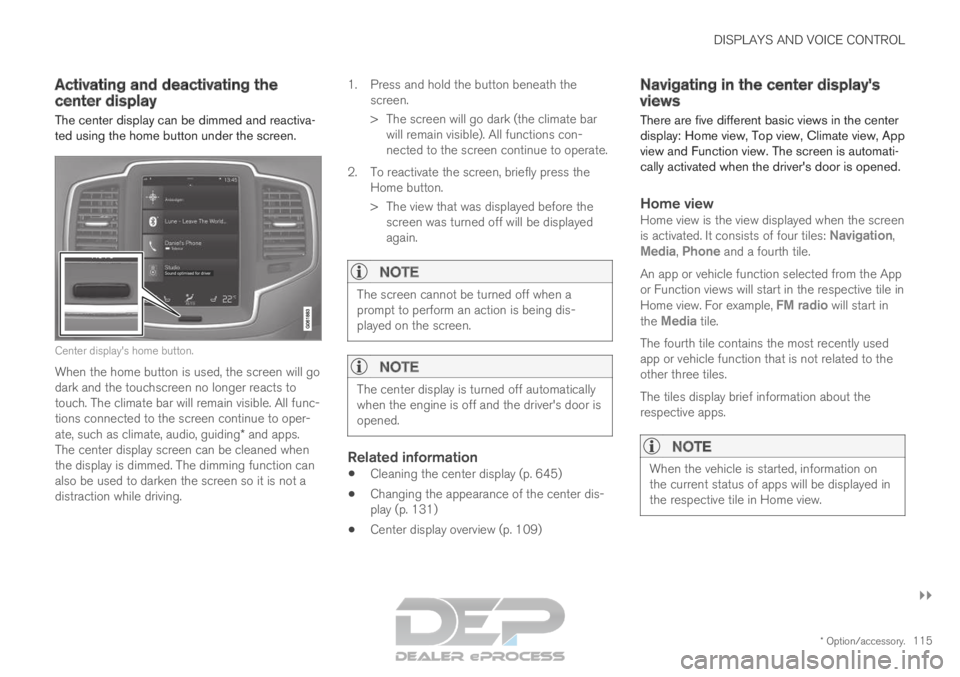
The center display can be dimmed and reactiva-
ted using the home button under the screen. Center display's home button.
When the home button is used, the screen will go
dark and the touchscreen no longer reacts to
touch. The climate bar will remain visible. All func-
tions connected to the screen continue to oper-
ate, such as climate, audio, guiding* and apps.
The center display screen can be cleaned when
the display is dimmed. The dimming function can
also be used to darken the screen so it is not a
distraction while driving. 1.
Press and hold the button beneath the
screen.
> The screen will go dark (the climate bar will remain visible). All functions con-
nected to the screen continue to operate.
2. To reactivate the screen, briefly press the Home button.
> The view that was displayed before thescreen was turned off will be displayed
again.
NOTE The screen cannot be turned off when a
prompt to perform an action is being dis-
played on the screen.
NOTE
The center display is turned off automatically
when the engine is off and the driver's door is
opened.
Related information
Cleaning the center display (p. 645)
Changing the appearance of the center dis-
play (p. 131)
Center display overview (p. 109) Navigating in the center display's
views
There are five different basic views in the center
display: Home view, Top view, Climate view, App
view and Function view. The screen is automati-
cally activated when the driver's door is opened.
Home viewHome view is the view displayed when the screen
is activated. It consists of four tiles: Navigation,
Media, Phone and a fourth tile.
An app or vehicle function selected from the App
or Function views will start in the respective tile in
Home view. For example, FM radio will start in
the
Media tile.
The fourth tile contains the most recently used
app or vehicle function that is not related to the
other three tiles.
The tiles display brief information about the
respective apps.
NOTE When the vehicle is started, information on
the current status of apps will be displayed in
the respective tile in Home view.
Page 161 of 697
LIGHTING
}}
* Option/accessory. 159
Active Bending Lights*
Active Bending Lights (ABL) are designed to
help provide maximum illumination in curves and
intersections. Depending on equipment level,
vehicles with LED 5
headlights* may be equipped
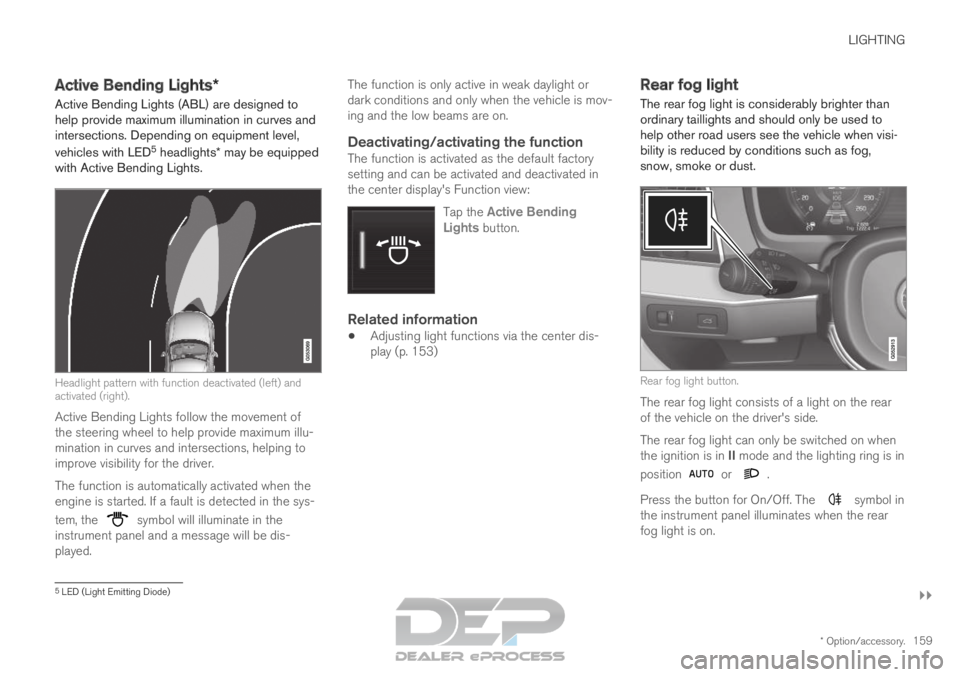
with Active Bending Lights. Headlight pattern with function deactivated (left) and
activated (right).
Active Bending Lights follow the movement of
the steering wheel to help provide maximum illu-
mination in curves and intersections, helping to
improve visibility for the driver.
The function is automatically activated when the
engine is started. If a fault is detected in the sys-
tem, the symbol will illuminate in the
instrument panel and a message will be dis-
played. The function is only active in weak daylight or
dark conditions and only when the vehicle is mov-
ing and the low beams are on.
Deactivating/activating the functionThe function is activated as the default factory
setting and can be activated and deactivated in
the center display's Function view:
Tap the Active BendingLights button.
Related information
Adjusting light functions via the center dis-
play (p. 153) Rear fog light
The rear fog light is considerably brighter than
ordinary taillights and should only be used to
help other road users see the vehicle when visi-
bility is reduced by conditions such as fog,
snow, smoke or dust. Rear fog light button.
The rear fog light consists of a light on the rear
of the vehicle on the driver's side.
The rear fog light can only be switched on when
the ignition is in II mode and the lighting ring is in
position or .
Press the button for On/Off. The symbol in
the instrument panel illuminates when the rear
fog light is on. 5
LED (Light Emitting Diode)
Page 164 of 697
LIGHTING
162Interior Lighting
The interior is equipped with several different
types of lighting to improve the experience. This
includes reading lamps, glove box lighting and
ground lighting.
All lighting in the passenger compartment can be
turned on and off manually within 5 minutes
after:
the engine has been switched off and the
ignition is in mode 0.
the vehicle is unlocked but the engine has
not been started.
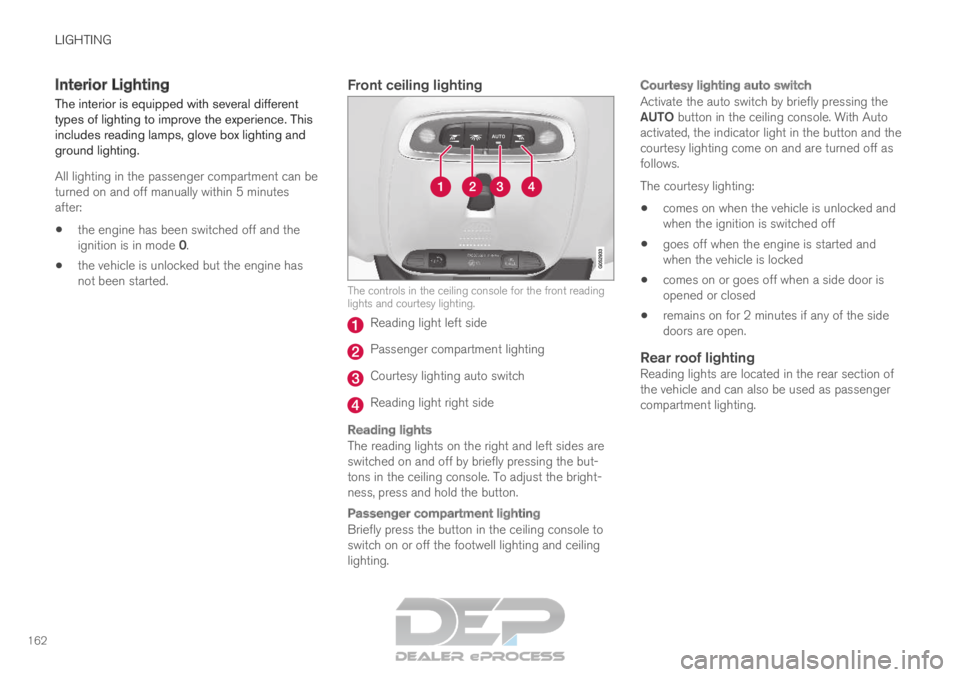
Front ceiling lighting The controls in the ceiling console for the front reading
lights and courtesy lighting.
Reading light left side
Passenger compartment lighting
Courtesy lighting auto switch
Reading light right side
Reading lights
The reading lights on the right and left sides are
switched on and off by briefly pressing the but-
tons in the ceiling console. To adjust the bright-
ness, press and hold the button.
Passenger compartment lighting
Briefly press the button in the ceiling console to
switch on or off the footwell lighting and ceiling
lighting.
Courtesy lighting auto switch
Activate the auto switch by briefly pressing the
AUTO button in the ceiling console. With Auto
activated, the indicator light in the button and the
courtesy lighting come on and are turned off as
follows.
The courtesy lighting:
comes on when the vehicle is unlocked and
when the ignition is switched off
goes off when the engine is started and
when the vehicle is locked
comes on or goes off when a side door is
opened or closed
remains on for 2 minutes if any of the side
doors are open.
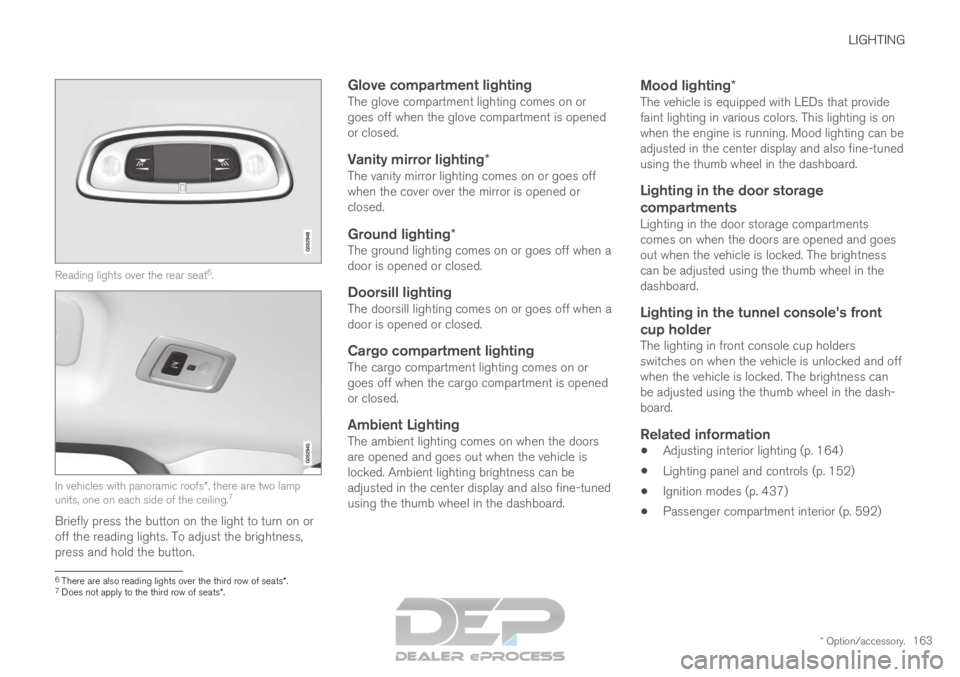
Rear roof lightingReading lights are located in the rear section of
the vehicle and can also be used as passenger
compartment lighting.
Page 165 of 697
LIGHTING
* Option/accessory.163Reading lights over the rear seat
6
. In vehicles with panoramic roofs*, there are two lamp
units, one on each side of the ceiling. 7
Briefly press the button on the light to turn on or
off the reading lights. To adjust the brightness,
press and hold the button.
Glove compartment lightingThe glove compartment lighting comes on or
goes off when the glove compartment is opened
or closed.
Vanity mirror lighting*The vanity mirror lighting comes on or goes off
when the cover over the mirror is opened or
closed.
Ground lighting*The ground lighting comes on or goes off when a
door is opened or closed.
Doorsill lightingThe doorsill lighting comes on or goes off when a
door is opened or closed.
Cargo compartment lightingThe cargo compartment lighting comes on or
goes off when the cargo compartment is opened
or closed.
Ambient LightingThe ambient lighting comes on when the doors
are opened and goes out when the vehicle is
locked. Ambient lighting brightness can be
adjusted in the center display and also fine-tuned
using the thumb wheel in the dashboard.
Mood lighting*The vehicle is equipped with LEDs that provide
faint lighting in various colors. This lighting is on
when the engine is running. Mood lighting can be
adjusted in the center display and also fine-tuned
using the thumb wheel in the dashboard.
Lighting in the door storage
compartments
Lighting in the door storage compartments
comes on when the doors are opened and goes
out when the vehicle is locked. The brightness
can be adjusted using the thumb wheel in the
dashboard.
Lighting in the tunnel console's front cup holder
The lighting in front console cup holders
switches on when the vehicle is unlocked and off
when the vehicle is locked. The brightness can
be adjusted using the thumb wheel in the dash-
board.
Related information
Adjusting interior lighting (p. 164)
Lighting panel and controls (p. 152)
Ignition modes (p. 437)
Passenger compartment interior (p. 592) 6
There are also reading lights over the third row of seats*.
7 Does not apply to the third row of seats*.
Page 166 of 697
LIGHTING
* Option/accessory.
164 Adjusting interior lighting
Illumination in the vehicle varies depending on
ignition mode. The interior lighting can be
adjusted with a thumb wheel in the dashboard
and certain light functions can also be adjusted
via the center display.
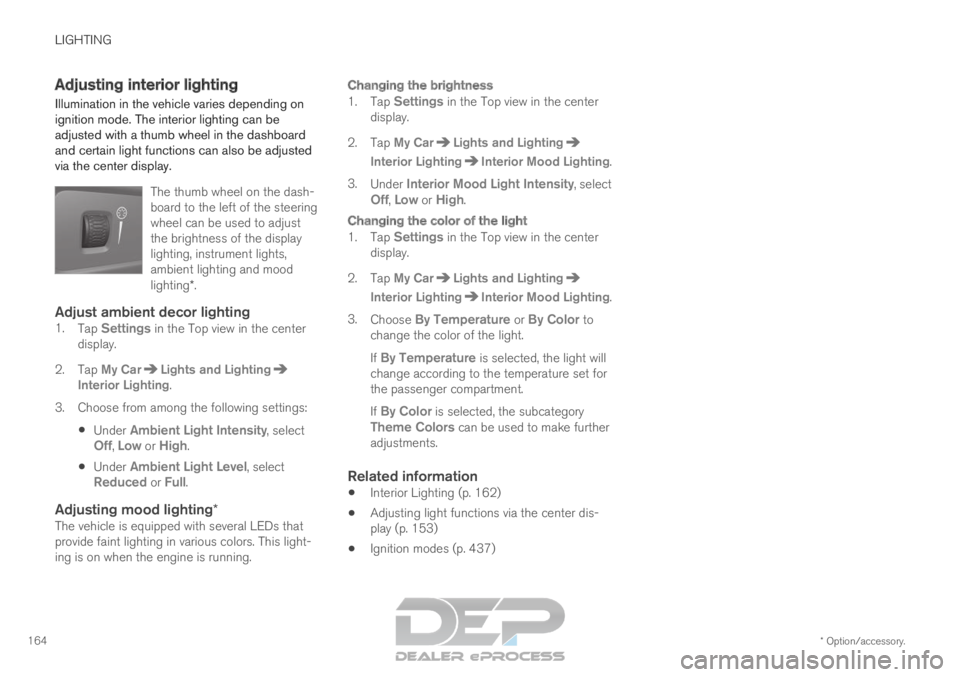
The thumb wheel on the dash-
board to the left of the steering
wheel can be used to adjust
the brightness of the display
lighting, instrument lights,
ambient lighting and mood
lighting*.
Adjust ambient decor lighting1.Tap Settings in the Top view in the center
display.
2.
Tap My Car Lights and Lighting
Interior Lighting.
3.
Choose from among the following settings:
Under Ambient Light Intensity, select
Off, Low or High.
Under
Ambient Light Level, select
Reduced or Full.
Adjusting mood lighting*The vehicle is equipped with several LEDs that
provide faint lighting in various colors. This light-
ing is on when the engine is running.
Changing the brightness
1. Tap Settings in the Top view in the center
display.
2.
Tap My Car Lights and Lighting
Interior Lighting Interior Mood Lighting
.
3. Under Interior Mood Light Intensity, select
Off,
Low or High.
Changing the color of the light
1. Tap Settings in the Top view in the center
display.
2.
Tap My Car Lights and Lighting
Interior Lighting Interior Mood Lighting
.
3. Choose By Temperature or By Color to
change the color of the light.
If By Temperature is selected, the light will change according to the temperature set for
the passenger compartment.
If By Color is selected, the subcategory
Theme Colors can be used to make further adjustments.
Related information
Interior Lighting (p. 162)
Adjusting light functions via the center dis-
play (p. 153)
Ignition modes (p. 437)
Page 172 of 697
WINDOWS, GLASS AND MIRRORS
* Option/accessory.
170
Storing positions for seats, mirrors and head-
up display* (p. 186)
Activating and deactivating the heated rear
window and door mirrors (p. 225) Adjusting the rearview mirror
dimming function
Bright light entering the vehicle from behind, e.g.
from the headlights of following vehicles, could
reflect in the rearview mirror and door mirrors
and cause a glare. Use the dimming function
when light from behind is distracting.
Auto-dimIf bright light enters the vehicle from behind, the
door mirrors will automatically dim. Auto-dim is
always active when the engine is running, except
when reverse gear is engaged.
NOTE Adjustments to the sensitivity level will not be
noticeable immediately but will instead take
effect after a short period of time.
The sensitivity level for dimming will affect both
the rearview mirror and door mirrors.
To change the dimming sensitivity level:
1.
Tap Settings in the Top view in the center
display.
2.
Tap My Car Mirrors and Convenience
.
3. Under Rearview Mirror Auto Dimming ,
select
Normal, Dark or Light.
The rearview mirror instead has two sensors -
one pointing forward and one pointing rearward - which work together to identify and eliminate
glare. The forward-pointing sensor monitors
ambient light, while the rearward-pointing sensor
monitors light from the headlights of following
vehicles.
For the door mirrors to be equipped with auto-
dim, the rearview mirror must also be equipped
with auto-dim.
NOTE
If the sensors are obstructed by e.g. a parking
permit, transponder, sunshade or objects on
the seats or in the cargo compartment in a
way that prevents light from reaching the sen-
sors, the auto-dim function in the door and
rearview mirrors will be reduced.
Related information
Rearview/door mirrors (p. 169)
Adjusting the door mirrors (p. 171)
Page 179 of 697
WINDOWS, GLASS AND MIRRORS
}}
177
Continuous wipersMove the lever upward for the wipers to
operate at normal speed. Move the lever upward again for the wip-
ers to operate at high speed.
CAUTION
Before activating the wipers, make sure that
the wiper blades are not frozen in place and
that any snow or ice on the windshield and
rear window has been scraped away.
CAUTION
Use plenty of washer fluid when the wipers
clean the windshield. The windshield must be
wet when the windshield wipers are working.
Related information
Using the rain sensor (p. 177)
Using the windshield and headlight washers
(p. 179)
Using automatic rear window wiping when
backing up (p. 181)
Wiper blades and washer fluid (p. 176)
Using the rain sensor's memory function
(p. 178)
Using the rear window wiper/washer
(p. 180)
Filling washer fluid (p. 662)
Windshield wipers in the service position
(p. 661)
Replacing windshield wiper blades (p. 660)
Changing rear window wipers (p. 659) Using the rain sensor
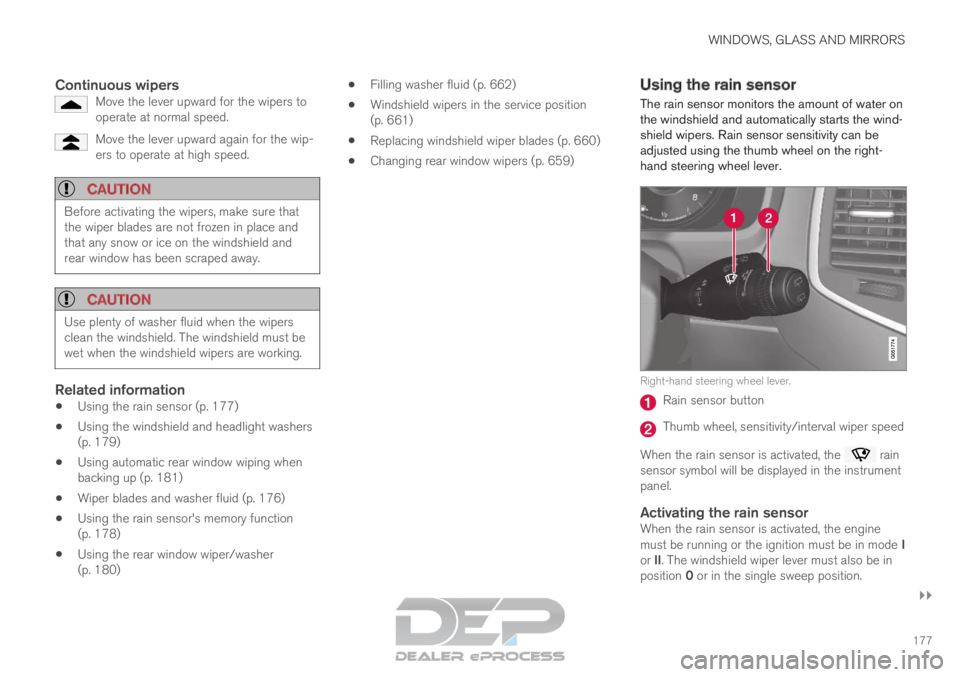
The rain sensor monitors the amount of water on
the windshield and automatically starts the wind-
shield wipers. Rain sensor sensitivity can be
adjusted using the thumb wheel on the right-
hand steering wheel lever. Right-hand steering wheel lever.
Rain sensor button
Thumb wheel, sensitivity/interval wiper speed
When the rain sensor is activated, the rain
sensor symbol will be displayed in the instrument
panel.
Activating the rain sensorWhen the rain sensor is activated, the engine
must be running or the ignition must be in mode I
or II. The windshield wiper lever must also be in
position 0 or in the single sweep position.