turn signal YAMAHA EC-03 2011 Owners Manual
[x] Cancel search | Manufacturer: YAMAHA, Model Year: 2011, Model line: EC-03, Model: YAMAHA EC-03 2011Pages: 78, PDF Size: 2.04 MB
Page 6 of 78
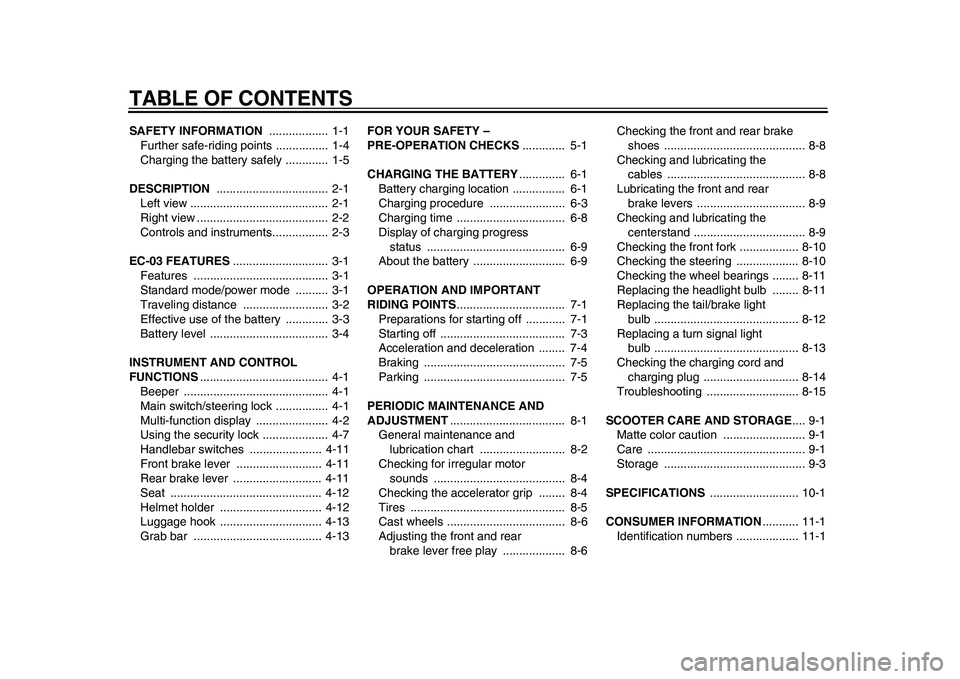
TABLE OF CONTENTSSAFETY INFORMATION .................. 1-1
Further safe-riding points ................ 1-4
Charging the battery safely ............. 1-5
DESCRIPTION .................................. 2-1
Left view .......................................... 2-1
Right view ........................................ 2-2
Controls and instruments................. 2-3
EC-03 FEATURES............................. 3-1
Features ......................................... 3-1
Standard mode/power mode .......... 3-1
Traveling distance .......................... 3-2
Effective use of the battery ............. 3-3
Battery level .................................... 3-4
INSTRUMENT AND CONTROL
FUNCTIONS....................................... 4-1
Beeper ............................................ 4-1
Main switch/steering lock ................ 4-1
Multi-function display ...................... 4-2
Using the security lock .................... 4-7
Handlebar switches ...................... 4-11
Front brake lever .......................... 4-11
Rear brake lever ........................... 4-11
Seat .............................................. 4-12
Helmet holder ............................... 4-12
Luggage hook ............................... 4-13
Grab bar ....................................... 4-13FOR YOUR SAFETY –
PRE-OPERATION CHECKS............. 5-1
CHARGING THE BATTERY.............. 6-1
Battery charging location ................ 6-1
Charging procedure ....................... 6-3
Charging time ................................. 6-8
Display of charging progress
status .......................................... 6-9
About the battery ............................ 6-9
OPERATION AND IMPORTANT
RIDING POINTS................................. 7-1
Preparations for starting off ............ 7-1
Starting off ...................................... 7-3
Acceleration and deceleration ........ 7-4
Braking ........................................... 7-5
Parking ........................................... 7-5
PERIODIC MAINTENANCE AND
ADJUSTMENT................................... 8-1
General maintenance and
lubrication chart .......................... 8-2
Checking for irregular motor
sounds ........................................ 8-4
Checking the accelerator grip ........ 8-4
Tires ............................................... 8-5
Cast wheels .................................... 8-6
Adjusting the front and rear
brake lever free play ................... 8-6Checking the front and rear brake
shoes ........................................... 8-8
Checking and lubricating the
cables .......................................... 8-8
Lubricating the front and rear
brake levers ................................. 8-9
Checking and lubricating the
centerstand .................................. 8-9
Checking the front fork .................. 8-10
Checking the steering ................... 8-10
Checking the wheel bearings ........ 8-11
Replacing the headlight bulb ........ 8-11
Replacing the tail/brake light
bulb ............................................ 8-12
Replacing a turn signal light
bulb ............................................ 8-13
Checking the charging cord and
charging plug ............................. 8-14
Troubleshooting ............................ 8-15
SCOOTER CARE AND STORAGE.... 9-1
Matte color caution ......................... 9-1
Care ................................................ 9-1
Storage ........................................... 9-3
SPECIFICATIONS ........................... 10-1
CONSUMER INFORMATION........... 11-1
Identification numbers ................... 11-11CB-9-E0.book 1 ページ 2010年10月15日 金曜日 午前10時19分
Page 8 of 78
1-2
SAFETY INFORMATION
1ed by road and traffic conditions.
• Always signal before turning or
changing lanes. Make sure that
other motorists can see you.
The posture of the operator is im-
portant for proper control. The op-
erator should keep both hands on
the handlebar and both feet on the
operator footrests during operation
to maintain control of the scooter.
Do not place magnets or objects
with a strong magnetic force near
the accelerator grip. In addition, do
not place objects susceptible to
magnetic forces (i.e., credit cards,
watches, etc.) close to the acceler-
ator grip.
Never ride under the influence of
alcohol or other drugs.
This scooter is designed for
on-road use only. It is not suitable
for off-road use.
Avoid submerged roads
Do not ride on flooded roads. Water
could cause power unit failure, electric
leakage, and/or short-circuiting.Protective Apparel
The majority of fatalities from scooter
accidents are the result of head inju-
ries. The use of a safety helmet is the
single most critical factor in the preven-
tion or reduction of head injuries.
Always wear an approved helmet.
Wear a face shield or goggles.
Wind in your unprotected eyes
could contribute to an impairment
of vision that could delay seeing a
hazard.
The use of a jacket, substantial
shoes, trousers, gloves, etc., is ef-
fective in preventing or reducing
abrasions or lacerations.
Never wear loose-fitting clothes,
otherwise they could catch on the
control levers or wheels and cause
injury or an accident.
Always wear protective clothing
that covers your legs, ankles, and
feet. The engine or exhaust sys-
tem become very hot during or af-
ter operation and can cause burns.
Loading
Adding accessories or cargo to your
scooter can adversely affect stabilityand handling if the weight distribution of
the scooter is changed. To avoid the
possibility of an accident, use extreme
caution when adding cargo or accesso-
ries to your scooter. Use extra care
when riding a scooter that has added
cargo or accessories. Here, along with
the information about accessories be-
low, are some general guidelines to fol-
low if loading cargo to your scooter:
The total weight of the operator, acces-
sories and cargo must not exceed the
maximum load limit. Operation of an
overloaded vehicle could cause an
accident.
When loading within this weight limit,
keep the following in mind:
Cargo and accessory weight
should be kept as low and close to
the scooter as possible. Securely
pack your heaviest items as close
to the center of the vehicle as pos-
sible and make sure to distribute
the weight as evenly as possible
on both sides of the scooter to min-Maximum load:
87 kg (192 lb)
1CB-9-E0.book 2 ページ 2010年10月15日 金曜日 午前10時19分
Page 10 of 78
1-4
SAFETY INFORMATION
1passing or being passed by
large vehicles.
• Certain accessories can dis-
place the operator from his or
her normal riding position. This
improper position limits the free-
dom of movement of the opera-
tor and may limit control ability,
therefore, such accessories are
not recommended.
Use caution when adding electri-
cal accessories. If electrical acces-
sories exceed the capacity of the
scooter’s electrical system, an
electric failure could result, which
could cause a dangerous loss of
lights or motor power.
Aftermarket Tires and Rims
The tires and rims that came with your
scooter were designed to match the
performance capabilities and to provide
the best combination of handling, brak-
ing, and comfort. Other tires, rims, siz-
es, and combinations may not be
appropriate. Refer to page 8-5 for tire
specifications and more information on
replacing your tires.Transporting the Scooter
Be sure to observe following instruc-
tions before transporting the scooter in
another vehicle.
Remove all loose items from the
scooter.
Point the front wheel straight
ahead on the trailer or in the truck
bed, and choke it in a rail to pre-
vent movement.
Secure the scooter with tie-downs
or suitable straps that are attached
to solid parts of the scooter, such
as the frame or upper front fork tri-
ple clamp (and not, for example, to
rubber-mounted handlebars or
turn signals, or parts that could
break). Choose the location for the
straps carefully so the straps will
not rub against painted surfaces
during transport.
The suspension should be com-
pressed somewhat by the
tie-downs, if possible, so that the
scooter will not bounce excessive-
ly during transport.
EAUT2030
Further safe-riding points
Make sure to signal clearly when
making turns.
Braking can be extremely difficult
on a wet road. Avoid hard braking,
because the scooter could slide.
Apply the brakes slowly when
stopping on a wet surface.
Slow down as you approach a cor-
ner or turn. Once you have com-
pleted a turn, accelerate slowly.
Be careful when passing parked
cars. A driver might not see you
and open a door in your path.
Railroad crossings, streetcar rails,
iron plates on road construction
sites, and manhole covers be-
come extremely slippery when
wet. Slow down and cross them
with caution. Keep the scooter up-
right, otherwise it could slide out
from under you.
The brake lining could get wet
when you wash the scooter. After
washing the scooter, check the
brakes before riding.
Always wear a helmet, gloves,
trousers (tapered around the cuff
1CB-9-E0.book 4 ページ 2010年10月15日 金曜日 午前10時19分
Page 20 of 78
4-1
1
2
34
5
6
7
8
9
INSTRUMENT AND CONTROL FUNCTIONS
EAU49982
Beeper The EC-03 informs you of the following
operations and status of the vehicle us-
ing the beeper.
Key in “ON” position
Standby mode (See page 7-2.)
A control button is pushed
Security lock unlocked
Security lock unlock failed
Enters the riding mode (see
page 4-6).
Turn signals in use
Battery level is approx. 10% (See
page 3-5.)
Battery charging started
EAU10460
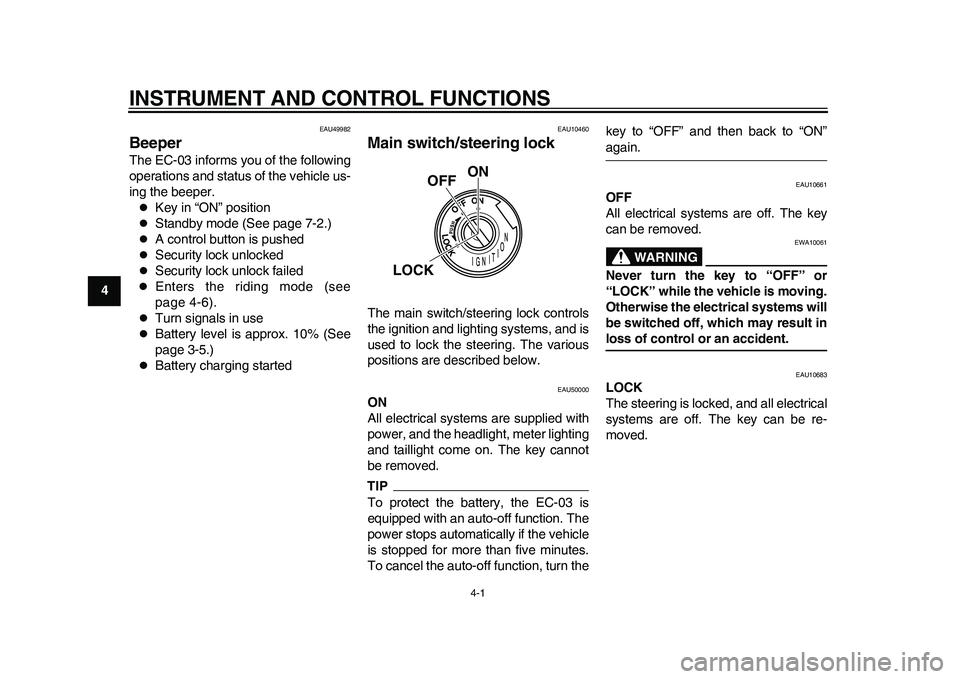
Main switch/steering lock The main switch/steering lock controls
the ignition and lighting systems, and is
used to lock the steering. The various
positions are described below.
EAU50000
ON
All electrical systems are supplied with
power, and the headlight, meter lighting
and taillight come on. The key cannot
be removed.TIPTo protect the battery, the EC-03 is
equipped with an auto-off function. The
power stops automatically if the vehicle
is stopped for more than five minutes.
To cancel the auto-off function, turn thekey to “OFF” and then back to “ON”
again.
EAU10661
OFF
All electrical systems are off. The key
can be removed.
WARNING
EWA10061
Never turn the key to “OFF” or
“LOCK” while the vehicle is moving.
Otherwise the electrical systems will
be switched off, which may result inloss of control or an accident.
EAU10683
LOCK
The steering is locked, and all electrical
systems are off. The key can be re-
moved.
ON
OFF
LOCK
1CB-9-E0.book 1 ページ 2010年10月15日 金曜日 午前10時19分
Page 30 of 78
INSTRUMENT AND CONTROL FUNCTIONS
4-11
1
2
34
5
6
7
8
9
EAU12348
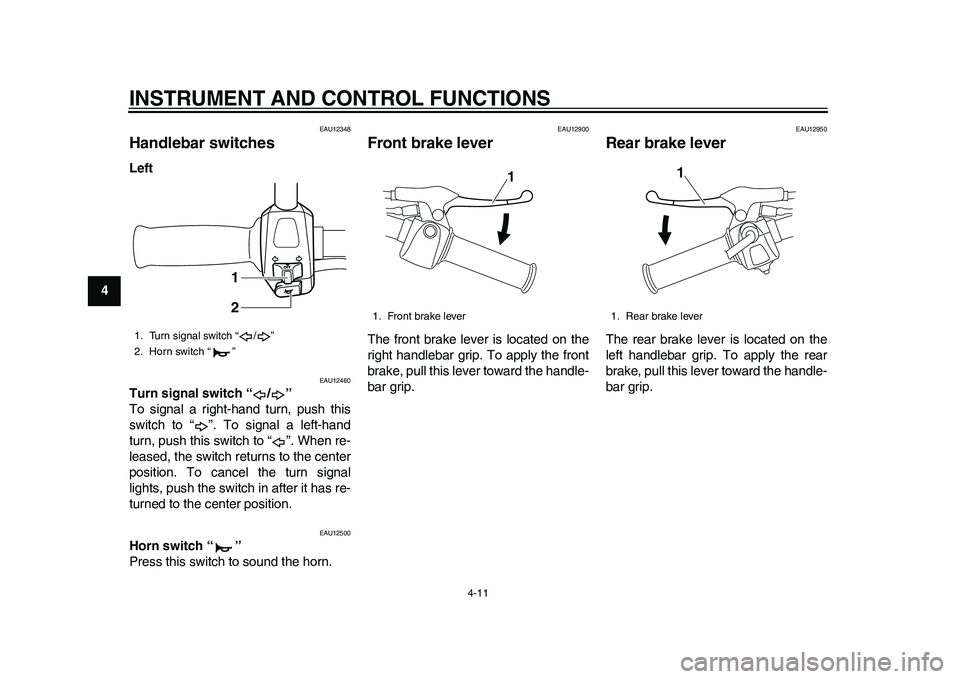
Handlebar switches Left
EAU12460
Turn signal switch “ / ”
To signal a right-hand turn, push this
switch to “ ”. To signal a left-hand
turn, push this switch to “ ”. When re-
leased, the switch returns to the center
position. To cancel the turn signal
lights, push the switch in after it has re-
turned to the center position.
EAU12500
Horn switch “ ”
Press this switch to sound the horn.
EAU12900
Front brake lever The front brake lever is located on the
right handlebar grip. To apply the front
brake, pull this lever toward the handle-
bar grip.
EAU12950
Rear brake lever The rear brake lever is located on the
left handlebar grip. To apply the rear
brake, pull this lever toward the handle-
bar grip.
1. Turn signal switch “ / ”
2. Horn switch “ ”
1
2
1. Front brake lever
1
1. Rear brake lever
1
1CB-9-E0.book 11 ページ 2010年10月15日 金曜日 午前10時19分
Page 47 of 78
OPERATION AND IMPORTANT RIDING POINTS
7-3
2
3
4
5
678
9
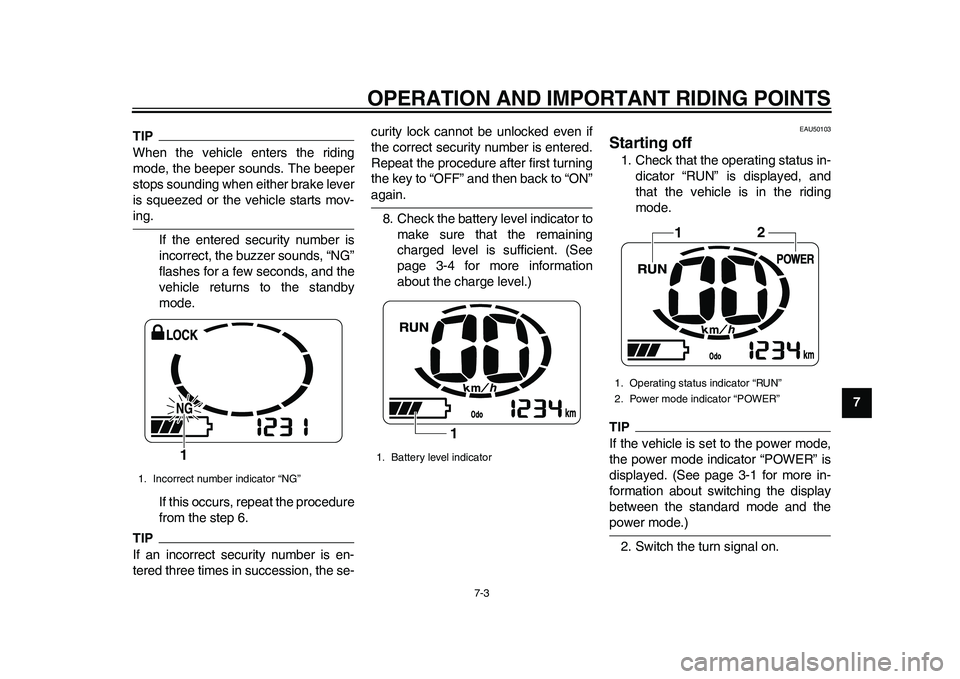
TIPWhen the vehicle enters the riding
mode, the beeper sounds. The beeper
stops sounding when either brake lever
is squeezed or the vehicle starts mov-ing.
If the entered security number is
incorrect, the buzzer sounds, “NG”
flashes for a few seconds, and the
vehicle returns to the standby
mode.
If this occurs, repeat the procedure
from the step 6.TIPIf an incorrect security number is en-
tered three times in succession, the se-curity lock cannot be unlocked even if
the correct security number is entered.
Repeat the procedure after first turning
the key to “OFF” and then back to “ON”
again.
8. Check the battery level indicator to
make sure that the remaining
charged level is sufficient. (See
page 3-4 for more information
about the charge level.)
EAU50103
Starting off 1. Check that the operating status in-
dicator “RUN” is displayed, and
that the vehicle is in the riding
mode.TIPIf the vehicle is set to the power mode,
the power mode indicator “POWER” is
displayed. (See page 3-1 for more in-
formation about switching the display
between the standard mode and thepower mode.)
2. Switch the turn signal on.
1. Incorrect number indicator “NG”
1
1. Battery level indicator
1
1. Operating status indicator “RUN”
2. Power mode indicator “POWER”
1
2
1CB-9-E0.book 3 ページ 2010年10月15日 金曜日 午前10時19分
Page 48 of 78
OPERATION AND IMPORTANT RIDING POINTS
7-4
1
2
3
4
5
67
8
9
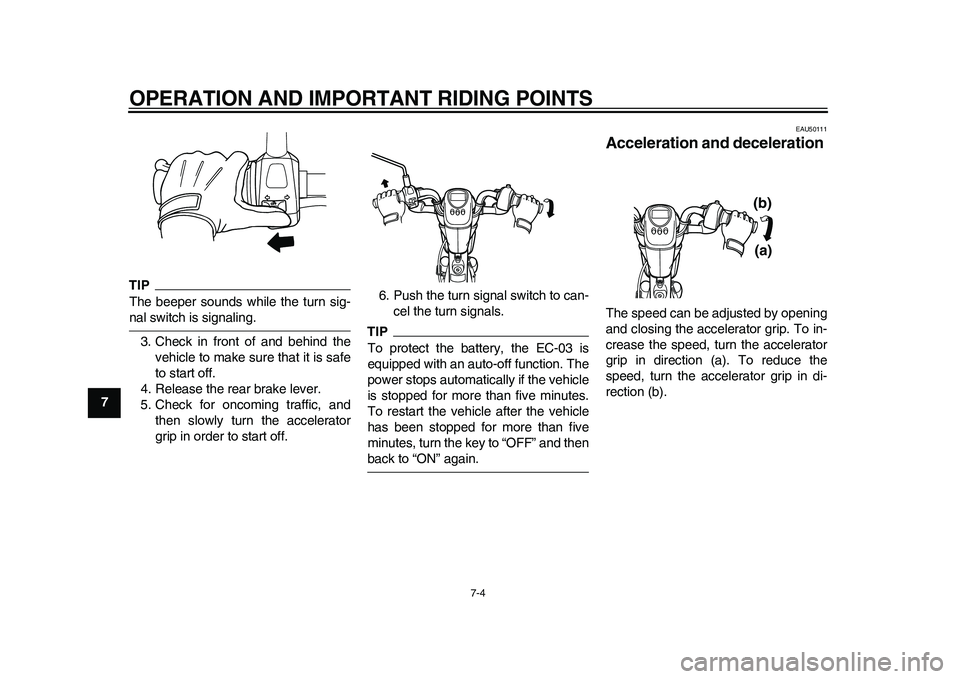
TIPThe beeper sounds while the turn sig-nal switch is signaling.
3. Check in front of and behind the
vehicle to make sure that it is safe
to start off.
4. Release the rear brake lever.
5. Check for oncoming traffic, and
then slowly turn the accelerator
grip in order to start off.6. Push the turn signal switch to can-
cel the turn signals.
TIPTo protect the battery, the EC-03 is
equipped with an auto-off function. The
power stops automatically if the vehicle
is stopped for more than five minutes.
To restart the vehicle after the vehicle
has been stopped for more than five
minutes, turn the key to “OFF” and thenback to “ON” again.
EAU50111
Acceleration and deceleration The speed can be adjusted by opening
and closing the accelerator grip. To in-
crease the speed, turn the accelerator
grip in direction (a). To reduce the
speed, turn the accelerator grip in di-
rection (b).
(a) (b)
1CB-9-E0.book 4 ページ 2010年10月15日 金曜日 午前10時19分
Page 62 of 78
PERIODIC MAINTENANCE AND ADJUSTMENT
8-13
1
2
3
4
5
6
78
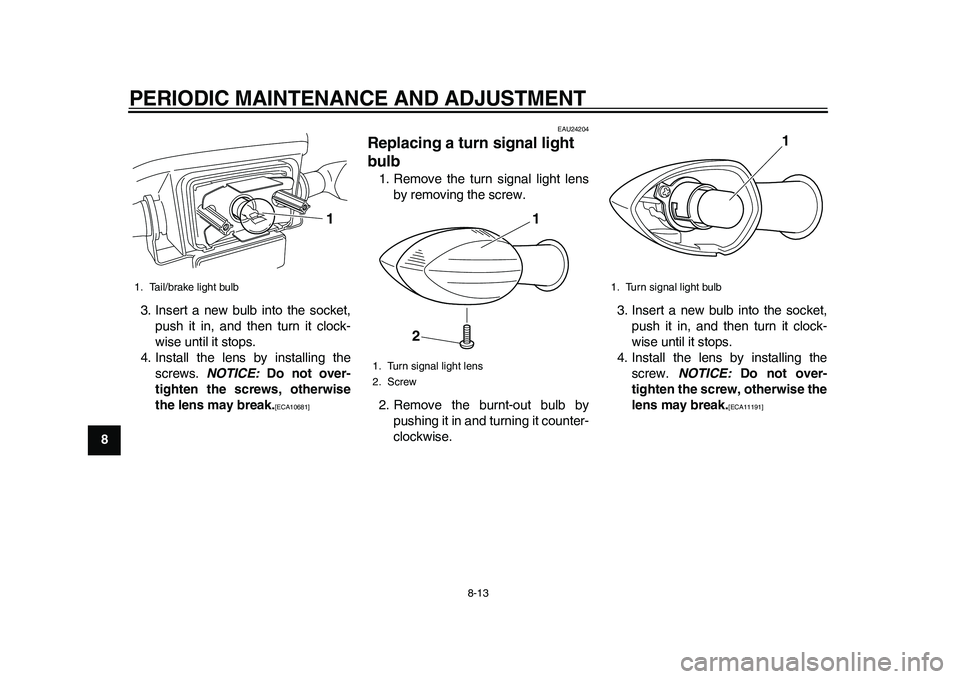
93. Insert a new bulb into the socket,
push it in, and then turn it clock-
wise until it stops.
4. Install the lens by installing the
screws. NOTICE: Do not over-
tighten the screws, otherwise
the lens may break.
[ECA10681]
EAU24204
Replacing a turn signal light
bulb 1. Remove the turn signal light lens
by removing the screw.
2. Remove the burnt-out bulb by
pushing it in and turning it counter-
clockwise.3. Insert a new bulb into the socket,
push it in, and then turn it clock-
wise until it stops.
4. Install the lens by installing the
screw. NOTICE: Do not over-
tighten the screw, otherwise the
lens may break.
[ECA11191]
1. Tail/brake light bulb
1
1. Turn signal light lens
2. Screw
1
2
1. Turn signal light bulb
1
1CB-9-E0.book 13 ページ 2010年10月15日 金曜日 午前10時19分
Page 64 of 78
PERIODIC MAINTENANCE AND ADJUSTMENT
8-15
1
2
3
4
5
6
78
9
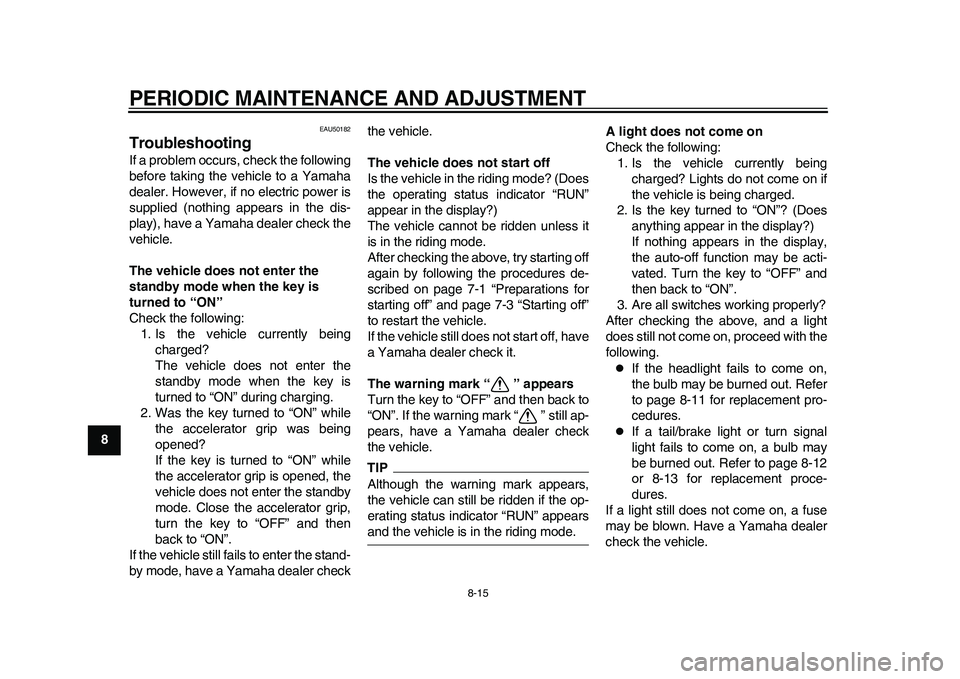
EAU50182
Troubleshooting If a problem occurs, check the following
before taking the vehicle to a Yamaha
dealer. However, if no electric power is
supplied (nothing appears in the dis-
play), have a Yamaha dealer check the
vehicle.
The vehicle does not enter the
standby mode when the key is
turned to “ON”
Check the following:
1. Is the vehicle currently being
charged?
The vehicle does not enter the
standby mode when the key is
turned to “ON” during charging.
2. Was the key turned to “ON” while
the accelerator grip was being
opened?
If the key is turned to “ON” while
the accelerator grip is opened, the
vehicle does not enter the standby
mode. Close the accelerator grip,
turn the key to “OFF” and then
back to “ON”.
If the vehicle still fails to enter the stand-
by mode, have a Yamaha dealer checkthe vehicle.
The vehicle does not start off
Is the vehicle in the riding mode? (Does
the operating status indicator “RUN”
appear in the display?)
The vehicle cannot be ridden unless it
is in the riding mode.
After checking the above, try starting off
again by following the procedures de-
scribed on page 7-1 “Preparations for
starting off” and page 7-3 “Starting off”
to restart the vehicle.
If the vehicle still does not start off, have
a Yamaha dealer check it.
The warning mark “ ” appears
Turn the key to “OFF” and then back to
“ON”. If the warning mark “ ” still ap-
pears, have a Yamaha dealer check
the vehicle.
TIPAlthough the warning mark appears,
the vehicle can still be ridden if the op-
erating status indicator “RUN” appearsand the vehicle is in the riding mode.A light does not come on
Check the following:
1. Is the vehicle currently being
charged? Lights do not come on if
the vehicle is being charged.
2. Is the key turned to “ON”? (Does
anything appear in the display?)
If nothing appears in the display,
the auto-off function may be acti-
vated. Turn the key to “OFF” and
then back to “ON”.
3. Are all switches working properly?
After checking the above, and a light
does still not come on, proceed with the
following.
If the headlight fails to come on,
the bulb may be burned out. Refer
to page 8-11 for replacement pro-
cedures.
If a tail/brake light or turn signal
light fails to come on, a bulb may
be burned out. Refer to page 8-12
or 8-13 for replacement proce-
dures.
If a light still does not come on, a fuse
may be blown. Have a Yamaha dealer
check the vehicle.
1CB-9-E0.book 15 ページ 2010年10月15日 金曜日 午前10時19分
Page 74 of 78
10-1
1
2
3
4
5
6
7
8
910
SPECIFICATIONS
EAU50970
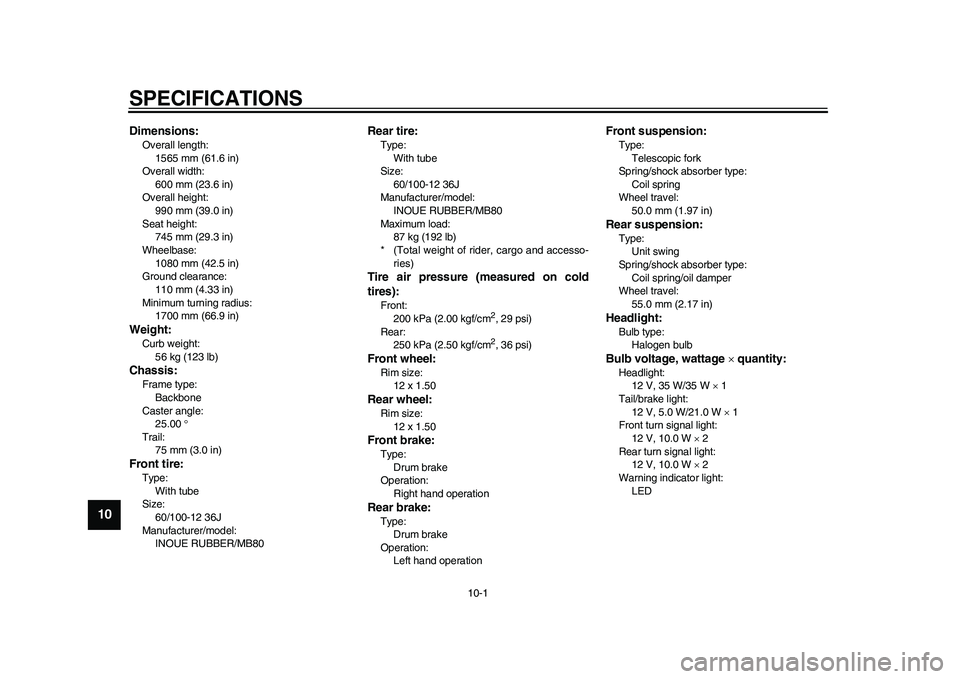
Dimensions:Overall length:
1565 mm (61.6 in)
Overall width:
600 mm (23.6 in)
Overall height:
990 mm (39.0 in)
Seat height:
745 mm (29.3 in)
Wheelbase:
1080 mm (42.5 in)
Ground clearance:
110 mm (4.33 in)
Minimum turning radius:
1700 mm (66.9 in)Weight:Curb weight:
56 kg (123 lb)Chassis:Frame type:
Backbone
Caster angle:
25.00
Trail:
75 mm (3.0 in)Front tire:Type:
With tube
Size:
60/100-12 36J
Manufacturer/model:
INOUE RUBBER/MB80
Rear tire:Type:
With tube
Size:
60/100-12 36J
Manufacturer/model:
INOUE RUBBER/MB80
Maximum load:
87 kg (192 lb)
* (Total weight of rider, cargo and accesso-
ries)Tire air pressure (measured on cold
tires):Front:
200 kPa (2.00 kgf/cm
2, 29 psi)
Rear:
250 kPa (2.50 kgf/cm2, 36 psi)
Front wheel:Rim size:
12 x 1.50Rear wheel:Rim size:
12 x 1.50Front brake:Type:
Drum brake
Operation:
Right hand operationRear brake:Type:
Drum brake
Operation:
Left hand operation
Front suspension:Type:
Telescopic fork
Spring/shock absorber type:
Coil spring
Wheel travel:
50.0 mm (1.97 in)Rear suspension:Type:
Unit swing
Spring/shock absorber type:
Coil spring/oil damper
Wheel travel:
55.0 mm (2.17 in)Headlight:Bulb type:
Halogen bulbBulb voltage, wattage quantity:Headlight:
12 V, 35 W/35 W 1
Tail/brake light:
12 V, 5.0 W/21.0 W 1
Front turn signal light:
12 V, 10.0 W 2
Rear turn signal light:
12 V, 10.0 W 2
Warning indicator light:
LED
1CB-9-E0.book 1 ページ 2010年10月15日 金曜日 午前10時19分