key YAMAHA TMAX 2019 Owner's Manual
[x] Cancel search | Manufacturer: YAMAHA, Model Year: 2019, Model line: TMAX, Model: YAMAHA TMAX 2019Pages: 122, PDF Size: 14.98 MB
Page 56 of 122
Instrument and control functions
5-23
1
2
3
4
5
6
7
8
9
10
11
12
13
14
EAU80862
Storage compartments
TIP
The storage compartments have elec-
tronic locks. (See page 3-11.)
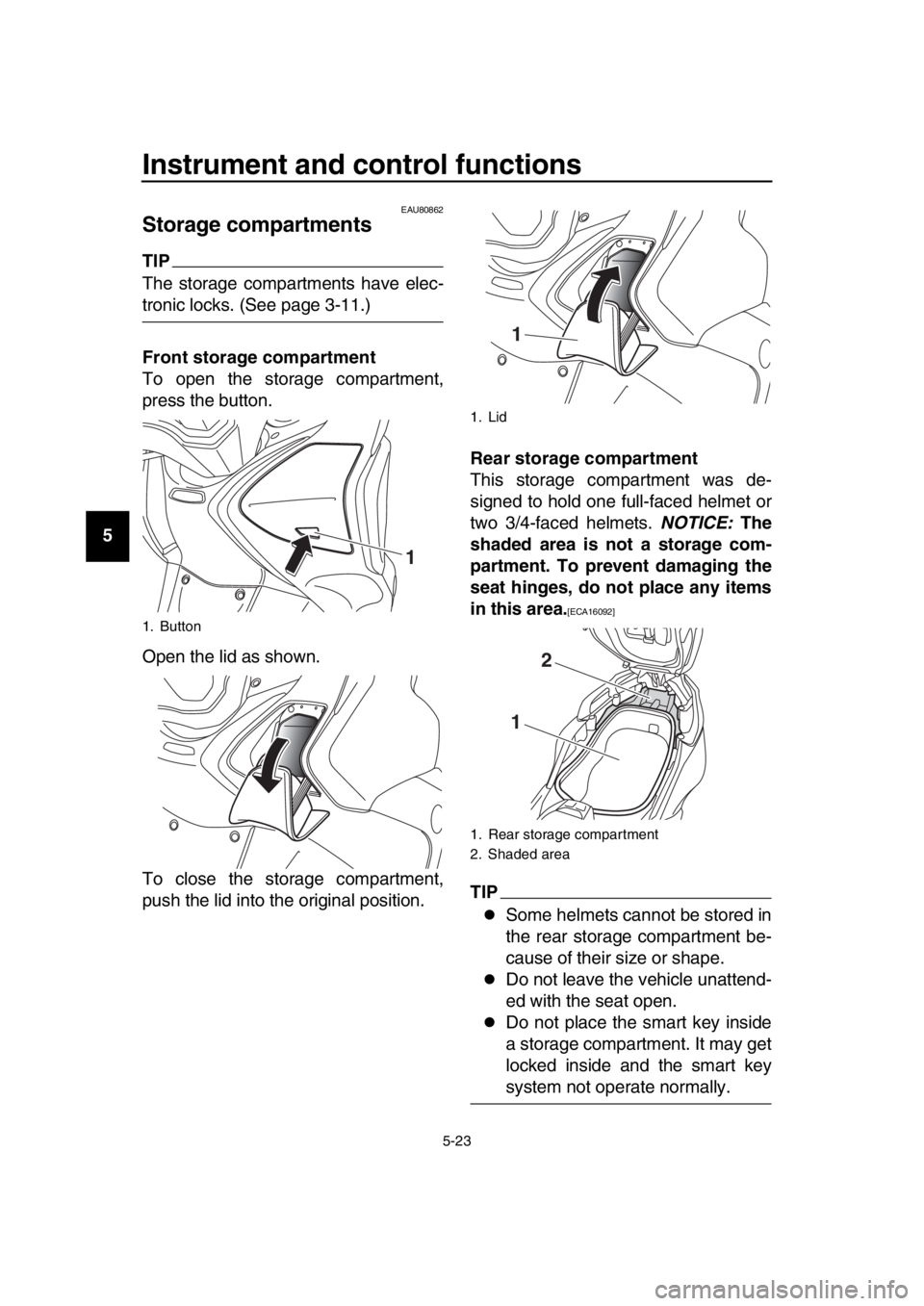
Front storage compartment
To open the storage compartment,
press the button.
Open the lid as shown.
To close the storage compartment,
push the lid into the original position. Rear storage compartment
This storage compartment was de-
signed to hold one full-faced helmet or
two 3/4-faced helmets.
NOTICE: The
shaded area is not a storage com-
partment. To prevent damaging the
seat hinges, do not place any items
in this area.
[ECA16092]
TIP
Some helmets cannot be stored in
the rear storage compartment be-
cause of their size or shape.
Do not leave the vehicle unattend-
ed with the seat open.
Do not place the smart key inside
a storage compartment. It may get
locked inside and the smart key
system not operate normally.
1. Button
1
1. Lid
1. Rear storage compartment
2. Shaded area
1
2
1
BV1-9-E2.book 23 ページ 2018年8月28日 火曜日 午後5時28分
Page 67 of 122
Operation and important riding points
7-2
1
2
3
4
5
6
7
8
9
10
11
12
13
14
EAU77082
Starting the engine
NOTICE
ECA10251
See page 7-5 for engine break-in in-
structions prior to operating the ve-
hicle for the first time.
In order for the ignition circuit cut-off
system to enable starting, the sides-
tand must be up. (See page 5-29.) 1. With the smart key turned on, ap- proach the vehicle.
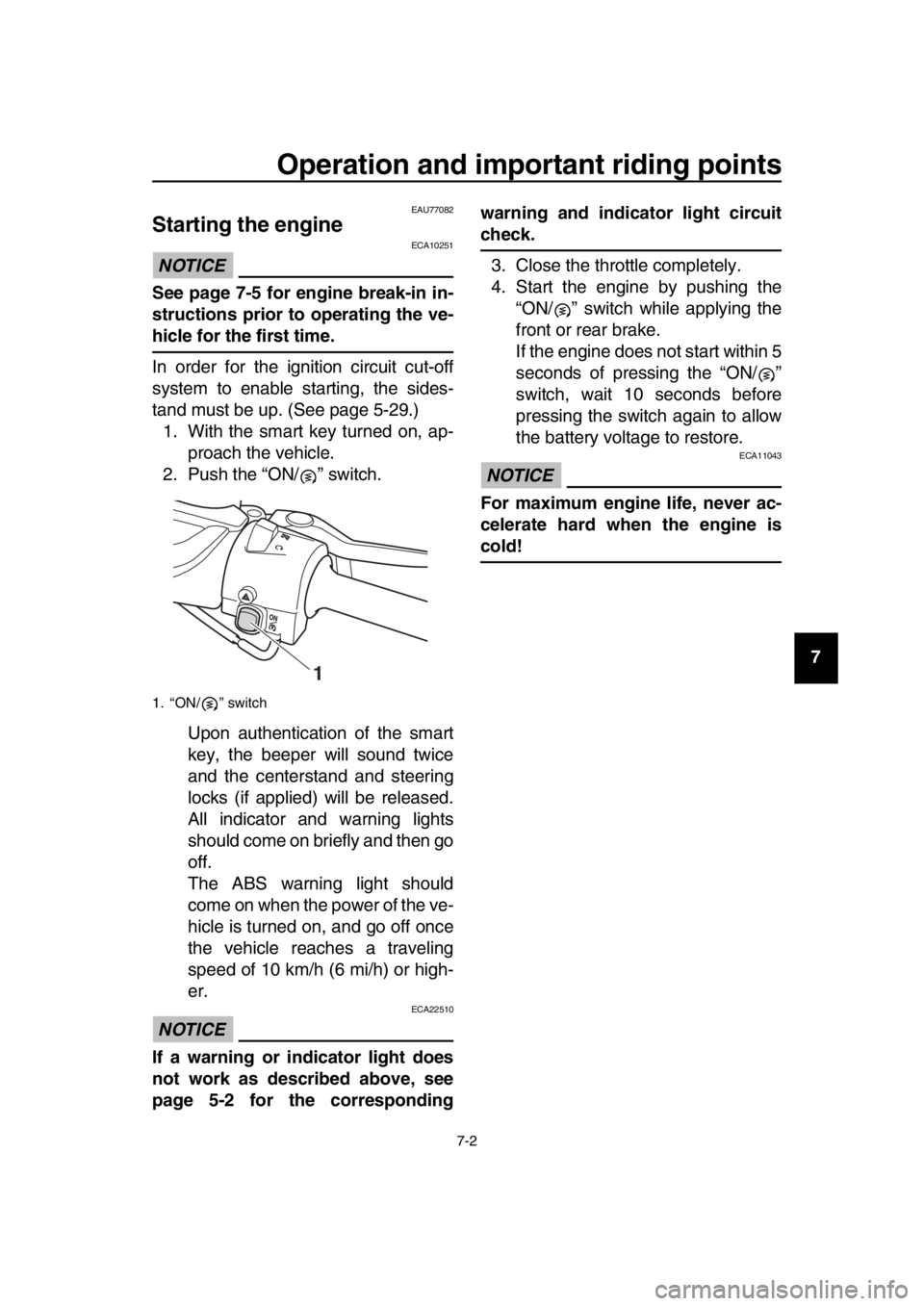
2. Push the “ON/ ” switch.
Upon authentication of the smart
key, the beeper will sound twice
and the centerstand and steering
locks (if applied) will be released.
All indicator and warning lights
should come on briefly and then go
off.
The ABS warning light should
come on when the power of the ve-
hicle is turned on, and go off once
the vehicle reaches a traveling
speed of 10 km/h (6 mi/h) or high-
er.
NOTICE
ECA22510
If a warning or indicator light does
not work as described above, see
page 5-2 for the corresponding warning and indicator light circuit
check.
3. Close the throttle completely.
4. Start the engine by pushing the “ON/ ” switch while applying the
front or rear brake.
If the engine does not start within 5
seconds of pressing the “ON/ ”
switch, wait 10 seconds before
pressing the switch again to allow
the battery voltage to restore.
NOTICE
ECA11043
For maximum engine life, never ac-
celerate hard when the engine is
cold!
1. “ON/ ” switch
1
BV1-9-E2.book 2 ページ 2018年8月28日 火曜日 午後5時28分
Page 71 of 122
Operation and important riding points
7-6
1
2
3
4
5
6
7
8
9
10
11
12
13
14
EAU77960
Parking
When parking, turn the vehicle power
off and then the smart key off.
When leaving the vehicle, make sure
you apply the steering lock and center-
stand lock. Take the smart key with
you. It is recommended that you turn
the smart key off.
WARNING
EWA10312
Since the engine and exhaust
system can become very hot,
park in a place where pedestri-
ans or children are not likely to
touch them and be burned.
Do not park on a slope or on soft
ground, otherwise the vehicle
may overturn, increasing the
risk of a fuel leak and fire.
Do not park near grass or other
flammable materials which
might catch fire.
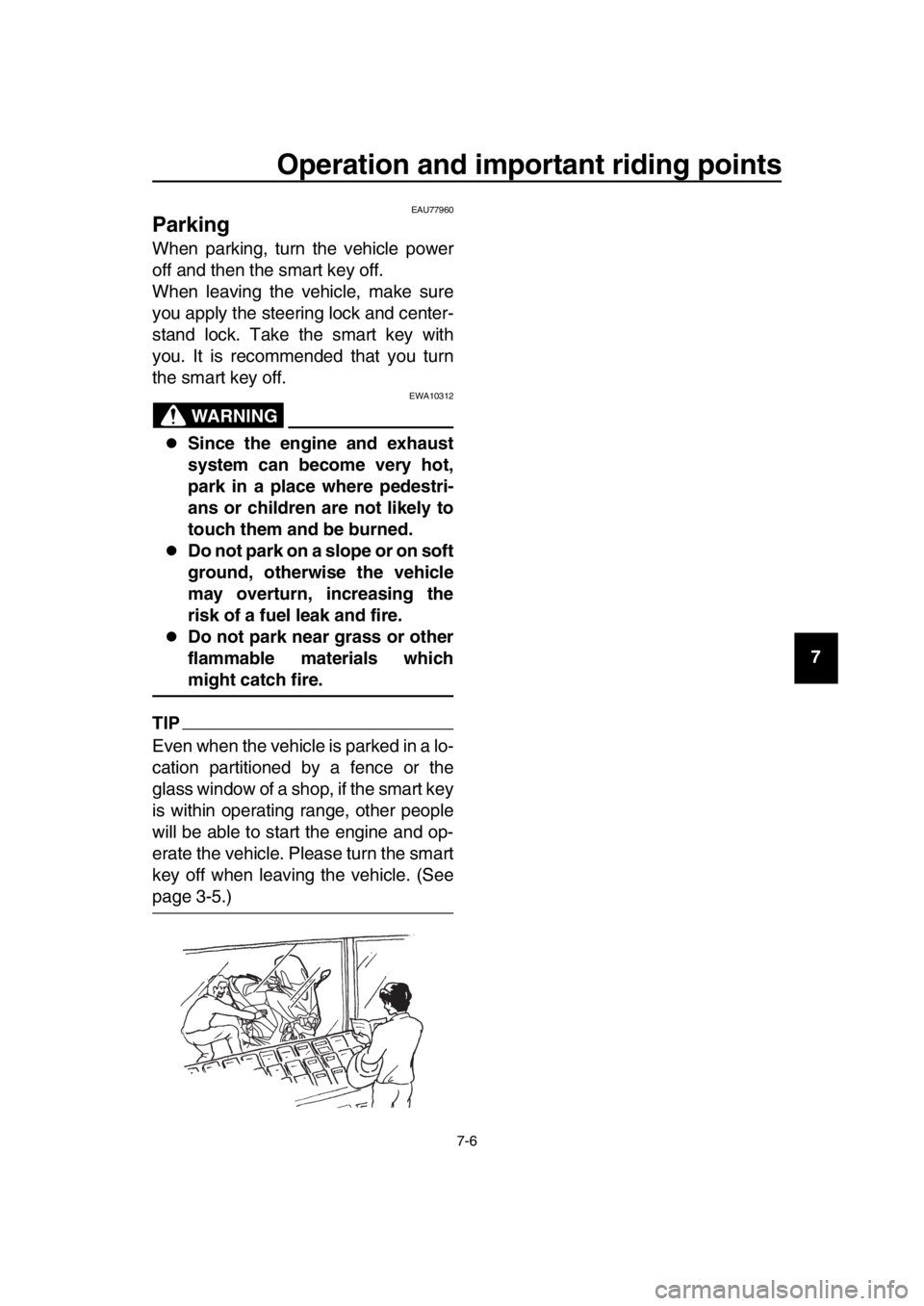
TIP
Even when the vehicle is parked in a lo-
cation partitioned by a fence or the
glass window of a shop, if the smart key
is within operating range, other people
will be able to start the engine and op-
erate the vehicle. Please turn the smart
key off when leaving the vehicle. (See
page 3-5.)
BV1-9-E2.book 6 ページ 2018年8月28日 火曜日 午後5時28分
Page 104 of 122
Periodic maintenance and adjustment
8-33
1
2
3
4
5
6
7
8
9
10
11
12
13
14
EAU25865
Troubleshooting
Although your Yamaha received a thor-
ough inspection before shipment from
the factory, trouble may occur during
operation. Any problem in the fuel,
compression, or ignition systems, for
example, can cause poor starting and
loss of power.
The following troubleshooting chart
represents a quick and easy procedure
for checking these vital systems your-
self. However, should your vehicle re-
quire any repair, take it to an authorized
Yamaha dealer whose skilled techni-
cians have the necessary tools, experi-
ence, and know-how to properly
service your Yamaha vehicle.
Be sure to use only genuine Yamaha
replacement parts. Although imitation
parts may look similar to genuine parts,
they are often inferior in quality, have a
shorter service life, and can lead to an
expensive repair bill later on.
WARNING
EWA15142
When checking the fuel system, do
not smoke, and make sure there are
no open flames or sparks in the ar-
ea, including pilot lights from water
heaters or furnaces. Gasoline or
gasoline vapors can ignite or ex-
plode, causing severe injury or
property damage.
EAU77992Smart key system troubleshooting
Please check the following items when
the smart key system does not work.
Is the smart key turned on? (See
page 3-5.)
Is the smart key battery dis-
charged? (See page 3-6.)
Tightening torque: License plate light unit nut:
3.8 N·m (0.38 kgf·m, 2.8 lb·ft)
BV1-9-E2.book 33 ページ 2018年8月28日 火曜日 午後5時28分
Page 105 of 122
Periodic maintenance and adjustment
8-34
1
2
3
4
5
6
7
8
9
10
11
12
13
14
Is the smart key battery installed
correctly? (See page 3-6.)
Is the smart key being used in a lo-
cation with strong radio waves or
other electromagnetic noise? (See
page 3-1.)
Are you using the smart key that is
registered to the vehicle?
Is the vehicle battery discharged?
When the vehicle battery is dis-
charged, the smart key system will
not operate. Please have the vehi-
cle battery charged or replaced.
(See page 8-28.)
If the smart key system does not work
after checking the above items, have a
Yamaha dealer check the smart key
system.
TIP
See Emergency mode on page 8-37 for
information on starting the engine with-
out the smart key.
BV1-9-E2.book 34 ページ 2018年8月28日 火曜日 午後5時28分
Page 108 of 122

Periodic maintenance and adjustment
8-37
1
2
3
4
5
6
7
8
9
10
11
12
13
14
EAU77372
Emergency mode
When the smart key is lost, damaged,
or its battery has discharged, the vehi-
cle can still be turned on and the engine
started. You will need a mechanical key
and the smart key system identification
number. To operate the vehicle in
emergency mode, carry out the follow-
ing steps.
TIP
Emergency mode operation will be
cancelled if the respective steps are not
carried out within the time set for each
operation or if the “OFF/LOCK” switch
is pushed. 1. Stop the vehicle in a safe place.
2. Unlock the seat by inserting the mechanical key into the lock locat-
ed right side of body and turn it
counter clockwise.
3. Open the seat and check that the trunk light comes on.
4. Push the “ON/ ” switch once.
5. Without completely shutting the seat, raise and lower it three times
within 10 seconds.
TIP
Use the rear storage compartment light
as a guide when raising and lowering
the seat. The smart key system indicator
light on the speedometer will come
on for three seconds to indicate
the transition to emergency mode.
6. After the smart key system indica- tor light goes off, use the “ / ”
switch to enter the identification
number.
7. Inputting the identification number is done by counting the number of
flashes of the smart key system in-
dicator light.
For example, if the identification
number is 123456:
Push and hold the “ / ” switch.
The smart key system indicator
light will start to flash.
1. Smart key system indicator light “ ”
1. Identification number
1
12345 6
1
BV1-9-E2.book 37 ページ 2018年8月28日 火曜日 午後5時28分
Page 109 of 122
Periodic maintenance and adjustment
8-38
1
2
3
4
5
6
7
8
9
10
11
12
13
14
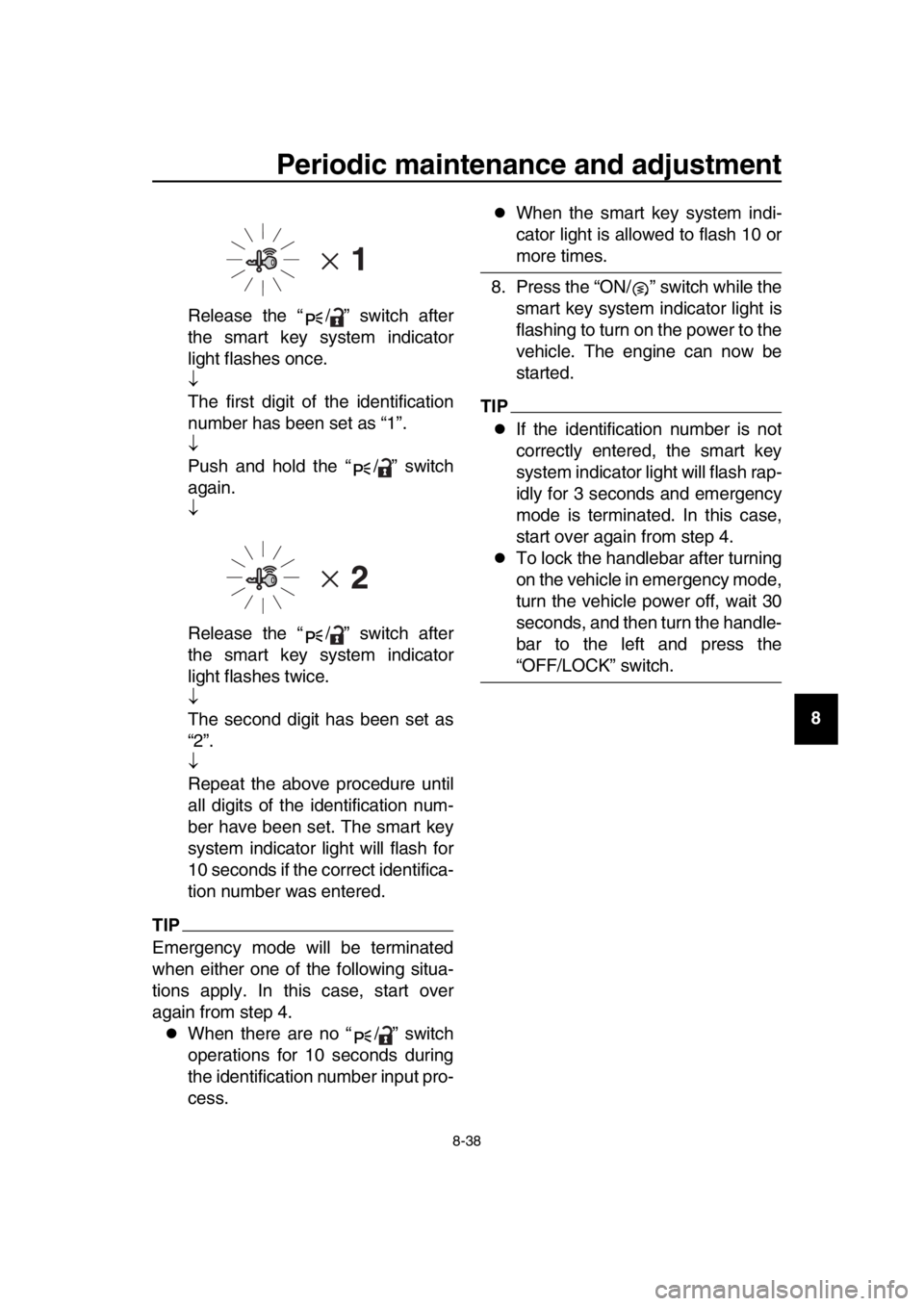
Release the “ / ” switch after
the smart key system indicator
light flashes once.
The first digit of the identification
number has been set as “1”.
Push and hold the “ / ” switch
again.
Release the “ / ” switch after
the smart key system indicator
light flashes twice.
The second digit has been set as
“2”.
Repeat the above procedure until
all digits of the identification num-
ber have been set. The smart key
system indicator light will flash for
10 seconds if the correct identifica-
tion number was entered.
TIP
Emergency mode will be terminated
when either one of the following situa-
tions apply. In this case, start over
again from step 4.
When there are no “ / ” switch
operations for 10 seconds during
the identification number input pro-
cess.
When the smart key system indi-
cator light is allowed to flash 10 or
more times.
8. Press the “ON/ ” switch while the smart key system indicator light is
flashing to turn on the power to the
vehicle. The engine can now be
started.
TIP
If the identification number is not
correctly entered, the smart key
system indicator light will flash rap-
idly for 3 seconds and emergency
mode is terminated. In this case,
start over again from step 4.
To lock the handlebar after turning
on the vehicle in emergency mode,
turn the vehicle power off, wait 30
seconds, and then turn the handle-
bar to the left and press the
“OFF/LOCK” switch.
BV1-9-E2.book 38 ページ 2018年8月28日 火曜日 午後5時28分
Page 119 of 122

12-1
1
2
3
4
5
6
7
8
9
10
11
12
13
14
Index
A
ABS warning light ....................................5-3
Acceleration and deceleration .................7-3
Air filter element, engine........................8-15
Anti-lock brake system (ABS)................5-18
Auxiliary DC jack ...................................5-28
B
Battery ...................................................8-28
Brake fluid, changing .............................8-23
Brake fluid level, checking .....................8-22
Brake lever, front ...................................5-17
Brake lever, rear ....................................5-17
Brake levers, lubricating ........................8-25
Braking ....................................................7-4
C
Cables, checking and lubricating...........8-24
Canister .................................................8-10
Care.........................................................9-1
Catalytic converter.................................5-22
Centerstand and sidestand, checking and lubricating.....................................8-26
Coolant ..................................................8-13
Cruise control indicator lights ..................5-2
Cruise control switches ...........................5-2
Cruise control system (XP530D-A) .........4-1
D
Data recording, vehicle..........................11-2
Diagnostic connector .............................11-2
Dimmer/Pass switch ................................5-1
D-mode (drive mode) ..............................4-3
Drive belt slack ......................................8-24
Drive mode switch ...................................5-2
E
Emergency mode ..................................8-37
Engine break-in .......................................7-5
Engine idling speed, checking ...............8-16
Engine oil and oil filter cartridge ............8-10
Engine serial number ............................11-1
Engine stop switch ..................................5-1
Engine trouble warning light ....................5-2
F
Front and rear brake lever free play,
checking ..............................................8-20
Front and rear brake pads, checking.....8-22
Front fork, checking ...............................8-26
Fuel .......................................................5-20
Fuel consumption, tips for reducing ........7-5
Fuel tank cap .........................................5-19
Fuel tank overflow hose ........................5-22
Fuses, replacing ....................................8-29
H
Handlebar switches................................. 5-1
Hazard switch ......................................... 5-1
High beam indicator light ........................ 5-2
Horn switch ............................................. 5-1
How to lock the centerstand.................. 3-10
How to lock the steering........................ 3-10
I
Identification numbers ........................... 11-1
Ignition circuit cut-off system................. 5-29
Indicator lights and warning lights ........... 5-2
K
Key, handling of smart and mechanical key ........................................................ 3-3
L
License plate light bulb, replacing ......... 8-32
M
Maintenance and lubrication, periodic .... 8-4
Maintenance, emission control system ... 8-3
Matte color, caution................................. 9-1
Menu switch ............................................ 5-2
Model label............................................ 11-1
Multi-function display .............................. 5-5
O
Operating range of the smart key system .................................................. 3-2
P
Panels, removing and installing .............. 8-7
Parking .................................................... 7-6
Parking mode ........................................ 3-13
Part locations .......................................... 2-1
Powering off the vehicle .......................... 3-9
Powering on the vehicle .......................... 3-8
Power on/Starter switch .......................... 5-1
R
Rear brake lock cable, adjusting ........... 8-21
Rear brake lock, checking..................... 8-21
Rear brake lock lever ............................ 5-18
Rear view mirrors .................................. 5-26
S
Safe-riding points .................................... 1-5
Safety information ................................... 1-1
Select switch ........................................... 5-2
Shock absorber assembly..................... 5-26
Sidestand .............................................. 5-29
Smart key ................................................ 3-5
Smart key battery, replacing ................... 3-6
Smart key system ................................... 3-1
Smart key system indicator light ............. 5-3
Smart key system, troubleshooting ....... 8-33
BV1-9-E2.book 1 ページ 2018年8月28日 火曜日 午後5時28分