page 61 Acura RDX 2012 Owners Manual
[x] Cancel search | Manufacturer: ACURA, Model Year: 2012, Model line: RDX, Model: Acura RDX 2012Pages: 518, PDF Size: 26.43 MB
Page 219 of 518
Your vehicle is equipped with aBluetooth
®Audio system, which
allows you to listen to streaming
audio from your
Bluetooth
®Audio
compatible phone. This function is
only available on
Bluetooth
®Audio
Compatible phones that are paired
and linked to the vehicle's
Bluetooth
®HandsFreeLink
®(HFL)
system (see page 313).
Not all Bluetooth-enabled phones
with streaming audio capabilities are
compatible with the system. You can
find an approved phone by visiting
www.acura.com/handsfreelink,
or by
calling the HandsFreeLink
®
consumer support at 1-888-528-7876.
In Canada, visit
www.acura.ca,
or call
1-888-9-ACURA-9.
NOTE: In some states, it may be
illegal to perform some data device
functions while driving. To Play
Bluetooth
®Audio Files
Make sure that your phone is paired
and linked to the HFL.
Press the CD/AUX button
ᤳwith the
ignition switch in the ACCESSORY
(I) or ON (II) position. When the
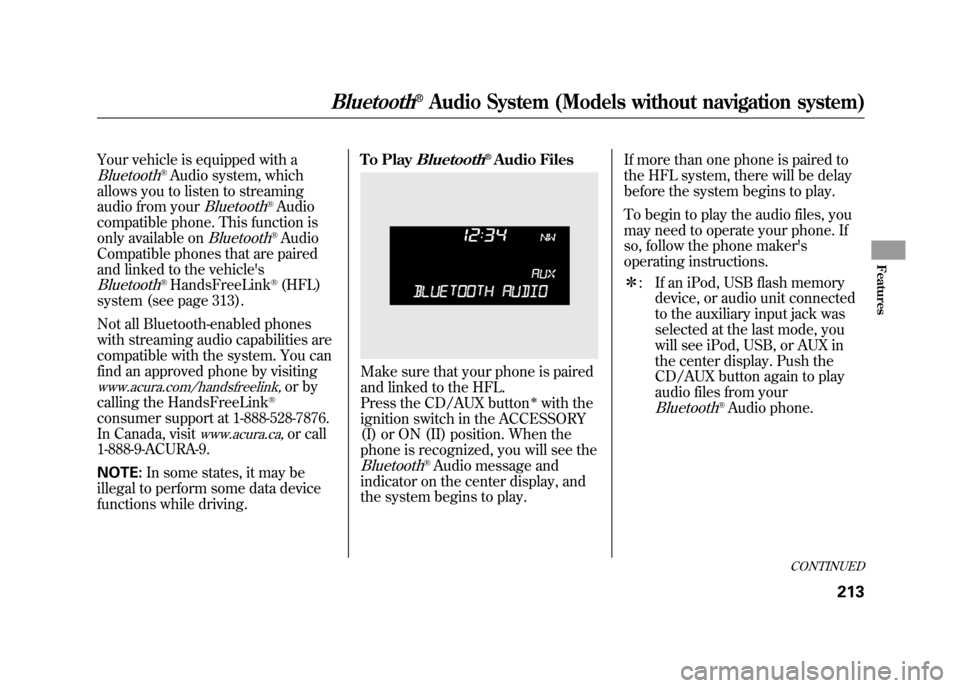
phone is recognized, you will see the
Bluetooth
®Audio message and
indicator on the center display, and
the system begins to play. If more than one phone is paired to
the HFL system, there will be delay
before the system begins to play.
To begin to play the audio files, you
may need to operate your phone. If
so, follow the phone maker's
operating instructions.
ᤳ
: If an iPod, USB flash memory
device, or audio unit connected
to the auxiliary input jack was
selected at the last mode, you
will see iPod, USB, or AUX in
the center display. Push the
CD/AUX button again to play
audio files from your
Bluetooth
®Audio phone.
CONTINUED
Bluetooth
®Audio System (Models without navigation system)
213
Features
11/06/16 17:42:51 12 ACURA RDX MMC North America Owner's M 50 31STK650 enu
Page 220 of 518

In the following conditions, If you
cannot see the
Bluetooth
®indicator
on the center display.
●The phone is not linked to HFL.●The phone is not turned on.●The phone is not in the vehicle.●Another HFL compatible phone,
which is not compatible forBluetooth
®Audio, is already
connected.
If your
Bluetooth
®Audio compatible
phone does not operate as described,
make sure it is an Acura approved
phone. To find out if your phone is
approved, go to
www.acura.com/
handsfreelink
(in Canada,
www.acura.
ca
), or call the HandsFreeLink
®
consumer support at (888) 528-7876.
To skip a filePress the
side of the SEEK/SKIP
bar to skip forward, and press the
side to skip backward to the
beginning of the current file. Push
the
side again to skip to the
previous file.
To pause or resume a fileThe resume/pause mode can stop
playing a file temporarily. Press the
preset 1 button to pause and press it
again to resume a file.
NOTE: The pause function may not
be available on some phone devices.
To switch to HFL modeIf you receive a call when theBluetooth
®Audio is playing, press
the Talk button on the steering
wheel. The display switches to the
HFL mode (see page 309).
After ending the call, press the HFL
Back button to go back to the
Bluetooth
®Audio mode.
If you receive a call while the system
is in the pause mode, the mode will
be canceled and
Bluetooth
®Audio
will continue to play.
Bluetooth
®Audio System (Models without navigation system)
21411/06/16 17:42:51 12 ACURA RDX MMC North America Owner's M 50 31STK650 enu
Page 225 of 518

To Play the Radio
The ignition switch must be in the
ACCESSORY (I) or the ON (II)
position. Press the AUDIO button to
view the audio control display. Turn
the system on by pressing the PWR/
VOL knob or the AM/FM button.
Adjust the volume by turning the
PWR/VOL knob.The band and frequency the radio
was last tuned to are shown on the
upper display. To change bands,
press the AM/FM button. You can
also change bands with the interface
dial. Press the AUDIO button to view
the audio control display and the
band changes to FM1, FM2, or AM
each time you push the selector up.
On the FM bands,
‘‘STEREO ’’will be
shown on the audio control display.
‘‘ ST’’ will also appear on the upper
display if the station is broadcasting
in stereo. Stereo reproduction on AM
is not available.
XM Radio information is available on
page 228. To Select a Station
You can use any of five methods to
find radio stations on the selected
band: TUNE, SEEK, SCAN, the
preset buttons or icons, and AUTO
SELECT.
TUNE
-Use the TUNE/FOLDER
bar to tune the radio to a desired
frequency. Press the
side of the
bar to tune to a higher frequency,
and the
side of the bar to tune to
a lower frequency.
If you press and hold the
or
side of the bar, the frequency will
begin to change rapidly. It will stop
when you release it.
CONTINUED
Playing the FM/AM Radio (Models with navigation system)
219
Features
11/06/16 17:42:51 12 ACURA RDX MMC North America Owner's M 50 31STK650 enu
Page 229 of 518

If you do not like the stations auto
select has stored, you can store other
frequencies on the preset buttons
(icons) as previously described.
To turn off auto select, press ENTER
on the interface selector again. This
restores the presets you originally
set.Radio Frequencies and Reception
For information on AM/FM radio
frequencies and reception, see page
287.
Adjusting the Sound
For information, see page 224.
Playing the FM/AM Radio (Models with navigation system)
223
Features
11/06/16 17:42:51 12 ACURA RDX MMC North America Owner's M 50 31STK650 enu
Page 239 of 518

3. Pick a preset number for thechannel you want to store. Press
and hold the appropriate button
until you hear a beep.
To store the channel on a preset
icon, rotate the interface dial to
select a desired preset icon. The
selected preset icon will be
highlighted. Press and hold
ENTER on the selector for more
than 2 seconds to store the
channel. 4. Repeat steps 2 and 3 to store the
first six channels.
5. Press the
button again. The
other XM band will be shown.
Store the next six channels by
repeating steps 2 and 3.
Once a channel is stored, press and
release the proper preset button to
tune to it. Adjusting the Sound
For information, see page 224.
XM Radio Reception
For information, see page 235.
PRESET ICONS
CONTINUED
Playing the XM
®Radio (Models with navigation system)
233
Features
11/06/16 17:42:51 12 ACURA RDX MMC North America Owner's M 50 31STK650 enu
Page 247 of 518

Your vehicle's audio system has an
in-dash disc changer with the same
controls used for the radio. To
operate the disc changer, the ignition
switch must be in the ACCESSORY
(I) or the ON (II) position.
The disc changer can play these disc
formats:●CD (CD-DA)●CD-R/RW●DVD-A
The disc packages or jackets should
have one of these marks.
The changer can also play MP3 or
WMA format (see page 245).
DVD-A discs not meeting DVD
verification standards may not be
playable.
The changer cannot play DVD-V or
DVD-R/RW formats.
Some CD-DA and CD-ROM mixed
discs are not playable.
You cannot load and play 3-inch
(8-cm) discs in this system.Do not use discs with adhesive labels.
The label can curl up and cause the
disc to jam in the unit.
CONTINUED
Playing Discs (Models with navigation system)
241
Features
11/06/16 17:42:51 12 ACURA RDX MMC North America Owner's M 50 31STK650 enu
Page 250 of 518
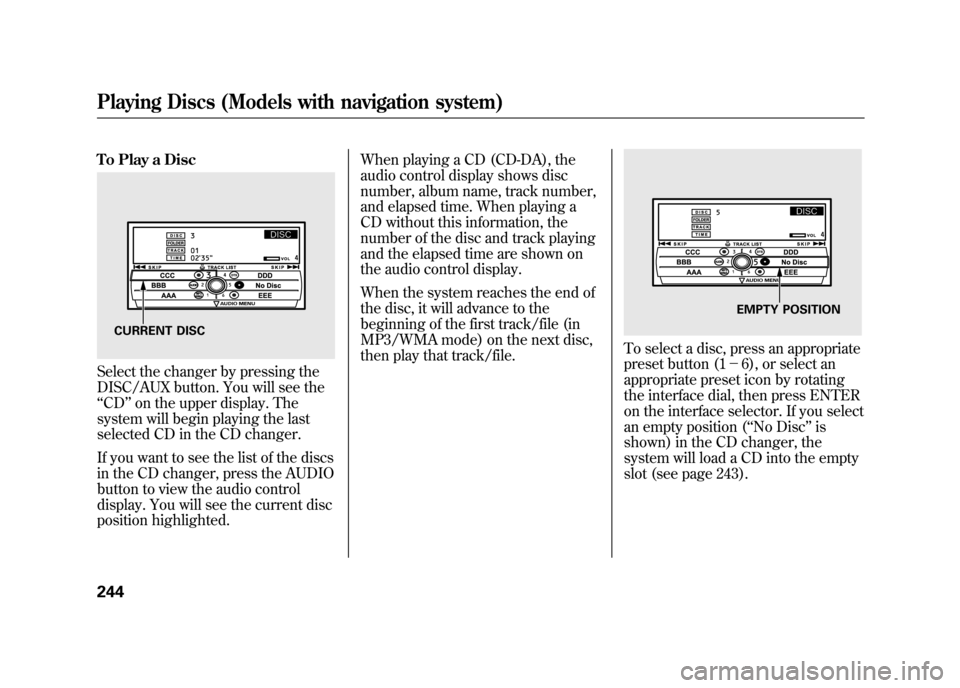
To Play a DiscSelect the changer by pressing the
DISC/AUX button. You will see the
‘‘CD ’’on the upper display. The
system will begin playing the last
selected CD in the CD changer.
If you want to see the list of the discs
in the CD changer, press the AUDIO
button to view the audio control
display. You will see the current disc
position highlighted. When playing a CD (CD-DA), the
audio control display shows disc
number, album name, track number,
and elapsed time. When playing a
CD without this information, the
number of the disc and track playing
and the elapsed time are shown on
the audio control display.
When the system reaches the end of
the disc, it will advance to the
beginning of the first track/file (in
MP3/WMA mode) on the next disc,
then play that track/file.
To select a disc, press an appropriate
preset button (1
-6), or select an
appropriate preset icon by rotating
the interface dial, then press ENTER
on the interface selector. If you select
an empty position ( ‘‘No Disc’’ is
shown) in the CD changer, the
system will load a CD into the empty
slot (see page 243).
CURRENT DISC
EMPTY POSITION
Playing Discs (Models with navigation system)24411/06/16 17:42:51 12 ACURA RDX MMC North America Owner's M 50 31STK650 enu
Page 260 of 518

To remove a different disc from the
changer, first select it by pressing
the corresponding number on the
preset button or turning the interface
knob, and pressing ENTER on the
interface selector. When that disc
begins playing, press the eject
button.
Press and hold the eject button until
you hear a beep to remove all the
discs from the changer.
You can also eject discs when the
ignition switch is off by pressing the
eject button. The disc that was last
selected is ejected first. You can eject
the rest of the discs one at a time.Protecting Discs
For information on how to handle
and protect compact discs, see page
257.
Disc Changer Error Messages
For information, see page 255.
Adjusting the Sound
For information, see page 224.Playing Discs (Models with navigation system)25411/06/16 17:42:51 12 ACURA RDX MMC North America Owner's M 50 31STK650 enu
Page 261 of 518

If you see an error message in the
display while playing a CD, find the
cause in the chart to the right. If you
cannot clear the error message, take
the vehicle to your dealer.Error
Message Cause
Solution
FOCUS Error Press the EJECT button, and pull out the disc.
Check if it is inserted correctly in the disc
changer.
Make sure the disc is not scratched or damaged.
For more information, see page 258.
Mechanical Error Press the EJECT button, and pull out the disc.
Check the disc for damage or deformation. For
more information, see page 258.
If the disc cannot be pulled out, or the error
message does not disappear after the disc is
ejected, see your dealer.
High Temperature Will disappear when the temperature returns to
normal.
Check Disc Press the EJECT button, and pull out the disc.
Make sure a playable disc is in the CD changer
(see page 241).
Check Disc and Changer
Error Press the EJECT button, and pull out the disc.
Check the disc for damage or deformation.
For more information, see page 258.
If the disc cannot be pulled out, or the error
message does not disappear after the disc is
ejected, see your dealer.
CONTINUED
Disc Changer Error Messages (Models with navigation system)
255
Features
11/06/16 17:42:51 12 ACURA RDX MMC North America Owner's M 50 31STK650 enu
Page 262 of 518

The chart on the right explains the
error messages you may see in the
display while playing a disc.
If you see an error message in the
display while playing a disc, press
the eject button. After ejecting the
disc, check it for damage or
deformation. If there is no damage,
insert the disc again.
For the additional information on
damaged discs, see page 258.
The audio system will try to play the
disc. If there is still a problem, the
error message will reappear. Press
the eject button, and pull out the
disc.
Insert a different disc. If the new disc
plays, there is a problem with the
first disc. If the error message cycle
repeats and you cannot clear it, take
your vehicle to a dealer.Error
Message Cause Solution
FORMAT
Track/File format not
supported Current track will be skipped. The next
supported track or file plays automatically.
BAD DISC
PLEASE CHECK OWNER'SMANUAL
PUSH EJECT Mechanical error
Press the EJECT button, and pull out the disc(s).
Check the disc for serious damage, signs of
deformation, excessive scratches, and/or dirt
(see page 258.)
Insert the disc again. If the code does not
disappear, or the disc(s) cannot be removed,
consult your dealer. Do not try to force the disc
out of the player.
BAD DISC
PLEASE CHECK OWNER'SMANUAL Servo error
Disc Changer Error Messages (Models with navigation system)25611/06/16 17:42:51 12 ACURA RDX MMC North America Owner's M 50 31STK650 enu