page 61 Acura RDX 2012 Owner's Manual
[x] Cancel search | Manufacturer: ACURA, Model Year: 2012, Model line: RDX, Model: Acura RDX 2012Pages: 518, PDF Size: 26.43 MB
Page 263 of 518
General Information●When using CD-R/CD-RW discs,
use only high quality CDs labeled
for audio use.●When recording a CD-R/CD-RW,
the recording must be closed for it
to be used by the system.●Play only standard round CDs.
Odd-shaped CDs may jam in the
drive or cause other problems.●Handle your CDs properly to
prevent damage and skipping.
Protecting CDsWhen a CD is not being played, store
it in its case to protect it from dust
and other contamination. To prevent
warpage, keep CDs out of direct
sunlight and extreme heat.
To clean a CD, use a clean soft cloth.
Wipe across the CD from the center
to the outside edge.
A new CD may be rough on the inner
and outer edges. The small plastic
pieces causing this roughness can
flake off and fall on the recording
surface of the CD, causing skipping
or other problems. Remove these
pieces by rubbing the inner and
outer edges with the side of a pencil
or pen.
Never try to insert foreign objects in
the disc changer.
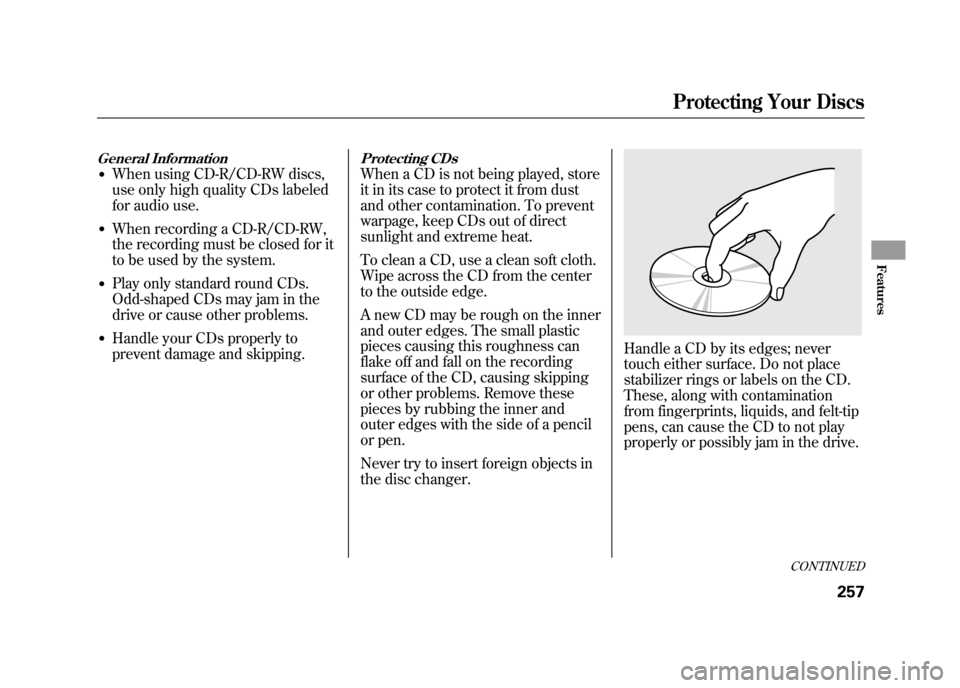
Handle a CD by its edges; never
touch either surface. Do not place
stabilizer rings or labels on the CD.
These, along with contamination
from fingerprints, liquids, and felt-tip
pens, can cause the CD to not play
properly or possibly jam in the drive.
CONTINUED
Protecting Your Discs
257
Features
11/06/16 17:42:51 12 ACURA RDX MMC North America Owner's M 50 31STK650 enu
Page 274 of 518

Disconnecting an iPodYou can disconnect the iPod at any
time when you see the‘‘OK to
disconnect ’’message
ᤳin the iPod
display. Always make sure you see
the ‘‘OK to disconnect ’’message in
the iPod display before you
disconnect it. Make sure to follow
the iPod's instructions on how to
disconnect the dock connector from
the USB adapter cable.
ᤳ : The displayed message may
vary on the model or version.
On some models, there is no
message to disconnect.
When you disconnect the iPod while
it is playing, the upper display and
the audio control display (if selected)
show NO DATA. If you reconnect the same iPod, the
system may begin playing where it
left off, depending on what mode the
iPod is in when it is reconnected.
iPod Error Messages
For information, see page 269.
Playing an iPod
®(Models with navigation system)
26811/06/16 17:42:51 12 ACURA RDX MMC North America Owner's M 50 31STK650 enu
Page 275 of 518

If you see an error message on the
upper display while playing an iPod,
find the solution in the chart to the
right. If you cannot clear the error
message, take your vehicle to your
dealer.Error Message
Cause Solution
USB ERRORUSB ROM error There is a problem with the USB adapter
unit.
BAD USB DEVICE PLEASE CHECK OWNERSMANUAL Abnormal power
source Appears when the overcurrent protection
feature of the system stops supplying
power to USB because an incompatible
device is connected. Disconnect the
device. Then, turn the audio system off,
and turn it on again. Do not reconnect the
device that caused the error.
iPod NO SONG No files in iPod Appears when the iPod is empty. Store
some files in the iPod.
UNSUPPORTED VER. Use of unsupported
iPod Appears when an unsupported iPod is
connected. See page 262 for specification
information on iPods. If it appears when a
supported iPod is connected, update the
iPod software to the newer version.
CONNECT RETRY Recognition failure of
iPod Appears when the system does not
acknowledge the iPod. Reconnect the
iPod.iPod
®Error Messages (Models with navigation system)
269
Features
11/06/16 17:42:51 12 ACURA RDX MMC North America Owner's M 50 31STK650 enu
Page 284 of 518

FOLDER SCAN-This function
samples the first file in each folder in
the order they are stored. To activate
the folder scan feature, push the
selector to the right repeatedly. You
will see FOLDER SCAN on the
screen. You will also see SCAN on
the upper display and the folder
number blinking. You will get a 10
second sampling of the first file in
each folder. Push the selector
repeatedly to get out of the scan
mode. The system plays the last file
sampled.
You can also select the folder scan
feature with the SCAN button on the
control panel. Press and release the
SCAN button repeatedly.
Press and hold the SCAN button to
get out of the folder scan mode and
play the last file sampled. To Stop Playing a USB Flash
Memory Device
To play the radio, press the AM/FM
or
button. Press the DISC/
AUX button to switch to the disc
mode (if a disc is loaded). Press the
DISC/AUX button to switch the
audio mode between the USB mode
and
Bluetooth
®Audio.
If you reconnect the same USB flash
memory device, the system will
begin playing where it left off.
USB Flash Memory Device Error
Messages
For information, see page 279.
Disconnecting a USB Flash Memory DeviceYou can disconnect the USB flash
memory device at any time even if
the USB mode is selected on the
audio system. Always follow the USB
flash memory device's instructions
when you remove it.
When you disconnect the USB flash
memory device while it is playing,
the upper display and the audio
control display (if selected) show NO
DATA.
Playing a USB Flash Memory Device (Models with navigation system)27811/06/16 17:42:51 12 ACURA RDX MMC North America Owner's M 50 31STK650 enu
Page 285 of 518

If you see an error message on the
upper display while playing a USB
flash memory device, find the
solution in the chart to the right. If
you cannot clear the error message,
take your vehicle to your dealer.Error Message
Cause Solution
USB ERRORUSB ROM error There is a problem with the USB adapter
unit.
BAD USB DEVICE
PLEASE CHECK OWNERS
MANUAL Abnormal power
source Appears when the overcurrent protection
feature of the system stops supplying
power to USB because an incompatible
device is connected. Disconnect the
device. Then, turn the audio system off,
and turn it on again. Do not reconnect the
device that caused the error.
UNPLAYABLE FILE Use of unsupported
files Appears when the files in the USB flash
memory device are DRM or an
unsupported format. This error message
appears for a few seconds, then plays the
next song.
USB
NO SONG No files in USB flash
memory device Appears when the USB flash memory
device is empty or there are no MP3,
WMA, or AAC files in the USB flash
memory device. Save some MP3, WMA,
or AAC files in the USB flash memory
device.
UNSUPPORTED Use of unsupported
USB flash memory
device Appears when an unsupported device is
connected. See page 272 for information
on USB flash memory devices. If it appears
when the supported device is connected,
reconnect the device.
USB Flash Memory Device Error Messages (Models with navigation system)
279
Features
11/06/16 17:42:51 12 ACURA RDX MMC North America Owner's M 50 31STK650 enu
Page 288 of 518
Your vehicle is equipped with aBluetooth
®Audio system, which
allows you to listen to streaming
audio from your
Bluetooth
®Audio
compatible phone. This function is
only available on
Bluetooth
®Audio
Compatible phones that are paired
and linked to the vehicle's
Bluetooth
®HandsFreeLink
®(HFL)
system (see page 313).
Not all Bluetooth-enabled phones
with streaming audio capabilities are
compatible with the system. You can
find an approved phone by visiting
www.acura.com/handsfreelink,
or by
calling the HandsFreeLink
®
consumer support at 1-888-528-7876.
In Canada, visit
www.acura.ca,
or call
1-888-9-ACURA-9. NOTE:
In some states, it may be
illegal to perform some data device
functions while driving. To Play
Bluetooth
®Audio Files
Make sure that your phone is paired
and linked to the HFL.
Press the DISC/AUX button
ᤳwith
the ignition switch in the
ACCESSORY (I) or ON (II) position.
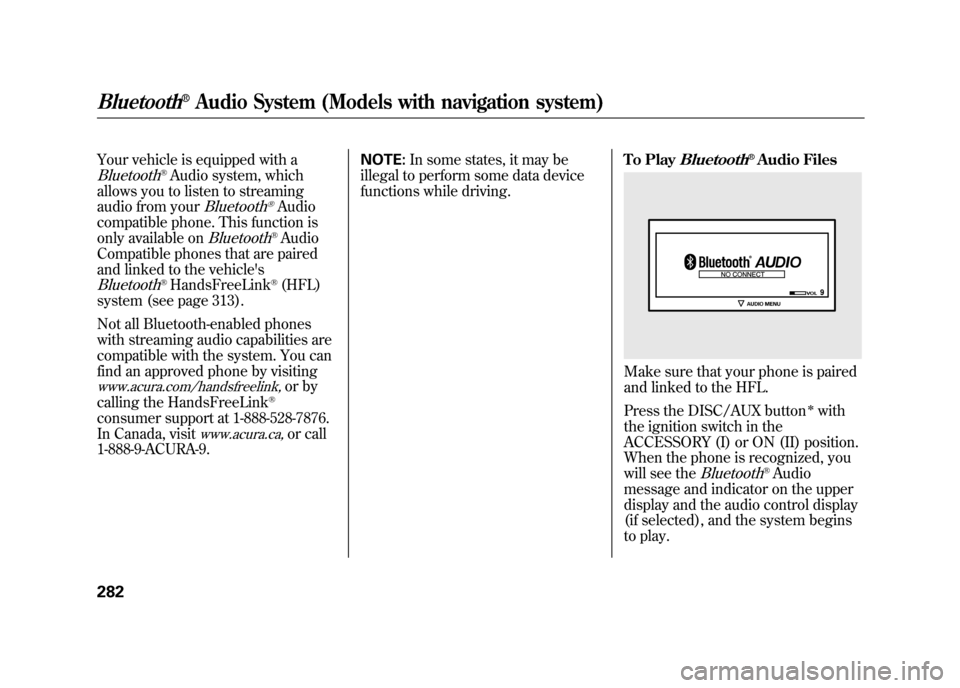
When the phone is recognized, you
will see the
Bluetooth
®Audio
message and indicator on the upper
display and the audio control display
(if selected), and the system begins
to play.
Bluetooth
®Audio System (Models with navigation system)
28211/06/16 17:42:51 12 ACURA RDX MMC North America Owner's M 50 31STK650 enu
Page 291 of 518
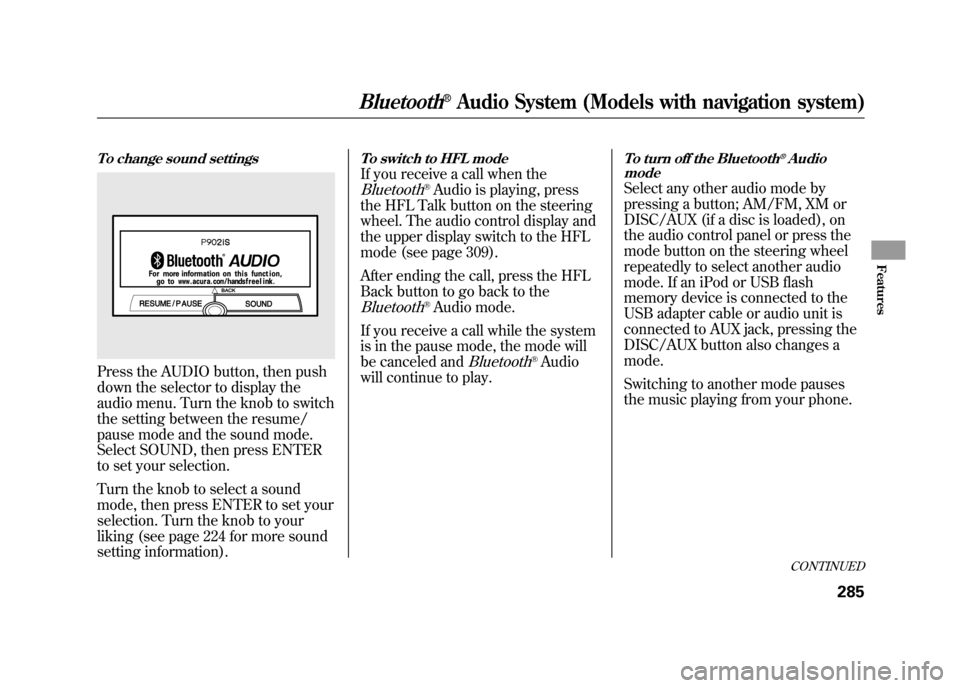
To change sound settingsPress the AUDIO button, then push
down the selector to display the
audio menu. Turn the knob to switch
the setting between the resume/
pause mode and the sound mode.
Select SOUND, then press ENTER
to set your selection.
Turn the knob to select a sound
mode, then press ENTER to set your
selection. Turn the knob to your
liking (see page 224 for more sound
setting information).
To switch to HFL modeIf you receive a call when theBluetooth
®Audio is playing, press
the HFL Talk button on the steering
wheel. The audio control display and
the upper display switch to the HFL
mode (see page 309).
After ending the call, press the HFL
Back button to go back to the
Bluetooth
®Audio mode.
If you receive a call while the system
is in the pause mode, the mode will
be canceled and
Bluetooth
®Audio
will continue to play.
To turn off the Bluetooth
®Audio
mode
Select any other audio mode by
pressing a button; AM/FM, XM or
DISC/AUX (if a disc is loaded), on
the audio control panel or press the
mode button on the steering wheel
repeatedly to select another audio
mode. If an iPod or USB flash
memory device is connected to the
USB adapter cable or audio unit is
connected to AUX jack, pressing the
DISC/AUX button also changes a
mode.
Switching to another mode pauses
the music playing from your phone.
CONTINUED
Bluetooth
®Audio System (Models with navigation system)
285
Features
11/06/16 17:42:51 12 ACURA RDX MMC North America Owner's M 50 31STK650 enu
Page 303 of 518

2. Select‘‘CAL ’’by pressing preset 1
to enter the calibration mode. If
you want to cancel this mode,
select ‘‘R ’’ by pressing preset 3.
The display will return to the
normal display.
3. Select ‘‘CAL START ’’by pressing
preset 1. The system will start the
calibration. ‘‘CAL ’’will appear on
the display, then the direction will
also begin to blink. If you select
‘‘ R ’’ by pressing preset 3, the
display will return to the compass
setting mode.
4. When the direction stops blinking, the calibration mode is completed.
The display will return to the
normal display.
Compass Zone SelectionIn most areas, there is a variation
between magnetic north and true
north. Zone selection is required so
the compass can compensate for this
variation. To check and select the
zone set into the compass, do the
procedure on the following pages.
CONTINUEDCompass
297
Features
11/06/16 17:42:51 12 ACURA RDX MMC North America Owner's M 50 31STK650 enu
Page 304 of 518
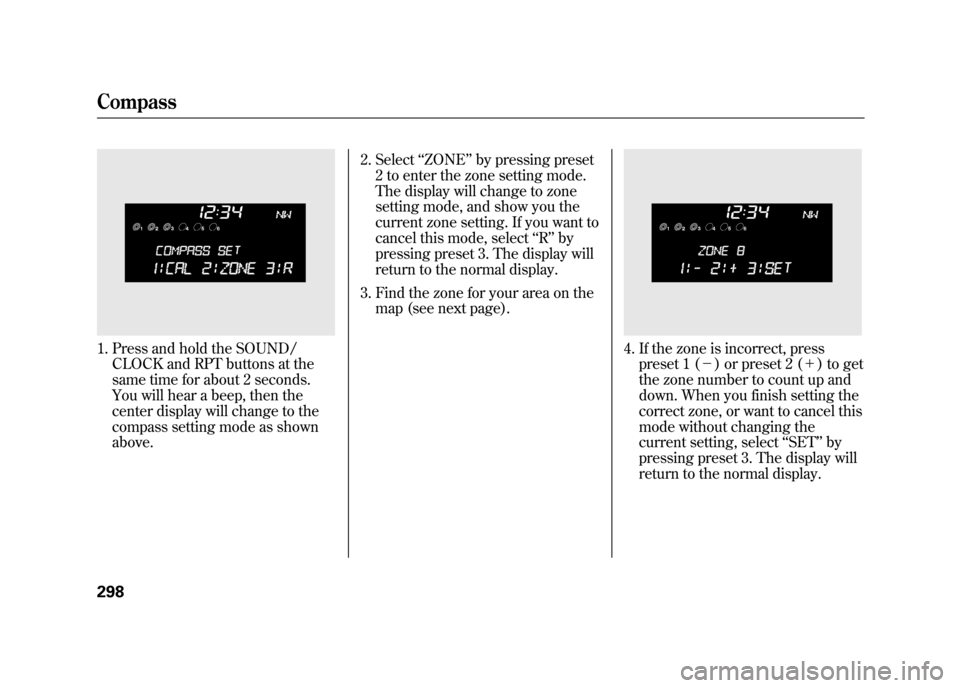
1. Press and hold the SOUND/CLOCK and RPT buttons at the
same time for about 2 seconds.
You will hear a beep, then the
center display will change to the
compass setting mode as shown
above. 2. Select
‘‘ZONE ’’by pressing preset
2 to enter the zone setting mode.
The display will change to zone
setting mode, and show you the
current zone setting. If you want to
cancel this mode, select ‘‘R ’’ by
pressing preset 3. The display will
return to the normal display.
3. Find the zone for your area on the map (see next page).
4. If the zone is incorrect, presspreset 1 (- ) or preset 2 (+ ) to get
the zone number to count up and
down. When you finish setting the
correct zone, or want to cancel this
mode without changing the
current setting, select ‘‘SET ’’by
pressing preset 3. The display will
return to the normal display.
Compass29811/06/16 17:42:51 12 ACURA RDX MMC North America Owner's M 50 31STK650 enu
Page 308 of 518
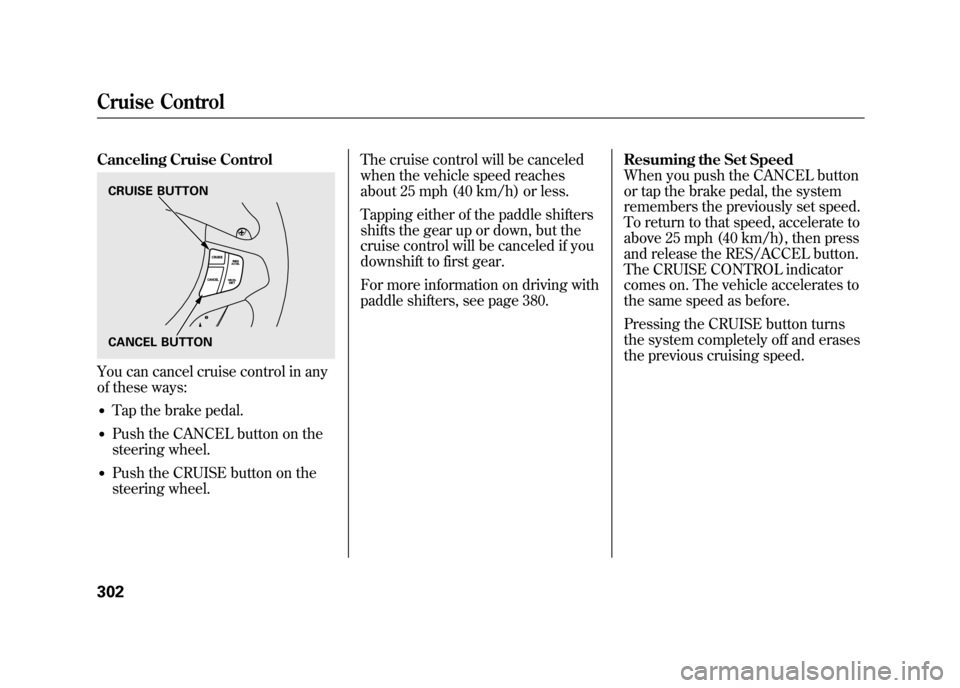
Canceling Cruise ControlYou can cancel cruise control in any
of these ways:●Tap the brake pedal.●Push the CANCEL button on the
steering wheel.●Push the CRUISE button on the
steering wheel.The cruise control will be canceled
when the vehicle speed reaches
about 25 mph (40 km/h) or less.
Tapping either of the paddle shifters
shifts the gear up or down, but the
cruise control will be canceled if you
downshift to first gear.
For more information on driving with
paddle shifters, see page 380.
Resuming the Set Speed
When you push the CANCEL button
or tap the brake pedal, the system
remembers the previously set speed.
To return to that speed, accelerate to
above 25 mph (40 km/h), then press
and release the RES/ACCEL button.
The CRUISE CONTROL indicator
comes on. The vehicle accelerates to
the same speed as before.
Pressing the CRUISE button turns
the system completely off and erases
the previous cruising speed.CRUISE BUTTON
CANCEL BUTTONCruise Control30211/06/16 17:42:51 12 ACURA RDX MMC North America Owner's M 50 31STK650 enu