check Acura RDX 2013 Owner's Manual
[x] Cancel search | Manufacturer: ACURA, Model Year: 2013, Model line: RDX, Model: Acura RDX 2013Pages: 364, PDF Size: 12.54 MB
Page 1 of 364
ContentsThis owner’s manual should be considered a permanent part of the
vehicle and should remain with the vehicle when it is sold.
This owner’s manual covers all models of your vehicle. You may find
descriptions of equipment and features that are not on your
particular model.
Images throughout this owner’s manual (including the front cover)
represent features and equipment that are available on some, but
not all, models. Your particular model may not have some of these
features.
This owner’s manual is for vehicles sold in the United States and
Canada.
The information and specifications included in this publication were
in effect at the time of approval for printing. Honda Motor Co., Ltd.
reserves the right, however, to discontinue or change specifications
or design at any time without notice and without incurring any
obligation.
2Safe Driving P. 23For Safe Driving P. 24 Seat Belts P. 29 Airbags P. 372Instrument Panel P. 67Indicators P. 68 Gauges and Multi-Information Display P. 822Controls P. 95Setting the Clock P. 96 Locking and Unlocking the Doors P. 97
Opening and Closing the Moonroof P. 118
Adjusting the Seats P. 1362Features P. 157Audio System P. 158 Audio System Basic Operation P. 161
HomeLink ® Universal Transceiver P. 1942 Driving P. 227Before Driving P. 228 Towing a Trailer P. 233Parking Your Vehicle P. 261
Multi-View Rear Camera P. 262
2Maintenance P. 267Before Performing Maintenance P. 268 Maintenance Minder
TM P. 271
Checking and Maintaining Wiper Blades P. 297
Climate Control System Maintenance P. 312 Cleaning P. 313
2 Handling the Unexpected P. 317Tools P. 318 If a Tire Goes Flat P. 319
Overheating P. 331 Indicator, Coming On/Blinking P. 3332Information P. 343Specifications P. 344 Identification Numbers P. 346
Emissions Testing P. 349 Warranty Coverages P. 351
Page 2 of 364
Contents
Child Safety P. 52Exhaust Gas Hazard P. 64 Safety Labels P. 65Opening and Closing the Tailgate P. 107 Security System P. 113 Opening and Closing the Windows P. 115
Operating the Switches Around the Steering Wheel P. 119 Adjusting the Mirrors P. 133
Interior Lights/Interior Convenience Items P. 143 Climate Control System P. 152Audio Error Messages P. 187General Information on the Audio System P. 190
Bluetooth ® HandsFreeLink ® P. 196 Compass
* P. 225
Off-Highway Driving Guidelines P. 238 When Driving P. 240 Braking P. 257
Refueling P. 263 Fuel Economy P. 265Accessories and Modifications P. 266Maintenance Under the Hood P. 275 Replacing Light Bulbs P. 287
Checking and Maintaining Tires P. 301 Battery P. 310 Remote Transmitter Care P. 311Engine Does Not Start P. 325Jump Starting P. 328 Shift Lever Does Not Move P. 330
Fuses P. 337 Emergency Towing P. 340
When You Cannot Open the Tailgate P. 341
Devices that Emit Radio Waves P. 347 Reporting Safety Defects P. 348
Authorized Manuals P. 353 Client Service Information P. 354
Quick Reference Guide
P. 2
Safe Driving
P. 23
Instrument Panel
P. 67
Controls
P. 95
Features
P. 157
Driving
P. 227
Maintenance
P. 267
Handling the Unexpected
P. 317
Information
P. 343
Index
P. 355
Page 8 of 364
7Quick Reference Guide
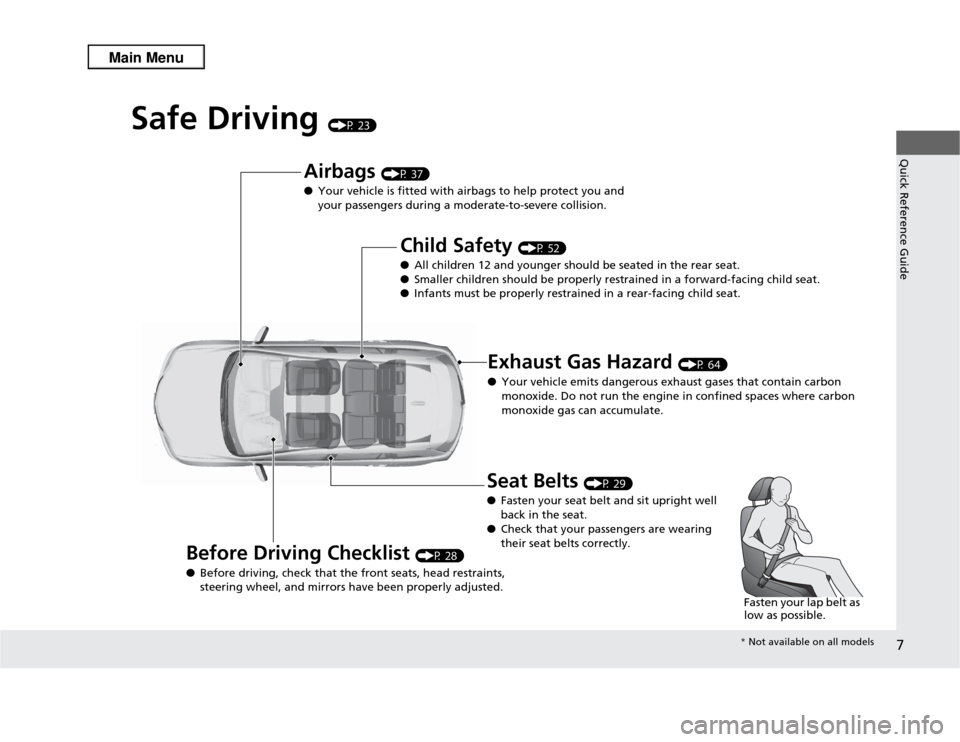
Safe Driving
(P 23)
Airbags
(P 37)
● Your vehicle is fitted with airbags to help protect you and
your passengers during a moderate-to-severe collision.
Child Safety
(P 52)
● All children 12 and younger should be seated in the rear seat.
● Smaller children should be properly restrained in a forward-facing child seat.
● Infants must be proper ly restrained in a rear-facing child seat.
Exhaust Gas Hazard
(P 64)
● Your vehicle emits dangerous exhaust gases that contain carbon
monoxide. Do not run the engine in confined spaces where carbon
monoxide gas can accumulate.
Before Driving Checklist
(P 28)
● Before driving, check that the front seats, head restraints,
steering wheel, and mirrors have been properly adjusted.
Seat Belts
(P 29)
● Fasten your seat belt and sit upright well
back in the seat.
● Check that your passengers are wearing
their seat belts correctly.
Fasten your lap belt as
low as possible.* Not available on all models
Page 17 of 364
16Quick Reference Guide
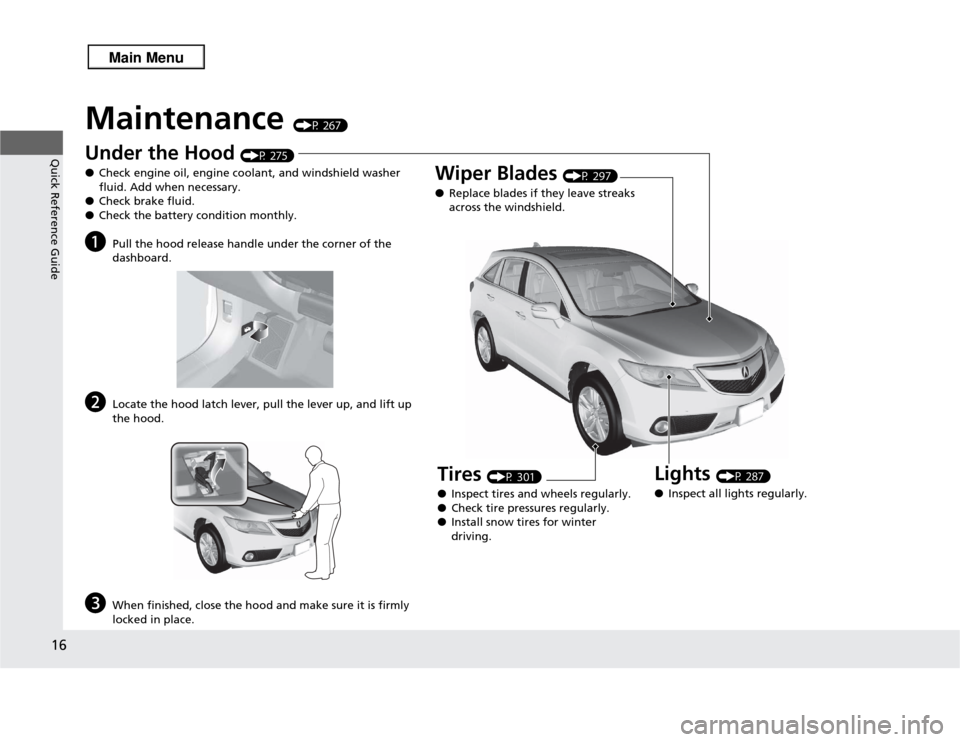
Maintenance
(P 267)
Under the Hood
(P 275)
● Check engine oil, engine coolant, and windshield washer
fluid. Add when necessary.
● Check brake fluid.
● Check the battery condition monthly.
a
Pull the hood release handle under the corner of the
dashboard.
b
Locate the hood latch lever, pull the lever up, and lift up
the hood.
c
When finished, close the hood and make sure it is firmly
locked in place.
Lights
(P 287)
● Inspect all lights regularly.
Wiper Blades
(P 297)
● Replace blades if they leave streaks
across the windshield.
Tires
(P 301)
● Inspect tires and wheels regularly.
● Check tire pressures regularly.
● Install snow tires for winter
driving.
Page 18 of 364
Quick Reference Guide17
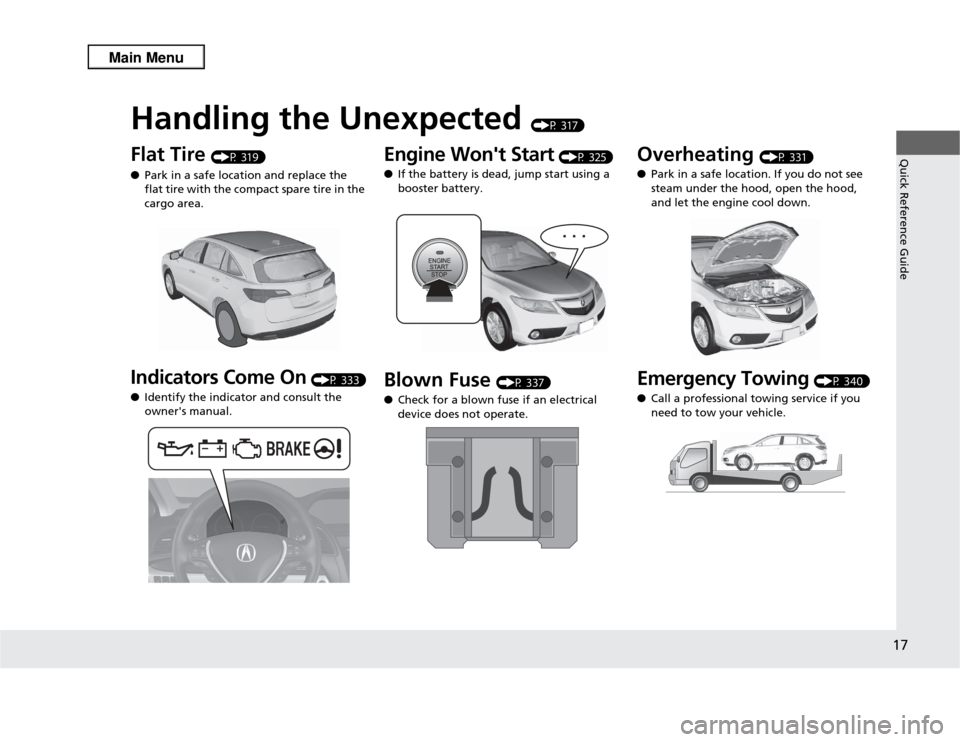
Handling the Unexpected
(P 317)
Flat Tire
(P 319)
● Park in a safe location and replace the
flat tire with the compact spare tire in the
cargo area.
Indicators Come On
(P 333)
● Identify the indicator and consult the
owner's manual.
Engine Won't Start
(P 325)
● If the battery is dead, jump start using a
booster battery.
Blown Fuse
(P 337)
● Check for a blown fuse if an electrical
device does not operate.
Overheating
(P 331)
● Park in a safe location. If you do not see
steam under the hood, open the hood,
and let the engine cool down.
Emergency Towing
(P 340)
● Call a professional towing service if you
need to tow your vehicle.
Page 20 of 364
19Quick Reference Guide
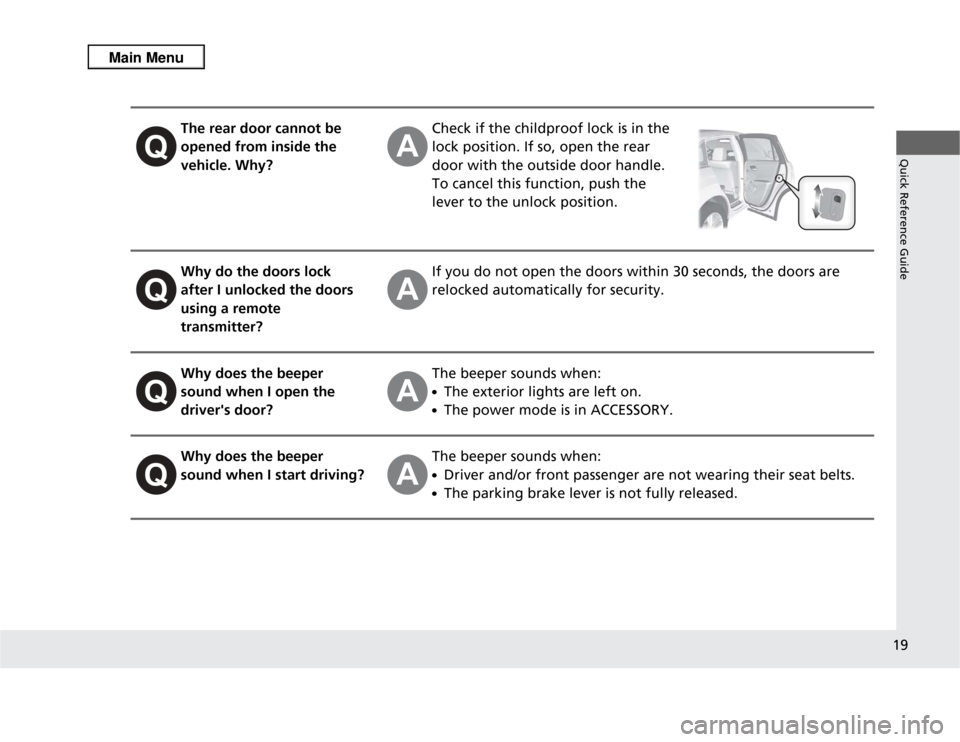
The rear door cannot be
opened from inside the
vehicle. Why?
Check if the childproof lock is in the
lock position. If so, open the rear
door with the outside door handle.
To cancel this function, push the
lever to the unlock position.
Why do the doors lock
after I unlocked the doors
using a remote
transmitter?
If you do not open the doors within 30 seconds, the doors are
relocked automatically for security.
Why does the beeper
sound when I open the
driver's door?
The beeper sounds when:●The exterior lights are left on.●The power mode is in ACCESSORY.
Why does the beeper
sound when I start driving?
The beeper sounds when:●Driver and/or front passenger are not wearing their seat belts.●The parking brake lever is not fully released.
Page 26 of 364

25
uuFor Safe Driving uImportant Safety Precautions
Safe Driving
■
Pay appropriate attention to the task of driving safely
Engaging in cell phone conversation or other activities that keep you from paying
close attention to the road, other vehicles, and pedestrians could lead to a crash.
Remember, situations can change quickly, and only you can decide when it is safe to
divert some attention away from driving.
■
Control your speed
Excessive speed is a major factor in crash injuries and deaths. Generally, the higher
the speed, the greater the risk, but serious injuries can also occur at lower speeds.
Never drive faster than is safe for current conditions, regardless of the maximum
speed posted.
■
Keep your vehicle in safe condition
Having a tire blowout or a mechanical failure can be extremely hazardous.
To reduce the possibility of such problems, check your tire pressures and condition
frequently, and perform all regularly scheduled maintenance.
Page 28 of 364
27
uuFor Safe Driving uYour Vehicle's Safety Features
Continued
Safe Driving
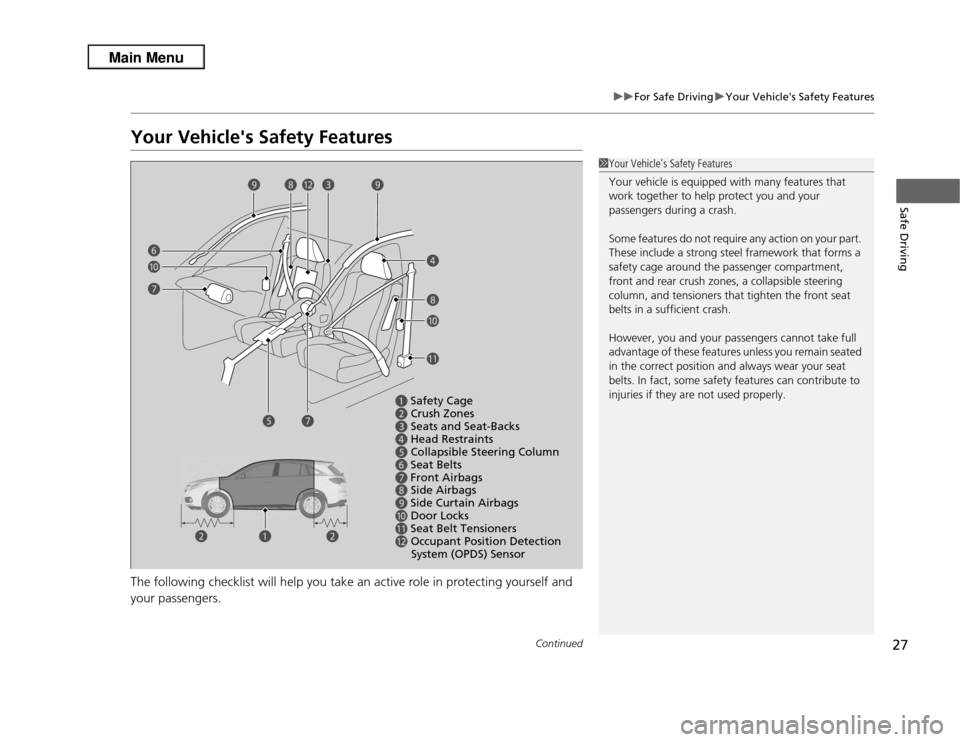
Your Vehicle's Safety FeaturesThe following checklist will help you take an active role in protecting yourself and
your passengers.
1Your Vehicle's Safety Features
Your vehicle is equipped with many features that
work together to help protect you and your
passengers during a crash.
Some features do not require any action on your part.
These include a strong steel framework that forms a
safety cage around the passenger compartment,
front and rear crush zones, a collapsible steering
column, and tensioners that tighten the front seat
belts in a sufficient crash.
However, you and your passengers cannot take full
advantage of these features unless you remain seated
in the correct position and always wear your seat
belts. In fact, some safety features can contribute to
injuries if they are not used properly.
a
Safety Cage
b
Crush Zones
c
Seats and Seat-Backs
d
Head Restraints
e
Collapsible Steering Column
f
Seat Belts
g
Front Airbags
h
Side Airbags
i
Side Curtain Airbags
j
Door Locks
k
Seat Belt Tensioners
l
Occupant Position Detection
System (OPDS) Sensor
a
bb e
f
il
j
k
g h
d
c
g j h
i
Page 29 of 364
uuFor Safe Driving uYour Vehicle's Safety Features
28Safe Driving
For the safety of you and your passengers, make a habit of checking these items
each time before you drive.
• After everyone has entered the vehicle, be sure all doors and the tailgate are
closed and locked. Locking the doors and the tailgate helps prevent an occupant
from being ejected and an outsider from unexpectedly opening a door or the
tailgate.
2 Locking/Unlocking the Doors from the Inside P. 104
•Adjust your seat to a position suitable for driving. Be sure the front seats are
adjusted as far to the rear as possible while allowing the driver to control the
vehicle. Sitting too close to a front airbag can result in serious or fatal injury in a
crash.
2 Adjusting the Seats P. 136
•Adjust head restraints to the proper position. Head restraints are most effective
when the center of the head restraint aligns with the center of your head. Taller
persons should adjust their head restraint to the highest position.
2 Adjusting the Head Restraints P. 138
•Always wear your seat belt, and make sure you wear it properly. Confirm that any
passengers are properly belted as well.
2 Fastening a Seat Belt P. 32
•Protect children by using seat belts or child seats according to a child's age, height
and weight.
2 Child Safety P. 52
■
Safety Checklist
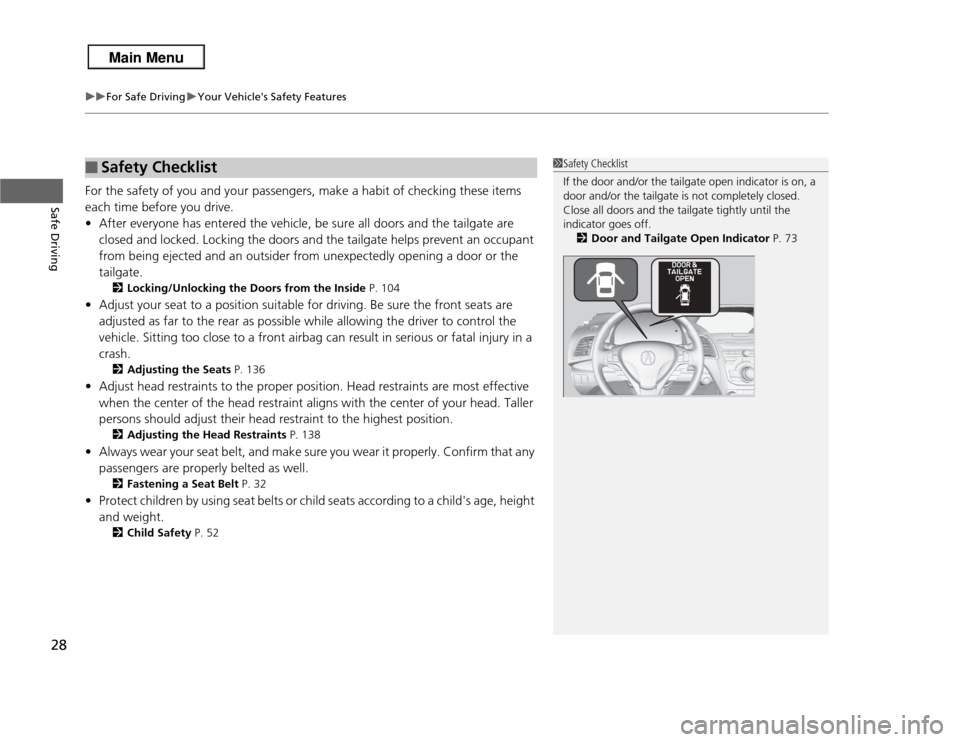
1Safety Checklist
If the door and/or the tailgate open indicator is on, a
door and/or the tailgate is not completely closed.
Close all doors and the tailgate tightly until the
indicator goes off.
2 Door and Tailgate Open Indicator P. 73
Page 33 of 364

32
uuSeat Belts uFastening a Seat Belt
Safe Driving
Fastening a Seat BeltAfter adjusting a front seat to the proper position, and while sitting upright and well
back in the seat:
2 Adjusting the Seats P. 136
1.Pull the seat belt out slowly.
2. Insert the latch plate into the buckle, then
tug on the belt to make sure the buckle is
secure.
u Make sure that the belt is not twisted or
caught on anything.
1Fastening a Seat Belt
No one should sit in a seat with an inoperative seat
belt or one that does not appear to be working
correctly. Using a seat belt that is not working
properly may not protect the occupant in a crash.
Have a dealer check the belt as soon as possible.
Never insert any foreign objects into the buckle or
retractor mechanism.
Pull out slowly.
Correct
Seated
Posture.
Latch
Plate
Buckle