map Acura RDX 2016 Navigation Manual
[x] Cancel search | Manufacturer: ACURA, Model Year: 2016, Model line: RDX, Model: Acura RDX 2016Pages: 363, PDF Size: 17.77 MB
Page 17 of 363
16
Quick Reference GuideTroubleshootingFor more Information (P317)
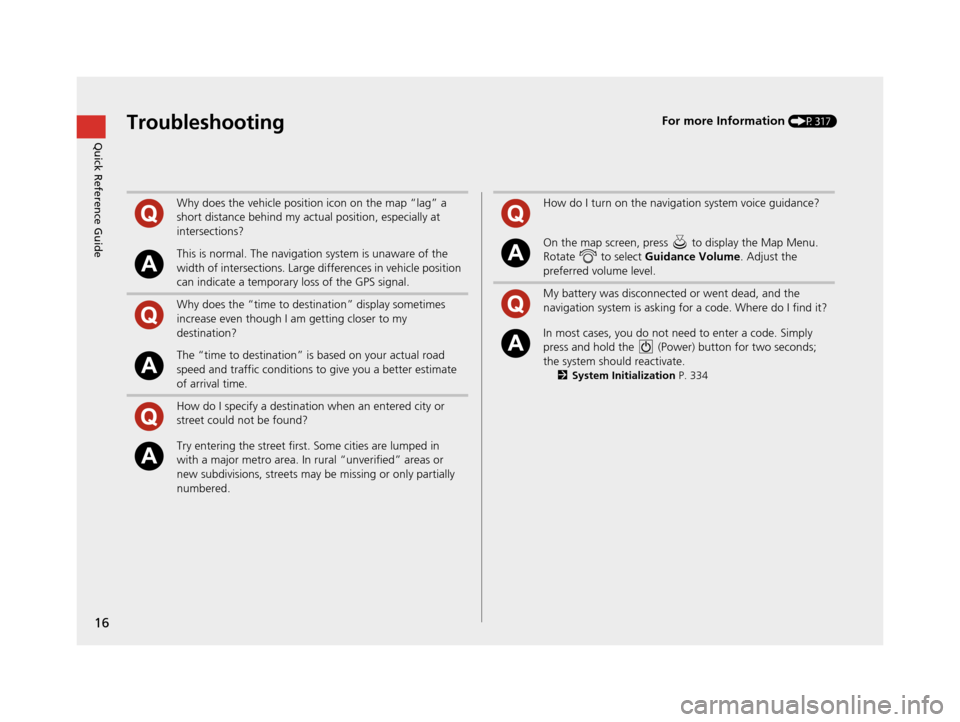
Why does the vehicle position icon on the map “lag” a
short distance behind my actual position, especially at
intersections?
This is normal. The navigation system is unaware of the
width of intersections. Large differences in vehicle position
can indicate a temporary loss of the GPS signal.
Why does the “time to destination” display sometimes
increase even though I am getting closer to my
destination?
The “time to destination” is based on your actual road
speed and traffic conditions to give you a better estimate
of arrival time.
How do I specify a destination when an entered city or
street could not be found?
Try entering the street first. Some cities are lumped in
with a major metro area. In rural “unverified” areas or
new subdivisions, streets may be missing or only partially
numbered.
How do I turn on the navigation system voice guidance?
On the map screen, press to display the Map Menu.
Rotate to select Guidance Volume. Adjust the
preferred volume level.
My battery was disconnected or went dead, and the
navigation system is asking for a code. Where do I find it?
In most cases, you do not need to enter a code. Simply
press and hold the (Power) button for two seconds;
the system should reactivate.
2 System Initialization P. 334
16 ACURA RDX NAVI-31TX48300.book 16 ページ 2015年3月6日 金曜日 午後1時26分
Page 20 of 363
19
System Setup
This section describes the start-up procedure and the navigation and setup functions.
Start-up................................................... 20
Voice Control System ............................. 22
Command Input .................................... 22
Voice Recognition .................................. 23
Voice Recognition Settings ..................... 24
Siri Eyes Free .......................................... 25
Interface Settings ................................... 26
Personal Information .............................. 38
Address Book ......................................... 39
Home Address ....................................... 46
PIN Numbers .......................................... 47
Previous Destination ............................... 48
Category History .................................... 49
Download POI ........................................ 50 Routing
.....................................................53
Route Preference ....................................54
Unverified Routing ..................................56
Traffic Rerouting .....................................58
Edit POI Search Radius Along Route ........59
Avoided Area ..........................................60
Guidance ..................................................62
Guidance Mode ......................................63
Street Name Guidance ............................65
Non-map Screens ....................................66
Guidance Point .......................................67
Estimated Time .......................................68
Map ...........................................................69
Showing Icons on Map ...........................71 Color ..................................................... 73
View (Map Orientation) .......................... 76
3D Angle Adjustment............................. 77
Straight Line Guide ................................ 78
Current Location .................................... 79
Map Legend........................................... 80
Display Tracking ..................................... 84
Correct Vehicle Position ......................... 86
On Demand Multi-Use Display
TM........... 87
Changing the Screen Settings ................ 87
Customized Features .............................. 88
Data Reset ............................................. 113
Defaulting All the Settings.................... 113
16 ACURA RDX NAVI-31TX48300.book 19 ページ 2015年3月6日 金曜日 午後1時26分
Page 21 of 363
20
System Setup
Start-up
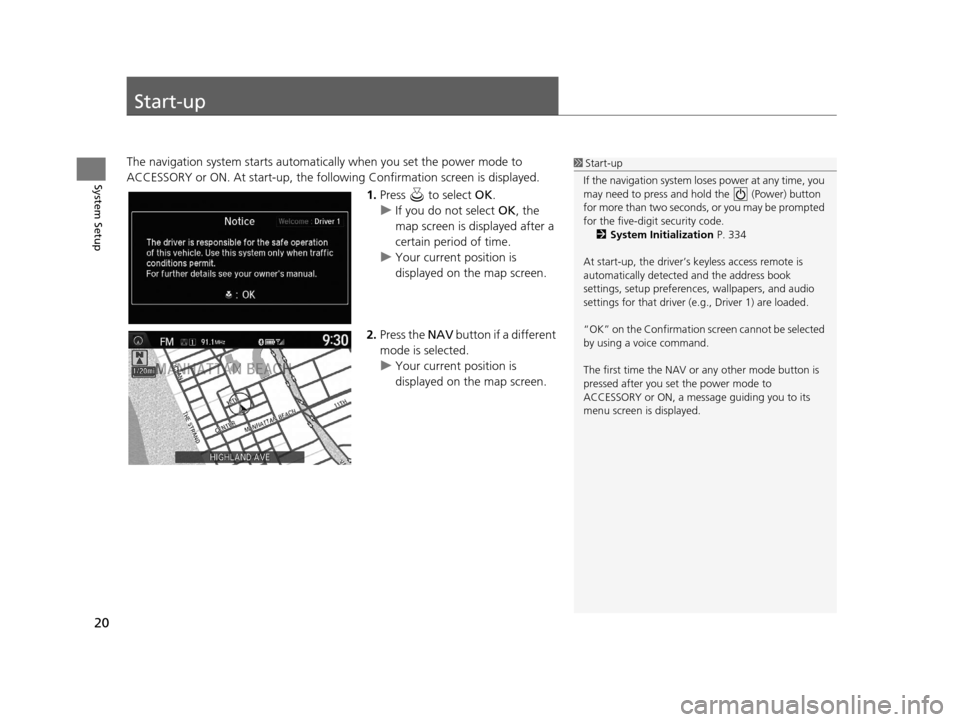
The navigation system starts automatically when you set the power mode to
ACCESSORY or ON. At start-up, the follow ing Confirmation screen is displayed.
1.Press to select OK.
u If you do not select OK, the
map screen is displayed after a
certain period of time.
u Your current position is
displayed on the map screen.
2. Press the NAV button if a different
mode is selected.
u Your current position is
displayed on the map screen.1Start-up
If the navigation system lo ses power at any time, you
may need to press and hold the (Power) button
for more than two seconds, or you may be prompted
for the five-digit security code. 2 System Initialization P. 334
At start-up, the driver’s keyless access remote is
automatically detected and the address book
settings, setup pr eferences, wallpapers, and audio
settings for that driver (e.g., Driver 1) are loaded.
“OK” on the Confirmation screen cannot be selected
by using a voice command.
The first time the NAV or any other mode button is
pressed after you set the power mode to
ACCESSORY or ON, a message guiding you to its
menu screen is displayed.
16 ACURA RDX NAVI-31TX48300.book 20 ページ 2015年3月6日 金曜日 午後1時26分
Page 23 of 363
22
System Setup
Voice Control System
Your vehicle has a voice control system that allows hands-free operation of most of
the navigation system functions.
The voice control system uses the ( Talk) and (Hang-Up/Back) buttons on
the steering wheel and a microphone near the map lights on the ceiling.
A “Getting Started” feature provides a tutorial that explains how to use the voice
control system.
2 Getting Started Tutorial P. 15
Command Input
If the system does not understand a command or you wait too long to give a
command, the system asks you to repeat the command.
When you give a command, the system gene rally either repeats the command as a
confirmation or asks you for further information. If you do not wish to hear this
feedback, you can turn it off. However, list ening to the feedback will help familiarize
you with the way the system expects commands to be phrased.
If the system cannot perform a command or the command is not appropriate for the
screen you are on, the system beeps.
On character input screens, a list of possible characters is displayed if the system
does not recognize your command.
You can find out which voice commands ar e available for a particular screen using
the “ Voice Help ” command. The system will displa y and read the list of available
commands to you.
2 Voice Help P. 15
1Voice Control System
When you press the (Talk) button, the system
prompts you to say a voice command and gives
examples. Press and release the (Talk) button
again to bypass this pr ompt and give a command.
1Command Input
The audio system is muted while using the voice
control system.
16 ACURA RDX NAVI-31TX48300.book 22 ページ 2015年3月6日 金曜日 午後1時26分
Page 28 of 363
27
uuInterface Settings uSound and Beep Settings
System Setup
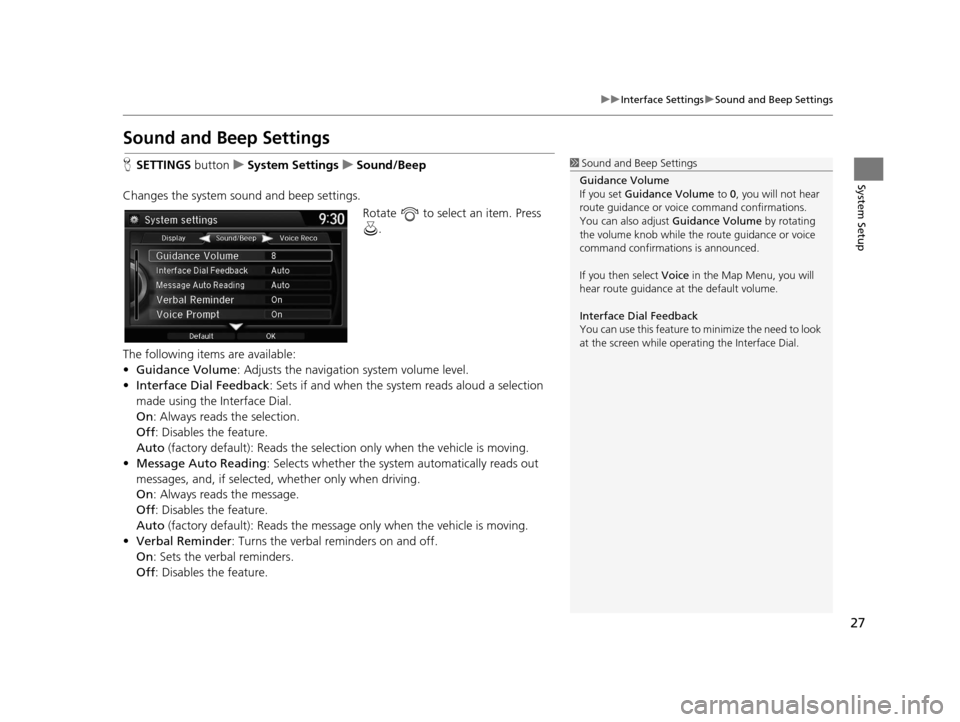
Sound and Beep Settings
H SETTINGS button uSystem Settings uSound/Beep
Changes the system sound and beep settings. Rotate to select an item. Press .
The following items are available:
• Guidance Volume : Adjusts the navigation system volume level.
• Interface Dial Feedback : Sets if and when the syst em reads aloud a selection
made using the Interface Dial.
On : Always reads the selection.
Off : Disables the feature.
Auto (factory default): Reads the select ion only when the vehicle is moving.
• Message Auto Reading: Selects whether the system automatically reads out
messages, and, if selected, whether only when driving.
On : Always reads the message.
Off : Disables the feature.
Auto (factory default): Reads the messag e only when the vehicle is moving.
• Verbal Reminder : Turns the verbal reminders on and off.
On : Sets the verbal reminders.
Off : Disables the feature.1Sound and Beep Settings
Guidance Volume
If you set Guidance Volume to 0, you will not hear
route guidance or voice command confirmations.
You can also adjust Guidance Volume by rotating
the volume knob while the route guidance or voice
command confirmations is announced.
If you then select Voice in the Map Menu, you will
hear route guidance at the default volume.
Interface Dial Feedback
You can use this feature to minimize the need to look
at the screen while operating the Interface Dial.
16 ACURA RDX NAVI-31TX48300.book 27 ページ 2015年3月6日 金曜日 午後1時26分
Page 34 of 363
33
uuInterface Settings uUnit Settings
System Setup
Unit Settings
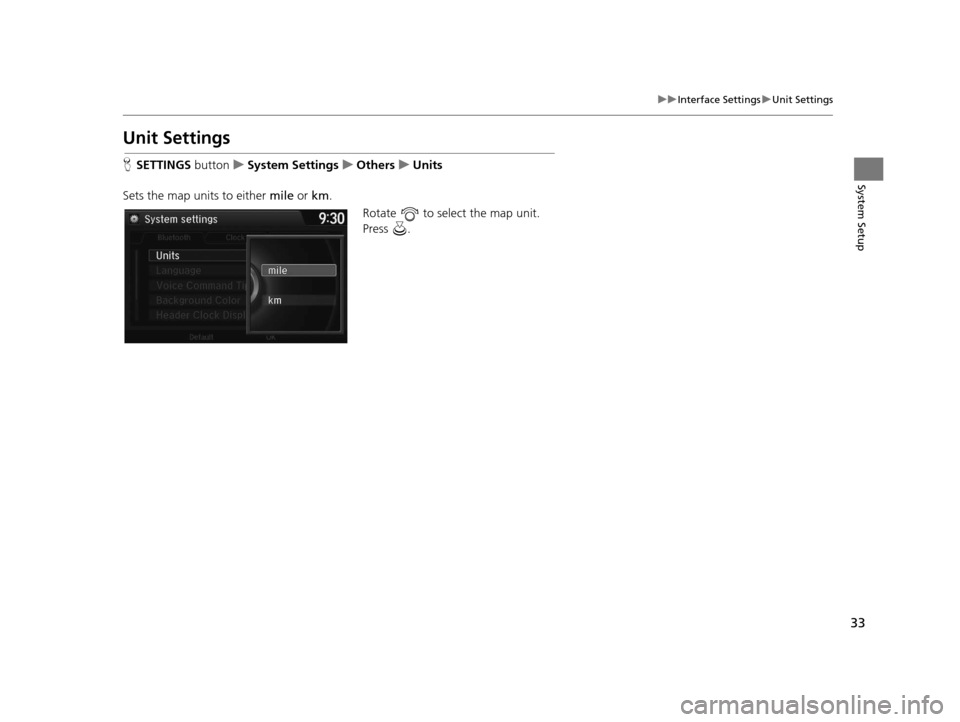
H SETTINGS button uSystem Settings uOthers uUnits
Sets the map units to either mile or km.
Rotate to select the map unit.
Press .
16 ACURA RDX NAVI-31TX48300.book 33 ページ 2015年3月6日 金曜日 午後1時26分
Page 36 of 363

35
uuInterface Settings uVoice Command Tips
System Setup
Voice Command Tips
H SETTINGS button uSystem Settings uOthers uVoice Command Tips
Alerts you when manual control of the syst em is disabled to prevent distraction
while driving. Only voice commands are available.
Rotate to select the map unit.
Press .
The following items are available:
• On (factory default): Displays a message.
• Off : Disables the message.
16 ACURA RDX NAVI-31TX48300.book 35 ページ 2015年3月6日 金曜日 午後1時26分
Page 47 of 363
46
uuPersonal Information uHome Address
System Setup
Home Address
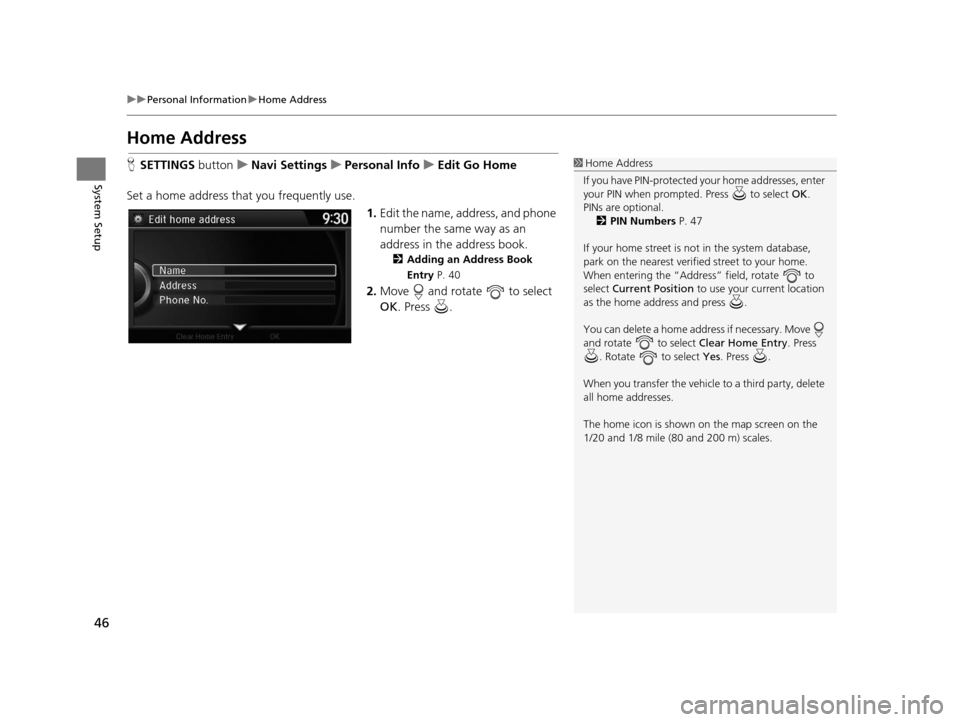
H SETTINGS buttonuNavi Settings uPersonal Info uEdit Go Home
Set a home address that you frequently use. 1.Edit the name, address, and phone
number the same way as an
address in the address book.
2 Adding an Address Book
Entry P. 40
2.Move and rotate to select
OK . Press .
1Home Address
If you have PIN-pr otected your home addresses, enter
your PIN when prompted. Press to select OK.
PINs are optional. 2 PIN Numbers P. 47
If your home street is not in the system database,
park on the nearest verified street to your home.
When entering the “Address” field, rotate to
select Current Position to use your current location
as the home address and press .
You can delete a home addr ess if necessary. Move
and rotate to select Clear Home Entry . Press
. Rotate to select Yes . Press .
When you transfer the vehicle to a third party, delete
all home addresses.
The home icon is shown on the map screen on the
1/20 and 1/8 mile (80 and 200 m) scales.
16 ACURA RDX NAVI-31TX48300.book 46 ページ 2015年3月6日 金曜日 午後1時26分
Page 51 of 363
50
uuPersonal Information uDownload POI
System Setup
Download POI
Import custom Points of Interest (POI) into the navigation system and set the POI as
a destination. You can also add, edit, and delete POIs.
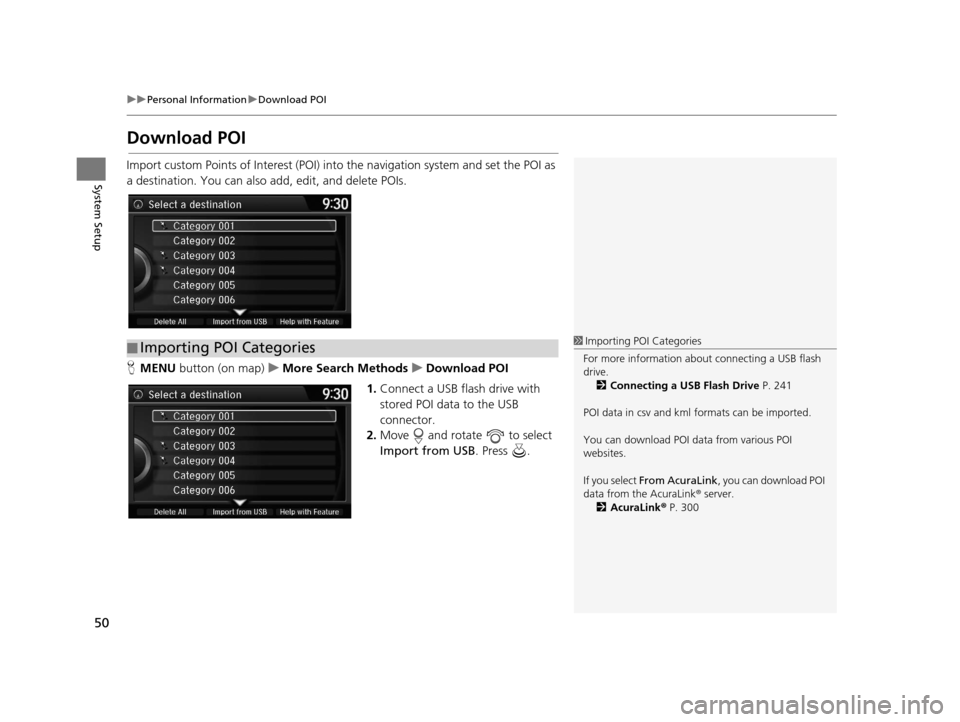
H MENU button (on map) uMore Search Methods uDownload POI
1. Connect a USB fl ash drive with
stored POI data to the USB
connector.
2. Move and rotate to select
Import from USB . Press .
■Importing POI Categories1
Importing POI Categories
For more information about connecting a USB flash
drive. 2 Connecting a USB Flash Drive P. 241
POI data in csv and kml formats can be imported.
You can download POI data from various POI
websites.
If you select From AcuraLink , you can download POI
data from the AcuraLink ® server.
2 AcuraLink ® P. 300
16 ACURA RDX NAVI-31TX48300.book 50 ページ 2015年3月6日 金曜日 午後1時26分
Page 57 of 363

56
uuRouting uUnverified Routing
System Setup
Unverified Routing
H SETTINGS buttonuNavi Settings uRouting uUnverified Routing
Receive turn-by-turn map and voice guidance in unverified areas.
Rotate to select On or Off . Press
.1 Unverified Routing
Unverified roads are found in rural areas, and
typically include residentia l streets away from the
center of a town. They ma y not be accurate, and can
contain errors in locati on, naming, and address
range.
Unverified roads are shown only when viewing the
map in the 1/20, 1/8, 1/4, 1/2, 1 and 2 (mile) / 80,
200, 400, 800 (m), 1.6 and 3.2 (km) map scales.
Straight line guide
Blue-pink route line
Differences Off On (factory default)
On or Off? The driver wishes to manually
navigate using the navigation
map and choose the streets that
lead to the destination.The driver chooses to let the
navigation system suggest
possible routing, knowing that
the guidance may not be
accurate.
Route
calculation Route is usually longer, using
verified roads whenever
possible. Route is shorter, but uses
unverified (purple) streets that
may not be accurate.
16 ACURA RDX NAVI-31TX48300.book 56 ページ 2015年3月6日 金曜日 午後1時26分