Hold Acura RDX 2020 Repair Manual
[x] Cancel search | Manufacturer: ACURA, Model Year: 2020, Model line: RDX, Model: Acura RDX 2020Pages: 657, PDF Size: 33.2 MB
Page 380 of 657
379
uuBluetooth ® HandsFreeLink ®u Text Message
Continued
Features
Text Message
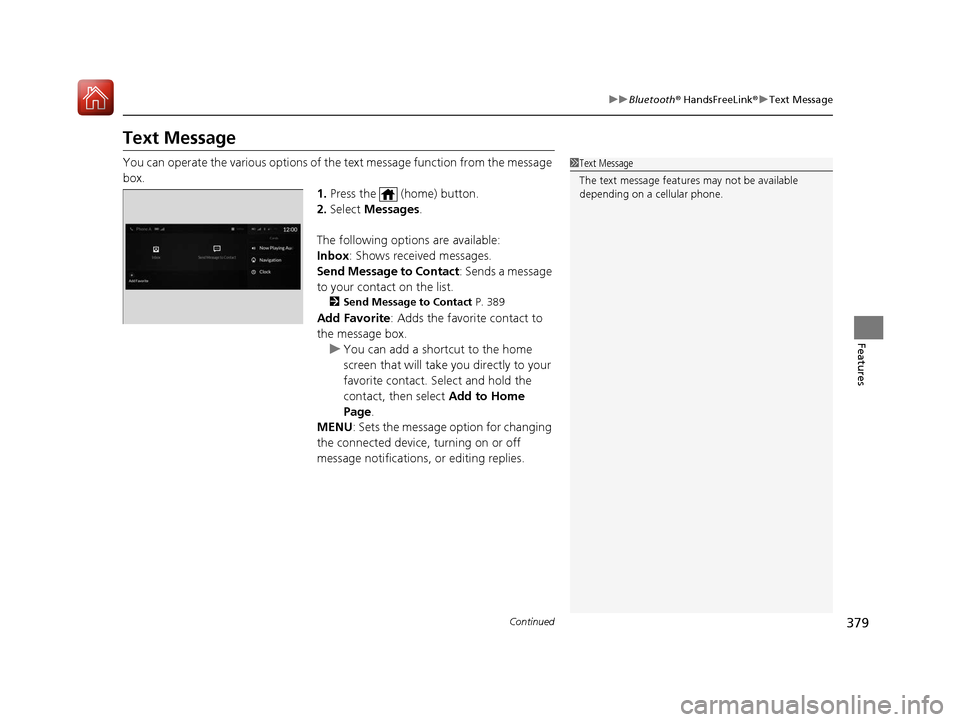
You can operate the various options of th e text message function from the message
box. 1.Press the (home) button.
2. Select Messages.
The following options are available:
Inbox : Shows received messages.
Send Message to Contact : Sends a message
to your contact on the list.
2 Send Message to Contact P. 389
Add Favorite: Adds the favorite contact to
the message box.
u You can add a shortcut to the home
screen that will take you directly to your
favorite contact. Select and hold the
contact, then select Add to Home
Page.
MENU : Sets the message option for changing
the connected device, turning on or off
message notifications, or editing replies.
1 Text Message
The text message features may not be available
depending on a cellular phone.
20 ACURA RDX-31TJB6111.book 379 ページ 2020年2月11日 火曜日 午後2時6分
Page 381 of 657
380
uuBluetooth ® HandsFreeLink ®u Text Message
Features
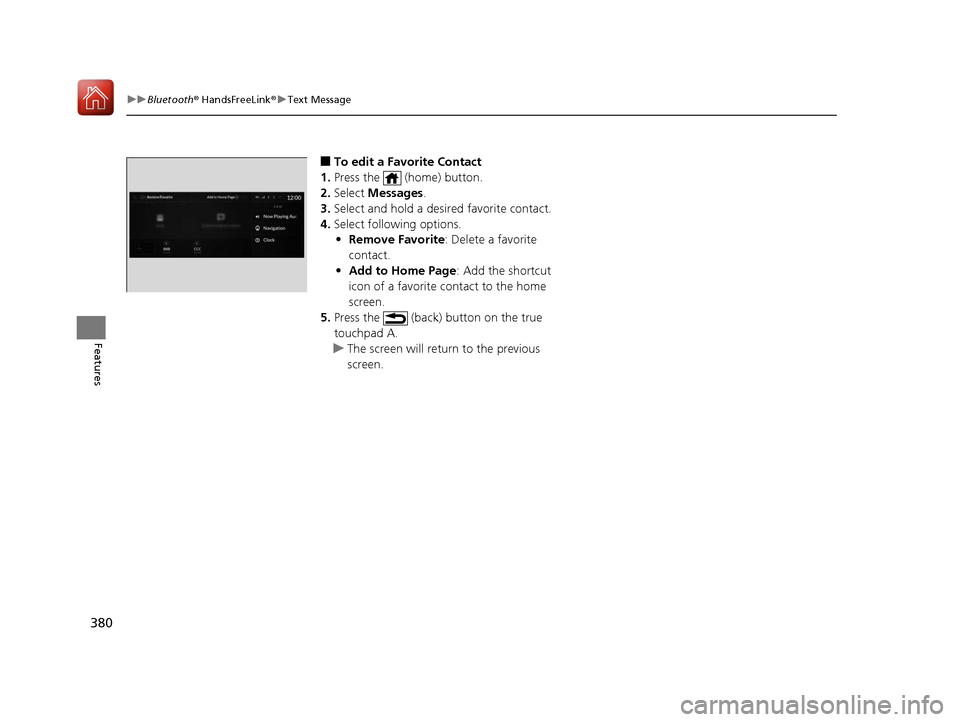
■To edit a Favorite Contact
1. Press the (home) button.
2. Select Messages.
3. Select and hold a desired favorite contact.
4. Select following options.
• Remove Favorite : Delete a favorite
contact.
• Add to Home Page : Add the shortcut
icon of a favorite contact to the home
screen.
5. Press the (back) button on the true
touchpad A.
u The screen will return to the previous
screen.
20 ACURA RDX-31TJB6111.book 380 ページ 2020年2月11日 火曜日 午後2時6分
Page 414 of 657

413Continued
Driving
When Driving
Starting the Engine
1.Make sure the parkin g brake is applied.
u The Parking Brake and Brake System
indicator (red) comes on for 30 seconds
when you press the electric parking
brake switch.
u The parking brake must be applied to
start the engine.
2. Depress the brake pedal.
u Although it is possible to start the vehicle
in
(N with the parking brake is applied, it
is safer to start it in
(P.
3. Press the ENGINE START/STOP button
without depressing the accelerator pedal.
1 Starting the Engine
Keep your foot firmly on the brake pedal when
starting the engine.
The engine is harder to start in cold weather and in thinner
air found at altitudes above 8,000 feet (2,400 meters).
When starting the engine in cold weather, turn off all
electrical accessories such as the lights, climate
control system, and rear de fogger in order to reduce
battery drain.
If you live in a region where winter is extremely cold,
an engine block heater will improve starting and
warming of the engine. Consult a dealer for details.
If the exhaust system sounds abnormal or you can
smell exhaust gas inside the vehicle, have your vehicle
checked by a dealer. There may be a problem with
the engine or exhaust system.
Bring the keyless access remote close to the ENGINE
START/STOP button if the batte ry in the keyless
access remote is weak. 2 If the Keyless Access Remote Battery is
Weak P. 608
The engine may not start if the keyless access remote
is subjected to strong radio waves.
Do not hold the ENGINE START/STOP button to
start the engine.
If the engine does not start, wait at least 30 seconds
before trying again.
Electric Parking
Brake Switch
Brake Pedal
20 ACURA RDX-31TJB6111.book 413 ページ 2020年2月11日 火曜日 午後2時6分
Page 416 of 657

Continued415
uuWhen Driving uStarting the Engine
Driving
You can remotely start the engine usin g the two-way keyless access remote from
extended distances.
■To start the engine
The engine runs for up to 10 minu tes without you starting the vehicle.
To extend the run time for another 10 mi nutes during the first run, press the
button, then press an d hold the button.
u The amber LED blinks, then the green LED comes back on if a 10-minute
extension request was transmitted successfully.
After pressing the button, wait for the gr een LED to blink. This indicates that
the all the doors and the tailgate are locked.
■Remote Engine Start*1 Remote Engine Start*
The remote engine start may violate local laws.
Before using the remote e ngine start, check your
local laws.
If there are buildings an d obstacles between your
vehicle and the remote, th e range will be reduced.
This distance may vary by external electrical
interference.
The engine may not start by the remote engine start if:
•You have disabled a remote engine start setting
using the audio/information screen.
•The power mode is not in VEHICLE OFF (LOCK).
•The transmission is in a position other than ( P.•The hood is open, or any door or the tailgate is
unlocked.
•You have already used the remote twice to start
the engine.
3WARNING
Carbon monoxide ga s is toxic and can
rapidly accumulate in closed or even partly
enclosed areas.
Breathing it can cause unconsciousness and
even kill you.
Never use the remote engine starter with
the vehicle parked in a garage or other
areas with limited ventilation.
Press the button, then press and hold
the button.
Amber LED: Blinks when any button is pressed.
Continues to blink
during a vehicle
self check until the
engine starts. Go within the range,
and try again.
Green LED: Comes on while
the engine is running. Red LED: Blinks when the
remote is out of the keyless
access system range.
* Not available on all models
20 ACURA RDX-31TJB6111.book 415 ページ 2020年2月11日 火曜日 午後2時6分
Page 417 of 657
uuWhen Driving uStarting the Engine
416
Driving
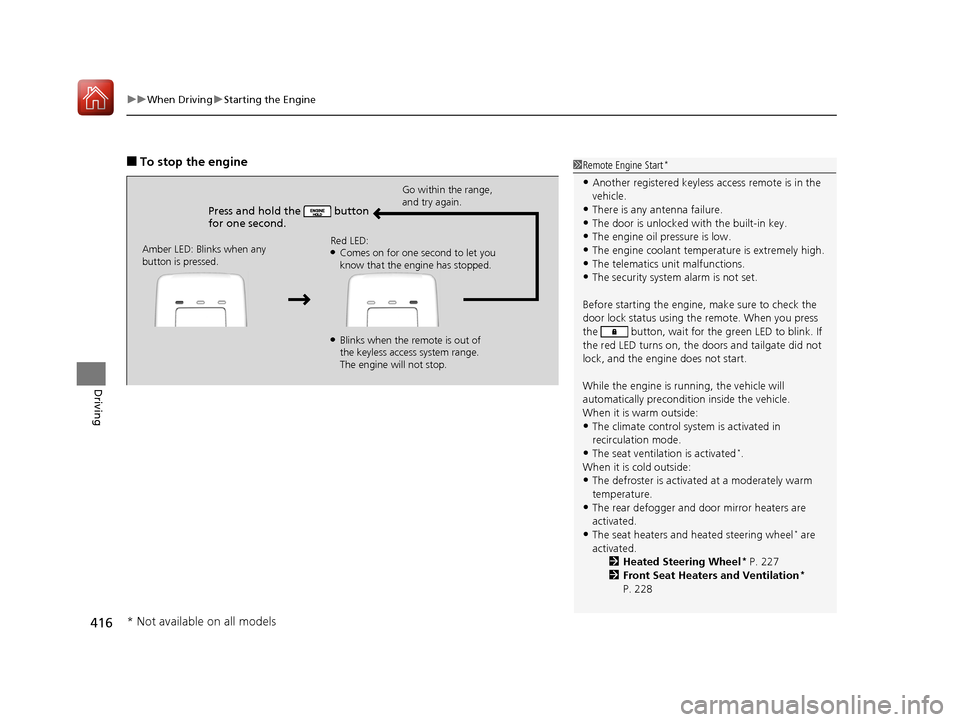
■To stop the engine
Press and hold the button
for one second.
Go within the range,
and try again.
Amber LED: Blinks when any
button is pressed. Red LED:
●Comes on for one second to let you
know that the engine has stopped.
●Blinks when the remote is out of
the keyless access system range.
The engine will not stop.
1
Remote Engine Start*
•Another registered keyless access remote is in the
vehicle.
•There is any antenna failure.
•The door is unlocked with the built-in key.•The engine oil pressure is low.
•The engine coolant temper ature is extremely high.
•The telematics unit malfunctions.•The security system alarm is not set.
Before starting the engine, make sure to check the
door lock status using the remote. When you press
the button, wait for the green LED to blink. If
the red LED turns on, the doors and tailgate did not
lock, and the engine does not start.
While the engine is running, the vehicle will
automatically preconditi on inside the vehicle.
When it is warm outside:
•The climate control system is activated in
recirculation mode.
•The seat ventilation is activated*.
When it is cold outside:
•The defroster is activated at a moderately warm
temperature.
•The rear defogger and door mirror heaters are
activated.
•The seat heaters and heated steering wheel* are
activated. 2Heated Steering Wheel
* P. 227
2 Front Seat Heaters and Ventilation*
P. 228
* Not available on all models
20 ACURA RDX-31TJB6111.book 416 ページ 2020年2月11日 火曜日 午後2時6分
Page 419 of 657
418
uuWhen Driving uPrecautions While Driving
Driving
Precautions While Driving
Utility vehicles have a significantly higher rollover rate than other types of vehicles.
To prevent rollovers or loss of control:
• Take corners at slower speeds than yo u would with a passenger vehicle.
• Avoid sharp turns and abrupt maneuvers whenever possible.
• Do not modify your vehicle in any way that you would raise the center of gravity.
• Do not carry heavy cargo on the roof.
Never carry more than 165 lbs (75 kg) of ca rgo on the roof rack (Acura accessory).
Avoid driving in deep water and on flooded roads. This can damage the engine or
driveline, or cause electrical component failure.
If there is a strong impact with something under the vehicle, stop in a safe location.
Check the underside of the vehicle for damage or any fluid leaks.
■Driving Guidelines for Your Utility Vehicle
■In Rain
■Other Precautions
1 Precautions While Driving
NOTICE
Do not change the transmission while pressing the
accelerator pedal. You could damage the transmission.
NOTICE
If you repeatedly turn the steering wheel at an
extremely low speed, or hold the steering wheel in the
full left or right position for a while, the electric power
steering (EPS) system heats up. The system goes into a
protective mode, and limits its performance. The
steering wheel becomes harder and harder to operate.
Once the system cools down, the EPS system is restored.
Repeated operation under these conditions can
eventually damage the system.
If the power mode is set to ACCESSORY while
driving, the engine will shut down and all steering
and brake power assist functi ons will stop, making it
difficult to control the vehicle.
Do not put the transmission into
( N, as you will lose
engine braking (and acce leration) performance.
During the first 600 miles (1,000 km) of operation,
avoid sudden acceleration or full throttle operation so
as not to damage the engine or powertrain.
Avoid hard braking for the first 200 miles (300 km). You
should also follow this when the brake pads are replaced.
1Driving Guidelines for Your Utility Vehicle
Failure to operate your vehicle correctly might result
in a crash or a rollover. 2 Important Handling Information P. 32
20 ACURA RDX-31TJB6111.book 418 ページ 2020年2月11日 火曜日 午後2時6分
Page 425 of 657
![Acura RDX 2020 Repair Manual uuWhen Driving uShifting
424
Driving
■If you want to keep the transmission in (N position [car wash mode]
With the engine running:
1. Press and hold the brake pedal.
2. Select
(N, then release the](/img/32/9762/w960_9762-424.png "Acura RDX 2020 Repair Manual uuWhen Driving uShifting
424
Driving
■If you want to keep the transmission in (N position [car wash mode]
With the engine running:
1. Press and hold the brake pedal.
2. Select
(N, then release the")
uuWhen Driving uShifting
424
Driving
■If you want to keep the transmission in (N position [car wash mode]
With the engine running:
1. Press and hold the brake pedal.
2. Select
(N, then release the button to display (N (Neutral) hold mode on the
multi-information display.
3. Press and hold
(N again for two seconds.
u This puts the vehicle in car wash mode which must be used when your vehicle
is pulled through a conveyor type automatic car wash where you or an
attendant do not remain in the vehicle.
If the ENGINE START/STOP button is pressed
after car wash mode has been activated, the
power mode will change to ACCESSORY and
a message will be displayed on the multi-
information display.u The gear position remains in
(N with the
power mode in ACCESSORY for 15
minutes, then, it automatically changes
to
(P and the power mode changes to
OFF.
u Manually press the ENGINE START/
STOP button cancels ACCESSORY
mode. The
(P indicator comes on and
the power mode changes to OFF. You
must always press the ENGINE START/
STOP button when car wash mode is no
longer needed.
1 If you want to keep the transmission in (N position [car wash
mode]
The transmission may not stay in
(N position while
the following indicators ar e on or when the message
below appears:
•Malfunction indicator lamp
•Transmission system indicator
•Charging system indicator•The Charging System Problem message on the
multi-information display.
20 ACURA RDX-31TJB6111.book 424 ページ 2020年2月11日 火曜日 午後2時6分
Page 427 of 657
426
uuWhen Driving uShifting
Driving
Use the paddle shifters to change between 1st and 10th gears without releasing
your hands from the steering wheel. The tr ansmission will switch to the sequential
mode.
■When the transmission is in (D:
The vehicle will go into the sequential mode momentarily, and the sequential mode
gear selection indicator will come on.
When the vehicle goes into the sequential mode by
(- paddle shifter and the lower
gear is available, the trans mission properly selects single or double gear change.
Once you start traveling at a constant sp eed, the sequential mode will automatically
switch off, and the sequential mode gear selection indicator will go off.
Hold the
(+ paddle shifter for two seconds or push the button to return to
normal drive.
■When the transmission is in (S:
The vehicle will go into the sequential mode, and the M (sequential mode) indicator
and sequential mode gear selection indicator will come on.
If the vehicle speed increases and the engi ne speed reaches near the tachometer’s
red zone, the transmission automatica lly shifts up to the next gear.
You can cancel this mode by holding the
(+ paddle shifter for two seconds or push
the button. When the se quential mode is canceled, the sequential mode
indicator and sequential mode gear selection indicator will turn off.
■Sequential Mode
D/S
D/S
20 ACURA RDX-31TJB6111.book 426 ページ 2020年2月11日 火曜日 午後2時6分
Page 435 of 657
uuWhen Driving uAuto Idle Stop
434
Driving
• The brake pedal is released (without the automatic brake hold system activated).
• The accelerator pedal is depressed (with the automatic brake hold system
activated).
2 Automatic Brake Hold P. 497
■The engine restarts even if the brake pedal is depressed*1 when:
• The Auto Idle Stop OFF button is pressed.
• A steering wheel is operated.
• The transmission is put into
(R, (S, and (P, or taken out of (N and put into (D.
• The pressure on the brake pedal is redu ced and the vehicle starts moving while
stopped on an incline.
• The brake pedal is released slightly during a stop.
• The battery charge becomes low.
• The accelerator pedal is depressed.
• The driver’s seat belt is unlatched.
• is ON (indicator on).
• The climate control system is in us e, and the difference between the set
temperature and actual interior temperature becomes significant.
• The climate control system is bein g used to dehumidify the interior.
• The vehicle ahead of you starts again when your vehicle stops automatically with
ACC with Low Speed Follow.
• The dynamic mode is changed to Snow or Sport+ mode.
■The Engine Automatically Restarts When:1The Engine Automatically Restarts When:
If you are using an electroni c device during Auto Idle
Stop, the device may tempor arily be turned off when
the engine restarts.
1 The engine restarts even if the brake pedal is depressed*1 when:
*1: With the automatic brake hold system activated,
you can release the brake pe dal during Auto Idle Stop
is in operation.
If the automatic brake hold system has been turned
off, or if there is a problem with the system, the
engine will restart automatically when you release
the brake pedal. 2 Automatic Brake Hold P. 497
20 ACURA RDX-31TJB6111.book 434 ページ 2020年2月11日 火曜日 午後2時6分
Page 438 of 657
437
uuWhen Driving uVehicle Stability AssistTM (VSA ®), aka Electronic Stability Control (ESC), System
Driving
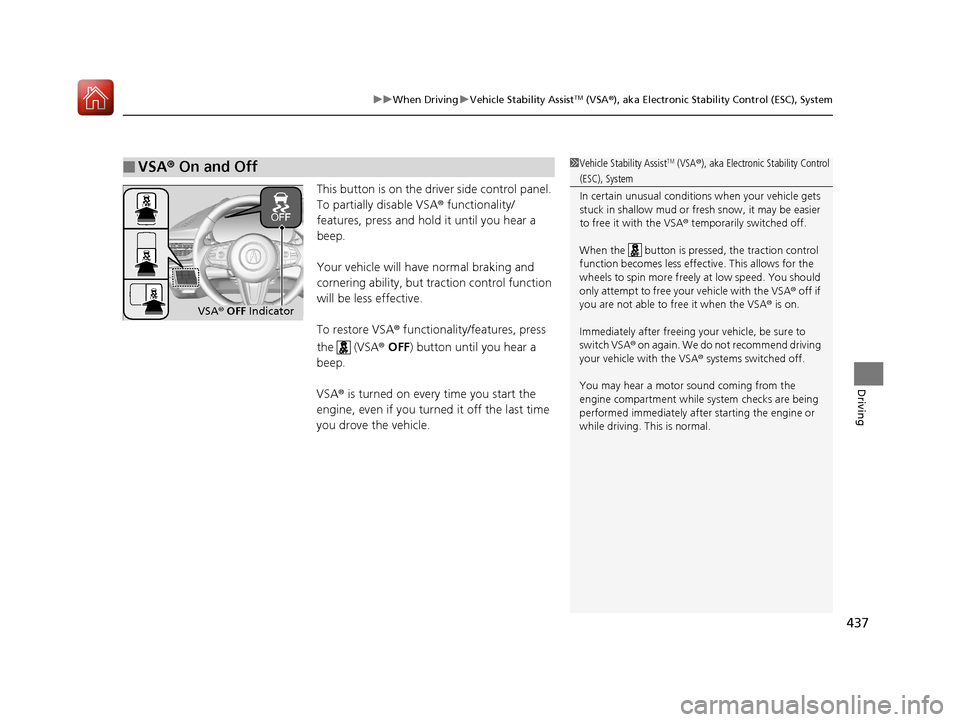
This button is on the driver side control panel.
To partially disable VSA ® functionality/
features, press and hold it until you hear a
beep.
Your vehicle will have normal braking and
cornering ability, but tra ction control function
will be less effective.
To restore VSA ® functionality/features, press
the (VSA ® OFF ) button until you hear a
beep.
VSA ® is turned on every time you start the
engine, even if you turned it off the last time
you drove the vehicle.
■VSA ® On and Off1 Vehicle Stability AssistTM (VSA® ), aka Electronic Stability Control
(ESC), System
In certain unusual conditions when your vehicle gets
stuck in shallow mud or fr esh snow, it may be easier
to free it with the VSA ® temporarily switched off.
When the button is pressed, the traction control
function becomes less effective. This allows for the
wheels to spin more freely at low speed. You should
only attempt to free your vehicle with the VSA ® off if
you are not able to free it when the VSA ® is on.
Immediately after freeing your vehicle, be sure to
switch VSA ® on again. We do not recommend driving
your vehicle with the VSA ® systems switched off.
You may hear a motor sound coming from the
engine compartment while system checks are being
performed immediately after starting the engine or
while driving. This is normal.
VSA ® OFF Indicator
20 ACURA RDX-31TJB6111.book 437 ページ 2020年2月11日 火曜日 午後2時6分