Hold Acura RDX 2020 Manual PDF
[x] Cancel search | Manufacturer: ACURA, Model Year: 2020, Model line: RDX, Model: Acura RDX 2020Pages: 657, PDF Size: 33.2 MB
Page 454 of 657
Continued453
uuAcuraWatchTMuCollision Mitigation Braking SystemTM (CMBSTM)
Driving
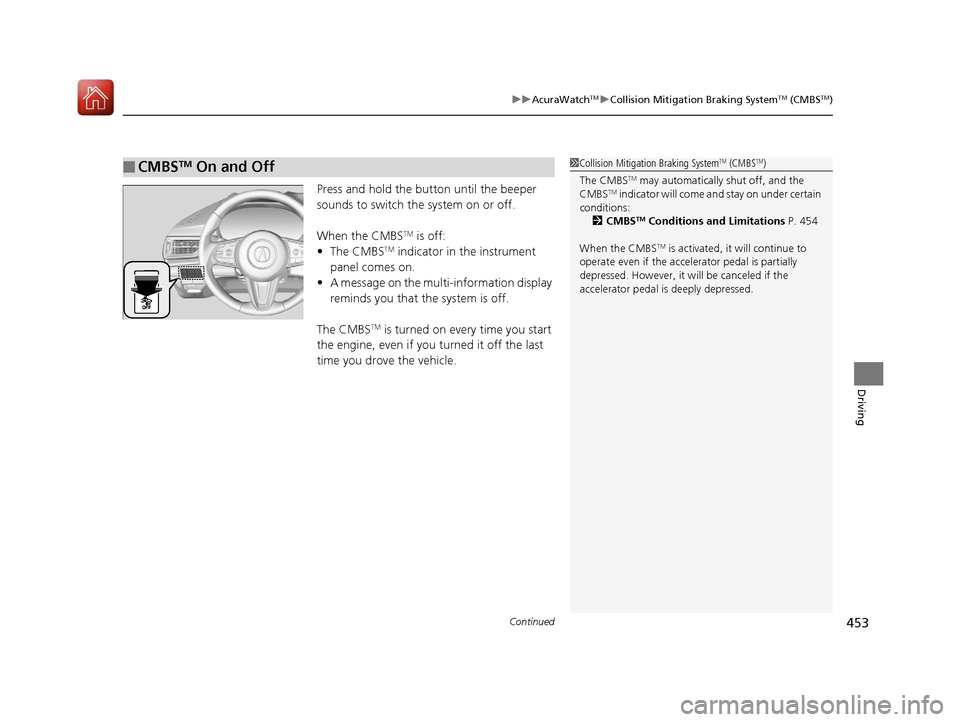
Press and hold the butt on until the beeper
sounds to switch the system on or off.
When the CMBS
TM is off:
• The CMBSTM indicator in the instrument
panel comes on.
• A message on the multi-information display
reminds you that the system is off.
The CMBS
TM is turned on every time you start
the engine, even if you turned it off the last
time you drove the vehicle.
■CMBSTM On and Off1 Collision Mitigation Braking SystemTM (CMBSTM)
The CMBS
TM may automatically shut off, and the
CMBSTM indicator will come and stay on under certain
conditions:
2 CMBS
TM Conditions and Limitations P. 454
When the CMBS
TM is activated, it will continue to
operate even if the accele rator pedal is partially
depressed. However, it w ill be canceled if the
accelerator pedal is deeply depressed.
20 ACURA RDX-31TJB6111.book 453 ページ 2020年2月11日 火曜日 午後2時6分
Page 458 of 657
457
uuAcuraWatchTMuCollision Mitigation Braking SystemTM (CMBSTM)
Continued
Driving
• When there is a group of people in front of your vehicle walking together side by
side.
• Surrounding conditions or belongings of the pedestrian alter the pedestrian’s
shape, preventing the system from recogn izing that the person is a pedestrian.
• When the pedestrian is shorte r than about 3.3 feet (1 meter) or taller than about
6.6 feet (2 meters) in height.
• When a pedestrian blends in with the background.
• When a pedestrian is bent over or squatting, or when their hands are raised or
they are running.
• When several pedestrians are walking ahead in a group.
• When the camera cannot correctly identify that a pedestrian is present due to an
unusual shape (holding luggage, body position, size).
■Automatic shutoff
The CMBSTM may automatically shut itself off and the CMBSTM indicator (amber)
comes and stays on when:
• The temperature inside the system is high.
• You drive off-road or on a mountain road, or curved and winding road for an
extended period.
• An abnormal tire condition is detected (wrong tire size, flat tire, etc.).
• The camera behind the rearview mirror, or the area around the camera, including
the windshield, gets dirty.
Once the conditions that caused the CMBS
TM to shut off improve or are addressed
(e.g., cleaning), the system comes back on.
Limitations applicable to pedestrian detection only
20 ACURA RDX-31TJB6111.book 457 ページ 2020年2月11日 火曜日 午後2時6分
Page 476 of 657

Continued475
uuAcuraWatchTMuAdaptive Cruise Control (ACC) with Low Speed Follow
Driving
Press and hold the (interval) button for one
second. Cruise Mode Selected appears on
the multi-information display for two seconds,
and then the mode switches to Cruise.
To switch back to ACC with Low Speed
Follow, press and hold the button again for
one second.
■When to use
Desired speed in a range above roughly 25 mph (40 km/h) ~.
Take your foot off the pedal and press the RES/+/SET/– switch down when you
reach the desired speed.
The moment you release the RES/+/SET/– switch, the set speed is fixed, and cruise
control begins. The CRUISE CONTROL indicator comes on.
When you use cruise control, Straight Drivin g Assist (a feature of the Electric Power
Steering system) is activated.
By enabling the steering system to automa tically compensate for natural steering
pull, Straight Driv ing Assist makes it easier for you to keep your vehicle in a straight
line.
■To Switch ACC with Low Speed Follow to Cruise Control1 To Switch ACC with Low Speed Follow to Cruise Control
Always be aware which mode you are in. When you
are driving in Cruise mode, the system will not assist
you to maintain a followi ng interval from a vehicle
ahead of you.
You can switch the displayed set speed
measurements on the multi- information display or
audio/information screen between mph and km/h.
2 Speed/Distance Units P. 134
2 Customized Features P. 335
Resuming the prior set speed:
After cruise control has be en canceled, you can still
resume the prior set speed by pressing the RES/+/
SET/– switch up while driving at a speed of at least
25 mph (40 km/h) or more.
You cannot set or resume in the following situations:
•When vehicle speed is less than 25 mph (40 km/h)
•When the MAIN button is turned off.
At vehicle speeds of 22 m ph (35 km/h) or less, cruise
control is canceled automatically.
ACC with
Low Speed
Follow ON Cruise
Control ON
■To Set the Vehicle Speed
20 ACURA RDX-31TJB6111.book 475 ページ 2020年2月11日 火曜日 午後2時6分
Page 493 of 657
492
Driving
Braking
Brake System
Use the parking brake to keep the vehicle stationary when parked. When the
parking brake is applied, you can ma nually or automatically release it.
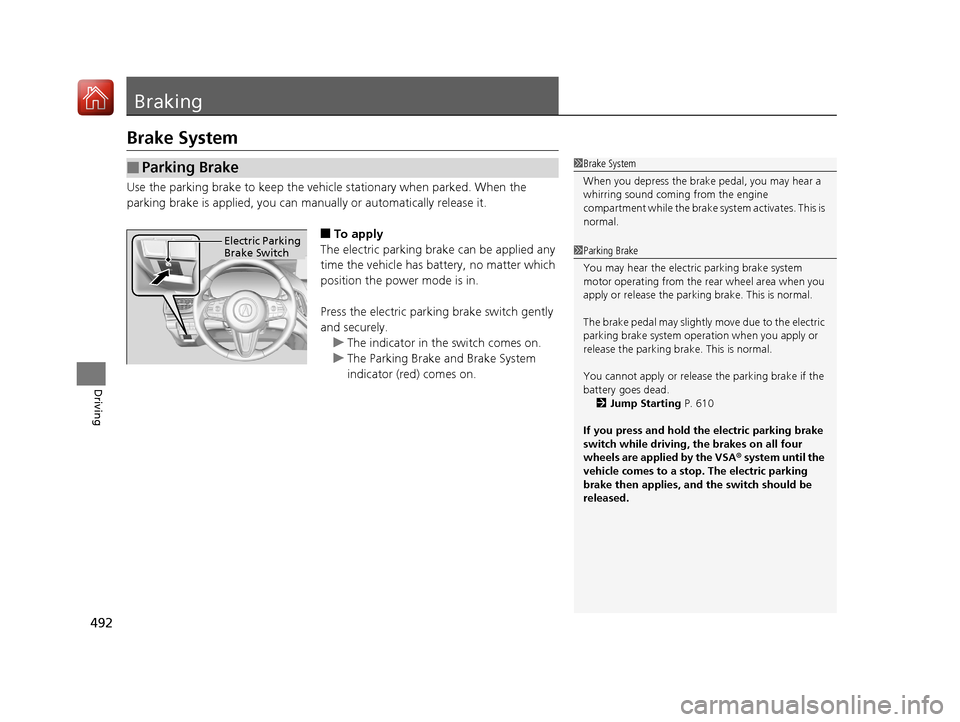
■To apply
The electric parking brake can be applied any
time the vehicle has battery, no matter which
position the power mode is in.
Press the electric parking brake switch gently
and securely. u The indicator in the switch comes on.
u The Parking Brake and Brake System
indicator (red) comes on.
■Parking Brake1Brake System
When you depress the brak e pedal, you may hear a
whirring sound coming from the engine
compartment while the brake system activates. This is
normal.
1 Parking Brake
You may hear the electric parking brake system
motor operating from the re ar wheel area when you
apply or release the parking brake. This is normal.
The brake pedal may slightly move due to the electric
parking brake system opera tion when you apply or
release the parking br ake. This is normal.
You cannot apply or release the parking brake if the
battery goes dead.
2 Jump Starting P. 610
If you press and hold the electric parking brake
switch while driving, the brakes on all four
wheels are applied by the VSA ® system until the
vehicle comes to a stop. The electric parking
brake then applies, and the switch should be
released.Electric Parking
Brake Switch
20 ACURA RDX-31TJB6111.book 492 ページ 2020年2月11日 火曜日 午後2時6分
Page 494 of 657
Continued493
uuBraking uBrake System
Driving
■Automatic parking br ake feature operation
If the automatic parking brake feature has been activated:
• The parking brake is applied automatically when you set the power mode to
VEHICLE OFF.
• To confirm that the parking brake is applied, check if the Parking Brake and Brake
System indicator (red) is on.
2 Activating and deactivating the automatic parking brake feature P. 495
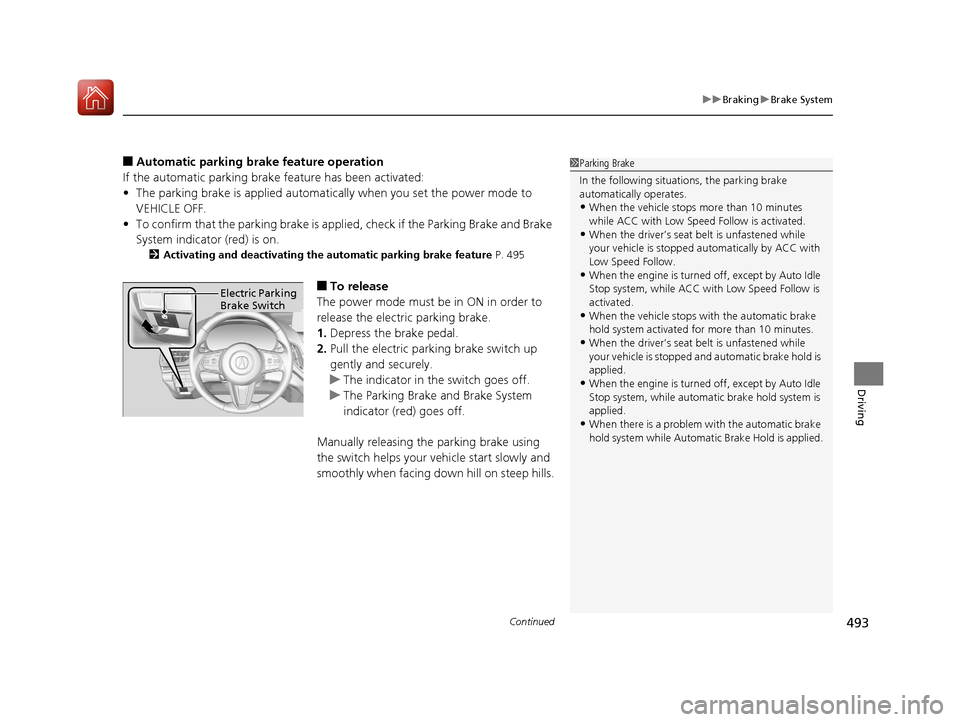
■To release
The power mode must be in ON in order to
release the electric parking brake.
1. Depress the brake pedal.
2. Pull the electric parking brake switch up
gently and securely.
u The indicator in the switch goes off.
u The Parking Brake and Brake System
indicator (red) goes off.
Manually releasing the parking brake using
the switch helps your vehicle start slowly and
smoothly when facing down hill on steep hills.
1 Parking Brake
In the following situations, the parking brake
automatically operates.
•When the vehicle stops more than 10 minutes
while ACC with Low Speed Follow is activated.
•When the driver’s seat belt is unfastened while
your vehicle is stopped au tomatically by ACC with
Low Speed Follow.
•When the engine is turned off, except by Auto Idle
Stop system, while ACC with Low Speed Follow is
activated.
•When the vehicle stops with the automatic brake
hold system activated for more than 10 minutes.
•When the driver’s seat belt is unfastened while
your vehicle is stopped a nd automatic brake hold is
applied.
•When the engine is turned off, except by Auto Idle
Stop system, while automatic brake hold system is
applied.
•When there is a problem with the automatic brake
hold system while Automatic Brake Hold is applied.
Electric Parking
Brake Switch
20 ACURA RDX-31TJB6111.book 493 ページ 2020年2月11日 火曜日 午後2時6分
Page 496 of 657

Continued495
uuBraking uBrake System
Driving
■Activating and deactivating the automatic parking brake feature
With the power mode is in ON, carry out th e following steps to either activate or
deactivate the automatic parking brake feature.
1. Put the transmission into
(P.
2. Without depressing the brake pedal, pres s and release the parking brake switch.
u Check that the Parking Brake and Brake System indicator (red) has come on.
3. Press and hold the parking brake switch. Wh en you hear a beeping sound, release
the switch and within 3 seconds pull up and hold the switch again.
4. When you hear a sound indicating that the procedure is completed, release the
switch.
u Two beeps indicates that the feature has been activated.
u One beep indicates that the feature has been deactivated.
u When you have completed activating the feature, the parking brake will
remain applied after you turn off the engine.
u To confirm that the park ing brake is applied, check if the Parking Brake and
Brake System indicator (red) is on.
If you need to temporarily deactivate th e feature for when putting your vehicle
through a conveyor type car wash, you can follow the procedure explained below.
1. Depress the brake pedal and bring the vehicle to a stop.
2. Set the power mode to VEHICLE OFF and then within 2 seconds pull up the
parking brake switch.
u Activation and deactivation settings for the feature will not be affected.
u Before temporarily deactivating the feat ure, make sure to first turn off both
ACC with Low Speed Follow and the automatic brake hold system.
u To confirm that the park ing brake is applied, check if the Parking Brake and
Brake System indicator (red) is on.
1 Parking Brake
In cold climates, the parking brake may freeze in
place if applied.
When parking the vehicle, chock the wheels and
make sure the automatic parking brake feature is
deactivated.
Also, when putting your vehicle through a conveyor-
type car wash or when ha ving your vehicle towed,
deactivate the automatic parking brake feature and
leave the parking brake released.
20 ACURA RDX-31TJB6111.book 495 ページ 2020年2月11日 火曜日 午後2時6分
Page 498 of 657

Continued497
uuBraking uBrake System
Driving
Keeps the brake applied after releasing the brake pedal until the accelerator pedal is
pressed. You can use this system while th e vehicle is temporarily stopped, like at
traffic lights and in heavy traffic.
■Automatic Brake Hold1 Automatic Brake Hold
3WARNING
Activating the automatic brake hold system
on steep hills or slippery roads may still
allow the vehicle to move if you remove
your foot from the brake pedal.
If a vehicle unexpectedly moves, it may
cause a crash resulting in serious injury or
death.
Never activate the automatic brake hold
system or rely on it to keep a vehicle from
moving when stopped on a steep hill or
slippery roads.
3WARNING
Using the automatic brake hold system to
park the vehicle may result in the vehicle
unexpectedly moving.
If a vehicle moves unexpectedly, it may
cause a crash, resulting in serious injury or
death.
Never leave the vehicle when braking is
temporarily kept by automatic brake hold
and always park the vehicle by putting the
transmission in
( P and applying the parking
brake.
■Turning on the system
Fasten your seat belt
properly, then start the
engine. Press the
automatic brake hold
button.
●The automatic brake
hold system indicator
comes on. The system
is turned on.
■Activating the system
Depress the brake pedal
to come to a complete
stop. The transmission
must be in
( D, (S or (N.●The automatic brake
hold indicator comes
on. Braking is kept for
up to 10 minutes.
●Release the brake
pedal after the
automatic brake hold
indicator comes on.
■Canceling the system
Depress the accelerator
pedal while the
transmission is in
( D or (S. The system is
canceled and the vehicle
starts to move.
●The automatic brake
hold indicator goes
off. The system
continues to be on.
Accelerator PedalBrake PedalAutomatic Brake
Hold Button
Goes
Off
Comes
OnOn On
Comes
On
Comes
On
U.S.
Canada
20 ACURA RDX-31TJB6111.book 497 ページ 2020年2月11日 火曜日 午後2時6分
Page 499 of 657
uuBraking uBrake System
498
Driving
■The system automatically cancels when:
• You depress the brake pedal and change to
(P or (R.
• You engage the parking brake.
■The system automatically cancels and the parking brake is applied when:
• Braking is kept for more than 10 minutes.
• The driver’s seat belt is unfastened.
• The engine is turned off.
• Brake Hold System Problem. Appl y Brake When Stopped. See Your
Dealer. appears on the multi-information display.
• There is a problem with au tomatic brake hold system.
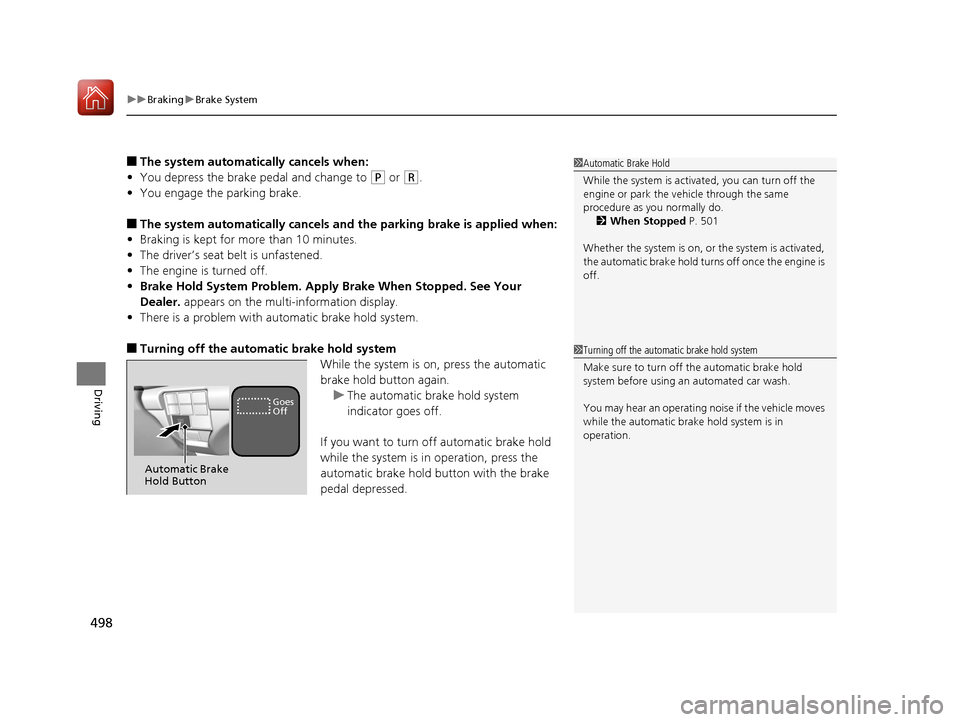
■Turning off the automatic brake hold system
While the system is on, press the automatic
brake hold button again.u The automatic brake hold system
indicator goes off.
If you want to turn off automatic brake hold
while the system is in operation, press the
automatic brake hold button with the brake
pedal depressed.
1 Automatic Brake Hold
While the system is activated, you can turn off the
engine or park the ve hicle through the same
procedure as you normally do. 2 When Stopped P. 501
Whether the system is on, or the system is activated,
the automatic brake hold turn s off once the engine is
off.
1 Turning off the automatic brake hold system
Make sure to turn off the automatic brake hold
system before using an automated car wash.
You may hear an operating noi se if the vehicle moves
while the automatic brake hold system is in
operation.
Automatic Brake
Hold Button
Goes
Off
20 ACURA RDX-31TJB6111.book 498 ページ 2020年2月11日 火曜日 午後2時6分
Page 500 of 657
499
uuBraking uAnti-lock Brake System (ABS)
Driving
Anti-lock Brake System (ABS)
Helps prevent the wheels from locking up, and helps you retain steering control by
pumping the brakes rapidly, much faster than you.
The electronic brake distribu tion (EBD) system, which is part of the ABS, also
balances the front-to-rear braking distribution according to vehicle loading.
You should never pump the brake pedal. Let the ABS work for you by always
keeping firm, steady pressure on the brake pe dal. This is sometimes referred to as
“stomp and steer.”
■ABS operation
The brake pedal may pulsate slightly when the ABS is working. Depress the brake
pedal and keep holding the pedal firmly do wn. On dry pavement, you will need to
press on the brake pedal very hard before th e ABS activates. However, you may feel
the ABS activate immediately if you are trying to stop on snow or ice.
ABS may activate when you depres s the brake pedal when driving on:
• Wet or snow covered roads.
• Roads paved with stone.
• Roads with uneven surf aces, such as potholes, cracks, manholes, etc.
When the vehicle speed goes under 6 mph (10 km/h), the ABS stops.
■ABS1Anti-lock Brake System (ABS)
NOTICE
The ABS may not function correc tly if you use a tire of
the wrong size or type.
If the ABS indicator comes on while driving, there
may be a problem with the system.
While normal braking will not be affected, there is a
possibility that the ABS wi ll not be operating. Have
your vehicle checked by a dealer immediately.
The ABS is not designed for the purpose of reducing
the time or distance it takes for a vehicle to stop: It is
designed to limit brake lo ckup which can lead to
skidding and loss of steering control.
In the following cases, yo ur vehicle may need more
distance to stop than a vehicle without the ABS:
•You are driving on rough or uneven road surfaces,
such as gravel or snow.
•The tires are equipped with tire chains.
The following may be observed with the ABS system:
•Motor sounds coming from the engine
compartment when the brakes are applied, or
when system checks are being performed after the
engine has been started and while the vehicle
accelerates.
•Brake pedal and/or the ve hicle body vibration when
ABS activates.
These vibrations and sounds are normal to ABS
systems and are no cause for concern.
20 ACURA RDX-31TJB6111.book 499 ページ 2020年2月11日 火曜日 午後2時6分
Page 501 of 657

500
uuBraking uBrake Assist System
Driving
Brake Assist System
Designed to assist the driver by generating greater braking force when you depress
the brake pedal hard during emergency braking.
■Brake assist system operation
Press the brake pedal firmly for more powerful braking.
When brake assist operates, the pedal ma y wiggle slightly and an operating noise
may be heard. This is normal. Keep holding the brake pedal firmly down.
20 ACURA RDX-31TJB6111.book 500 ページ 2020年2月11日 火曜日 午後2時6分