trailer AUDI A5 CABRIOLET 2010 Owners Manual
[x] Cancel search | Manufacturer: AUDI, Model Year: 2010, Model line: A5 CABRIOLET, Model: AUDI A5 CABRIOLET 2010Pages: 364, PDF Size: 86.51 MB
Page 5 of 364
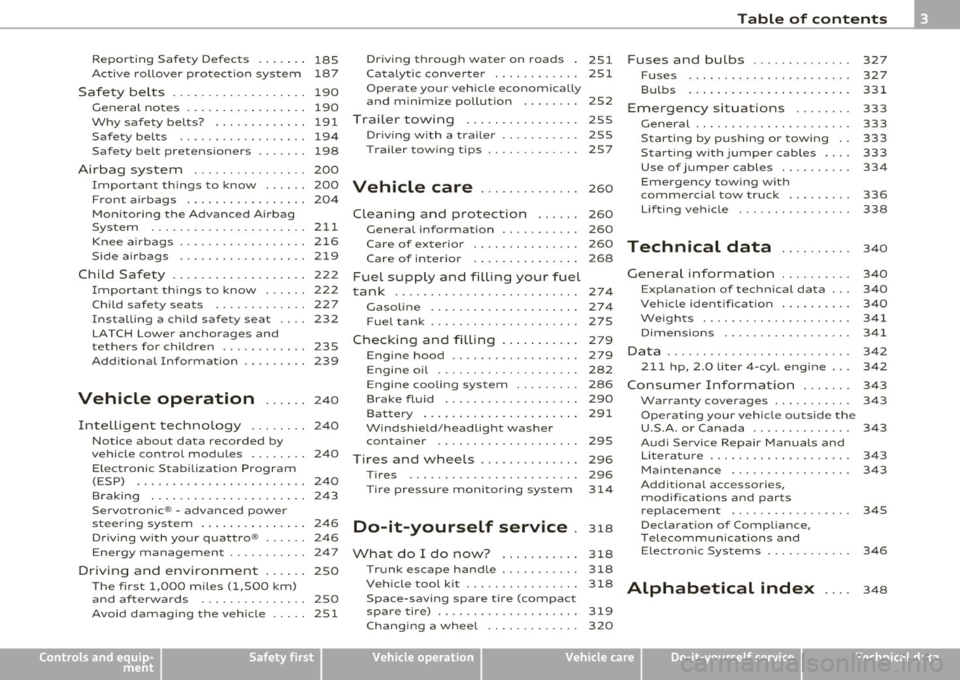
Reporting Safety Defects . . . . . . . 185
Active rollover protection system 187
Safety be lts ................... 190
General no tes ........ ......... 190
Why safety belts? ............. 191
Safety belts .................. 194
Safety belt pretensioners ....... 198
Airbag system ................ 200
Important things to know . . . . . . 200
Front airbags . . . . . . . . . . . . . . . . . 204
Mon ito ring the Advanced A irbag
System ..................... .
Knee ai rbags ................. .
Side airbags .. ............... .
Child Safety .. .. ....... ....... .
Important th ings to know ..... .
Child safety seats ............ .
Installing a child safety seat ... .
LATCH Lowe r ancho rages and
tethers for children ........... .
Add it ional Information 211
2
16
2 19
222
222
227
232
235
239
Vehicle operation ...... 240
Intelligent techno logy ........ 240
Notice abou t data recorded by
vehicle control modules . . . . . . . . 240
E lectronic S tab ili z ati on Program
(ESP) ........................ 240
Braking . . . . . . . . . . . . . . . . . . . . . . 243
Se rvo tron ic® -advanced power
steer ing system ....... ........ 246
Dr iving wi th your qua ttro® . . . . . . 246
Energy management ...... ... .. 247
Driving and environment . ..... 250
The firs t 1,000 miles (1,500 km)
and af terwards ............... 250
Avoid damaging the veh ic le ..... 251
Controls and equip
ment Safety first
Dr
ivi ng th rough w.ater on roads . 251
Ca talytic conve rter . . . . . . . . . . . . 251
Operate your vehicle economically
and minimize pollution . . . . . . . . 252
Trailer towing 255
Dr iving wi th a traile r . . . . . . . . . . . 255
T railer tow ing t ips ... .......... 257
Vehicle care .............. 260
Clean ing and protect ion ...... 260
General information . . . . . . . . . . . 260
Care of exterior . . . . . . . . . . . . . . . 260
Care of interior . . . . . . . . . . . . . . . 268
Fuel supply and filling your fuel
tank ... ... ............. .......
274
Gasoline . ............ ........ 274
Fuel tank ..................... 275
Checking and filling . . . . . . . . . . . 279
Engine hood . . . . . . . . . . . . . . . . . . 279
Engine o il . . . . . . . . . . . . . . . . . . . . 282
Engine cooling system . . . . . . . . . 286
Brake fluid . . . . . . . . . . . . . . . . . . . 290
Bat tery ......... .... ......... 291
W indshie ld/head ligh t washer
containe r . . . . . . . . . . . . . . . . . . . . 295
Tires and wheels .............. 296
Ti res
296
Ti re pressure monitor ing system 31 4
Do-it-yourself service . 318
What do I do now ? 318
T runk escape handle ........... 318
Vehicle tool kit ................ 318
Space-saving spare tire (compact
spare tire) . ................... 319
Changing a wheel . . . . . . . . . . . . . 320
Table of contents
Fuses and bulbs . ............ .
Fuses ...................... .
Bulbs ......... ......... .... .
Emergency situations ....... .
General ..................... .
S tarti ng by pushing or towi ng ..
Starting with jumper cables ... .
Use of jumper cables ......... .
Emergency tow ing w ith
commercial tow truck ........ .
Lifting vehicle .. ..... .. ...... .
Technical data
General information
Explanation of technical data .. .
Vehicle iden tificat ion ...... ... .
We ights .................... .
Dimensions ............... .. .
Data ......................... .
211 hp, 2.0 liter 4-cyl. engine .. .
Co nsumer Inform ati on ...... .
War ran ty coverages .......... .
Operating your vehicle outside the
U.S.A. or Canada ............. .
Audi Service Repair Manuals and
Li tera ture ................... .
Maintenance ............... . .
Additional accessories,
modif ications and parts
replacemen t ............... . .
Declaration of Compliance,
Telecommunica tions and
E lec tronic Systems ........... .
Alphabetical index ....
327
327
331
333
333
333
333
334
336
338
340
340
340
3 4 0
341
341
342
342
3 4 3
343
343
343
343
345
346
3 4 8
Vehicle operation Vehicle care Do-it-yourself service Technical data
Page 114 of 364
![AUDI A5 CABRIOLET 2010 Owners Manual ""L___::O:::.:., n:....:: t.:..:h :.:e :...:.. r.:::o :.::a :.: d=--------------------------------------------------
(I] Tips
For s afety reasons, t he pa rking br ake is r eleased automatical](/img/6/57573/w960_57573-113.png "AUDI A5 CABRIOLET 2010 Owners Manual \"\"L___::O:::.:., n:....:: t.:..:h :.:e :...:.. r.:::o :.::a :.: d=--------------------------------------------------
(I] Tips
For s afety reasons, t he pa rking br ake is r eleased automatical")
""L___::O:::.:., n:....:: t.:..:h :.:e :...:.. r.:::o :.::a :.: d=--------------------------------------------------
(I] Tips
For s afety reasons, t he pa rking br ake is r eleased automatically only
when the driver 's safety belt is engaged in the buck le .•
Starting off with a trailer
To prevent rolling back unintenti onally on an incline, do
the following :
-Keep the switch pu lled and depress the accelerator. T he
parking brake stays a pp lied and prevents the vehic le from
ro lling backward.
- You can re lease the switch once you are sure tha t you are
deve lopi ng enough driving force at t he wheels by
depressing the accelerator .
Depending on the we ight of the rig (vehicle and trailer) and the
sever ity o f the in cl ine, you may roll backwa rds as you start . You can
prevent roll ing backwards by holding the park ing brake sw itch pulled
out and accele ra ting -just as you wou ld when starting on a hill wi th a
conventional hand brake .•
Emergency braking
In the event that the conventional brake system fails or
locks .
-In an emergen cy , pull t he sw itch and contin ue to pull it to
slow your vehic le down with t he p arking brake.
- As soon as you re lease t he swi tch or acce lerate, the
bra king process s tops.
If you pull the switch and hold it above a speed of about 5 mph (8
km/h), the emergency braking fu nction is initiated . The vehicle is braked at all four wheels by activating the
hydraulic brake system.
Th e b rake pe rformance is s imila r to mak ing an eme rge ncy sto p .=>
&
In order not to act ivate the emergency brak ing by m istake, an audib le
warning tone (buzzer) sounds when the switch is pulled. As soon as
t he swi tch is re leased, or the acce lerator pedal is dep ressed , emer
gency braking stops .
& WARNING
Emergency braking should only be used in an eme rgency , when
the normal foot brake has failed or the brake pedal is obstructed .
Using the parking brake to perform emergency braking will slow
your vehicle down as if you had made a full brake application . The
laws of physics cannot be suspended e ven with ESP and its associ ·
at ed components (ABS, ASR, EDS ). In corners and when road or
weather conditions are bad , a full brake application can cause the
vehicle to skid or the rear end to break away· ri sking an accid ent. •
Driver messages in the instrument cluster
Warning Vehicle incline i s excessive
Th is message appears when the parking brake is applied on an incline
t ha t exceeds abo ut 3 0%.
I n th is case the braking power of the parking brake may
not be
adequate
to prevent the vehicle from rolling unintentionally.
Pl ease release parking brak e
Please note that for safety reasons the pa rking brake is re leased auto
matically on ly if the d river's seat be lt is fully engaged i n the buck le .
To relea se the parking brake pre ss the brake pedal
Th is dr iver message appears when the switch to release the parking
brake was pressed . The par king brake can only be released if you s tep
on the brake peda l and at the same time p ress the switc h or you auto- _.,
Page 171 of 364

----------------------------------------------~P~a..!..r ~k :...:a:!.s~s!..:is~t ~_J-
& WARN ING (continued)
y ou sh oul d no t use th e help line s to help w ith pa rki ng, wh ic h
p os es dang er of an a ccident!
0 Note
• Low obstacles a lready s ignaled by a wa rning can disappear from
t he sys tem' s de tec tion range as they are approached and will no t
cont inue to be s ignaled. Objects such as bar rier chains, trailer draw
bars, thin pa inted vertical poles or fences may not be detected by the
system, posing risk of damage.
• In the MMI display, the direc tion of travel of the vehicle rear is
represented depend ing on the stee ring whee l angle. The vehicle front
swings out more than the vehicle rear . Maintain plenty of distance
from an obstacle so that your outs ide mirror or a corner of your
vehicle does not collide with any obstacles -danger of accident! •
Applies to veh icl es: wit h pa rk ing syst em (rear ) and re ar-v iew ca mer a
Parallel Parking
Use parking mode 2 to help you park on the edge of a
street.
Con tro ls a nd e quip
m en t
Fig.173 MMI Display :
b lu e s urface In th e
par king s lot
Vehicle OP-eration
Fig.174 MM I Dis pl ay:
Bl ue cur ve on t h cur b
The following steps apply only when there is no obstacl e
(such as a wall) near the parking spot. Otherw ise, please read
the "Tips o n Parking Next to Obstacles" .
- Activate the turn signal.
- Switch the MMI on and select the reverse gear. The
parking a id turns on and parking mode 1 appears on the
display.
- Position your vehicle parallel to the edge of the street,
approximately 1 meter from a parked vehicle.
- Press the
Mode ~ fig. 173 © control button on the MMI
control console . Parking mode 2 appears .
- Back up in reverse gear a nd alig n your veh icle so that the
blue area
0 borders on the rear end of the veh icle or on
the parking spot line . The blue area represents an exten
sion of the vehicle's out line by approximately 5 m to the
rear. The long side of the b lue area should be on the curb .
The entire blue area must fit into the park ing spot.
- Whi le the vehicle is stationary, turn the steering whee l to
the right as far as it will go . _.,
Vehicle care Do-it-yourselt service iTechnical data
Page 172 of 364

lffl!IL____:P:....::a:.:r..:k:..:::a::s:.:s::.:i~s:.:t :..._ _________________________________________________ _
- Back into the parking space until the blue curve touches
the curb~
page 169, fig . 174. Stop the vehic le .
- While the ve hicle is stationa ry, turn the steering whee l to
the left as far as i t will go.
- Continue to back up into the parking spot until the ve hicle
is parked parallel to the curb. ® mar ks the rear bumper.
You shou ld stop dr iving i n reverse as soon as and no later
than when the red orientation line
0 abuts a n object
~ & !Kee p an eye on the front of your vehicle wh ile doing
this ~0.
Parking next to obs tacles
When there is an obstacle (such as a wall) next to the parking spot,
c hoose a spo t w it h more space on the sides. Position the long side of
the blue area so that there is sufficient space from the curb. The area
must not be on the curb . You will a lso need to star t turning the
steering wheel much earlier. There should be a suff icie nt amount of
space between the c urb and the b lue c urve, and the b lue c urve
=> page 169, fig. 17 4 must not touch the curb .
& WARNING
• The rea r-v iew camera does not show the entire area behind the
vehicle =>
page 166, fig. 169 . Watch out e spe cially for small chil
dr en and animal s. The rear-view camera cannot alway s det ect
them, posing risk of an accident!
• Please note that objects not touch ing the ground can appear to
be further away than they really are (for example, the bumper of
a park ed vehicle, a trailer hit ch , or the rear of a truck) . In this case ,
you should not use the help lines to help with parking , which
po ses danger of an accid ent!
0 Note
In the MMI display, the d irection of t ravel of the vehicle rear is rep re
sented depending o n the steering wheel angle . The ve hicle front
swi ngs ou t mo re than the ve hicl e rea r. M aintain plenty of d istance
from an obstacle so that your outside mirror or a corner of your
veh icle does not collide w ith any obstacles - d anger of a ccident!
[ i ] Tips
Th e left or rig ht or ientation lines and surfaces w ill be displayed,
depending on the tur n signa l being used .•
A pp lies to veh icles: with par king system (rear) and r ear-view camera
Adjusting the display and warning tones
The display* and warning tones can be adjusted in the
radio or in the MM!*.
-Select : [CAR)> Parking system.
Display
• Off -when the parking system is switched off, only aud ible sig nals
are g iven.
• On -when the pa rking system is switched on , eithe r the visua l
display or the p ictu re from the rearview camera is displayed.
Warn ing tones
• Front volume -front sensor vo lume
• Front frequency -front sensor frequency
• Rear volume -rear senso r vo lume
• Rear frequency -rear sensor freq uency
• In-car ent ertainment fader -when the park ing system is sw itched
on, the volume of the active audio source is lowere d.
Th e newly adju ste d val ue is briefly he ard from the signal generato r . ..
Page 257 of 364

Trailer towing
Driving with a trailer
General information
Your Audi was designed primarily for passenger transpor
tation.
If yo u plan to tow a t rai ler, p lease rem emb er that the add itiona l load
wi ll affect durab ility, economy and performance.
T railer tow ing not on ly p laces mo re s tress on the vehicle, it a lso calls
for more concentrat ion from the driver.
For this reason, a lways follow the ope rating and dr iv ing instr uctions
prov ided and use common sense .
Technical requirements
Trailer hitch
Use a weight-carrying hitch conforming to the gross trailer weig ht.
Th e hitch mus t be suitable for yo ur vehicle a nd tra ile r and mus t be
mounted secure ly on the vehicle's chassis at a
technically sound l oca
t ion. Use only a trailer hitch wi th a remov ab le b all m ount. Alw ays
check w ith the tra iler hitch manufacturer to make sure that you are
using t he cor re ct hi tch.
Do not use a bumper hitch.
The h itch must be installed in such a way t hat it does not interfere
w ith the impa ct-absorbing b umper system. No mod ifi cat ions sho uld
be made to the vehicle exhaust and brake systems. From time to
ti me, chec k tha t all hitc h mou ntin g bol ts rem ain secure ly f aste n ed.
When you a re not tow ing a tra iler, remove the tra iler hitch ba ll
mount. This prevents the hitc h from caus ing damage should yo ur
vehicle be struck from behind=> &.
Controls and equip
ment Safety first Vehicle operation
Trailer brakes
If your trailer is eq
uipped with a braking system, check to be s ure that
i t confo rm s to all regula tions.
The tra iler hydraulic brake system must not be directly connected to
the vehicle's hydraulic brake system=>& .
Safety chains
Alw ays use safety chains be twee n your vehicle and the trai ler.
Trailer lights
Tr ailer l ights m ust meet all reg ulat io ns. Be su re to check with your
author ized Audi deale r for correct wir ing, switches, and re lays.
Mirrors
If you are unab le to see the traffic behind you us ing the regular
outside m irro rs, then you
must install extended m irro rs. It is impor
tant that yo u
always have clear vision to the rear.
& WARNING
• If a trailer has electrical b rake s please note that these brakes
are not activated by the factory-fitted control unit -ri sk of acci
dent!
• After removing the trailer hitch , do not store it in your vehicle.
In case of sudden braking, the hitch could fly fo rward and injure
you or your passengers. •
Operating instructions
Maximum trailer we ight
A trailer for your vehicle is limited to a typical class 1 or class 2 trailer . .,.
Vehicle care Do-it-yourself service Technical data
Page 258 of 364

Trailer towing
"-------------------------------------------------
Trailer load distribution
Be sure the load in the trailer is held securely in pla ce to prevent it
from shifting forward, backward or s ideways.
Never allow a passenger to ride in a trailer => & in "Driving instruc
tions" on
page 256.
Engine cooling system
Towing a trailer makes the eng ine work harde r. It is important that
the cooling system's performance is up to the additional load. Make
sure that the cooling system has enough fluid.
Tire pressure
When towing a trailer, inflate the tires of your vehicle to the cold tire
pressure listed under "Full load" on the label located either on the
dr iver's side B-pillar (visible when the door is open) or inside the fuel
filler flap . Inflate trailer tires to trailer and tire manufacturers' spec
ifications.
Lights
The headl ight settings should be checked w ith the trailer attached
before driving off. Check to make sure both vehicle and trai ler lights
are working properly.
Safety chains
Be sure trailer safety cha ins are properly connected from the trailer
to the hitch on the vehicle. Leave enough s lack in the chains to permit
turning corners. When you install safety chains, make sure they will
not drag on the road when you are driving.
T he chains should cross under the trailer tongue to p revent it from
dropping in case of separation from the hitch.
Driving instruct!ons
Driving with a trailer always requires extra care and
consideration.
To obtain the best possible handling of vehicle and trailer,
please note the following:
- Do not tow a loaded trailer when your car itself is not
loaded.
- Be especially careful when passing other veh icles .
- Observe speed limits.
- Do not drive at the maximum permissible speed.
- Always apply brakes early.
- Monitor the temperature gauge .
Weight distribution
Towing a loaded trailer w ith an empty car results in a highly unstable
distr ibution of weight. If this cannot be avoided, drive at very low
speeds only to avo id the r isk of losing steer ing control.
A "balanced" rig is easier to operate and control. Th is means that the
tow vehicle should be loaded to the extent possible and permissible,
wh ile keeping the trailer as light as possible under the c ircumstances.
Whenever possible, trans fer some cargo to the luggage compart
ment of the tow vehicle while observing tongue load requirements
and vehicle loading considerations.
Speed
Th e higher the speed, the more difficult it becomes for the driver to
control the r ig . Do not drive at the maximum permiss ible speed.
Reduce your speed even more if load, weather or wind conditions are
unfavorable -part icularly when go ing downhill.
Reduce vehicle speed
immediately i f the trailer shows the slightest
sign of swaying.
Do not try to stop the swaying by accelerating. _,
Page 259 of 364
Observe speed limits. In some areas, speeds for vehicles towing
t railers are lowe r than for regular veh icles.
Always apply brakes early. When dr iv ing downh ill, sh ift in to a lower
gear to use the engine braking effect to slow the vehicle. Use of the
brakes alone can cause them to overheat and fail.
Coolant temperature
The coolant temperature gauge~ page 8 must be observed care
fully. If the needle moves close to the upper end of the scale, reduce
speed immediately and/or turn off the air conditione r.
If the coolant temperature warning light in the instrument cluster
star ts flashing
-t- , pull off the road, stop and let the engine idle for
about two minutes to prevent heat bu ild-up.
& WARNING
Anyone not properly restrained in a moving vehicle is at a much
greater risk in an accident. Never let anyone ride in your car who is
not properly wearing the restraints provided by Audi. u
Trailer towing tips
Important to know
------------
Your vehicle handles differently when tow ing a tra iler because of the
additiona l weight and different weight distribution. Safety, perfor
mance and economy will greatly depend on how carefu lly you load
your trailer and operate your rig .
Before you actua lly tow your trailer, practice turning, stopping and
backing up in an area away from traffic. Keep pract icing until you have
become completely familiar with the way your vehicle-t railer combi
nation behaves and responds.
Controls and equip
ment Safety first Vehicle operation
Backing up
is d iff icult and requ ires practice . Backing up with a trailer
generally requires steering action opposite to that when backing up
your vehicle without a trailer.
Maintain a greater distance between your vehicle and the one in front
of you. You will need more room to stop . To compensate fo r the
trailer, you will need a larger than norma l turning radius.
When passing, remember that you cannot accelerate as fast as you
normally would because of the added load. Make sure you have
enough room to pass. After passing, allow plenty of room for you r
trailer before changing lanes again.
Avoid jerky starts, sharp turns or rapid lane changes .
[I) Tips
• Do not tow a trai ler during the break-in per iod of your vehicle.
• If you tow a tra iler, your Audi may requi re more frequent mainte
nance due to the extra toad~
page 343. •
Parking on a slope
Do not park on a slope with a trailer. If it cannot be
avoided, do so only after doing the following:
When parking:
-Apply the foot brake.
- Have someone place chocks under both the vehicle and the
trailer wheels.
- With chocks in place, slowly release the brakes until the
wheel chocks absorb the load.
- Turn the wheels towards the curb.
- Apply the parking brake .
- Move the se lector lever to
P.
Vehicle care Do-it-yourself service Technical data
Page 260 of 364
Trailer towing
"-------------------------------------------------
When rest arting afte r parking:
- Apply the foot brake.
- Start the engine.
- Move the selector lever to
D.
- Release the parking brake and slowly pull out and away
from the wheel chocks .
- Stop and have someone retrieve the wheel chocks.
(I] Tip s
If you move the se lector lever of the automat ic transm ission* to P
before applying the parking brake and before blocking the wheels,
you may have to use mo re force late r to move the lever out of the
P
position.
Page 304 of 364
-~_T_ i_ re _ s_ a_n _ d_ w_ h _e_ e_ls _________________________________________________ _
Vehicle Weight Rating and the G ross Ax le We ig ht Rating a re listed on
t he sa fe ty co mplianc e stick er la bel lo ca ted on t he dr ive r's side B
pillar. The tire press ure label on your Aud i lists the max imum
combine d weight of a ll of t he occ upants an d lugga ge or other cargo
that the veh icle can car ry . For the locat io n of the t ire pressure label
~ pa ge 300 , fig. 227.
& WARNING
Overloading a vehicle can cause los s of vehicle control , a crash or
other accident, serious personal injury, and even death.
• Carrying more weight than your vehicle wa s designed to carry
will prevent the vehicle from handling properly and increase the
risk of a loss of vehicle control.
• The b rakes on a vehicle that has been overloaded may not be
able to stop the vehicle within a safe distan ce.
• Tires on a vehicle that has been overloaded can fail suddenly
causing loss of control and a crash.
• Always make sure that the total load being transported -
including the weight of a trailer hitch and the tongue weight of a
loaded trailer -does not make the vehicle heavier than the
vehicle 's Gro ss Vehicle Weight Rating.
& WARNING
• Incorrect tire pressures and /or underinflation can lead to a
serious or fatal accident.
• Incorrect tire pressures and /or underinflation cause increased
tire wear and can affect the handling of the vehicle.
• Incorrect tire pressures and/or underinflation can also lead to
sudden tire failure , including a blowout and sudden deflation,
c ausing loss of vehicle control. •
Checking tire pressure
The c orrec t t ire pre ssur e fo r th e tires origina lly insta lled
o n yo ur veh icle is listed on th e tir e p res su re l abe l lo cat ed
on driv er's side 8-pi llar.
Th e recommended tire pressures are on the tire p ress ure labe l an d in
t he table~
page 300, "Cold tire infla tion pressure" .This means that
the pressure m ust be chec ked an d ad justed w hen the tire has not
bee n driven for more tha n a co uple of miles (kil om ete rs) at l ow
speeds dur ing the prev io us three hours . A ir in t he tires expan ds when
t he tire he ats up as a res ult of in ter nal fric tion as it flexes in use. The
t ire pressure is higher w hen the tire has warmed up than whe n it is
" ld "
c o .
It is the inflation pressu re in a "cold" tire that counts. Therefore, yo u
should never let air out of a wa rm tire to match "Col d tire inflat ion
pr essu re" recomme ndat ions~
pag e 300 . The t ir e s would t hen be
unde rinflated and co uld fail sudden ly .
Th e tire p ress ure label on your Aud i list s th e recom mended co ld t ire
inflation pressures at maximum capacity fo r the new, o rigina l equip
ment tires tha t were on yo ur vehicle at the t ime it was man ufactu red.
For the location of the label~
page 300, fig. 227.
M ost tires lose a ir nat urally ove r time. They can a lso lose some a ir if
you drive over a potho le or hit a curb while pa rking.
It is usually not
possible to see whether the rad ia l ti res used today are underinflated
jus t by loo king at them.
T herefore, be sure to check t ire pressures at least once a month and
a lways before going o n a long tri p. M ake sure to take the num be r of
peop le and the amount of luggage i nto account whe n ad justi ng tire
press ure for a t rip -even one tha t you would no t conside r to be
" lo ng." See~
pag e 304, "Tires and vehicle load lim its" for mo re
im po rtant i nformat ion.
Alw ays use an a ccu rat e t ire pres sure g auge whe n checki ng a nd
ad justing i nflat io n pressures. Check all of the tires and be sure not to
f o rge t the s pare tire. If the pre ssu re in any tir e is too h igh when the
t ir e is "co ld," let air out of t he tire slowly with t he edge of the ti re ..,_
Page 306 of 364
-~_T_ i_ re _ s_ a_n _ d_ w_ h _e_ e_ ls _________________________________________________ _
& WARNING (conti nu ed )
• If the tire i s not flat and you do not ha ve to change a wheel
immediately, drive at reduced speed to the nearest service station
to check the tire pressure and add air as required.
0 Note
Driv ing without valve stem caps can cause damage to the tire valves.
T o preven t this, a lways make sure that fac tory ins talle d valve stem
caps on all wheels are securely mo unted on the valve.
<£> For the sake of the environment
Under inflated t ires will also increase the fuel consumption .•
Tires and vehicle load limits
There are limits to the amo unt of load or weig ht that any vehicle and
any t ire ca n carry. A veh icle th at is overlo ade d w ill n ot handle well and
is more difficult to stop . Overload ing can not on ly lead to loss of
vehicle co ntro l, bu t can also d amage important pa rts of the vehi cle
and can lead to sudden t ire failure, including a b lowo ut and sudden
deflation that can ca use the vehicle to c rash.
Yo ur safety and t hat of your passengers also depends o n mak ing s ure
that load limits are not e xceeded. Vehicle load incl udes eve rybody
and everyth ing in and on the ve hicle. These load limits are tech nically
refer red to as the veh icle's
Gross Vehicle We ight Rating ("GVWR").
T he "GVWR" includes t he weight of the basic vehi cle, all factory
installed accessories, a fu ll tank of fue l, o il, coo la nt and other fluids
plus maxim um load . The maxim um load includes the number of
passenge rs that the vehi cle is intended to car ry ("seating capacity ")
w ith an ass umed we ight of 150 lbs (68 kg) for each pa ssenger at a
designat ed seating position and the tota l w eight of any l uggage in
the vehicle. If you tow a trai le r, the weight o f the t railer hitch and the tongue weight of the
loaded tra ile r must be included as part of the
veh icle lo ad .
T he
Gross Axle Weight Rating ("GAWR ") is the max imum load t hat
can be a pplied at each of the ve hicle's two axles .
Th e Gross Vehicle Weight Rat ing and the Gro ss Axle Weight Ra ting
are listed on the safety compliance s ticker label located on the
dr iver 's s ide B-pillar. Audi h as 4 seat ing pos it ions, 2 in t he fro nt and
2 in the rear for total seating capacity of 4 . Each seating pos it io n has
a seat belt =>
page 19 0, "Safety belts" .
Th e fa ct t hat there is an upper lim it to your veh icle 's Gross Vehicle
We ight Rating means that the total weight of whatever is being
c arrie d in t he ve hicle (incl uding t he weight o f a trail er hi tch and the
tongue weig ht of the loaded tra iler) is limited . The more passengers
in the veh icle or p assenge rs who are he avier than the st anda rd
we ights assumed mean that less we ight can be carried as luggage.
Th e tire pressure labe l o n yo ur Audi a lso lists the max imum combine d
we ight of alt of the o ccupants and l uggage or o ther cargo that the
vehicle ca n carry . For t he locat ion of the label=>
page 300, fig. 22 7.
& WARNING
Overloading a vehicle can cause loss of vehicle control, a crash or
other accident, serious personal injury, and even death.
• Carrying more weight than your vehicle was de signed to carry
will prevent the vehicle from handling properly and increase the
risk of the loss of vehicle control.
• The brakes on a vehicle that has been overloaded may not be
able to stop the vehicle within a safe di stan ce.
• Tires on a vehicle that has been o verloaded can fail suddenly ,
including a blowout and sudden deflation, causing loss of control
and a crash .
• Always make sure that the total load being transported -
i ncluding the weight of a trailer hitch and the tongue weight of a .,_