lock AUDI A5 COUPE 2012 Owner's Manual
[x] Cancel search | Manufacturer: AUDI, Model Year: 2012, Model line: A5 COUPE, Model: AUDI A5 COUPE 2012Pages: 316, PDF Size: 78.59 MB
Page 45 of 316
convenience functions. It is possible that
you wi ll not be able to unlock your vehi
cle using these convenience funct ions.
- For Declaration of Compliance to United
States FCC and Industry Canada regula
tions ¢
page 296.
Operating locks with the mechanical key
In the event of a failure of the power locking
system, the driver 's door can locked and un
locked with the mechanical key at the lock
cylinder .
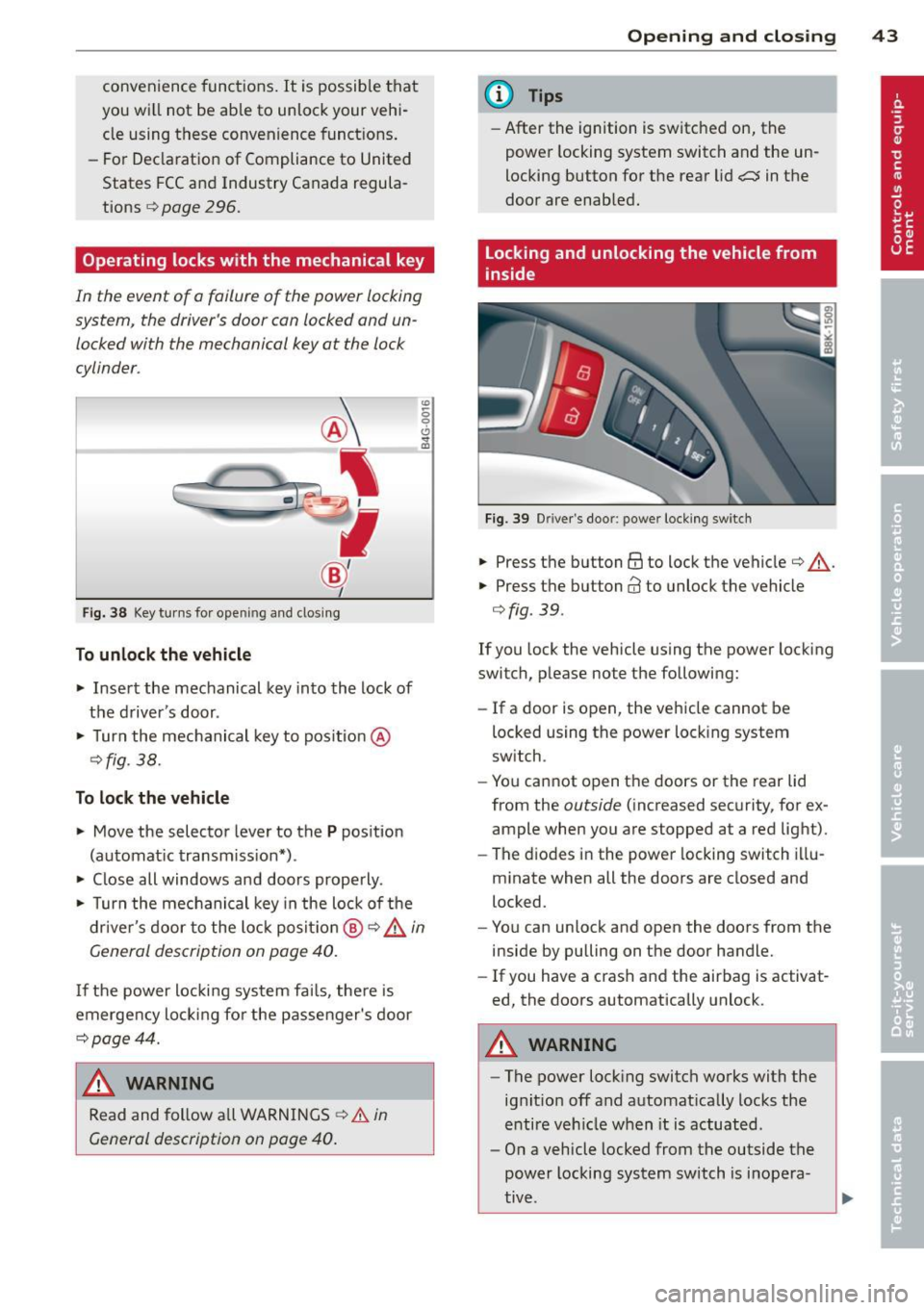
Fig. 38 Key turns for ope ning and clo sin g
To unlock the vehicle
... Insert the mechanical key into the lock of
the driver 's door .
... Turn the mechanical key to pos ition @
¢fig . 38.
To lock the vehicle
... Move the selector lever to the P position
(automat ic transmission*) .
... Close all windows and doors properly .
"' -0 0 0
"' m
... Turn the mechanical key in the lock of the
driver's door to the lock positio n @ ¢ &
in
General description on page
40.
I f the power locking system fai ls, the re is
emergency locking fo r the passenger's door
¢page 44.
A WARNING
Read and follow all WARNINGS ¢.&. in
General description on page
40.
-
Opening and closing 43
@ Tips
-After the ignition is switched on, the
power locking system switch and the un
locking button for the rear lid
a in the
door are enabled.
Locking and unlocking the vehicle from
inside
Fig . 39 D river's door: power locking switch
... Press the button @to lock the vehicle¢ & .
... Press the button@ to unlock the vehicle
¢fig. 39.
If you lock the vehicle using the power locking
switch, please note the following:
- If a door is open, the vehicle cannot be
locked using the power locking system
switch .
- You cannot open the doors or the rear lid
from the
outside (increased security, for ex
ample when you are stopped at a red light) .
- The diodes in the power locking switch illu
minate when all the doors are closed and
locked.
- You can unlock and open the doors from the
inside by pulling on the door handle.
- If you have a crash and the airbag is activat
ed, the doors automatically unlock.
A WARNING
-The power locking switch works with the
ignit ion off and automat ically locks the
entire vehicle when it is actuated.
- On a vehicle locked from the outside the
power locking system switch is inopera
tive .
Page 46 of 316
44 Opening and clo sing
- Locking doors from the inside can help
prevent inadvertent door opening during
an acc ident and can also prevent unwant
ed entry from the outside . Locked doors
can , however, delay ass istance to vehicle
occupants and hold up rescue efforts
from the o utside in an ac cident or other
emergency .
@ Tips
Your vehicle is locked automatically at a
speed of 9 mph (15 km/h) (Auto Lock)
¢ page 40. You can un lock the veh icle
again using the opening function in the
power locking system switch.
Emergency locking of the passenger's
door
If the power locking system foils (power fail
ure), you will need to lock the passeng er door
separately.
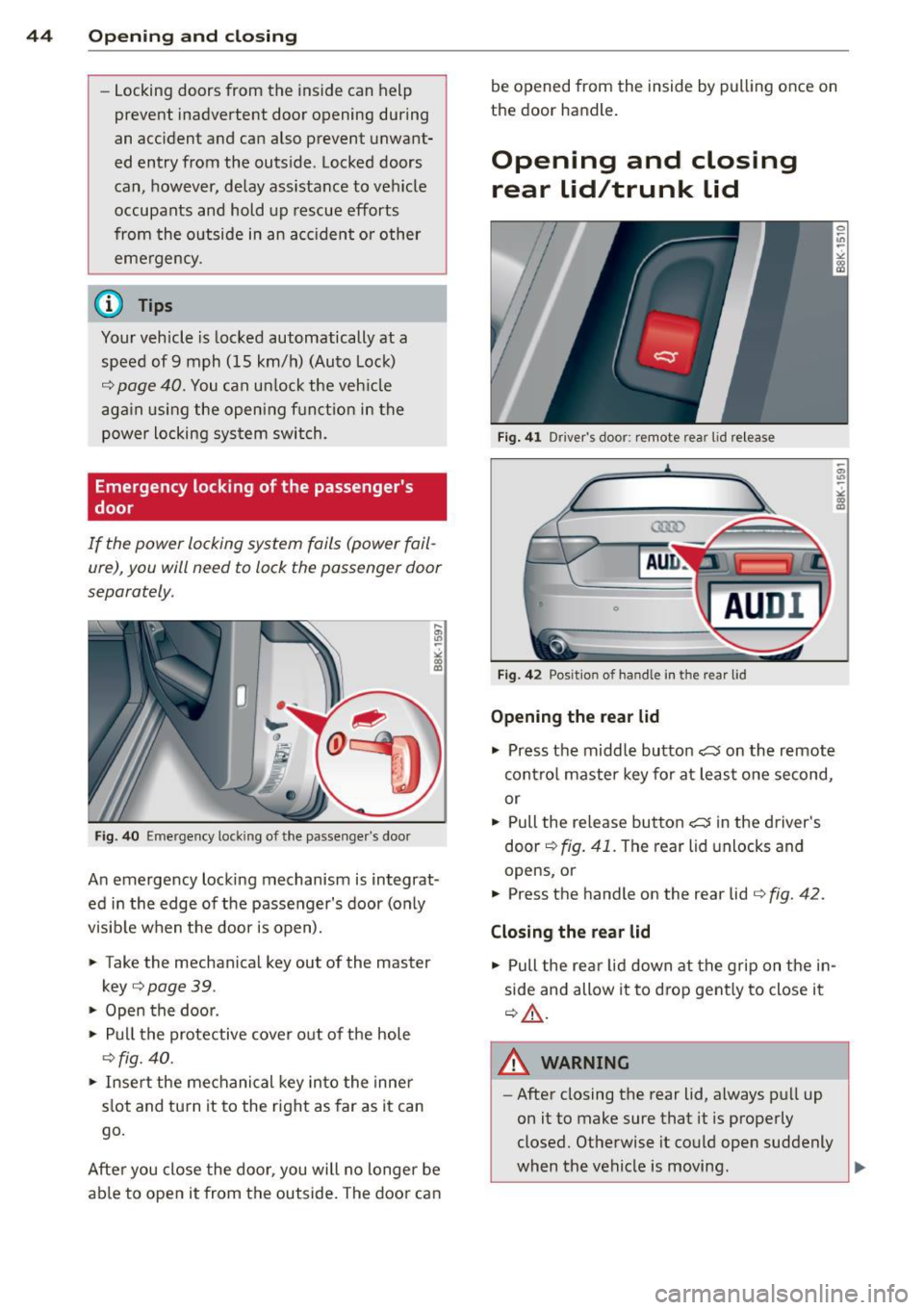
Fig. 40 Eme rgency loc king of the passe nger 's door
An emergency locking mechanism is integrat
ed in the edge of the passenger's door (only
visib le when the door is open).
.. Take the mechanical key out of the master
key
¢ page 39 .
.. Open the door .
.,. Pull the protective cover out of the hole
¢fig. 40 .
.. Insert the mechanical key into the inner
slot and turn it to the right as far as it can
go.
Afte r you close the door , you will no longer be
able to open it from the outside. The door can be opened from
the inside by pulling once on
the doo r handl e.
Opening and closing
rear lid/trunk lid
Fig. 41 D rive r·s doo r: remote rear lid re leas e
Fig. 42 Posit io n of h an dl e i n th e rear lid
Opening the rear lid
.,. Press the midd le button c:5 on the remote
contro l master key for at least one second,
or
.. Pull the rel ease button
c:5 in the driver's
door ¢
fig. 41. The rear lid unlocks and
opens,or
.. Press the handle on the rear lid ¢
fig. 42.
Closing the rear lid
.,. Pull the rear lid down at the grip on the in
side and allow it to drop gent ly to close it
¢ .&_ .
.8_ WARNING
-
-After closing the rear lid, always pull up
on it to make sure that it is properly
closed. Otherwise it could open suddenly
when the vehicle is moving .
Page 47 of 316
-To help prevent poisonous exhaust gas
from being drawn into the vehicle, al
ways keep the rear lid closed while driv
ing. Never transport objects larger than
those which fit completely into the lug
gage area, because then the rear lid can
not be fully closed.
- Never leave your vehicle unattended es
pecially with the rear lid left open. A
child could crawl into the ca r through the
luggage compa rtment and pull the lid
shut, becoming trapped and unab le to
get out. To reduce the risk of persona l in
jury, never let children play in or around
your vehicle. A lways keep the rear lid as
well as the vehicle doors closed when not
in use.
- Always ensure that no one is within
range of the rear lid when it is moving, in
particu lar close to the h inges -fingers or
hands can be pinched.
(D Tips
- When the vehicle is locked, the rear lid
can be opened separately by pressing the
button
a on the master key. When you
close the rear lid again, it locks automat
i ca lly.
- If the rear lid is open or not properly
closed when the ignition is turned on,
the door and rear lid warn ing
9 page 21
appears in the instrument cluster dis
play.
Op enin g an d clos ing 45
Trunk escape handle
In case of an emergency, the luggage com
partment lid can be opened from the inside
using the trunk escape handle.
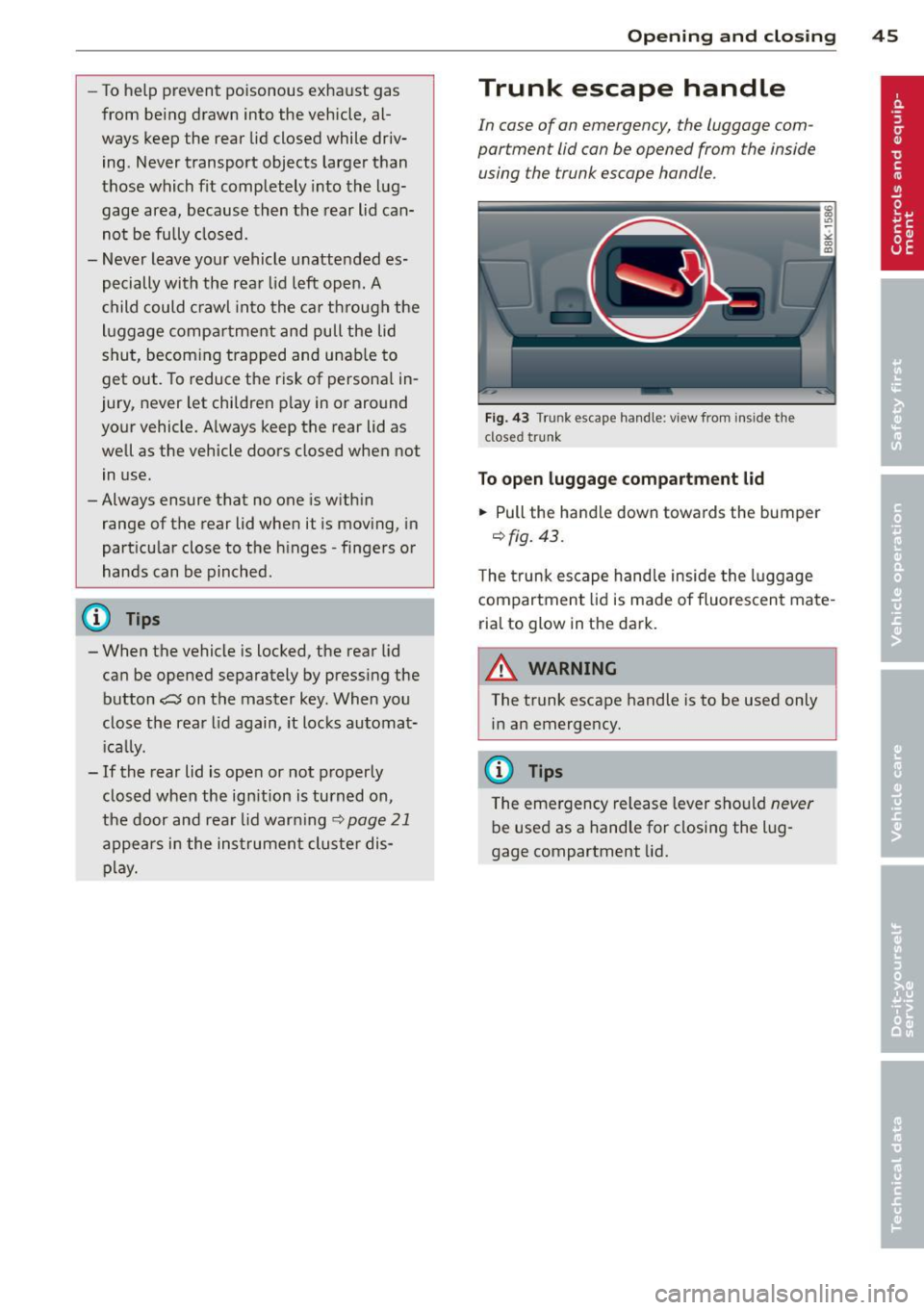
Fig. 43 Trunk escape handle: view from inside the
closed trunk
To open lu ggag e compa rtm ent lid
.,. Pull the handle down towards the bumper
9 fig. 43 .
The trunk escape handle inside the l uggage
compartment lid is made of fluorescent mate
rial to glow in the dark.
.8_ WARNING ~
The trunk escape handle is to be used only in an emergency.
@ Tips
The emergency release lever should never
be used as a handle for closing the lug
gage compartment lid.
Page 48 of 316
46 Opening and clo sing
Power windows
Controls
The driver can operate the window regulator
for the driver's door with the left switch and the window regulator for the passenger's
door with the right switch.
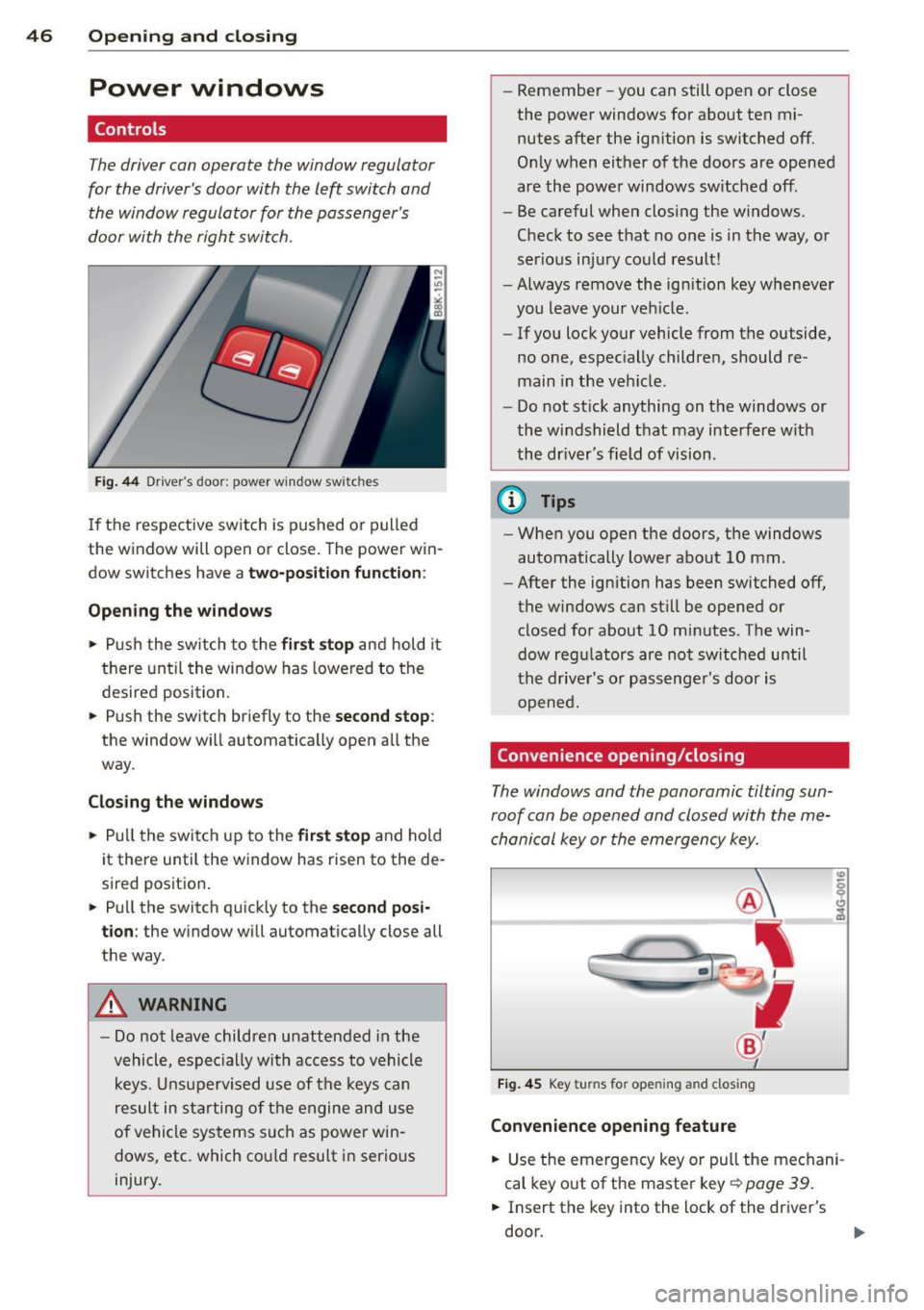
F ig. 44 Dr iver's door: power window switches
If th e respect ive sw itch is pushed o r pulled
the w indow will open or close . The power win
dow switches have a
two-position function :
Opening the windows
• Push the sw itch to the fir st stop and hold it
t h ere unt il t he wi ndow has lowered to the
desired position.
• Push the switch briefly to the
second stop :
the window wi ll automatically open all the
way.
Closing the windows
• Pull t he switch up to the first stop and ho ld
it there until the window has rise n to the de
sired posit ion .
• Pu ll the switch q uick ly to the
second posi
tion :
the window will automat ically close all
t h e way.
A WARNING
- Do not leave children unattended in the
vehicle, espe cially with acc ess to vehicle
k eys. U nsuperv ised use of the keys can
result in st arting of t he engine and u se
of ve hicle sys tems such as power win
dows, etc. which co uld resu lt in serio us
injury. -
Remember -you can still open or close
the powe r windows for about ten mi
nutes after the ign ition is switched off.
O nl y when either of the doors are opened
are the powe r windows sw itched off.
- Be careful when clos ing the windows.
Check to see t hat no o ne is in the way , or
ser io us inj ury co uld result!
- Always remove the ign it ion key wheneve r
you leave your ve hicle .
- If you lock your vehicle from the outside,
no one, espec ial ly childre n, should re
main in the veh icle.
- Do not st ick anything on t he windows or
the w indshield that may interfere w ith
the dr iver's field of vision.
(D Tips
- When you open the do ors, the windows
automatically lowe r abo ut 10 mm.
- After the ignition has been switched off ,
the windows can st ill be opened or
closed for about 10 mi nutes. The win
dow reg ulators are no t sw itche d until
the drive r's or passenge r's door is
o pene d.
Convenience opening/closing
The windows and the panoramic tilting sun
ro of can be ope ned and closed with the me
cha nical key or the emergency key.
Fi g. 4 5 Key turns for opening and closing
Convenience opening feature
• Use the emergency key or pull the me chani
cal key o ut of the maste r key¢
page 39.
• Insert the key into the lock of the driver's
do or.
Page 49 of 316
.. Turn the key to position ¢ fig. 45 @until a ll
the windows have reached the desired posi
t ion and the panoramic tilt ing sunroof is t ilt
ed .
Convenience closing feature
.. Use the emergency key or pull the mechani
ca l key out of the master key ¢
page 39 .
.. Turn the key in the lock of the driver's door
to the lock position ® until the windows
and the panoramic tilting sunroof are closed
¢ ,& .
When the panoramic ti lting sunroof is tilted/
closed, the electric sun shade* is also opened/
closed.
A WARNING
- Never close the windows and thepanor
amic tilting sunroof inattentively and
without checking -there is risk of injury .
- You must always watch when the win dows are being raised so that no one can
be trapped. If you release the key, the
closing action is immediate ly canceled .
- Always read and heed WARNING ¢
IJ::,. in
General description on page 40.
Correcting window regulator
malfunction
After disconnecting the vehicle battery, the
one-touch up and down feature must be acti
vated again.
.. Pull and hold the power w indow switch un
til the window is completely closed.
.. Re lease the switch.
.. Pu ll the switch again for one second. The
automatic clos ing/opening is now reactivat
ed .
Opening and closing 47
Valet parking
Through the "valet parking" feature the lug
gage compartment of your vehicle is secured
from unauthorized access during the valet
parking service .
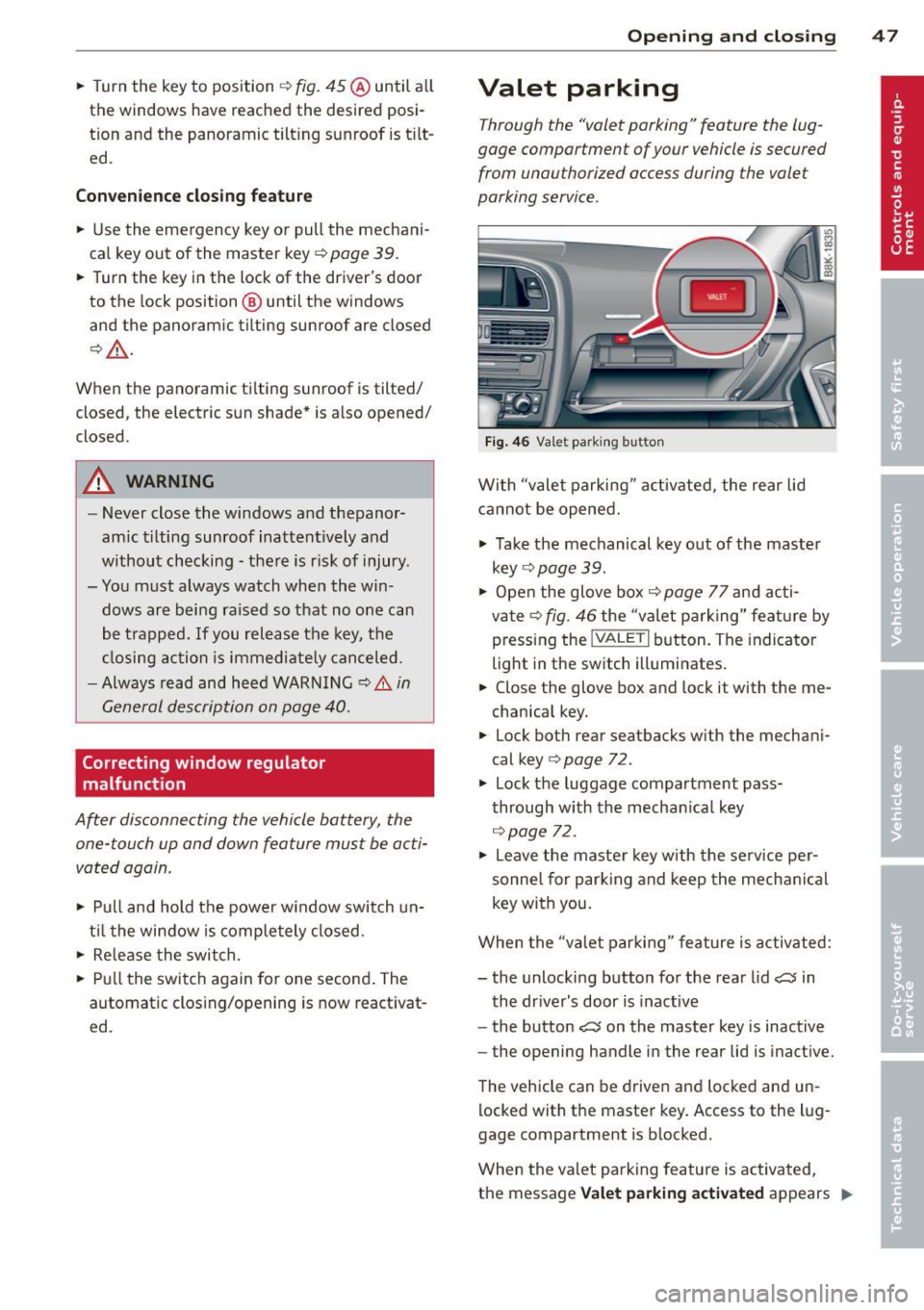
Fig . 46 Vale t parking button
With "valet parking " activated, the rear lid
cannot be opened.
.,. Take the mechanical key out of the master
key
r::!;> page 39.
.. Open the glove box¢ page 77 and acti
vate¢
fig. 46 the "valet parking" feature by
pressing the
! VALET I button. The indicator
light in the switch illuminates.
.. Close the glove box and lock it with the me
chanica l key .
.. Lock both rear seatbacks with the mechani
cal key ¢
page 72.
.,. Lock the luggage compartment pass
through with the mechan ica l key
¢ page 72.
.. Leave the master key with the service per
sonne l for parking and keep the mechanica l
key with you .
When the "va let parking" feature is activated:
- the unlocking button for the rear lid
~ in
the driver's door is inact ive
- the button~ on the master key is inactive
- the opening handle in the rear lid is inactive.
The vehicle can be driven and locked and un
locked with the master key. Access to the lug
gage compartment is b locked.
When the valet parking feature is activated,
the message
Valet parking activated appears II>
Page 50 of 316

48 Openin g and clo sing
in the instrument cluster display when you
switch the ignition on .
Panoramic tilting
sunroof
Tilting and closing
"'
" co 00
F ig. 47 Section of headline r: Sw itch fo r panoram ic t ilt ·
ing sunroof
., To tilt the panoramic tilting sunroof, press
the switch briefly .
., To close the panoramic tilting sunroof, pull
the switch briefly .
., To set an intermediate pos ition, press/pull
the switch until the roof reaches the des ired
pos it ion .
After the ignit ion is swi tched off, you can st ill
operate the Panorama for about 10 minutes .
As soon as the driver's or passenger's door is
opened, the sw itch is inoperative .
Sun blind
The sun blind can be opened and closed man
ually in any position.
A WARNING
Pay careful attention when clos ing the
panoramic tilting sunroof - otherwise seri
ous inju ry could result! For this reason, al
ways remove the ignition key when leaving the vehicle.
- Never leave ch ildren o r persons requ iring
assi stan ce a lone in the vehicle, especi ally
when they c ould access the veh icle keys.
Unsupervised use of the keys can res ult
in t he engine being started or use of ve
hicle systems such as the power win -dows, etc. w
hich could res ult in serious
in jury. The doors could be locked with
the remote key, delaying he lp in an
emergency.
- The panoramic tilting sunroof w ill con
tinue to operate until the ign ition key
has bee n removed and one of the front
doors has been opened.
(D Note
A lways close your panoramic t ilting sun
roof when leav ing your vehicle. Sudden
r ain can cause damage to the inte rior
equipment of yo ur vehicle, particular ly the
electronic equipment .
@ Tips
-Information on convenience opening/
closing
~ page 46 .
Emergency closing of the panoramic
tilting sunroof
If the s unroof detects an object in its path
when it is closing, it wi ll open aga in automati
ca lly. In this case, you can close the roof with
the power emergency closing function .
., Within five seconds after the sunroo f opens
automatically, pu ll the switch until the roof
closes.
Page 55 of 316
Auto-blink
• Move the lever (up or down) just to the
point of resistance to use the turn signa ls
for as long as you need them, for example
when changing lanes .
• Move the lever (up or down) just to the
point of resistance and then release it right
away to make the turn signals blink
three
times .
You can use th is feature for example
when changing lanes on highways .
High beam ~D
• Push the lever forward @ to switch on the
high beam.
• Pull the lever back towards you to switch off
the high beam .
Headlight flasher ~D
• Pull the lever toward the steering wheel@
to use the headlight flasher.
Notes on these features
- The turn signals only work with the ignition
turned on. The indicator lights
R or Bin
the instrument cluster also blink.
- After you have turned a corner, the turn sig
nal switches off automatica lly.
- Th e
high beam works only when the head
lights are on. The indicator light
II in the
instrument cluster illuminates when the
high beams are on.
- The
headlight flasher works only as long as
you hold the lever -even if there are no
lights switched on. The indicator light
II in
the instrument cluster illum inates when you
use the head light flasher.
(D Note
Do not use the high beam or headlight
flasher if you know that these could blind
oncoming traffic.
Clear vision 53
Interior Lights
Front interior lights
The front interior lights also contain reading
lights for the driver and passenger .
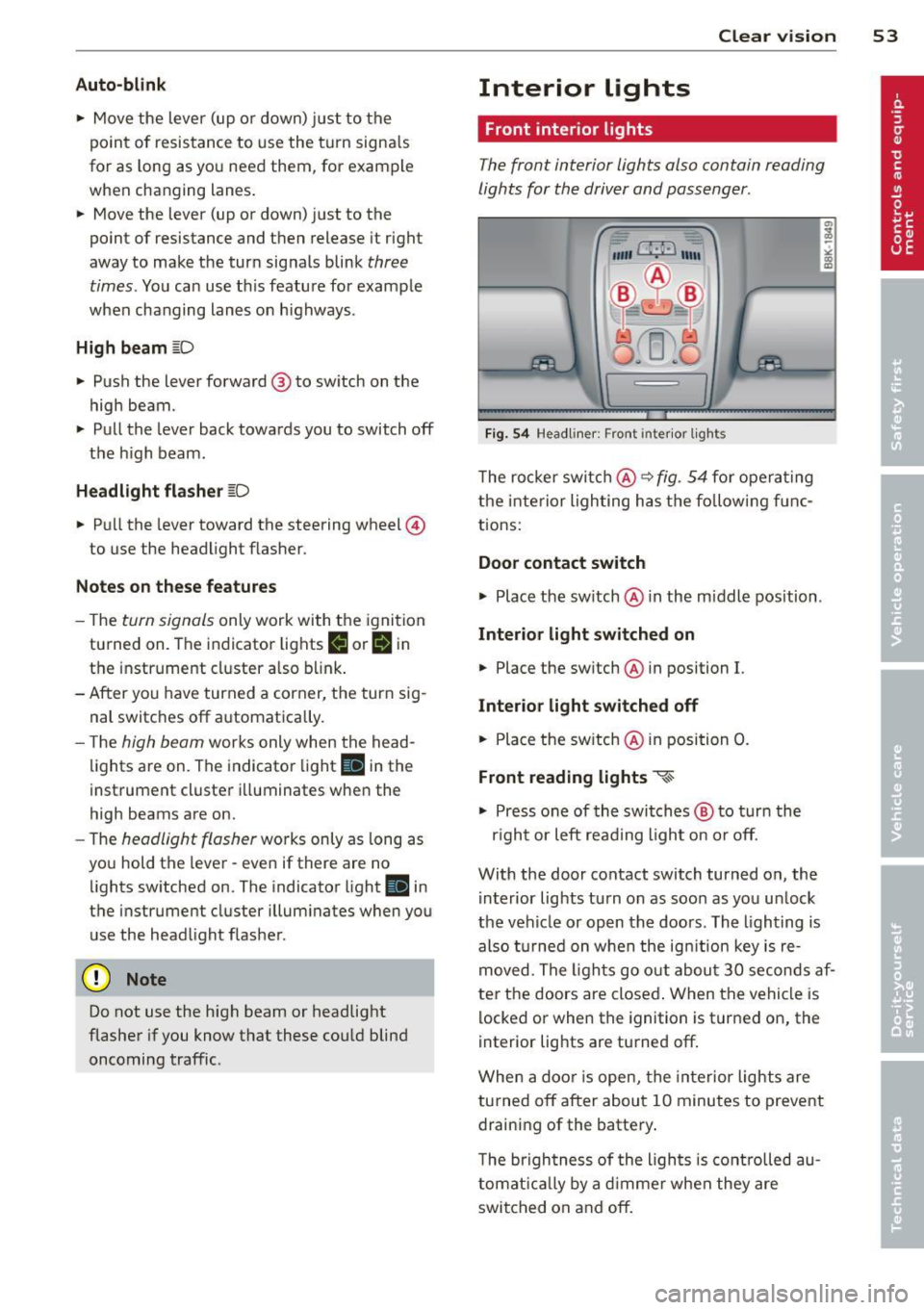
Fig. 54 Headliner: Front inter ior lights
The rocker switch@ ~ fig. 54 for operating
the interior lighting has the follow ing f unc
tions:
Door contact switch
.,.. Place the switch @ in the m iddle position .
Interior light switched on
• Place the sw itch @ in position I.
Interior light switched off
• Place the switch @ in position 0.
Front reading lights ~
.,.. Press one of the switches @ to turn the
r ig ht or left read ing l ight on or off.
With the door contact switch turned on, the i nterior lights tu rn on as soon as you un lock
the vehicle or open the doors. The lighting is
also turned on when the ignit ion key is re
moved. The lights go out about 30 seconds af
ter the doors are closed . When the vehicle is
locked or when the ignition is turned on, the
interior lights are turned off.
When a door is open, the interior lights are
turned off after about 10 minutes to prevent
draining of the battery.
T he brigh tness of the ligh ts is controlled au
tomatically by a dimmer when they are
switched on and off.
Page 58 of 316

56 Clear vis ion
- When stopping temporarily, e .g. at a
traffic light , the set speed of the wind·
s h ield wipers is automatically red uced by
one speed.
Service position
Th e windshi eld wiper blades ore replaced in
the service position.
Fig. 6 0 Service pos it ion
The serv ice position is set in the rad io or
MMI* .
,. If the wiper bl ades are no t fro zen to the
wind shield , bring the windshield wiper lever
to the basic position @¢
page 55, fig. 59.
,. Se lect : Function button
IC ARI > Windshield
wi per s> Serv ice po siti on.
- On · changing the windsh ield wiper blades
can only be done if you bring the wiper arms
to the serv ice position
9 fig . 60. You will al
so avoid paint damage to the hood when
working on the wipe rs in this po sitio n.
- Off · the w indshield wipers are moved to
their initial position aga in.
(D Note
Never maneuve r your vehicle with the
front windshield wipe r arms ra ised since
they will automat ica lly be moved back to
t heir bas ic posi tion above a speed of 3
mph (6 km/h) and can sc ra tch the hood.
@ Tips
- You can also use the servic e pos ition, for
example , if you want to protect the
windsh iel d from icing by using a cover . -
The service position automatically
switches to
Off when you operate the
w indshield wiper lever, or speed exceeds
3 mph (6 km/h).
Replacing windshield wiper blades
Wiper blad es in good condition help ke ep the
windshield clear .
Fig . 6 1 Re movin g the w ipe r bl ade
Removing the wiper bl ade
,. Bring the w indshield wipers to the service
position ¢
page 56.
,. lift the windsh ield wiper arm up from the
w indshield .
,. Press the lock ing knob @¢
fig. 61 on the
w iper blade. Ho ld the wiper blade firmly.
.,, .... .., 0 rr: ig
,. Remove the wipe r blade in the di rect ion of
the arrow.
Attaching the wiper blade
,. Insta ll the new w iper blade in the reta iner
on the wiper arm @ unt il you hear it click in ·
t o p lace on the w iper arm .
,. Place the wiper arm back on the windsh ield.
-
- Clean your wiper blades regu larly with a
w indshie ld washer so lution to prevent
streaking.
If the w iper blades are very
d irty, for example with insects, carefully
clean the wiper blades with a sponge or a
soft br ush .
- For your safety, you should replace the
wiper blades once or twice a year . See
your author ized Audi dealer for replace·
men t bla d es.
Page 67 of 316

When the front seats are moved forward,
their origina l position is stored . When it is
moved back, the seat automatically stops in
this position. To move the seat even further
back, you have to release the switch @ and re
activate it.
The head restraints from the front seats, de
pending on the seat height that has been set,
are automatically retracted when the seat
backs are folded down . They return to their
or iginal pos ition aga in when the seatbacks for
the front seats are raised .
(D Tips
With the driver's or passenger's door
closed, the correspond ing switch to move
the seat is inoperative.
Seat memory
Memory for driver's seat
Applies to vehicles: with seat memo ry
The seat adjustment settings for two drivers
can be stored using the memory buttons in
the driver's door.
Fig. 70 Drive r's door: Seat memory
In addition to the setting for the driver's seat ,
the exterior rear view mirror setting can be
stored and recalled through seat memory if
the vehicle is properly equipped.
Storing and recalling settings
With the help of the memory buttons 1 and 2
c:> fig. 70 the settings for two different drivers
can be stored and recalled
c:> page 65.
The current settings are also automatically as signed to the remote control key being used
Seats and storage 65
when the vehicle is locked . When the vehicle
is un locked, the settings assigned to the re
mote control key being used are automatica lly
recalled.
Turning seat memory on and off
If the I ON/OFF I switch is depressed, the seat
memory is inoperative. The word
OFF in the
I ON/O FF I switch illuminates.
Al l the stored sett ings are retained. We rec
ommend using the
ION/O FF I switch and deac
tivating the seat memory if the vehicle is only
going to be used
temporarily by a driver
whose settings are not going to be stored.
Storing and recalling settings
Applies to vehicles : with seat memory
Before you can store or recall your settings,
the
ION/OFF I switch on the seat memory must
be engaged (not ra ised) .
Storing settings
.,. Adjust the driver's seat .
.,. Adjust the two exterior mirrors.
.,. Press the
ISETI button and hold it down . In
addition, press one of the memory buttons
for at least one second .
.,. Release the buttons . The settings are now
sto red under the corresponding memory
button.
Recalling settings
.,. If the driver's door is open, tap the corre
sponding memory button briefly .
.,. If the driver's door is closed, press the ap
propriate memory button until the stored
position is reached.
Successful storage is confirmed audibly and by the light in the
ISETI button i llum inating
c:> page 65, fig. 70 .
When the vehicle is locked , the current set
tings are stored and assigned to the remote control key. But the settings stored under
memo ry buttons 1 to 2 are not deleted. They
can be recalled at any time. When the vehicle ..,.
Page 68 of 316

66 Seats and storage
is unlocked , the settings assigned to the
remote contro l key are restored.
If your vehicle is driven by other persons using
your remote control key , you sho uld save yo ur
individual seat position on one o f the memory
buttons . You can recall your settings again
simply and conven iently by pressing the corre
sponding memory button. When the vehicle is locked, these settings are automatically re-as
signed to the remote control key and stored .
A WARNING
-For safety reasons, the seat setting can
only be reca lled when the veh icle is sta
tionary -otherwise you risk having an ac
ci dent.
- In an emergency the recall procedure can
be cancelled by pressing the
I ON/OF F I
switch or by tapping of the the memory
buttons .
Activating remote control key memory
Applies to vehicles: with seat memo ry
To assign the driver's seat settings to the re
mote contro l key when locking the vehicle , the
function must be activated in the radio or
MMI*
.. Select: Function button
ICARI > Seat adjust
ment > Driver's seat > Key mem . profile
>
On .
@ Tips
If you do not want another driver's set
tings to be assigned to the remote key,
sw itch off the memory function using the
rad io or MMI* or the
!O FF ! button
c:>page 65.
Seat adjustments in MMI
Applies to vehicles: wit h seat memory and MMI
The passenger 's seat can be adjusted to vari
ous positions by the driver .
Convenience side view
.. Select: Function button I CAR!> Seat adjust
ment > Passenger's seat > Convenience side
view.
.. Continue to press the control knob until the
ad justment process is complete .
Seat symmetry
.. Select: Function button I CAR !> Seat adjust
ment > Passenger's seat > Seat symmetry.
.. Continue to press the control knob until the
adjustment process is complete .
U sing the
Convenience side view function, the
passenger's seat is adjusted so tha t the driver
has the best poss ible view to the right . When
the Conven ience s ide v iew is set, the specific
pos ition of the driver's seat is taken into con
s ideration .
Using the
Seat symmetry function, the pas
senger's seat can be moved to the same posi
t ion as the driver's seat. The settings for the
drive r's seat are imported and set automati
cally .