turn signal AUDI Q3 2015 User Guide
[x] Cancel search | Manufacturer: AUDI, Model Year: 2015, Model line: Q3, Model: AUDI Q3 2015Pages: 258, PDF Size: 64.9 MB
Page 79 of 258
M N M N
0 ::i co
rl I.O
"' rl
"' rl
-Improper reliance on the side assist sys
tem can cause collisions and serious
personal injury:
- Never rely only on side assist when
changing lanes.
- Always check rear view mirrors to make
sure that it is safe to change lanes.
- Side assist cannot detect all vehicles un
der all conditions- danger of accident!
- Please note that side assist indicates
there are approaching vehicles, or
vehicles in your blind spot, only after
your vehicle has reached a driving speed
of at least 19 mph (30 km/h).
- In certain situations, the system may not
function or its function may be limited.
For example:
- if vehicles are approaching or being left
behind very quickly. The display may
not turn on in time.
- in poor weather conditions such as
heavy rain, snow or heavy mist .
- on very wide lanes, in tight curves or if
there is a rise in the road surface .
Vehicles in the adjacent lane may not
be detected because they are outside
of the sensor range.
(D Note
The sensors can be displaced by impacts or
damage to the bumper, wheel housing and
underbody. This can affect the system .
Have your authorized Audi dealer or au
thorized Audi Service Facility check their
function.
(D Tips
- If the window glass in the driver's door
or front passenger's door has been tint
ed, the display in the exterior mirror may be misinterpreted.
- For Declaration of Compliance to United
States FCC and Industry Canada regula
tions~
page 240.
Audi side assist 77
Activating and deactivating
App lies to vehicles: wit h Aud i side ass ist
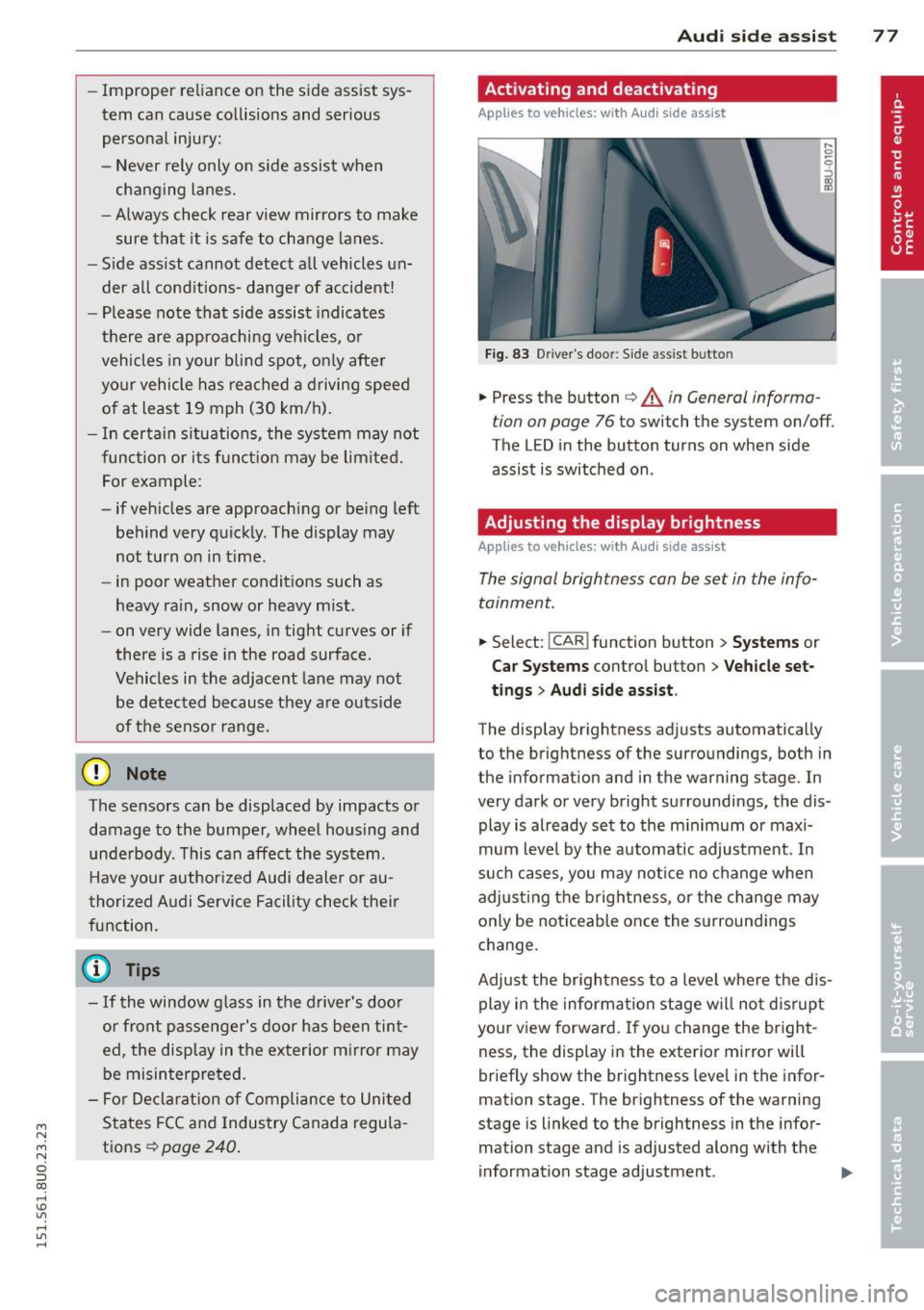
Fig. 83 Driver's door: Side assist bu tto n
.,. Press the button ~ A in General informa
tion on page 76
to switch the system on/off.
The LED in the button turns on when side
assist is switched on .
Adjusting the display brightness
Applies to vehicles: wit h Aud i side ass ist
The signal brightness can be set in the info
tainment.
.,. Select: !CAR ! function button > Systems or
Car Systems control button > Vehicle set
tings
> Audi side assist .
The display brightness adjusts automatically
to the brightness of the surroundings, both in
the information and in the warning stage . In
very dark or very bright surroundings, the dis play is already set to the minimum or maxi
mum level by the automatic adjustment. In
such cases, you may notice no change when
adjusting the brightness, or the change may
only be noticeable once the surroundings
change.
Adjust the brightness to a level where the dis
play in the information stage will not disrupt
your view forward.
If you change the bright
ness, the display in the exterior mirror will
briefly show the brightness leve l in the infor
mation stage. The brightness of the warning
stage is linked to the brightness in the infor
mation stage and is adjusted along with the
information stage adjustment . .,,.
Page 95 of 258
M N
M N
0 ::i co ,...., \!) ..,.,
,...., ..,., ,....,
Adjusting the display and the warning tones
App lies to vehicles: with pa rking system p lus wit h rear
view ca mera
The display and warning tones con be adjust
ed in the Infotainment.
~ Se lect: I CARI f u nction button > System s or
Car systems contro l button > D riv er assi st >
Parking aid .
Display
On * -
optical d isplay is shown for the parking
system plus, rear view came ra image is shown
for parking system plus with rear view cam
era.
Off -when the park ing system is switched on,
on ly audib le signa ls are given.
Warning tones
Front volume -
Volume fo r the front area
Rear volume -Volume for the rear area
Front frequen c:y -Freq uency for the front area
Rear frequency -Frequency for the rear area
Music volume while parking -When the park
i ng system is turned on, the volume of the au
d io/v ideo source is lowered.
The new ly adjusted value is briefly heard from
the signal gene rator.
(0 Tips
- The warning tones can also be adjusted
direct ly from the visual display or the
r ear view camera image . Simply press
the
Settings cont ro l button .
- Changed settings are activated when the parking system is switched on aga in.
- The settings a re automatically stored
and ass igned to the remote control key
that is in use.
Parking systems 93
Error messages
App lies to vehicles: wi th parking syste m plus w ith rea r
v iew camera
T he re is an error i n the system if the LED i n
the
P' "A bu tton is bl ink ing and yo u hear a con
t inu ous alarm for a few seconds after sw itch
ing on the park ing system or when the park
ing system is already activated. If the error is
not co rrected before yo u switch off the ign i
tion, the LED in the
? 1J.A. button will blink the
next t ime you sw itch on the parking system by
shifting into reverse .
If a sensor is fa ulty, the~ symbol will appear
in front of/behind the vehicle in the Infota in
ment display. If a rear sensor is faulty, only
obstacles that are in areas @and @ are
shown
Q page 88, fig . 92. If a front senso r is
faulty, only obstacles that are in areas © and
@ are shown.
Drive to your authorized Audi dealer or au
t h orized repa ir facility immed iately to have
the malfunct ion corrected .
Trailer hitch
Applies to vehicles: wit h parking system pluswith rear
v iew camera a nd t railer hitch
For vehicles using the trailer socket, the park
ing system rear sensors do not turn on when
you shift into reverse gear or when you press
the
P, "~ button . This resu lts in the following re
str ictions:
There is no distance warn ing for the rear. The
front sensors remain act ivated . The visual dis
play sw itches to the trailer towing mode. The
rear view camera image will not show the or i
entat io n lines and the bl ue surfaces.
(D Tips
Trailer h itches that are not installed at the
factory may ca use the par king system to
malfunction or they may restr ict its func
tion.
Page 137 of 258
M N
M N
0 ::i co ,...., \!) ..,.,
,...., ..,., ,....,
seat. The weight of a child restraint and its
"footprint" vary for different kinds of child re
straints and for the different models of the
same kind of child restraint offered by child restra int manufacturers.
The weight ranges for the individual types, makes and mode ls of ch ild restra ints that the
NHTSA has specified in the Safety Standard
together with the we ight ranges of typical in
fants and typical 1 year-old child have been
stored in the control unit of the Advanced A ir
bag System. When a chi ld restraint is being
used on the front passenge r seat with a typi
cal 1 year -old ch ild, the A dvanced Airbag Sys
tem compares the we ight measured by the
weight sensing mat with the information stor
ed in the electronic control unit.
The electron ic contro l unit al so registers the
tension on the front passenger safety be lt.
The tension on the safety be lt for the front
passenger seat will be different for an adult
who is properly using the safety belt as com
pared to the tension on the be lt when it is
used to attach a child restraint to the seat.
The sensor below the latch for the safety belt
for the front seat passenger measures the
tension on the belt. The input from this sen
sor is t hen used w ith the we ight to "decide",
whether there is a ch ild restraint with a typ ica l
1 year-o ld child on the front passenger seat
and whether or not the airbag must be turned
off .
Child restraints and Advanced Airbags
Regard less of the child restraint that you use,
make sure that it has been certified to meet
United States Federal Motor Vehicle Safety
Standards and has been certified by its manu
facturer for use with an airbag . Always be sure
that the chi ld restraint is p roperly instal led at
one of the rear seat ing pos itions. If in excep
tional ci rcumstances you must use it on the
front passenger seat, carefu lly read all of the
information on child safety and Advanced Air
bags and heed a ll of the app licable WARN
INGS. Make certain that the child restraint is
correctly recognized by the weight-sensing
Child Sa fet y 135
mat inside the front passenger seat, that the
front passenger airbag is turned off and that
the a irbag status is always correct ly signaled
by the
PAS SENGE R AIR BAG OFF light.
Many types and models of child restraints
have been available over t he years, new mod
els are introduced regu larly incorporating new
and improved des igns and o lder models are
taken out of product ion. Ch ild restraints are
not standard ized . Child restraints of the same
type typ ically have d ifferent weights and sizes
and different 'footpr ints,' the size and shape
of the bottom of the ch ild restrai nt that sits
o n the seat, when they a re insta lled on a veh i
cle seat. These diffe rences make it v irtually
impossible to certify compliance with the re
quirements for advanced airbags with each
and every ch ild restraint that has ever been
sold in the past or will be sold over the course
of the useful life of your veh icle.
For this reason, the United States National
Highway Traffic Safety Adm inistrat ion has
published a list of spec ific type, makes and
models of child restraints that must be used
to certify comp liance of the Advanced Airbag
System in your veh icle with the suppression
requirements of Federal Motor Vehicle Safety
Standa rd 208. These chi ld restraints are:
Subpart A - Car bed child restraints
Model Manufactured on or
after
Angel Guard Angel September 25, 2007 R ide AA 2403FOF
Subpart B - Rear-facing child restraints
Model Manufactured on or
after
Century Smart Fit December 1, 1999
4543
Cosco Arriva September 25, 2007 22-013PAW and base
22-999WHO
Evenflo Discovery Ad- December 1, 1999
just Right 212
•
•
Page 216 of 258
214 Tire s and wheel s
When the malfunction indicator is illuminat
ed, the system may not be able to det ect or
signal low t ire pressure as intended . TPMS
malfunct ions m ay occur for a variety of re a
sons, including the installa tion of replace
ment or a lternate tires or wheels on the vehi
cle that prevent the TPMS from funct ioning
properly . Always check the TPMS malfunct ion
tellta le afte r replacing one or more t ires or
wheels on your veh icle to ensure that the re
p lacement or a lternate tires and wheels allow
the TPMS to continue to function properly.
Tire pressure indicator appears
Applies to vehicles: with tire pressure monito ring system
The tire pressure indicator in the instrument
cluster informs you if the tire pressure is too
low or if there is a system malfunction.
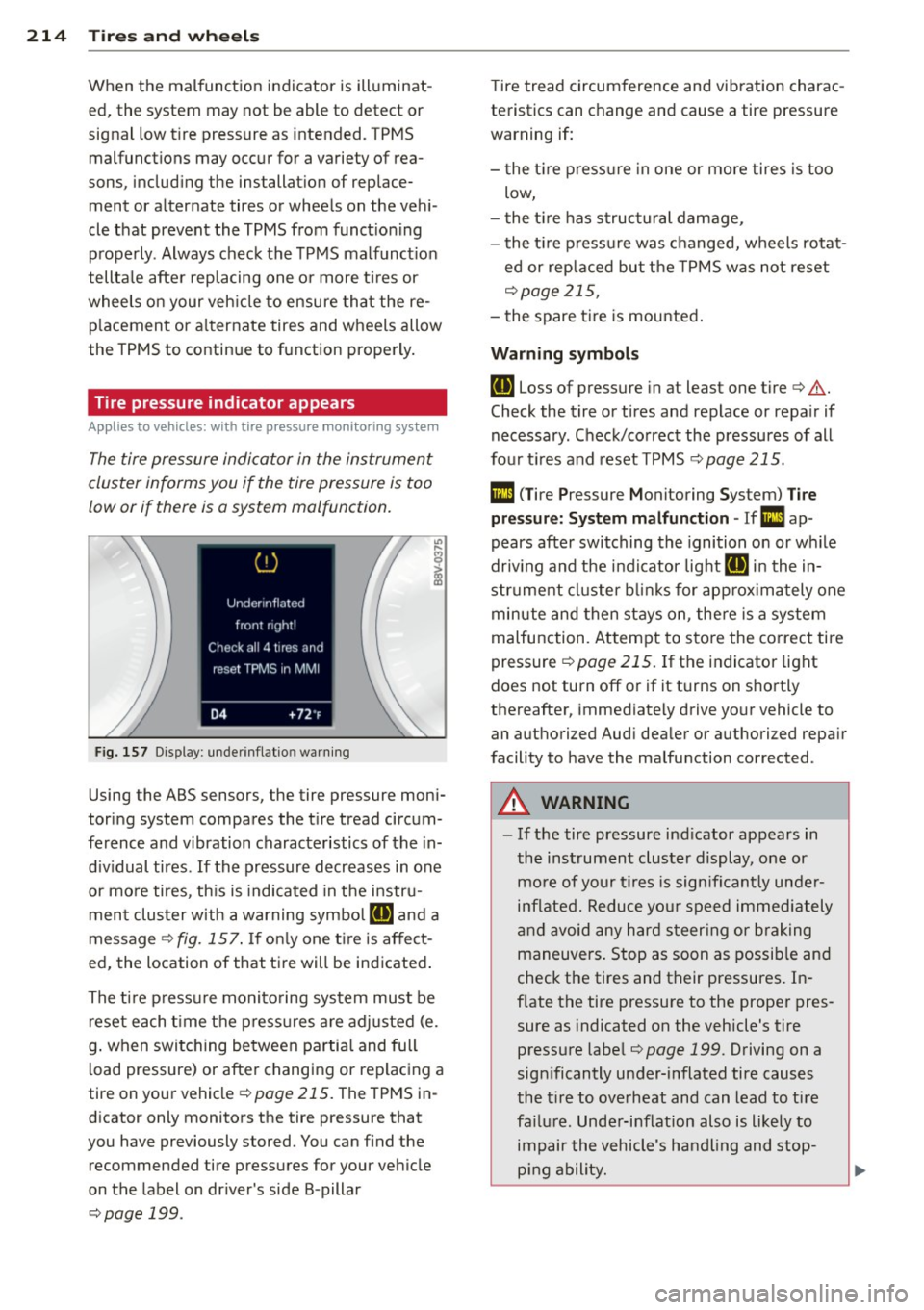
F ig. 157 Display : under inflatio n warning
Using the ABS sensors, the tire pressure moni
toring system compares the t ire tread circum
ference and vibration characteristics of the in
d iv idual tires . If the pressure decreases in one
or more tires, th is is indicated in the instru
ment cluster w ith a warning symbo l
RE and a
message¢
fig. 157 . If on ly one ti re is affect
ed, the location of that tire will be indicated .
The t ire p ressu re monito ring system must be
reset each t ime the press ures a re adjusted (e.
g . when switching between partia l and full
l oad pressure) or after changing or replacing a
tire on your vehicle ¢
page 215. The TPMS in
dicator only monitors the tire p ressu re that
you have previously s tored. You can find the
recommended tire pressures for your vehicle
on the label on dr iver 's side B -pillar
¢ page 199.
Tire tread circumference and vibration charac
teristics can change and cause a tire pressure
warning if:
- t he t ire press ure in one or more tires is too
low,
- t he t ire has s tructural damage ,
- the t ire p ressure was changed, wheels rotat -
ed or replaced but the TPMS was not reset
¢ page 215,
-the spare t ire is mou nted.
Warning symbo ls
RE Loss of pressure in at least one tire¢.& .
Check the tire or tires and replace or repa ir if
necessary . Check/correct the pressures of all
four t i res and reset TPMS
¢ page 215 .
Ill (T ire Pressure Monitoring Sys tem) T ire
pr ess ure: S y ste m m alfun ction -If l!I ap
pears after switching the ignition on or wh ile
driv ing and the indicator light
RE in the in
strument cluster b links for app rox imately one
minute and then stays on , the re is a system
malfunction . Attempt to sto re the correct tire
pressure
¢ page 215 . If the indicator light
does not turn off or if it turns on shortly
thereafter, immediately drive yo ur vehicle to
an authori zed Aud i dea ler or authori zed repa ir
facility to have the malfunction corrected .
A WARNING
--- If the tire pressure indicator appears in
the instrument cluster display, one or mo re of your t ires is sign ifi cantly unde r
i n flated. Reduce yo ur speed immedi ately
and avoid any hard steer ing or b raking
maneuve rs. Stop as soon as possib le and
check the tires and their pressures. In
f late the tire pressure to the proper pres
sure as indicated on the vehicle's tire
pressure labe l
¢page 199. Driving on a
significantly under-i nflated tire causes
the t ire to overheat and can lead to ti re
fa ilu re. Unde r-inflation also is likely to
impair the vehicle's handling and stop
p ing ability.
Page 250 of 258
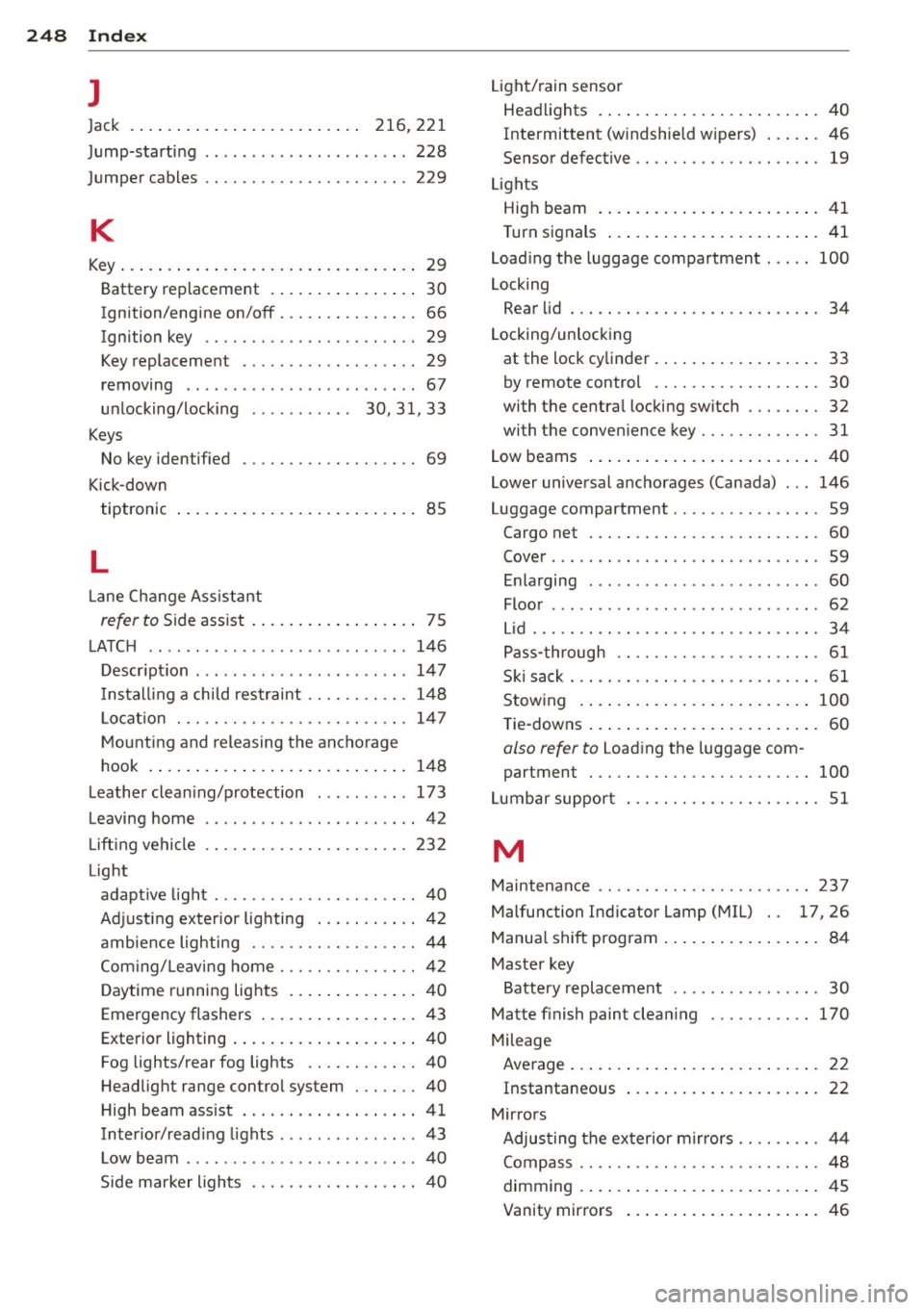
248 Index
l
Jack . . . . . . . . . . . . . . . . . . . . . . . . . 216, 221
Jump-starting ... ... ... .... .. .. .. .. . 228
Jumper cables ............. .. .. .. ... 229
K
Key ..... .... ................ ..... .. 29
Battery replacement . . . . . . . . . . . . . . . . 30
Ignition/engine on/off . . . . . . . . . . . . . . . 66
Ignition key . . . . . . . . . . . . . . . . . . . . . . . 29
Key replacemen t . . . . . . . . . . . . . . . . . . . 29
removing .. ..... ........... ... .. .. 67
unlocking/locking ........ .. . 30, 31, 33
Keys No key identified . . . . . . . . . . . . . . . . . . . 69
Kick-down tiptronic . . . . . . . . . . . . . . . . . . . . . . . . . . 85
L
La ne Change Assistant
refer to Side assist .......... .. .... .. 75
LATCH .. .. .. ................ ... ... 146
Description ........... .... ... .. .. . 147
I nstall ing a chi ld restraint .. .. .. .... . 148
L ocat ion ..... ........... .. .. .. .. . 147
Mounting and releasing the anchorage
hook .... ................. .. .... . 148
Leather cleaning/protection ... .. .. .. . 173
Leaving home ............. .. .. .. .. .. 42
Lifting vehicle ... .......... .. .. .. .. . 232
Light adaptive light ............. ... .. .... 40
Adjusting exterior lighting . .. .. .. .. .. 42
ambience lighting . ... .. .. .. .. .. .. .. 44
Com ing/ Leaving home ....... .. .. .. . . 42
Daytime running lights ........ .... . . 40
Emergency flashers . . . . . . . . . . . . . . . . . 43
Exterior lighting .................... 40
Fog lights/rear fog lights .. .. .. .... .. 40
Headlight range control system ....... 40
High beam assist .... .... ... .. .. ... . 41
Interior/reading lights ..... .. .. .. .. . . 43
L ow beam .. ..... ........... ... .. .. 40
Side marker lights ........ .. .. .. .. .. 40 Light/rain
sensor
Headlights . ..... ................ .. 40
Intermittent (windshield w ipers) ...... 46
Sen sor defective .. ......... .... .... . 19
Lights High beam .... .. ................ .. 41
Turn signals ..... .................. 41
Loading the luggage compartment . .. .. 100
Locking Rear lid . . . . . . . . . . . . . . . . . . . . . . . . . . . 34
Locking/unlocking at the lock cylinder ................ .. 33
by remote control ............... .. . 30
with the central locking switch . .. .... . 32
wi th the convenience key ........ .. .. . 31
Low beams ..... .. ................ .. 40
Lower universal anchorages (Canada) ... 146
Luggage compa rtment . . . . . . . . . . . . . . . . 59
Cargo net . . . . . . . . . . . . . . . . . . . . . . . . . 60
Cover ...... ... .. .. ... ........... .. 59
Enlarging . . . . . . . . . . . . . . . . . . . . . . . . . 60
Floor ........ ... .. .............. .. 62
Lid ..... .. .. .. .. .. ........... .. .. . 34
Pass-through .. .. ............. .. .. . 61
Ski sack ... .. .. . ............ ...... . 61
Stowing .. .... .. .. .............. . 100
Tie-downs . . . . . . . . . . . . . . . . . . . . . . . . . 60
also r efe r to Loading the luggage com
partment . . . . . . . . . . . . . . . . . . . . . . . . 100
Lumbar support ... ............. .... . 51
M
Maintenance .. .. .. ... ... ... .... .... 237
Malfunc tion Indicator Lamp (MIL) . . 17, 26
Manual shift program ................. 84
Master key
Battery replacement . . . . . . . . . . . . . . . . 30
Matte finish paint cleaning ....... .. .. 170
Mileage Average ........................... 22
Instantaneous ... ................ .. 22
Mirrors Adjusting the exterior mirrors .. .. .... . 44
Compass .. .. .. .. ... .......... .... . 48
dimming . ..... .. ............. ..... 45
Vanity mirrors ... .................. 46
Page 254 of 258
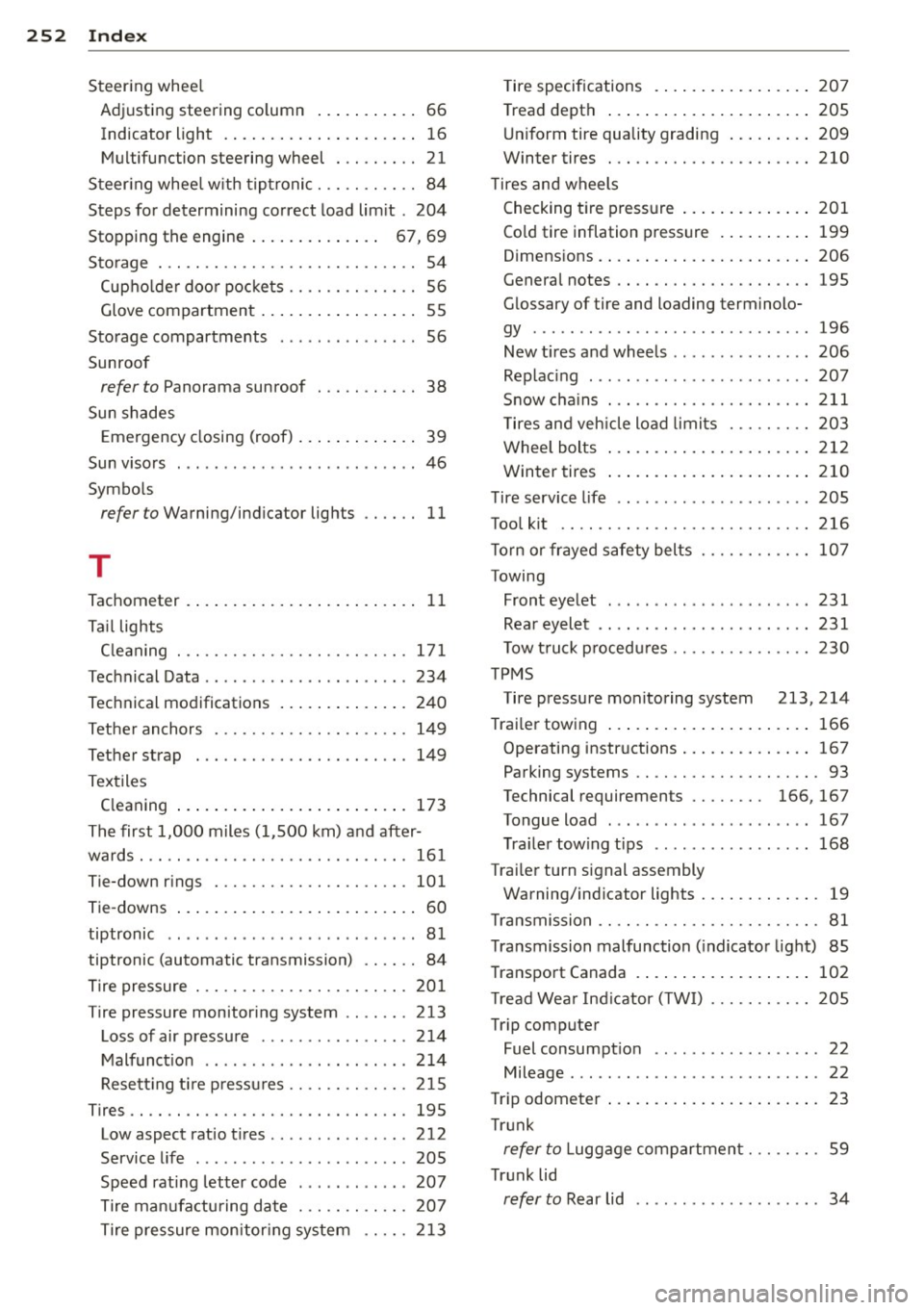
252 Index
Steering wheel
Adjusting steering co lumn ... ... ... ..
66
Indicator light . ........... ... .... .. 16
Multifunction steering wheel . .. ...... 21
Steer ing whee l w ith tiptronic . .. .. .... .. 84
Steps for determining correct load limit .
204
Stopping the engine . . . . . . . . . . . . . . 67, 69
Storage . .. .... ... .... .... .. .. .. .. .. 54
Cup holder door pockets . . . . . . . . . . . . . . 56
Glove compartment . . . . . . . . . . . . . . . . . 55
Sto rage compartments . . . . . . . . . . . . . . . 56
Sunroof
refer to Panorama sunroof . . . . . . . . . . . 38
Sun shades
Emergency closing (roof) ........... ..
39
Sun visors . . . . . . . . . . . . . . . . . . . . . . . . . . 46
Symbols
refer to Warning/indicato r lights .... .. 11
T
Tachomet er . . . . . . . . . . . . . . . . . . . . . . . . . 11
Tail lights
C leaning . .. .. . .. ..... ..... .. .. .. .
171
Technical Data ................ ... ... 234
Technical modifications ....... .... .. . 240
Tether anchors . ...... ... .. .. .. .. .. . 149
Tether strap ... ...... ..... .. .. .. .. . 149
Textiles
Cleaning ................. ... .... .
173
The first 1,000 miles (1,500 km) and after-
wards . .. .. .... ...... ....... .. .. .. .
161
Tie-down rings ... ..... ...... .. .. .. . 101
Tie-downs . . . . . . . . . . . . . . . . . . . . . . . . . . 60
tiptronic .............. ........ ... .. 81
tiptronic (automatic t ransmission) ...... 84
Tire pressure ....... ... .... .. .. .. .. .
201
Tire pressure monitoring system ....... 213
Loss of air pressure ........ .... .... 214
Malfunction .............. ... .. ... 2 14
Resetting tire p ressures .... .. .. .. .. . 215
Tires .. .. .. .. .... .. ... .. .. .... .. ... 195
Low aspect ratio ti res . . . . . . . . . . . . . . . 212
Service life ...... ........... ... .. . 205
Speed rating letter code ......... ... 207
Tire manufacturing date . .. .. .. .. .. . 207
Tire pressure monitor ing system .. ... 213
r ·f· t · ire spec, 1ca ions ............. .... 207
Tread depth ..... ................. 205
Uniform tire quality grading ......... 209
Winter tires . .. .. ....... ..... .... .
T ires and wheels
Checking tire pressure ............. .
Co ld tire inflation pressure ...... .. . .
o· . 1mens 1ons .... .. ................ .
General notes .. .. ... ... .... ... .. . .
Glossa ry of tire and lo ading terminolo-
gy .......... ... ................ .
210
201
199
206
195
1 96
New tir es and wheels ..... ...... .. .. 206
Replac ing . ...... ................ . 207
Snow chains . .. .. ...... ....... .... 211
T ires and vehicle load limits . .. .. .. .. 203
Wheel bolts ... .. ................. 212
W inter tires ..... ................. 210
Tire service life .. .. ................ . 205
Tool kit .... .. .. .. ...... ....... .... 216
T orn or frayed safety belts
Towing Front eyelet ... .. ....... ...... .. . .
Rear eyelet .. .. .. .. ........ .... .. .
T ow t ruck procedures ............. . .
TPMS 107
231
231
230
Tire pressure monitoring system 2 13, 214
T rai ler towing ..... ................. 166
Ope rating inst ructions .......... .... 1 67
Parking systems .. ... .. .... .... .. .. . 93
Technical requiremen ts . . . . . . . . 166, 167
Tongue load . .. ....... ........... . 16 7
Trailer towing tips ................ . 168
Trailer turn signal assembly
Warning/ indi cator lights . ....... .... .
19
Transmission .. .. .. ... .. .... .... .... . 81
Transmission malfunction (indicator light) 85
Transport Canada .. ................ . 102
Tread Wear Indicator (TWI) ... .... .. .. 205
Trip computer
Fuel consumption . . . . . . . . . . . . . . . . . .
22
Mileage ......... .......... ...... .. 22
Trip odom ete r ... .. ................ .. 23
Trunk
refer to Luggage compartment ... .. .. . 59
Trunk lid
refer to Rear lid . . . . . . . . . . . . . . . . . . . . 34
Page 255 of 258
M N
M N
0 ::i co ,...., \!) 1.1"1 ,...., 1.1"1 ,....,
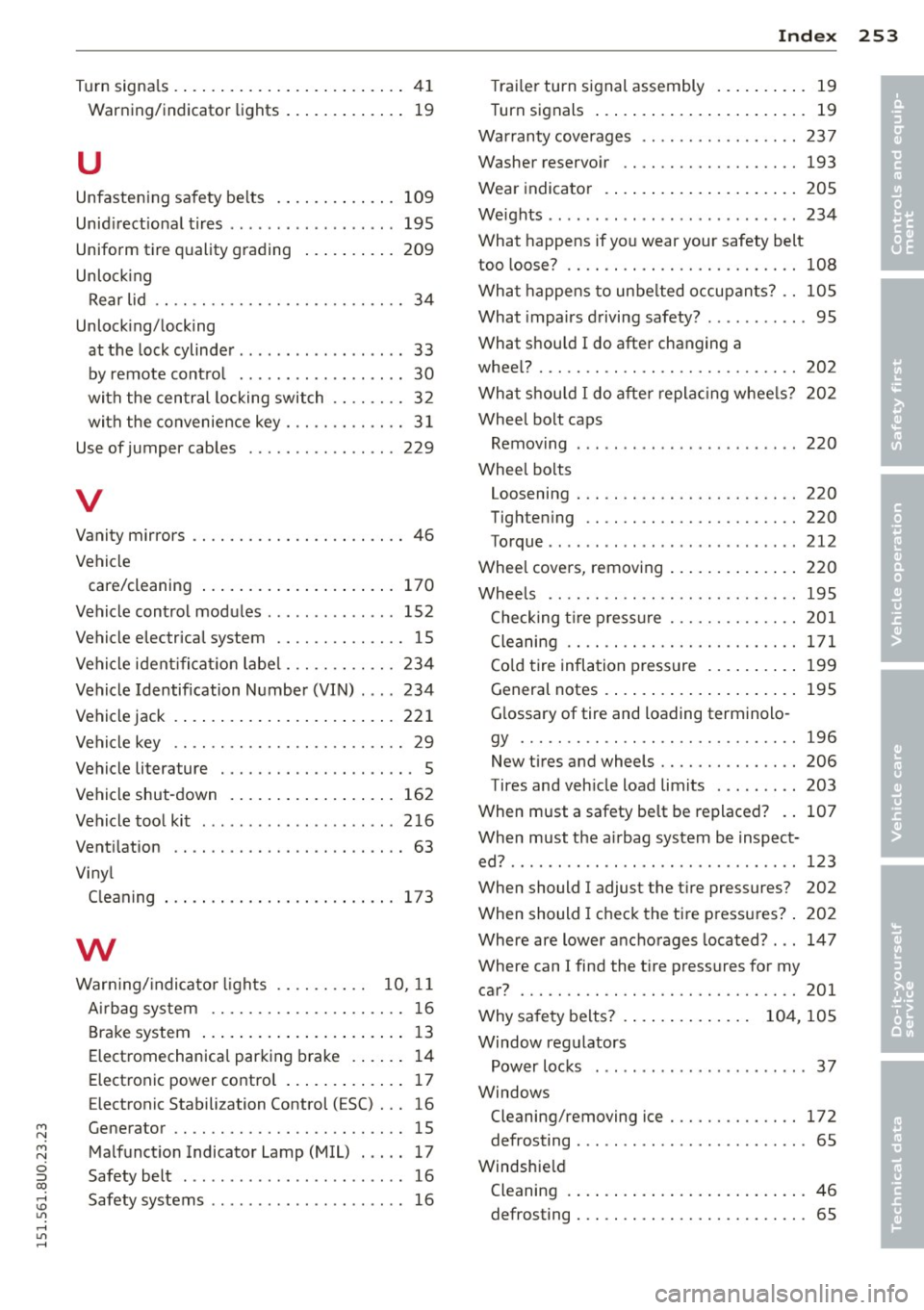
_______________________________ I~ n~ d:::: e~x 253
Turn signa ls . ... .... .... ... .. .. .. .... 41
Warning/indicator lights ... .. .. .. .. .. 1 9
u
Unfasten ing sa fety be lts
Unid irect ional tires ... ... ... .. .. .. .. .
Uniform tire quality grading ... .. .. .. .
Unlo ck ing 109
195
209
Rear lid . . . . . . . . . . . . . . . . . . . . . . . . . . . 34
Unlock ing/ locking
at t he lock cylinder ............ ... ... 33
by remote cont ro l . . . . . . . . . . . . . . . . . . 30
with the cen tral locking switch . . . . . . . . 3 2
with the convenience key . . . . . . . . . . . . . 3 1
Use of jumper cab les ................ 229
V
Vanity mirrors ............. .... .. .. .. 46
Vehicle care/cleaning . . . . . . . . . . . . . . . . . . . . . 170
Vehicle cont rol mod ules .............. 152
Vehicle e lectrical system .............. 15
Vehicle iden tifica tion labe l ... .. .. .. .. . 234
Vehicle Identification Number (VIN) ... . 234
Vehicle jack . ... .... .. .... ... .. .. ... 221
Vehicle key . . . . . . . . . . . . . . . . . . . . . . . . . 29
Vehicle literature . . . . . . . . . . . . . . . . . . . . . 5
Vehicle shut -down . ..... ... .. .. .. .. . 162
Vehicle tool kit . . . . . . . . . . . . . . . . . . . . . 216
Vent ilation
Vi ny l
C leaning
w
. . .... ......... .... .. .. .. 63
173
Warn ing/ indica to r li ghts . . . . . . . . . . 10, 11
A irbag system ........... .. .. .. .... 16
B rake system .... ..... ... .. .. .. .... 1 3
Electromechanica l parking brake .. .. .. 14
Electronic power control . . . . . . . . . . . . . 17
E lectronic Stabilization Control (ESC) . .. 16
Generator .. ............. .... .. .. .. 15
Malfunct ion Indicator Lamp (MIL) . .. .. 17
Safety belt ............... ...... ... 16
Safety systems ............ ...... ... 16 T
rai ler turn s ignal assembly .. ... .. .. . 19
Turn signals ... .. .. . ... ...... ... .. . 19
Wa rranty cove rages
Washer reservo ir 2
37
193
Wear indicato r .. .. .. . ... ...... ... .. 20S
We ights ....... .... ................ 234
What happens if you wear your safety belt
too loose? ......................... 108
Wha t happens to unbe lted occupan ts? .. l0S
What impairs driving safety? ......... .. 95
What s hou ld I do after changing a
whee l? ..... .. .. .. .... ............. 202
Wha t shou ld I do after replac ing whee ls?
Wheel bo lt caps
Remov ing
Whee l bolts 2
02
220
Loosening . .. .. .. .... ........... .. 220
Tighte ning .. .. .. ................. 220
Torque ........................... 212
Whee l cove rs, removing .. ..... ... .. .. 220
Whee ls ........................... 195
Checking tire pressu re .......... .. .. 201
Cleaning .. .. .. .. ................. 171
Co ld tire infla tion pressure ... ... .. .. 199
General notes ...... . .. .. ..... ... .. 195
G lossary of tire and loading terminolo-
gy .............................. 196
New tires and wheels ........... .... 206
Tires and vehicle load limits ... ..... . 203
When must a safety be lt be re placed? .. 107
When must the a irbag system be inspect-
ed? ............................... 123
When should I adjust the t ire pressures? 202
When should I check the ti re press ures? . 202
Where are lower ancho rages located? ... 147
Whe re can I find the t ire pressures for my
car? .............................. 201
Why sa fety belts? . . . . . . . . . . . . . . 104, 105
Window reg ulators
Power locks ...... ................. 37
Windows Cleaning/removing ice .......... .... 172
defrosting . . . . . . . . . . . . . . . . . . . . . . . . . 65
Windshie ld
Cleaning . ... .. .. .. .. .. .. .... ... .. . 46
defrosting . . . . . . . . . . . . . . . . . . . . . . . . . 65
•
•