ignition AUDI Q5 2014 Workshop Manual
[x] Cancel search | Manufacturer: AUDI, Model Year: 2014, Model line: Q5, Model: AUDI Q5 2014Pages: 316, PDF Size: 78.41 MB
Page 114 of 316

112 Audi adaptive cruise control and braking guard
<:::::> ___ <:::::>_ Distance 3: This setting cor re-
sponds to a distance of 164 feet/SO meters
when traveling at 62 mph (100 km/h), or a
time interval of 1.8 seconds.
<:::::> ____ <:::::> Distance 4: This setting cor re-
sponds to a distance of 210 feet/64 meters
when traveling at 62 mph (100 km/h), or a
time interva l of 2 .3 seconds.
A WARNING
Following other vehicles too closely in
creases the risk of collisions and serious
personal injury.
- Setting short distances to the traffic
ahead reduces the t ime and distance
available to br ing your vehicle to a safe
stop and makes it even more necessary
to pay close attention to traffic.
- Always obey applicable traffic laws, use
good judgment, and select a safe follow
ing distance for the traffic, road and
weather conditions.
(0 Tips
- Distance 3
is set automatically each time
you sw itch the ignition on.
- Your standa rd settings are automatically
stored and assigned to the remote con
trol key being used
c:::> page 36.
Setting the driving program
Ap plies to vehicles: with Audi adaptive cruise co ntrol
Depending on the selected dr iving program
and distance, driving behavior when accelerat
ing will vary from dynamic to comfortable.
Setting the driving program for vehicles
without Audi drive select*
• In the radio/MM I*, select: I CAR ! function
button >
adaptive cruise control > Driving
program
> Comfort, Standard or Dynamic .
Or
• Select :
I CAR I function button> Car systems *
control button > Driver assist > Adaptive
cruise control
> Driv ing program > Com
fort, Standard
or Dynamic . Setting the driving mode for vehicles with
Audi drive
select*
Refer to c:::> page 121.
(D Tips
Your settings are automatical ly stored and
assigned to the remote control key being
used
c:::> page 36 .
· Request for driver intervention
App lies to vehicles: wit h Audi adapt ive c ruise contro l
Fig. 122 Instr umen t cluster: request for dr iver inter
vent ion
In certain situations, the system will prompt
you to take action . This could happen, for ex
ample, if braking by the adaptive cruise con
trol system is not enough to mai ntai n enough
distance to the vehicle ahead.
The instrument cluster will warn you about
the danger
c:::> fig. 122:
- A red vehicle is p ictured in the display.
- The text
DISTANCE! appears in the stat us
bar .
- The red indicator light
I blinks.
- In addition, a warning tone sounds.
Page 116 of 316

114 Audi adaptive cruise control and bra king guard
- Always remember t hat t he radar sens or
fo r the b raking guard wo rks only within
defined detection and range limits that
may preve nt the proper detection of oth
er v eh icles.
- The radar senso r's fu nction and range
can be reduced by rain, s now a nd heavy
spray. Mo ving v ehicle s up a head may not
b e pr omptly dete cte d or may not be de
te cte d at al l.
- Reflective surfaces in cl udi ng c ras h ba rri
ers or t unnel ent ran ces may impair the
f unc tion of the r ad ar se nso r.
(D Tips
- You can cance l th e braking tha t is initiat
ed by the system by braking you rs e lf, by
a cce lerati ng noticeab ly o r by swerving.
- Bra king guard er ror messages
¢pag e
114.
- Keep in mi nd that braking gua rd can
brake u nexpect edly . Always secure any
ca rgo or objects that you are tr ansport
i ng to reduce the risk of d amage or in
ju ry.
Settings in the radio/MM!*
Applies to vehicles: with Audi adaptive cruise control
• Se lect : ICAR !f u nct ion button> Audi braking
guard .
Or
• Se lect : ~I C-A-R~ I funct ion button >
Car systems*
control button > Driver assist > Audi brak
ing guard .
System -
Switch bra kin g g uard On and Off .
When you sw itch the ignition on, the message
Brak ing guard: Off appears if the system is
switched off .
Early warning -The d istance and approach
warn ings in the disp lay can be switched
On /
Off .
(D Tips
-Your settings are automatica lly sto red
and ass igned to the remote control key
being used at the t imes t he settings are
made¢ page
36.
- If you restric t the E SC, the br aking gua rd
also sw itc hes itself off~ page
198.
-Switch braking guar d off when you a re
loading the vehicle onto a veh icle car rier,
train, s hip o r othe r type of t ransporta
tion. This can prevent undesired warn
ings from the braking gua rd system.
Messages
Applies to vehicles: with Aud i adaptive cruise control
Braking guard : Off
T his dr iver mess age a ppears if t he system is
tu rned off via the radio/MM I*. Ot herw ise, if
t h e system is turned off, the information ap
pears every t ime shortly after the start of the
trip.
T he driver messa ge a lso appears if the system
is not available due to a malfunct io n or if the
ESC is not switched on¢ page
198. If th is is
t h e case, the system w ill not p rov ide warnings
about a poss ible collision.
Braking guard : Activated
T h is dr iver mess age appears if sharp b rake
pressure was applie d due to a n acu te warning.
•••
Three white dots appear if a sett ing cannot be
selected w ith the operating lever . For exam
ple, this happens if you wa nt to raise/low er
the speed even thoug h there was no previous
l y saved speed.
ACC: Sensor blocked
This message appears if the sensor v iew is ob
structed, for examp le by leaves, snow, heavy
sp ray or d irt . Clean the sensor¢ page
107,
fig .
113.
ACC: Unav ailable
The driver mess age appe ars if, for ex ample,
the b rake tempera ture is too high . The adap
tive cr uise contro l is temporar ily u nava ila ble .
A chime sounds as a reminder.
ACC: Not available
Page 125 of 316
Automatic
transmission
tiptronic
Introduction
The automatic transmission is controlled elec
tronically. The transmission upshifts or down
shifts automatically depending on which drive
program is selected. The power is transferred
by a torque converter .
When a
mode rate d riv in g s ty le is used, the
transmission selects the most econom ica l
driving mode. It w ill then change up early and
delay the downshifts to g ive better fuel econ
omy.
T he transmission switches to a sporty mode
after a k ick-down or when the driver uses a
spo rty driving sty le characterized by quick ac
celerator pedal movements, heavy accelera
tion, frequent changes in speed and traveling
at the maximum speed.
If desired, the driver can a lso select the gears
manually ( tiptronic mode ) c:> page 12 7.
Selector lever positions
Fig . 131 D isp lay in t he i nst ru m en t cluster: selecto r
l ever in pos it ion P
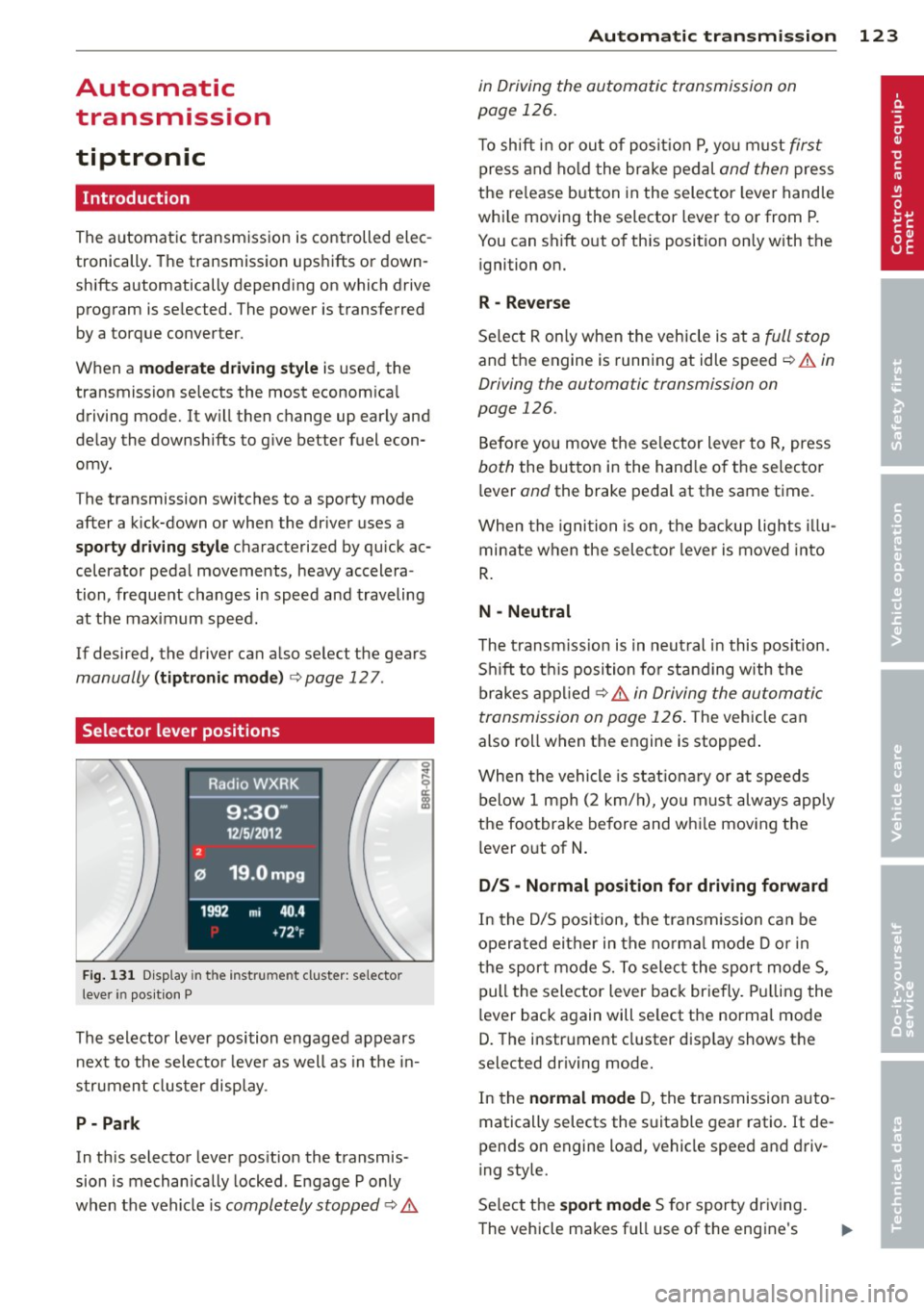
The selector lever position engaged appears
next to the selecto r lever as well as in the in
strument clus ter disp lay.
P- P ark
In th is selector lever pos ition the transmis
sion is mechan ically locked . Engage P only
when the vehicle is
completely stopped c:> 11::..
Automa tic tran sm iss ion 123
in Driving the automatic transmission on
page 126.
T o shift in or out of posit io n P , yo u m ust first
press and ho ld the brake pedal and then press
the re lease button in the selector leve r handle
whi le moving the selector lever to or from P.
You can shift out of th is position only with the
ignition on.
R -Reverse
Se lect R on ly when the vehicle is at a full stop
and the engine is running at idle speed c:> 11::.. in
Driving the automatic transmission on
page 126.
Before you move the se lector lever to R, press
both the button in the hand le o f the selector
lever
and the brake pedal at the same t ime.
When the ignition is on, the backup lights illu
minate when the selecto r lever is moved into
R .
N -Neutral
The t ransm iss ion is in neut ral in this pos ition.
S hi ft to t his position fo r standing with the
brakes appl ied
c:> 11::.. in Driving the automatic
transmission on page 126 .
The vehicle can
also roll when the engine is stopped .
When the vehicle is stat iona ry or at speeds
below 1 mph (2 km/h), yo u m ust always apply
the footbrake before and whi le mov ing the
lever o ut of
N .
D/S -Normal position for driving forward
In the D/S pos ition, the transmission can be
operated either in the no rma l mode D or in
the sport mode S. To select the sport mode S,
pull the selector lever back briefly. Pulling the
lever back again will se lect the normal mode
D. The instrument cluster disp lay shows the
selected driving mode.
In the
normal mode D, the transmission auto
matically selects the s uitable gear ratio. It de
pends on engine load, vehicle speed and driv
ing style.
Se lect the
sport mode S for sporty dr iving .
The vehicle makes fu ll use of the engine's
Page 126 of 316
124 Autom atic tr an smi ssion
power . Shifting may become noticeable when
accelerat ing . Hybrid drive*: electric driving is
not possible .
When the veh icle is stationary o r at speeds
below 1 mph (2 km/h), you must always apply
the foot brake before and while moving the lever to D/S out of N.
A WARNING
Read and follow a ll WARNINGS c:> & in
Driving the automatic transmission on
page 126 .
@ Note
-
Coasting downhi ll with the transmission in
N and the engine not r unning w ill result in
damage to the automatic transmission
and possibly the catalytic converter .
(D Tips
- On vehicles with Audi drive select*, you
can adjust the sporty sh ift characteristics
i n the
Dynamic driving mode.Swill ap
pear in the instrument cluster display in
stead of D .
- If you accidenta lly select N while driv ing,
take your foot off the acce lerator pedal
i mmediately and wait fo r the engine to
s low down to idle before se le cting D/S .
- Hybrid drive* : if the
las vl button
c:> page 100 is pressed w hile in sport
mode S, the transm issio n sw itches auto
matically to the normal mode D.
- If there is a power failure, the se lector
l ever will not move out of the P posi tio n.
The eme rgency release can be used if
this happens
q page 1 28.
Automatic Shift Lock {ASL)
The Automatic Shift Lock safeguards you
against accidentally shifting into a forward or
the reverse gear and causing the vehicle to
move unintentionally.
Fi g. 1 32 Shift gat e: selecto r lever lock pos it io n s and
r elease button highl ig h ted
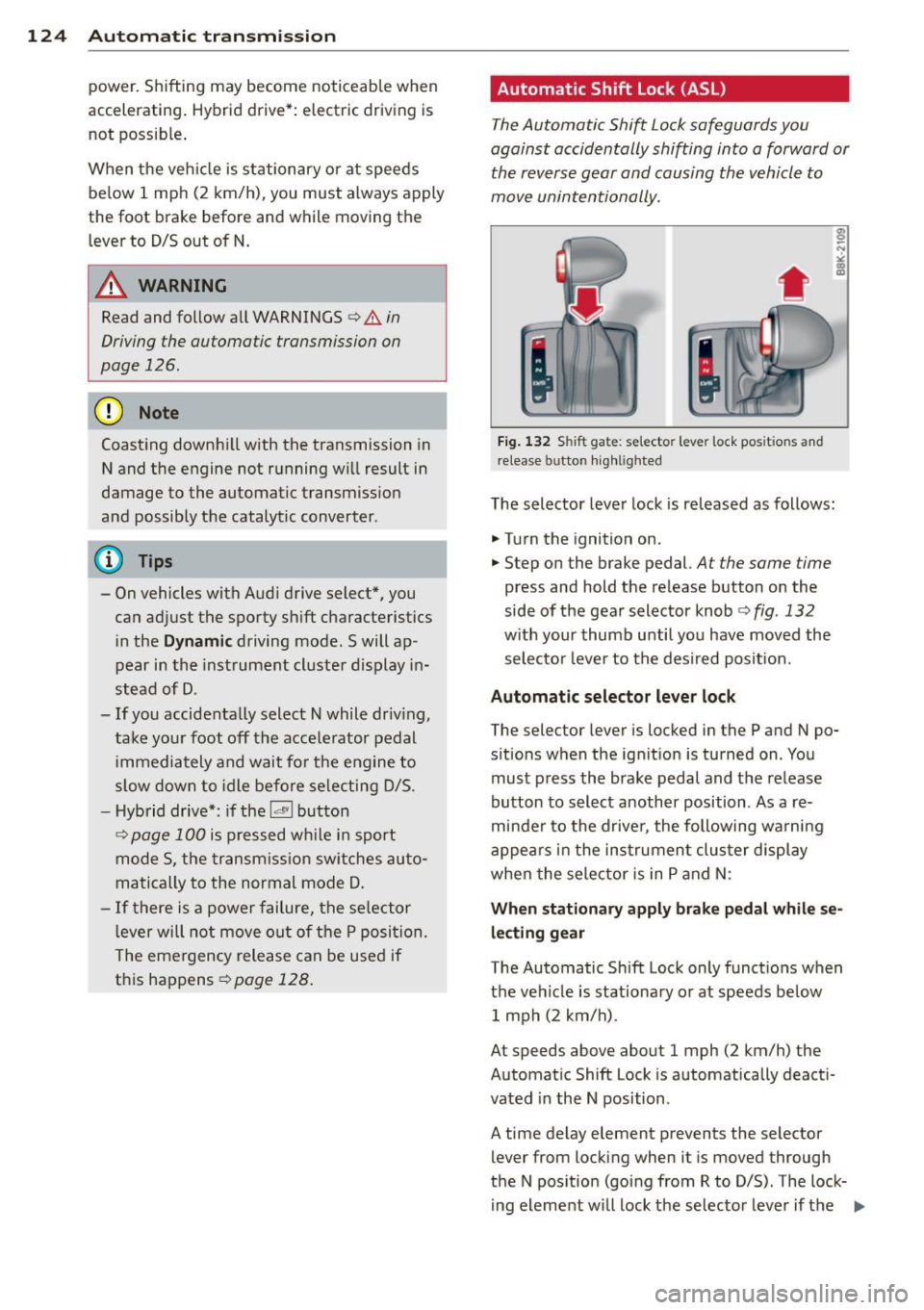
The selector lever lock is released as follows :
.... Turn the ignition on.
.,.. Step on the brake pedal.
At the same time
press and hold the re lease button on the
side of the gear selector knob
c:> fig . 132
w ith your thumb until yo u have moved the
selecto r leve r to the desi red posit ion.
Automatic selector leve r lock
The selector lever is locked in the P and N po
s itions w hen the ign ition is turned on . You
must p ress the brake pedal and t he release
button to select another position . As a re
minde r to the drive r, the following wa rni ng
appea rs in t he instrumen t clus ter di splay
when the selector is in P and N:
When stationar y apply brak e pedal while se
lecting gear
The Automatic Shift Lock only funct ions when
t h e ve hicle is stationary or at speeds be low
1 mph (2 km/h) .
At speeds above about 1 mph (2 km/h) the
Automat ic Shift Lock is automatically deact i
vated in the N position .
A time delay element prevents the selector lever from locking when it is moved through
the N pos ition (going from R to D/S) . The lock
ing element w ill lock the selector lever if t he
Ill>
Page 127 of 316
lever is left in N (Neutral) for more than ap
proximately 1 second, without the brake ped
a l being pressed.
Release button
The release button on the selector lever pre
vents the lever from being accidentally shifted
into certain positions. Pressing this button de
activates the selector lever lock. Depending
on the direction of the shift, the selector lever
locks at different positions. The positions are
highlighted in the illustration ¢
fig. 132.
Ignition key safety interlock
The key cannot be removed from the ignition
un less the se lector lever is in the P park posi
tion . When the ign ition key is removed, the
selector lever will be locked in the P position.
Driving the automatic transmission
Fig. 133 Shift gate on th e center conso le: se lector lev
er with release button
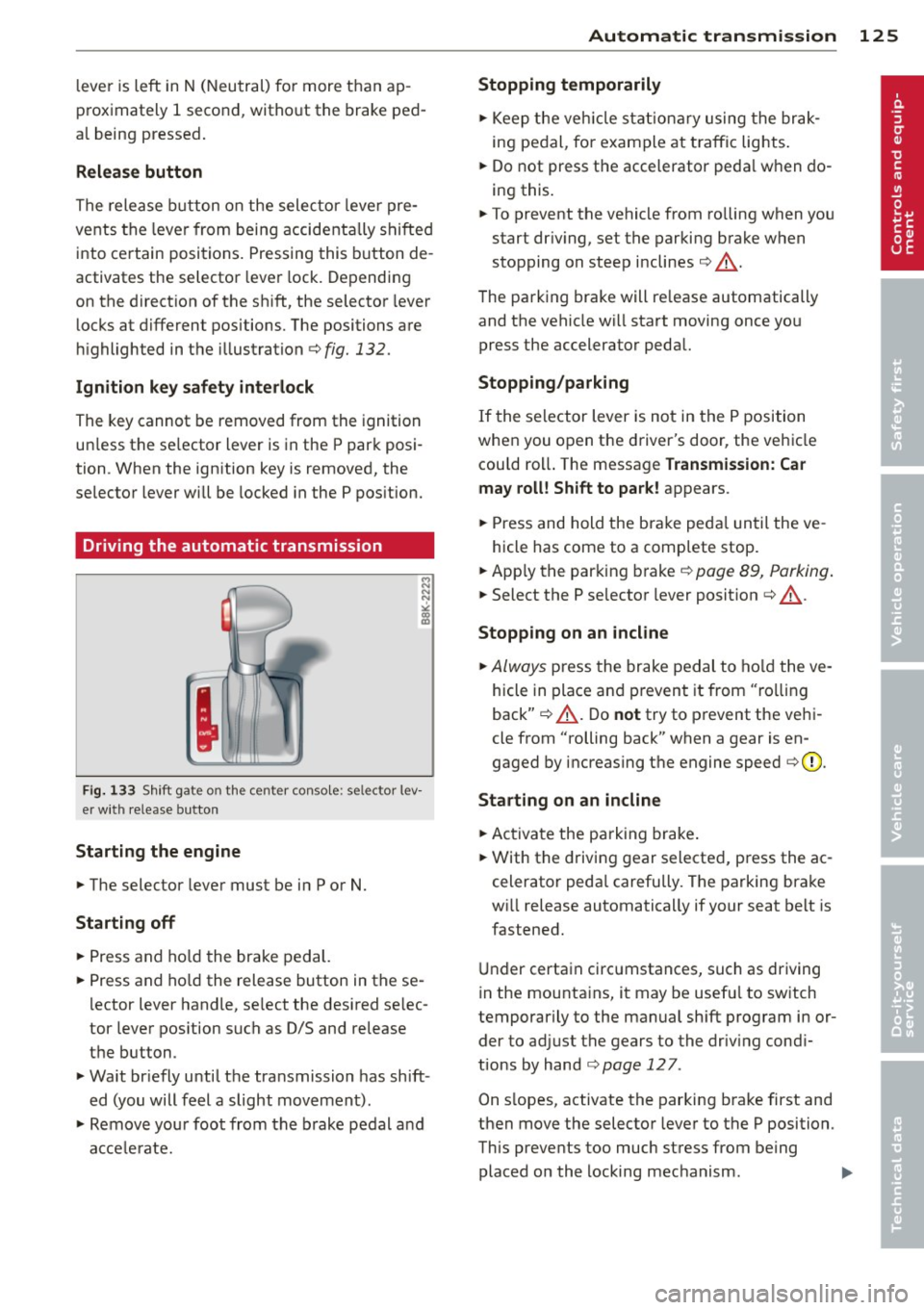
Starting the engine
... The selector lever must be in P or N.
Starting off
... Press and hold the brake pedal.
... Press and hold the release button in these
lector lever handle, select the desired se lec
tor lever position such as
0/5 and release
the button.
... Wait briefly until the transmission has shift
ed (you will feel a slight movement).
... Remove your foot from the brake pedal and
accelerate.
Automatic transmission 125
Stopping temporarily
... Keep the vehicle stationary using the brak
ing pedal, for example at traffic lights .
... Do not press the accelerator pedal when do
ing this.
... To prevent the vehicle from rolling when you
start dr iv ing, set the parking brake when
stopping on steep inclines¢.&_ .
The parking brake will re lease automatically
and the vehicle w ill start moving once you
press the accelerator pedal.
Stopping/parking
If the selector lever is not in the P position
when you open the driver's door, the vehicle
cou ld roll. The message
Transmission: Car
may roll! Shift to park!
appears .
... Press and hold the brake peda l until the ve -
hicle has come to a complete stop .
... App ly the parking brake¢
page 89, Parking .
... Select the P selector lever position ¢ .&_ .
Stopping on an incline
... Always press the brake pedal to hold the ve
hicle in place and prevent it from "rolling
back" ¢.&_ . Do
not try to prevent the vehi
cle from "rolling back" when a gear is en
gaged by increasing the engine speed ¢0.
Starting on an incline
... Activate the parking brake.
... With the driving gear selected, press the ac
celerator pedal carefully . The parking brake
wi ll release automatically if your seat belt is
fastened .
Under certain circumstances, such as driving
in the mounta ins, it may be usefu l to sw itch
temporarily to the manual sh ift program in or
der to adjust the gears to the driv ing cond i
tions by hand
¢ page 127 .
On s lopes, activate the parking brake first and
then move the selector lever to the P position.
This prevents too much stress from being
placed on the locking mechanism . .,,.
Page 136 of 316
134 Parking system
- On -when the parking system is switched
on, either the visua l d isplay or the picture
from the rearview camera is disp layed .
Warning tones
-Front volum e -front sensor vol ume
- Front frequ enc y-front sensor frequency
-Re ar volum e -rear sensor volume
- Rear frequenc y -rear sensor frequency
- In -ca r entertainme nt fader /Mu sic volume
w hile pa rking -
when the parking system is
switched on , the volume of the active audio
source is lowered .
The new ly adjusted value is briefly heard from
the signal generator.
@ Tips
- The warning tones can a lso be adjusted
directly by the v is ual disp lay or the p ic
ture from the rearview camera. Simp ly
press the
Sett ings contro l button.
- Changed settings are activated when
parking system is switched on again.
- The settings are automatically stored
and ass igned to the remote control key.
Trailer hitch
Applies to vehicles: with Audi parking system plus w ith
rea rview camera a nd trailer hitch
For vehi cles with a facto ry installed trai ler
hitch, or a trai ler hitch installed according to
factory specifications, the parking system rear
sensors do not come on whenever you shift in
to reverse gear or when you press the
P, #J\.
switch. Remember, there is no warning for
d istances to the rear . The front sensors re
main activated. The visual display switches to
the trailer towing mode. The picture from the
rearv iew camera will not show the orientation
l ines nor the blue su rfaces.
If you install a hitch yourself, th is function
may not work .
Error messages
Applies to vehicles: wi th Audi parking sys te m plus with
rearv iew camera
T he re is an error in the system if t he LED on
the
p, q~ switch is blinking and you hea r a con
t in uous alarm for a few se conds after switch
ing on the parking system or when the park
ing system is already activated . Have yo ur au
thorized Audi dea ler correct the error.
(D Tips
If the error is not corrected before you
switch off the ignition, when you switch on
the parking system again, the LED in the
Pw J\. switch will blink.
Page 139 of 316
Programming the transmitter (version B)
A pplies to vehicles: with Horne link and radio
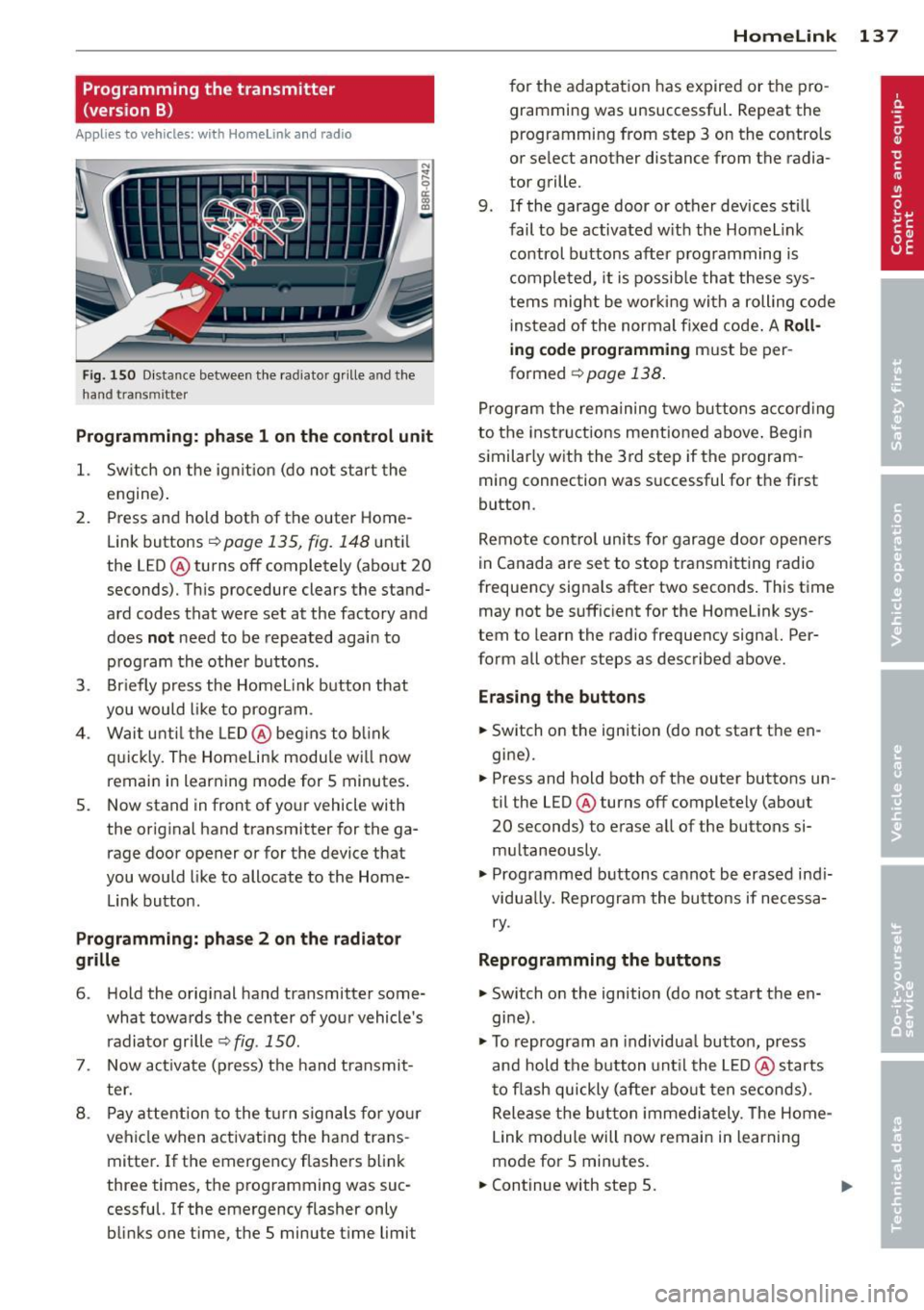
Fig. 150 D istance between t he rad ia to r gr ille a nd the
h and trans mitter
Programming: phase 1 on the control unit
1. Sw itch on the ig nit io n (do no t start the
engine) .
2. Press and hold both of the outer Home
Link buttons
r=>page 135, fig. 148 until
the LED @ turns off completely (about
20
seconds). Th is procedure clears the stand
ard codes that were set at the factory and
does
not need to be repeated agai n to
p rog ram the othe r buttons.
3 . Briefly press the Homelink button that
you would like to prog ram .
4. Wai t u nti l the LED @ beg ins to blink
q ui ckly . The Home Lin k modu le wi ll now
remai n in learning mode for
5 minutes .
5. Now stand in front of your vehicle with
the original hand transmitter for the ga
rage door opener or for the device that
you would like to allocate to the Home
Link button.
Programming: pha se 2 on the radiator
grille
6 . Hold the orig inal hand t ransmitter some
what towa rds the center o f you r vehicle 's
radiato r gr ille
r=> fig . 150.
7. Now activate (p ress) t he hand transmit
ter.
8 . Pay a ttention to the t urn signals for yo ur
vehicle when activating the ha nd trans
mitter . If t he emergency flashers blink
three times, the programming was suc
cessful. If the emergency flasher only bli nks one t ime, the 5 minute t ime limit
Homelink 13 7
for the adaptat ion has expired or the pro
gram ming was unsuccessful. Repeat the
programming from step 3 on the controls
o r se lect another distance from the radia
tor grille.
9. If the garage door or other devices sti ll
fail to be activated w it h the Homelin k
control buttons after p rogramming is
comple ted, it is possib le tha t these sys
tems might be w ork ing wi th a roll ing code
ins tead of the normal fixed co de.
A Roll
ing code programming must be per
formed
r=> page 138 .
Program the rema ining tw o bu ttons a ccord ing
to the instructions mentioned above . Beg in
similar ly w ith the 3rd step if the program
m ing connection was successful for t he fi rst
button .
Remote con trol units fo r garage door opene rs
in Canada are set to stop tra nsmitting radio
frequency signa ls after two seconds . This t ime
may not be suffic ient for the Homelink sys
tem to learn the radio frequency signa l. Per
form all other steps as described above.
Erasing the buttons
.,. Switch on the ignition (do not sta rt the en
gi ne).
.,. Press and hold both o f the outer buttons un
til the LED@ turns off completely (abo ut
20 seconds) to erase a ll of the buttons si
m ultaneously .
.,. Programmed b uttons ca nnot be erased ind i
vidua lly. Reprogram the buttons if necessa
ry .
Reprogramming the buttons
.,. Switch o n the ignition (do not start t he en
gine) .
.,. To reprogram an individua l bu tto n, press
and hold the button unt il the LED @ starts
to f lash quickly (a fter abo ut ten seconds) .
Release t he bu tton imme dia tely. The Home
L ink module will now remain in learning
mo de for 5 minutes.
.,. Continue with step 5.
Page 151 of 316

Safety belts
General notes
Always wear safety belts!
Wearing safety belts correctly saves lives!
This chapter explains why safety belts are nec
essary, how they work and how to adjust and
wear them correctly.
~ Read all the information that follows and
heed all of the instruc tions and WARNINGS.
A WARNING
Not wearing safety belts or wearing them
improperly increases the risk of serious
personal injury and death.
- Safety belts are the single most effective
means available to reduce the risk of se
rious injury and death in automobile acci
dents. For your protection and that of
your passengers, always correctly wear
safety belts when the vehicle is moving.
- Pregnant women, injured, or physically
impaired persons must also use safety
belts. Like all vehicle occupants, they are
more likely to be seriously injured if they
do not wear safety belts. The best way to
protect a fetus is to protect the mother -
throughout the entire pregnancy.
Number of seats
Your Audi has a total of five seating positions:
two in the front and three in the rear. Each
seating position has a safety belt.
A WARNING
Not wearing safety belts or wearing them
improperly increases the risk of serious
personal injury and death.
- Never strap more than one person, in
cluding small children, into any belt. It is
especially dangerous to place a safety
belt over a child sitting on your lap.
- Never let more people ride in the vehicle
than there are safety belts available.
Safety belts 149
-Be sure everyone riding in the vehicle is
properly restrained with a separate safe
ty belt or child restraint.
Safety belt warning light
Your vehicle has a warning system for the
driver and (on USA models only) front seat
passenger to remind you about the impor
tance of buckling-up.
Fig. 154 Safety belt warning light in the instrument
cl uster -enla rged
Before driving off, always:
~ Fasten your safety belt and make sure you
are wearing it properly.
~ Make sure that your passengers also buckle
up and properly wear their safety belts.
~ Protect your children with a child restraint
system appropriate for the size and age of
the children.
The warning light . in the instrument cluster
light s up when the ignition is switched on as a
reminder to fasten the safety belts. In addi
tion, you will hear a warning tone for a certain period of time.
Fasten your safety belt now and make sure
that your passengers also properly put on
their safety belts.
A WARNING
- Safety belts are the single most effective
means available to reduce the risk of se
rious injury and death in automobile acci
dents. For your protection and that of
your passengers, always correctly wear safety belts when the vehicle is moving.
•
•
Page 161 of 316

Even though your vehicle is equipped with an
Advanced Airbag System, make certain that
all ch ildren, especially those 12 years and
younger, a lways ride in the back seat properly
restrained for their age and size. The airbag
on the passenger side makes the front seat a
potentially dangerous place for a child to ride.
The front seat is not the safest place for a
child in a forward-facing child safety seat.
It
can be a very dangerous place for an infant or
a child in a rearward-facing seat.
The Advanced Airbag System in your veh icle
has been certified to comply w ith the Requ ire
ments of United States Federa l Motor Vehicle
Safety Standard 208 as applicable at the time
your vehicle was manufactured.
The Standard requires the front ai rbag on the
passenger side to be turned off ("sup
p ressed") if a ch ild up to about one year of
age restrained in one of the rear-facing or for
ward -facing infant restraints listed in Federal
Motor Vehicle Safety Standard 208 with wh ich
the Advanced Airbag System in your vehicle
was certified has been installed on the front passenger seat . For a listing of the child re
straints that were used to certify compliance
with the US Safety Standard
Q page 180.
The PASSENGER AIR BAG OFF light in the in
strument panel tells you when the front Ad
vanced A irbag on the passenger side has bee n
turned off by the electronic control unit.
Each t ime you turn on the ignition, the
PAS
SENGER AIR BAG OFF
light will come on for a
few seconds and :
- will stay on if the front passenger seat is not
occupied,
- will stay on if there is a small child or child restraint on the front passenger seat,
- will go off if the front passenger seat is oc
cupied by an adult as registered by the
weight-sensing mat
Q page 168, Monitor
ing the Advanced Airbag System .
The PASSENGER AIR BAG OFF light comes on
when the control un it detects a total weight
on the front passenger seat that requires the
front airbag to be turned off.
Airbag system 159
If the total weight on the front passenger
seat is more than that of a typical 1 year-o ld
c hild but less than the weight of a small
adult, the front airbag on the passenger side
can deploy (the
PASSENGER AIR BAG OFF
light does not come on). If the PASSENGER
AIR BAG OFF
light does not come on, the
front a irbag on the passenger side has not
been turned off by the electronic con trol unit
and can deploy if the contr ol unit senses an
impact that meets the cond itions stored in its
memory .
For example, the airbag may deploy if:
-a small ch ild that is heav ie r than a typical 1
year-old ch ild is o n the front passenger seat
(regard less of whether the child is in one of
the child safety seats listed
Q page 180), or
- a child who has outgrown child restraints is
on the front passenger seat.
If the front passenger airbag is turned off, the
PASSENGER AIR BAG OFF light comes on in
the instrument cluster and stays on.
The front airbag on the passenger side may
not deploy (the PASSENGER AIR BAG OFF
light does not illum inate and stay lit) even if a
small adult or teenager, or a passenger who is
not sitting uprig ht with their back against a
non-reclined backrest w ith their feet on the
vehicle floor in front of the seat is on the front
passenger seat~
page 140, Proper seating
position for the driver.
If the front passenger airbag deploys, the
Federal Standard requires the airbag to meet
the "low risk" deployment criteria to reduce
the risk of injury thro ugh interaction with the
airbag . "Low risk" deployment occ urs in those
crashes that take place at lower dece lerat ions
as defined in the electronic control unit
Q page 168, PASSENGER AIR BAG OFF light .
Always remember, a child safety seat or infant
carr ier installed on the front seat may be
struck and knocked out of posit ion by the rap
idly inflating passenger's airbag in a frontal
collision . The airbag could greatly reduce the
effectiveness of the child restraint and even
seriously injure the child during inflation. •
•
Page 162 of 316

160 Airbag sys te m
For this reason, a nd because t he bac k seat is
the safest place for children - when prop erly
restra ined according to their age and size - we
strongly recommend that children always sit in the back seat
Q page 178, Child Safety.
A WARNING
-
A child in a rearward-facing child safety
seat installed on the front passenger seat
w ill be seriously injured and can be k illed if
t he front a irbag inflates - even wit h an Ad
v a nced Airb ag System.
- T he inflating a irbag will hit the child
safety seat or infant carrier with g reat
force and w ill smash the ch ild safety sea t
and child against the backrest, center
armrest, door or roof .
- Always install rear-facing child safety
seats on the rear seat .
-If you mus t inst all a rearwar d fa cing
child safety seat on the front passenger
seat because of exceptional circ umstan
ces and the
PASSENGER AIR BAG OFF
light does not come on and stay on , im
med iately install the rear-facing child
safety seat in a rear seating position and
have the a irbag system inspected by you r
au thorized Audi dealer .
- Forward-fac ing ch ild safety seats instal
led on the front passenger's seat may in
terfer e wi th the deployment of the air
bag and cause se rious personal injury to
the ch ild.
A WARNING
If, in exceptional c ircumstances, you mus t
install a forwa rd-facing child restra int on
the front passenger's seat:
- Always m ake su re the forw ard-fa cing
sea t has been des igned and certified by
its manufact urer for use on a front seat
with a passenger front and side airbag.
- Never put the forward -facing child re
st raint up aga inst or very near the inst ru
ment pane l.
- Always move the passenger seat into its
rearmost position in the seat's fore and aft ad
justment range, as fa r away from
the airbag as possible before installing
the forward-fac ing ch ild restra int. The
backrest must be ad justed to an upright
position .
- Make sure that the
PASSENGER AIR BAG
OFF
li ght comes on and stays on all the
time wheneve r the ignit ion is switched
on.
A WARNING
To reduce the risk of serious inju ry, ma ke
sure that the
PASSENGER AIR BAG OFF
lig ht w ill be displayed whenever a child re
straint is insta lled on the front passenger
seat and the ignition is switched on .
- If the
PASSENGER AIR BAG OFF light
does not stay on, per form the checks de
scribed
¢ page 168, Monitoring the Ad
vanced Airbag System.
- Take the chi ld restraint off the front pas
senger seat and install it properly at one
of the rear seat positions if the
PASSEN
GER AIR BAG OFF light does not stay on.
-Have the airbag system inspected by
your author ized Audi dealer immed iate
ly.
- Always carefully follow instr uctions from
child restraint manufacture rs when in
stalling ch ild restra ints.
A WARNING
-If, in except iona l circumstances, you must
i nstall a forward or rearwa rd -facing child
r estra int on t he front passenger's seat :
- Improper installation of ch ild restra ints
can reduce their effectiveness o r even
p revent them from providing any protec
tion.
- An improperly installed ch il d restra int
can inter fere with the airbag as it de
p loys and seriously injure o r even kill the
child -even with an Advance d Airbag
System.
- Always caref ully follow the m anu factur
er 's ins truc tio ns p rov ided with the ch ild
safety sea t or carrier .