lock AUDI S3 2015 Owner's Manual
[x] Cancel search | Manufacturer: AUDI, Model Year: 2015, Model line: S3, Model: AUDI S3 2015Pages: 310, PDF Size: 76.15 MB
Page 55 of 310
....,
N
0 > co
rl I.O
"' ....,
"' rl
The mirror goes back into its original position
once you drive forward faster tha n 9 mph
(15 km/h) or turn the ign ition
off .
Folding mirr ors in and out
To fold the mirrors i n w ith the knob, turn the
knob in the
&l pos it ion .
To fold the m irrors out, turn the knob in the
q or
P or O position.
You can set in the MMI if the mirrors should
fold in when locking the vehicle or not
~ page 40 . When you lock the vehicle, the
m irrors fold in . When you start the ignit ion,
the mirrors fold out .
_& WARNING
Curved mirror surfaces (convex or asphe
ric*) enlarge the field of vision. However,
they make objects in the mirror appear sma ller and farther away. Your may est i
mate incorrectly when you use these m ir
rors to gauge your d istance from the
vehicles behind you when changing lanes -
accident risk!
(D Note
- For vehicles with power folding exterior
mirrors*: If the m irror housing was
moved by outside forces (such as an im
pact when maneuvering), you must use
the power folding function to fold the mir ror a ll the way out. You will hear a
l oud noise when the mi rrors are latched
back in place. The mirror housing must
not be moved back into place by hand
because this would affect the mirror
mechan ism.
- Applies to vehicles witho ut power fold
i ng exterior mirro rs:
If the mirror hous
ing was moved by outside forces (s uch as
i n impact d uring maneuvering), you
must move the mirror housing back into
place by hand.
- If you wash the vehicle in an automatic
car wash, you must fold the exterior m ir
rors in to reduce the r isk of damage to
the mi rrors. Never fold power foldi ng ex-
-
Ligh ts and Visi on 5 3
terior mirrors by hand . On ly fold them in
and out using the power controls.
a) Tips
If t h e power ad justmen t fa ils, bot h mir
rors can be adjusted by hand by pressing
on the edge of the mirror surface.
Dimming the mirrors
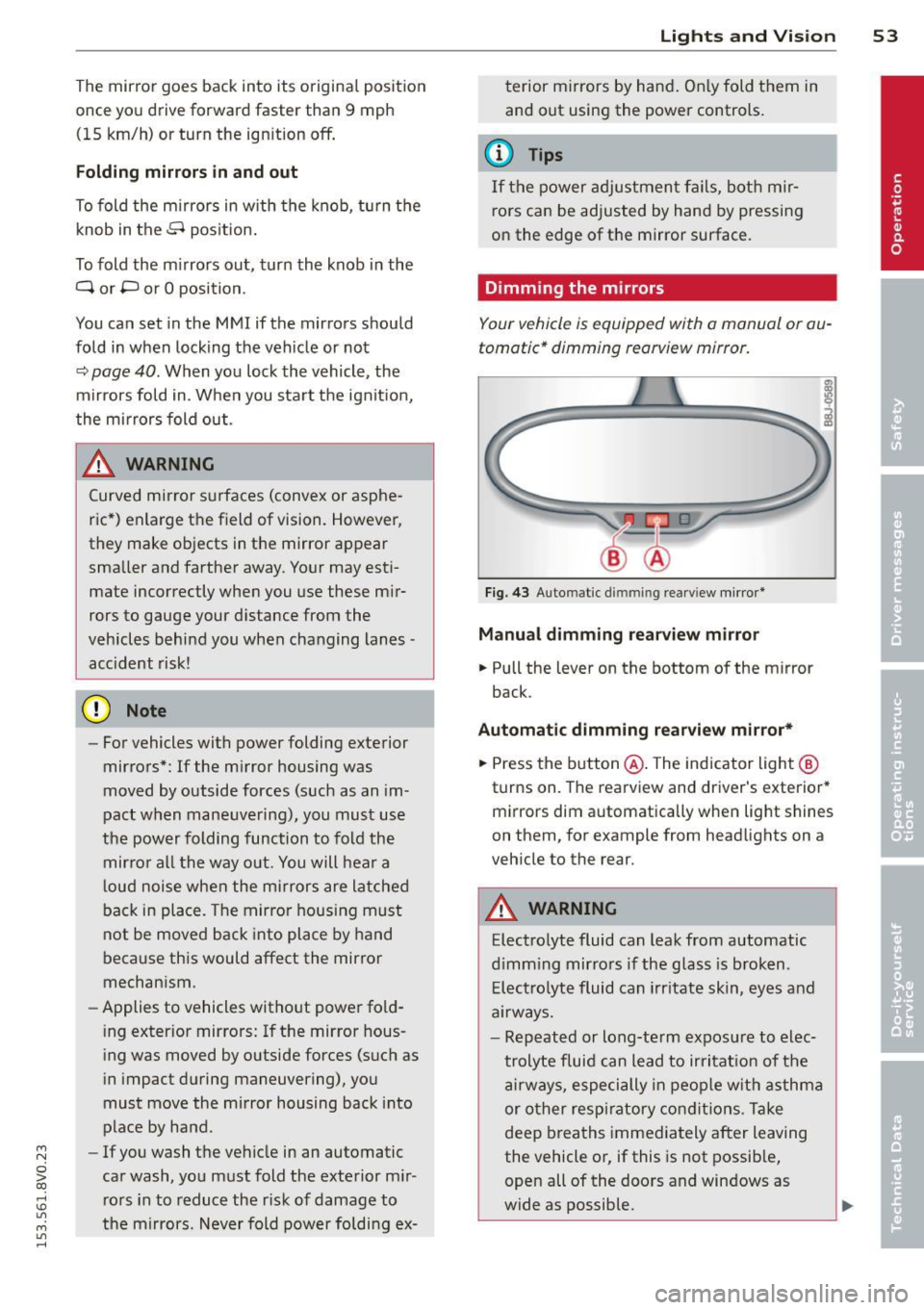
Your vehicle is equipped with a manual or au
tomatic* dimming reorview mirror.
F ig. 43 Auto mat ic d immin g rea rv iew mi rror *
Manu al dimming rear view mirror
.,. Pull the lever on the bottom of the mirror
back.
Automat ic dimming rearview mirror*
.,. Press the b utton @. The indicator light @
turns on. The rearview and driver 's exterior*
m irrors dim automatically when light shines
on them, for example from headlights on a
veh icle to the rear.
A WARNING
Elect ro lyte fluid can leak from automatic
d imm ing mirro rs if the glass is b roken .
E lec tro lyte fluid can irr itate skin, eyes and
a ir ways.
- Repeated or long-te rm expos ure to elec
trolyte fluid can lead to irritat io n of the
a irways, especially in peop le w it h asthma
or other resp iratory co ndit ions . T a ke
deep breaths immediately after leaving
the vehicle or, if this is not possib le,
open all of the doors and windows as
wide as possible.
Page 61 of 310
....,
N
0 > co
rl I.O
"' ....,
"' rl
is folded down. Because of this, the armrest
should not be folded down during city driving.
The arm rest can slide forward and back.
There is a storage compartment under the
arm rest.
Rear center armrest
A pplies to vehicles : wit h rear ce nter ar mres t
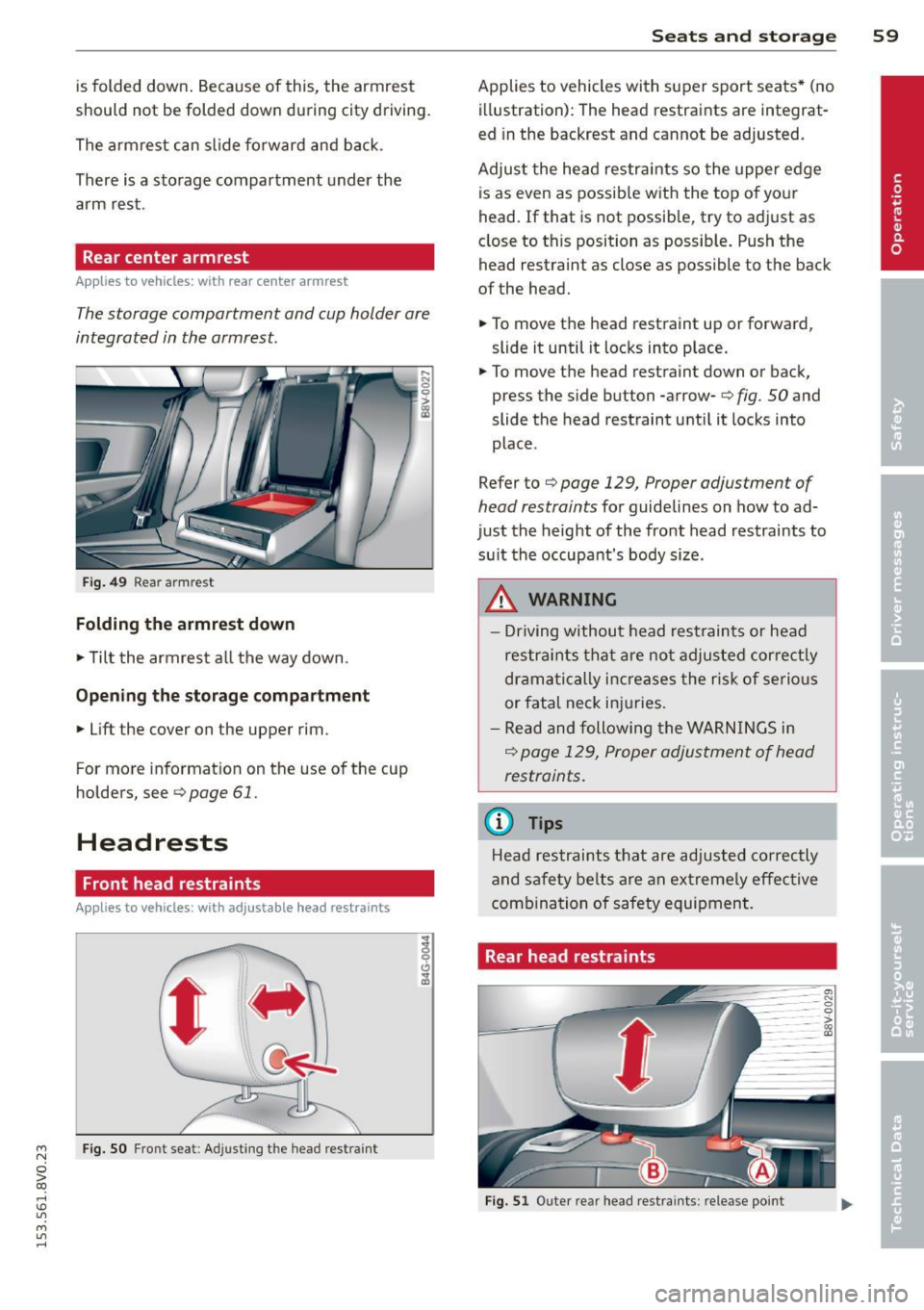
The storage compartment and cup holder are
integrated in the armrest.
Fig. 49 Rear armrest
Folding the armrest down
~ Tilt the armrest all the way down.
Opening the storage compartment
~ Lift the cover on the upper rim.
For more information on the use of the cup
holders, see
c:> page 61.
Headrests
Front head restraints
A ppl ies to vehicles : wit h adju stab le head restra ints
F ig. 50 Front seat: Ad justing th e head restraint
Seats and storage 59
Applies to vehicles with super sport seats* (no
illustration): The head restraints are integrat
ed in the backrest and cannot be adjusted.
Adjust the head restraints so the upper edge
is as even as possib le with the top of your
head. If that is not possible, try to adjust as
close to this position as possible. Push the head restraint as close as possible to the back
of the head.
~ To move the head restraint up or forward,
slide it until it locks into place.
~ To move the head restraint down or back,
press the side button -arrow-
c:> fig. SO and
slide the head restraint until it locks into
place .
Refer to
c:> page 129, Proper adjustment of
head restraints
for guidelines on how to ad
just the height of the front head restraints to
su it the occupant's body size .
.&_ WARNING
- Driving without head restraints or head
restraints that are not adjusted correctly
dramatically increases the risk of serious
or fatal neck injuries.
- Read and following the WARNINGS in
r::!) page 129, Proper adjustment of head
restraints.
(D Tips
Head restraints that are adjusted correctly
and safety belts are an extremely effective
combination of safety equipment.
Rear head restraints
Fig. 51 Outer rear head restraints : release point
Page 64 of 310
62 Seats and storage
The glove compartment can be locked using
the vehicle key.
.&_ WARNING
Always leave the lid on the glove compart ment cover closed while driving to reduce
the risk of injury.
Additional storage compartments
There are additional storage compartments,
compartments and holders at other locations
in the vehicle :
- In the upper part of the glove compart
ment .
- In the center console under the center arm
rest* .
- On the back of the right front seat. The com
partment* can hold a maximum weight of
2 lbs (1 kg).
- Garment hooks on the 8-pillar
c:> &, .
.&_ WARNING
-Do not place any objects on the instru
ment panel. Objects that are not stored
securely can slide around in the vehicle
while driving, when accelerating or brak ing or when turning.
- Make sure that objects cannot fall out of
the center console storage compartment
or other compartments and into the
footwell while driving. These objects
could prevent you from braking or accel
erating during sudden braking maneu
vers.
- Garments hung on the hooks must not obstruct the driver's view. The garment
hooks are only designed for light objects.
Do not hang any garments with hard,
sharp or heavy objects in the pockets on
the garment hooks. These objects could
injure vehicle occupants during sudden
braking or in a collision - especially if the
airbags deploy.
-Always keep the glove compartment
closed while driving to reduce the risk of
injury during a collision or heavy braking. -
Read and following the WARNINGS in
c:> page 165, Important safety instruc
tions on the side airbag system .
- Hang garments so that they do not ob
struct the driver's view.
- The garment hooks should only be used
for light articles of clothing. Do not leave
any heavy or sharp-edged objects in the
pockets that could interfere with the side
airbags unfolding and cause injuries in
the event of a collision.
- Do not use coat hangers to hang gar ments, because this could reduce the ef
fectiveness of the side curtain airbags .
- Do not hang any heavy objects on the garment hooks, because they could
cause injury during heavy braking.
- Because of their load capacity, the hooks
should only be used to secure objects
that weigh a maximum of 10 lb (5 kg).
Heavy objects will not be secured suffi
ciently, and this increases the risk of in
jury.
Roof rack
Description and mounting locations
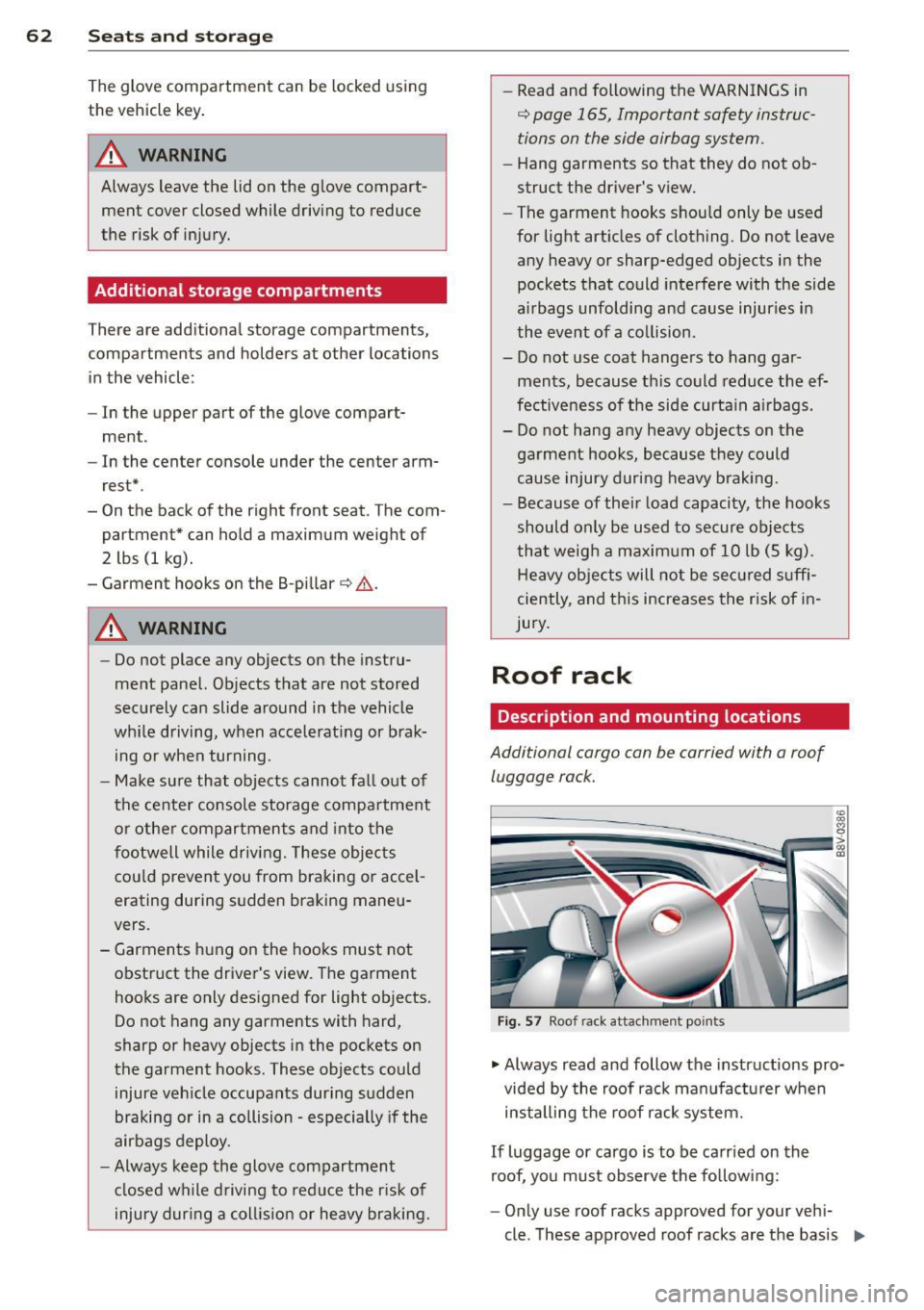
Additional cargo can be carried with a roof
luggage rack.
Fig. 57 Roof rack attachment po ints
• Always read and follow the instructions pro
vided by the roof rack manufacturer when
installing the roof rack system.
If luggage or cargo is to be carried on the
roof, you must observe the following:
- Only use roof racks approved for your vehi-
cle. These approved roof racks are the basis ..,
Page 67 of 310
....,
N
0 > co
rl I.O
"' ....,
"' rl
Increasing the size of the luggage
compartment
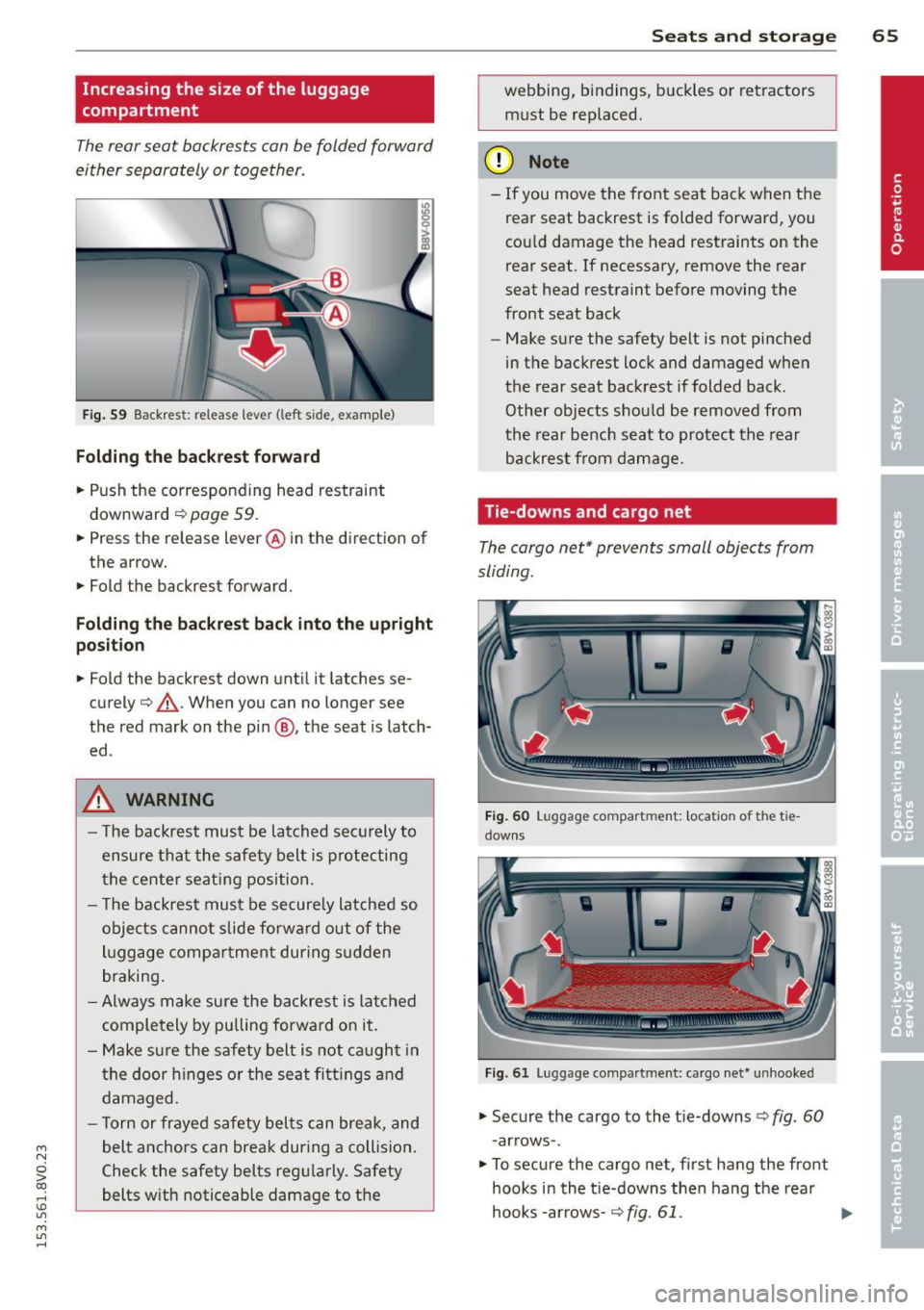
The rear seat backrests can be folded forward
either separately or together .
I
Fig. 59 Backres t: release leve r (left s ide, examp le )
F o lding th e back res t fo rward
.. Push the corresponding head restraint
downward ¢
page 59 .
.. Press the release lever @ in the direction of
the arrow.
.. Fold the backrest forward .
Folding the back res t back into th e up right
po sit ion
.. Fold the backrest down until it latches se
curely¢ ,&.. When you can no longer see
the red mark on the pin @, the seat is latch
ed .
A WARNING
-The backrest must be latched securely to
ensure that the safety belt is protecting
the center seating position.
- T he backrest must be secure ly latched so
objects canno t slide forwa rd out of the
luggage compa rtment during s udden
braking .
- Always make sure the backrest is latched
completely
by pulling forward on it.
- Make sure the safety belt is not caught in
the door h inges o r the seat fitti ngs and
damaged.
- T orn or frayed safety belts can break, and
belt anchors can break during a collision .
Check the safety belts regularly. Safety
belts with noticeable damage to the
S ea ts a nd s to rage 65
webbing, bindings, b uckles or retractors
must be replaced.
(D Note
- If you move the front seat back when the
rear seat backrest is folded forward, you
cou ld damage the head restraints on the
rear seat. If necessary, remove the rear
seat head restraint before moving the
front seat back
- Make sure the safety belt is not pinched
in the backrest lock and damaged when
the rear seat backrest if folded back.
Other objects should be removed from
the rear bench seat to protect the rear
backrest from damage .
Tie-downs and cargo net
The cargo net* prevents small objects from
sliding .
F ig . 60 Lu gg age compar tment: locat io n of th e tie
downs
F ig . 61 Lu ggage compart ment: ca rgo net * un hooke d
.. Secure the cargo to the tie-downs c> fig. 60
- arrows -.
.. To secure the cargo net , first hang the front
hooks in the t ie-downs then hang the rear
hooks -arrows -¢
fig. 61. ...,
Page 76 of 310
74 Driving
Driving
Steering
Adjusting the steering wheel position
The steering wheel position is fully adjustable
up and down and forward and bock .
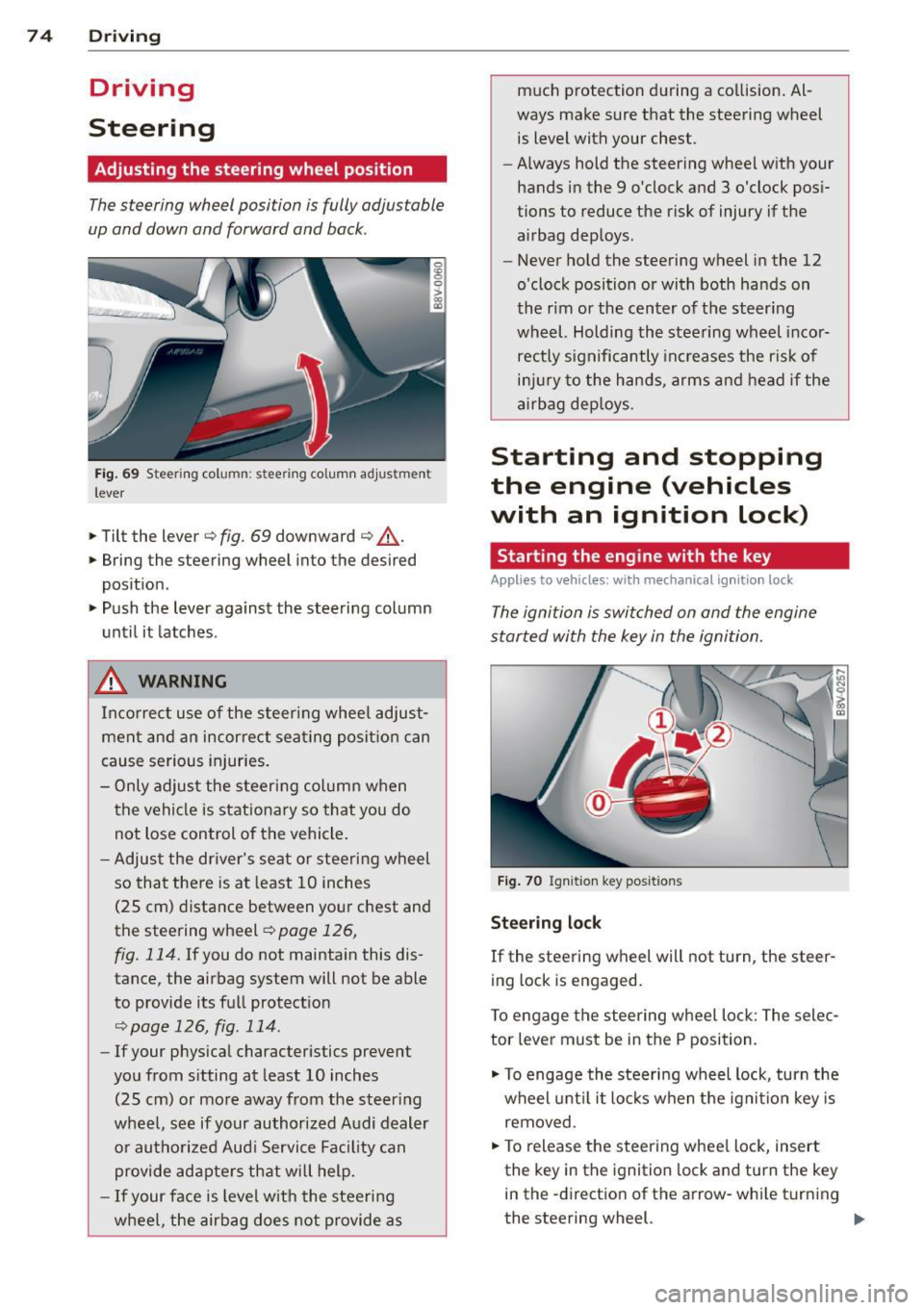
Fig. 69 Steering column: stee ring column adjustmen t
lever
.. Tilt the lever ¢ fig. 69 downward ¢ &_.
.. Bring the steering wheel into the desired
position .
.. Push the lever against the steering column
until it latches .
_& WARNING
Incorrect use of the steer ing whee l adjust
ment and an incorrect seating position can
cause serious injuries.
- Only adjust the steering column when
the vehicle is stationary so that you do
not Lose control of the vehicle .
- Adjust the driver's seat or steering wheel
so that there is at least 10 inches
(25 cm) distance between your chest and
the steering wheel~
page 126,
fig. 114.
If you do not maintain this dis
tance, the airbag system will not be able
to provide its full protect ion
<=> page 126, fig. 114.
- If your phys ical characteristics prevent
you from sitting at least 10 inches
(25 cm) or more away from the steer ing
wheel, see if your authorized Audi dealer or authorized Audi Service Fac ility can
provide adapters that will help.
- If your face is level with the steering
wheel, the airbag does not provide as much protection during a co
llision. Al
ways make sure that the steering wheel is level with your chest .
- Always hold the steering wheel with your
hands in the 9 o'clock and 3 o'clock pos i
tions to reduce the risk of injury if the
airbag deploys.
- Never hold the steering wheel in the 12
o'clock position or with both hands on
the rim or the center of the steering
wheel. Holding the steering wheel incor
rectly significantly increases the r is k of
inj ury to the hands, arms and head if the
airbag deploys.
Starting and stopping
the engine (vehicles
with an ignition lock)
Starting the engine with the key
Applies to vehicles: wit h mechanical ignition loc k
The ignition is switched on and the engine
started with the key in the ignition.
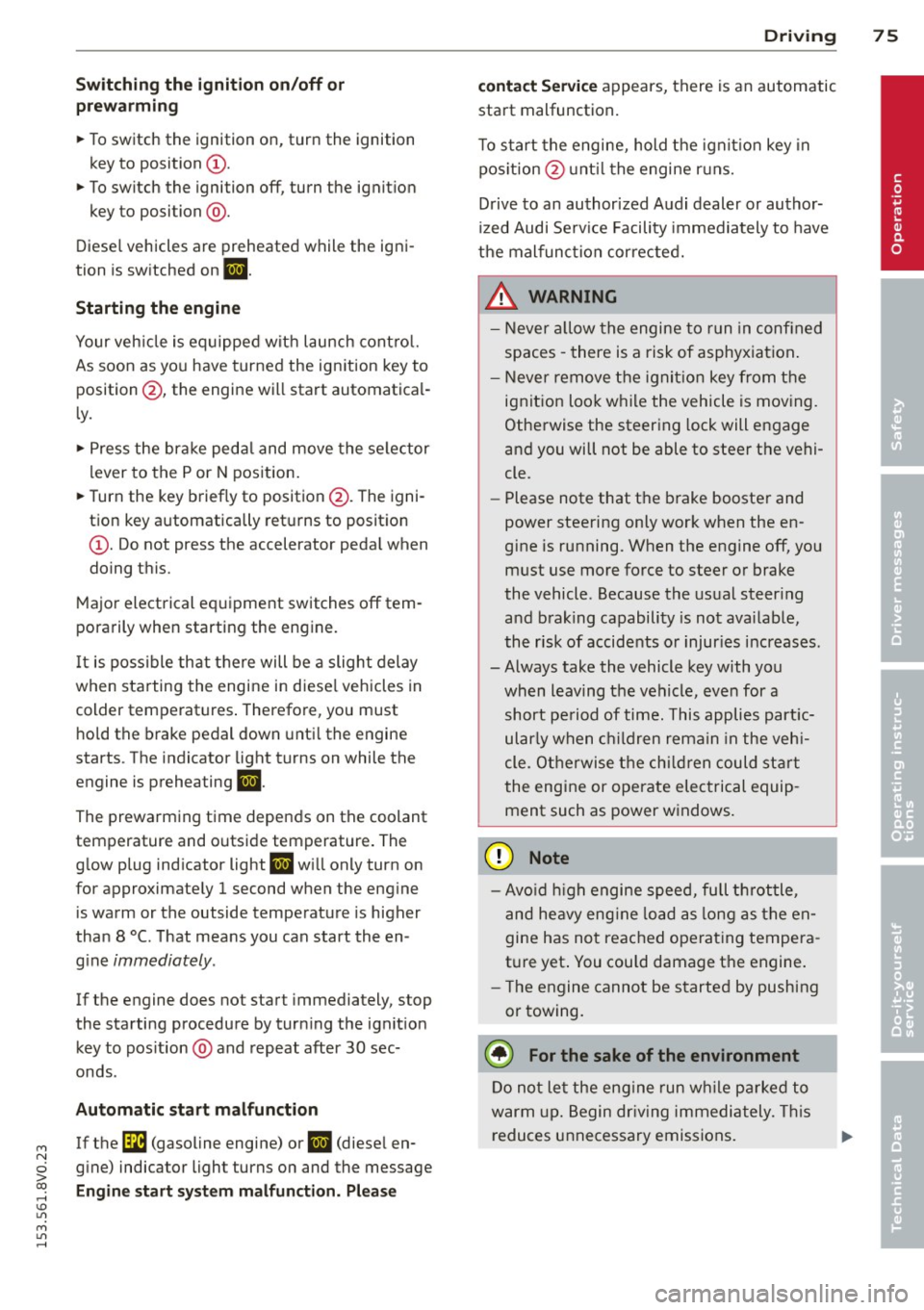
Fig. 70 Ignit ion key pos itions
Steering lock
If the steering wheel will not turn, the steer
ing lock is engaged.
To engage the steering wheel Lock: The selec
tor leve r must be in the P position.
.. To engage the steering wheel lock, turn the
wheel until it locks when the ignition key is
removed .
.. To release the steering wheel Lock, insert
the key in the ignition lock and turn the key
in the -direction of the arrow-whi le turning
the steering wheel. .,.
Page 77 of 310
M N
0 > co ,...., \!) 1.1'1
M 1.1'1 ,....,
Switchin g th e ig nition on /off or
p rewar ming
~ To switch the ignition on, turn the ignition
key to position
(D .
~ To switch the ignition off, turn the ignition
key to position @.
Diese l vehicles are preheated while the igni
tion is switched on
II .
Starting th e engin e
Your veh icle is eq uipped with launch cont ro l.
As soon as you have turned the ignition key to position @, the engine will start automatical
l y.
~ Press the brake peda l and move the se lector
lever to the P or N position.
~ Turn the key briefly to position @. The igni
tion key automatically returns to position
(D . Do not press the accelerator peda l when
do ing this.
Major electrical equipment switches off tem
porarily when starting the engine.
It is poss ible that t here will be a slight delay
when starting the engine in diese l vehicles in
colder temperatures . Therefore , you must
ho ld the brake pedal down unti l the engine
starts . The indicator light turns on while the
engine is preheating
II .
The prewarming time depends on the coolant
temperature and outside temperature. The
glow plug indicator light
II wi ll only turn on
for approximately 1 second when the eng ine
is warm or the outside temperature is higher
than 8
°C. T hat means you can start the en
g ine
immediately .
If the engine does not start immediately, stop
the starting procedure by turn ing the ignition
key to pos ition @and repeat after 30 sec
onds .
Automatic star t m alfunction
If the ~ (gasoline engine) or II (diesel en
g ine) indicator light turns on and the message
E ngin e sta rt system m alfunction . P le ase Dri
vin g 75
cont act Se rv ice
appears, there is an automatic
start malfunction.
T o start the engine, hold the ign it ion key in
pos ition @unt il the engine r uns.
Drive to an authorized Audi dealer or author
ized Audi Serv ice Facility immediately to have
the malfunction corrected.
_& WARNING
- Never a llow the engine to run in confined
spaces - there is a risk of asphyxiation .
- Never remove the ignit ion key from the
ignition loo k while the vehicle is moving .
Otherwise the steering lock will engage
and you will not be able to steer the vehi
cle.
- Please note that the b rake booster and
power steering only work when the en
gine is running. When the engine off, you must use more force to steer or brake
the vehicle. Because the usual steer ing
and brak ing capability is not ava ilable,
the risk of accidents or injur ies increases .
- Always take the vehicle key with you when leav ing the vehicle, even for a
short pe riod of time. This applies part ic
ularly when children remain in the veh i
cle. Otherwise the chi ldren could start
the engine or operate electrical equip
ment such as power w indows.
(D Note
- Avo id h igh engine speed, full th rottle,
and heavy eng ine load as long as the en
gine has not reached operat ing tempera
t u re yet . You could damage the engine.
- T he engine cannot be started by pushing
or towing.
@) For the sake of the environment
Do no t let the eng ine run w hile pa rked to
warm up. Begin dr iv ing immediately. This
reduces unnecessary emissions.
•
Page 78 of 310
76 Driving
(D Tips
-If it is difficult to turn the key to position
(D , turn the steering wheel back and
forth slightly to release the steering
wheel lock .
- After starting a cold engine, there may
be a brief period of increased noise be
cause the oil pressure must first build up
in the hydraulic valve adjusters. This is
normal and not a cause for concern .
- If the battery is disconnected and recon
nected, you have to hold the ignition key
in position
(D for five seconds for the en
gine to start .
- After switching the ignition off, you can
only remove the key when the selector
lever is in the "P" (Park) position. After
that the selector lever is locked.
,
Stopping the engine with the key
App lies to vehicles: with mechanical ig niti on lock
Stopping the engine
.,,. Br ing the vehicle to a full stop.
.,,. Turn the key to position @.
Releasing the steering lock
Requirement : The selector lever must be in
the P position.
.,,. Remove the ignition key in position @
Qpage 77, fig . 71 Q &-
.,,. Turn the steering wheel until you hear the
steering wheel lock.
The locked steering helps prevent vehicle
theft .
_& WARNING
-Never turn off the engine before the ve
hicle has come to a complete stop. The
full function of the brake booster and the
power steering is not guaranteed. You
must use more force to turn or brake, if
necessary. Because you cannot steer and
brake as you usually would, this could
lead to accidents and serious injuries . -
Never remove the ignition key from the
ignition look while the vehicle is moving .
Otherwise, the steering lock could sud
denly engage and you would not be able
to steer the vehicle .
- Please note that the brake booster and
power steering only work when the en
gine is running. When the engine off, you
must use more force to steer or brake
the vehicle . Because the usual steering
and braking capability is not available,
the risk of accidents or injuries increases.
- Always take the vehicle key with you
when leaving the vehicle, even for a
short period of time. This applies partic
ularly when children remain in the vehi
cle. Otherwise the children could start
the engine or operate electrical equip
ment such as power windows.
- For safety reasons, always park the vehi
cle with the selector lever in the P posi
tion . Otherwise, there is the risk that the
vehicle could roll.
- After the engine has been switched off,
the radiator fan can continue to run for
up to 10 minutes - even with the ignition
switched off. It can also switch on again
after some time if the coolant tempera
ture rises as a result of heat buildup or if
the engine compartment is heated by
sunlight and the engine is hot .
(D Note
-If the engine has been under heavy load
for an extended period of time, heat
builds up in the engine compartment af
ter the engine is switched off -there is a
risk of damaging the engine. For this
reason, let the engine run for at idle for
approximately two minutes before shut
ting it off.
Page 79 of 310
....,
N
0 > co
rl I.O
"' ....,
"' rl
Starting and stopping
the engine (vehicles
with a convenience key)
St t· th · ith the
button
Applies to vehicles: with convenience key
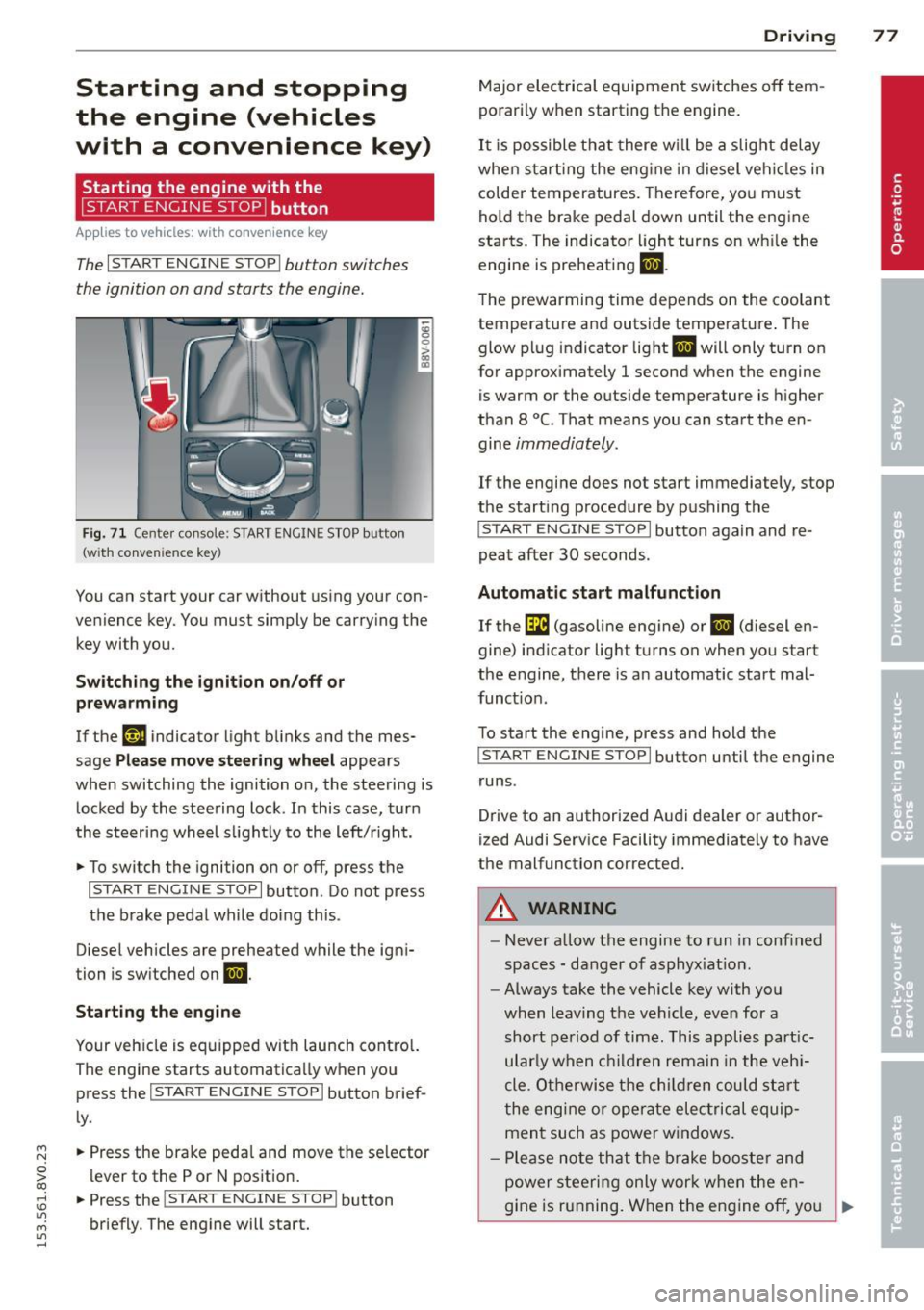
The I START ENGINE STOPI button switches
the ignition on and starts the engine.
Fig. 71 C en ter con sole : START ENGINE STOP b utton
(w ith conve nien ce key)
You can start your car without using your con
venience key. You must simply be carry ing the
key with you.
Switching the ignition on/off or
prewarming
If the 'y.ij indicator light blinks and the mes
sage
Please move steering wheel appears
when switching the ignition on, the steering is
locked by the steering lock . In this case, turn
the steering wheel slightly to the left/r ight .
.,. To switch the ignition on or off, press the
I START ENGINE STOPI button . Do not press
the brake pedal while do ing this .
Diesel vehicles are preheated while the igni
tion is switched on
II.
Starting the engine
Your vehicle is equipped with launch contro l.
The engine starts automatically when you press the
I START ENGINE STOP I button brief
ly .
.,. Press the brake pedal and move the se lector
lever to the P or N position.
.,. Press the
I START ENGINE STOPI button
briefly. The engine will start .
Driving 77
Major electrical equipment switches off tem
porarily when starting the engine.
It is possible that there will be a slight delay
when starting the engine in diesel vehicles in
colder temperatures. Therefore, you must
hold the brake pedal down until the engine
starts. The indicator light turns on wh ile the
engine is preheating
II .
The prewarming time depends on the coolant
temperature and outside temperature . The
glow plug indicator light
II will only turn on
for approximately 1 second when the engine
is warm or the outside temperature is higher
than 8
°C. That means you can start the en
gine
immediately.
If the engine does not start immediately, stop
the start ing procedure by pushing the
I START ENGINE STOP I button again and re
peat after
30 seconds.
Automatic start malfunction
If the GI (gasoline engine) or II (diesel en
gine) indicator light turns on when you start
the engine, there is an automatic start mal
funct ion .
To start the engine, press and hold the
I START ENGINE STOP I button until the engine
runs .
Drive to an authorized Audi dealer or author
ized Audi Service Facility immediately to have
the malfunction corrected .
A WARNING
-Never allow the engine to run in confined
spaces - danger of asphyx iat ion.
- Always take the vehicle key with you
when leaving the vehicle, even for a
short period of time. This applies part ic
ular ly when children remain in the vehi
cle . Otherwise the children could start
the engine or operate electrical equip
ment such as power windows .
- Please note that the brake booster and
power steering only work when the en-
gine is running. When the engine off, you
~
Page 80 of 310
78 Driving
must use more force to steer or brake
the vehicle. Because the usual steering
and braking capability is not available,
the risk of accidents or injuries increases .
- Avoid high engine speed, full throttle,
and heavy engine load as long as the en
gine has not reached operating tempera
ture yet. You could damage the engine .
- The engine cannot be started by pushing
or towing.
@ For the sake of the environment
Do not let the engine run while parked to
warm up. Begin driving immediately. This
reduces unnecessary emissions.
{D) Tips
- After starting a cold engine, there may
be a brief period of increased noise be
cause the oil pressure must first build up in the hydraulic valve adjusters. This is
normal and not a cause for concern .
- If the . indicator light blinks in the in
strument cluster before switching the ig
nition off, the ignition will not switch on
again.
9 page 193
- If you leave your vehicle with the ignition
switched on, the ignition will switch off
after a certain amount of time. Make
sure that electrical equipment such as
the exterior lights are switched off.
Turning the engine off using the button
Applies to vehicles: with conven ience key
• Bring the vehicle to a full stop.
• Move the selector lever into the P position .
• Press the
I START ENGIN E STOPI button
9page 77, fig. 71 .
Steering lockll
The steering locks when you turn the engine
off using the
I START E NGIN E STOP t* button,
l) Thi s fun ction is not available in all c oun tries.
move the selector lever into the P position
and open the driver's door.
The locked steering helps prevent vehicle
theft .
Emergency off function
If it is absolutely necessary, the engine can al
so be turned off while driving at speeds lower
than 6 mph (10 km/h). If you press the
I STAR T ENGINE ST OPI* button while driving,
the message
Pressing start/stop button
again will switch off engine!
appears. To
switch the engine off, press the
I S TAR T ENGINE ST OPI* button twice in a row
briefly or press and hold for longer than two
seconds.
A WARNING ~
- Never turn off the engine before the ve- hicle has come to a complete stop . The
full function of the brake booster and the
power steering is not guaranteed . You
must use more force to turn or brake if
necessary. Because you cannot steer and
brake as you usually would, this could
lead to crashes and serious injuries.
- Please note that the brake booster and
power steering only work when the en
gine is running. When the engine off, you
must use more force to steer or brake
the vehicle. Because the usual steering
and braking capability is not available,
the risk of accidents or injuries increases.
- Always take the vehicle key with you
when leaving the vehicle, even for a
short period of time. This applies partic
ularly when children remain in the vehi
cle . Otherwise the children could start
the engine or operate electrical equip
ment such as power windows.
- For safety reasons, always park the vehi
cle with the selector lever in the P posi
tion. Otherwise, there is the risk that the
vehicle could roll.
Page 82 of 310
80 Driving
To sti ll be able to start or stop t he engine, re
fer to "Correcting a malfunction"
¢ page 79.
fll Key not in vehicle?
The fll ind icator light tu rns on and this mes
sage appears if the conven ience key was re
moved from t he vehi cle when the engine was
runni ng. If the conven ien ce key is no lo nger in
the vehicle, yo u cannot swi tch the ign ition on
or start the engine on ce yo u stop it . Yo u also
cannot lock the veh icle from the o utside .
Press brake pedal
This message appears if you do not press t he
b rake peda l when starting the engine .
Please engage N or P
This message appears whe n starting or stop
p ing the engine if the se lecto r lever is not in
the Nor
P posit ion. The eng ine will not start/
stop.
Shift to P , otherwise vehicle can roll away.
Doors do not lo ck if lever is not in P
This message appears fo r safe ty rea sons
a long with a wa rning tone. I t ap pears if the
se lecto r lever for the automatic transm iss ion
i s not in the P position when sw itch ing the ig
n it ion off with the
! START ENGINE STOPI*
button . Sh ift the selector lever to t he P posi
tion . O the rwise, the vehicle could ro ll. You al
so cannot lock the vehicle usi ng the locki ng
sensor on the door handl e or us ing the con
ve nien ce key.
Electromechanical
parking brake
Operating
The ele ctromechanical parking brake replaces
t he hand brake.
Fi g. 7 3 Center co nsole: Park ing b rake
.,. Pull the switch®¢ fig. 73 to set the park
ing brake. The. (USA m odels)/ . (Cana
da mode ls) indicator lights in the button
and in the instrument cluster display turn
on .
.,. To releas e the pa rking brak e, press the brake
or ac celera to r peda l wh ile the ignition is
sw itched on and pres s th e bu tton @ at the
same time. The . (USA mo dels) /. (Can
ada models) indica to r li gh ts in the bu tton
and i n the display turn off.
Your ve hicle is equipped wi th a n ele ctrome
ch anical parking brake. The parkin g bra ke is
designed to p revent the vehicle from rolling
u nintentionally and replaces the hand brake.
In ad dition to the normal fu nctions o f a tra d i
tio na l han d brake, the e lectromechanical
parking b rake provi des vario us convenience
and safety f unctions .
When starting from a stop
-The integral hill start assist helps yo u when
d riving by au toma tically releasi ng the pa rk
ing brake ¢
page 82, Starting from a
stop.
- W hen start ing o n in clines, t he h ill sta rt as
sist p revents the vehicle from unintentiona l-
ly ro lling back . The braking force of the
parking brake is not released unt il sufficient .,.