brake AUDI S6 2012 Owner's Manual
[x] Cancel search | Manufacturer: AUDI, Model Year: 2012, Model line: S6, Model: AUDI S6 2012Pages: 298, PDF Size: 74.43 MB
Page 81 of 298
Adaptive cruise control and braking guard
vehicles such as motorcycles and bicy
cles.
- The adaptive cruise control system can
not detect people, animals and cannot
detect objects or traffic that crosses your
lane of travel.
- Never drive at speeds that are too fast
for traffic, road and weather conditions.
- Never use adaptive cruise control when
you cannot drive safely at a steady
speed, including on winding roads or
when road conditions are poor (for exam
ple, in construction sites, on ice, gravel,
in fog, heavy rain or on wet roads that in
crease the risk of hydroplaning).
- Never follow a vehicle so closely that you
cannot stop your vehicle safely. The
adaptive cruise control cannot slow or
brake the vehicle safely when you follow
another vehicle too closely. Always re
member that the automatic braking
function cannot bring the vehicle to a
sudden or emergency stop under these
conditions.
- Never rest your foot on the accelerator
pedal, especially when the adaptive
cruise control is being used. Pressure on
the accelerator will override the adaptive
cruise control braking function and pre
vent the brakes from being applied when
adaptive cruise control detects a situa
tion when the brakes must be applied.
- Never use adaptive cruise control when
the radar sensors cannot accurately de
tect vehicles moving in traffic. The radar
sensor's vision can be reduced by heavy
rain, ice, snow, heavy road spray and re
flections from guard rails, tunnel entran ces, etc. These and similar conditions can
prevent vehicles from being accurately
detected and in some cases they may not
be detected at all.
- Always turn off adaptive cruise control
when entering turn lanes, exit lanes and
construction zones or in similar situa
tions because the vehicle will automati cally accelerate to the stored speed when
the road ahead is clear. -
To prevent unintended operation, always
switch ACC off when it is not being used .
(D Note
The sensors can be moved by impacts or
damage to the bumper, wheel housing and
underbody. Damage in these areas could
change the way the adaptive cruise control
system and Audi braking guard work to
gether. Have your authorized Audi dealer
check to make sure that the adaptive
cruise control system is working properly if
your vehicle had a minor frontal impact or
was damaged in the area of the sensors.
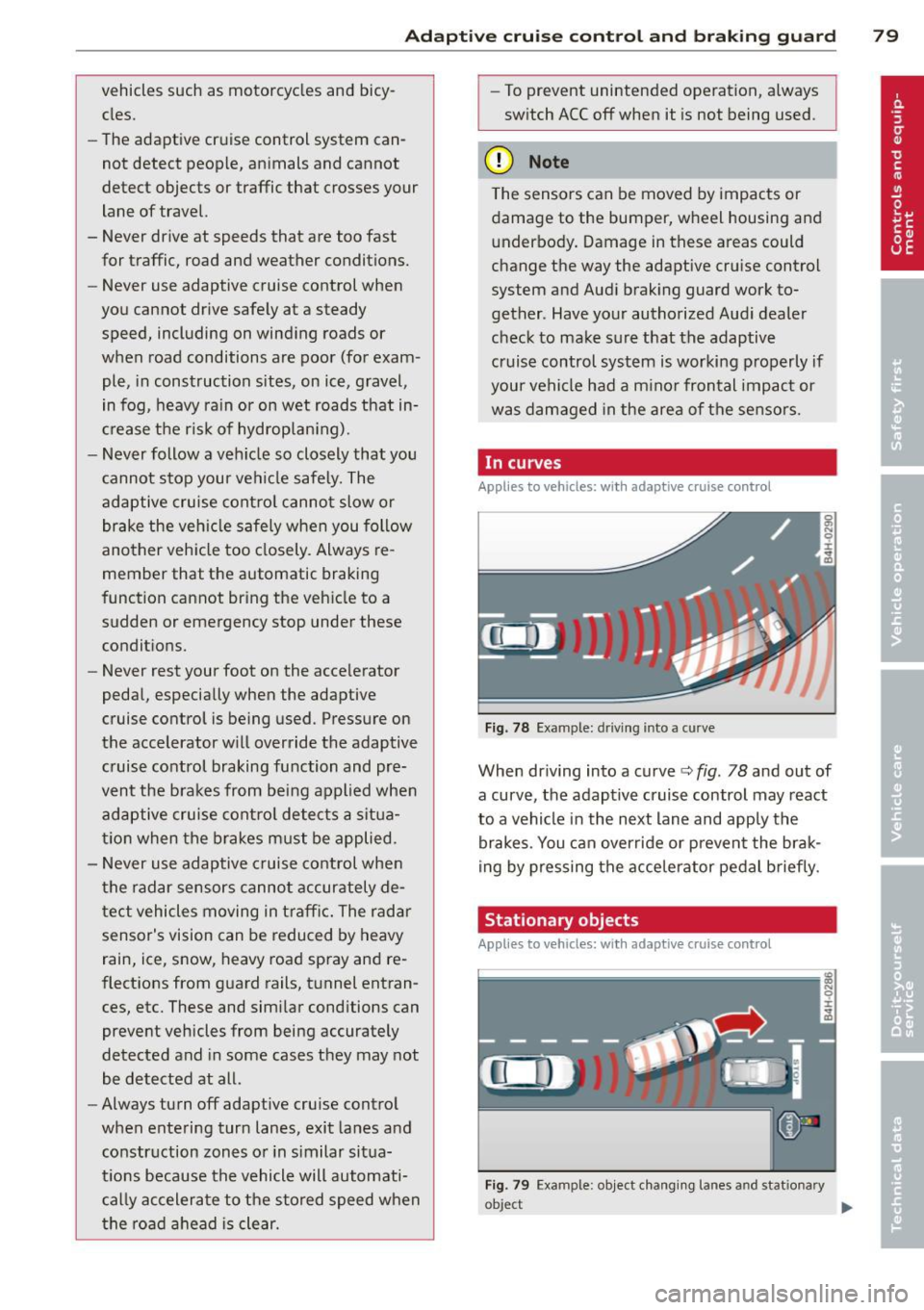
In curves
Applies to vehicles: wi th adaptive cruise control
Fig. 78 Example: driving into a cu rve
When driving into a curve ¢ fig. 78 and out of
a curve, the adaptive cruise control may react
to a vehicle in the next lane and apply the brakes. You can override or prevent the brak
ing by pressing the accelerator pedal briefly.
Stationary objects
Applies to vehicles: wit h adaptive cruise control
Fig. 79 Example : object c hanging lanes and stat iona ry
o~ect
~
79
Page 82 of 298
80 Adaptive cruise control and braking guard
The adaptive cruise control system on ly reacts
to objects that are moving or that the system has already detected and reg istered as mov
ing.
Adaptive cruise control
Description
Applies to vehicles: with adaptive cruise control
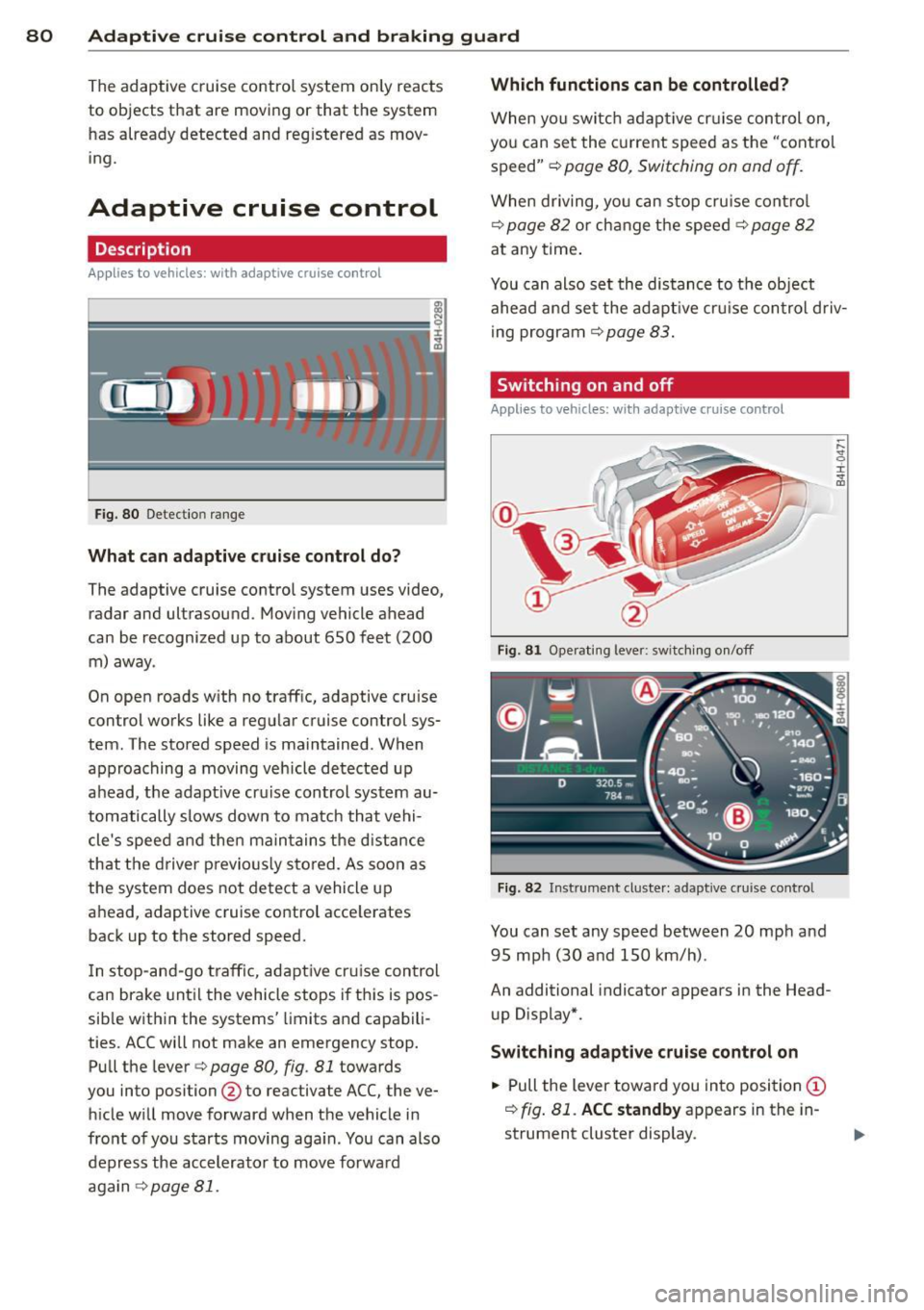
Fig . 80 Detection range
What can adaptive cruise control do?
The adaptive cruise control system uses video,
radar and ultrasound. Moving vehicle ahead
can be recognized up to about 650 feet (200 m) away.
On open roads with no traffic, adaptive cruise
control works like a regu lar cruise control sys
tem. The stored speed is maintained. When
approaching a moving vehicle detected up
ahead, the adapt ive cruise control system au
tomatically slows down to match that vehi
cle's speed and then ma intains the distance
that the driver previously stored. As soon as
the system does not detect a vehicle up
ahead, adaptive cruise control acce lerates
back up to the stored speed.
I n stop-and-go traffic, adaptive cruise control
can brake unt il the vehicle stops i f this is pos
sible with in the systems' limits and capabili
ties. ACC will not make an emergency stop.
Pull the lever<=>
page 80, fig. 81 towards
you into position @to reactivate ACC, the ve
hicle will move forward when the vehicle in
front of you starts moving aga in. You can also
depress the accelerator to move forwa rd
again <=>
page 81 .
Which functions can be controlled?
When you switc h adaptive cruis e control on,
you can set the current speed as the "control
speed" <=>
page 80, Switching on and off.
When driving, you can stop cruise contro l
<=>
page 82 or change the speed r::!> page 82
at any time.
You can also set the distance to the object
ahead and set the adaptive cruis e control driv
ing program
r::!> page 83.
Switching on and off
Applies to vehicles: with adaptive cruise control
Fig . 81 Operating lever: swit c hin g on/off
Fig . 82 Inst rument clus te r: adap tive cruise control
You can set any speed between 20 mph and
95 mph (30 and 150 km/h) .
An additional indicator appears in the Head
up Display*.
Switching adaptive cruise control on
.,. Pull the lever toward you into position (D
~ fig. 81. ACC standby appears in the in
strument cluster display.
Page 83 of 298
Adaptive cruise control and braking guard 81
Setting the speed and activating
regulation
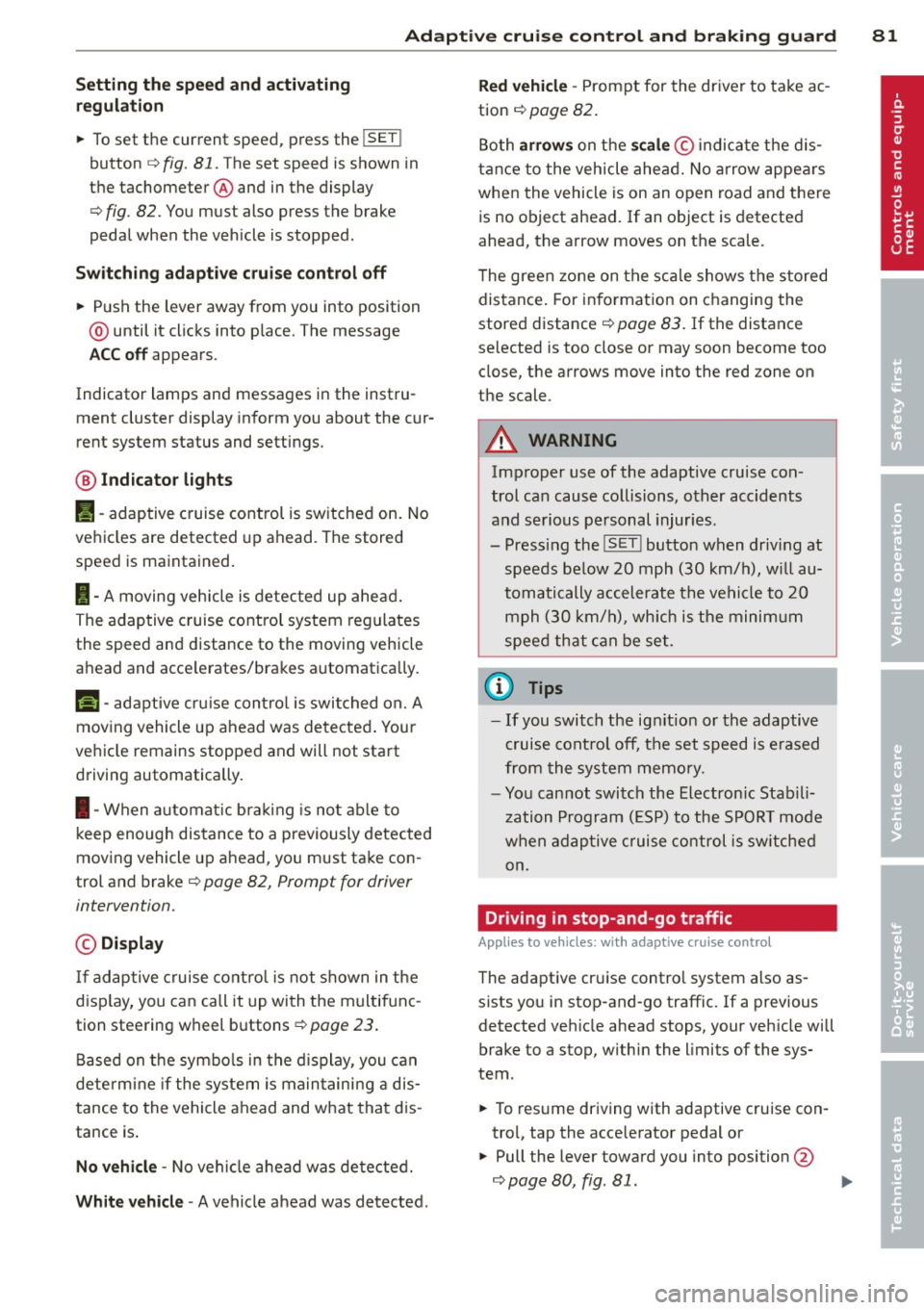
~ To set the current speed, press the !SET !
button ¢ fig. 81. The set speed is shown in
the tachometer @and in the display
¢
fig . 82. You must also press the brake
pedal when the vehicle is stopped .
Switching adaptive cruise control off
~ Push the lever away from you into position
@ until it clicks into p lace. The message
ACC off appears.
Indicator lamps and messages in the instru
ment cluster display inform you about the cur
rent system status and settings.
@ Indicator lights
Pl -adaptive cruise control is switched on. No
vehicles are detected up ahead . The stored
speed is ma intained.
I -A moving vehicle is detected up ahead.
The adaptive cruise control system regulates
the speed and distance to the moving vehicle
ahead and acce lerates/brakes automatica lly.
Mi -adaptive cruise control is swit ched on. A
moving vehicle up ahead was detected . Your
vehicle remains stopped and will not start
driving automatically.
I -When automat ic brakin g is not able to
keep enough distance to a previously detected
moving vehicle up ahead, you must take con
trol and brake¢
page 82, Prompt for driver
intervention.
© Display
If adaptive cruise control is not shown in the
disp lay, you can call it up with the multifunc
tion steering wheel buttons
¢page 23.
Based on the symbo ls in the display, you can
determine if the system is maintaining a dis
tance to the vehicle ahead and what that dis
tance is .
No vehicle -No veh icle ahead was detected.
White vehicle -A vehicle ahead was detected .
Red vehicle -Prompt for the driver to take ac
tion ¢
page 82.
Both arrows on the scale© indicate the dis
tance to the vehicle ahead. No arrow appears
when the vehicle is on an open road and there
is no object ahead. If an object is detected
ahead, the arrow moves on the scale.
T he green zone on the scale shows the stored
distance . For information on changing the
stored distance ¢
page 83. If the distance
selected is too close or may soon become too
close, the arrows move into the red zone on
the scale .
A WARNING
Improper use of the adaptive cruise con
trol can cause collisions, other accidents
and serious personal injur ies.
- Pressing the
! SET ! button when driv ing at
speeds below
20 mph (30 km/h), will au
tomatically accelerate the vehicle to
20
mph (30 km/h), which is the minimum
speed that can be set.
(D Tips
-If you switch the ignit ion or the adaptive
cruise control off, the set speed is erased
from the system memory.
- You cannot switch the Electronic Stabili
zation Program (ESP) to the SPORT mode
w hen adaptive cruise control is switched
on.
Driving in stop-and-go traffic
Applies to veh icles: w ith adaptive c ruise control
The adaptive cruise contro l system also as
sists you in stop-and-go traffic. If a previous
detected vehicle ahead stops, your veh icle will
brake to a stop, within the limits of the sys
tem .
~ To resume driving with adaptive cruise con
trol, tap the acce lerator pedal or
~ Pull the lever toward you into position @
¢ page 80, fig. 81. ..,_
Page 84 of 298
82 Adaptive cruise control and braking guard
@ Tips
-If adaptive cruise contro l is active and
your vehicle does not start dr iving as ex
pected after pulling the lever once, you
can start out aga in by tapp ing the accel
erator pedal.
- If an obstacle is detected when your ve
hicle starts dr iv ing, the system w ill
prompt you to take over
c> page 82.
Your vehicle w ill dr ive more slowly when
starting. This may a lso happen in some
situations when there no obstacle is ap
parent.
Interrupting cruise control
Applies to vehicles: with adaptive cruise control
Requirement: adaptive cruise control must be
switched on.
Overriding cruise control
., To accelerate manually, pull the lever to
ward you into position @~
page 80, fig. 81
and hold it there. The message ACC override
appears . Or
.. press the accelerator peda l.
.. To resume cruise control, release the lever
or take your foot off the accelerator pedal.
Canceling cruise control while driving
.. Move the lever into position @. The mes
sage
ACC standby appears. Or
.. press the brake peda l.
.. To resume the stored speed, move the lever
into position @.
Canceling cruise control when stopped
.. Push the lever away from you into position
· @ . The message
ACC standby appears .
.. To resume cruise control, press the brake
pedal and pull the lever toward you into po
sition @.
A WARNING
Improper use of the adaptive cruise con
trol can cause collisions, othe r acc idents
and serious personal injuries. -
Never resume t he stored speed if the
speed is too high for prevailing road,
traffic or weather conditions.
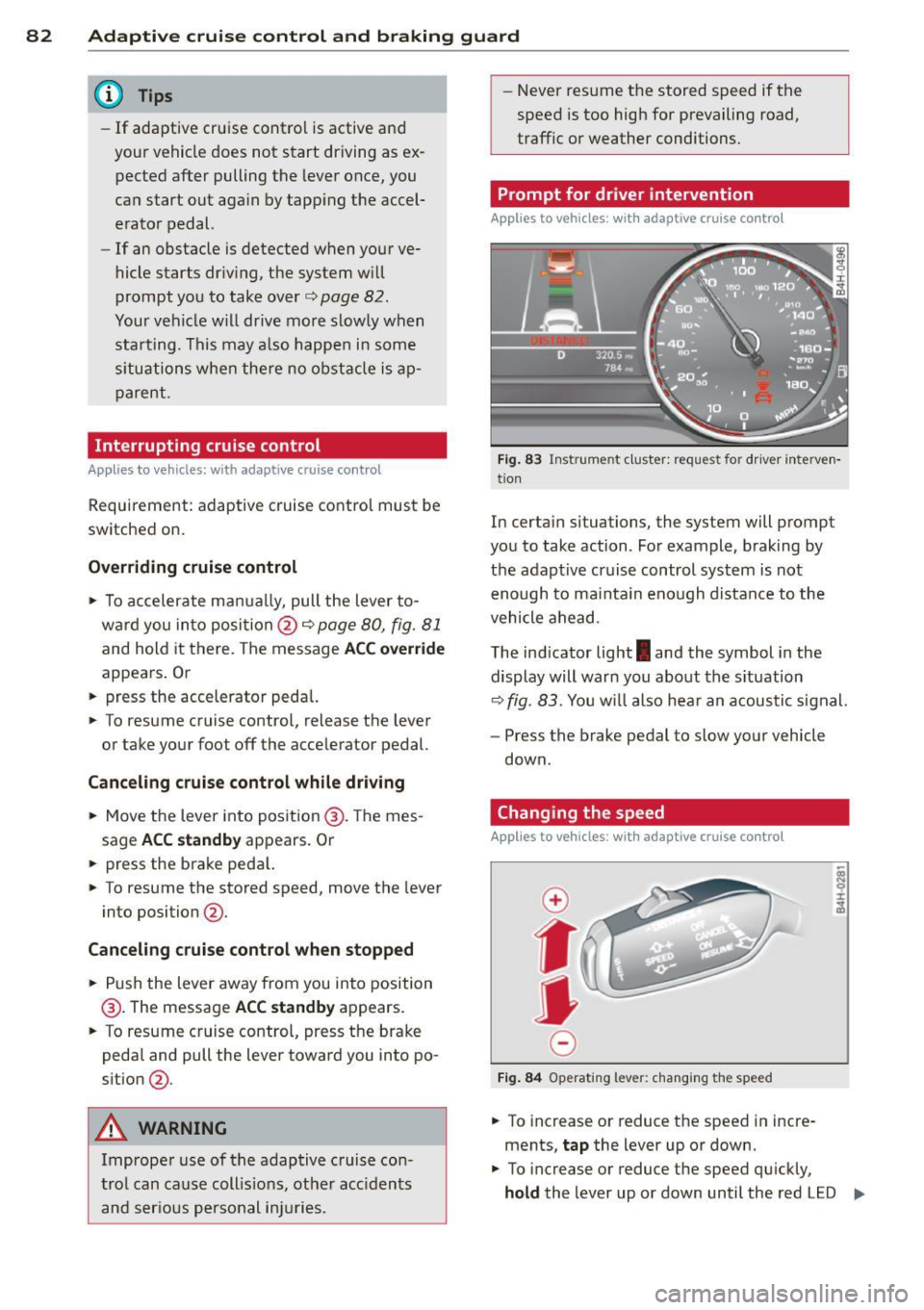
Prompt for driver intervention
Applies to vehicles: with adaptive cruise control
Fig. 83 Instrument cluster: requ est for driv er interve n·
tion
In certa in situations, the system will prompt
you to take action . For example, braking by
the adaptive cruise control system is not enough to mainta in enough distance to the
vehicle ahead.
The indicator light
I and the symbol in the
display will warn you about the situation
~ fig. 83. You wi ll also hear an acoustic signal.
- Press the brake pedal to slow your vehicle
down.
Changing the speed
Applies to vehicles: with adaptive cruise control
0
f
jJ
0
Fig. 84 Operating lever: changing the speed
.. To increase or reduce the speed in incre
ments,
tap the lever up or down.
.. To increase or reduce the speed qu ickly,
hold the lever up or down until the red LED ..,.
Page 85 of 298
Adaptive cruise control and braking guard 83
@ reaches the desired speed ¢ page 80,
fig . 82.
Setting the distance and driving
program
App lies to vehicles: with adaptive cruise control
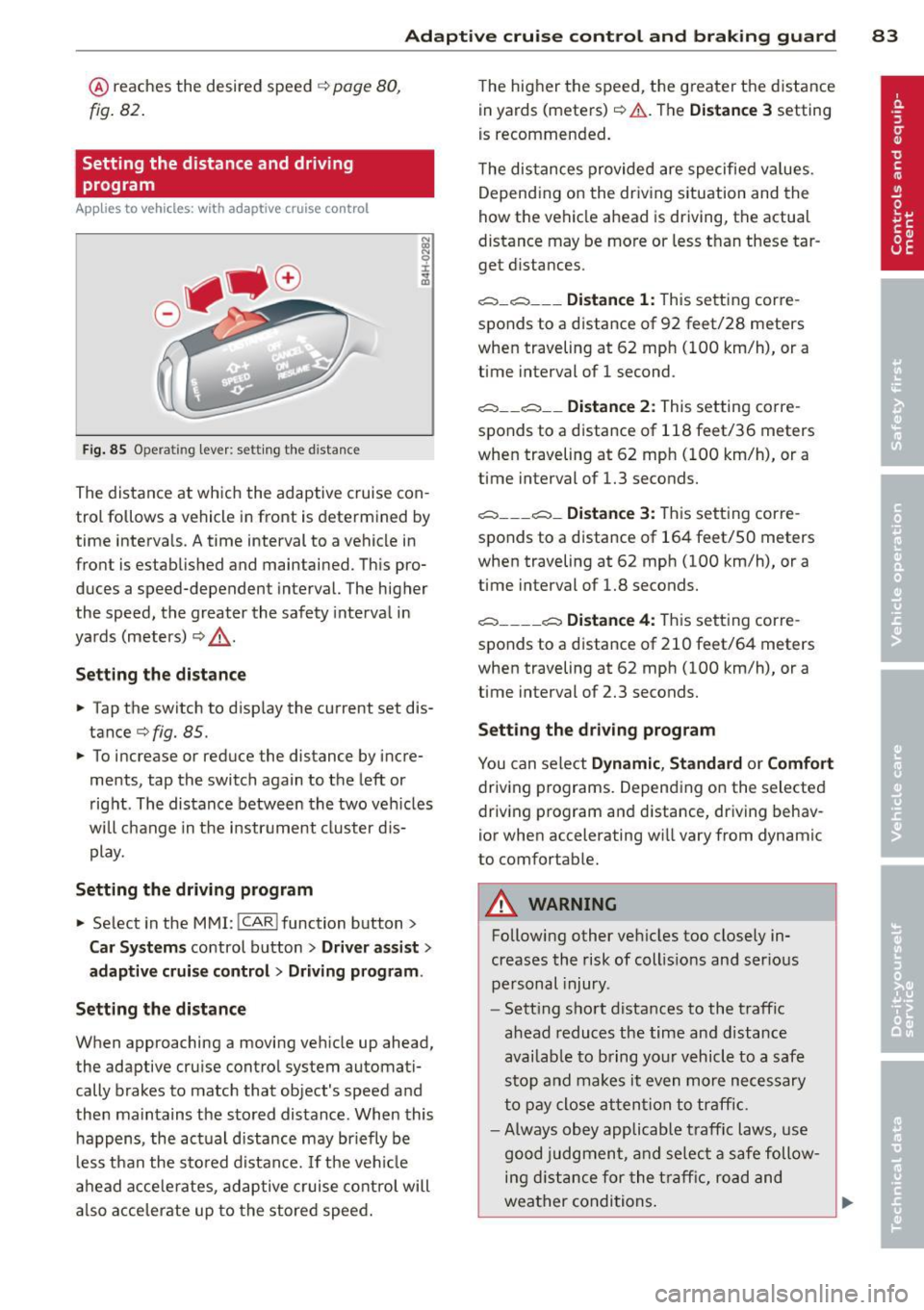
Fig. 85 Opera tin g le ve r: se tt ing th e distanc e
The distance at wh ich the adaptive cruise con
trol fo llows a vehicle in front is determined by
time intervals. A time interval to a vehicle in
front is estab lished and maintained. This pro
duces a speed-dependent interval. The higher
the speed, the greater the safety interval in
yards (meters) ¢&, .
Setting the distance
.. Tap the switch to display the current set dis
tance¢
fig. 85 .
.. To increase or reduce the distance by incre
ments , tap the switch again to the left or
right . The distance between the two vehicles
will change in the instrument cluster dis
play.
Setting the driving program
.. Select in the MMI: !CAR I function button>
Car Systems control button > Driver assist >
adaptive cruise control > Driving program .
Setting the distance
When approaching a moving vehicle up ahead,
the adaptive cruise control system automati
cally brakes to match that object's speed and
then maintains the stored distance . When this
happens , the actual distance may briefly be
less than the stored distance. If the vehicle
ahead accelerates, adaptive cruise control will
also accelerate up to the stored speed. The
higher the speed , the greater the d istance
in yards (meters) ¢&,. .The
Distance 3 setting
is recommended.
The distances provided are specified values .
Depending on the driving situation and the
how the vehicle ahead is driving, the actual
distance may be more or less than these tar
get distances .
c=::,_c=::, ___ Distance 1: This setting corre -
sponds to a distance of 92 feet/28 meters
when traveling at 62 mph (100 km/h), or a
time interval of 1 second .
c=::, __ c=::, __ Distance 2: This setting corre
sponds to a distance of 118 feet/36 meters
when traveling at 62 mph (100 km/h), or a
time interval of 1.3 seconds.
c=::, ___ c=::,_ Distance 3: This setting corre-
sponds to a distance of 164 feet/SO meters
when traveling at 62 mph (100 km/h), or a
time interval of 1.8 seconds.
c=::, ____ c=::, Distance 4: This setting corre-
sponds to a distance of 210 feet/64 meters
when traveling at 62 mph (100 km/h), or a
time interval of 2.3 seconds .
Setting the driving program
You can select Dynamic , Standard or Comfort
driving programs. Depending on the selected
driving program and distance, driving behav
ior when accelerating wi ll vary from dynamic
to comfortable.
A WARNING
Following other vehicles too closely in
creases the risk of collis ions and ser ious
personal injury .
- Setting short distances to the traffic
ahead reduces the time and distance
availab le to bring your vehicle to a safe
stop and makes it even more necessary
to pay close attention to traffic.
-
- Always obey applicable traffic laws, use
good judgment, and select a safe follow
ing distance for the traffic, road and
weather conditions.
Page 86 of 298
84 Adapti ve crui se control and bra king guard
@ Tips
- Di sta nce 3 is set automatically each time
you switch the ignition on.
- Your standard settings are automatically
stored and assigned to the remote con
trol key being used.
Audi braking guard
Description
Ap plies to vehicles: with a daptive cruise co ntrol
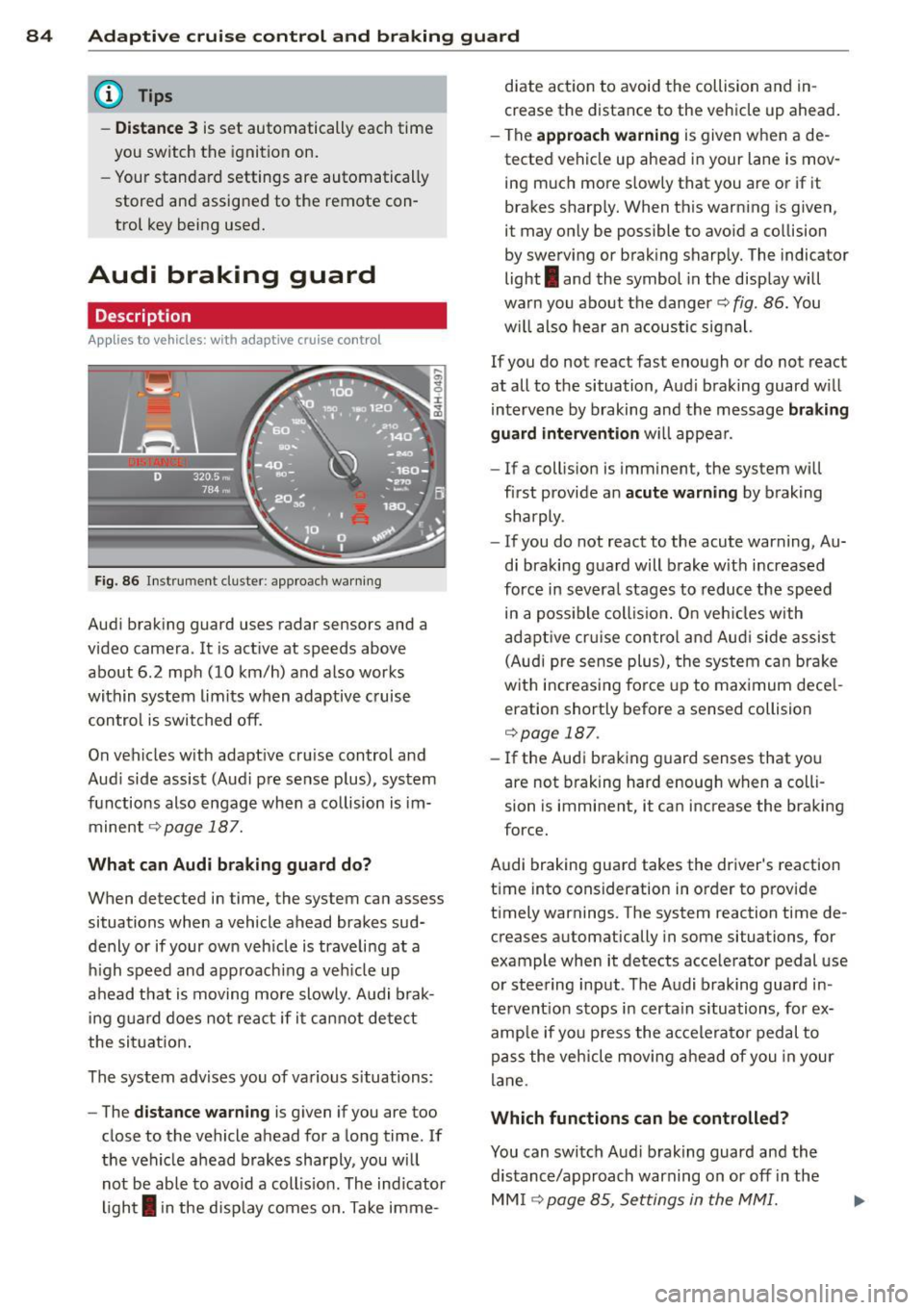
Fig. 86 Inst rument cluster: app roach wa rning
Aud i braking guard uses radar sensors and a
video camera. It is act ive at speeds above
about 6.2 mph (10 km/h) and also works
within system limits when adaptive cruise contro l is switched off.
On vehicles with adapt ive cruise control and
Aud i side assist (Audi p re sense plus), system
functions also engage when a co llision is im
minent
¢ page 187.
What c an Audi br aking gu ard do?
When detected in time, the system can assess
situations when a vehicle ahead brakes sud
denly or if your own veh icle is trave ling at a
h igh speed and approachi ng a veh icle up
ahead that is moving more slowly . A udi brak
i ng guard does not react if it ca nnot detect
the sit uat ion .
The system advises you of various situations:
- The
distan ce w arn ing is given if you are too
close to the vehicle ahead for a long time . If
the vehicle ahead brakes sharply, you will not be able to avoid a coll is ion . The ind icator
ligh t
I in the disp lay comes on. Take imme- diate action to avoid the collision and in
crease the distance to the vehicle up ahead
.
- The
appr oach warning is given when a de
tected vehicle up ahead in your lane is mov
ing much more slowly that you are or if it
brakes sharp ly. When this warning is given,
it may only be possible to avo id a co llision
by swerving or brak ing sharp ly. The indicator
light
I and the symbol in the display will
warn you about the danger¢
fig. 86. You
w ill also hear an acoustic signal.
If you do not react fast enough or do not react
at all to the situation, Aud i braking guard w ill
intervene by braking and the message
br aking
guard interv ention
w ill appear.
- If a collis ion is imminent, the system will
first provide an
a cute warning by braking
sharply .
- If you do not react to the acute warning, Au
di braking guard will brake w ith increased
force in severa l stages to reduce the speed
in a poss ible coll is ion. O n veh icles with
adapt ive cr uise con tro l a nd Aud i side assist
(Audi pre sense plus), the system can brake
w it h increas ing fo rce up to max imum dece l
eration shortly before a sensed collision
¢page 187.
- If
the Audi braking guard senses that you
are not braking hard enough when a colli
sion is imminent, it can increase the braking
force.
Audi braking guard takes the driver's reaction
time into consideration in order to provide
t imely warnings. The system reaction time de
creases automat ically in some situations, for
example when it detects acce lerator pedal use
or steering input. The Audi braking guard in
tervent io n stops in certa in situations, for ex
amp le if you p ress the accele ra to r pedal to
pass the vehicle moving a head of you in your
lane.
Which function s can be controlled?
You can switch Aud i brak ing guard and the
distance/approach warning on or off in the
MM I ¢page 85, Settings in the MMI.
Page 88 of 298
86 Adaptive cruise control and braking guard
The road exceeds the maximum possible an
g le for proper adaptive cruise contro l opera
tion. Adaptive cruise control is sw itched off .
ACC: only selector lever positions D, S or M
available
Select the D/S or M selector lever position.
ACC: unavailable at this time. Parking brake
set
The adaptive cruise control system switches
off automatically if the parking brake is set .
ACC: unavailable at this time. ESP interven
tion
This message appears if the Electronic Stabili
zation Program (E SP) is wo rking to he lp stabi
lize the vehicle. In this case, adaptive cruise
control switches off automatically.
ACC : Please take over
This message appears when adapt ive cruise
control cannot set the parking brake. Press
the brake pedal to prevent the vehicle from
r olling .
•••
Three white dots appear if a setting cannot be
selected with the operat ing lever . For exam
ple, this happens if adaptive cru ise control
cannot resume driving in stop-and-go traffic
because one of the conditions required for
ACC to wor k is not prese nt.
Door open
The adaptive cruise control system cannot
switch on when a door is open.
Stationary object ahead
This message appears if you wou ld like to
switch adaptive cruise control on and there is
a stationary vehicle or obstacle directly ahead
of your vehicle.
Page 103 of 298
Automatic Transmission
multitronic ®
Introduction
Appl ies to vehicles: with multitr oni c
Your veh icle is equipped with an electronically
controlled,
continuously variable transmis
sion
(multitronic ®). In contrast to convention
al automatic transmi ssions using shifting op
erations, the transmission ratio in the contin
uously variab le transmission is changed con
tinuously. This optimizes the comfort level
and conserves fuel.
The gear ratio in the transmission is selected
(upshift and downshift) completely automati
cally as a function of the defined driving pro
grams.
If desired, the driver can also select the gears
manually (tiptronic mode).
Instead of the torque converter in convention
al automatic transmissions, your multitronic ®
transmission uses a multidisk clutch for pow
er transmission . Therefore, the "creep behav
ior" of the veh icle dur ing idling when tempo
rarily stopped in selecto r lever pos it ion 0/S or
R is less pronounced.
Driving the automatic transmission
A ppl ies to vehicles: with multitr onic
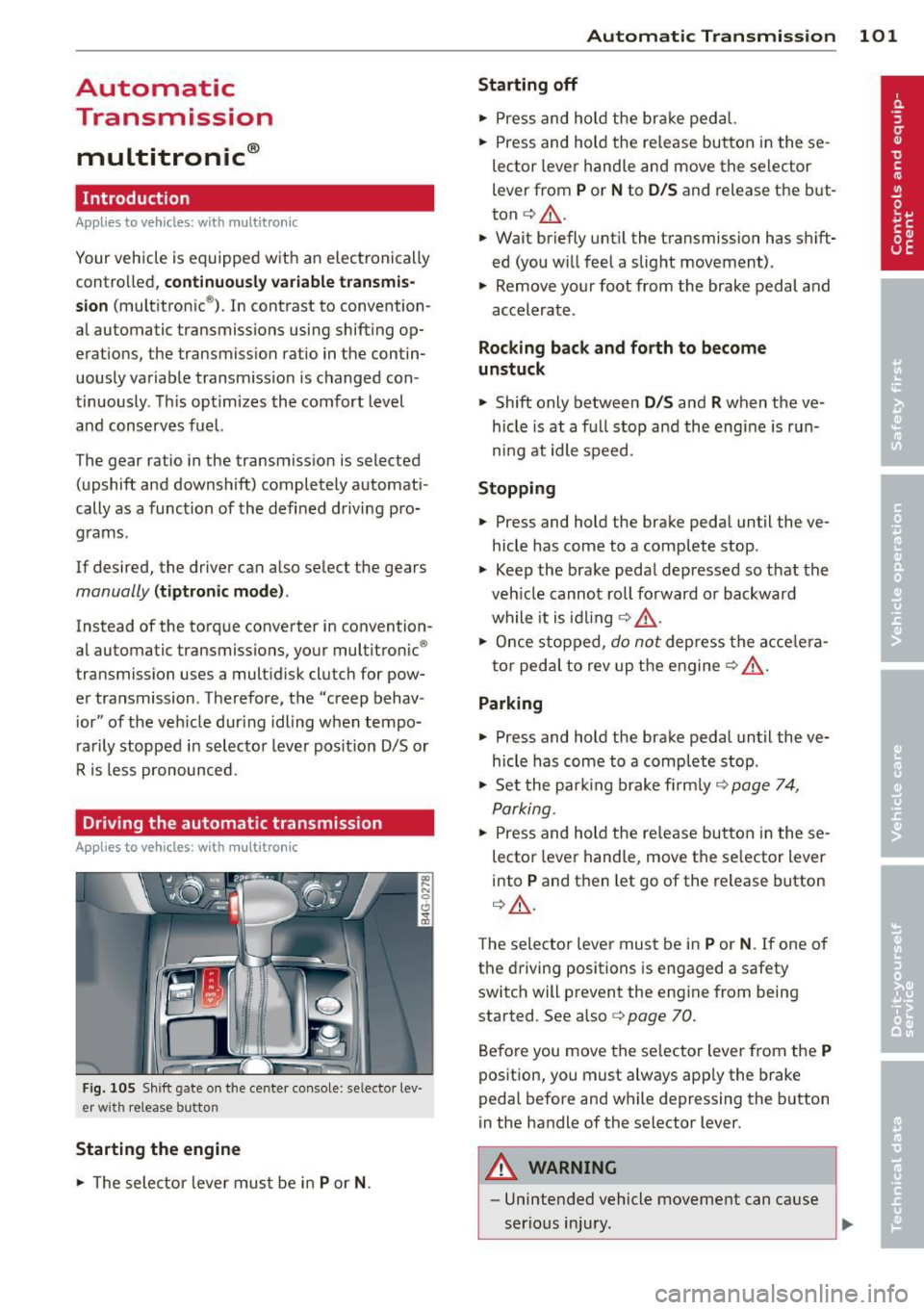
Fig . 105 Shift gate on the cente r console: se lecto r lev
er wi th release button
Starting the engine
• The selector leve r must be in P or N. Automatic Transmission 101
Starting off
•
Press and hold the brake pedal.
• Press and hold the re lease button in these
lector lever handle and move the selector
lever from
P or N to D/S and release the but
ton
c:> _&. .
.,. Wait briefly until the transmission has shift
ed (you will feel a slight movement) .
.,. Remove your foot from the brake pedal and
accelerate .
Rocking back and forth to become
unstuck
.,. Shift only between D/S and R when the ve
hicle is at a full stop and the engine is run
ni ng at idle speed .
Stopping
.,. Press and hold the brake pedal until the ve
hicle has come to a complete stop .
• Keep the brake pedal depressed so that the
veh icle cannot roll forward or backward
while it is idling
c:> _&. .
• Once stopped, do not depress the acce le ra
tor peda l to rev up the engine
c:> _&. .
Parking
.,. Press and hold the brake pedal until the ve
hicle has come to a complete stop .
• Set the park ing brake firmly
c:> page 7 4,
Parking .
• Press and hold the release button in these
lector lever handle, move the se lector lever
into
P and then let go of the release button
c:> _&..
The selector lever must be in P or N. If one of
the driving positions is engaged a safety
switch will prevent the eng ine from being
started . See also co
page 70.
Before you move the selector lever from the
P
position, you must always app ly the brake
pedal before and while depressing the button
in the handle of the selector lever.
A WARNING
-- Unintended vehicle movement can cause
serious injury.
Page 104 of 298
102 Autom atic Tran smi ssi on
-When the selector lever is in a driving
position, the veh icle may creep, even at
id le speed. Therefore do not release
the park ing brake or foot brake until
you are ready to move, because power
is transmitted to the wheels as soon as
a driving posit ion is engaged.
- Do not accelerate while selecting a
driving position. At this time the en
g ine must be at idle speed so that un
d ue stress is no t placed on the clutches
in the t ransmission.
- Remembe r: Even when stopped briefly
with the automatic transmission in D/S
or R, engine power is being transmit
ted to the whee ls. Yo ur vehicle could
"creep" forward or backward . When
stopped, keep the brake peda l fully de
pressed and use the parking brake if
necessary to keep the vehicle from roll
ing .
-If the selector lever is unintentionally
moved into N wh ile you are driving, take
yo ur foot off the accele rator pedal and
wa it for the engine to return to idle
speed befo re selec ting a drivi ng position.
- Never shift into R or P when the veh icle is
in mo tion.
- Never get out of the dr iver's seat when
the engine is runn ing.
- If you must get out of the vehicle, move
the se lector lever securely into the P po
si ti on a nd apply the park ing brake fi rm ly.
- If the eng ine must remain running, never
have any driv ing pos ition engaged when
chec king under the hood. Make sure the
selector lever has securely engaged and
is locked in P with the parking brake
firmly set¢
page 214, Engine comport
ment .
Otherwise, any increase in engine
speed may set the vehicle in mot ion,
even with the parking brake applied.
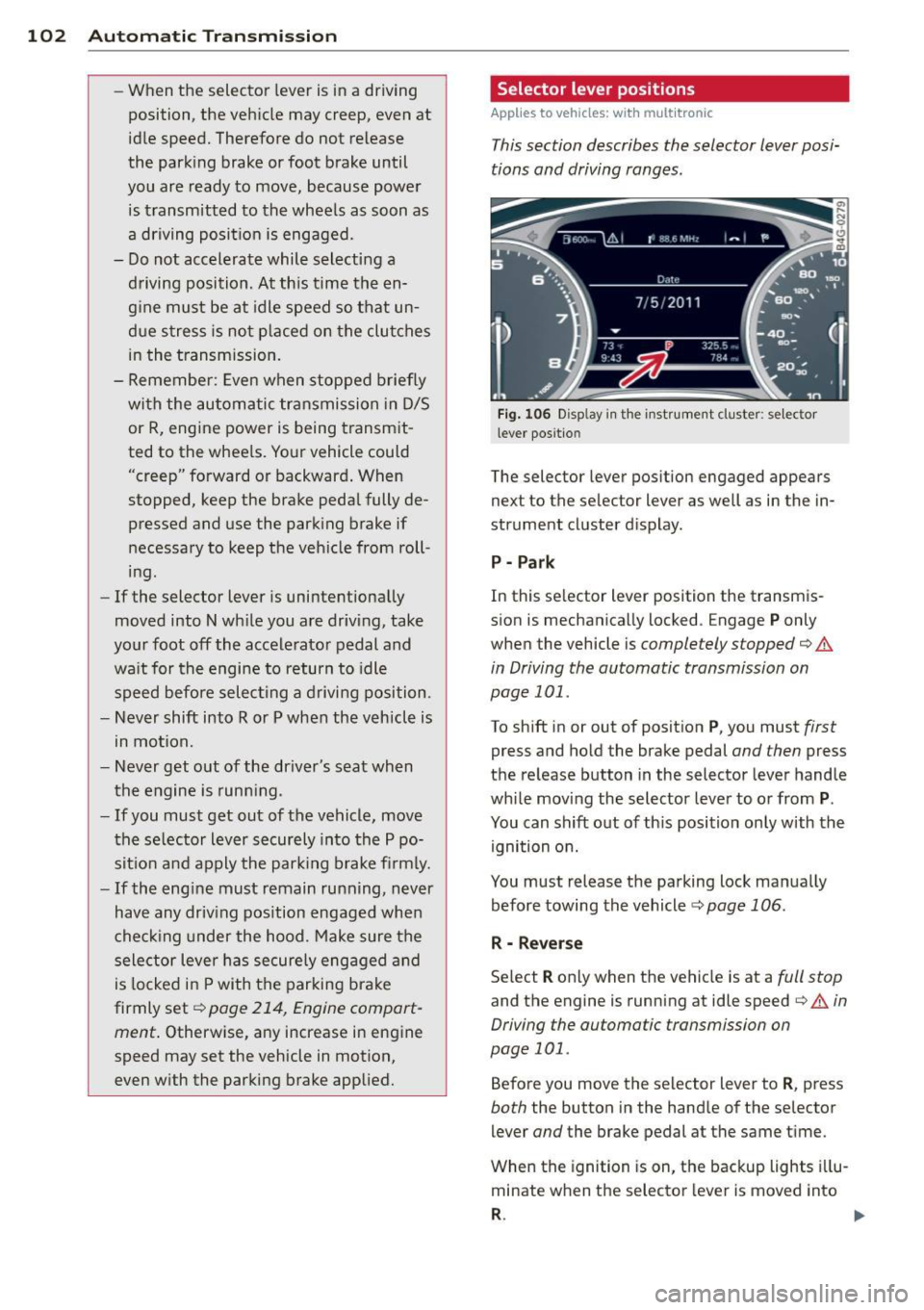
Selector lever positions
Applies to vehicles: wit h mult itronic
This section describes the selector lever posi
tions and driving ranges.
F ig . 106 Display in th e inst rument cluster: se lector
l ever positio n
The selector lever position engaged appears
next to the selector lever as well as in the in
strument cluster d isplay.
P - Par k
In this se lector lever position the transm is
sion is mechanically locked . Engage
P only
when the vehicle is
completely stopped¢.&
in Driving the automatic transmission on
page 101 .
To shift in or out of posit ion P , you must first
press and hold the brake pedal and then press
the re lease button in the selector lever handle
whi le moving the selector lever to o r from
P .
You can shift out of th is position only with the
ignition on.
You must release the parking lock manually before towing the vehicle ¢
page 106.
R - Reverse
Se lect R only when the vehicle is at a full stop
and the engine is running at idle speed¢.& in
Driving the automatic transmission on
page 101.
Before you move the selector lever to R , press
both the button in the hand le of the se lector
lever
and the brake pedal at the same t ime.
When the ignition is on, the backup lights i llu
minate when the selector lever is moved into
R . 1111-
Page 105 of 298

N -N eutr al
The transmission is in neutra l in this position .
Shift to this posit ion for standing with the
brakes applied
¢ &. in Driving the automatic
transmission on page 101.
When the veh icle is stationary or at speeds
be low 3 mph (5 km/h) , you must always apply
the footbrake before and while moving the
lever out of
N.
D /S -Normal position for dr iving forward
I n the D /S position, the transmission can be
operated e ither in the normal D mode or in
the S sport mode. To select the 5 sport mode,
pu ll the se lector lever back briefly . Pulling the
l ever back again will select the normal D
mode. The instrument cluster display shows
the selected driving mode.
In the
no rmal mode D , the transmission auto
matica lly selects the best gear ratio. It de
pends on engine load, veh icle speed and the
dynamic control program (DRP).
Select the
s port mode S for sporty driving .
The vehicle makes full use of the engine's
power. S hifting is more noticeable when accel
erating.
When the veh icle is stationary or at speeds
be low 3 mph (5 km/h), you must always apply
the foot brake before and while moving the lever to
D /S out of N .
In certain circumstances it may be advanta
geous to temporarily switch to the manual
shift program to manually select gear ratios
to match specif ic driving conditions
¢ page 105.
A WARNING
Read and follow alt WARNI NGS ¢ A in
Driving the automatic transmission on
page 101.
(D Note
-
Coast ing downh ill with the transmission in
N and the engine not runn ing will result in
Automatic Tra nsmi ssi on 10 3
damage to the automatic transmission
and possib ly the cata lytic converter.
Automatic Shift Lock (ASL)
Applies to veh icles: w ith mult itronic
The Automatic Shift Lock safeguards you
against accidentally shifting into a forward or
the reverse gear and causing the vehicle to
move unintentionally.
0, N 0 0
0
a1i
) ( )
Fi g. 107 Shi ft ga te: selector leve r lock pos it ions and
i n te rlock bu tton highligh ted
The selector lever lock is re leased as follows:
.. Tu rn the igni tion on.
.. Step on the brake pedal.
At the same time
press and hold the inte rlock bu tton on the
side of the gear selector knob
Q fig. 107
with your thumb until yo u have moved the
selector lever to the desired posit ion .
Automatic selector leve r lock
The selector lever is locked in the P and N po
s itions when the ig nition is tu rned on. To
move t he lever from these positions the driver
must depress the brake peda l. As a reminder
to the driver, the following warning appears in
the instrument cluster display when the selec
tor is in
P and N :
When stationar y apply footbrake while se
lecting gear
A time delay element p reven ts the selector
lever from locking when it is moved through
the
N position (going from R to 0 /5 ). The
locking element wi ll lock the se lector lever if
the lever is left in N (Neutral) for more than approximately 1 second, w ithout the brake
pedal being pressed .