ignition AUDI S8 2008 Workshop Manual
[x] Cancel search | Manufacturer: AUDI, Model Year: 2008, Model line: S8, Model: AUDI S8 2008Pages: 404, PDF Size: 52.7 MB
Page 118 of 404
___ w_ a_ rm __ a_ n_ d_ c_ o_ ld __________________________________________________ _
Controls
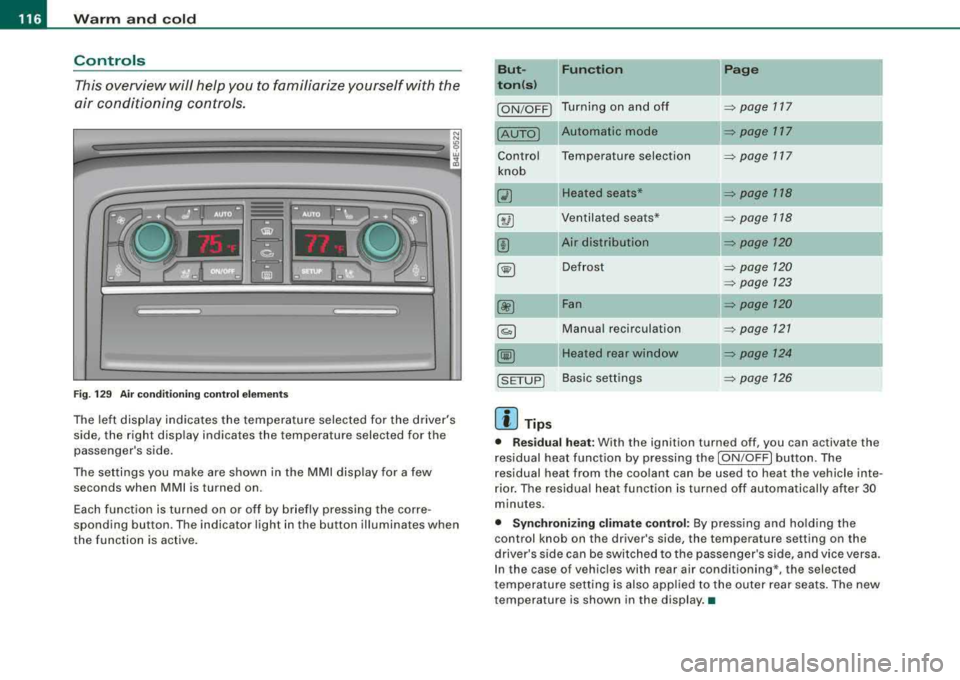
This overview will help you to familiarize yourself with the
air conditioning controls.
Fi g. 1 29 Air cond it io ning co ntrol e lements
The left display indicates the temperature selected for the driver's
side, the right display indicates the temperature selected for the
passenger 's side.
The settings you make are shown in the MMI disp lay for a few
seconds when
MMI is turned on.
Each function is turned on or off by briefly pressing the corre
sponding button . The indicator light in the button illuminates when
the function is active. But- Fun
ction
II Page
ton (s )
ION/OFF) Turning on and off ~ page 117
Automatic mode ~ page 117
Contro l Temperature selection ~ page 717
knob
Q) Heated seats* ~ page 118
8 @ Ventilated sea ts* => page 118
00 Air distribution => page 120
~ Defrost ~ page 120
=> page 723
00 Fan => page 120
~ Manual recirculation ~ page 721
@@ Heated rear window ~ page 124
!SETUP) Basic settings => page 126
[ i ] Tip s
• Residual h eat : With the ignition turned off, you can activate the
residual heat function by pressing the
I ON/OFF ) button. The
residual heat from the coo lant can be used to heat the vehicle inte
rior. The residua l heat function is turned off automatically after 30
minutes.
• Synchroniz ing clim ate control: By press ing and ho lding the
control knob on the driver's side, the temperature setting on the
driver's side can be switched to the passenger's side , and vice versa.
In the case of vehicles with rear air conditioning*, the selected
t emperature setting is also app lied to the o uter rear seats. The new
temperature is shown in the display. •
Page 119 of 404
![AUDI S8 2008 Workshop Manual Warm and cold -
----------------
Turning on and off [ ON/OFF]
Turning th e air conditioning on
- Press [ON/OF F], or
- Press [AUTO].
Turning th e air conditioning off
- Press [ ON/OF](/img/6/57619/w960_57619-118.png "AUDI S8 2008 Workshop Manual Warm and cold -
----------------
Turning on and off [ ON/OFF]
Turning th e air conditioning on
- Press [ON/OF F], or
- Press [AUTO].
Turning th e air conditioning off
- Press [ ON/OF")
Warm and cold -
----------------
Turning on and off [ ON/OFF]
Turning th e air conditioning on
- Press [ON/OF F], or
- Press [AUTO].
Turning th e air conditioning off
- Press [ ON/OF F] to tu rn the air conditioner off and block
outside air f rom entering the vehicle .
The air conditioner turns back on if you press one of the control
buttons or the contro l knob .
[ i] Tip s
Resi du al h eat: With the ignition turned off, you can activate the
residual heat funct ion by press ing the [ ON/OFF] button. The
residual heat from the coo lant can be used to heat the vehic le inte
rior . The residua l heat function is turned off automat ical ly after 30
minutes. •
Automatic mode [AU TO]
The aut omatic mode is the standar d setting for all
seasons.
Turning on AUTO
- Select temperature between 60 °F
(+ 16 °C) and 84 °F
(+28 °C).
- Press
[AUTO]~ page 116, fig. 129.
Automatic operation ensures constant temperatures in the interior
and dehumidifies the air inside the vehicle . Air temperature, vo lume
and distr ibut ion are contro lled automat ical ly to reach or main tain
Controls and equip
ment
the desired interior temperature as quickly as possib le. F luctuations
in exterior temperature and the effects of temperature from the
position of the sun are compensated for automatica lly.
This operating mode works only in the adjustable temperature range, from 60 °F
!+ 16 °Cl to 84 °F ( +28 °Cl. If a temperature below
60 ° F (+ 16 °C) is selected,
LO appears in the disp lay. At temperatures
above 84 °F (+28 °C),
HI is displayed . At both extreme settings,
climate control runs continuous ly at maximum cooling or heating
power . There is no temperature regulation .•
Setting the temperature
Separate temperatures can be selected for the driver's
and fr ont passenger's side.
6
fl
I . 6S rF.
,,
-\,.,/
'I
.· I
3
iii
3
:'*.
I
Fig . 13 0 MMI di spl ay:
Sett ing t he temp era
t ur e
- Rot ate the cont ro l knob to the left to reduce the temper
ature, or to the right t o increase t he tempera ture .
[ i ] Tips
• When you press the control knob for choos ing the temperature,
the temperature you choose wi ll a lso appear in the MMI display
~ fig. 130 .
• Synchronizi ng clim ate con trol: By pressing and ho lding the
control knob on the driver's side, t he temperature setting on the
Page 125 of 404
Warm and cold -
------------------------------..J
[ i J Tip s
If the climate control system is operating in cool ing mode, air flows
primarily from the outlets in the center console and in the door
pillars . To achieve adequate cooling, you should never close the
out lets completely. •
Using climate controls economically
Using the climate controls prudently can help save fuel.
When you use t he a ir conditioner, engine power is reduced
and fuel consumption increases. To save fuel, you should
use the a ir co nditioner only when necessary. Also please
note the follow ing po ints:
- If you want to save fuel, activate ECON.
If you are going to drive with the windows open, use ECON.
W For the s ake of the environm ent
By reducing the amount of fuel you use, you also reduce the amount
of pollutants emitted into the air. •
Applies to v ehicl es: with so lar slidi ng /tilt ing sunr oof
Solar blower fan /solar roof
With sufficient sunlight, the blower fan continues to
operate with solar energy to bring in fresh air after the
ignition has been switched off.
T he fan motor is operated by solar energy through the solar roof
after the igni tion is turned off. P lease make certa in that
vents ©
and© are open to achieve optimal ventilation ~ page 122, fig. 137 .
Controls a nd eq uip
ment
The ventilation operates only with the sunroof c losed or in the tilted
position.
If the vehicle was switched off in the recirculation mode, the air
conditioning automatica lly switches to fresh air operation .
Solar operation is not activated at low outside temperatures .•
Windshield defogging/defrosting
Ap plie s to v ehic le s : with windsh ield defogg er/defr oste r
Windshield defogger /defroster ®
The win dshield defogger rem oves humidity from the
windshield.
F ig. 138 Win dsh ield
d efogger sw itc h
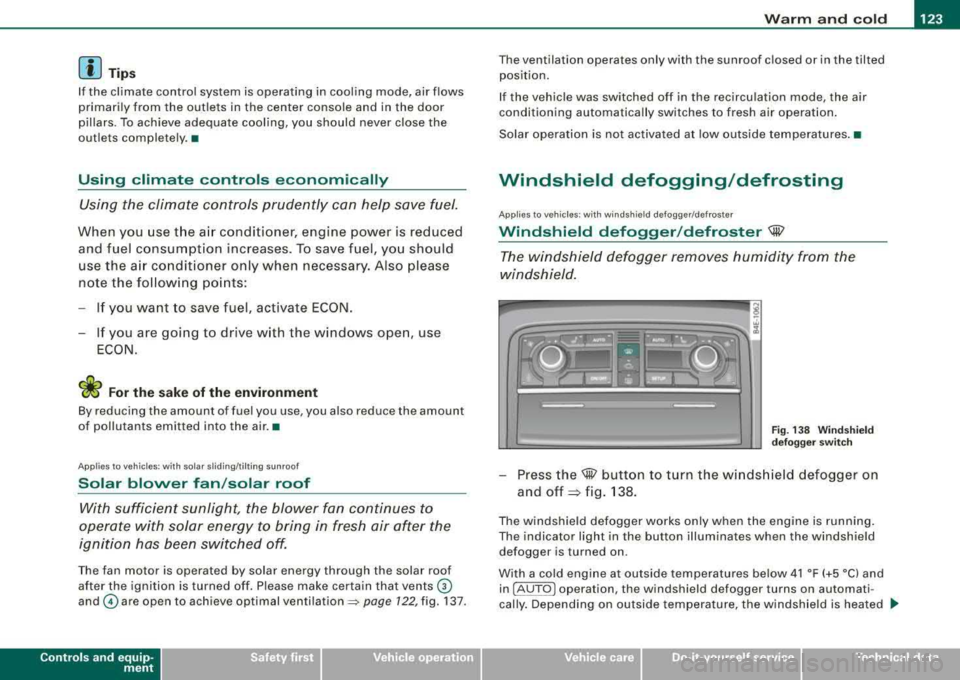
- Press the@ button to turn the w indshield defogger on
and
off ~ fig. 138 .
The w indshield defogger works only when the engine is running .
The indicator light in the button illuminates when the windshield defogger is turned on .
With a cold engine at outside temperatures below 41 °F (+5 °C) and in !AU TO
l operation , the windshield defogger turns on automati
cally . Depending on outside temperature, the windshie ld is heated .._
Vehicle care I I irechnical data
Page 126 of 404
___ w_ a_ rm __ a_ n_ d_ c_ o_ ld __________________________________________________ _
for a maximum of 4 minutes. The temperature for the climate
control must be selected so that it is operating in the heating mode.
When selecting the program setting
®, the windshield
defogger/defroster is switched on automatically at outside temper
atures below 41 °F (+5
°Cl. Depend ing on outside temperature, the
windshield is heated from 2 up to a maximum of 4 minutes.
The windshield defogger is deactivated in ECON mode .
[ i J Tips
• If a crack forms in the windshield due to a foreign object (e .g . a
stone chip), the defogger/defroster is not turned on . This prevents
the crack from spreading.
• We recommend that you locate an Audi dealership immediately
to have the windshield replaced.
•
Rear window defogger QW
Fi g. 13 9 Sw itch for
r ea r wi ndow defo gger
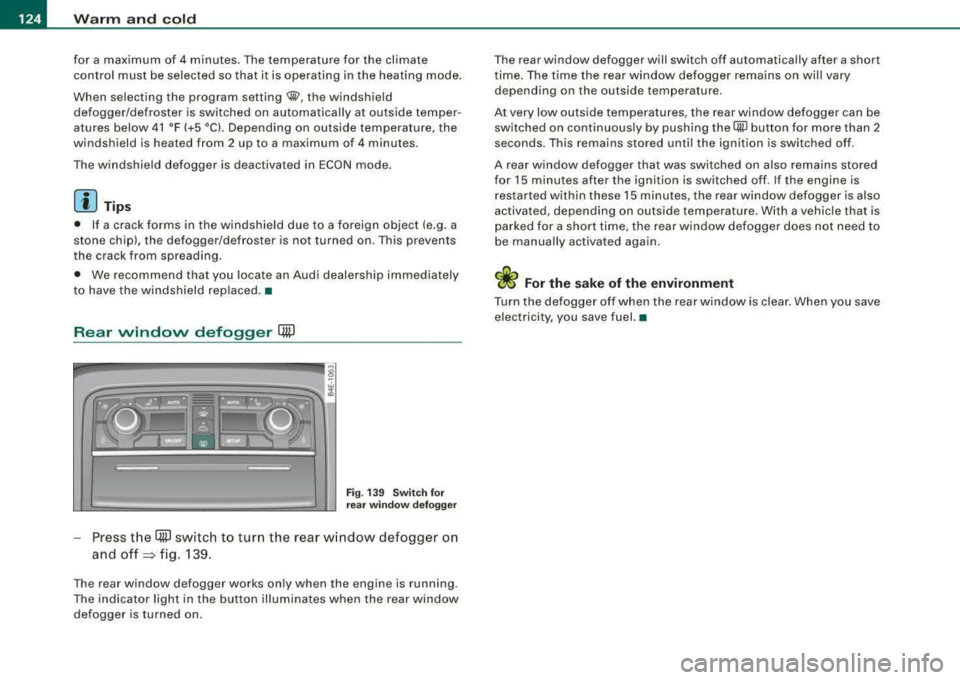
Press t he (ffiJ switch to turn the rear w indow defogger on
and
off => fig. 139.
The rear window defogger works only when the engine is running .
The indicator light in the button illuminates when the rear window
defogger is turned on . T
he rear window defogger will switch off automatically after a short
t ime . The time the rear window defogger remains on wi ll vary
depending on the outside temperature.
At very low outside temperatures, the rear window defogger can be switched on continuously by push ing the
QiP button for more than 2
seconds. This remains stored until the ignition is switched off .
A rear window defogger that was switched on also remains stored
for 15 minutes after the ignition is switched off . If the engine is
r estarted within these 15 minutes, t he rear w indow defogger is also
activated, depending on outside temperature. With a vehic le that is
parked for a short time, the rear window defogger does not need to
be manua lly activated aga in.
W For the sake of the environment
Turn the defogger off when the rear w indow is clea r. When you save
electricity, you save fuel. •
Page 129 of 404
Warm and cold -
----------------
the outside air drops, fresh air is supplied to the vehicle interior
again .
In the event that the windows fog up during automatic air recircula
tion, you must press
the® button immediately.
Under certa in operat ing cond it ions, automatic a ir rec ircu lation is
switched off automatically . With outside temperatures below about
-8 °C and in the ECON mode, automatic air rec ircula tion is limited to
15 seconds. •
Synchronization
One climate control setting for all seats.
With synchronization active, the driver's or the passenger's settings
are adopted for the other seats . Al l the other set tings that were
made are transferred to the other seats. This includes all the c limate
control settings right down to the heated seats .
If
a d ifferent setting is selected at a "synchron ized seat", synchroni
zation is cancelled.
•
Center air vent
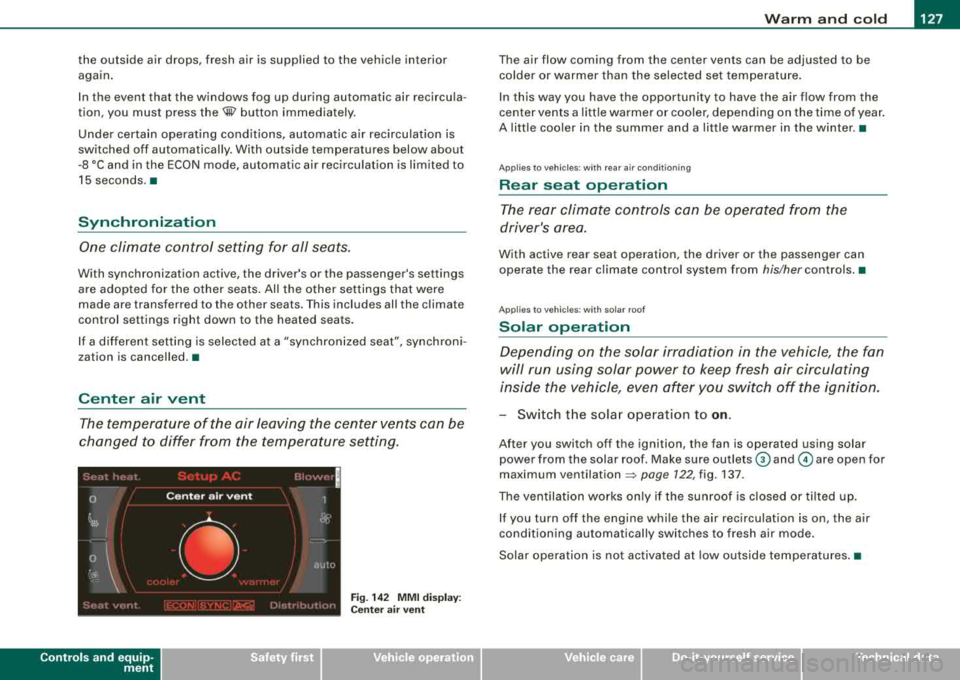
The temperature of the air leaving the center vents can be
changed to differ from the temperature setting.
Controls and equip ment
Fig. 14 2 MMI di spla y:
Ce nter a ir ve nt
The air flow coming from the center vents can be adjusted to be
colder or warmer t han the selected set temperatu re.
In this way you have the opportunity to have the a ir flow from the
center vents a litt le warmer or coo ler, depending on the time of year .
A litt le cooler in the summer and a little warmer in the winter. •
Applies to vehic les : with rear air condition in g
Rear seat operation
The rear climate con trols can be o perated fr om the
driver's area.
With active rear seat operation, the driver or the passenger can
operate the rear climate control system from
his/her contro ls. •
Ap plies to vehicles : w ith so lar roof
Solar operation
Depending on the solar irradiation in the vehicle, the fan
will run using solar power to keep fresh air circulating
inside the vehicle, even af ter you switch off the ignition.
- Switch the solar operation to on .
After you switch off the ignition, the fan is operated using solar
power from the solar roof. Make sure outlets
G) and © are open for
maximum
ventilation => page 722, fig. 137.
The vent ilation works on ly if t he sunroof is closed or t ilted up.
If you turn off the engine whi le the air rec irculation is on, the air
conditioning automatically switches to fresh air mode.
Solar operation is not activated at low outside temperatures .•
Page 131 of 404
___________________________________________________ O_ n_ t_h _e_ r_o _a_ d _ ___.111111
fl::. WARN ING (c o ntinue d)
injurie s to the hands, arm s and head if the driv er's a irbag
deplo ys.•
Easy entry feature
The easy entry feature makes it easier to enter and exit the
vehicle by automatically adjusting the steering wheel.
Press the button @ ::::> page 128, fig . 143 to turn the easy
entry feature on or off.
When the easy entry feature is tu rned on (bu tton depressed), the
steering wheel moves up to the parked position when the ignition is
turned off. After you en ter the vehicle, the steer ing wheel moves to
the stored position as soon as you turn on the ignition. •
Ignition lock and ignition switch
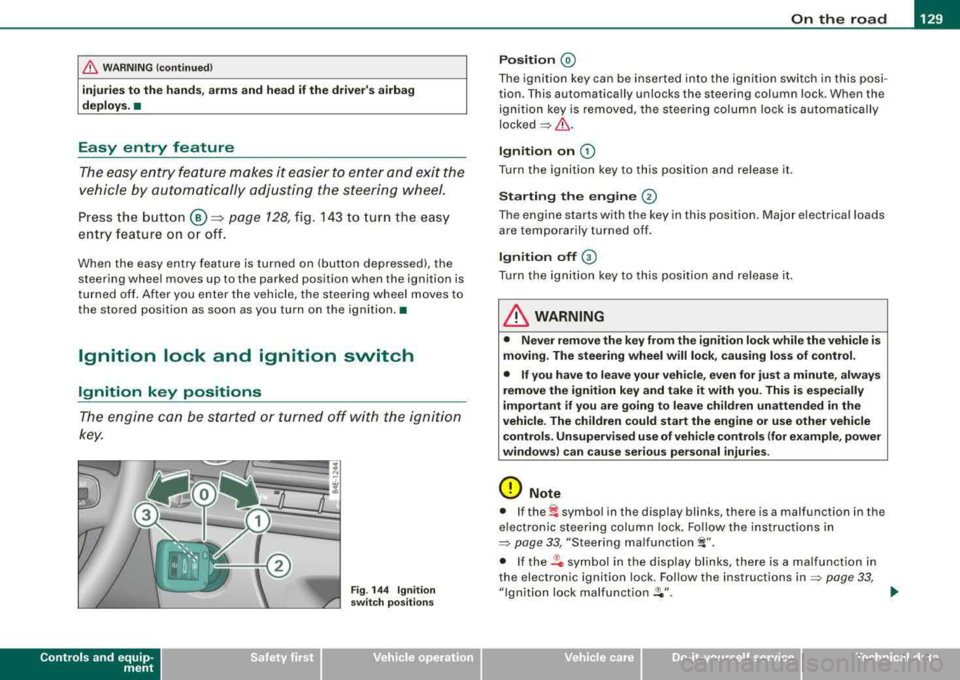
Ignition key positions
The engine can be started or turned off with the ignition
key.
Contro ls a nd eq uip
ment
F ig . 14 4 Ignit ion
sw itch po sitio ns
P os it ion @
The ignition key can be inserted into the ignition switch in this posi
tion. This automatically unlocks the steering column lock. When the ignition key is removed, the stee ring co lumn lock is automatically
locked
=> fl::. .
Ignition on G)
Turn the ignition key to this position and re lease it.
Starting the engin e @
The engine starts with the key in this position . Major electrical loads
are tempo rar ily turned off.
Ign ition off G)
Turn the ignition key to this position and re lease it .
& WARNING
• Never remo ve the key from th e ign ition lock while the ve h icle i s
mo ving . The stee ring wheel will lo ck, c au sing loss of control.
• If you have to leave your veh icle, even for ju st a minute , al ways
remove the ignition key and take it with you. Thi s is esp eciall y
important if you are going to lea ve ch ildren unatten ded in the
vehi cle . The ch ildren co uld start the eng ine or u se other vehicle
c ontrol s. Un super vis ed u se of veh icle control s (for e xam ple , po wer
windows ) can cause seriou s personal inj uries .
0 Note
• I f the~ symbo l in the display blinks, there is a malfunction in the
e lectron ic steering column lock. Fo llow the instructions in
=> page 33 , "Steering malfunction i".
• If the .Pc symbol in the display b links, there is a malfunct ion in
the electronic ignition lock. Follow the instructions
in => page 33,
"Ignition lock malfunct ion .Pe" . ..
Vehicle care I I irechnical data
Page 132 of 404
___ O_ n_ t_h _e_ r_o _ a_ d ____________________________________________________ _
[ i J Tips
• If you release the ignition key in positions G) ,@ or G) , the key
automatically returns to pos ition @.
• If you open the driver 's door when the ignition is switched on , a
buzzer sounds and the message
Ignition is on appears in the instru
ment cluster display. Please switch the ignition off .•
Ignition key safety lock
The igni tio n key can only be re move d when the selector
lever is in the
"P" (P ark) posi tion.
After turning off the ignition , the igni tion key can only be removed
from the ignition lock when the selec tor lever is in the
"P" (Park)
position . Af ter you have removed the key , the selector lever is locked
and cannot be moved .•
Starting and stopping the engine
Starting the engine
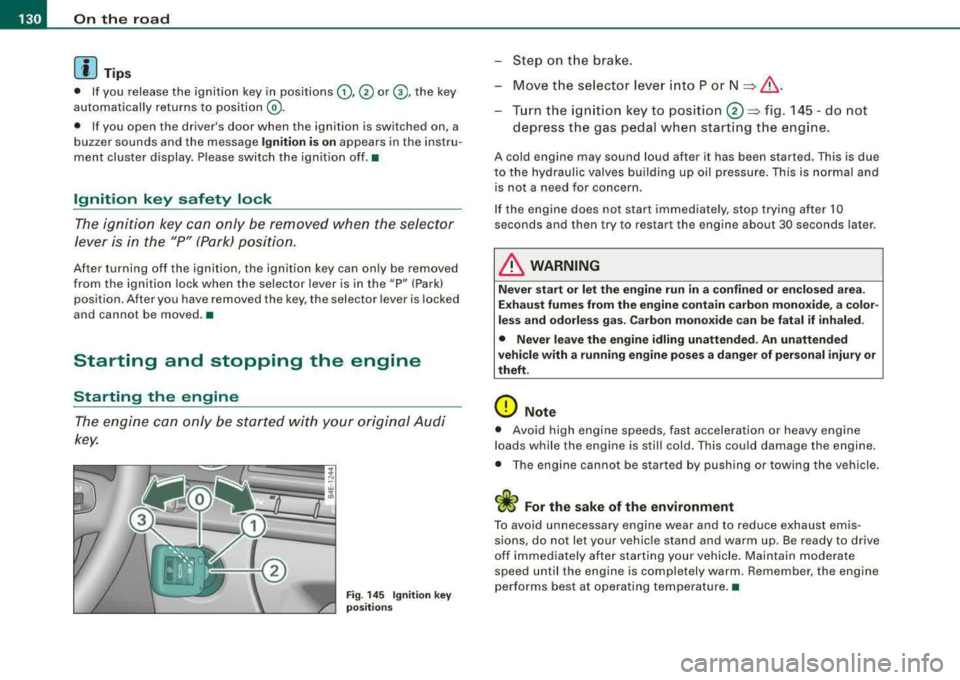
The engine ca n only be st arted with y our or iginal A udi
key.
Fig . 14 5 Ignit ion key
po sitions
-St ep o n the brake.
- Move t he selector lever into P or
N => &, .
-Turn the ign ition key to position 0 => fig . 14 5 -do not
depress the gas pedal when start ing t he engine .
A cold engine may sound loud after it has be en started. This is due
to the hydrau lic valves building up oil pressure. This is normal and
is not a n eed fo r concern .
I f the engine does not start immediately, stop trying after 10
seconds and then try to restart the engine about 30 seconds later .
& WARNING
Never start or let the engine run in a confined or en clo sed are a.
Exhaust fumes from the engine contain carbon monoxide, a color
less and odorle ss gas . Carbon mono xide can be fatal if inhaled.
• Never leave the engine idling unattended. An unattended
vehicle with a running engine po ses a dange r of person al injury or
theft.
0 Note
• Avo id high e ngine speeds, fast accelerati on or heavy eng ine
loads while the engine is still cold. This could damage the engine.
• The eng ine ca nnot be s tarted by push ing or towi ng the ve hicle.
sions, do not let your vehic le stand and warm up. Be ready to drive
off im mediately afte r starting your vehicle . Maintain modera te
speed until the engine is completely warm . Remember , the engine
performs best at operating temperature. •
Page 133 of 404

On the road -
-----------------'
Stopping the engine
-Turn the ignition key to position®~ page 130, fig. 145.
& WARNING
• Never turn off the engine until the vehicle has come to a
complete stop.
• The brake booster and servotronic only work when the engine
is running. With the ignition turned off, you have to apply more
force when steering or braking. Since you cannot steer and stop normally, this can lead to accidents and serious injuries .
• The radiator fan can continue to run for up to 10 minutes even
after you have turned off the engine and removed the ignition key.
The radiator fan can also turn on again if the engine coolant heats
up because of intense sunlight or heat build-up in the engine
compartment.
0 Note
Do not stop the engine immediately after hard or extended driving.
Keep the engine running for approximately two minutes to prevent
excessive heat build-up.•
Contro ls a nd eq uip
ment
Starting and stopping the engine
using the Advanced Key
A pp lies to veh ic les: with Advanced Key
Starting the engine using the [ START] button
Using this button, you can switch on the ignition and start
the engine.
0
0
Fig . 146 Advanced
Key: START button
The [ START] button has a two position feature. ~ fig. 146.
Switching on the ignition
-Press the [START] button to the first position. Only the
ig nition switches on .
Starting the engine
-Depress the foot brake.
- Move the selector lever into the P or N position
~ &.
- Press the [ START] button to the second position. The
engine starts.
Vehicle care I I irechnical data
Page 134 of 404
-
On the roa d
----------------
When starting a cold engine, the engine may be a bi t noisy for a
shor t w hile. This is because the hydraulic valves are working to
bring up the oil pressure . This is norma l and no cause for concern .
If the engine does not start immediately, stop cranking the engine
after 10 seconds . Wa it 30 seconds, t hen try to restart the eng ine.
& WARNING
Ne ver sta rt the engine in an en clo sed area su ch a s in your garage
with the garage door clo sed . The exhau st fumes are poi sonous!
0 Note
• Avoid high engine speeds, full gas or heavy engine loads if the
eng ine has not warmed up to its operating temperature . You cou ld
damage the engine.
• Do not try to start the engine by pu lling or pushing .
~ For the sake of the environment
Do not let your veh ic le stand and warm up . Be ready to drive off
right away. T his way, you prevent unnecessary exhaust emissions.
[ i ] Tip s
If you open th e driver 's door when the ignition is switched on , a
buzzer sounds and the message
Ignition i s on appears in the instru
ment cluster display. P lease switch the ign ition off .•
A pp lies to vehicles: w it h Ad vanced Key
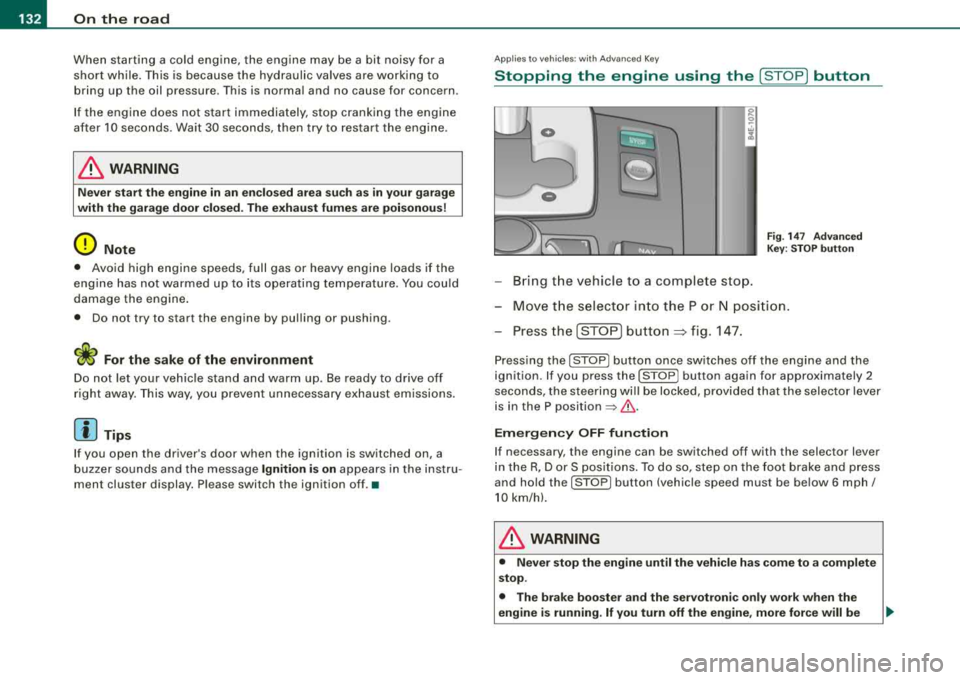
Stopping the engine using the [S TO P] button
0
0
- Bring t he vehicle to a complete stop.
Fi g. 14 7 Advan ced
Ke y: S TOP button
-Mov e th e s elect or in to the P or N posi tion .
- Press the [STO P]
button => fig. 14 7.
Press ing the [ STOP) butto n once sw itches o ff the engi ne and the
ignition . If you press the [STOP] button again for approximately 2
seconds, the steeri ng wi ll be locked, provided that the selector lever
is in the P position
=> & .
Em ergen cy OFF fun ction
If necessary, the engine can be switched off with the selector lever
in the R, Dor S pos it io ns. To do so, step on the foot brake and press
and ho ld the [S T O P] button (vehic le speed must be be low 6 mph/
10 km/h).
& WARNING
• Never stop the engine until the vehi cle h as c ome to a complete
stop .
• The br ake boo ster and the servotroni c onl y w ork when the
engine is running . If you turn off the engine , more force will be
Page 135 of 404
On the road -----------------
& W AR NIN G (c ontinu ed )
re qu ir e d to ste er or br ake the vehicle . If you are n ot prep ared , this
c ould r esult in a colli sion and serious per sonal injur y.
• For y our safet y, move the sele cto r lever to the P po sition , then
turn off the engine. Oth erw ise the vehi cle could inad vertently roll
away.
• After tu rning off the engin e, the r adi ato r fa n ca n co me on and
ru n for up to 10 minute s
-even if the ignition is sw itched off . Like
wise , the fan could com e on if the temper ature in the engine
c omp artm ent r ais e s du e to he at build up or if you le ave the vehicle
s tanding in direc t sunligh t.
0 Note
After driving at high engine load, heat can bu ild up in the engine
compartment after you have turned off the engine. This can damage
t he engine . Let the veh icle stand and run in id le for about 2 minutes
before turning off the engine .•
Applies to vehicles: with Advanced Key
Driver's messages in the instrument cluster
Messages appear in the instrument cluster to let the
driver know if something is missing or if some thing must
be done.
No ke y identified
This message appears when you press the [ START ] button, but
t here is no remote control key insi de the vehicle or i f the system
does not recognize the key . For example, if your key is
shielded by
an object or
encased, i.e . ins ide an a lum in um br iefcase, the sig nal
from the key cannot be detected. E lectronic devices such as cell
phones can also interfere with t he rad io signa l.
Controls and equip
ment P
re ss bra ke pedal to start engine
This message appears when you press the [ S TART] button when
starting the engine but you have not depressed the brake pedal.
En gage N or P to start engine
This message appears when you start the engine but the selector
lever is not in t he P or
N pos ition. The e ng ine can be started o nly if
the selector lever is in one of these two positions .
-.?. Key not in vehicle
This message appears together with the -:?e symbol when the
remote con trol key is removed from t he ve hicle whi le the engine is
running . This is to remind you that you should not continue your trip
without you r key .
I f the key is no longer inside the veh ic le when you turn o ff the
engine, you will not be able to switch on the ignition or restart the
eng ine. Also, you w ill not be ab le to loc k the veh icle from the
outside.
S hift t o P, other wise vehi cle ca n roll away. Doors d o not lo ck if le ver
i s not in P.
This message appears for your safety together wit h an aud ib le
warning signa l when you press the [S TO P] button but the selector
lever is not in the P posit ion and you open the driver's door. Move
the selector lever into P, otherwise the vehic le could rol l away. In
addit ion, you will not be able to lock the vehicle with either the lock
button located on the door handle or the remote control.
To engag e steering lo ck, pre ss a nd hold S TOP button
This message appears for your personal safety if you switch off the
engine and the ignition by pressing the [ S TOP ] button and then
open the driver's door. In this case, the steering will sti ll not be
locked. The stee ring wheel wi ll lock :
• If you press the [ STOP] button for longer than 1 second.
• If you lock the vehicle fr om the outside .•