lock AUDI S8 2010 Service Manual
[x] Cancel search | Manufacturer: AUDI, Model Year: 2010, Model line: S8, Model: AUDI S8 2010Pages: 384, PDF Size: 90.95 MB
Page 86 of 384
Seats and storage
Seat memory
Driver's seat memory
The seat adjustment settings for four drivers can be
stored using the memory buttons in the driver's door .
Fig. 8 4 Driv er's do or:
S ea t memory
In addition to the setting for the driver's seat, the settings for the
head restraints, safety belt height, steering column and both exterior
mirrors can be stored .
Storing and rec all ing settings
Using the memory buttons 1, 2, 3 and 4 , you can store and recall the
settings for four different drivers~ fig. 84.
T he current settings are also automatically stored on the remote
control key being used when the vehicle is locked. When the vehicle is
unlocked, the settings s tored on the remote control key be ing used
are automatically recalled. This function has to be activated in MMI
~pogeBS .
Turning se at m em ory on and off
If the [ ON/OFF] switch is depressed, the seat memo ry is inope rative.
The word
OFF next to the [ ON/OFF] switch illuminates.
All the sto red settings are retained. We recommend using the
[ ON/OFF ] switch and deact ivat ing the seat memory if the vehicle is only going to be used
temporarily by a driver whose settings are not
going to be stored. •
Storing and recalling a seat position
Before you can store or recall your seat position, the
[ ON/OFF) button must be engaged (down).
Storing settings
- Adjust the driver's seat==>
page 77.
- Adjust the head restraint==>
page 81.
-Adjust the steering column==> page 117 .
-Adjust both outside mirrors==> page 74. In the tilt-down
position, the passenger m irror can be adjusted to the
preferred position and saved in the seat memory .
- Press the
[SET) button and hold it down. At the same
time , press one of the memory buttons for at least one
second .
- Release the bu ttons. The settings are now stored under
the corresponding memory button .
Recalling settings
- Driver's door open - press the desired memory button.
- Driver's door closed - press the corresponding memory
button until the stored position is reached.
When the vehicle is lock ed, the current settings are stored and
assigned to the remote control key. But the settings stored on
memory buttons 1 to 4 are not deleted. They can be recalled at any
time. Whe n the vehicle is
unlock ed , the sett ings stored on the
remote control key are restored . .,_
Page 87 of 384

If your vehicle is driven by other persons using your remote control
key, you should save your individual seat position on one of the
memory buttons . You can recall your settings again simply and
conveniently by pressing the corresponding memory button. When
the vehicle is locked, these settings are automatically re-assigned to
the remote control key and stored.
& WARNING
• For safety reasons, the seat setting can only be recalled when
the vehicle is stationary -otherwise you risk having an accident.
• In an emergency, the recall operation can be stopped by
pressing the [
ON/OFF] button or by briefly pressing any given
memory button. •
Activating remote control key memory
To be able to recall the stored settings with the remote
control key, the function has to be activated in MMI.
- Select: Function button (CAR]> Systems > Seat
adjustment > Driver's seat> Remote control key > on .
Con tro ls a nd e quip
m en t Vehicle
OP-eration
Seats and storage
Passenger's seat memory
Using the memory buttons in the passenger's door, you
can store and recall four seat settings.
Fig. 85 Passe nger's
door: seat memory
Storing and recalling settings
Using the memory buttons 1, 2, 3 and 4, you can store and recall the
sett ings for four different passengers::::;, fig. 85.
Turning seat memory on and off
If the [ ON/OFF] switch is depressed, the seat memory is inoperative.
The word
OFF next to the [ ON/OFF ] switch illuminates.
All the stored settings are retained. Now the seat can only be
adjusted electrically in the normal way. •
Rear seats
General information
Safe transportation of passengers on the rear seats
requires proper safety precautions.
All passengers on the rear seats must be seated in compliance with
the safety guidelines explained in::::;,
page 197 and ::::;, page 206. The .,
Vehicle care Do-it-yourselt service iTechnical data
Page 88 of 384
Seats and storage
correct seating position is crit ica l for the safety of front and rear seat
passenge rs alike =>
page 190 .
& WARNING
• Occupant s in the front and rear seat s must alway s be properly
restr ained .
• Do not let anyone ride in the v ehicle without the h ead
re st ra ints pro vided. He ad restraints help to reduce injuries .
• Loo se item s in sid e the pas senger compartment can fly forward
in a crash or sudden maneu ve r and injure o ccupa nts . Alway s store
articles in th e lugg age compartment and u se the tie-down eyelet s.
• Read and h eed all WARNINGS =>
page 190, "P roper seating
po sition s for pa ssengers in r ear seat s". •
Applie s to v eh icles: wit h rear lum bar suppo rt
Rear seat lumbar support
The outer rear seats have a lumbar support.
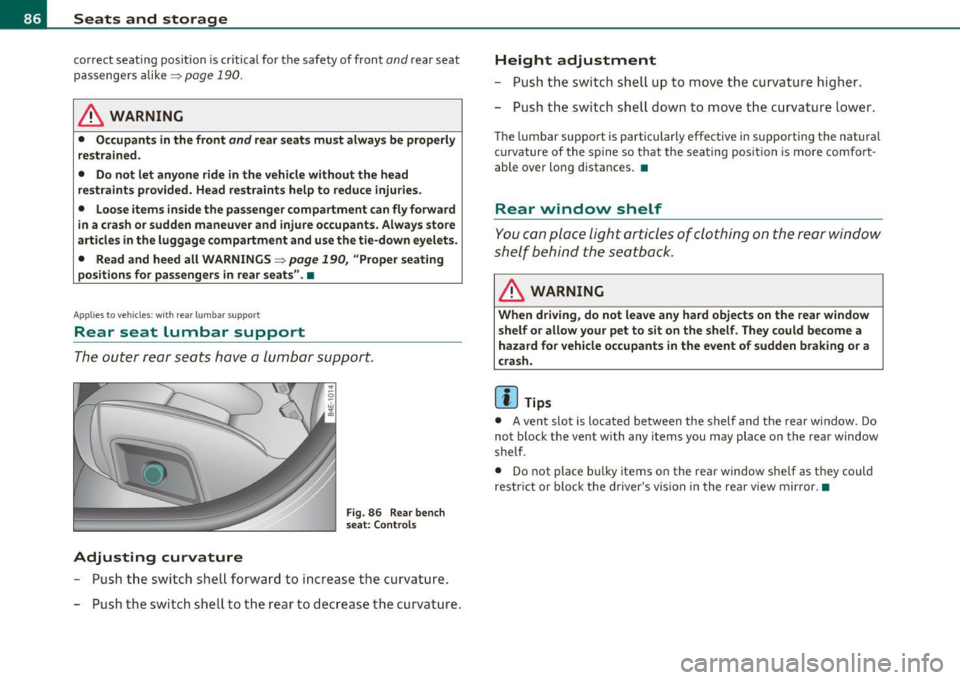
Adjusting curvature
F ig. 86 Rear bench
s eat: Contro ls
- Push the switch shell forward to increase t he curvature.
- Push the switch shell to the rear to decrease the curvature .
Height adjustment
- Push the switch shell up to move the curvature higher.
- Push the switch shell down to move the curvature lower .
The lumbar support is particularly effective in supporting the nat ural
curvature of the spine so that the sea ting position is more comfort
ab le over long distances. •
Rear window shelf
You can place light articles of clothing on the rear window
shelf behind the seatback.
& WARNING
When driving , do n ot leave any hard objects on the rear window
s helf or a llow y our pet to sit on the shelf . They c ould be come a
haza rd for vehicle occup ants in the event of sudden b raking or a
c rash .
[ i ] Tips
• A vent slot is located between the shelf and the rear window. Do
not block the vent with any items you may place on the rear window
shelf.
• Do not place bu lky items on the rear window shelf as they could
restr ict or block the driver's vis ion in the rear view mirror. •
Page 101 of 384

& WARNING (continued)
when accelerating or when applying the brakes or when driving
around a corner.
• When you are driving make sure that anything you may have
placed in the center console or other storage locations cannot fall
out into the footwells. In case of sudden braking you would not be
able to brake or accelerate.
• Any articles of clothing that you have hung up must not inter
fere with the driver's view. The coat hooks are designed only for
lightweight clothing. Never hang any clothing with hard, pointed
or heavy objects in the pockets on the coat hooks. During sudden
braking or in an accident -especially if the airbag is deployed -
these objects could injure any passengers inside the vehicle. •
Glove compartment
Your Owner's Literature and the media player are stored
in the lockable glove compartment.
i-----..,--------- l
i
Contro ls a nd e quip
m en t
Fig . 106 Glove
compartment
Vehicle OP-eration
Seats and storage
-- -- ·· - - -J
-
-
To open glove compartment
Fig. 107 Glove
compartment: CD
changer
- Pull the handle in the direction of the arrow and swing the
cover down to open =:> fig. 106.
To close glove compartment
-Push the glove compartment lid up until the lock engages.
In the glove compartment lid you will find a place to store a pen and
a pad of paper.
& WARNING
To reduce the risk of personal injury in an accident or sudden stop,
always keep the glove compartment closed while driving. •
Vehicle care Do-it-yourselt service iTechnical data
Page 108 of 384
![AUDI S8 2010 Service Manual 1111....__w __ a _r_ m __ a_n_ d_ c_ o _ l_d _______________________________________________ _
Turning on and off
I ON/OFF]
Turning the air conditioning on
- Press!ON/OFF],or
- Press !](/img/6/57617/w960_57617-107.png "AUDI S8 2010 Service Manual 1111....__w __ a _r_ m __ a_n_ d_ c_ o _ l_d _______________________________________________ _
Turning on and off
I ON/OFF]
Turning the air conditioning on
- Press!ON/OFF],or
- Press !")
1111....__w __ a _r_ m __ a_n_ d_ c_ o _ l_d _______________________________________________ _
Turning on and off
I ON/OFF]
Turning the air conditioning on
- Press!ON/OFF],or
- Press !AUTO
J .
Turning th e air conditioning off
- Press I ON/OFF] to turn the air conditioner off and block
outside air from entering the vehicle.
T he air cond itioner turns back on if you press one of the control
buttons or the contro l knob.
[ i J Tips
Residu al h eat: With the ignition turned off, you can activate the
res idual heat function by p ressing the [
ON/OFF) button. The res idual
heat from the coolant can be used to heat the vehicle interior. The
resid ual heat funct ion is t urned off automatically after 30 m inutes. •
Automatic mode [AUTO I
The automatic mode is the standard setting for all
seasons.
Turning on AUTO
- Select temperatur e between 60 °F (+16 °() and 84 °F
(+28
°().
- Press!AUTO]=>page 105, fig. 118.
Automatic operation ensures constant temperatures in the interior
and dehumidifies the air inside the veh icle . Air temperature, volume
and distribution are controlled automatica lly to reach or maintain the
desired interior temperature as q uickly as possible . Fl uctuations in exterior temperature and the effects of temperature from the pos
i
t ion of the s un a re compensa ted for automatically.
T hi s operating mode works only in the adj ustab le temperature range,
from 60 °F ( +16 °C) to 84 °F ( +28 °C) . If a temperature below 60 °F
(+ 16 °C) is se lec ted, LO appea rs in the disp lay. At temperatu res above
84 °F (+28 °C),
HI is displayed. At both extreme settings, climate
cont rol r uns continuously at max imum coo ling o r heat ing power.
There is no temperature regulation. •
Setting the temperature
Separate temperatures can be selected for the driver's
and front passenger's side.
- Rotate the contro l knob to t he left to reduce the temper-
ature, or to the right to inc rease the temperature.
[ i J Tips
• When you press the contro l knob fo r choosing the tempera ture,
the temperature you choose will also appear in the MMI display.
• Synchr onizing clim ate control : By pressing and ho ld ing the
control knob on the driver's side, the temperature setting on the
dr iver's side can be switched to the passenger's side, and vice ve rsa.
In the case of vehicles with rear a ir condit ion ing*, the selected
t empe ra ture se tt ing is also applied to the outer rear seats . The new
temperature is shown in the display .•
Page 117 of 384

Warm and cold Ill
----------------
0 Note
To avoid damage to the heating elements in the seats, do not kneel
on the seats or place heavy loads on a small area of the seat. •
Basic settings [SETUP ]
General
The basic settings for the climate control are performed
in the
[SETUP] menu.
Fig . 128 MMI display:
Setup climate control
The bas ic sett ings for the air conditioning can only be made
with MMI turned on.
- Press the [SETUP] button in the controls to access the
menu .
- Select the desired function using the control knob (driver
or passenger) in the air conditioning controls.
Th e fo llowing funct ions can be se lec ted :
• ECON~
page 115
• Automatic rec irculat ion
~ page 115
• Synchronization ~
page 116
Controls and equip
ment Safety first
•
Center air vent~ page 116
• Rear seat operation* ~
page 116
• Solar operation*
~ page 116 •
ECON
The ECON mode helps to save fuel .
The air conditioning is turned off in ECON mode. "ECON" means
" E conomy". By switching off the air conditioning (compressor), you
save fuel.
Please note that vehicle interior temperature cannot be lower than
the outside temperature in the ECON mode. The air is not cooled or dehumidified .
If the vehicle inter ior becomes too hot or if the windows fog up, ECON
mode should be turned off. As soon as the
( AUTO] button in the air
conditioning controls is pressed, the system automatically leaves the
ECON mode, and the air conditioning compressor is turned on
again. •
Automatic recirculation mode
An air quality sensor detects increased concentrations of
pollutants in the outside air and automatically switches
to recirculation mode .
We recommend that you always keep automat ic air recirculat ion ON
to prevent polluted outside air from entering the vehicle interior.
If the
air quality sensor located in the air conditioning system detects
polluted outside air, the sensor decides whether the air pollution can
be reduced by the facto ry-insta lled pollutant fi lter or whe ther it is
necessary to switch to air recirculation. With heavy concentrations of
pollutants, the air conditioning system is switched a utomat ically to
recirculation mode and the supply of outside air is blocked . As soon .,.
Vehicle care Technical data
Page 119 of 384
_________________________________________________ O_ n_ t_ h_ e_ r _o_ a_d _ __.fflll
On the road
Steering
Adjusting steering wheel position
The steering wheel position can be adjusted for height
and reach.
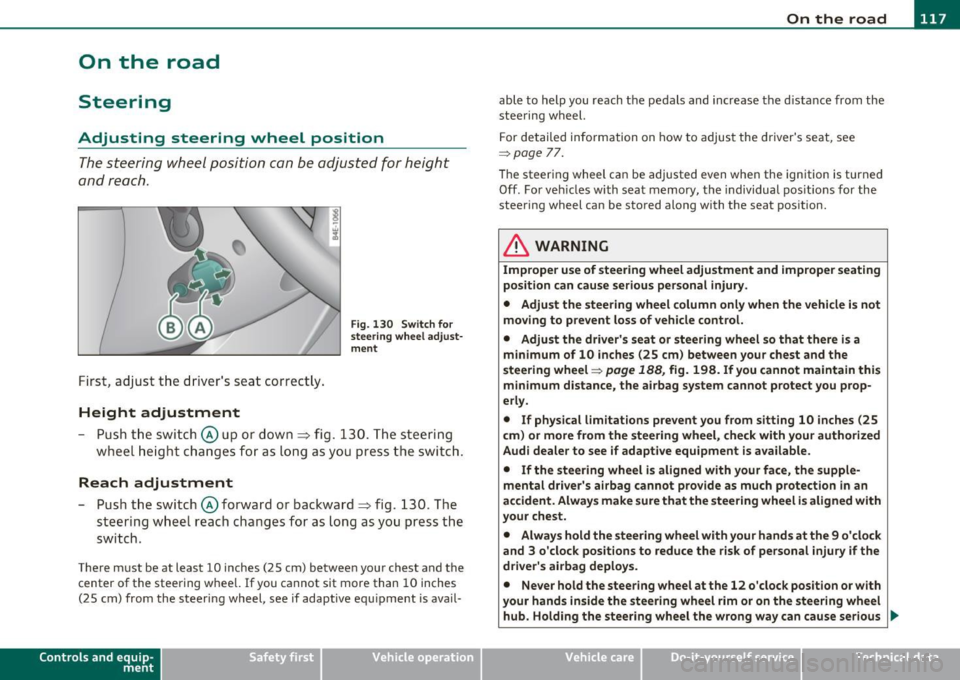
First, adjust t he driver's se at correct ly.
Height adjustment
Fig . 13 0 Swit ch f or
steering whee l adjust
m ent
- P ush t he swi tch © up or down ~ fig. 130. The st e e ring
whe el h eig ht chang es f or as l ong as y ou press t he swi tch .
Reach adjustment
- Push the switc h@ forward or backward~ fig. 130 . T he
steering w heel reach changes for as long as you press the
switch .
There m ust be at least 10 inches (25 cm) between your chest and the
center of the steering whee l.
If you cannot sit more than 10 inches
(25 cm) from the steer ing wheel, see if adaptive equ ipment is ava il-
Cont rols a nd e quip
m en t Vehicle
OP-eration
able to help you reach the pedals and increase the d istanc e from the
stee ring wheel.
F or detailed info rmation on how to adjus t the d river' s se at, see
~ page 77.
Th e stee ring wheel ca n be adjusted even when the ign ition is turned
Off . For veh icles with seat memory, the individual pos it io ns for the
steering wheel can be stored along with the seat pos ition.
& WARNING
Improper use of steering wheel adjustment and improper seating
position can cause serious personal injury .
• Adjust the steering wheel column only when the vehicle is not
moving to prevent loss of vehicle control. • Adjust the driver 's seat or steering wheel so that th ere is a
minimum of 10 inches (25 cm ) between your chest and the
steering wheel~
page 188, fig. 198. If you cannot maintain this
m inimum distance, the airbag system cannot protect you prop
erly.
• If physical l imitations p revent you from sitting 10 inches (25
c m ) or more from the steering wheel, che ck with your authorized
Audi dealer to see if adapt ive equipment is a vailable.
• If the steering wheel is aligned with your face, the supp le
mental dri ver 's ai rbag cannot prov ide as much protection in an
accident . Always make sure that the steering wheel i s aligned with
your chest.
• Always hold the steering wheel with your hands at the 9 o 'clock
and 3 o 'clock posit ions to reduce the risk of personal injury if the
driver's airbag deploys .
• Never hold the steering wheel at the 12 o'clock position or with
your hands inside the steering wheel rim or on the steering wheel
hub. Holding the stee ring wheel the wrong way can cause serious
~
Vehicle care Do-it-yourselt service iTechnical data
Page 120 of 384

llffl..__O_ n_ t_h _e_ r_o _ a_ d _________________________________________________ _
& WARN ING (con tinu ed)
inju ries to the hands, arms and head if the d river 's airbag
deploy s.•
Easy entry feature
The easy entry feature makes it easier to enter and exit
the vehicle by autom atically adjusting the steering
w heel .
Press the button @=> page 11 7, fig. 130 to turn t he easy
en try featur e on or off.
W hen the easy entry fea ture is tu rned on ( button depre ssed) , the
steering wheel moves up to the parked position w hen the ignition is
tu rned off. After you ente r the vehicle, the steerin g wheel moves to
the stored pos ition as soon as you turn on the ign ition .•
Ignition Lock and ignition switch
Ignition key positions
The e ngine can be started or turned off with the ignition
key .
Fig . 131 Ig nition
swit ch posit ions
Position @
The ig nit io n key can be inserted into the ignition switc h in this posi
ti on . This automatically unloc ks the steer ing co lumn lock. When the
ig nition key is removed, the steer ing colum n lock is a utomat ically
locked~ &-
Ignition on (D
Turn t he ignit ion key to this position and re lease it.
Starting the engine@
The engine starts w ith the key in this position . Major electr ical loads
are te mpora rily tur ned off .
Ignition off 0
Turn the ignit ion key to this position and re lease i t.
& WARNING
• Never remove the key from the ignition lock while the vehicle
is moving . The steering wheel will lock , causing loss of control.
• If you have to leave your vehicle, even for just a minute, always
remove the ignition key and take it with you. This is especially
important if you are going to leave children unattended in the
vehicle. The children could start the engine or use other vehicle
controls . Unsupervised use of vehicle controls (for example, power
windows ) can cause serious personal injuries.
(D Note
• If the i symbol in the display blinks, there is a mal function in t he
elec tronic s tee ring co lumn lock. Follow the in struc tions in
~ page 31 , "Steer ing malfunction~" .
• If th e ~ sy m bol in the d is pla y blink s, t here i s a m alf unc tion in the
electronic ignition lock. Follow t he inst ru ctions in =>
page 31, "Igni-
t io n lock mal fu nctio n
.:2.". .,
Page 121 of 384
![AUDI S8 2010 Service Manual _________________________________________________ O_ n_ t_ h_ e_ r _o_ a_d _ __.lftI
(]] Tips
• If you release the ignition key in posit ions G) , @ or@, the key
automatically returns t](/img/6/57617/w960_57617-120.png "AUDI S8 2010 Service Manual _________________________________________________ O_ n_ t_ h_ e_ r _o_ a_d _ __.lftI
(]] Tips
• If you release the ignition key in posit ions G) , @ or@, the key
automatically returns t")
_________________________________________________ O_ n_ t_ h_ e_ r _o_ a_d _ __.lft'I
(]] Tips
• If you release the ignition key in posit ions G) , @ or@, the key
automatically returns to position @.
• If you open the driver's door when the ignition is switched on, a
buzzer sounds and the message
Ignition is on appears in the instru
ment cluster display. Please switch the ignition off.•
Ignition key safety lock
The ignition key can only be removed when the selector
lever is in the "P" (Park) position.
After turning off the ignition, the ign ition key can only be removed
from the ignition lock when the se lector lever is in the "P" (Park) posi
tion . After you have removed the key, the selector lever is locked and
cannot be moved. •
Starting and stopping the engine
Starting the engine
The engine can only be started with your original Audi
key.
Con tro ls a nd e quip
m en t
Fig. 132 Ignition key
positions
Vehicle OP-eration
-Step on the brake.
- Move the selector lever into P or N
~ &.
- Turn the ignition key to position @~ fig. 132 -do not
depress the gas pedal when starting the engine.
A cold engine may sound loud after it has been started. This is due to
the hydraulic valves building up oil pressure. This is normal and is not
a need for concern.
If the engine does not start immediately, stop trying after 10 seconds
and then try to restart the engine about 30 seconds later .
& WARNING
Never start or let the engine run in a confined or enclosed area.
Exhaust fumes from the engine contain carbon monoxide , a color
less and odorless gas. Carbon monoxide can be fatal if inhaled.
• Never leave the engine idling unattended. An unattended
vehicle with a running engine poses a danger of personal injury or
theft .
0 Note
• Avoid high eng ine speeds, fast accelerat io n or heavy engine loads
wh ile the engine is still cold. This could damage the engine.
• The engine cannot be started by push ing or towing the vehicle.
~ For the sake of the environment
To avoid unnecessary engine wear and to reduce exhaust emissions,
do not let your vehicle stand and warm up. Be ready to drive off imme
diately after starting your vehicle. Maintain moderate speed unti l the
engine is completely warm. Remember, the engine performs best at
operating temperature .•
Vehicle care Do-it-yourselt service iTechnical data
Page 124 of 384
-On the road •m ___________________ _
& WARNING (continued)
• The brake booster and the servotronic only work when the
engine is running. If you turn off the engine, more force will be
required to steer or brake the vehicle. If you are not prepared, this
could result in a collision and serious personal injury.
• For your safety, move the selector lever to the P position, then
turn off the engine. Otherwise the vehicle could inadvertently roll
away.
• After turning off the engine, the radiator fan can come on and
run for up to 10 minutes -even if the ignition is switched off. Like
wise, the fan could come on if the temperature in the engine
compartment raises due to heat build up or if you leave the vehicle
standing in direct sunlight.
0 Note
After driving at high engine load, heat can build up in the engine
compartment after you have turned off the engine. This can damage
t he engine. Let the vehicl e stand and run in idl e for about 2 minutes
before turning off the engine. •
App lies to ve hicles : w ith Conve nie nc e key
Driver's messages in the instrument
cluster
Messages appear in the instrument cluster to let the
driver know if something is missing or if something must
be done.
No key identified
This message appears when you press the [START) button, but there
is no remote contro l key inside the vehicle or if the system does not
recognize the key. For example, if your key is
shielded by an object or
encased, i .e . in side an aluminum briefcase, the signal from the key cannot be detected
. Electron ic devices such as cell phones can also
in terfere w ith the radio signal.
Press brake pedal to start engine
This message appears when you press the !S T ART ) butto n when
starting the engine but you have not depressed the brake pedal.
Engage N or P to start engine
This message appears when you start the engine but the selector
lever is not in the P or N position . The engine can be started only if the
selector lever is in one of these two positions .
Key not in vehicle
This message appears together with the 7 symbol when the remote
control key is removed from the vehicle while the engi ne is running.
Th is is to remind you that you should not cont inue your tr ip without
your key.
If the key is no longer inside the vehicle when you turn off the engine,
you will not be able to switch on the ignition or restart the engine.
Also, you will not be able to lock the vehicle from the outs ide .
Shift to P, otherwise vehicle can roll away. Doors do not lock if lever
is not in P.
Thi s message appears for your safety together with an audible
warning signal when you press the
[STOP) button but the selector
lever is not in the P position and you open the driver's door. Move the
selector leve r in to P, otherwise the vehicle could roll away. I n addi
tion, you will not be able to lock the ve hicle with either the lock
button located on the door hand le or the remote control.
To engage steering lock, press and hold STOP button
Th is message appears for your personal safety if you switch off the
engine and the ignition by pressing the
[STOP) button and then open
the driver's door. In this case, the steering will still not be locked. The
steering wheel will lock:
• If you press the
I STO P I button for longer than 1 second.
• If you lock the vehicle from the outside .•