display AUDI TT ROADSTER 2015 Owner's Guide
[x] Cancel search | Manufacturer: AUDI, Model Year: 2015, Model line: TT ROADSTER, Model: AUDI TT ROADSTER 2015Pages: 244, PDF Size: 60.74 MB
Page 150 of 244
148 Intelligent technology
To bring the energy balance back into equilibrium, consumers which require especia lly
l arge amo unts of energy are temporari ly c ut
back or switched off. Heating systems in par
ticular requ ire a great dea l of energy. If you
n otice, for example, that the heated seats * or
the heated rea r window a re not heating, they
have been temporar ily cut back o r switched
off. These sys tems will be ava ilable again as
soon as the energy ba lance has bee n restored.
You will also not ice that engine idle speed has
been inc reased slightly. This is no rma l and not
a cause fo r concern . By increas ing engine idle
spee d the add itiona l ene rgy required is gener
ated and the ba ttery is charged .
Driver notification in the instrument
cluster display
If battery power drops into the range where it
can limit the ability of the engine to start, th is
i s shown in the instrument cluster display
with the following driver message:
(•) Low battery charge : battery will be
cha rged while dri ving
This notification reminds you that the starti ng
capability of the engine may be limited. As
soon as you start driving aga in, the battery
will be recharged and the notification will go
out .
Driv er notificat ion appears and goes out
again
If t his driver notification appears after the ig
ni tion is turned on or while driv ing and it goes
out again after a while, the battery has been
adequately rec harged.
Driver notification appears and does not
go out again
If t his driver notification appears after the ig
n ition is turn ed on or while driv ing and does
n ot go ou t aga in, t he battery's s tate of charge
is not i n the opt imal range. St arting ability is
restricte d. Have the bat tery checked as soon
as possible by a n authorized Audi dealer or
q ua lified workshop.
Page 160 of 244
158 Vehicle care and cleaning
- Never remove snow or ice from win
dows and mirrors using warm or hot
water because this could cause cracks to form .
- To avoid damage to the rear window
defogger, do not apply any stickers on
the heating wires on the inside of the
window.
- Decorative parts/trim
-Never use chrome care or cleaning
products.
- Paint
- To reduce the risk of scratches, the ve-
hicle must be free of dirt and dust be
fore polishing or waxing.
- To prevent paint damage, do not polish or wax the vehicle in direct sunlight.
- To reduce the risk of paint damage, do
not polish away rust film .
-Trim
-To reduce the risk of damage, do not
treat the trim around the panorama
sunroof with paint polish.
- Decorative decals
-To reduce the risk of damage, do not
use any rough powder or abrasive
cleaning products.
- To reduce the risk of damage , do not
polish decorative parts that have a
matte finish.
- Displays
-To avoid scratches, do not use dry
cleaning methods on displays.
- Controls
- Make sure that no fluids enter the con -
trols, because this could cause dam age.
- Safety belts
- Do not remove the safety belts to clean
them.
- Never clean safety belts or their com
ponents chemically or with corrosive
fluids or solvents and never allow sharp objects to come into contact
with the safety belts. This could cause damage to the belt webbing. - If there is damage to the webbing, the
connections, the retractors or the buckles, have them replaced by an author
i z ed Audi dealer or a qualified work
shop.
- Textiles/Vinyl/Alcantara
- Never treat Vinyl/Alcantara with leath-
er care products , solvents, floor polish ,
shoe polish , stain remover or similar
products.
- To avoid damage, have stubborn stains
removed by an authorized Audi dealer
or a qualified workshop.
- Never use steam cleaners, brushes,
hard sponges, etc. when cleaning.
- Do not turn on the seat heating* to dry
the seat.
- Objects with sharp edges such as zip
pers , rivets on clothing or belts can
cause damage to the surface.
- Open hook and loop fasteners, for ex
ample on clothing, can damage seat
covers. Make sure hook and loop fas
teners are closed.
-Natural leather
-Never treat leather with solvents, floor
polish, shoe polish, stain remover or
similar products.
- Objects with sharp edges such as zip
pers, rivets on clothing or belts can
cause damage to the surface .
- Never use steam cleaners, brushes,
hard sponges, etc. when cleaning.
- Do not turn on the seat heating* to dry
the seat.
- To help prevent the leather from fad
ing, do not leave the vehicle in direct
sunlight for long periods of time . If
leaving the vehicle parked for long pe
riods of time, you should cover the
leather to protect it from direct sun
light.
@ Tips
- Insects are easier to remove from paint
that has been freshly waxed.
Page 170 of 244
168 Checking and filling
Detergent additives in the o il will make fresh
oil look dark after the engine has been run
n ing for a short time . This is norma l and is not
a reason to change the oil more often than recommended.
D am ag e o r m alfun ction s due to lack of
m ainten ance
It is essent ial that yo u change your oil at the
recommended intervals using only engine oil
that complies with Audi oi l standard
VW 502 00 . Your Lim ited New Vehicle War
ranty does not cover damage or malfunctions
due to failure to follow recommended mainte
nance and use requ irements as set forth in
the Audi Owner's Manual and Warranty
&
M aintenance book let . Your dea ler will have to
deny warranty coverage un less you p resen t to
the dea ler proof in the form of Servi ce or Re
pa ir Orde rs that all schedu led maintenance
was performed in a timely manner.
Engine oil consumption
The engine in your vehicle depends on an ade
quate amount of oil to lubricate and cool all
of its moving ports.
I n o rder to prov ide effective lubr ication and
cooling of internal engine components, a ll in
ternal comb ustion engines consume a certain
amount of oil. Oi l consumption varies from
engine to engine and may change significantly
over the life of the eng ine . Typically, eng ines
with a specif ied break-in per iod (see
c::> page 149) consume more oil during the
break-in per iod than they consume after oil
consumption has stabilized .
Under normal conditions, the rate of oil con
sumpt io n depends on the quality and viscosity
of the oil, the RPM (revolutions per m inute) at
which the engine is operated, the ambient
temperature and road cond it io ns. Furthe r fac
tors are the amo unt of o il d ilution from wate r
condensation or fuel residue and the ox ida
tion level of the oi l. As any engine is subject to
wear as mileage bui lds up, the oil consump
tion may increase over t ime until replacement
of worn components may become necessary. Wi
th a ll these variab les coming into p lay, no
standard rate of oil consumption can be es
tab lished or spec ified. There is no alte rnative
to regular and frequent check ing of the o il lev
el, see
Note .
If the yellow engine oil leve l warning symbo l
in the instr ument cluster
1\1 lights up, you
sho uld check the oil leve l as soon as possib le
with the oil dipstick c::> page 169. Top off the
o il at your earliest conven ience
c::> page 169 .
A WARNING
-Before you chec k anything in the eng ine
compartment, a lways read and heed a ll
WAR NINGS
c::> .& in Working in the engine
comportment on page 164.
CI) Note
D riving with an insufficient o il level is like
l y to cause sever e damage to the engine.
(D Tips
- The oil pressure warn ing display. is
not an indicator of the oil level. Do not
rely on it . Instead, check the oil level in
your engine at r egular intervals, pr ef
erably ea ch time you refuel, and alway s
before going on a long trip.
- If you have the impression yo ur engine
cons umes excessive amoun ts of oil, we
recommend that you consult your Aud i
dea ler to have the cause of your concern
properly diagnosed. Keep in mind that
the accurate meas urement of o il con
sumption requires great care and may
take some t ime . Your Audi dea ler has in
st ruct ions about how to measure oil con
sumption acc urately.
Page 201 of 244
remain continuous ly illuminated . This se
quence will continue upon subsequent vehicle
start-ups as long as the ma lfunction ex ists.
When the malfunct ion indicator is ill uminat
ed, the system may not be able to detect or
signa l low tire pressure as intended. TPMS
malfunct ions may occur for a variety of rea
sons, including the installat ion of replace
ment or alternate tires or wheels on the veh i
cle that prevent the TPMS from funct io ni ng
properly. Always check the TPMS malfunct ion
tellta le afte r replacing one or more t ires or
wheels on your veh icle to ensure that the re
p lacement or a lternate tires and wheels allow
the TPMS to continue to function properly.
Tire pressure indicator appears
Applies to vehicles: with tire pressure monitoring system
The tire pressure indicator in the instrument
cluster informs you if the tire pressure is too
low or if there is a system malfunction.
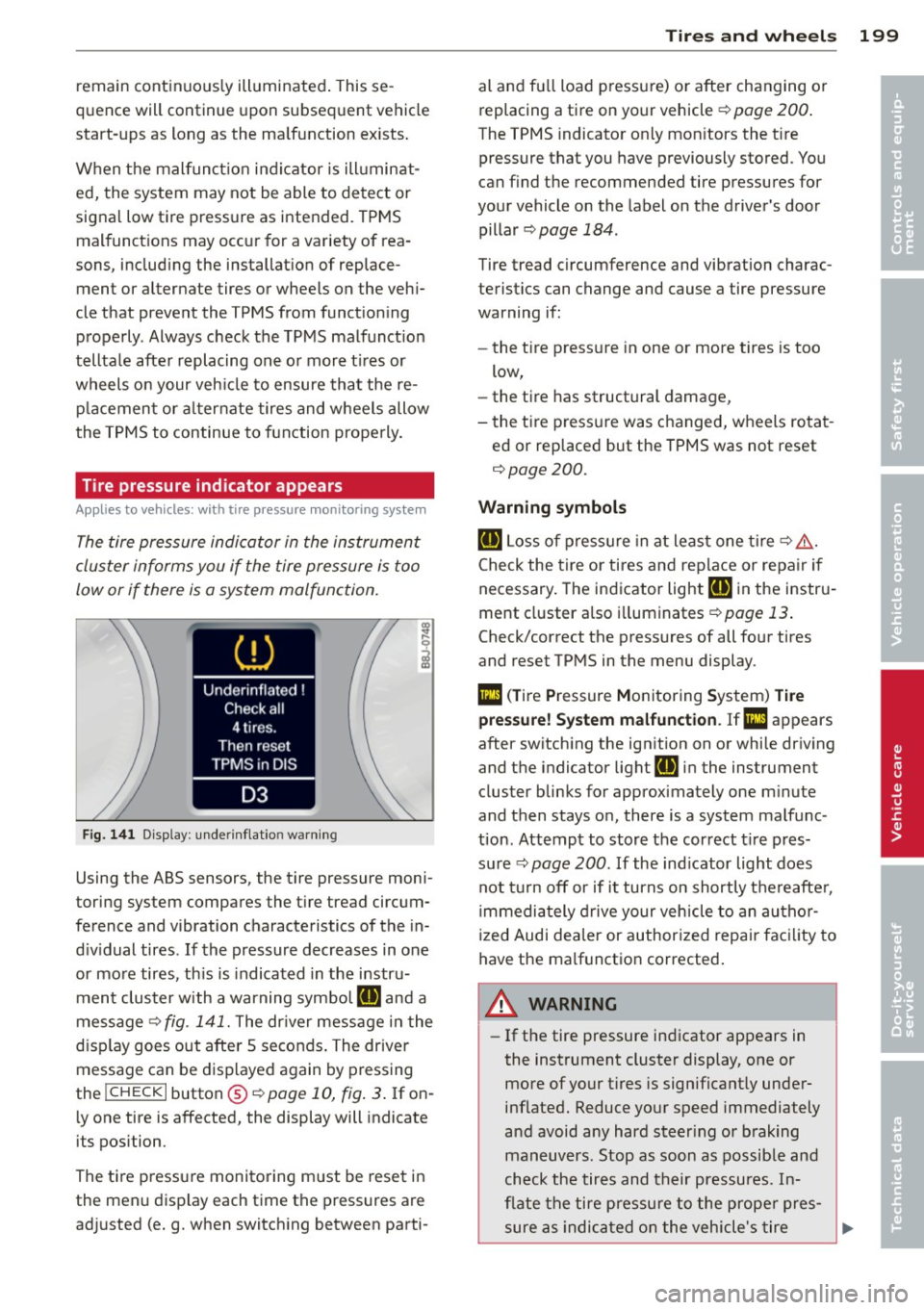
F ig. 1 41 Disp lay : under in fla tion warn ing
Using the ABS sensors, the tire pressure moni
toring system compares the t ire tread circum
fe rence and vibration characteristics of the in
d iv idual tires . If the pressure decreases in one
or mo re tires, th is is indicated in the instru
ment clus ter with a warning symbol
[I] and a
message
'* fig. 141. The dr iver message in the
d isp lay goes out after 5 seconds . The driver
message can be d isplayed again by pressing
the
! CHECK I button @¢ page 10, fig . 3 . If on
ly one tire is affected, the display will indicate
its pos ition.
The ti re pressure monito ring m ust be reset in
the menu display each time the pressures are
ad justed (e.g. when switching between parti-
Tire s an d wheel s 199
al and fu ll load pressure) or after changing o r
replacing a tire on your vehicle '*
page 200.
The TPMS indicator on ly mon itors the t ire
pressure that you have previously stored . You
can f ind the recommended tire pressures for
your vehicle on the label on the driver's door
pillar ¢
page 184 .
Tire tread circumference and vibration charac
teristics can change and cause a tire pressure
warning if:
- the t ire press ure in one or more tires is too
low,
- the tire has structural damage,
- the t ire press ure was changed, wheels rotat -
ed or rep laced but the TPMS was not reset
¢ page 200.
Warning symbo ls
[I] Loss of press ure in at least one tire'*& .
Check the tire or tires and rep lace or repa ir if
necessary . The indicator light
[I] in the instru
ment cluster a lso i lluminates
¢ page 13.
Check/correct the press ures of all four tires
and reset TPMS in the menu display .
mm (T ire Pressure Monitoring System) Ti re
pre ssure! System malfun ction . Ifll appears
after switching the ign it ion on or while dr iving
and the indicator light
[I] in the instrument
clus ter blinks fo r approximately one m inute
and then stays on, there is a system malfunc
tion . Attemp t to store the correct t ire pres
su re '*
page 200 . If the ind icator light does
not turn off or if i t turns on shortly thereafte r,
immedia tely drive your vehicle to an au thor
ized Audi dea ler or author ized repai r fac ility to
have the malfunction corrected .
A WARNING
=
-If the tire pressure indicator appears in
the instrument cluster display, one or
more of your t ires is significant ly under
inflated. Reduce your speed immediately
and avoid any hard steer ing or b rak ing
maneuvers. Stop as soon as possib le and
check the tires and their pressu res . In
flate the tire pressure to the prope r pres-
sure as indicated on the vehicle's tire .,..
•
•
Page 202 of 244
200 Tires and wheels
pressure label¢ page 184. Driving on a
significantly under-inflated tire causes the tire to overheat and can lead to tire
failure . Under-inflation also is likely to
impair the vehicle's handling and stop
ping ability .
- The driver is responsible for mainta ining
the correct tire pressures. You must
check the tire pressures regularly.
- Under certain conditions (such as a spor
ty driving style, winter conditions or un
paved roads), the pressure monitor indi
cator may be delayed.
- Ask your author ized Audi dealer if run
flat tires may be used on your veh icle.
Your vehicle registration becomes inval id
if you use these tires when not permit
ted. Damage to your vehicle or accidents
cou ld also resu lt.
- If you switch between standard and run
flat tires, an authorized Audi dealer or
qualified workshop must reprogram the
control module .
@ Tips
-The tire pressure monitoring system may
stop working when there is an ESC mal
funct ion .
- Using snow chains may result in a system
malfunction.
- The tire pressure monitoring system on
your Audi was developed using tires with
the "AO" or "RO" identif ication on the
tire sidewall ¢
page 191. We recom
mend using these tires.
Reset tire pressure monitoring system
(Stepl)
Applies to vehicles: with tire pressure monitoring system
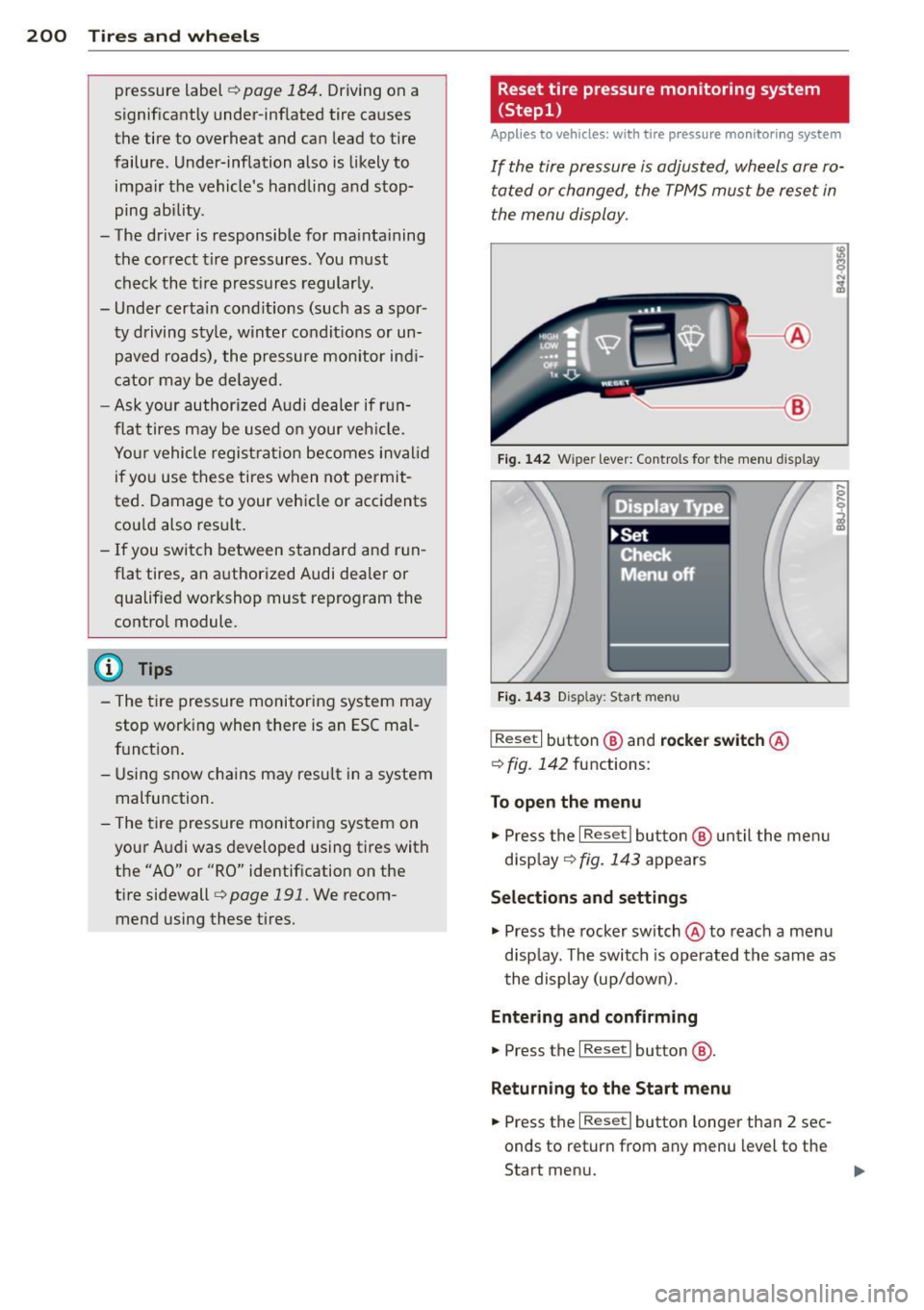
If the tire pressure is adjusted, wheels are ro
tated or changed, the TPMS must be reset in
the menu display.
----- ®
Fig. 142 Wiper lever: Contro ls fo r the menu displ ay
Fig. 143 Disp lay: S tar t m en u
I Reset I button @ and rocker switch @
¢
fig . 142 functions:
To open the menu
" Press the I Rese t I button @ until the men u
disp lay
¢ fig . 143 appears
Selections and settings
" Press the rocker switch @ to reach a menu
disp lay. The switch is operated the same as
the display (up/down) .
Entering and confirming
" Press the I Re set I bu tton @.
Returning to the Start menu
" Press the I Reset I button longer than 2 sec
onds to return from any m enu l evel to the
Start menu.
Page 203 of 244
@ Tips
-Before resetting the TPMS, the current
pressures of
all four tires must corre
spond t o the specified va lues. Adjust the
tire pressu re and reset the pressure in
the tire pressure mon itor ing system ac
cord ing to the load yo u are carry ing
<=> pag e 184.
- Do not store the tire pressure if there are
snow cha ins on the tire . Othe rwise, a
system malfunct ion may occ ur.
Reset tire pressure monitoring system
(Step2}
Applies to vehicles: with tire pressure monitoring system
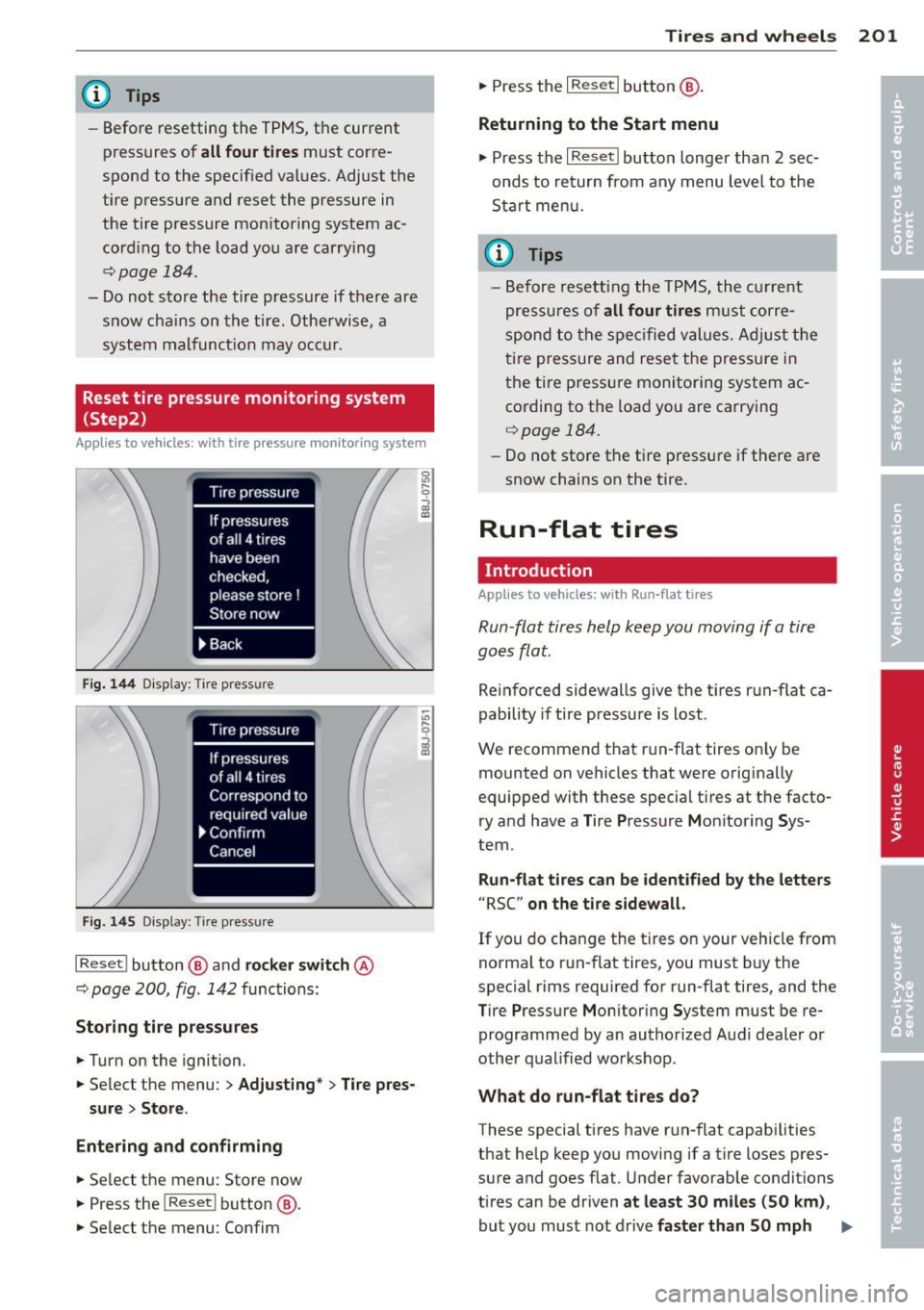
Fig. 144 D isplay: Tir e press ure
Fi g. 145 Display: Tir e pr ess ure
I Reset ! button @ and rock e r swit ch @
~ page 200, fig . 142 func tions:
Storing tire pressures
.. Turn on the ignition .
.. Select the menu :
> Adjusting * > Tire pres-
sure
> Store .
Entering and confirming
.. Se lect t he menu : St ore now
.,. Press the
l Reset ! button @.
.. Se lect the menu : Confim
Tires and wheels 201
.. Press the I Rese t I button @.
Returning to the Start menu
.,. Press the I R eset I butto n longer than 2 sec
onds to retur n from any menu level to the
S ta rt me nu.
{!) Tips
- B efore resett ing the TP MS, the c urrent
pre ssures o f
all four tires must co rre
spond to t he s pec ified v alue s. A dju st t he
tire pressure and rese t the pressure i n
the tire p ressu re monito ring system ac
co rding to the loa d you are carrying
<=> page 184.
-Do not store the tire p ress ure if there are
snow chains on the tire .
Run-flat ti res
Introduction
Applies to vehicles: with Run -f lat tires
Run-flat tires help keep you moving if a tire
goes flat.
Re inforced sidewalls give the tires run-flat ca
pability if tire pressure is lost .
We recommend that r un-flat tires on ly be
m ounted on vehicles that were orig inally
equipped with these special tires at t he facto
ry and have a Tire Pressure Moni toring Sys
tem .
Run-flat tires can be identified by the letters
"RSC" on the tire sidewall.
If you do change the tires on your veh icle from
norma l to run- flat tires, you must b uy the
special rims required for run-flat tires, and the
T ire Pressure Monitor ing System must be re
programmed by an authorized Aud i dealer o r
other qualified worksho p .
What do run-fl at tires do?
These special tires have r un-flat capabilities
that help keep you moving if a t ire loses pres
sure and goes flat . Under favorable conditions
ti res can be dr iven
at least 30 miles (50 km) ,
but you mus t not dr ive faster than 50 mph Ill-
Page 224 of 244
222 Technical Data
Technical Data
Vehicle identification
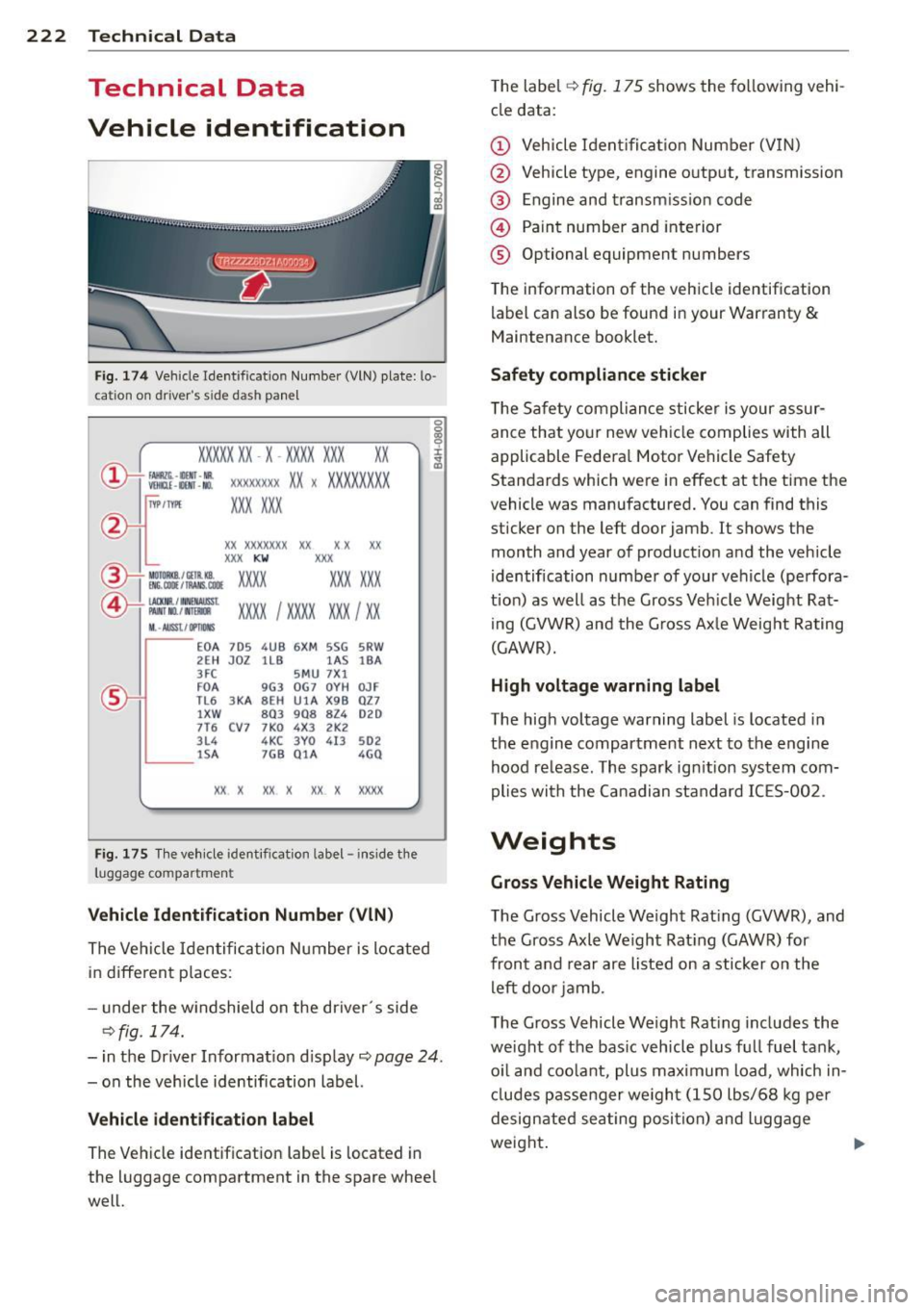
Fig . 174 Vehicle Ident ification Number (VlN) plate: lo·
cat ion on driver 's s ide dash panel
XXXXX XX · X -XXXX XXX xx
r,"\__l f~ -11!111 · NII. ~ V!Hlll -llllll . NO.
IYP IT'fl'E
XXXXXXXX XX X XXXXXXXX
XXX XXX
XX XXXXXXX XX X X XX
XXX
KW XXX
®i ~~:f :l~~ XXXX XXX XXX
@+ ~~r= XXXX I XXXX XXX I XX M ,. AIIISl./ lflllllS
EOA 7D5 4 UB 6XM SSG 5RW
2E H JDZ llB l AS lBA
3FC 5MU 7Xl
FO A
9G3 OG7 O
YH OJF
TL6 3
KA BEH
UlA X9B QZ 7
l XW
8Q3 9Q8 82 4 020
7T6 CV 7 7KO 4X3 2K2
3L4 4 KC 3YO 4I3 502
lS A 7GB Q1A 4GQ
XX X XX X XX X XXXX
Fig. 175 The vehicle identificat ion label - inside the
luggage co mpa rtmen t
Vehicle Identification Number (VlN)
The Vehicl e Identification Number is located
in different p laces:
- under the w indshield on the driver 's side
c::>fig . 174.
-in the Driver Information display c::> page 24.
- on the vehicle identification label.
Vehicle identification label
The Vehicle identification label is located in
the luggage compartment in the spare whee l
well. T
he label
c::> fig. 175 shows the following vehi
cle data:
(D Vehicle Identificat ion Number (V IN)
@ . Vehicle type, engine output, transmission
® Engine and transm iss ion code
@ Paint number and interior
® Optional equipment numbers
The information of the vehicle identification
label can also be found in your Warranty
&
Maintenance booklet.
Safety compliance sticker
The Safety compliance sticker is your assur
ance that your new veh icle complies with all
applicable Federal Motor Vehicle Safety
Standards which were in effect at the time the
vehicle was manufactured. You can find this
sticker on the left door jamb. It shows the
month and year of product ion and the vehicle
identif ication number of your vehicle (perfora
tion) as well as the Gross Veh icle Weight Rat
ing (GVWR) and the Gross Axle Weight Rating
(GAWR).
High voltage warning label
The high voltage warning label is located in
the engine compartment next to the engine
hood re lease . The spark ignition system com
plies with the Canadian standard IC ES-002.
Weights
Gross Vehicle Weight Rating
The Gross Vehicle Weight Rat ing (GVWR), and
the Gross Axle Weight Rating (GAWR) for
front and rear are listed on a sticker on the
left door jamb.
The Gross Vehicle Weight Rat ing includes the
weight of the bas ic vehicle plus fu ll fuel tank,
o il and coolant, plus max imum load, which in
cludes passenger we ight (150 lbs/68 kg per
designated seating position) and luggage
weight. .,.
Page 233 of 244
_______________________________ ___:I~n ~d ~e:.::x 231
Temperature ... ... .... ... .. .. .. .... 68
Venti lation ..... .. .... ... .. .. .. .... 67
C lock ..... ................... .. ....
11
Clutch overheating . . . . . . . . . . . . . . . . . . . 86
Cold tire inflat ion pressure ... .. .. .. .. .
184
Com ing home .............. ... ... ... 49
Compass m irror . ....... ... .. .. .. .. .. 58
Comp lian ce .. ............. .. .. .. ... 228
Consumer Info rmat ion . . . . . . . . . . . 98, 225
Contact ing NH TSA . ..... ... .. .. .. .. .. 98
Controls Cleaning . .. .. ........... .. .. .. ...
156
Controls and d isp lays ....... .. .. .. .. .. . 8
Convenience close/open feat ure
Powe r top . . . . . . . . . . . . . . . . . . . . . . . . .
43
Windows . ..... ...... ... .. .. .. .... 40
Conve rtible c hild safety sea ts .. .. .. .. .
134
Convertible locking retractor
Activating . . . . . . . . . . . . . . . . . . . . . . . .
139
Deactivating ................ .... .. 139
Using to secure a ch ild safety seat 137, 139
Convertible top . ........... .. .. .. .. .. 41
Au tomatic convertible top .. .. .. .. .. .. 43
Emergency operation ........... .... . 44
Ge ne ral i nfo rmation .......... ... ...
41
manual conve rtib le top .. ... . .. ... ... 42
War ning/ indic to r l igh ts .... .. .. .. .. ..
1 7
W ind deflecto r ........... .... .. .. .. 44
Cooling system . . . . . . . . . . . . . . . . . . . . .
1 71
Expansion ta nk ... ... ... .. .. .. .. .. . 172
Cornering light ............ .... .. .. .. 49
Cruise control . . . . . . . . . . . . . . . . . . . . . . . 77
Changing spee d . . . . . . . . . . . . . . . . . . . . 7 8
Presetting your speed . . . . . . . . . . . . . . . 78
Sw itching
off .... ..... ... .. .. .. .... 78
Sw itching on . . . . . . . . . . . . . . . . . . . . . . . 77
War ning/ indicator lights ... .. .. .. .. ..
21
Cup holder . . . . . . . . . . . . . . . . . . . . . . . . . . 63
Current fuel m ileage
23
D
Damping
refer to Audi magnetic ride ... .. .. .. .. 79
D ata recorder . ..... .... ... .. .. .. ... 14 1
Date display . . . . . . . . . . . . . . . . . . . . . . . . 11
Daytime running lights .... .. .. .. .. .. .. 48
Decla rat ion of compliance
Ce ll phone package .. ... .... ... .. .. 228
E lectronic immob ilizer .. ..... ... .. .. 228
Homelink universal remote control . .. 228
Remo te contro l key ... ............. 228
Decorative deca ls
Cleaning . ... .... ... .. .. ..... ... ..
156
Decorative pa rts/tr im
Cleaning .. .. .. .. .... .............
156
def
What does this mea n when it appears in
the tr ip odometer display? ...........
12
Defective light bulb warning . ....... .. . 20
Defrost ing the w indows . .... ..... .. .. . 70
Determ ining correct load limit ........
189
Digital clock . . . . . . . . . . . . . . . . . . . . . . . . 11
D . · l 1g1ta compass . . . . . . . . . . . . . . . . . . . . . 58
Dimens ions . .. .. .. .... ............. 223
D imming the rearview m irror .. ... .. .. . 53
D ipst ick
Reading the d ipst ick properly ........
169
Displays
Cleaning
156
Distance ... .. .. .... . ... ...... ... .. . 23
Driver informat io n system
Boost ........ .. .. ... ....... ...... 26
E ngine oi l tempera ture .. ..... .. .. .. . 26
Menu but to n .. .. ... ..... ..... .. .. . 25
Menu disp lay . . . . . . . . . . . . . . . . . . . . . . 24
Open door or front lid warning ... .. .. . 22
Outsid e temperature disp lay . . . . . . . . . . 22
Serv ice inte rval display . . . . . . . . . . . . . . 28
Se tting ... .. .. .. .... ...... ....... . 25
Sound system display ... .... ... .. .. .
22
T' np compute r .. .. .. ................ 23
Dr iver seat
refer to Seating position . ..... .. .. .. . 92
Drivi ng
Run -flat t ires . ..... . .. .. ..... ... .. 20 2
Drivi ng safely ...... ........... ......
91
Driving throug h wate r .. .. .. .. ... .. .. 150
D upli cate key . .. .. .... ... .... ...... . 32
Dus t fil ter . . . . . . . . . . . . . . . . . . . . . . . . . . 68
•
•
Page 234 of 244
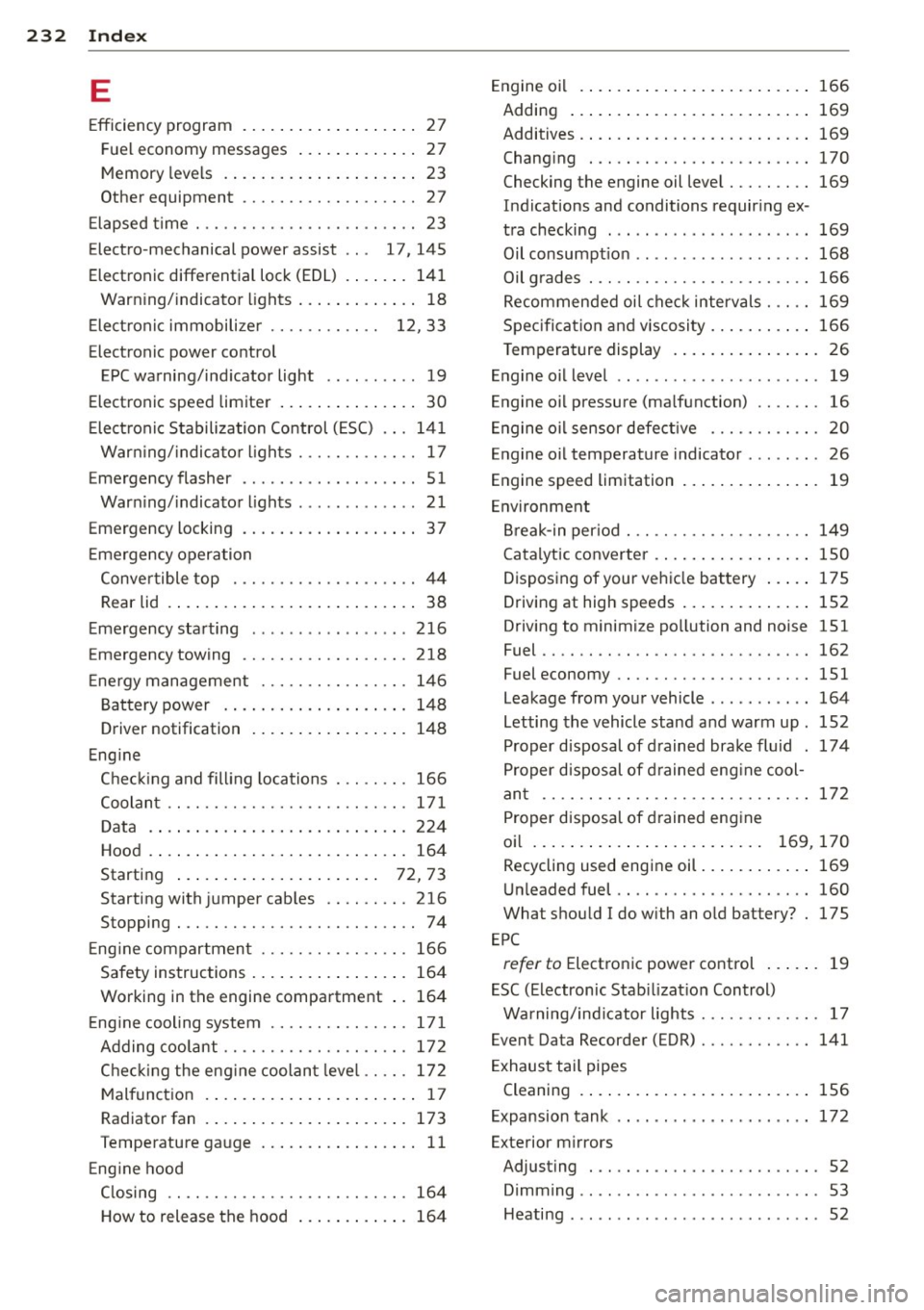
232 Index
E
Efficiency program ....... .. .. .. .... .. 27
F ue l economy messages ... .. .. .... .. 27
Memory levels . . . . . . . . . . . . . . . . . . . . . 23
Other equipment .. ......... .. .. .. .. 2 7
E lapsed time ... .... ....... .. .. .. .. .. 23
Electro -mechanical power assist . . . 17 , 145
Elect ronic differential lock (EDL) . . . . . . . 141
Warn ing/ indicato r lights ... .. .. .... .. 18
E lect roni c immobili ze r . . . . . . . . . . . . 12, 33
Electronic power co ntrol
EPC warning/ind icator light .. .. .. .... 19
Electronic speed limiter . . . . . . . . . . . . . . . 30
E lect ron ic S tabilization Control ( ESC) .. . 141
War ning/ indica tor l ights . .. .. .. .. .. .. 17
E mergency flasher . . . . . . . . . . . . . . . . . . . 51
War ning/ indicator lights . ...... .. .. .. 21
Emergency locking . . . . . . . . . . . . . . . . . . . 3 7
E mergency opera tion
Conve rtible top .......... .. .. .. .. .. 44
Rear lid . . . . . . . . . . . . . . . . . . . . . . . . . . . 38
E mergency sta rting .. ... ... .. .. .. .. . 216
Emergency towing ......... .. .. .. .. . 218
Ene rgy management ....... .. .. .. .. . 14 6
B att ery power . . . . . . . . . . . . . . . . . . . . 148
D river notification . . . . . . . . . . . . . . . . . 148
Eng ine
C he ckin g and fill ing locations . .. .. .. . 166
Coolan t .. .. ............. .... .. .. . 17 1
D ata .... .. ... ... .... ... .. .. .... . 224
Hood . ..... ... . ...... ... .. .. .... . 164
Starting . . . . . . . . . . . . . . . . . . . . . . 72, 73
Starting with jumper cab les .. .. .... . 216
Stopping . ................. ...... .. 74
E ng ine compartmen t ....... .. .. .. .. . 166
Safety instructions ... ... .. .. .. .... . 164
Working in the engine compa rtment .. 164
E ng ine cooling system ...... .. .. .. .. . 17 1
A dding coolant ........... .. ...... . 17 2
Chec king the eng ine coolan t leve l .. .. . 172
M alfunc tion . . . . . . . . . . . . . . . . . . . . . . . 17
Radiato r fan . .. .. ..... ... .. .. .... . 173
Temperature ga uge .. ... .. .. .. .... .. 11
E ng ine hood
C losing .. ............... .... .... . 164
H ow to release the hood ... .. .. .... . 164 E
ngine oi l .. .... .. ... .. ..... .... . .. 166
Adding ... .... .. .. ... ..... ... .. .. 169
Additives . ... .. .. ... .. ..... ... .. .. 169
Changi ng ..... .. ............. .... 170
Checking the engine oil level ..... .... 169
Indications and conditions requir ing ex -
tra checking ... .. ... .. .. ... ..... .. 169
Oil consumpt io n .. .......... ...... . 168
Oil g rades . .. .... ............. .. .. 166
Recommende d oi l c he ck interv als . .. .. 169
Spec ifi cat ion an d viscosity .. ... .. .. .. 166
T emperature display . .. ..... .... . .. . 26
En gine o il level .. .. ................ .. 19
Engine oi l pressure (ma lfunction) .. .. .. . 16
En gine oi l sensor defective . . . . . . . . . . . . 20
Engine oil temperature indicator ........ 26
Engine speed limitation .. ..... ... .. .. . 19
En vironment
Br eak-in per io d ... ............. .. .. 149
Catalytic converter . .. .. ..... ... .. .. 150
Disposing of your veh icle ba ttery ... .. 175
Driving at high speeds . . . . . . . . . . . . . . 152
Driving to minimi ze po llution and noise 151
Fuel ...... .... .. .. ............... 162
Fuel economy .... ................. 151
Leakage from your vehicle ..... ... ... 164
L etting the vehicle stand a nd warm up . 152
Proper disposal of d rained brak e flu id . 174
P roper d isposal of d rained eng ine cool-
an t ...... .... .. ................. 172
Proper disposal of d rained eng ine
oi l . . . . . . . . . . . . . . . . . . . . . . . . . 169, 170
Recycling used engine oil ..... ... .. .. 169
Un leaded fuel .. .. ............. .. .. 160
What shou ld I do with an o ld battery? . 175
EP C
refer to Elect ronic power co ntrol ... .. . 19
E SC (Electronic Stab ilizat io n Control)
Warning/ind icator lights ........ .. .. . 17
Event Data Recorder (EDR) ........ .... 141
E xhaust tail pipes
Cleaning . ..... .. ... .. ..... .... . .. 156
E xpansion tank . . . . . . . . . . . . . . . . . . . . . 172
Exterior m irrors
Adjust ing . .... .. ............. .... . 52
Dimming ...... .. ..... ....... ... .. . 53
Heating ....... .. ..... ....... ... .. . 52
Page 237 of 244
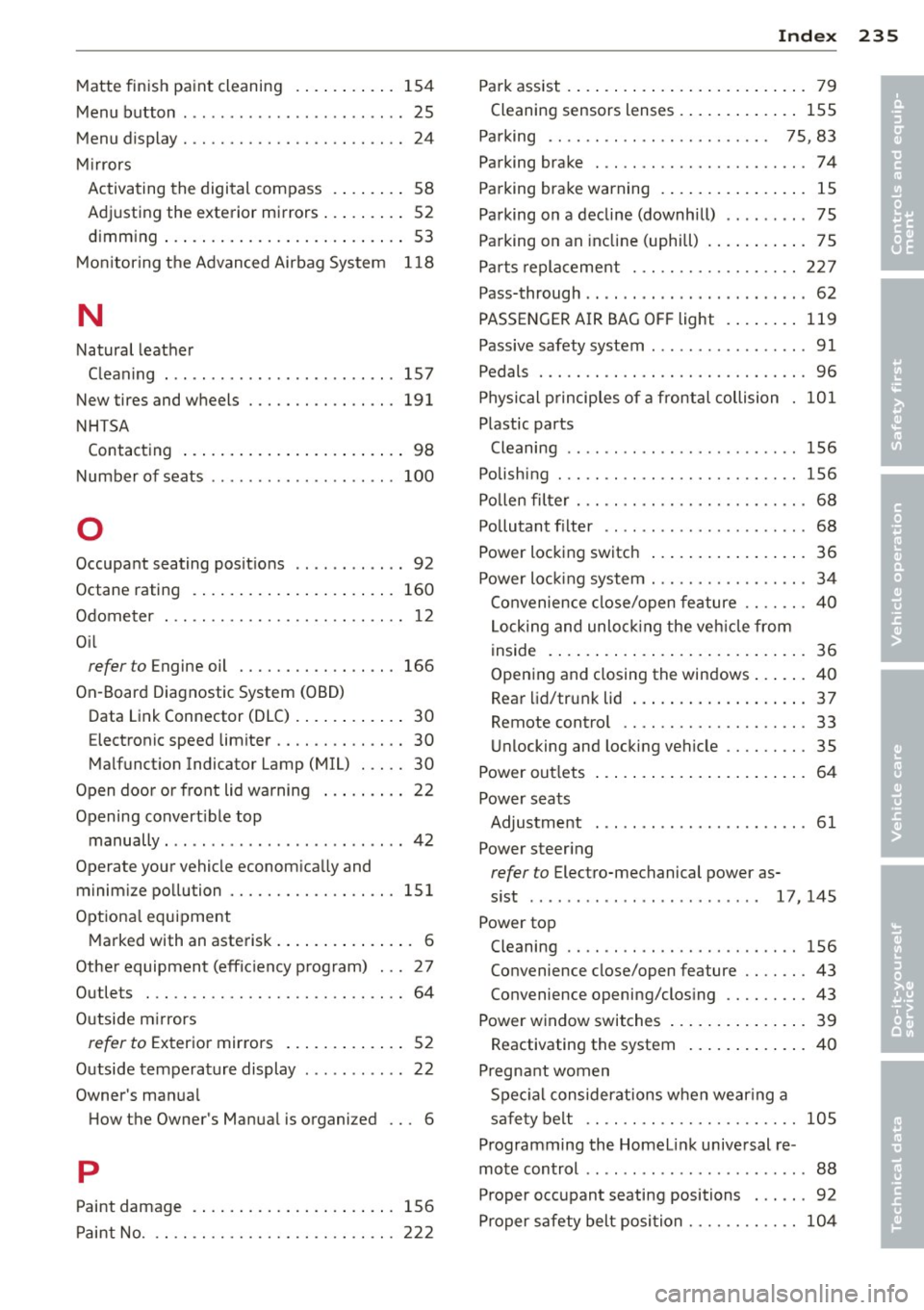
Matte finish paint cleaning .... .. .. .. . 154
Menu button . . . . . . . . . . . . . . . . . . . . . . . . 25
Menu display . . . . . . . . . . . . . . . . . . . . . . . .
24
M irrors
Activating the digital compass . ... .. ..
58
Ad justing the exterior mirrors ... .. .. .. 52
dimming ... ..... ..... ... ... ... .... 53
M on itoring the Advanced Airbag System
118
N
Natural leather
Cleaning . .. .. .. .. .. .... ... .. .. .. .
157
New tires and wheels
NHTSA 191
Contacting ..... .. .... ... .. .. .. .... 98
Number of seats ................. ... 100
0
Occupant seating posit ions ...... ... ... 92
Octane rating . .. .. ..... ... .. .. .. .. .
160
Odometer . .. .... ......... .. .. .. .... 1 2
O il
refer to Engine oil . ....... .. .. .. .. . 166
On -Board Diagnostic System (OBD)
Data Link Connector (DLC) . ... .. .. .. .. 30
E lectronic speed limiter . . . . . . . . . . . . . . 30
Malfunct ion Indicator Lamp (MIL) . .. .. 30
Open door or front lid warning . . . . . . . . . 22
Opening convert ible top
manually . ......... ......... .... ... 42
Operate your vehicle econom ica lly and
minim ize pollution ......... .. .. .. .. .
151
Opt iona l equipment
M arked with an asterisk . . . . . . . . . . . . . . . 6
Othe r equipment (effic iency p rog ram) . .. 27
Outlets . .. .. ............. .... .. .. ..
64
Outside m irrors
refer to Exterior mirrors . . . . . . . . . . . . . 52
Outside temperature display ..... ... ... 22
Owner 's man ua l
H ow the Owner's Manua l is organized . . . 6
p
Paint damage 156
P aint No ... .. .... ......... .. .. .. .. . 22 2
Inde x 235
Park assist . ... .... ... .. .. ..... ... .. . 79
Cleaning sensors lenses . ..... ... .. .. 155
Pa rking . . . . . . . . . . . . . . . . . . . . . . . . 75 , 83
Parking brake . .. .. ................. . 74
Parking brake warning . ... .... ... .. .. . 15
Pa rking on a decline (downhill) ....... .. 75
Pa rking on an incline (uphill) ... ... .. .. . 75
Pa rts replacement . .... ......... .. .. 2 27
Pass-through . . . . . . . . . . . . . . . . . . . . . . . . 62
PASSE NGER A IR BAG OF F light . ... .. ..
119
Passive safety system .... ....... .... .. 91
Pedals ....... .. .. .................. 96
Physi cal p rinciples of a fron tal collision 101
Plastic parts
Cleaning ........ .. ...............
156
Polishing ... .. .. .. .... ............. 156
Pollen filter . . . . . . . . . . . . . . . . . . . . . . . . . 68
Pollutant filter .. .. .. ................ 68
Power locking switch .. .. ..... ... .. .. . 36
Power loc king system ... ......... .. .. . 34
Convenience close/open feature . . . . . . .
40
Locking and unloc king the veh icle from
1 ns1de . ... .. .... .. . .. .. ..... ... .. . 36
Opening and closing the win dows ... ...
40
Rear lid/tru nk lid ... . .. ..... ... .. .. . 37
Remote contro l .. ............. .. .. . 33
U nlocking and locking vehicle .... .. .. . 35
Power out lets . . . . . . . . . . . . . . . . . . . . . . .
64
Power seats
Adjustment . . . . . . . . . . . . . . . . . . . . . . .
61
Power steer ing
refer to Electro-mechanical power as-
s ist . . . . . . . . . . . . . . . . . . . . . . . . .
17, 145
Power top
Cleaning .. .. .. .. .. ...............
156
Convenience close/open feature .. .. .. . 43
Convenience openi ng/clos ing ...... .. . 43
Power window switches .. ..... ... .. .. . 39
Reactivating the system ..... ... .. .. .
40
Pregnant women
S p eci al considerations w hen we aring a
sa fe ty be lt .. .. .. .... .............
105
Programming the Homeli nk universal re
mote control . . . . . . . . . . . . . . . . . . . . . . . .
88
Proper occupant seating positions . .. .. . 92
Pro per safety belt posi tion ........ .. ..
104
•
•