display AUDI TT ROADSTER 2016 Owner's Manual
[x] Cancel search | Manufacturer: AUDI, Model Year: 2016, Model line: TT ROADSTER, Model: AUDI TT ROADSTER 2016Pages: 306, PDF Size: 31.82 MB
Page 73 of 306
Downloaded from www.Manualslib.com manuals search engine !START
E
NGIN E
STOP!
button. Put the selector
lever in position P; otherwise the vehicle can roll
away. If the lever is not in position P you will not
be able to lock the vehicle using the locking sen
sor on the door handle or the convenience key.
Starting the engine after a malfunction
If the remote control key battery is exhausted or
if radio interference or a system malfunction oc
curs, extra steps may be necessary in order to
start the engine.
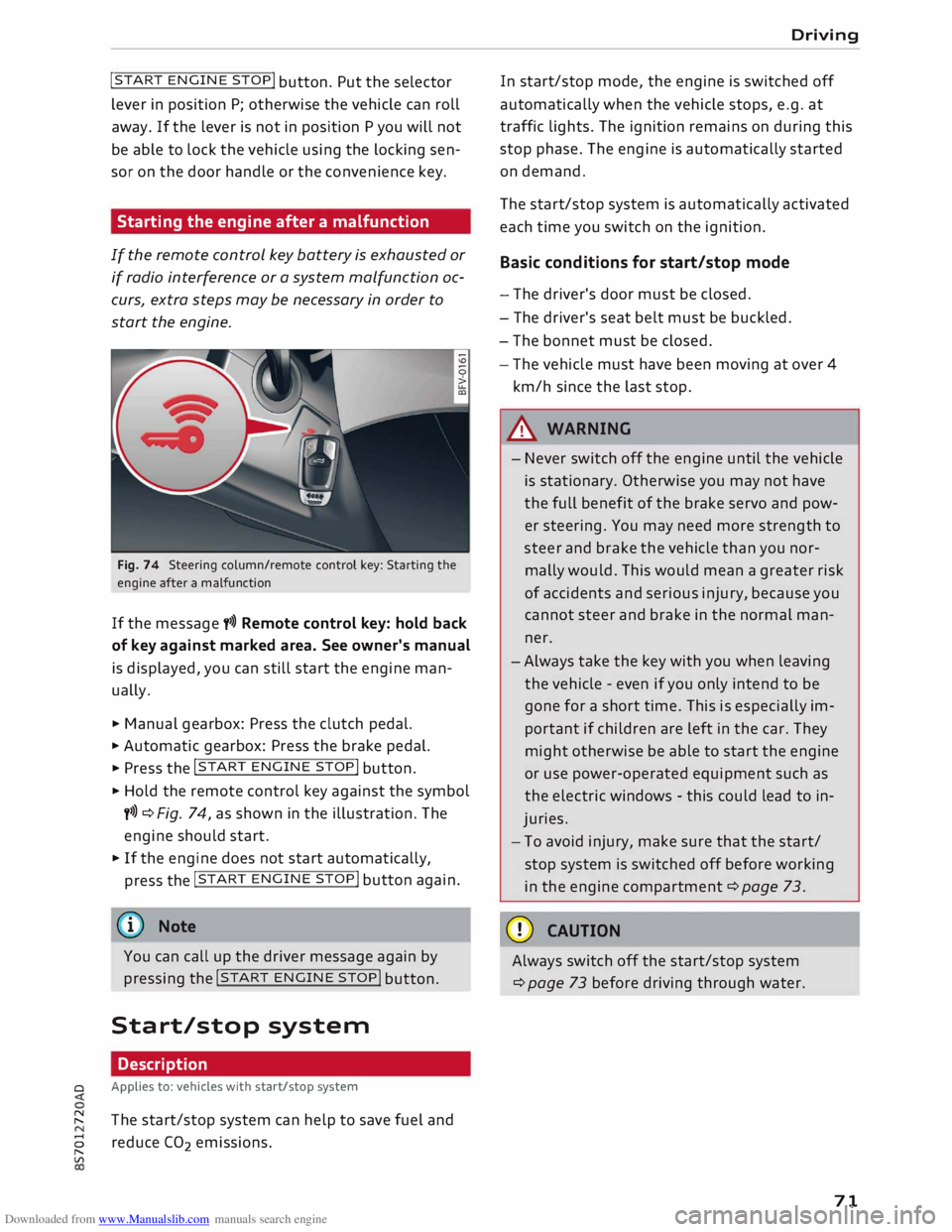
Fig. 74 Steering column/remote control key: Starting the
engine after a malfunction
If the message t>>) Remote control key: hold back
of key against marked area. See owner's manual
is displayed, you can still start the engine man
ually.
� Manual gearbox: Press the clutch pedal.
� Automatic gearbox: Press the brake pedal.
� Press the !START
ENGINE STOP!
button.
� Hold the remote control key against the symbol
y>>) ¢Fig. 74, as shown in the illustration. The
engine should start.
� If the engine does not start automatically,
press the !START
E
NGINE STOP!
button again.
@ Note
You can call up the driver message again by
pressing the !START
ENGINE STOP!
button.
Start/stop system Description
0 Applies
to: vehicles with start/stop system
� The start/stop system can help to save fuel and
8 reduce CO
2 emissions.
"
Vl Driving
In start/stop mode, the engine is switched off
automatically when the vehicle stops, e.g. at
traffic lights. The ignition remains on during this
stop phase. The engine is automatically started
on demand.
The start/stop system is automatically activated
each time you switch on the ignition.
Basic conditions for start/stop mode
- The driver's door must be closed.
- The driver's seat belt must be buckled.
- The bonnet must be closed.
- The vehicle must have been moving at over 4
km/h since the last stop.
A WARNING
- Never switch off the engine until the vehicle
is stationary. Otherwise you may not have
the full benefit of the brake servo and pow
er steering. You may need more strength to
steer and brake the vehicle than you nor
mally would. This would mean a greater risk
of accidents and serious injury, because you
cannot steer and brake in the normal man
ner.
- Always take the key with you when leaving
the vehicle -even if you only intend to be
gone for a short time. This is especially im
portant if children are left in the car. They
might otherwise be able to start the engine
or use power-operated equipment such as
the electric windows -this could lead to in
juries.
- To avoid injury, make sure that the start/
stop system is switched off before working
in the engine compartment ¢page 73.
CD CAUTION
Always switch off the start/stop system
¢page 73 before driving through water.
71
Page 74 of 306
Downloaded from www.Manualslib.com manuals search engine Driving
Switching off/ starting the engine
Applies to: vehicles with start/stop system
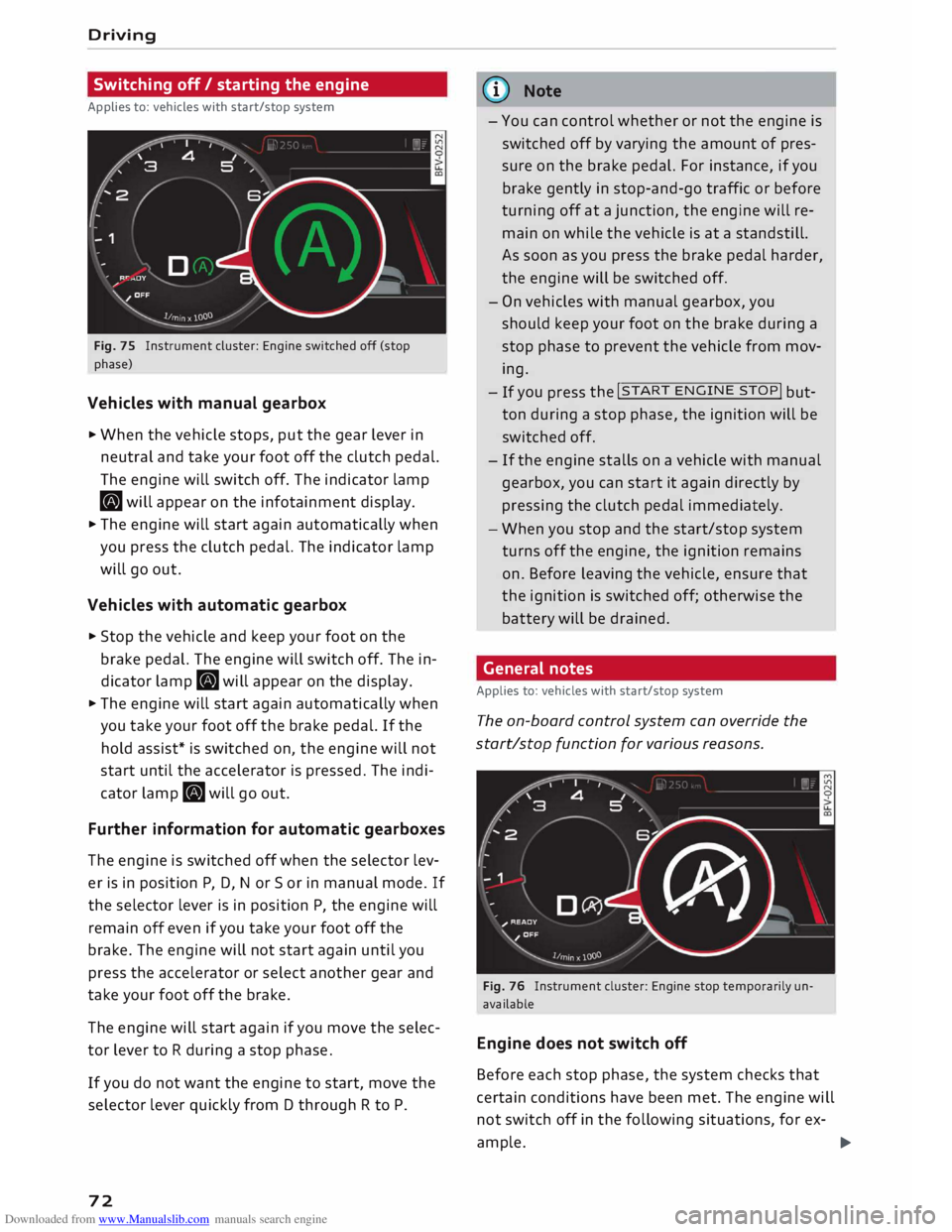
Fig. 75 Instrument cluster: Engine switched off (stop
phase)
Vehicles with manual gearbox
... When the vehicle stops, put the gear lever in
neutral and take your foot off the clutch pedal.
The engine will switch off. The indicator lamp
• will appear on the infotainment display.
... The engine will start again automatically when
you press the clutch pedal. The indicator lamp
will go out.
Vehicles with automatic gearbox
... Stop the vehicle and keep your foot on the
brake pedal. The engine will switch off. The in
dicator lamp. will appear on the display.
... The engine will start again automatically when
you take your foot off the brake pedal. If the
hold assist* is switched on, the engine will not
start until the accelerator is pressed. The indi
cator lamp. will go out.
Further information for automatic gearboxes
The engine is switched off when the selector lev
er is in position P, D, N or So r in manual mode. If
the selector lever is in position P, the engine will
remain off even if you take your foot off the
brake. The engine will not start again until you
press the accelerator or select another gear and
take your foot off the brake.
The engine will start again if you move the selec
tor lever to R during a stop phase.
If you do not want the engine to start, move the
selector lever quickly from D through R to P.
72 ijJ)
Note
- You can control whether or not the engine is
switched off by varying the amount of pres
sure on the brake pedal. For instance, if you
brake gently in stop-and-go traffic or before
turning off at a junction, the engine will re
main on while the vehicle is at a standstill.
As soon as you press the brake pedal harder,
the engine will be switched off.
- On vehicles with manual gearbox, you
should keep your foot on the brake during a
stop phase to prevent the vehicle from mov
ing.- If you
press the !START
ENGINE
STOP!
but
ton during a stop phase, the ignition will be
switched off.
- If the engine stalls on a vehicle with manual
gearbox, you can start it again directly by
pressing the clutch pedal immediately .
- When you stop and the start/stop system
turns off the engine, the ignition remains
on. Before leaving the vehicle, ensure that
the ignition is switched off; otherwise the
battery will be drained .
General notes
Applies to: vehicles with start/stop system
The on-board control system can override the
start/stop function for various reasons.
Fig. 76 Instrument cluster: Engine stop temporarily un
available
Engine does not switch off
Before each stop phase, the system checks that
certain conditions have been met. The engine will
not switch off in the following situations, for ex-
ample. ..,.
Page 75 of 306
Downloaded from www.Manualslib.com manuals search engine 0
N
,.....
N
......
0
,.....
Vl
CX) -
The engine has not yet reached the minimum
temperature required for start/stop mode.
- The interior temperature selected on the air
conditioner has not yet been reached.
- The exterior temperature is very high/Low.
- The windscreen is being defrosted @.
- The parking aid* or park assist* is switched on.
- The vehicle battery charge is too Low.
- The steering wheel is close to full Lock or the
vehicle is being steered.
- Reverse gear has just been selected.
- The vehicle is on a steep gradient.
� will appear in the infotainment display to in
dicate this status.
Engine cuts in again automatically
The stop phase is interrupted in the following sit
uations, for example. The engine cuts in auto
matically without intervention from the driver.
- The vehicle starts to roll (e.g. on a hill).
- The interior temperature deviates from the air
conditioner setting.
- The windscreen is being defrosted @.
- The brake pedal is pressed several times in suc-
cession.
- The vehicle battery charge drops to an insuffi-
cient level.
- The power consumption is high.
Ignition is switched off automatically
To prevent the vehicle battery from being dis
charged, the ignition will be switched off auto
matically if certain conditions are met. For in
stance:
- The vehicle has already been driven.
- The start/stop system has switched off the en-
gine.
- The driver's door is opened.
- The driver's seat belt is unbuckled.
- The brake pedal is not pressed.
- The vehicle is stationary.
If the dipped beam headlights are on when this
happens, the side lights will be turned on instead
and the message Side Lights will be automatical
ly switched off in 30 minutes. See owner's man
ual will appear on the infotainment display. After Driving
approx. 30 minutes, or when you Lock the vehicle,
the side lights will be switched off.
If the start/stop system has not stopped the en
gine or if you have switched off the start/stop
system manually, the engine will continue run
ning and the ignition will not be switched off au
tomatically¢,&..
A WARNING
Never run the engine in confined spaces. The
exhaust gases are toxic -risk of poisoning!
(© Note
If you select D, No r S (on vehicles with auto
matic gearbox) after selecting reverse gear,
the car must have been moving at over
10 km/h before the system can switch off the
engine again.
Switching the start/stop system off and on
manually
Applies to: vehicles with start/stop system
You can switch the system off manually if you
don't want to use it.
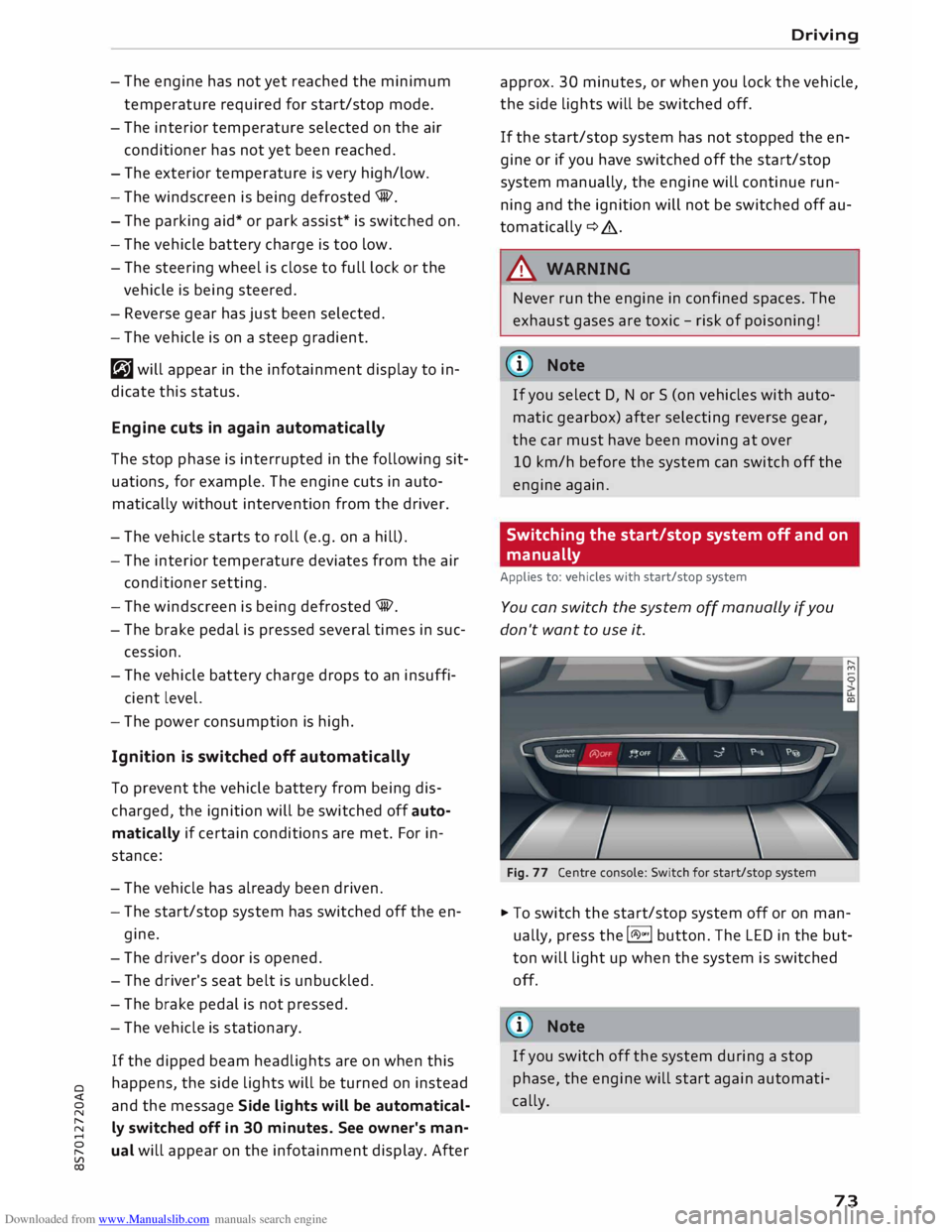
Fig. 77 Centre console: Switch for start/stop system
� To switch the start/stop system off or on man
ually, press the l(A)"'I button. The LED in the but
ton will light up when the system is switched
off.
@ Note
If you switch off the system during a stop
phase, the engine will start again automati
cally.
73
Page 76 of 306
Downloaded from www.Manualslib.com manuals search engine Driving
Driver messages in the instrument cluster
display
Applies to: vehicles with start/stop system
Start/stop system: deactivated. Please
restart engine manually
This message appears if certain conditions have
not been met during the stop phase and the
start/stop system cannot start the engine again
automatically. The !START
ENGINE STOP!
button
must be used to start the engine.
Start/stop system: fault. Function
unavailable. Please contact workshop
There is a malfunction in the start/stop system.
Drive to a workshop soon and have the fault recti
fied.
Electro-mechanical
parking brake
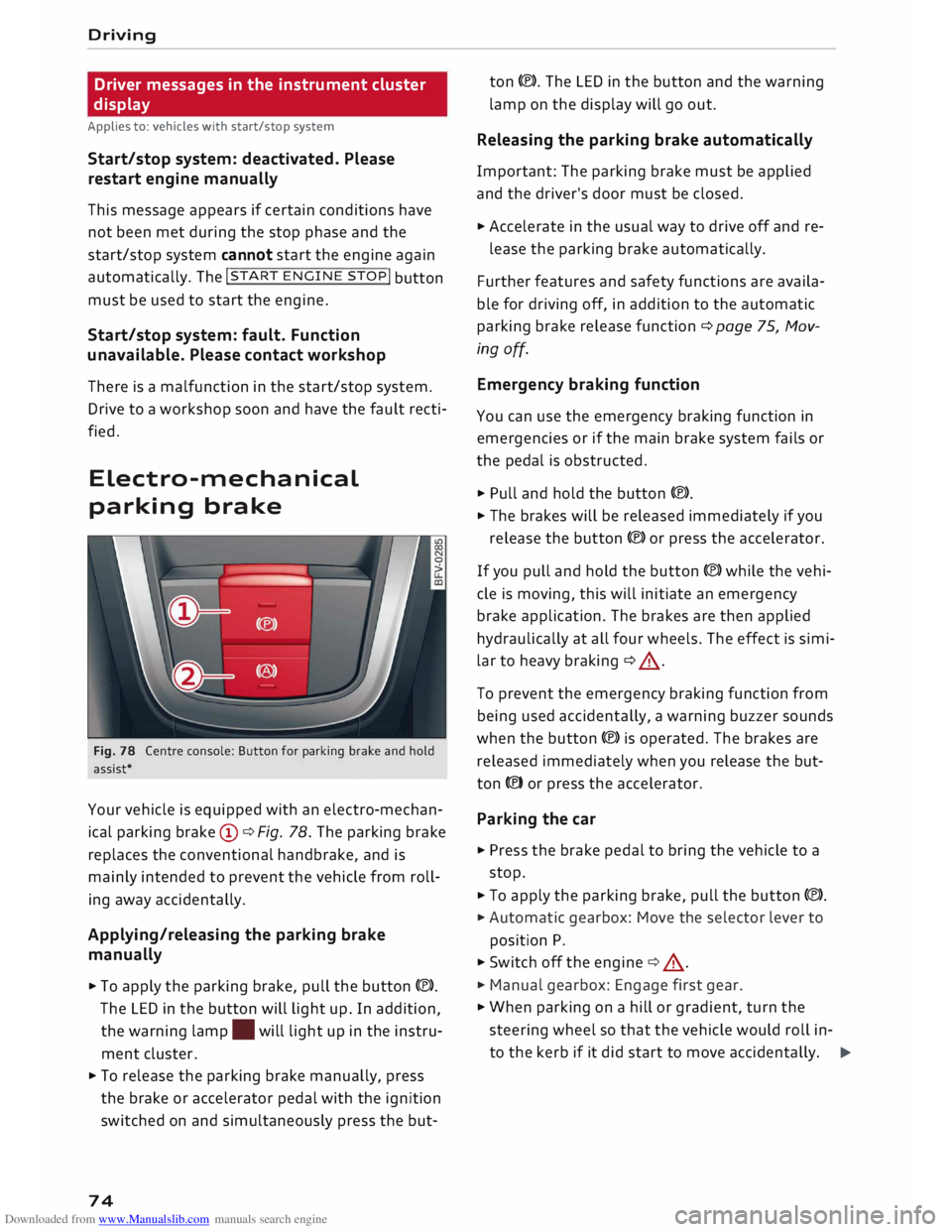
Fig. 78 Centre console: Button for parking brake and hold
assist*
Your vehicle is equipped with an electro-mechan
ical parking brake (D ¢ Fig. 78. The parking brake
replaces the conventional handbrake, and is
mainly intended to prevent the vehicle from roll
ing away accidentally.
Applying/releasing the parking brake
manually
.,. To
apply the parking brake, pull the button C®>.
The LED in the button will light up. In addition,
the warning lamp. will light up in the instru
ment cluster .
.,. To release the parking brake manually, press
the brake or accelerator pedal with the ignition
switched on and simultaneously press the but-
74 ton
(®). The LED in the button and the warning
lamp on the display will go out.
Releasing the parking brake automatically
Important: The parking brake must be applied
and the driver's door must be closed.
.,. Accelerate in the usual way to drive off and re-
lease the parking brake automatically.
Further features and safety functions are availa
ble for driving off, in addition to the automatic
parking brake release function ¢ page 75, Mov
ing off.
Emergency braking function
You can use the emergency braking function in
emergencies or if the main brake system fails or
the pedal is obstructed.
.,. Pull and hold the button (®).
.,. The brakes will be released immediately if you
release the button (®) or press the accelerator.
If you pull and hold the button C®) while the vehi
cle is moving, this will initiate an emergency
brake application. The brakes are then applied
hydraulically at all four wheels. The effect is simi
lar to heavy braking ¢ .&_.
To prevent the emergency braking function from
being used accidentally, a warning buzzer sounds
when the button (®) is operated. The brakes are
released immediately when you release the but
ton (®) or press the accelerator.
Parking the car
.,. Press the brake pedal to bring the vehicle to a
stop.
.,. To apply the parking brake, pull the button (®).
.,. Automatic gearbox: Move the selector lever to
position P.
.,. Switch off the engine ¢.&_ .
.,. Manual gearbox: Engage first gear .
.,. When parking on a hill or gradient, turn the
steering wheel so that the vehicle would roll in-
to the kerb if it did start to move accidentally. �
Page 78 of 306
Downloaded from www.Manualslib.com manuals search engine Driving
order to hold the vehicle and make it easier for
you to drive away.
Driving off with the hold assist
Applies to: vehicles with hold assist
The hold assist helps the driver if the vehicle is
stationary for a long period or very often, for in
stance at traffic lights, on steep gradients or in
stop-and-go traffic.
Important: The driver's door must be closed and
the engine must be running.
.,. To switch the hold assist on/off, press the but
ton(@) @¢page 74, Fig. 78, ¢A .The LED in
the button will light up or go out.
.,. Once it detects that the vehicle has stopped,
the hold assist keeps the vehicle stationary.
You can now take your foot off the brake pedal.
.,. Drive
off in the normal way: the brake will be
released automatically and the vehicle will
start moving.
In certain situations, the hold assist transfers the
job of holding the vehicle to the parking brake.
As soon as the parking brake is holding the vehi
cle still, the warning lamp. appears in the in
strument cluster. In addition, the LED in the C®)
button will light up.
Driver messages in the instrument cluster
display
[iJ Hold assist: unavailable
If this message appears, the system require
ments have not been met.
A WARNING
Applies to: vehicles with hill hold assist
If you do not drive away immediately after re
leasing the brake pedal, or if the engine
stalls, the vehicle may start to roll back. You
should therefore immediately press the brake
pedal or apply the parking brake.
A WARNING
The intelligent technology in the hold assist*
and hill hold assist functions cannot defy the
laws of physics. Do not let the extra conven
ience afforded by the hold assist* and hill
76 hold
assist functions tempt you into taking
any risks when driving -this can cause acci
dents.
- The hold assist* and hill hold assist func
tions cannot keep the vehicle stationary in
all conditions on a gradient (e.g. if the road
is slippery or icy).
- Always ensure that the vehicle is stopped
properly and safely -risk of accident!
CD CAUTION
Switch off the hold assist* function before
driving the vehicle into a car wash.
� Note
Applies to: vehicles with automatic gearbox
When the hold assist* function is switched
on, it stops the vehicle from creeping for
wards when you take your foot off the brake
pedal.
Automatic gearbox
Introduction
Applies to: vehicles with automatic gearbox
The vehicle is equipped with an electronically
controlled dual-clutch gearbox (S tronic). Torque
between the engine and the gearbox is transmit
ted via two independent clutches. They enable
smooth, uninterrupted acceleration of the vehi
cle.
The gearbox shifts up or down automatically and
continuously adapts the timing of the gear
changes to your driving style.
When you drive at moderate speeds the gearbox
will select the most economical shift pro
gramme. It will then change up early and delay
the downshifts to give better fuel economy.
If you drive at higher speeds with heavy accelera
tion, if you open the throttle quickly, or if you use
the kick-down or the car's maximum speed, the
gearbox will automatically select the more "spor
ty" shift programmes.
If desired, you can also select the gears manually
(tiptronic mode).
Page 79 of 306
Downloaded from www.Manualslib.com manuals search engine 0
N
,.....
N
....
0
,.....
Vl
CX) Selector
lever positions
Applies to: vehicles with automatic gearbox
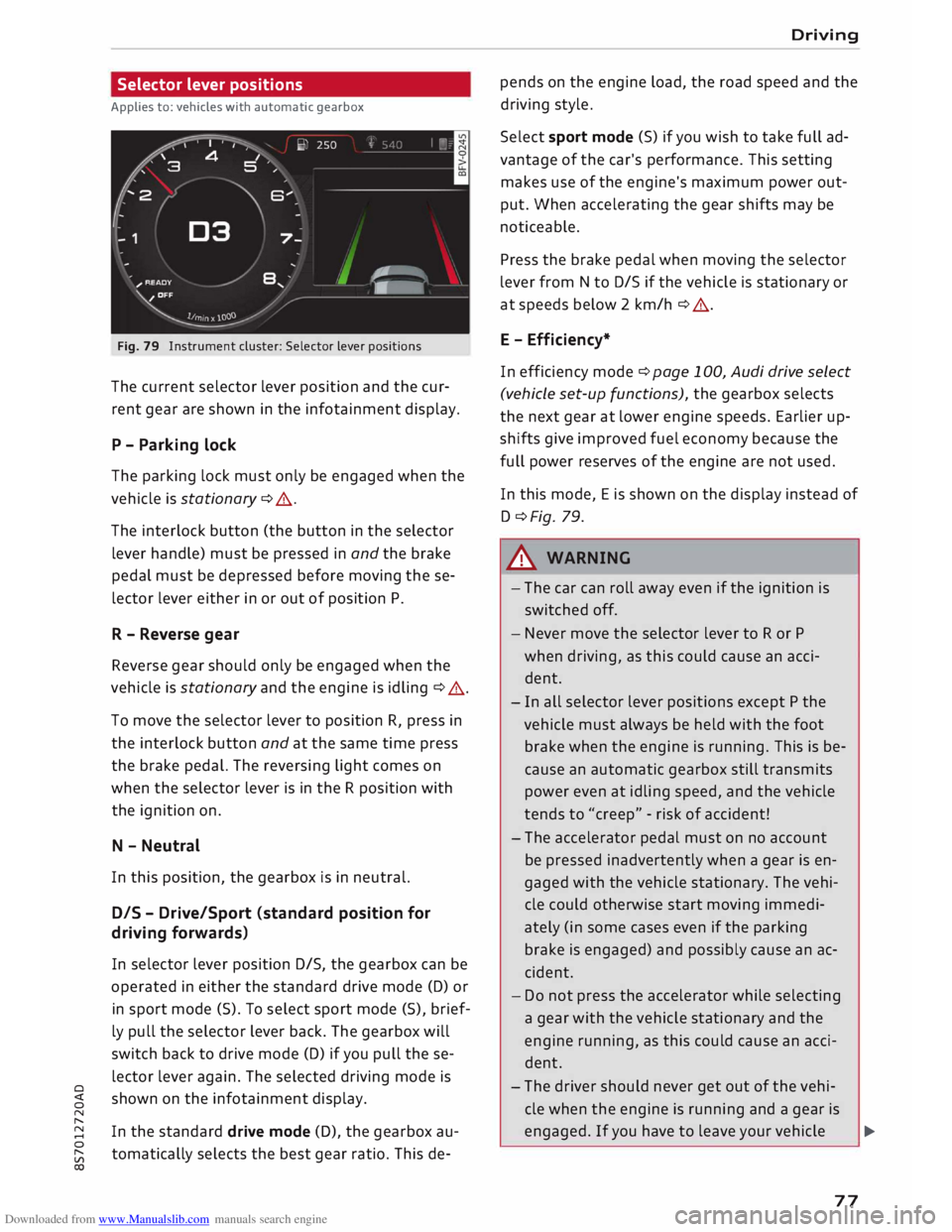
Fig. 79 Instrument cluster: Selector lever positions
The current selector lever position and the cur
rent gear are shown in the infotainment display.
P - Parking lock
The parking lock must only be engaged when the
vehicle is stationary ¢ A.
The interlock button (the button in the selector
lever handle) must be pressed in and the brake
pedal must be depressed before moving these
lector lever either in or out of position P.
R - Reverse gear
Reverse gear should only be engaged when the
vehicle is stationary and the engine is idling ¢
A.
To move the selector lever to position R, press in
the interlock button and at the same time press
the brake pedal. The reversing light comes on
when the selector Lever is in the R position with
the ignition on.
N - Neutral
In this position, the gearbox is in neutral.
DIS -Drive/Sport (standard position for
driving forwards}
In selector Lever position D/S, the gearbox can be
operated in either the standard drive mode (D) or
in sport mode (5). To select sport mode (5), brief
ly pull the selector lever back. The gearbox will
switch back to drive mode (D) if you pull these
lector lever again. The selected driving mode is
shown on the infotainment display.
In the standard drive mode (D), the gearbox au
tomatically selects the best gear ratio. This de- Driving
pends on the engine load, the road speed and the
driving style.
Select sport mode (S) if you wish to take full ad
vantage of the car's performance. This setting
makes use of the engine's maximum power out
put. When accelerating the gear shifts may be
noticeable.
Press the brake pedal when moving the selector
Lever from N to D/S if the vehicle is stationary or
at speeds below 2 km/h ¢ A.
E - Efficiency*
In efficiency mode¢ page 100, Audi drive select
(vehicle set-up functions), the gearbox selects
the next gear at Lower engine speeds. Earlier up
shifts give improved fuel economy because the
full power reserves of the engine are not used.
In this mode, Eis shown on the display instead of
D ¢Fig. 79.
.&_ WARNING
- The car can roll away even if the ignition is
switched off.
- Never move the selector lever to R or P
when driving, as this could cause an acci
dent.
- In all selector Lever positions except P the
vehicle must always be held with the foot
brake when the engine is running. This is be
cause an automatic gearbox still transmits
power even at idling speed, and the vehicle
tends to "creep" -risk of accident!
- The accelerator pedal must on no account
be pressed inadvertently when a gear is en
gaged with the vehicle stationary. The vehi
cle could otherwise start moving immedi
ately (in some cases even if the parking
brake is engaged) and possibly cause an ac
cident.
- Do not press the accelerator while selecting
a gear with the vehicle stationary and the
engine running, as this could cause an acci
dent.
- The driver should never get out of the vehi
cle when the engine is running and a gear is
engaged. If you have to leave your vehicle ..,.
77
Page 80 of 306
Downloaded from www.Manualslib.com manuals search engine Driving
while the engine is running, you must apply
the parking brake and engage the parking
lock P.
- To avoid accidents, apply the parking brake
and put the selector lever in position P be
fore opening the bonnet and working on the
vehicle with the engine running. Please ob
serve the important safety warnings
¢ page 244, Working on components in
the engine comportment.
Ct) Note
- Drive select: You can select the sport pro
gram for gear changes by activating the dy
namic mode. The infotainment display will
show S instead of D.
- If the lever is moved accidentally to N when
driving, take your foot off the accelerator
and let the engine speed drop to idling be
fore selecting Dor S again.
- It is not possible to move the selector lever
out of position P if the electrical power sup
ply fails. In this case, the selector lever can
be released manually. Left-hand drive
vehicles ¢page 84, right-hand drive
vehicles ¢page 85.
Selector lever lock
Applies to: vehicles with automatic gearbox
The selector Lever Lock prevents gears from being
engaged inadvertently, so that the vehicle is not
set in motion unintentionally.
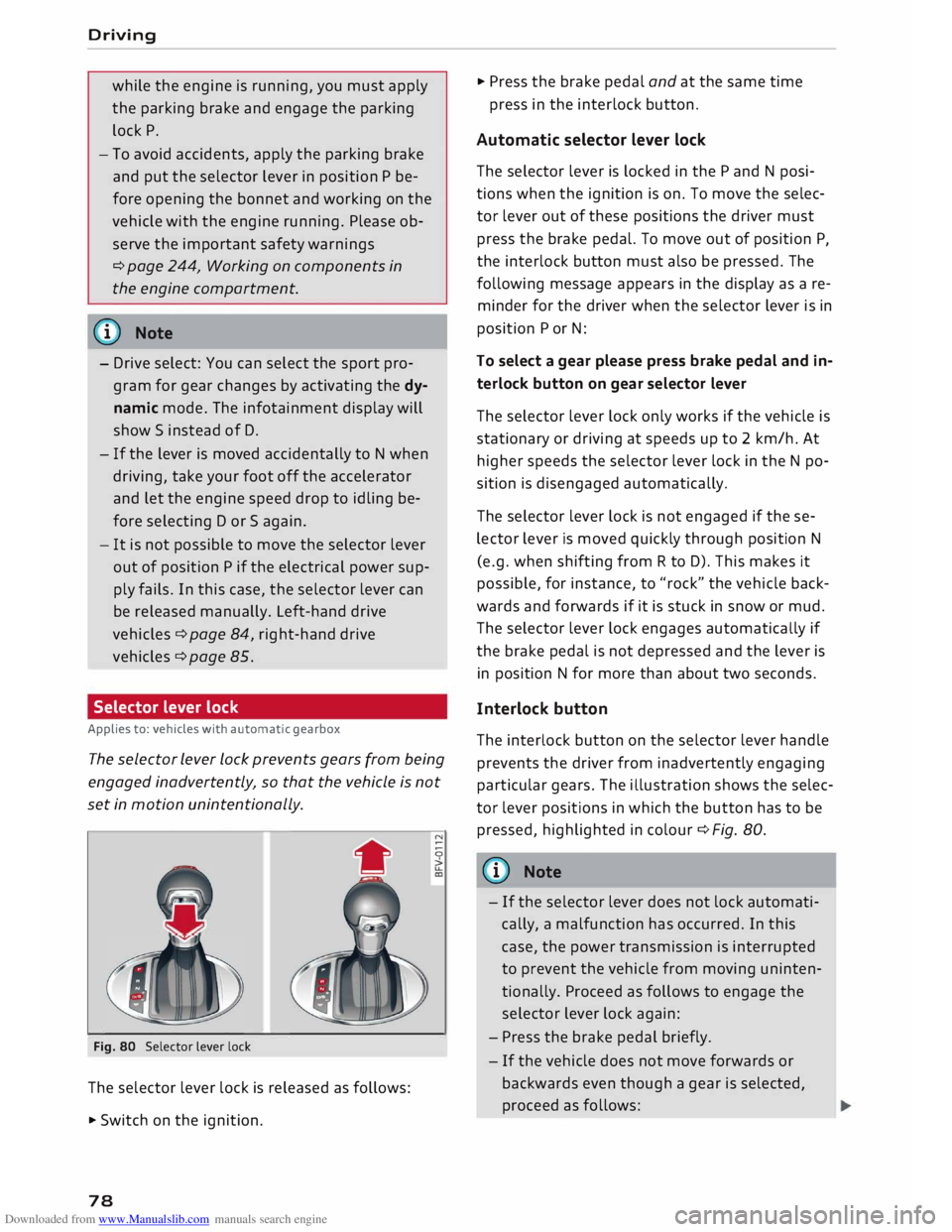
Fig. 80 Selector lever lock
The selector lever lock is released as follows:
• Switch on the ignition.
78 •
Press the brake pedal and at the same time
press in the interlock button.
Automatic selector lever lock
The selector lever is locked in the P and N posi
tions when the ignition is on. To move the selec
tor lever out of these positions the driver must
press the brake pedal. To move out of position P,
the interlock button must also be pressed. The
following message appears in the display as a re
minder for the driver when the selector lever is in
position P or N:
To select a gear please press brake pedal and in
terlock button on gear selector lever
The selector lever lock only works if the vehicle is
stationary or driving at speeds up to 2 km/h. At
higher speeds the selector lever lock in the N po
sition is disengaged automatically.
The selector lever lock is not engaged if the se
lector lever is moved quickly through position N
(e.g. when shifting from R to D). This makes it
possible, for instance, to "rock" the vehicle back
wards and forwards if it is stuck in snow or mud.
The selector lever lock engages automatically if
the brake pedal is not depressed and the lever is
in position N for more than about two seconds.
Interlock button
The interlock button on the selector lever handle
prevents the driver from inadvertently engaging
particular gears. The illustration shows the selec
tor lever positions in which the button has to be
pressed, highlighted in colour¢ Fig. 80.
{(D) Note
- If the selector lever does not lock automati
cally, a malfunction has occurred. In this
case, the power transmission is interrupted
to prevent the vehicle from moving uninten
tionally. Proceed as follows to engage the
selector lever lock again:
- Press the brake pedal briefly.
- If the vehicle does not move forwards or
backwards even though a gear is selected,
proceed as follows:
Page 83 of 306
Downloaded from www.Manualslib.com manuals search engine I&
WARNING
The downhill speed control function cannot
defy the laws of physics and may therefore
not be able to maintain a constant speed in
certain circumstances. Always be prepared to
use the brakes!
Manual gear selection (tiptronic mode)
Applies to: vehicles with automatic gearbox
The tiptronic feature allows the driver to also
change gear manually.
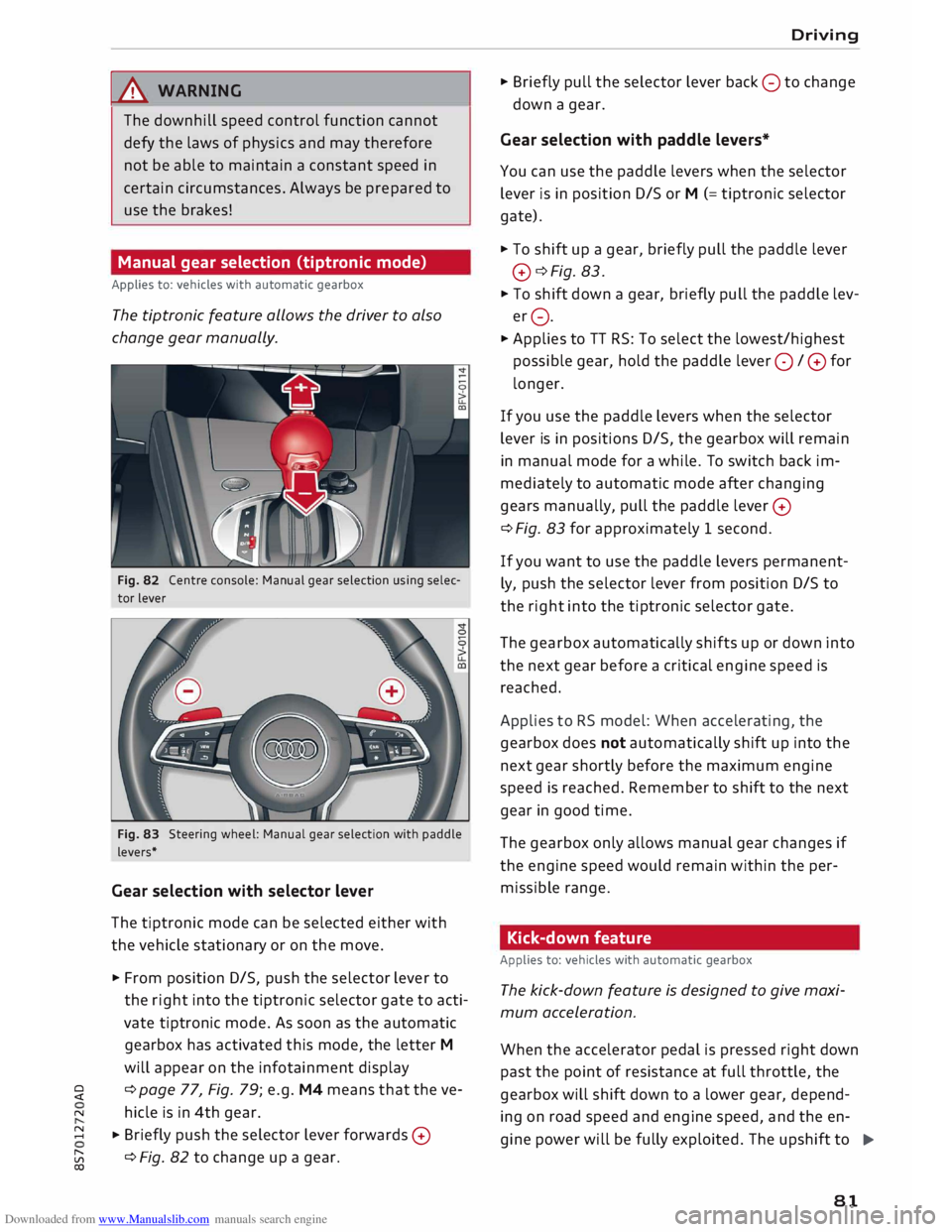
Fig. 82 Centre console: Manual gear selection using selec
tor lever
Fig. 83 Steering wheel: Manual gear selection with paddle
levers*
Gear selection with selector lever
The tiptronic mode can be selected either with
the vehicle stationary or on the move.
� From position D/S, push the selector lever to
the right into the tiptronic selector gate to acti
vate tiptronic mode. As soon as the automatic
gearbox has activated this mode, the letter M
will appear on the infotainment display
� ¢
page 77, Fig. 79; e.g. M4 means that the ve-
N hicle is in 4th gear.
� � Briefly
push the selector lever forwards 0
[;:j ¢
Fig. 82 to change up a gear.
CX) Driving
� Briefly pull the selector lever back 0 to change
down a gear.
Gear selection with paddle levers*
You can use the paddle levers when the selector
lever is in position D/S or M (= tiptronic selector
gate).
� To shift up a gear, briefly pull the paddle lever
0 ¢Fig. 83.
� To shift down a gear, briefly pull the paddle lev
er 0.
� Applies to TT RS: To select the lowest/highest
possible gear, hold the paddle lever 0 / 0 for
longer.
If you use the paddle levers when the selector
lever is in positions D/S, the gearbox will remain
in manual mode for a while. To switch back im
mediately to automatic mode after changing
gears manually, pull the paddle lever 0
¢ Fig. 83 for approximately 1 second.
If you want to use the paddle levers permanent
ly, push the selector lever from position D/S to
the right into the tiptronic selector gate.
The gearbox automatically shifts up or down into
the next gear before a critical engine speed is
reached.
Applies to RS model: When accelerating, the
gearbox does not automatically shift up into the
next gear shortly before the maximum engine
speed is reached. Remember to shift to the next
gear in good time.
The gearbox only allows manual gear changes if
the engine speed would remain within the per
missible range.
Kick-down feature
Applies to: vehicles with automatic gearbox
The kick-down feature is designed to give maxi
mum acceleration.
When the accelerator pedal is pressed right down
past the point of resistance at full throttle, the
gearbox will shift down to a lower gear, depend-
ing on road speed and engine speed, and the en
gine power will be fully exploited. The upshift to
.,..
81
Page 84 of 306
Downloaded from www.Manualslib.com manuals search engine Driving
the next higher gear is delayed until the engine
reaches maximum rpm.
A WARNING
Please note that if the road surface is slippery
or wet, the kick-down feature could cause the
driving wheels to spin, which could result in
skidding.
Coast ing mode
Applies to: vehicles with automatic gearbox
In coasting mode, you can use the vehicle's kinet
ic energy to drive without using the accelerator
on certain stretches of road. This saves fuel by al
lowing you to take your foot off the accelerator
earlier and let the vehicle coast (for instance
when approaching a speed restriction in a built
up area).
Switching on coa sting mode
Important: Selector lever must be in D, gradient
must be less than 12 %.
� Select efficiency mode in drive select*
¢page 100 (you only have to do this once).
� Take your foot off the accelerator.
If you have selected the "on-board computer"
display, the message Coasting mode will then
appear. The gearbox automatically disengages
the clutch at speeds above 20 km/h and lets the
vehicle coast without the engine braking effect.
The engine ticks over at idling speed while the ve
hicle is coasting.
Stopping coasting mode
� Press the brake pedal or accelerator.
To use the engine braking effect and overrun fuel
cut-off again, all you need to do is tap the brake
pedal briefly.
You can improve your fuel economy and help to
reduce emissions by using a combination of the
coa sting mode (i.e. coasting with low fuel con-
l l
The ESC lamp lights up permanently and the message
Stabilisation control (ESC): sport. Warning! Restricted
stability appears temporarily in the infotainment display
to indicate the deactivation status.
82 sumption
on a longer stretch of road) and the
overrun fuel cut-off (i.e. using the engine brak
ing effect with no fuel consumption on a shorter
stretch of road).
A WARNING
- If you are approaching an obstruction when
coasting mode is switched on, please re
member that the vehicle will not slow down
as quickly as usual when you take your foot
off the accelerator -risk of accident!
- The vehicle can pick up speed if you are driv
ing down a slope in coasting mode -risk of
accident!
- If other people are using your car, you
should draw their attention to the coasting
mode.
ijJ) Note
- Coasting mode is only available in efficien
cy* mode (drive select*).
- The message Coasting mode only appears
when the current fuel consumption display
is selected. The gear is no longer displayed
when you are in coasting mode (e.g. E in
stead of E6).
- The coasting mode is deactivated tempora
rily on gradients of 15 % or greater.
Launch control programme
Applies to: vehicles with automatic gearbox
The launch control programme enables maxi
mum acceleration.
Important: The engine must be warm and the
steering wheel must be pointing straight ahead.
� Deactivate the start/stop system*¢ page 73.
The LED in the l(A)""
I button will light up.
� Deactivate the hold assist* ¢ page 76. The LED
in the button will go out.
� Press the IJ,OFF! button
once briefly while the
engine is running 1
). �
Page 88 of 306
Downloaded from www.Manualslib.com manuals search engine Driver
assist systems
Driver assist systems
Speed warning function
Applies to: vehicles with speed warning function
The speed warning function can help you keep
below a pre-set maximum speed. It can be set,
changed and deleted on the infotainment sys
tem.
The speed warning function will warn you if the
vehicle exceeds the pre-set maximum speed. The
system gives an audible warning signal if the set
speed is exceeded by a small amount. At the
same time, an indicator lamp� and a message
will appear on the instrument cluster display.
The indicator lamp [9] and the message will dis
appear when the road speed drops below the set
value.
You are recommended to store this speed limit
warning if you wish to be reminded of a particu
lar speed limit. This could be when driving in
countries with general speed limits, or if you
need to keep below a particular speed when win
ter tyres are fitted, etc.
Setting speed limit warning
... Select the following on the infotainment sys
tem: I MENU
I button > Car > left control button
> Driver assist> Speed warning > manual.
(i) Note
- Please bear in mind that, even with the
speed warning function, it is still important
to keep a check on the car's speed with the
speedometer and to observe the statutory
speed limits.
- On vehicles for some markets, the speed
warning function warns you when you reach
a speed of 120 km/h. This speed limit warn
ing is preset at the factory.
86 Cruise
control system
Switching on
Applies to: vehicles with cruise control system
The cruise control system allows you to drive at a
constant speed of 20 km/h or higher.
0
f
� 0
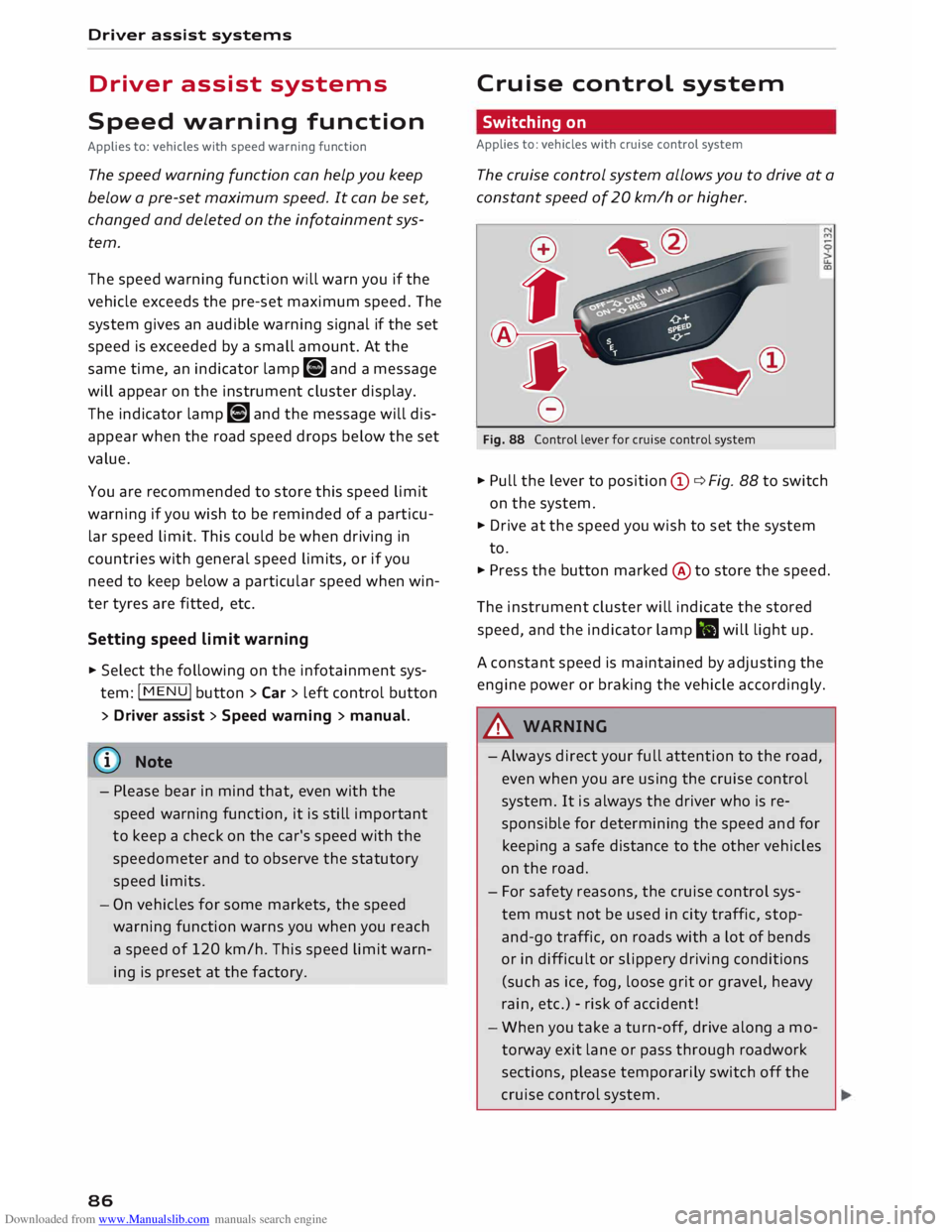
Fig. 88 Control lever for cruise control system
... Pull the lever to position (D ¢ Fig. 88 to switch
on the system.
... Drive at the speed you wish to set the system
to.
... Press the button marked @to store the speed.
The instrument cluster will indicate the stored
speed, and the indicator lamp .. will light up.
A constant speed is maintained by adjusting the
engine power or braking the vehicle accordingly.
A WARNING
- Always direct your full attention to the road,
even when you are using the cruise control
system. It is always the driver who is re
sponsible for determining the speed and for
keeping a safe distance to the other vehicles
on the road.
- For safety reasons, the cruise control sys
tem must not be used in city traffic, stop
and-go traffic, on roads with a lot of bends
or in difficult or slippery driving conditions
(such as ice, fog, loose grit or gravel, heavy
rain, etc.) -risk of accident!
- When you take a turn-off, drive along a mo
torway exit lane or pass through roadwork
sections, please temporarily switch off the
cruise control system.