engine AUDI TT ROADSTER 2018 Owners Manual
[x] Cancel search | Manufacturer: AUDI, Model Year: 2018, Model line: TT ROADSTER, Model: AUDI TT ROADSTER 2018Pages: 310, PDF Size: 46.95 MB
Page 6 of 310
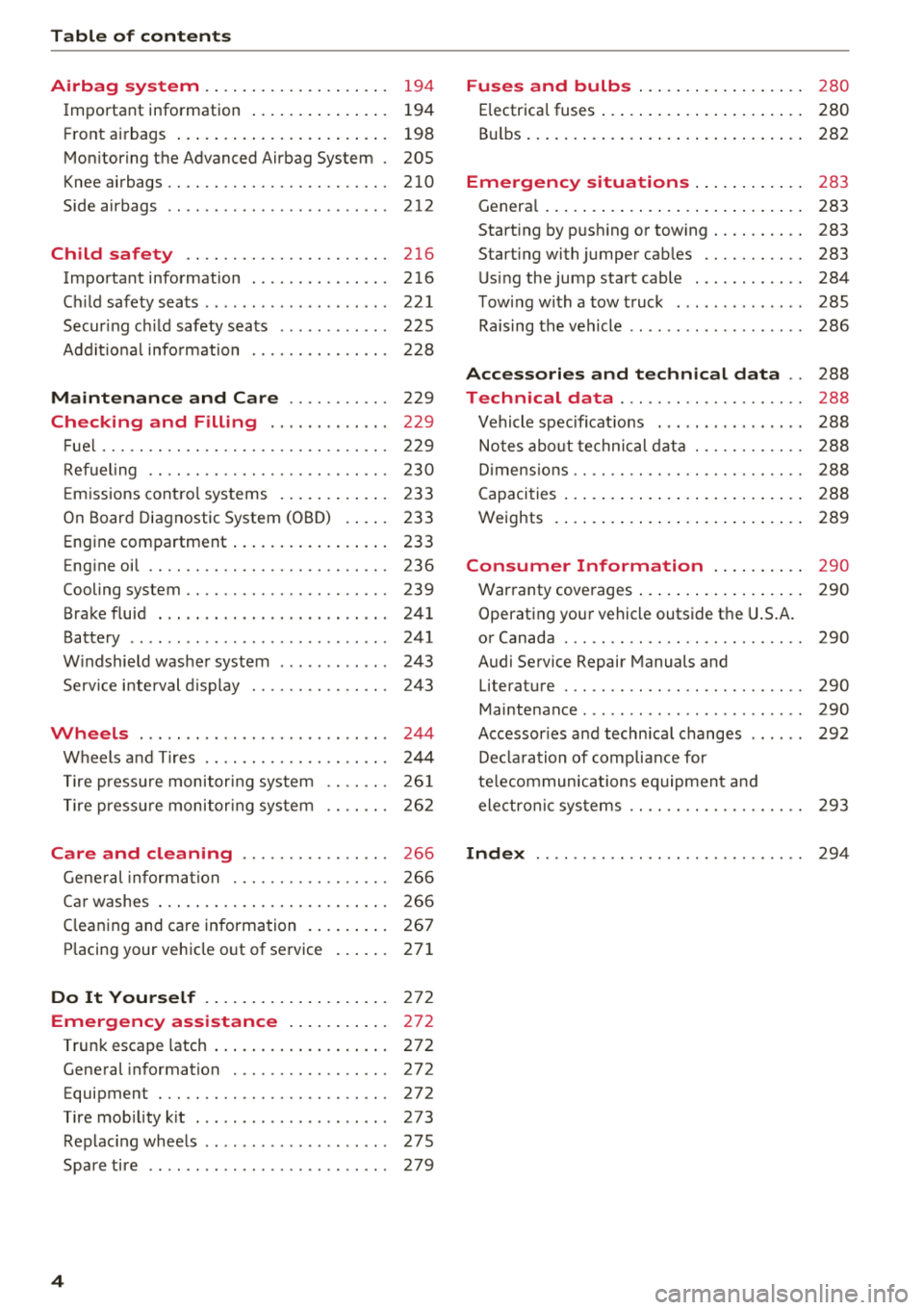
Table of contents
Airbag system . . . . . . . . . . . . . . . . . . . .
194
Important information . . . . . . . . . . . . . . . 194
Front a irbags . . . . . . . . . . . . . . . . . . . . . . . 198
Mon itoring the Advanced Airbag System . 205
Knee airbags .. .. ............. .... .. . 210
Side airbags . . . . . . . . . . . . . . . . . . . . . . . . 212
Child safety . . . . . . . . . . . . . . . . . . . . . . 216
Important information . ....... .. .. .. . 216
C hi ld safety seats . . . . . . . . . . . . . . . . . . . . 221
Secur ing ch ild safety seats . . . . . . . . . . . . 225
Add it io nal info rmation . . . . . . . . . . . . . . . 228
Maintenance and Care . . . . . . . . . . . 229
Checking and Filling . . . . . . . . . . . . . 229
F ue l..... .. .. .. ............. .... .. . 229
Ref ueling . . . . . . . . . . . . . . . . . . . . . . . . . . 230
E m issions cont ro l sys tems . . . . . . . . . . . . 233
On Board Diagnostic System (OB D) . . . . . 233
Engine compartment . . . . . . . . . . . . . . . . . 233
Eng ine oil . . . . . . . . . . . . . . . . . . . . . . . . . . 236
Cooling system . . . . . . . . . . . . . . . . . . . . . . 239
Brake fluid . . . . . . . . . . . . . . . . . . . . . . . . . 241
Battery . . . . . . . . . . . . . . . . . . . . . . . . . . . . 241
W indshield washe r system . . . . . . . . . . . . 243
Service i nterval d isplay 24 3
Wheels ... .. .. ................ ... . 244
Wheels and T ires . . . . . . . . . . . . . . . . . . . . 244
T ire press ure monitor ing system
T ire press ure monitor ing sys tem 26
1
26 2
Care and cleaning . . . . . . . . . . . . . . . . 266
Gene ral informa tion . . . . . . . . . . . . . . . . . 266
Ca r washes . . . . . . . . . . . . . . . . . . . . . . . . . 266
C leaning and care information . . . . . . . . . 267
P lacing your vehicle o ut of service . . . . . . 271
Do It Yourself . . . . . . . . . . . . . . . . . . . . 272
Emergency assistance . . . . . . . . . . . 272
Trun k escape latch . . . . . . . . . . . . . . . . . . . 272
Gene ral information . . . . . . . . . . . . . . . . . 272
Equipment . . . . . . . . . . . . . . . . . . . . . . . . . 272
T ire mob ility k it . . . . . . . . . . . . . . . . . . . . . 273
Replac ing whee ls . . . . . . . . . . . . . . . . . . . . 27S
Spare tire . . . . . . . . . . . . . . . . . . . . . . . . . . 279
4
Fuses and bulbs . . . . . . . . . . . . . . . . . . 280
E lectrica l fuses . . . . . . . . . . . . . . . . . . . . . . 280
B ul bs. . . . . . . . . . . . . . . . . . . . . . . . . . . . . . 282
Emergency situations . . . . . . . . . . . . 283
Genera l . . . . . . . . . . . . . . . . . . . . . . . . . . . . 283
Start ing by push ing or tow ing . . . . . . . . . . 283
Start ing with jumper cables . . . . . . . . . . . 283
U sing the jump start cable . . . . . . . . . . . . 284
T ow ing with a tow truck . . . . . . . . . . . . . . 285
Raising the vehicle . . . . . . . . . . . . . . . . . . . 286
Accessories and technical data . . 288
Technical data . . . . . . . . . . . . . . . . . . . . 288
Vehicle spec ificat ions . . . . . . . . . . . . . . . . 288
Notes abo ut te chnical data . . . . . . . . . . . . 288
D imens io ns . . . . . . . . . . . . . . . . . . . . . . . . . 288
Capacities . . . . . . . . . . . . . . . . . . . . . . . . . . 2 88
Weights . . . . . . . . . . . . . . . . . . . . . . . . . . . 289
Consumer Information . . . . . . . . . . 290
Warranty coverages . . . . . . . . . . . . . . . . . . 290
Operating your vehicle outside t he U.S.A.
or Canada . . . . . . . . . . . . . . . . . . . . . . . . . . 290
Audi Service Repair Manuals and Literature . . . . . . . . . . . . . . . . . . . . . . . . . . 290
Maintenance . . . . . . . . . . . . . . . . . . . . . . . . 290
Accessor ies a nd techn ica l changes . . . . . . 292
De clara tion of compliance for
te lecommunications eq uipment a nd
electron ic sys tems . . . . . . . . . . . . . . . . . . . 293
Index ...... .. .. .. .. ............. .. 294
Page 10 of 310
Instruments and indicator lights
Instruments and indicator lights
Instruments
Audi virtual cockpit (instrument cluster)
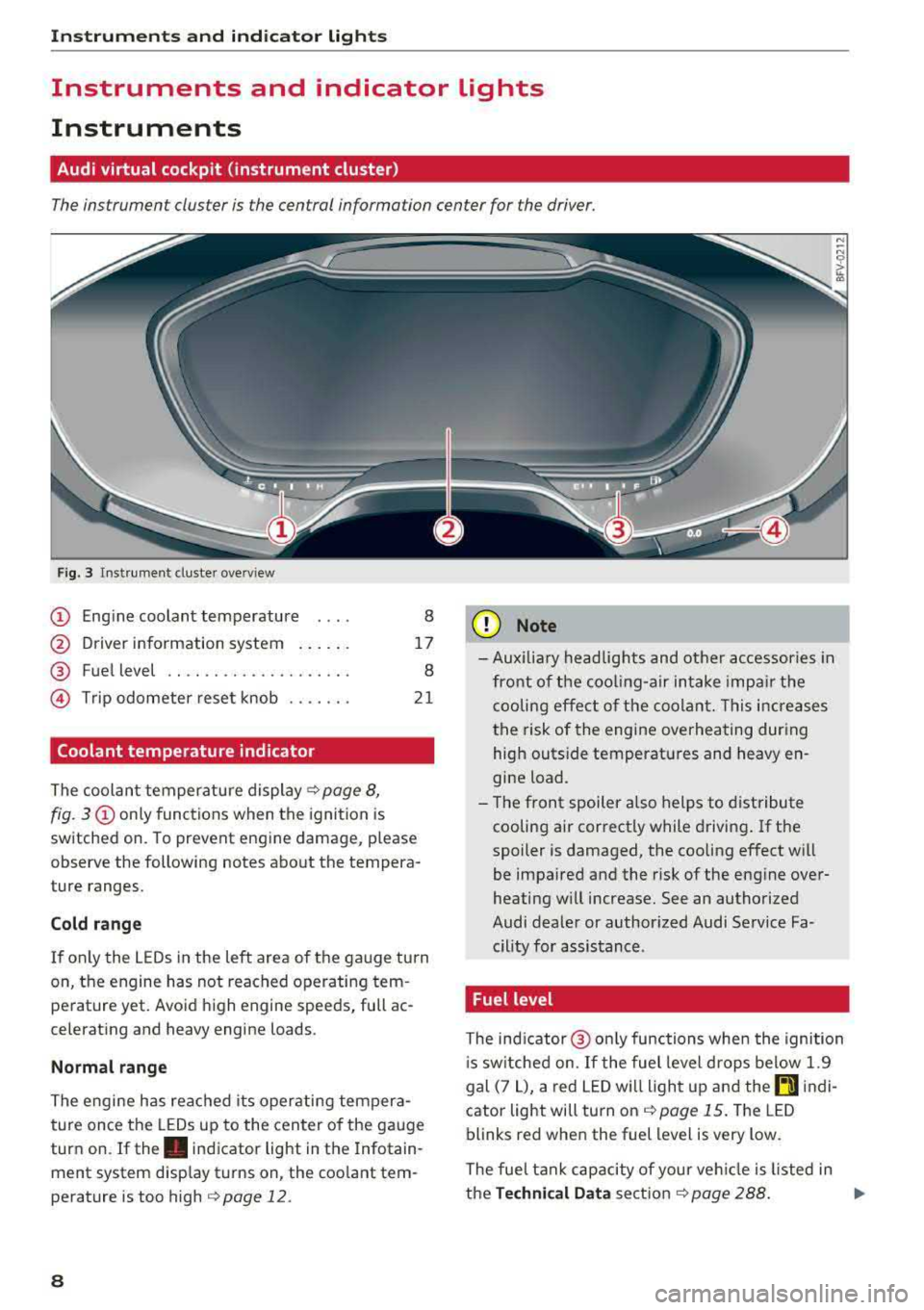
The instrument cluster is the central information center for the driver.
Fig. 3 Instrument cluster overview
CD Engine coolant temperature 8
@ Driver information system . . . . . . 17
® Fuel level . . . . . . . . . . . . . . . . . . . . 8
@ Trip odometer reset knob . . . . . . . 21
Coolant temperature indicator
The coolant temperature display c;, page 8,
fig. 3
CD only functions when the ignition is
sw itched on. To prevent engine damage, p lease
observe the following notes about the tempera
ture ranges.
Cold range
If on ly the LEDs in the left area of the gauge turn
on, the engine has not reached operating tem perature yet. Avoid high engine speeds, full ac
celerating and heavy engine loads .
Normal range
The engine has reached its operating tempera
ture once the LEDs up to the center of the gauge
turn on. If
the . indicator light in the Infotain
ment system display turns on, the coolant tem
perature is too high
c::;, page 12.
8
(I;} Note
-Aux iliary head lights and other accessories in
front of the cooling-air intake impair the
cooling effect of the coolant. This increases
the risk of the engine overheating during
high outside temperatures and heavy en
gine load.
- The front spoiler also helps to distribute
cooling air correctly while driving. If the
spoiler is damaged, the cooling effect will
be impaired and the risk of the engine over
heating w ill increase. See an authorized
Audi dealer or author ized Audi Service Fa
cility for assistance .
Fuel level
The indicator@ only func tions when the ignition
i s sw itched on. If the fuel level drops below 1.9
gal (7
L), a red LED will light up and the rD indi
cator light will turn on
c::;, page 15. The LED
blinks red when the fuel level is very low.
The fuel tank capacity of your veh icle is listed in
the
Technical Data section c;, page 288. ..,.
Page 11 of 310
Cl 00 .-< N r-N .-< 0 r-Vl 00
@ Note
Never drive until the tank is completely emp
ty. The irregular supply of fuel that results
from that can cause engine misfires. Uncom
busted fuel will then enter the exhaust sys
tem. Th is can cause overheating and damage
to the catalytic converter.
Indicator lights
Description
The indicator lights in the instrument cluster
blink or turn on. They indicate functions or mal
functions.
With some indicator lights, messages may ap
pear and warning signals may sound. The indica
tor lights and messages in the display can be cov
ered by other displays. To show them again, se
lect the tab for indicator lights and messages us
ing the multifunction steering wheel
¢ page 17. If there are several malfunct ions,
you can display them one at a time us ing the
thumbw heel.
Some ind icator lights in the d isplay can display in
several colors .
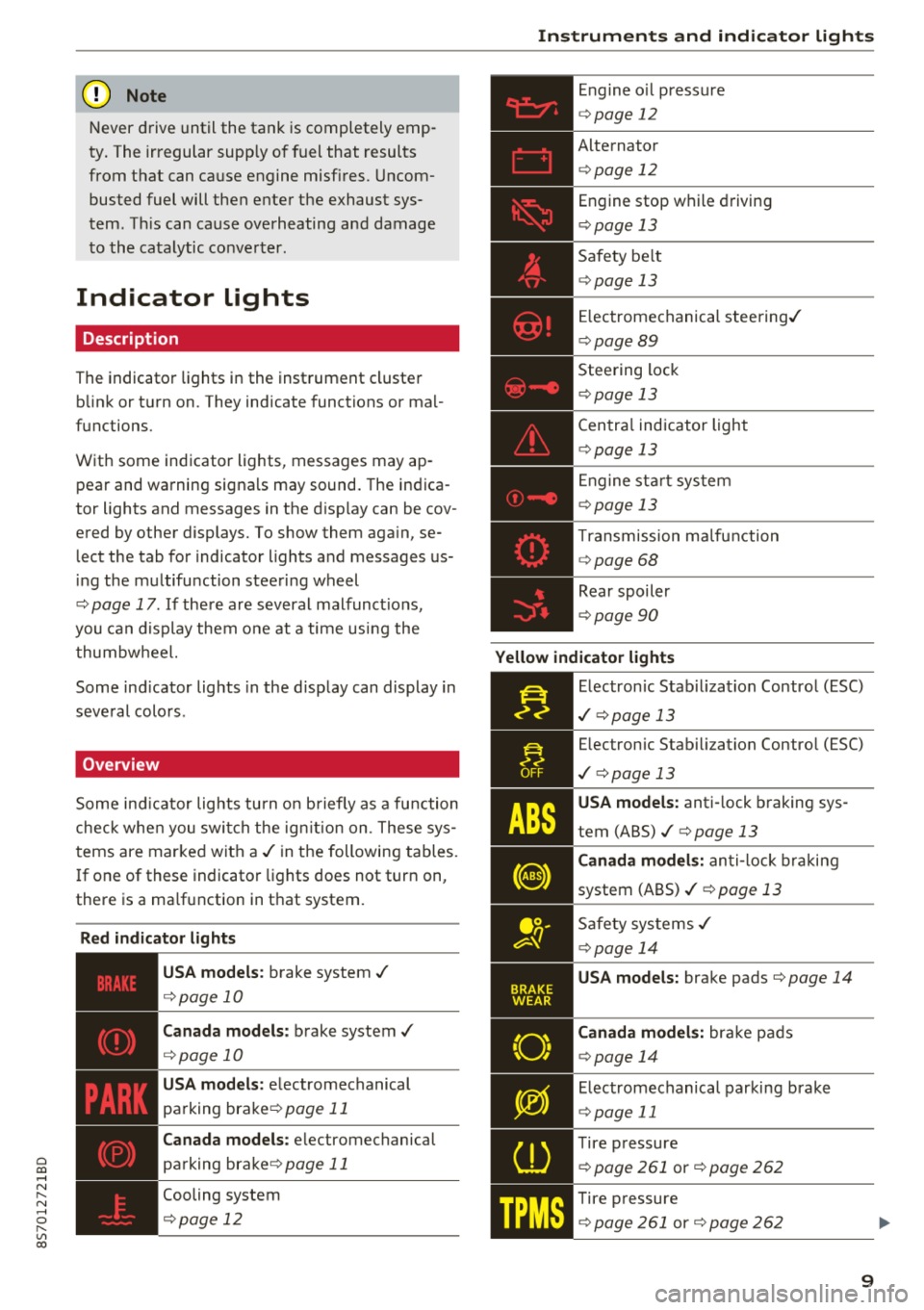
Overview
Some indicator lights turn on briefly as a function
check when you switch the ign ition on. These sys
tems are marked with a
./ in the following tables.
I f one of these indicator lights does not turn on,
there is a ma lfunction in that system.
Red indicator lights
---------------
US A models : brake system ./
¢page 10
Canada models: brake system ./
¢page 10
USA models: electromechanical
parking
brake¢ page 11
Canada models: electromechanical
parking
brake¢ page 11
Cooling system
¢ page 12
Instruments and indicator lights
Engine oil pressure
¢ page 12
Alternator
¢p age 12
Engine stop while driving
¢page 13
Safety be lt
¢ page 13
Electromechanical steering./
¢page 89
Steering lock
¢page 13
Central indicator light
¢page 13
En gine start system
¢page 13
Transmission ma lfunction
¢ page 68
Rear spoiler
¢page 90
Yellow indicator lights
Electronic Stabil iz ation Control (ESC)
./ ¢p age 13
Electronic Stabilization Contro l (ESC)
./ ¢pag e 13
USA models: anti-lock braking sys
tem
(ABS)./¢ page 13
Canada models: anti-lock braking
system
(ABS)./ ¢ page 13
Safety systems ./
¢page 14
USA models: brake pads ¢page 14
Canada models: bra ke pads
¢ page 14
Electromechanical parking brake
¢page 11
Tire pressure
¢ page 261 or¢ page 262
Tire pressure
¢ page 261 or¢ page 262
9
Page 13 of 310
Cl 00 .-< N r-N .-< 0 r-Vl 00
If brake assist (brake booster) is not working, you
have to use much more force when braking the
vehicle. See an authorized Audi dealer or author
i zed Audi Service Facility for assistance.
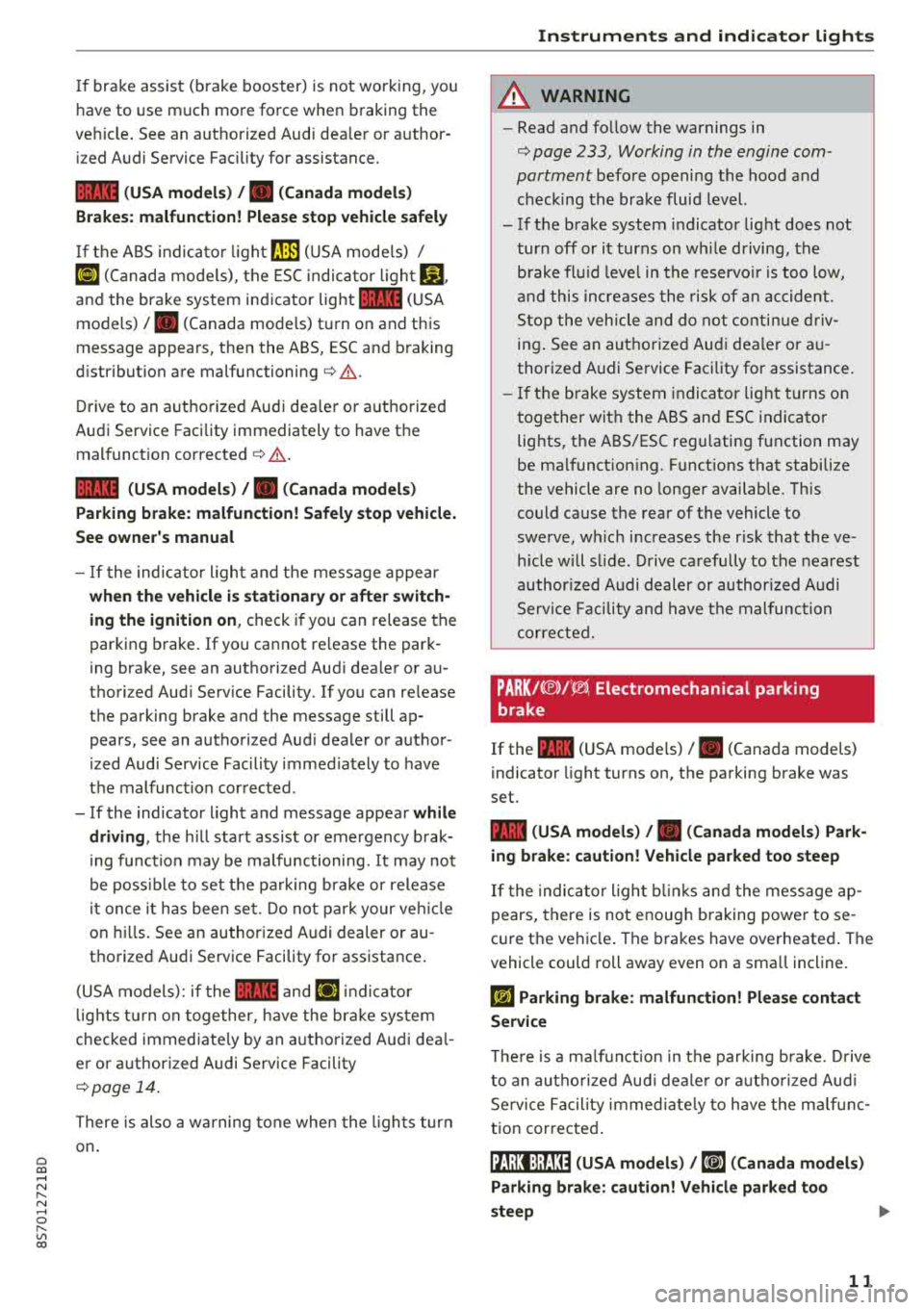
1111 (USA models) /. (Canada models)
Brakes: malfunction! Please stop vehicle safely
If the ABS indicator light rJ]) (USA models) /
¢e'A (Canada models), the ESC indicator light GJ.
and the brake system indicator light 1111 (USA
models)/ . (Canada models) turn on and this
message appears, then the ABS, ESC and braking
distribution are
malfunctioning¢ &.
Drive to an authorized Audi dealer or authorized
Audi Service Facility immediately to have the
malfunction corrected
¢ & .
1111 (USA models) /. (Canada models)
Parking brake: malfunction! Safely stop vehicle.
See owner's manual
- If the indicator light and the message appear
when the vehicle is stationary or after switch
ing the ignition on,
check if you can release the
parking brake. If you cannot release the park
ing brake, see an authorized Audi dealer or au
thorized Audi Service Facility. If you can release
the parking brake and the message still ap pears, see an authorized Audi dealer or author
ized Audi Service Facility immediately to have
the malfunction corrected.
- If the indicator light and message appear
while
driving,
the hill start assist or emergency brak
ing function may be malfunctioning. It may not
be possible to set the parking brake or release
it once it has been set. Do not park your vehicle
on hills. See an authorized Audi dealer or au
thorized Audi Service Facility for assistance.
(USA models): if the
1111 and Ei] indicator
lights turn on together, have the brake system
checked immediately by an authorized Audi deal
er or authorized Audi Service Facility
¢page 14.
There is also a warning tone when the lights turn
on.
Instruments and indicator lights
A WARNING
-- Read and follow the warnings in
¢ page 233, Working in the engine com
partment
before opening the hood and
checking the brake fluid level.
- If the brake system indicator light does not
turn off or it turns on while driving, the
brake fluid level in the reservoir is too low,
and this increases the risk of an accident .
Stop the vehicle and do not continue driv
ing. See an authorized Audi dealer or au
thorized Audi Service Facility for assistance.
- If the brake system indicator light turns on
together with the ABS and ESC indicator
lights, the ABS/ESC regulating function may
be malfunctioning. Functions that stabilize
the vehicle are no longer available. This
could cause the rear of the vehicle to
swerve, which increases the risk that the ve
hicle will slide. Drive carefully to the nearest
authorized Audi dealer or authorized Audi
Service Facility and have the malfunction
corrected.
PARK/(®)f 'i®5, Electromechanical parking
brake
If the -(USA models) / . (Canada models)
indicator light turns on, the parking brake was
set.
-(USA models) / . (Canada models) Park
ing brake: caution! Vehicle parked too steep
If the indicator light blinks and the message ap
pears, there is not enough braking power to se
cure the vehicle. The brakes have overheated. The
vehicle could roll away even on a small incline.
fcdA Parking brake: malfunction! Please contact
Service
There is a malfunction in the parking brake. Drive
to an authorized Audi dealer or authorized Audi
Service Facility immediately to have the malfunc
tion corrected.
!il];!J:l;H3~ (USA models) / [iJ (Canada models)
Parking brake: caution! Vehicle parked too
steep
11
Page 14 of 310
Instruments and indicator lights
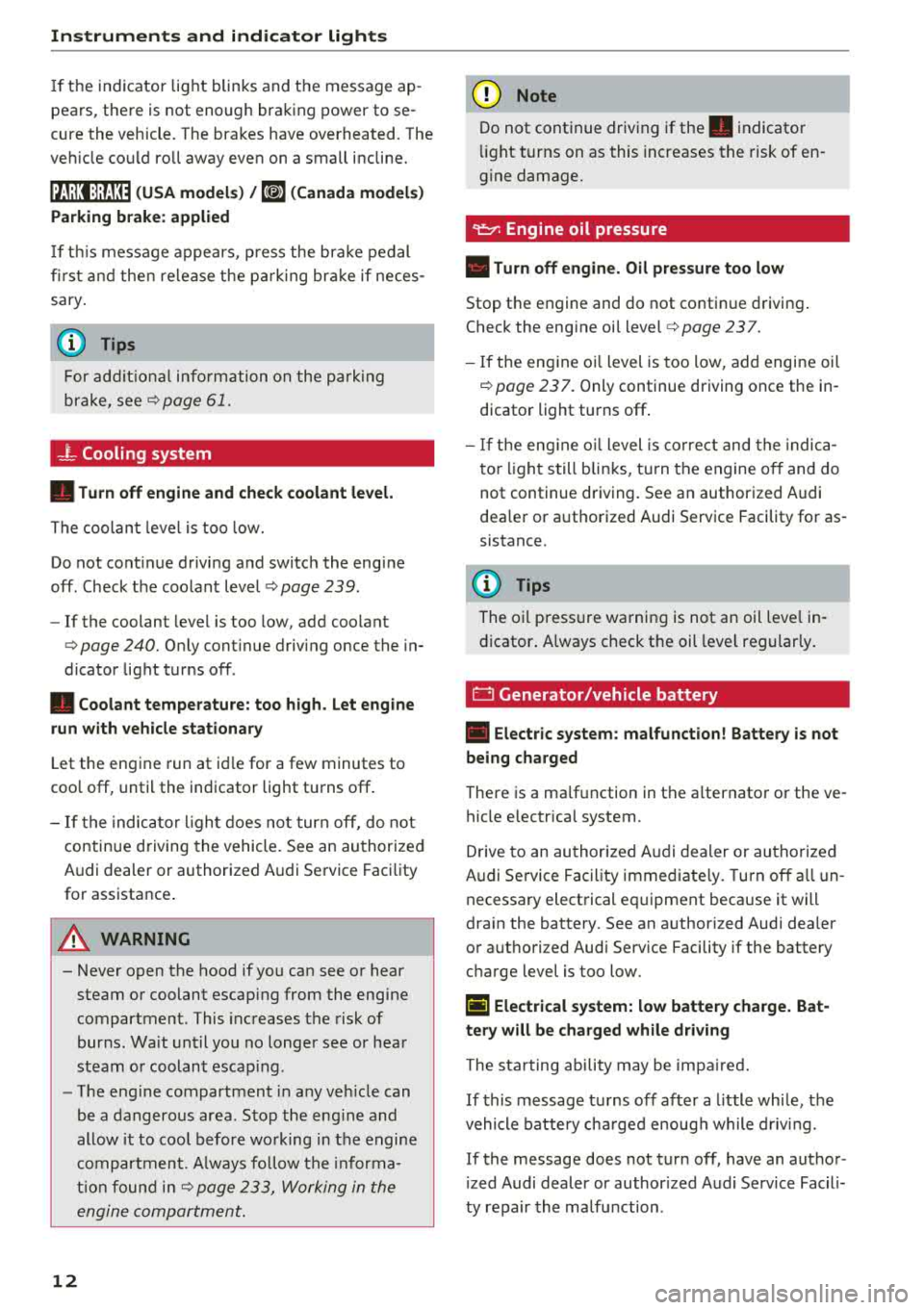
If th e indicator lig ht blinks and t he message ap
pea rs, there is not eno ugh bra king power to se
cure the vehicle . The brakes have overheated. The
ve hicle co uld ro ll away eve n on a small incline .
llJ;l:l:);J;H~ (USA models) / Ii] (Canada models)
Parking brake: applied
If thi s m essage appears, p re ss the bra ke peda l
fir st and t hen release the p arking br ake if neces
sary .
(D Tips
For additional in format io n on t he parkin g
bra ke, see
q page 61.
_}_ Cooling system
• Turn off engine and check coolant level.
Th e co olan t leve l is too low .
Do not cont inue drivi ng a nd switch the eng ine
off. Check the coolan t leve l
q page 239 .
-If the coolant leve l is too low, add coo lant
q poge 240 . Onl y cont inue driv ing once the in
dicator light t urns off .
• Coolant temperature: too high. Let engine
run with vehicle stationary
L et the eng ine run at id le for a few minutes to
coo l off, unt il the indicator light turns off .
- I f th e indic ator li ght d oes no t turn off, do no t
contin ue d riving the vehicle . See an au thori zed
Audi dealer or authorized A udi Se rvi ce Fac ility
fo r assistance .
A WARNING
-Never open t he hood if you can see o r hear
steam o r co olant esca ping from the eng ine
compartment. This inc reases t he risk of
bur ns. Wa it unti l you no long er see or h ea r
st eam o r coolan t esca ping .
- The eng ine compartmen t in any ve hicle can
b e a dangero us area. S to p the eng ine and
allow it to coo l before wo rking in the e ngine
compa rtm ent. A lw ays f ollow the in for ma
tion fo un d in
q page 233, Wo rking in the
engine comportment .
12
@ Note
Do not conti nue driv ing if the . indicato r
ligh t tu rn s on as this increases the risk of en
g ine damage.
9=7: Engine oil pressure
• Turn off engine. Oil pressure too low
Stop t he e ngine and do not co nti nu e d riving .
Check the eng ine oi l level
q page 237.
- If the en gine o il level is too low, add engi ne oil
q poge 237. Only continue driving once the in
dicator light turns off .
- If the eng ine o il level is co rre ct an d t he indic a
t o r lig ht still bli nks, t urn the engine o ff and do
not continue dr iving. See a n author ized A udi
dea le r or a uth orized Audi Serv ice Facility fo r as
sistance.
(D Tips
The o il press ure wa rning is not an oil leve l in
d icator . A lways check t he oil leve l regula rly.
E::3 Generator/vehicle battery
• Electric system : malfunction! Battery is not
being charged
There is a ma lf u nction in the a lternato r o r the ve
hicle e lectrica l system.
Dr ive to an au thor ized A udi d ealer or au tho rize d
Audi Se rvice Fac ility immed iate ly . T urn off a ll un
necessary e lect rical eq uipment because it will
dra in the battery. See an a uthorized Audi dea ler
or a uthori zed Aud i Serv ice Facility if the battery
c h arge level is too low.
(•) Electrical system: low battery charge. Bat
tery will be charged while driving
The s ta rting ability may be imp aired.
If this m essage turns off af ter a litt le whi le, t he
vehicle battery ch arge d enoug h while d riv in g.
If the message does not t urn off , have an autho r
i zed Audi dealer or author ized A udi Se rvice Facili
ty repair the ma lfu nction .
Page 15 of 310
Cl 00 .-< N r-N .-< 0 r-Vl 00
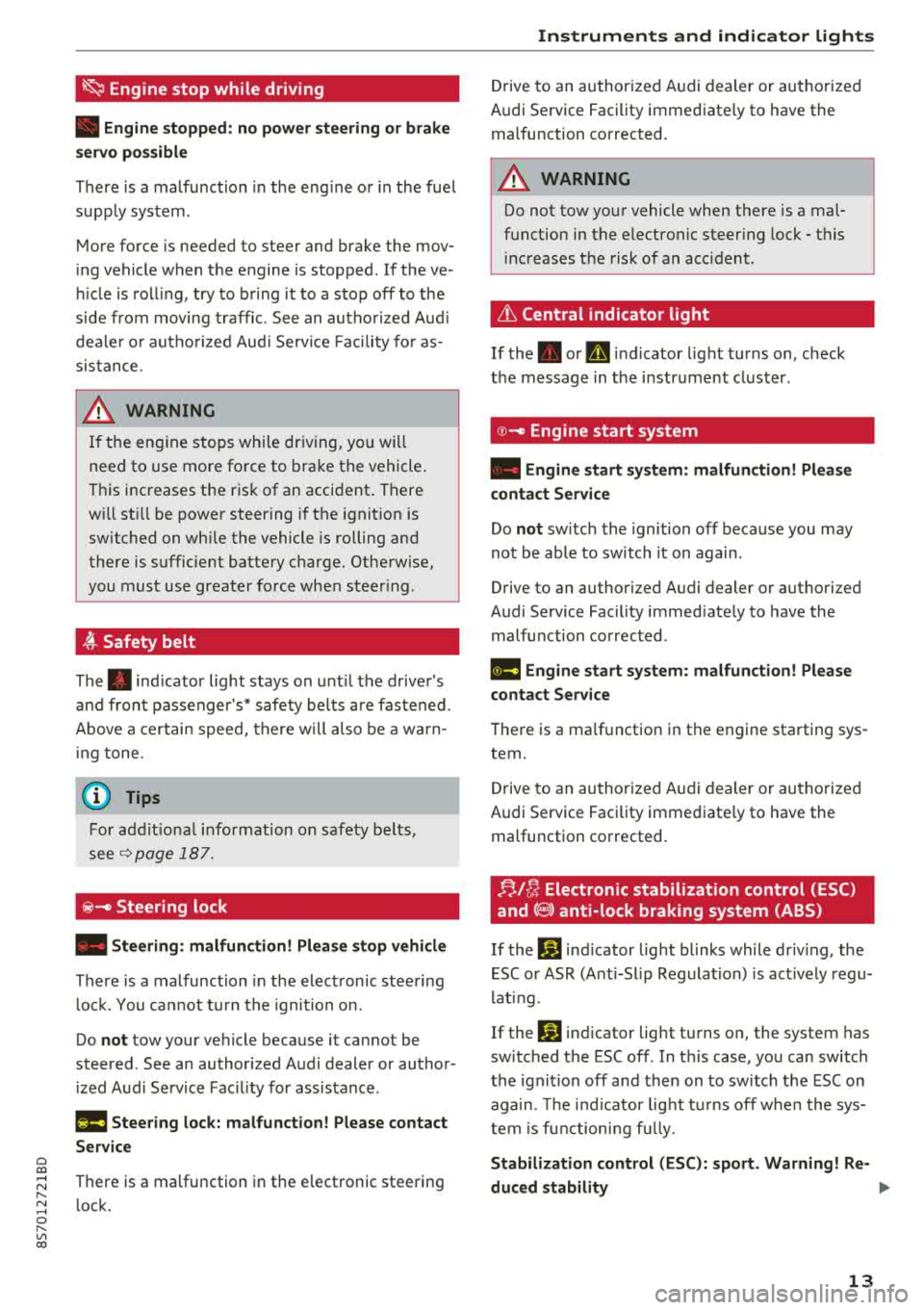
~ Engine stop while driving
• Engine stopped: no power steering or brake
s e rvo pos sible
There is a malfunc tion in the eng ine o r in the fue l
supp ly sys tem .
M ore fo rce is needed to steer and bra ke the mov
in g vehicle w hen the engine is stopped . If the ve
hi cle is roll ing, try to b ring it to a stop off to the
side from moving traffic. See an aut ho riz ed Aud i
dea le r or aut ho rize d Aud i Serv ice Faci lity fo r as
sis tance .
A WARNING
-
If the en gine sto ps while dr iving, yo u will
nee d to use more fo rce to bra ke the vehicle .
T hi s increases the r is k of an acci dent . T here
w ill st ill be power steering i f the i gnit ion is
switched on whi le the vehicle is rolling and
ther e is sufficient batt ery c harg e. Oth erwise,
you must use greate r force when steer ing .
~ Safety belt
The . indicator light stays on unt il t he drive r's
a nd fron t passenger's* safety bel ts are fastened .
Above a cer tain spee d, th ere w ill also be a w arn
in g tone .
@ Tips
For additional i nformation on safety b elts,
see
Q page 187 .
@-Steering lock
• Steering: malfunction! Please stop vehicle
There is a malfunc tion in the elec tronic stee ring
l o ck. Y ou ca nnot t urn the igni tion o n.
Do
not tow your vehicle because it ca nnot be
steered . See an author ized A udi dealer or au thor
iz ed A udi Service Fac il ity for assis tance .
l!ia Steering lock: malfunction! Please contact
Service
There is a malfunction in the elect ronic stee ring
l ock .
Instruments and indicator lights
Drive to an au thor ized A udi dealer or au tho riz e d
A udi Se rvice Fac ility immed iate ly to have the
malfu nction corrected.
A WARNING "---
Do not tow yo ur vehicle when there is a mal
f u nction in the electro nic steer ing lock - t his
in creas es the risk of an acc ident.
& Central indicator light
If t he . or D in d icator light turns on, check
t h e message in t he i nstr ument clus ter .
© -Engine start system
• Engine start system : malfunction! Please
contact Service
Do not switch th e igni tion off beca use you may
not be able to switch it on again.
Drive to an author ized A udi dealer or autho rized
A udi Se rvice Fac ility immed iate ly to have the
malfu nction corrected .
11111 Engine start system: malfunction! Please
contact Service
T he re is a ma lf u nction in the engine sta rting sys
tem.
Dr ive to an au thor ized A udi dealer or au thoriz ed
Audi Se rvice Fac ility immed iate ly to have the
malfu nction corrected.
FJ,/!r, Electronic stabilization control (ESC)
and
(8) anti-lock braking system (ABS)
If the If] indicator light blinks while driv ing, the
E SC o r ASR (Anti-Slip Regula tion) is ac tively regu
l at ing.
Ifthc
If] ind icator light tu rns o n, the system has
swi tched the ESC off . In t his case, yo u can switch
the ignit io n off and then on to switch the ESC on
agai n. Th e indi cator lig ht t urns off whe n the sys
tem is f unc tioni ng full y.
Stabilization control (ESC): sport . Warning! Re-
duced stability
.,.
13
Page 16 of 310
Instruments and indicator lights
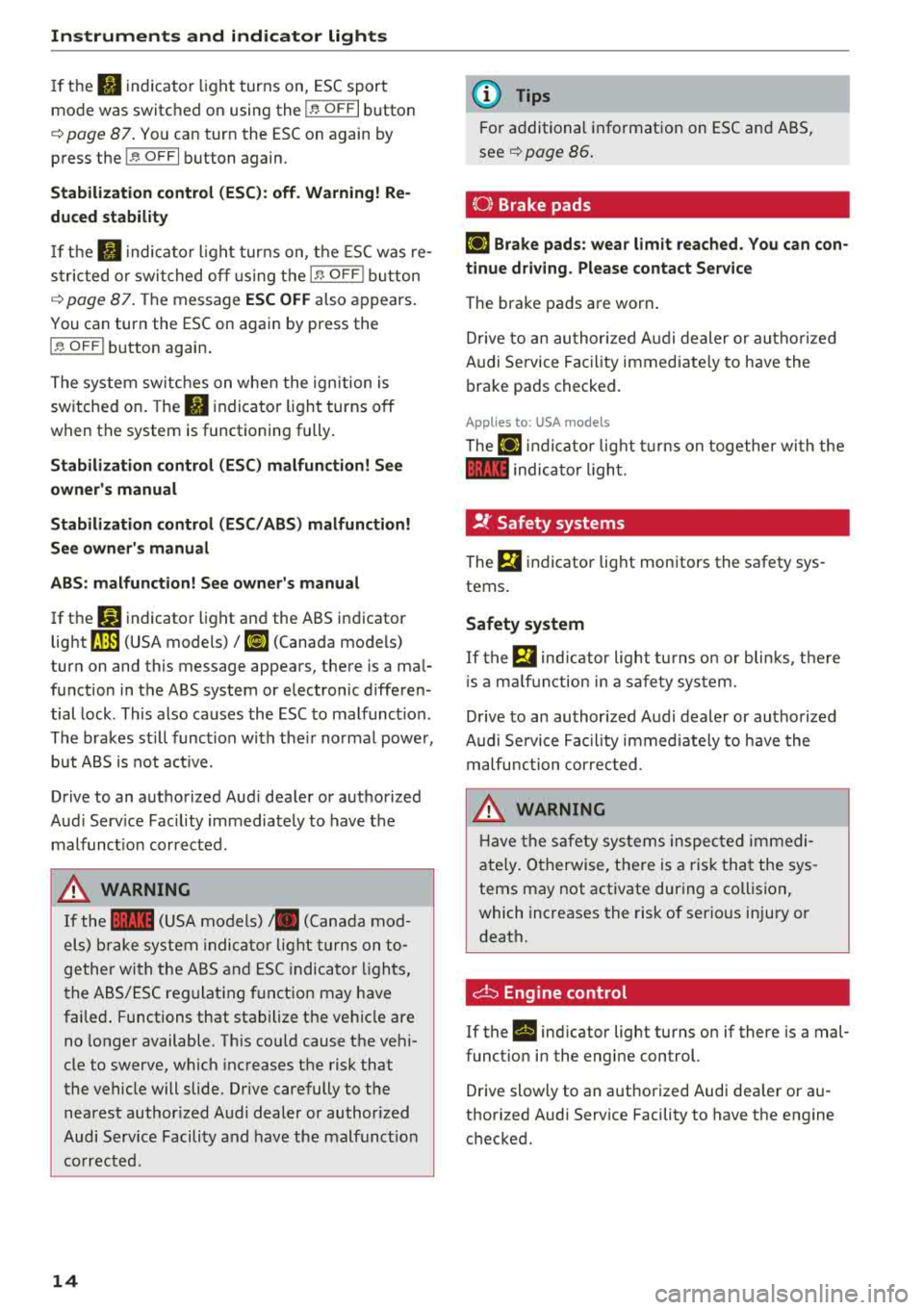
If th e II indica to r li gh t turns on, ESC sport
mo de was switched on using the
I~ O FF I button
¢ page
87 . You ca n tur n the ESC on again by
press the
I ~ O FF I button again.
Stabilization control (ESC): off . Warning! Re
duced stability
If th e II in dic ator li ght t urns on, t he ES C was re
s tric ted o r swi tched o ff using the
I~ OF FI butt on
¢ page
87. Th e message ESC OFF also ap pears .
You can turn the ESC on again by press the
I ~ OFF I button agai n.
Th e sys tem swit ches on whe n the ign ition is
sw itche d on . The
II indica to r lig ht t urns off
when t he system is functioning fully .
Stabilization control (ESC) malfun ction! See
owner 's manual
Stabilization control (ESC/ ABS) malfunction!
See owner's manual
ABS: malfunction! See owner's manual
If t he D.J indicato r light and the ABS i ndicator
light
rJ] (USA models) 1 11] (Canada mo dels)
tur n on and this message appea rs, the re is a ma l
f un ction in t he ABS system or e lectron ic diffe ren
tial lock . This also ca uses the ESC to malfunc tion.
The brakes st ill func tion wi th the ir no rma l powe r,
but A BS is not a ct ive.
Drive to an a uth orized Aud i dea le r or a uth orized
Aud i Serv ice Facility immediately to have t he
malfunc tion corrected.
A WARNING
If the 1111 (U SA mod els) ,. (C anad a mod
el s) bra ke sy stem in dicator light tu rns on to
ge the r wi th the A BS and ESC ind icat or lig hts,
th e A BS/ES C re gulat ing f unctio n may have
fai le d. Functions that sta bilize the ve hicl e are
n o l on ger available. T his co uld cause t he ve hi
cle to swerve, w hich inc reases t he risk that
the vehicle will slide. Dr ive carefully to the
n ea rest author ized A udi dealer or author iz e d
Audi Serv ic e Facili ty a nd have the malf unc tion
co rrect ed.
14
(D Tips
Fo r additio nal info rmat io n on ESC an d ABS,
see ¢ page
86 .
{0) Brake pads
El] Brake pads: wear limit reached. You can con
tinue driving . Please contact Service
The brake pads a re worn .
Dr ive to an au thor ized A udi d ealer or au tho riz ed
Audi Se rvice Faci lity immed iate ly to h ave the
b ra ke pads checked.
Applies to: USA models
The El] ind ic at or lig ht tur ns o n to gether wi th the
1111 indica to r ligh t.
!f Safety systems
The El in dicator lig ht mon itors the safety sys
tems .
Safety system
If the Bl ind ic a to r lig ht t urns o n or bli nks, t he re
i s a m alfu nction in a s afety sys tem.
D rive to an au thor ized A udi dealer or au tho riz ed
Audi Se rvice Fac il ity i mme diately to have the
m alfunc tio n cor rec ted .
A WARNING
-
Ha ve the s afety sy stem s in sp ecte d imm ed i
ate ly. Oth erwise, t he re is a r is k th at the sys
tems may not activate during a collisi on,
wh ich inc reases the risk of serio us inju ry or
d eat h.
d:::i Engine control
If the II ind icator light turns on if there is a mal
funct io n in the eng ine control.
D rive slowly to an a uth orized Audi dea ler or au
t h orized Audi Serv ice Facility to have t he engine
c h ecke d.
Page 17 of 310
Cl 00
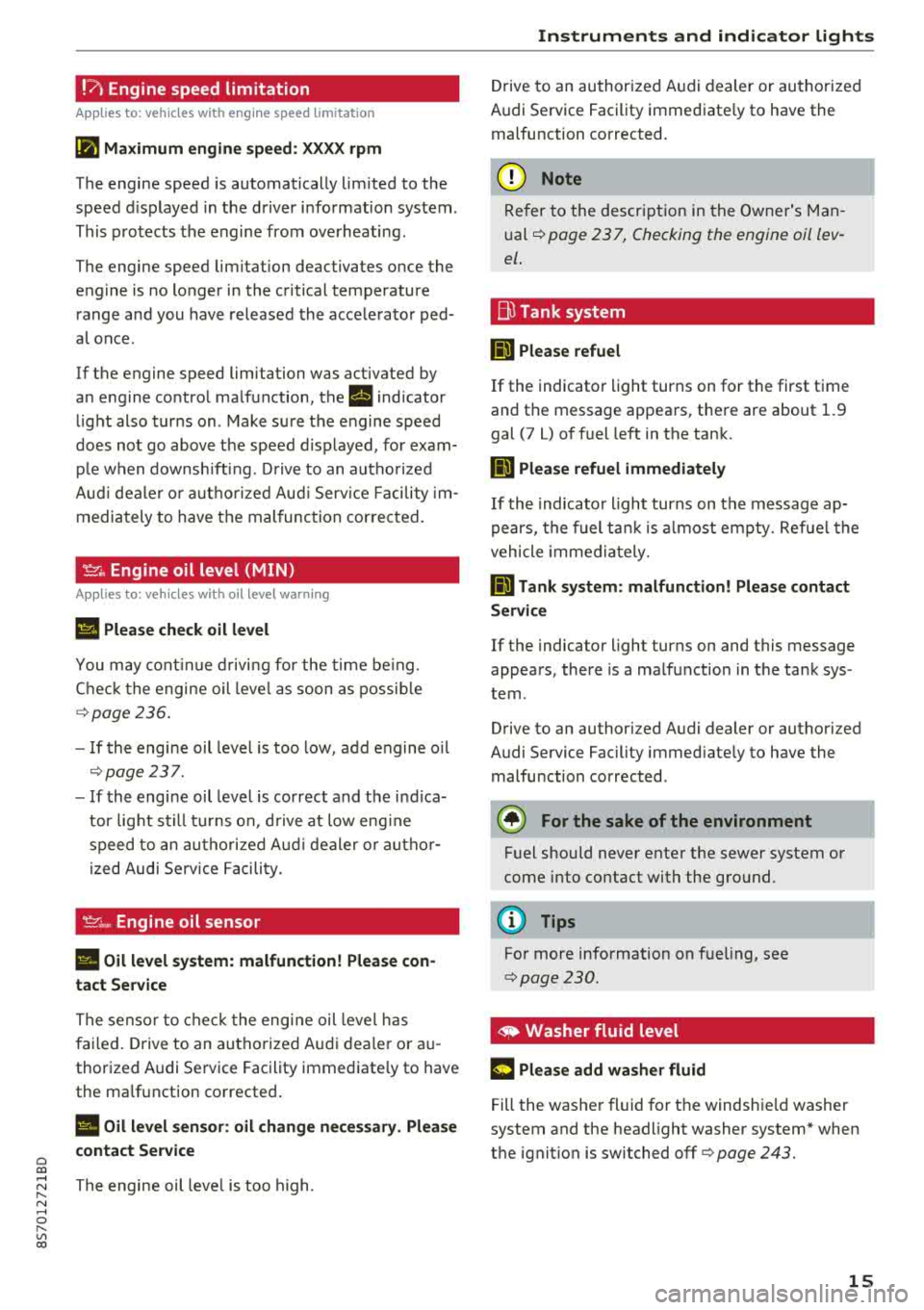
!?) Engine speed limitation
Applies to: vehicles with engine speed limitation
(II Maximum engine speed : XXXX rpm
The engine speed is automatically lim ited to the
speed d isplayed in the driver information system .
This protects the engine from overheating .
The engine speed limitation deactivates once the
engine is no longer in the critical temperature range and you have released the accelerator ped
a l once.
If the engine speed limitation was activated by
an engine control malfunction, the
rl indicator
light also turns on. Make sure the engine speed
does not go
above the speed d isplayed, for exam
ple when downsh ift ing. Drive to an autho rized
Aud i dealer o r authorized Aud i Service Facility im
mediately to have the malfunction corrected.
~. Engine oil level (MIN)
Applies to: vehicles with oil level warning
Ill Please check oil level
You may continue driving for the time being.
Check the engine oil leve l as soon as possible
r=> page236.
-If the engine oil level is too low, add engine oil
r=>page 237.
-If the engine oil level is correct and the ind ica
tor light still turns on, drive at low eng ine
speed to an authori zed A udi dealer or autho r
ized Audi Serv ice Facility.
'IY ;.., Engine oil sensor
II Oil level system: malfunction! Please con
tact Service
The sensor to check the engine oil level has
failed. Drive to an authorized Audi dealer or au
thorized Audi Service Facility immediate ly to have
the malfunction corrected .
II Oil level sensor: oil change necessary. Please
contact Service
~ The engine oil leve l is too high.
N ...... 0 r--Vl 00
Instruments and indicator lights
Drive to an authorized Audi dealer or authorized
Audi Service Facility immediate ly to have the
malfunction corrected.
@ Note
Refer to the description in the Owner's Man
ual
r=> page 2 3 7, Checking the engine oil lev
el .
Bu Tank system
ml Please refuel
If the indicator light turns on for the first time
and the message appears, there are about 1.9
gal (7 L) of fuel left in the tank.
ID Please refuel immediately
If the indicator light turns on the message ap
pears, the fuel tank is almost empty. Refue l the
vehicle immediately.
ml Tank system: malfunction! Please contact
Service
If the indicator light turns on and this message
appears, there is a malfunction in the tank sys
tem .
Drive to an authorized Audi dealer or authorized
Audi Service Facility immed iately to have the
malfunction corrected .
@) For the sake of the environment
Fuel should never enter the sewer system or
come into contact with the ground.
(D Tips
For more information on fueling, see
r=> page 230.
,. Washer fluid level
m Please add washer fluid
Fill the washer fluid for th e windshie ld washer
system and the headlight washer system* when
the ignition is switched off
r=> page 243.
15
Page 19 of 310
Cl co .... N ,-... N ...... 0 ,-... Vl co
Driver information system
Overview
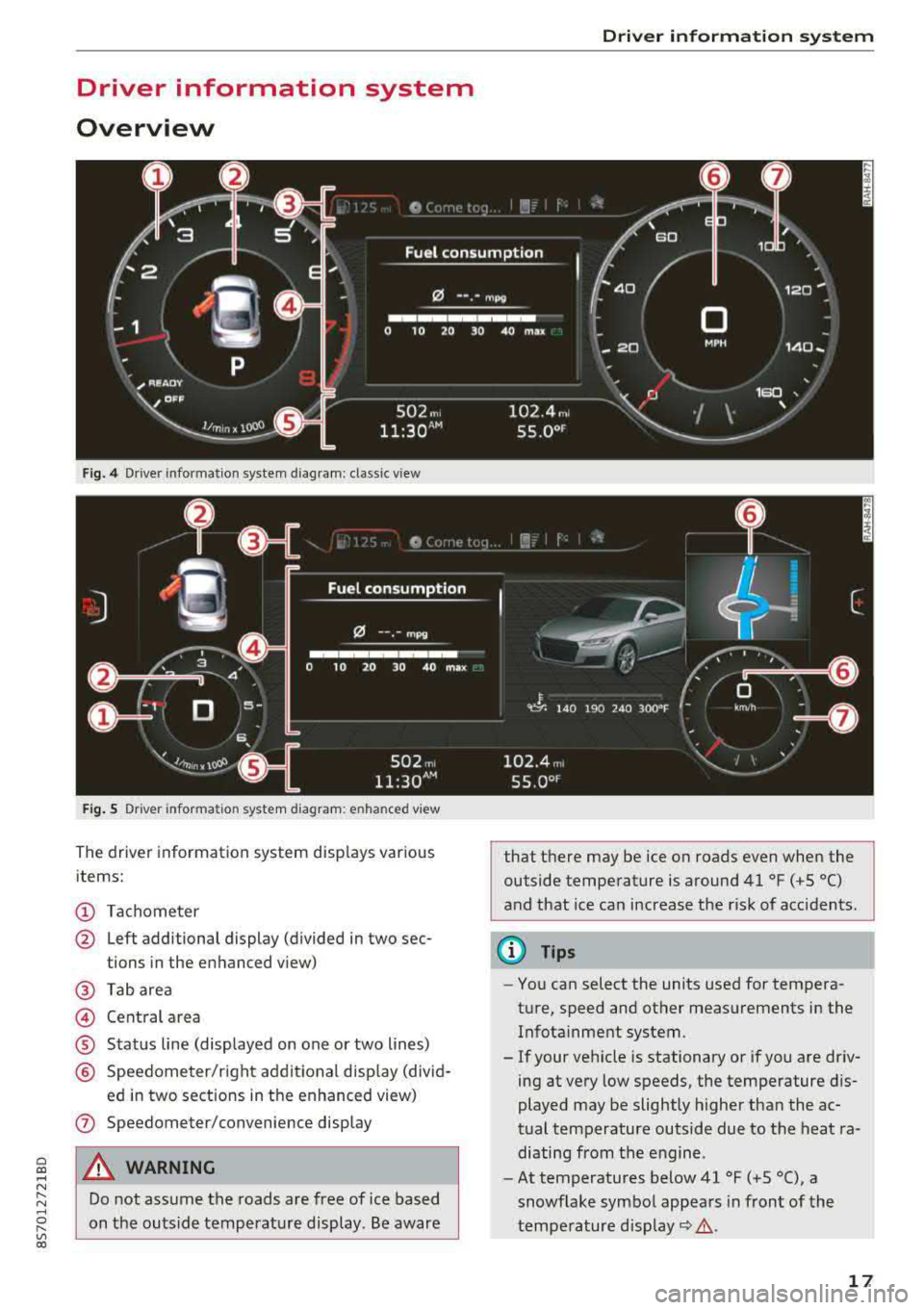
Fig. 4 Driver information system diagram: classic v iew
Fig. S D rive r in formation system diagram : en ha nced v iew
The driver information system displays various
items:
(D Tachometer
@ Left additional display (divided in two sec-
tions in the enhanced view)
@ Tab area
@ Central area
® Status line (displayed on one or two lines)
@ Speedometer/right additional display (divid-
ed in two sections in the enhanced view)
(J) Speedometer/convenience display
A WARNING
Do not assume the roads are free of ice based
on the outside temperature display . Be aware
Driver information system
that there may be ice on roads even when the
outside temperature is around 41 °F ( +S °C)
and that ice can increase the risk of acc idents.
(D Tips
- You can select the units used for tempera
ture, speed and other measurements in the Infotainment system .
- If your vehicle is stationary or if you are driv
ing at
very low speeds, the temperature dis
played may be slightly higher than the ac
tual temperature outside due to the heat ra
diating from the engine.
- At temperatures below 41 °F (+S °C), a
snowflake symbol appears in front of the
temperature
display~ &.
17
Page 23 of 310
Cl co .... N ,....
N ...... 0 ,....
Vl co
Tachometer
The tachometer displays the engine speed in rev
olutions per minute (RPM) .
The beginning of the red zone in the tachometer
indicates the maximum perm iss ib le engine speed
for all gears once the engine has been broken in
and when it is warmed up to operating tempera
ture. Before reaching the red zone, you should
sh ift into the next h igher gear, choose the Do r S
selecto r lever posi tion, or remove you r foot from
the ac cele rator peda l.
{Q;l Note
The needle in the tachometer may only be in
t he red a rea of the gauge for a short per iod of
time or there is a risk of damaging the engine.
T he loca tio n where the red zo ne begins varies
de pending o n the engine.
@ For the sake of the environment
Upshifti ng e arly helps you to save fuel and re
duces operati ng noise.
Odometer
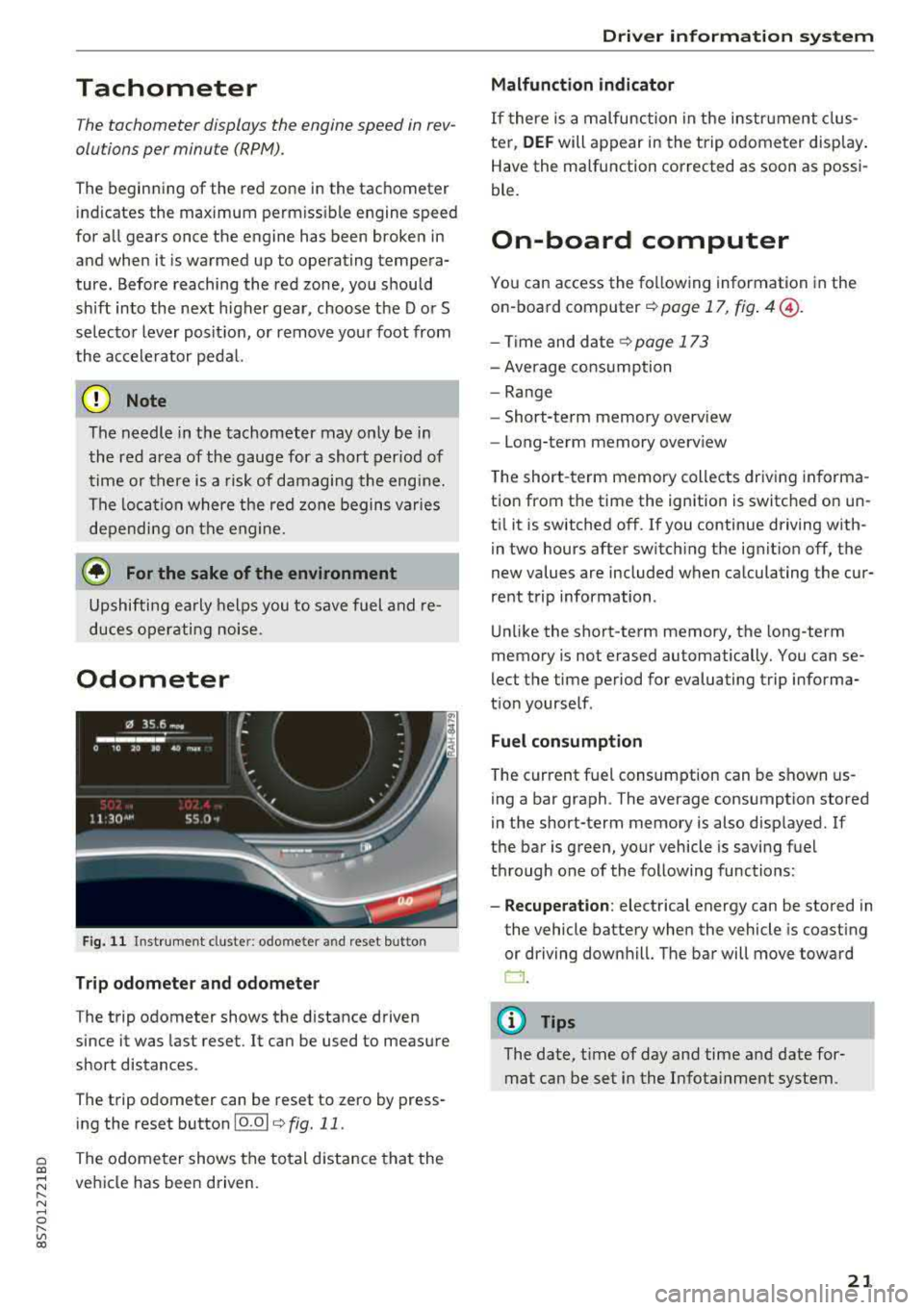
Fig . 11 Inst rument cluste r: odomete r and reset b utto n
Trip odometer and odomete r
The trip odometer shows the distance driven
since it was last reset.
It can be used to meas ure
short distances .
The trip odometer can be reset to zero by press ing the reset button 10.01
¢ fig. 11.
The odome ter shows the to tal d ist ance tha t the
ve hicle has been driven .
Driver information system
Malfunction indicator
If there is a malfunction in the instr ument clus
ter,
DEF will appear in the trip o dome ter disp lay.
Have the malfunction corrected as soon as possi
ble.
On-board computer
Yo u can access the fo llowing information in the
o n- board
computer ¢ page 17, fig . 4@ .
-Time and d ate ¢page 173
- Average cons umption
- Range
- Short-term memory overv iew
- Long-term memory overv iew
T he short -term memory collects driv ing in forma
tion from t he time the ignition is switc hed on un
t il it is switched off. If you continue driving w ith
in two hours after sw itch ing the ignit ion off , the
new values are included when ca lculating the cur
rent t rip information .
U nli ke the short-te rm memory, the long-term
memory is not erased automatically. You can
se
lect t he time period for evaluating trip informa
t ion yourse lf .
Fuel consumption
T he current f uel consumption can be shown us
ing a bar graph . The average consumption stored
in the short-term memory is also disp layed. If
the ba r is green, your vehicle is savi ng fuel
t hr ough one of the following functions :
-Recuperation: electrical energy can be stored in
the vehicle battery when the vehicle is coast ing
or driving downhil l. The bar will move toward
D .
(D Tips
The date, time of day and time and date for
mat can be set in the I nfota inment system.
21