engine AUDI TT ROADSTER 2018 User Guide
[x] Cancel search | Manufacturer: AUDI, Model Year: 2018, Model line: TT ROADSTER, Model: AUDI TT ROADSTER 2018Pages: 310, PDF Size: 46.95 MB
Page 27 of 310
Cl 00 .-< N r-N .-< 0 r-Vl 00
is unlocked when unlocking the vehicle
<=> page 26.
A WARNING
No one, especially children, should stay in the
vehicle when it is locked from the outside, be
cause the windows can no longer be opened
from the inside <=> page
2 7. Locked doors
make it more difficult for emergency workers
to get into the vehicle, which puts lives at
risk.
(D Tips
- Only use the remote control key when you
are within view of the vehicle .
- Do not use the remote control when you are
inside the vehicle. Otherwise, you could un
intentionally lock the vehicle. If you then
tried to start the engine or open a door, the
alarm would be triggered. If this happens,
press the unlock
button @.
-The selector lever must be in the P position
on vehicles with a convenience key*; other
wise the vehicle will not lock.
- Only use the panic function in an emergen
cy.
Unlocking/locking with the convenience
key
Applies to: vehicles with convenience key
The doors and luggage compartment lid can be
unlocked/locked without using the remote con
trol key.
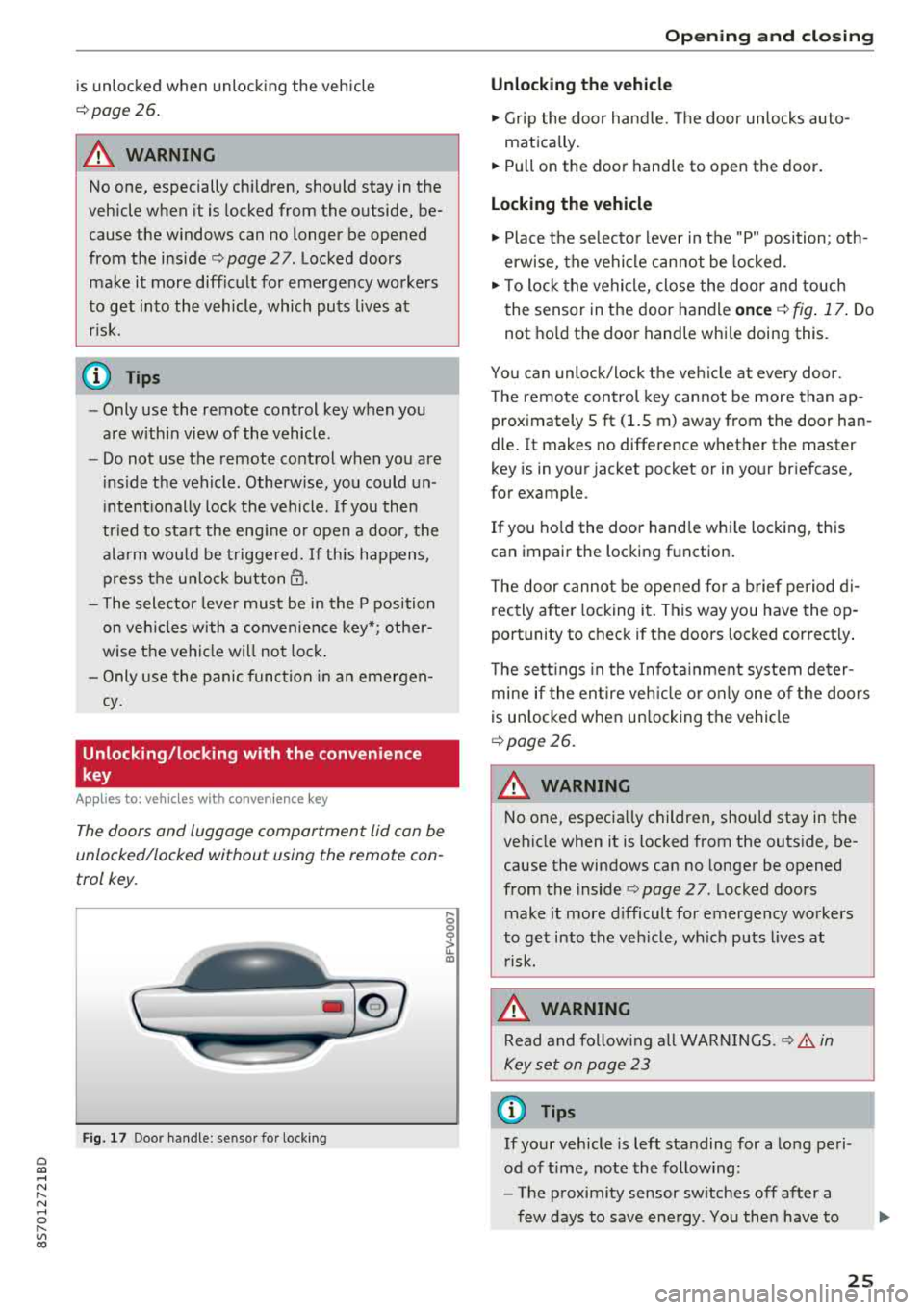
Fig. 17 Door handle : senso r for locking
,... 0
0
~ a:,
Opening and closing
Unlocking the vehicle
.,. Grip the door handle. The door unlocks auto-
matically.
.,. Pull on the door handle to open the door.
Locking the vehicle
.,. Place the selector lever in the "P" position; oth
erwise, the vehicle cannot be locked.
.,. To lock the vehicle, close the door and touch
the sensor in the door handle
once <=> fig. 17. Do
not hold the door handle while doing this.
You can unlock/lock the vehicle at every door.
Th e remote control key cannot be more than ap
proximately S ft
(1.5 m) away from the door han
dle. It makes no difference whether the master
key is in your jacket pocket or in your briefcase,
for example .
If you hold the door handle while locking, this
can impair the locking func tion .
The door cannot be opened for a brief period di
r ectly after locking i t. This way you have the op
portunity to check if the doors locked correctly.
The settings in the Infotainment system deter
mine if the entire vehicle or only one of the doors
is unlocked when unlocking the vehicle
¢page 26.
A WARNING ,..___ -
No one, especially children, should stay in the
vehicle when it is locked from the outside, be
cause the windows can no longer be opened
from the inside
¢page 27 . Locked doors
make it more difficult for emergency workers
to get into the vehicle, which puts lives at risk.
A WARNING
Read and following all WARNINGS .<=>.& in
Key set on page 23
(D Tips
If your vehicle is left standing for a long peri
od of time, note the following:
- The proximity sensor switches off after a
few days to save energy. You then have to
-
25
Page 36 of 310
Power top
-Visibility to the rear is limited when operat
ing the power top. Avoid operat ing the top
wh ile driving in reverse.
(D Note
- To prevent damage to the power top:
- do not store any objects in the power top
storage compartment.
- make sure there is enough space above
the vehicle when opening or clos ing the
powe r top.
(D Tips
- To prevent the vehicle battery from dra ining
unnecessari ly, do not open or close the pow
er top repeatedly when the engine is switch
ed off.
- A message will appear in the instrument
cluster if there is a malfunction in the powe r
top
~ page 34.
- The powe r top can also be operated manual
l y temporari ly if there is a malfunction
~ page 36, Power top emergency opera
tion.
An authorized A udi dealer or author
ized Audi Service Facility should diagnose
and correct the cause of the ma lfunction as
soon as possib le .
- If the vehicle is parked with the power top open, the vehicle interior is not protected
from damaging weather or unauthor ized ac
cess. Lock any items you leave behind in the
luggage compartment. C lose the power top
before leaving the vehicle .
- The side windows automat ically lower
slightly when opening or closing the power
top.
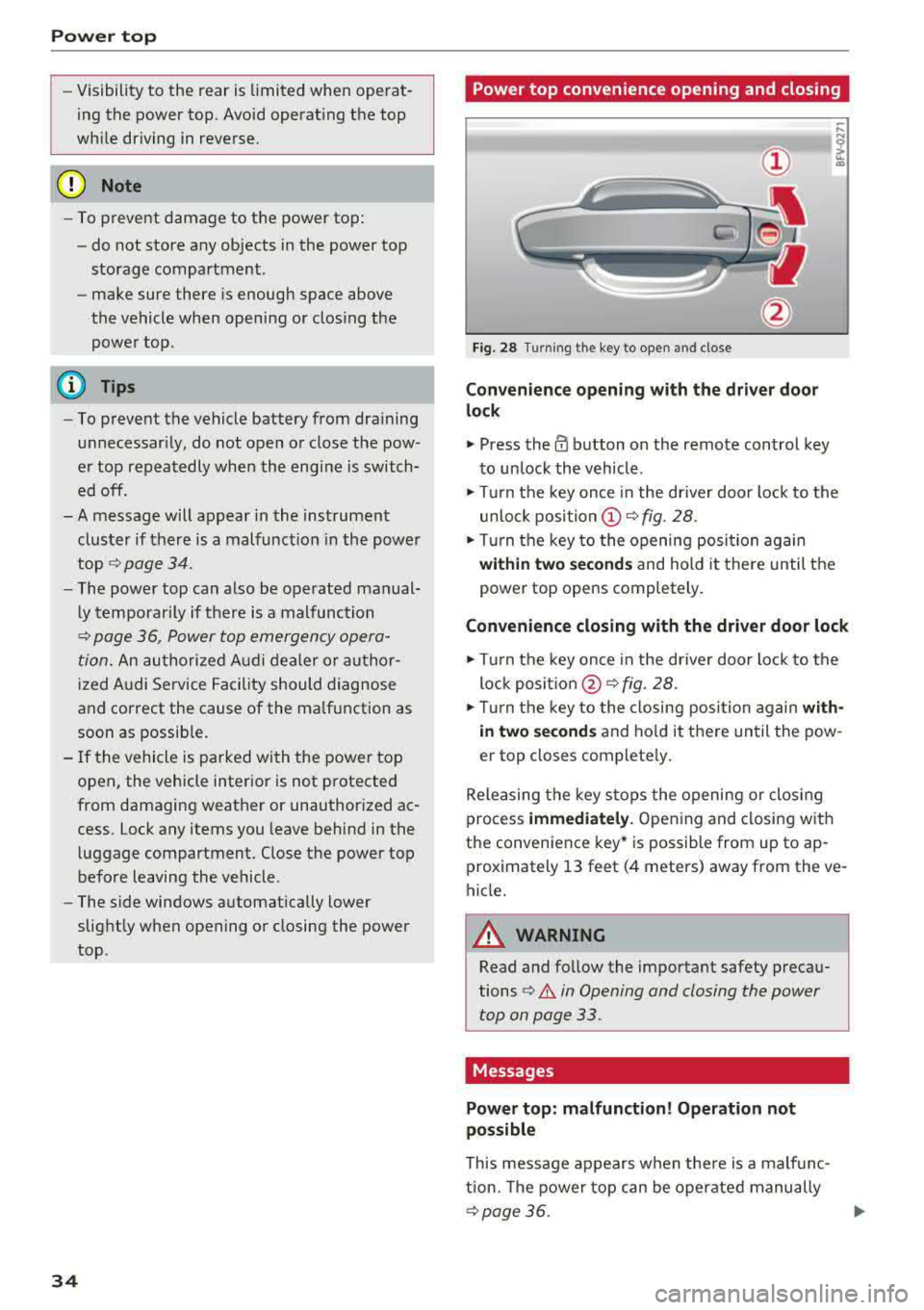
34 Power top convenience opening and closing
Fig. 28 Turn
ing the key to open and close
Convenience opening with t he dri ver door
lock
.,. Press the 0 button on the remote control key
to un lock the vehicle .
.,. Turn the key once in the driver door lock to the
unlo ck
position @~ fig. 28 .
.. Turn the key to the opening posi tion again
within two se cond s and hold it there until the
power top opens completely .
Convenience closing with the driver door lock
.,. Turn the key once in the driver door lock to the
lock
posit ion @ ~ fig. 28.
.. T urn the key to the closing posi tion again w ith
i n two second s
and ho ld it there until the pow
er top closes complete ly .
Releasing the key stops the opening or clos ing
process
immedi ately . Opening and closing with
the convenience key* is possible from up to ap
prox imately 13 feet (4 meters) away from the ve
hicle.
A WARNING
Read and follow the important safety precau
tions
¢ .&. in Opening and closing the power
top on page 33.
Messages
Power top: m alfunction! Oper ation not
possible
This message appears when the re is a malfunc
tion. The power top can be operated manually
~ page 36. .,.
Page 37 of 310
Cl co .... N ,-... N .... 0 ,-... Vl co
Power top: operation currently not poss ible
If t h e power top is operate d con tinu ally fo r a
l ong period of time, the overload pro tection acti
vates for approximate ly 15 to 3 0 minutes . You
can open or close the power top again after that .
Power top: operation currently not possible.
Engine must be running
The power top is automatically deactivated if the
battery voltage is low. You can open or close the
power top again after sta rting the engine.
Power top: operation currently not possible.
Outs ide temperature too low
The power top will not o pen whe n the tempera
ture is below 5 °F (-15 °C) .
Power top: operation not possible. Speed too
high
If you go above 30 mph (SO km/h), the power
top cannot be operated due to safety reasons. Reduce the vehicle speed to close or open the
power top.
Power top : not secu re . Speed too high
This message appears if you go above 50 km/h
when operating the power top . Reduce t he vehi
cle speed and operate the power top again.
Power top: malfunction! You may continue
driving (limited functionality). See owner's manual
This message appea rs if there is a ma lfunction in
the system . Try to open or close the power top
again. If the message st ill appea rs, then have an
au thor ized Audi dealer or author ized A udi S ervice
F aci lity correct the malf unct io n. Do not dr ive
mo re t han 3 0 mph
(SO km/h) unti l i t i s corre ct
e d.
_& WARNING
N ever drive whe n the power top is not locked
correctly. The w ind from driving co uld cause
the power top to open. This can result in inju r ies and damage to the vehicle.
Power top
Wind deflector
Appl ies to: vehicles wit h w ind deflector
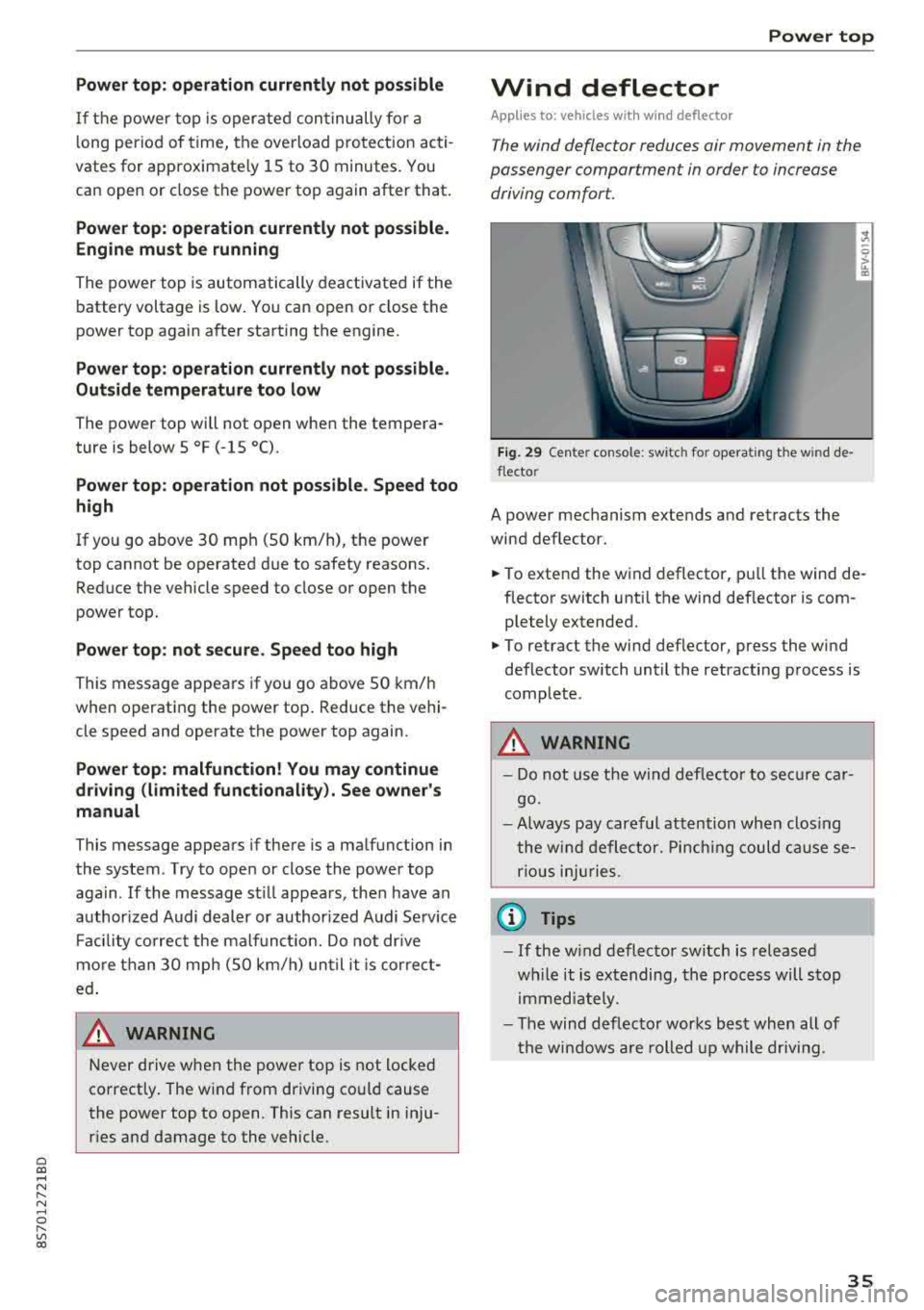
The wind deflector reduces air movement in the
passenger compartment in order to increase driving comfort.
Fig . 29 Ce nte r console: swi tc h fo r operating t he w ind de
flec to r
A power mechanism extends and retracts the
wind deflector.
... ....
.,. To extend the wind deflector, pull the wind de
flector switch unti l the wind deflector is com
p letely extended .
.,. To retract the wind deflector, press the wi nd
deflector switch until the retracting p rocess is
complete .
_& WARNING
- Do not use the wind deflec to r to se cure ca r
go.
- Always pay car eful att ention wh en clos ing
t he wi nd deflector. Pin chi ng could ca use se
ri ous injuries.
@ Tips
- If the w ind deflector switch is released
w hile it is e xtending, th e proc ess will s top
i m med iate ly.
- T he wind deflec tor works best when all of
t he win dows a re rolled up while drivi ng.
35
Page 54 of 310
Warm and cold
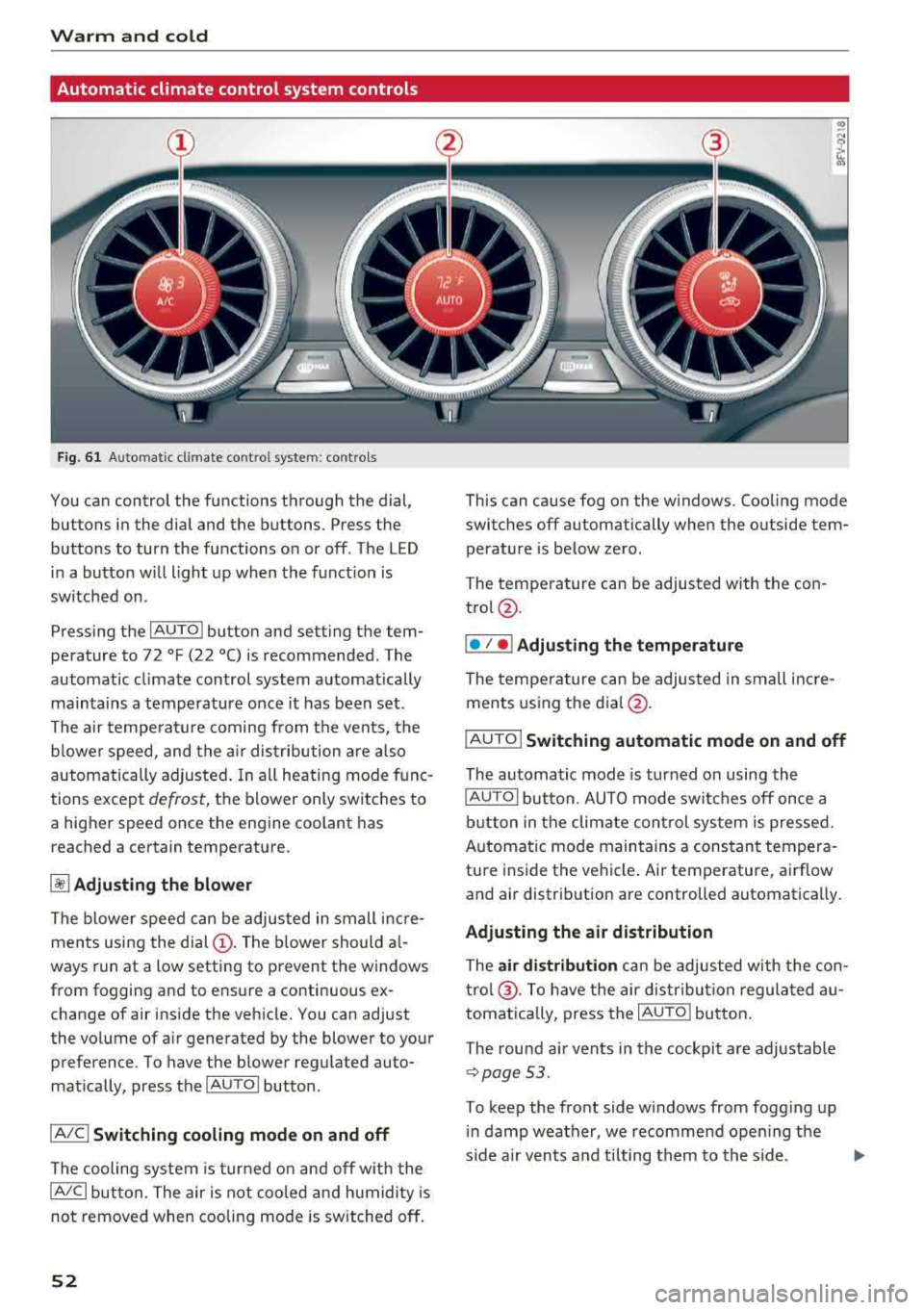
Automatic climate control system controls
Fig. 6 1 Automatic climate co ntrol syste m: contro ls
You can control the functions through the dial,
buttons in the dial and the buttons . Press the
buttons to turn the functions on or off. The LED i n a button w ill light up when the funct ion is
sw itched on.
Pressing the
IAU TO ! button and setting the tem
pe rature to 72
°F (22 °() is recommended. The
automatic climate control system automatically
maintains a temperature once it has been set .
The a ir tempe rature coming from the vents, the
b lower speed, and the a ir dis tribution are a lso
automatically a djusted . In all heati ng mode func
tions except
defrost, the blower only switches to
a higher speed once the engine coolant has reached a certain temperat ure.
~ Adjusting the blower
The blower speed can be adjusted in small inc re
ments using the
dial (!). The b lower should a l
ways run at a low setting to prevent the windows
from fogging and to ensure a continuous ex
change of air ins ide the vehicle. You can adjust
the volume of a ir generated by the blower to your
preference. To have the blower regulated auto
mat ically, press the
IAU TOI butto n.
IA/C l Switching cooling mode on and off
The cooling system is turned on and off w ith the
IA/C l button. The air is not coo led and humidity is
not removed when cooling mode is switched off.
52
This can cause fog on the w indows. Coo ling mode
switches off automatically when the outside tem
perature is below zero.
The temperature can be adjusted with the con
trol@ .
I• I • I Adjusting th e tempe rature
The temperature can be adjusted in sm all incre
ments using the
d ia l@ .
IAUTO I Switching automatic mode on and off
The automatic mode is turned on using the
IAUTOI button. AUTO mode switches off once a
button in the climate cont rol system is pressed.
Automat ic mode maintains a constant tempera
ture inside the vehicle . Air temperature, airflow
and air distribution are controlled automatically.
Adjusting the air distribution
The air distribution can be adjusted w ith the con
tro l@ . To have the air d istribu tion regulated au
tomatica lly, press the
I AUTO l button.
The round a ir vents in the cockpit a re adjustable
¢ page 53.
To keep the front side windows from fogg ing up
i n damp weather, we recommend ope ning the
s ide a ir vents a nd tilting them to the side.
Page 55 of 310
Cl co .... N ,....
N ...... 0 ,....
Vl co
1- 1 Switching recirculation mode on and off
The recir cu lation mode can be turned o n m anu al
l y o r automat ically* .
- Swi tching m anual rec ircula tion mo de on an d
off: p res s
l'-"" I
- Automa tic* recircu lation mode: au to rec ircula
t io n needs to be ac tiva ted in the Info tainmen t
system. Selec t in the Infot ainme nt system :
I MENU I button > Vehicle > le ft co nt rol but ton
>Vehicle settings > Air conditioning > Auto re
circulation .
The ai r quality sensor that is de
s igned for diese l and gasoline exhaust auto
matically switches the recircu lation mode on or
off depend ing o n the level of pollutants in the
o utside air .
In recircu lation mode , the a ir inside the vehicle is
circu lated and fi ltered. This prevents the unfil
tered ai r outside the vehicle from entering the
ve hicle interio r. Switch ing recircu lation mode on
when dr iving t hrough a tunnel or when s itti ng i n
traffic is recomme nded
¢ .&, .
Recirculation mode is switched off by pressing
the
!""' I button o r I AUTO I or! MAX !.
I@ MAXI Switching defr ost on and off
The winds hield and side windows are defrosted
or cleared of condensation as q uickly as possib le.
The optimum amount of a ir flows main ly out of
the vents under the windshield. Rec irculat ion
mode switches off . The temperature is cont rolled
automatically .
The
IAU TOI button switches the defroster off .
I@ REAR I Switching the rear window defogger
on and off
I f the rear w indow defogger is activated when
the ignition is switched on, the battery manage
ment determines based on the batte ry charge if
it is possib le to turn on . Ot herwise , the rea r win
dow defogger functions with the engine running
and switches off automatically after approxi
mate ly 10
-2 0 mi nutes, depen ding on the out
side tem per ature.
To prevent t he rear w indow defogge r from
switch ing off automatically, press and ho ld the
I@ REARI b utton fo r more than two seconds. This
Warm and cold
remains stored up to approx imately 15 minutes
after t urning off the ignition.
A WARNING
-
You should not use the reci rculat ion mode for
an extended period since no fresh a ir is drawn
i n . With the air-conditioning switched off, the
windows can fog up, which increases the risk
of an acc ident .
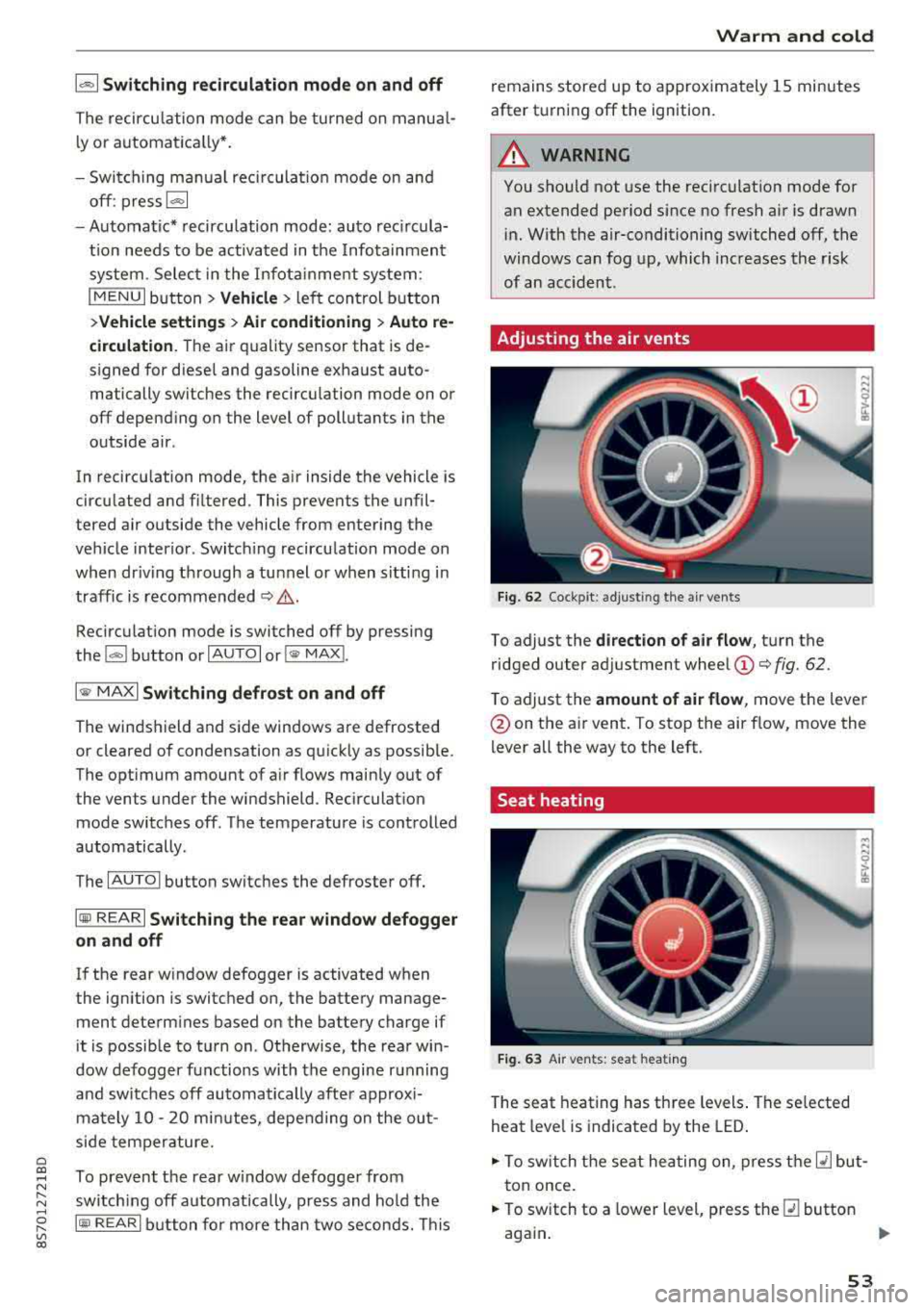
Adjusting the air vents
Fig. 62 Cock pit: a djust ing the a ir ven ts
To adjust the di rection of air flow, tu rn the
ridged outer ad justment wheel
(D ¢ fig. 62.
T o adjust the
amount of air flow , move the lever
@on the a ir vent . To stop the air flow, move the
lever all the way to the left.
Seat heating
Fig. 63 A ir ve nts: seat heat ing
T he seat heating has th ree levels . The se lected
heat leve l is indicat ed by the LED .
.,. To switch the seat he ating on, press t he Q] but
t on once.
.,. To switch to a lower level, p ress the Q] button
aga in .
""
53
Page 56 of 310
![AUDI TT ROADSTER 2018 User Guide Warm and cold
,.. To switch the seat heating off, press the Q] but-
ton repeatedly until the LED turns off.
The seat heating sw itches automatically from
setting 3 to setting 2](/img/6/57668/w960_57668-55.png "AUDI TT ROADSTER 2018 User Guide Warm and cold
,.. To switch the seat heating off, press the Q] but-
ton repeatedly until the LED turns off.
The seat heating sw itches automatically from
setting 3 to setting 2")
Warm and cold
,.. To switch the seat heating off, press the Q] but-
ton repeatedly until the LED turns off.
The seat heating sw itches automatically from
setting 3 to setting 2 after 10 minutes.
When seat h eating should not be switched
on
Do not t ur n the seat heating on under the follow
i n g circumstances :
- The seat is unocc upied.
- The seat is covered with a seat cover.
- The seat is covered with a child seat.
- The seat is damp or wet.
A WARNING
Individua ls with reduced sensitivity to pain or
temperature could develop burns when using
the seat heating function. To reduce the risk
of injury, these individuals should not use
seat heat ing .
«D Note
To avoid damage to the heat ing elements in
the seats, do not kneel o n the seats or place
heavy loads on a small area of the seat.
(D Tips
- The setting for the seat heating on the driv
er's side is ass igned to the key that is in use.
- If the front passenger's seat heating is
turned on, it will not turn on again automat
i ca lly if more than 10 m inutes have passed
between sw itching the ignition off and
switching it on again.
54
Neck heating
App lies to : vehicles wi th neck heating
The neck heating functions when the engine is
running .
Fig. 64 Driver 's seat: neck heating vents
Fig . 65 Cockp it: neck heating
The neck heating has three levels . If you turn the
knob to the right, the neck heating switches on
¢ fig. 65. The LEDs above the seat symbol indi
cate the ventilation level. Turn the knob to the
left to reduce ventilat ion. To switch off the neck
heating, keep turning the knob to the left until
no LEDs are turned on .
When the power top is closed, the neck heating
switches automatically from setting 3 to setting
2 after approx imately six minutes.
A WARNING
- Individuals with reduced sensitiv ity to pain
or temperature could develop burns when
using the neck heat ing . To reduce the risk of
in ju ry, these individuals shou ld no t use neck
heat ing.
- The output from the neck hea ting may be
come very hot temporarily if the air vents in
the seats
qfig . 64 are covered by clothing
or simi lar ob jects when the system is
Page 58 of 310
Drivin g
Driving
General information
Breaking in
A new vehicle must be broken in for the first 1,000 mi les (1,500 km). Do not dr ive at speeds
t hat will exceed 2/3 of the max imum pe rm itted
engine speed (RPM) for the first 600 miles
(1,000 km), and avoid fu ll acceleration during
this period . You may gradually start increasing
the RPM and the speed between 600 miles
(1,000 km) and 1,000 miles (1,500 km) .
During the first hours of use, the engine has a
higher internal friction than later on when all
moving parts have settled into place with each
other.
How the vehicle is driven d uring the first 1,000
miles (1,500 km) a lso affects the engine quality .
Drive at moderate engine speeds after the initial
break-in per iod, part icu larly when running a cold
eng ine . Th is will reduce eng ine wear and improve
the m ileage.
Do not drive at too
low of an engine speed (RPM).
Shift down if the engine stops running "smooth ly". Extremely high eng ine speeds are automati
cally reduced .
Reducing the risk of vehicle damage
@ Note
When driving on poo r roads, by cu rbs and on
s teep ramps, make su re t hat low-hang ing
compone nts such as the spo ile r and exha ust
system do not come into contact with these
or they could be damaged. This especially ap
plies to vehicles with low ground clearance
and veh icles that are heavily loaded.
Driving through water on roads
Note the following to reduce the r isk of vehicle
damage when driv ing through water, for example
on flooded roads :
- The water must not be any higher than the bot
tom of the vehicle body .
56
-Do not drive faster than walking speed .
A WARNING
After driving through water or m ud, the effec
tiveness of the brakes may be red uced due to
mo isture on the brake rotors and brake pads.
A few careful brake applications shou ld dry
off the brakes and restore the full braking ef
fect .
@ Note
Vehicle components such as the engine,
transmission, suspension or electr ica l system
can be severely damaged by driving through
water.
{D Tips
- Determine the depth before driving through
water.
- Do not stop the vehicle, drive in reverse or
switch t he engine off whe n driving through
water.
- Keep in mind that oncom ing vehicles may
create waves that raise the water level and
make it too deep fo r yo ur vehicle to drive
throug h safe ly.
- Avoid driv ing th rough salt water, because
this ca n cause cor rosion .
Economical and environmentally-friendly
driving
The amount o f fuel consumption, the environ
mental impact and the wear to the engine,
bra kes and tires depends mostly on your d riving
style. With an ant icipatory and economic driving
sty le, fuel consumpt ion can be reduced by ap
prox imately 10-15% . The follow ing t ips will help
you conserve the environment and your money at
t h e same time .
Anticipatory dri ving
A vehicle uses the most fuel when accelerating.
When you drive with anticipation, you do not
need to brake as often and so you acce lerate less .
When poss ible, let you r vehicle coast with a
gear
engag ed ,
for examp le, when you not ice that the
next t raff ic light is red.
Ill>
Page 59 of 310
Cl 00 .-< N r-N .-< 0 r-Vl 00
Avoid full acceler ation
You sho uld rare ly t rave l a t t he maxim um vehicle
speed . High speeds cause a disproportionately
h igh increase in fuel consumption, emissions and
traffic noise . Slower driving saves fuel.
Reduce idling time
It pays off to stop the eng ine, for example when
at ra ilroad crossings or traffi c lights w ith longer
red lights . Stopping the engine for 30 -40 sec
onds already saves more fuel than the amount of
extra fuel needed to restart the engine.
I t takes a very long time in idle to wa rm the en
gine up to operating tempera ture . Wea r and
emissions are especially high in the warm -up
p hase . Therefore, you should begin driving im
mediately after starting the engine. Avoid high
RPMs while do ing th is.
Hav e ma intenanc e performed r egularly
By having maintenance performed regu lar ly on
your vehicle, you can he lp to reduce fuel con
sumption before yo u even start to drive. The
maintenance condition of your vehicle not only
affects traffic safety and long-term va lue but al
so impacts
fu el con sumpt ion .
A poorly maintained engine can lead to fuel con
sumpt ion that is 10% higher than norma l.
A lso check the
o il l evel when refueling . The oil
consumpt ion
depends large ly on the engine load
and speed. It is normal for the oil consumption
of a new eng ine to reach its lowest point only af
ter a certain amount of use. Therefore, the oil
consumption can only be properly judged after
approx imately 3,000 m i (S,000 km) have been
driven.
Avoid short trips
The engine and exhaust clean ing system must
reach their opt imal
op erating temp eratur e to ef
fective ly reduce consumpt ion and emiss ions.
A co ld engine uses a disproportionately h igh
amount of fuel. The eng ine reaches operating
temperature and consumpt ion normalizes only
afte r approx imately
2.5 miles (4 km) .
Driving
@ Note
Do not leave engine idling unattended after
start ing. If warning lights sho uld come on to
i ndicate improper operation, they would go
unheeded. Extended idling also produces
heat, which could resu lt in overheating or
other damage to the veh icle o r other proper
ty.
@ Note
- Have your ve hicle ma intained properly and
in accordance w ith the service recommenda
tions i n your Warranty
& Main tenance book
let. La ck of prope r mai nte nan ce as we ll as
imp rope r use of t he ve hicle will impa ir the
function of the em iss ion cont ro l system and
co uld lead to damage .
- Do not alte r or remove any compone nt o f
t he Emission Contro l System unless ap
proved by the man ufacturer .
- Do not alte r or remove any dev ice, s uch as
heat shields, switc hes, ignition wires,
valves, which are designed to protect your
vehicle's Emission Contro l System and other
impo rtant ve hicle components.
(D Tips
The cons umption estimates as published by
ENVIRONMENTAL PROTECTION AGENCY
(EPA) and T ransport Canada may not co rre
spond to your actual consumption on the r oad, wh ich w ill vary depending upon veh icle
l oad and speed, road and weather cond itions,
tr ip length, etc.
57
Page 60 of 310
Driving
Steering
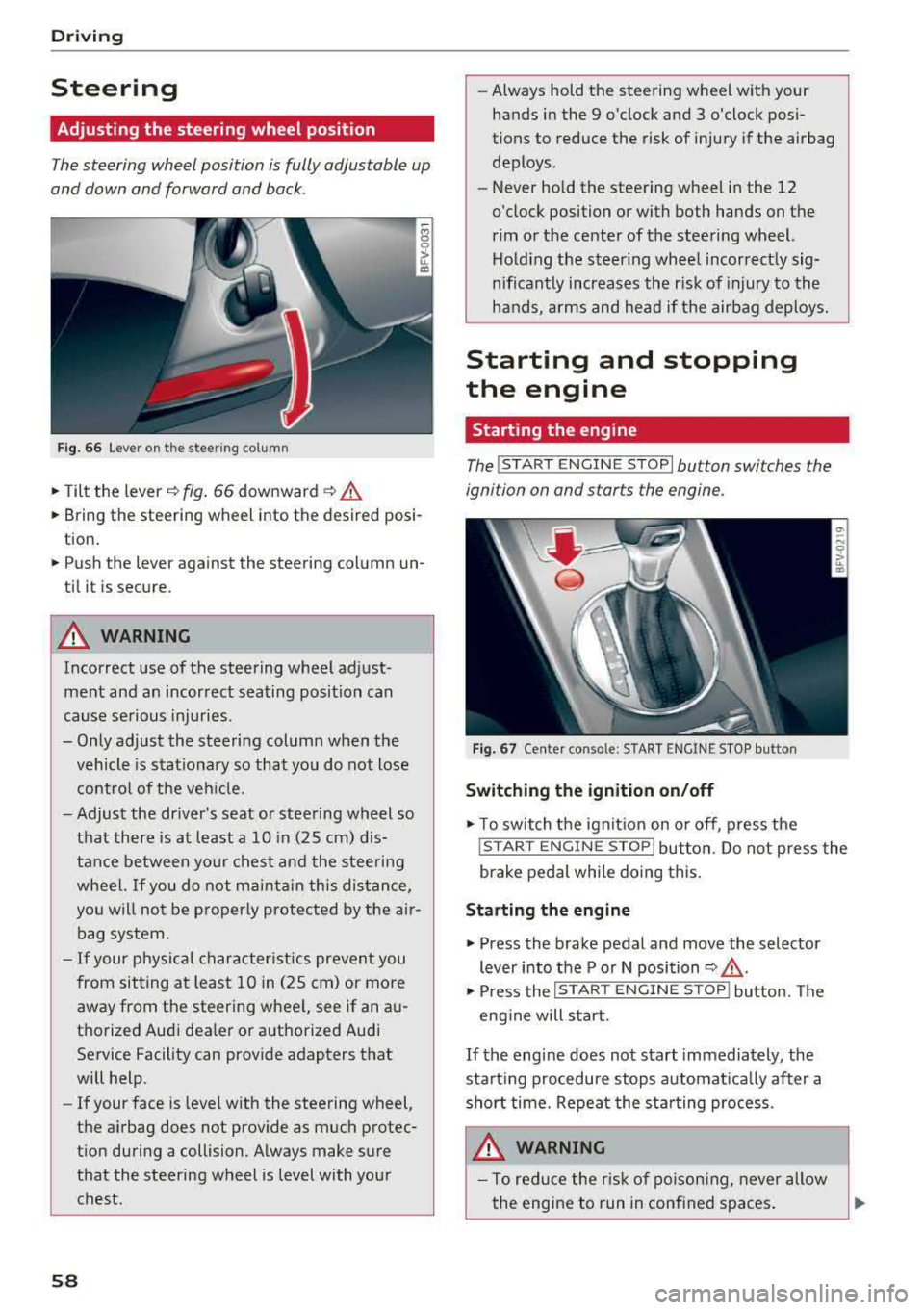
Adjusting the steering wheel position
The steering wheel position is fully adjustable up
and down and forward and back .
Fig. 6 6 Lever on th e steering column
.., Tilt the lever~ fig . 66 downward ~ .&.
... Bring the steering wheel into the desired posi
tion .
... Push the lever against the steering column un
til it is secure.
A WARNING
Incorrect use of the steering wheel adjust
ment and an incorrect seating position can
cause se rious injuries .
- Only adjust the steering column when the vehicle is stat io nary so that you do not lose
contro l of the ve hicle.
-
-Adjust the driver's seat or steering wheel so
that there is at least a 10 in (25 cm) d is
tance between your c hest an d the steering
wheel.
If you do not mainta in this dis tan ce,
you will not be p roper ly protec ted by t he air
bag system.
- If your physical character istics preven t you
from sit ting at least 1 0 in (25 cm) or more
away from the steering wheel, see if an a u
tho rized Aud i dea le r or a uthorized Audi
Service Facility can provide adapters that
will help.
- If your face is leve l w ith the steering
wheel,
the a irbag does not prov ide as much protec
t ion during a collision. A lways make sure
that the steering wheel is level with your
chest.
58
-Always hold the steering wheel with your hands in the 9 o'clock and 3 o'clock pos i
tions to reduce the risk of injury if the airbag
deploys .
- Never hold the steering wheel in the 12
o'clock position or with both hands on the
rim or the center of the steering wheel. Ho ld ing the steer ing whee l incorrect ly sig
nificant ly increases the risk of injury to the
hands, a rms and head if the airbag deploys.
Starting and stopping
the engine
Starting the engine
The !S T ART ENGINE STOP lbutton switches the
ignition on and starts the engine .
F ig . 67 Ce nter conso le: S TART ENGINE STOP bu tton
Switching the ignition on /off
.., T o switch the ign it io n on o r off, p ress the
! STAR T
ENGINE STOPI button. Do not press the
brake pedal while do ing this.
Starting the engine
... Press the brake pedal and move the selector
lever into the P or N position
~ .&_ .
... Press the !S TAR T ENGIN E ST OP ! butto n. Th e
eng ine will s tart.
If the engine does not start immediately , the
start ing procedure stops a utomat ica lly after a
sho rt time. Repeat the sta rting process.
A WARNING
- To red uce the r isk of po ison ing, never allow
the engine to run in conf ined spaces .
Page 61 of 310
Cl 00 .-< N r--N .-< 0 r--Vl 00
-Never turn off the engine before the vehicle
has come to a complete stop.
- The brake booster and power steering only
work when the engine is running. If the en gine is off, you have to use more force when
steering or braking. Because you cannot
steer and brake as you usually would, this
could lead to accidents and serious injuries.
@ Note
Avoid high engine speed, full throttle, and
heavy engine load if the engine has not
reached operating temperature yet. You could
damage the engine.
@ For the sake of the environment
Do not let the engine run while parked to
warm up. Begin driving immediately . This re
duces unnecessary emissions.
(D Tips
-Some noise after starting the engine is nor
mal and is no cause for concern.
- If you leave the vehicle with the ignition
switched on, the ignition will switch off af
ter a certain amount of time. Make sure that
electrical equipment such as the exterior
lights are switched off.
Stopping the engine
.,. Bring the vehicle to a full stop.
.,. Move the selector lever into the P position .
... Press the I START ENGINE STOPI button.
Emergency off function*
If it is absolutely necessary, the engine can also
be turned off while driving at speeds starting at
4 mph (7 km/h). To switch the engine off, press
the
I START ENGINE STOPI button twice in a row
br iefly or press and hold for longer than two sec
onds.
A WARNING
- Never turn off the engine before the vehicle has come to a complete stop.
Driving
-Please note that the brake booster and pow
er steering only work when the engine is
running. When the engine off, you must use
more force to steer or brake the vehicle. Be
cause the usual steering and braking capa
bility is not available, the risk of accidents or
. . . . mJunes increases.
-For safety reasons, always park the vehicle
with the selector lever in the P position.
Otherwise, there is the risk that the vehicle
could roll.
- After the engine has been switched off, the
radiator fan can continue to run for up to 10
minutes
-even with the ignition switched
off. It can also switch on again after some
time if the coolant temperature rises as the result of heat buildup or if the engine is al
ready warm and the engine compartment is
also heated by the sun's rays.
@ Note
If the engine has been under heavy load for
an extended period of time, heat builds up in
the engine compartment after the
engine is
switched off and there is a risk of damaging
the engine . For this reason, let the engine run
at idle for approximately two minutes before
shutting it off.
(D Tips
For up to 10 minutes after stopping the en
gine, the radiator fan may turn on again auto matically or it may continue to run (even if
the ignition is switched off) for the following
reasons :
- The coolant temperature is increasing due
to trapped heat.
- If the engine is warm and the engine com
partment also heats up from strong sun
light.
Messages
Turn off ignition before leaving vehicle. Battery
is discharging
This message appears and a warning tone sounds
if you open the driver's door when the ignition is
..,
59