clock CADILLAC ESCALADE EXT 2010 3.G User Guide
[x] Cancel search | Manufacturer: CADILLAC, Model Year: 2010, Model line: ESCALADE EXT, Model: CADILLAC ESCALADE EXT 2010 3.GPages: 580, PDF Size: 6.23 MB
Page 326 of 580
Auto (Automatic) :Touch this screen button for the
system to automatically adjust the screen background
depending on exterior lighting conditions.
Night : Touch this screen button and the system makes
the map background darker.
Day : Touch this screen button and the system makes
the map background brighter.
Setting the Clock
The navigation system time and the analog clock
operate independently. Changing the time through the
navigation system does not change the time on the
analog clock. See Analog Clock
on page 4‑20to
change the analog clock time.
Press the CONFIG key to enter the configure menu
options, then press the CONFIG key repeatedly until the
time is selected or touch the time screen button.
Hours : Press the −(minus) or + (plus) signs to
decrease or increase the hours.
Minutes : Press the−(minus) or + (plus) signs to
decrease or increase the minutes.
12/24 Format : Select the 12 screen button for standard
time; select the 24 screen button for military time.
Global Positioning System (GPS)
The navigation system determines the position of the
vehicle by using satellite signals, various vehicle
signals, and map data.
At times, other interferences such as the satellite
condition, road configuration, the condition of the
vehicle and/or other circumstances can interfere with
the navigation system's ability to determine the accurate
position of the vehicle.
The GPS shows the current position of the vehicle
using signals sent by the GPS Satellites of the United
States Department of Defense. When the vehicle is not
receiving signals from the satellites, a symbol appears
on the map screen. Refer to Symbols on page 5‑17.
This system may not be available or interferences may
occur if any of the following are true:
.Signals are obstructed by tall buildings, trees, large
trucks, or a tunnel.
.Objects are located on the front dash of the
vehicle.
.Satellites are being repaired or improved.
.After-market glass tinting has been applied to the
vehicle's windshield.
5-56
Page 340 of 580
r(Rewind):Touch and hold this button to rewind
quickly through a track selection. You will hear sound
at a reduced volume. Release this button to stop
rewinding. The display will show the elapsed time
of the track.
[(Forward): Touch and hold this button to fast
forward quickly through a track selection. You will hear
sound at a reduced volume. Release this button to stop
fast forwarding. The display will show the elapsed time
of the track.
y © ¨ z(Seek): To seek tracks, press the up
arrow to go to the next track. Press the down arrow
to go to the start of the current track, if more than
eight seconds have played. If either arrow is pressed
more than once, the player continues moving backward
or forward through the CD. The sound mutes while
seeking.
w(Tuning Knob): Turn this knob counterclockwise
one notch to go to the start of the current track, turn it
again to go to the previous track. Turn this knob
clockwise to go to the next track.
When playing an audio CD the rear seat operator can
power on the RSE video screen and use the remote
control to navigate through the tracks on the CD.
Using an MP3 CD
MP3 Format
There are guidelines that must be met, when creating
an MP3 disc. If the guidelines are not met when
recording a CD-R(W), the CD may not play.
The guidelines are:
.Sampling rate: 16 kHz, 22.05 kHz, 24 kHz, 32 kHz,
and 44.1 kHz.
.Bit rates supported: 32, 40, 48, 56, 64, 80, 96, 112,
128, 160, 192, 224, 256, and 320 kbps.
.ID3 tag information is displayed by the radio if it is
available. The radio supports ID3 tag information
v1.0, v1.1, or v2.0. The radio will display a
filename, song name, artist name, album name,
and directory name.
.Maximum 32 characters, including spaces, in a file
or folder name.
.Maximum number of folders is 100 with a
maximum hierarchy of eight folders.
.Create a folder structure that makes it easy to find
songs while driving. Organize songs by albums
using one folder for each album. Each folder or
album should contain 18 songs or less.
5-70
Page 344 of 580
[(Forward):Touch and hold this button to fast
forward quickly through a track selection. You will hear
sound at a reduced volume. Release this button to stop
fast forwarding. The display will show the elapsed time
of the track.
q r(Folder/Artist/Album): Select the left or right
arrow to go to the previous or next folder, artist,
or album on the disc.
Press the middle screen button, with the folder, artist,
or album name, to sort the MP3 by folder, artist,
or album. It may take a few minutes for the system to
sort the MP3.
y © ¨ z(Seek): To seek tracks, press the up
arrow to go to the next track. Press the down arrow
to go to the start of the current track, if more than
eight seconds have played. If either arrow is pressed
more than once, the player will continue moving
backward or forward through the CD. The sound will
mute while seeking.
w(Tuning Knob): Turn this knob counterclockwise
one notch to go to the start of the current track, turn it
again to go to the previous track. Turn this knob
clockwise to go to the next track.
When playing an MP3 the rear seat operator can power
on the RSE video screen and use the remote control to
navigate through the MP3.
CD Messages
If Disc Read Error appears on the display and/or the CD
comes out, it could be for one of the following reasons:
.If a disc was inserted with an invalid or unknown
format.
.If the map DVD disc was installed into the CD slot.
See “Installing the Map DVD” underMapson
page 5‑14for more information.
.It is very hot. When the temperature returns to
normal, the CD should play.
.You are driving on a very rough road. When the
road becomes smoother, the CD should play.
.The CD is dirty, scratched, wet, or upside down.
.The air is very humid. If so, wait about an hour and
try again.
.There may have been a problem while burning
the CD.
.The label may be caught in the CD player.
If the CD is not playing correctly, for any other reason,
try a known good CD.
If any error occurs repeatedly or if an error cannot be
corrected, contact your dealer/retailer.
5-74
Page 350 of 580

Menu Language :Touch English, Francais, Espanol,
Italiano, or Deutsch to change the default language of
the DVD video menus. The menu language must be
available on the disc. The menu language may vary for
each DVD.
Parental Level : Touch this button to change the rating
level to only allow the play of DVDs with a certain
rating. The rating selection is 1 through 8, with 1 Kids
Safe being a G rating. If the 1 is selected, any DVD with
a rating above G will not be able to be viewed without
entering a password.
When the parental level is first entered a keyboard will
appear on the display and a four-digit password will
need to be created. Type in a password that you will be
able to remember. Once the password is created, you
can then select a rating level.
If you would like to change the rating level, press the
Parental Level button, then press the Password button.
Type in the password and then change the rating level.
If the password has been forgotten, contact your
dealer/retailer.
This may not be available on all DVDs. Aspect :
Touch this button to change the aspect ratio
of the DVD. This may not be available on all DVDs.
y(Next Track/Chapter): Press this hard key to go to
the next track or chapter. This button may not work
when the DVD is playing the copyright information or
the previews.
z(Previous Track/Chapter): Press this hard key to
return to the start of the current track or chapter. Press
this button again to go to the previous track or chapter.
This button may not work when the DVD is playing the
copyright information or the previews.
w(Tuning Knob): Turn this knob counterclockwise
one notch to go to the start of the current chapter/track,
turn it again to go to the previous chapter/track. Turn
this knob clockwise to go to the next chapter/track.
5-80
Page 367 of 580
If the system fails to turn on or activate, the StabiliTrak
light along with one of the following messages will be
displayed on the Driver Information Center (DIC):
TRACTION CONTROL OFF, SERVICE TRACTION
CONTROL, STABILITRAK OFF, SERVICE
STABILITRAK. If these DIC messages appear, make
sure the StabiliTrak system has not been turned off
using the StabiliTrak on/off button. Then turn the
steering wheel clockwise from the nine o'clock position
to the three o'clock position. If this clears the
message(s), the vehicle does not need servicing. If this
does not clear the message(s), then turn the vehicle off,
wait 15 seconds, and then turn it back on again to reset
the system. If any of these messages still appear on the
Driver Information Center (DIC), the vehicle should be
taken in for service. For more information on the DIC
messages, seeDriver Information Center (DIC)
on
page 4‑39.
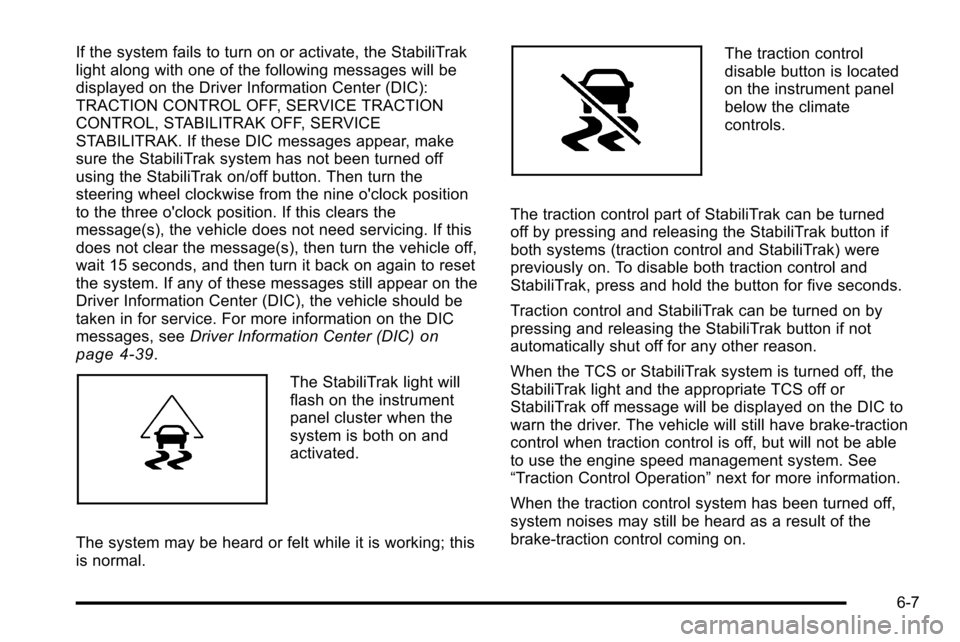
The StabiliTrak light will
flash on the instrument
panel cluster when the
system is both on and
activated.
The system may be heard or felt while it is working; this
is normal.
The traction control
disable button is located
on the instrument panel
below the climate
controls.
The traction control part of StabiliTrak can be turned
off by pressing and releasing the StabiliTrak button if
both systems (traction control and StabiliTrak) were
previously on. To disable both traction control and
StabiliTrak, press and hold the button for five seconds.
Traction control and StabiliTrak can be turned on by
pressing and releasing the StabiliTrak button if not
automatically shut off for any other reason.
When the TCS or StabiliTrak system is turned off, the
StabiliTrak light and the appropriate TCS off or
StabiliTrak off message will be displayed on the DIC to
warn the driver. The vehicle will still have brake-traction
control when traction control is off, but will not be able
to use the engine speed management system. See
“Traction Control Operation” next for more information.
When the traction control system has been turned off,
system noises may still be heard as a result of the
brake-traction control coming on.
6-7
Page 371 of 580
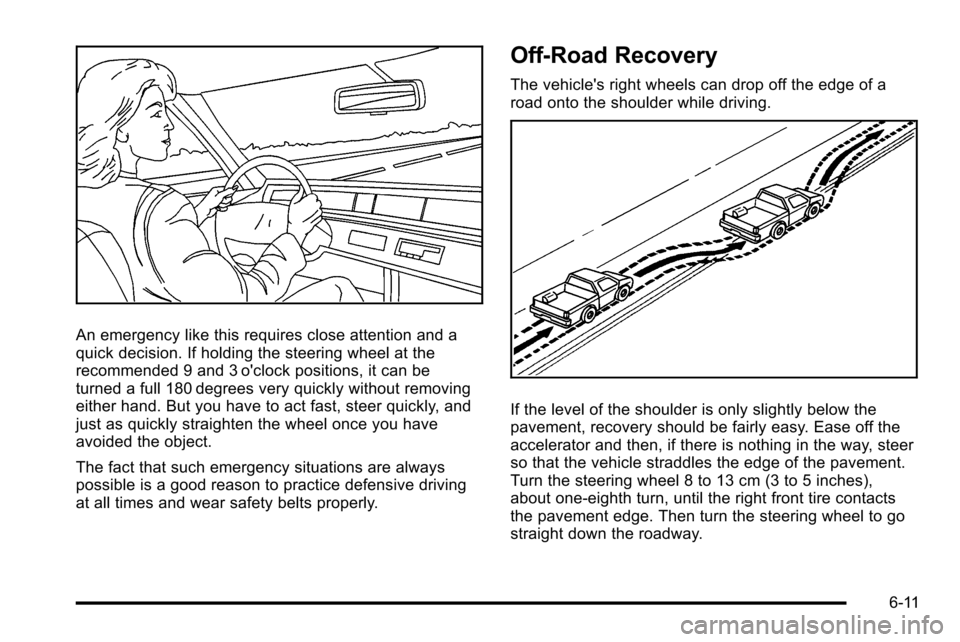
An emergency like this requires close attention and a
quick decision. If holding the steering wheel at the
recommended 9 and 3 o'clock positions, it can be
turned a full 180 degrees very quickly without removing
either hand. But you have to act fast, steer quickly, and
just as quickly straighten the wheel once you have
avoided the object.
The fact that such emergency situations are always
possible is a good reason to practice defensive driving
at all times and wear safety belts properly.
Off-Road Recovery
The vehicle's right wheels can drop off the edge of a
road onto the shoulder while driving.
If the level of the shoulder is only slightly below the
pavement, recovery should be fairly easy. Ease off the
accelerator and then, if there is nothing in the way, steer
so that the vehicle straddles the edge of the pavement.
Turn the steering wheel 8 to 13 cm (3 to 5 inches),
about one-eighth turn, until the right front tire contacts
the pavement edge. Then turn the steering wheel to go
straight down the roadway.
6-11
Page 380 of 580

.If the engine has stopped running, you need to
restart it. With the brake pedal pressed and the
parking brake still applied, shift the transmission to
P (Park) and restart the engine. Then, shift to
R (Reverse), release the parking brake, and slowly
back down the hill as straight as possible in
R (Reverse).
.While backing down the hill, put your left hand
on the steering wheel at the 12 o'clock position so
you can tell if the wheels are straight and can
maneuver as you back down. It is best to back
down the hill with the wheels straight rather than
in the left or right direction. Turning the wheel too
far to the left or right will increase the possibility
of a rollover.
Things not to do if the vehicle stalls, or is about to stall,
when going up a hill:
.Never attempt to prevent a stall by shifting into
N (Neutral) to rev-up the engine and regain forward
momentum. This will not work. The vehicle can roll
backward very quickly and could go out of control.
.Never try to turn around if about to stall when
going up a hill. If the hill is steep enough to stall
the vehicle, it is steep enough to cause it to roll
over. If you cannot make it up the hill, back straight
down the hill. If, after stalling, you try to back down the hill and decide
you just cannot do it, set the parking brake, put your
transmission in P (Park), and turn off the engine. Leave
the vehicle and go get some help. Exit on the uphill side
and stay clear of the path the vehicle would take if it
rolled downhill.
Driving Downhill
When off-roading takes you downhill, consider:
.How steep is the downhill? Will I be able to
maintain vehicle control?
.What is the surface like? Smooth? Rough?
Slippery? Hard-packed dirt? Gravel?
.Are there hidden surface obstacles? Ruts? Logs?
Boulders?
.What is at the bottom of the hill? Is there a
hidden creek bank or even a river bottom with
large rocks?
If you decide you can go down a hill safely, try to keep
the vehicle headed straight down. Use a low gear so
engine drag can help the brakes so they do not have to
do all the work. Descend slowly, keeping the vehicle
under control at all times.
6-20
Page 424 of 580
Filling the Tank
{WARNING:
Fuel vapor burns violently and a fuel fire can
cause bad injuries. To help avoid injuries to you
and others, read and follow all the instructions on
the fuel pump island. Turn off the engine when
refueling. Do not smoke near fuel or when
refueling the vehicle. Do not use cellular phones.
Keep sparks, flames, and smoking materials away
from fuel. Do not leave the fuel pump unattended
when refueling the vehicle. This is against the law
in some places. Do not re-enter the vehicle while
pumping fuel. Keep children away from the fuel
pump; never let children pump fuel.
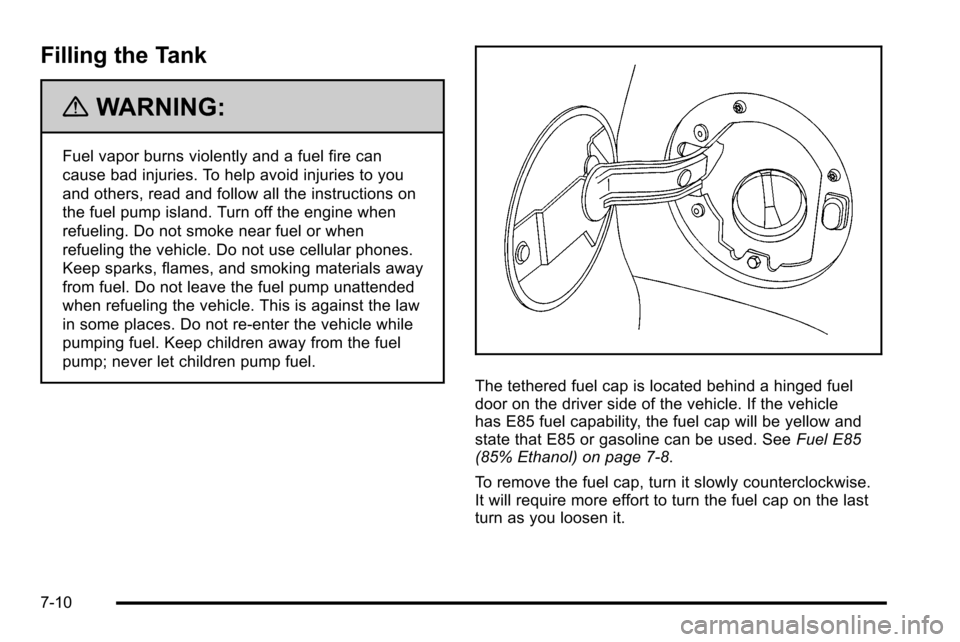
The tethered fuel cap is located behind a hinged fuel
door on the driver side of the vehicle. If the vehicle
has E85 fuel capability, the fuel cap will be yellow and
state that E85 or gasoline can be used. SeeFuel E85
(85% Ethanol) on page 7‑8.
To remove the fuel cap, turn it slowly counterclockwise.
It will require more effort to turn the fuel cap on the last
turn as you loosen it.
7-10
Page 425 of 580
{WARNING:
Fuel can spray out on you if you open the fuel cap
too quickly. If you spill fuel and then something
ignites it, you could be badly burned. This spray
can happen if the tank is nearly full, and is more
likely in hot weather. Open the fuel cap slowly and
wait for any hiss noise to stop. Then unscrew the
cap all the way.
Be careful not to spill fuel. Do not top off or overfill the
tank and wait a few seconds after you have finished
pumping before removing the nozzle. Clean fuel from
painted surfaces as soon as possible. See Washing
Your Vehicle on page 7‑100.
When replacing the fuel cap, insert the tether in its hole
before tightening the cap. Turn the fuel cap clockwise
until it clicks. It will require more effort to turn the fuel
cap on the last turn as you tighten it. Make sure the cap
is fully installed. The diagnostic system can determine if
the fuel cap has been left off or improperly installed.
This would allow fuel to evaporate into the atmosphere.
See Malfunction Indicator Lamp on page 4‑34. The TIGHTEN GAS CAP message displays on the
Driver Information Center (DIC) if the fuel cap is not
properly installed. See
DIC Warnings and Messages
on
page 4‑48for more information.
{WARNING:
If a fire starts while you are refueling, do not
remove the nozzle. Shut off the flow of fuel by
shutting off the pump or by notifying the station
attendant. Leave the area immediately.
Notice: If you need a new fuel cap, be sure to get
the right type. Your dealer/retailer can get one for
you. If you get the wrong type, it may not fit
properly. This may cause the malfunction indicator
lamp to light and may damage the fuel tank and
emissions system. See Malfunction Indicator Lamp
on page 4‑34.
7-11
Page 445 of 580
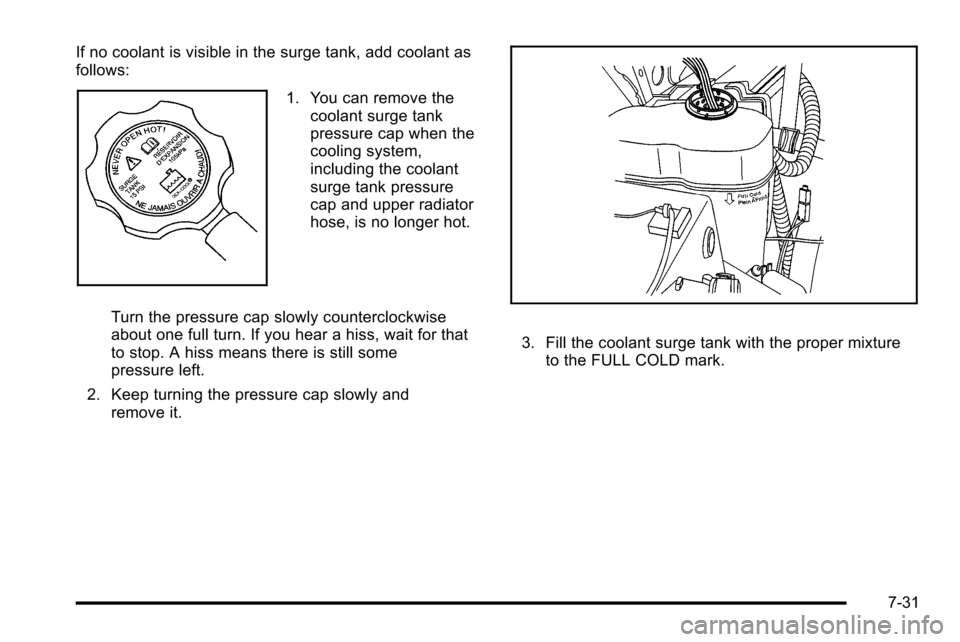
If no coolant is visible in the surge tank, add coolant as
follows:
1. You can remove thecoolant surge tank
pressure cap when the
cooling system,
including the coolant
surge tank pressure
cap and upper radiator
hose, is no longer hot.
Turn the pressure cap slowly counterclockwise
about one full turn. If you hear a hiss, wait for that
to stop. A hiss means there is still some
pressure left.
2. Keep turning the pressure cap slowly and remove it.
3. Fill the coolant surge tank with the proper mixtureto the FULL COLD mark.
7-31