service CADILLAC LYRIC 2023 Owner's Manual
[x] Cancel search | Manufacturer: CADILLAC, Model Year: 2023, Model line: LYRIC, Model: CADILLAC LYRIC 2023Pages: 424, PDF Size: 4.76 MB
Page 116 of 424
Cadillac Lyriq Owner Manual (GMNA-Localizing-U.S./Canada-15644413) -
2023 - CRC - 2/23/22
Instruments and Controls 115
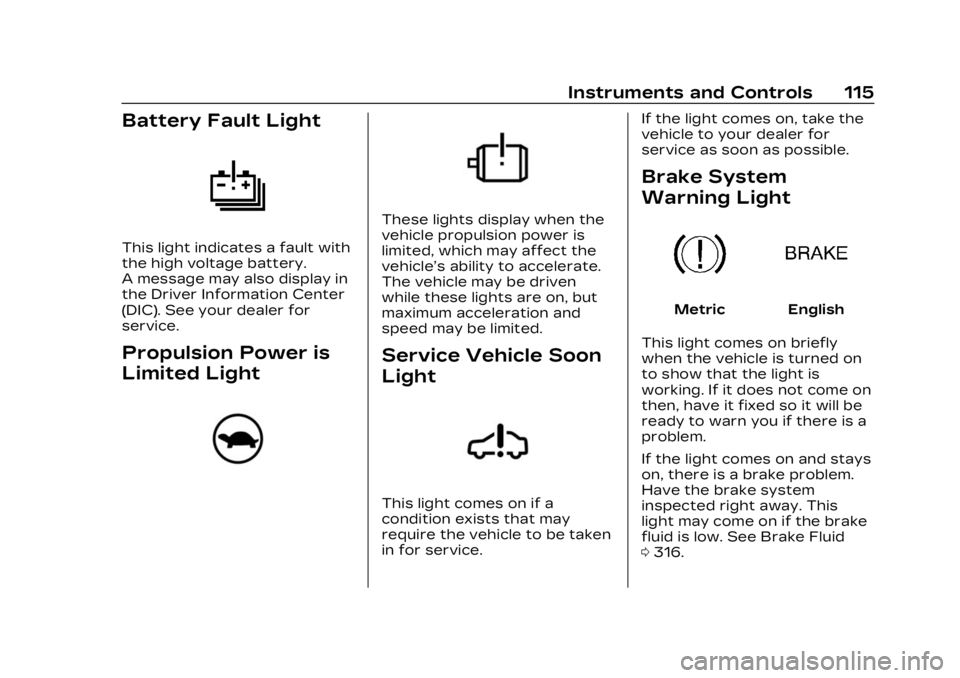
Battery Fault Light
This light indicates a fault with
the high voltage battery.
A message may also display in
the Driver Information Center
(DIC). See your dealer for
service.
Propulsion Power is
Limited Light
These lights display when the
vehicle propulsion power is
limited, which may affect the
vehicle’s ability to accelerate.
The vehicle may be driven
while these lights are on, but
maximum acceleration and
speed may be limited.
Service Vehicle Soon
Light
This light comes on if a
condition exists that may
require the vehicle to be taken
in for service.If the light comes on, take the
vehicle to your dealer for
service as soon as possible.
Brake System
Warning Light
MetricEnglish
This light comes on briefly
when the vehicle is turned on
to show that the light is
working. If it does not come on
then, have it fixed so it will be
ready to warn you if there is a
problem.
If the light comes on and stays
on, there is a brake problem.
Have the brake system
inspected right away. This
light may come on if the brake
fluid is low. See Brake Fluid
0 316.
Page 117 of 424
Cadillac Lyriq Owner Manual (GMNA-Localizing-U.S./Canada-15644413) -
2023 - CRC - 2/23/22
116 Instruments and Controls
If the light comes on while
driving, pull off the road and
stop carefully. The brake
system has electric brake
boost. Vehicle speed may be
limited when the brake system
warning light comes on. The
brake pedal might be harder to
push, or the brake pedal may
go closer to the floor. It could
take longer to stop. If the light
is still on, have the vehicle
towed for service. See
Transporting a Disabled
Vehicle0359.
{Warning
The brake system might not
be working properly if the
brake system warning light
is on. Driving with the brake
system warning light on can
lead to a crash. If the light is
still on after the vehicle has
been pulled off the road and
carefully stopped, have the
vehicle towed for service.
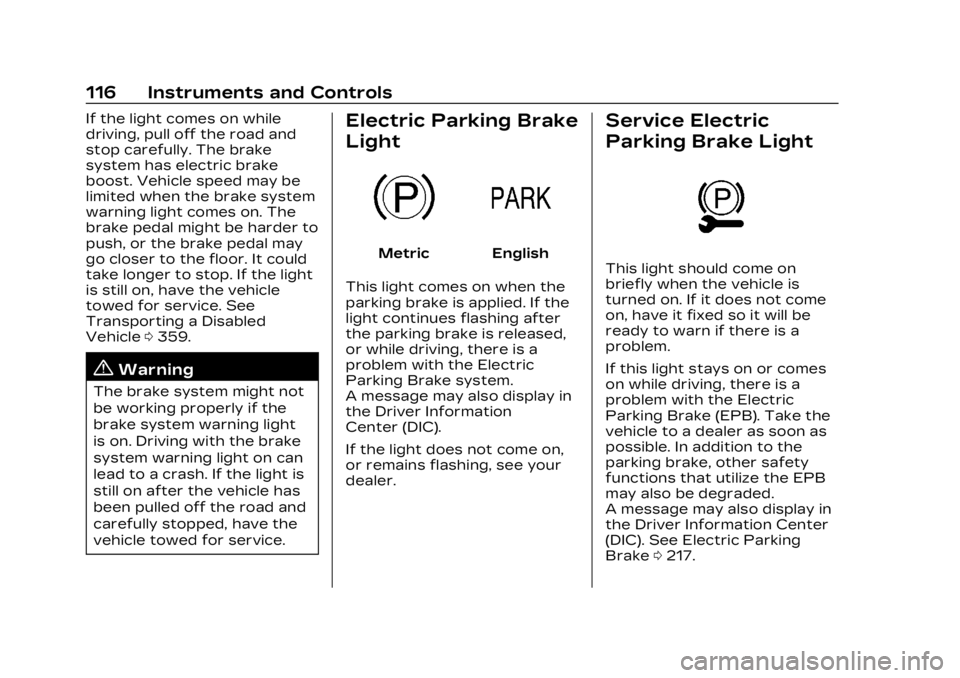
Electric Parking Brake
Light
MetricEnglish
This light comes on when the
parking brake is applied. If the
light continues flashing after
the parking brake is released,
or while driving, there is a
problem with the Electric
Parking Brake system.
A message may also display in
the Driver Information
Center (DIC).
If the light does not come on,
or remains flashing, see your
dealer.
Service Electric
Parking Brake Light
This light should come on
briefly when the vehicle is
turned on. If it does not come
on, have it fixed so it will be
ready to warn if there is a
problem.
If this light stays on or comes
on while driving, there is a
problem with the Electric
Parking Brake (EPB). Take the
vehicle to a dealer as soon as
possible. In addition to the
parking brake, other safety
functions that utilize the EPB
may also be degraded.
A message may also display in
the Driver Information Center
(DIC). See Electric Parking
Brake 0217.
Page 118 of 424
Cadillac Lyriq Owner Manual (GMNA-Localizing-U.S./Canada-15644413) -
2023 - CRC - 2/23/22
Instruments and Controls 117
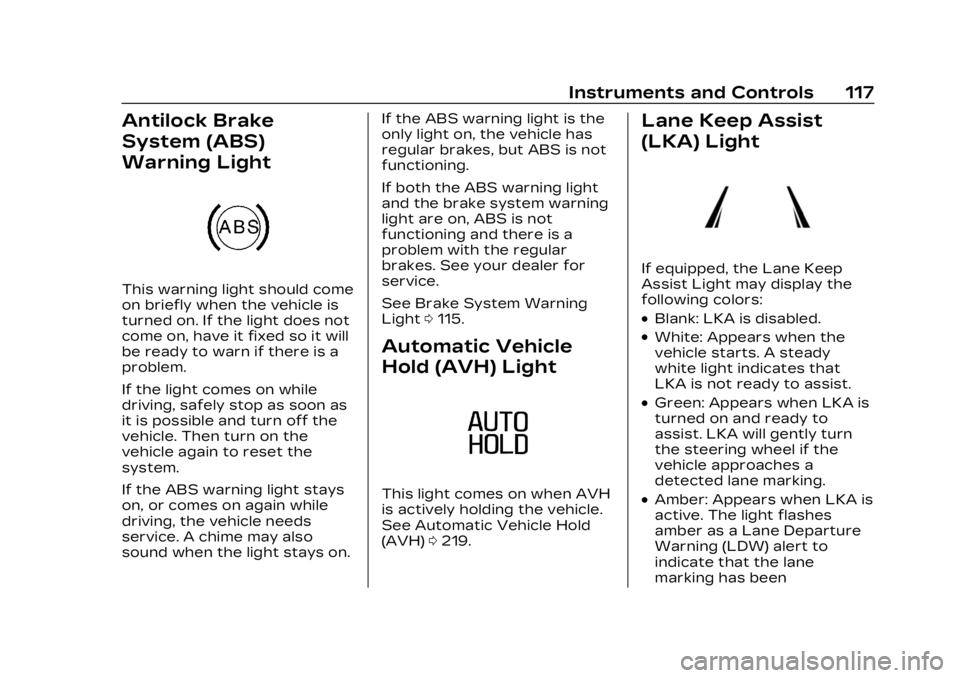
Antilock Brake
System (ABS)
Warning Light
This warning light should come
on briefly when the vehicle is
turned on. If the light does not
come on, have it fixed so it will
be ready to warn if there is a
problem.
If the light comes on while
driving, safely stop as soon as
it is possible and turn off the
vehicle. Then turn on the
vehicle again to reset the
system.
If the ABS warning light stays
on, or comes on again while
driving, the vehicle needs
service. A chime may also
sound when the light stays on.If the ABS warning light is the
only light on, the vehicle has
regular brakes, but ABS is not
functioning.
If both the ABS warning light
and the brake system warning
light are on, ABS is not
functioning and there is a
problem with the regular
brakes. See your dealer for
service.
See Brake System Warning
Light
0115.
Automatic Vehicle
Hold (AVH) Light
This light comes on when AVH
is actively holding the vehicle.
See Automatic Vehicle Hold
(AVH) 0219.
Lane Keep Assist
(LKA) Light
If equipped, the Lane Keep
Assist Light may display the
following colors:
.Blank: LKA is disabled.
.White: Appears when the
vehicle starts. A steady
white light indicates that
LKA is not ready to assist.
.Green: Appears when LKA is
turned on and ready to
assist. LKA will gently turn
the steering wheel if the
vehicle approaches a
detected lane marking.
.Amber: Appears when LKA is
active. The light flashes
amber as a Lane Departure
Warning (LDW) alert to
indicate that the lane
marking has been
Page 120 of 424
Cadillac Lyriq Owner Manual (GMNA-Localizing-U.S./Canada-15644413) -
2023 - CRC - 2/23/22
Instruments and Controls 119
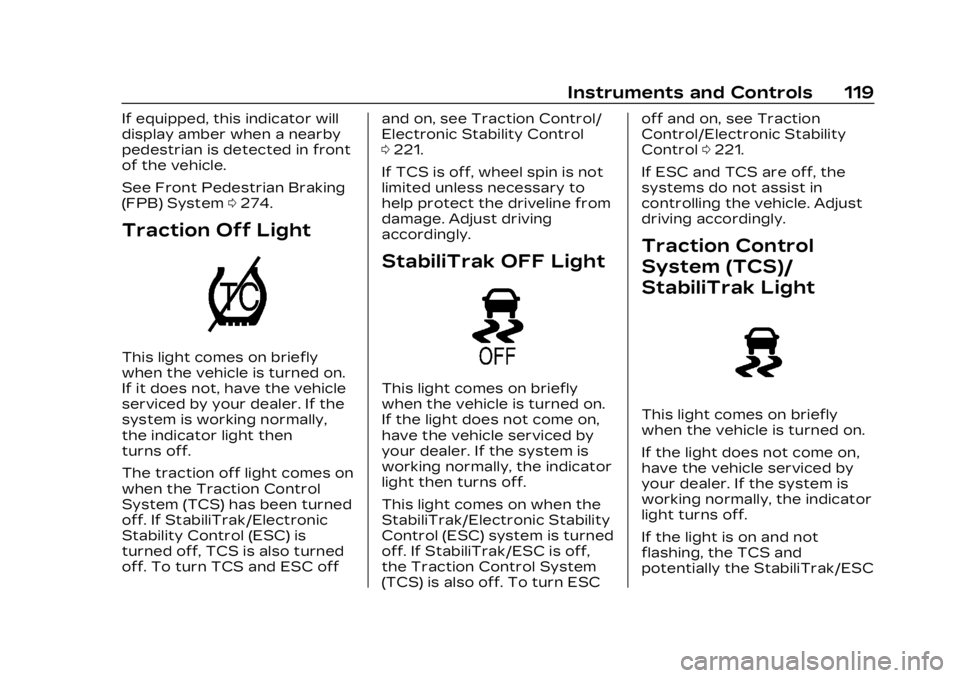
If equipped, this indicator will
display amber when a nearby
pedestrian is detected in front
of the vehicle.
See Front Pedestrian Braking
(FPB) System0274.
Traction Off Light
This light comes on briefly
when the vehicle is turned on.
If it does not, have the vehicle
serviced by your dealer. If the
system is working normally,
the indicator light then
turns off.
The traction off light comes on
when the Traction Control
System (TCS) has been turned
off. If StabiliTrak/Electronic
Stability Control (ESC) is
turned off, TCS is also turned
off. To turn TCS and ESC off and on, see Traction Control/
Electronic Stability Control
0
221.
If TCS is off, wheel spin is not
limited unless necessary to
help protect the driveline from
damage. Adjust driving
accordingly.
StabiliTrak OFF Light
This light comes on briefly
when the vehicle is turned on.
If the light does not come on,
have the vehicle serviced by
your dealer. If the system is
working normally, the indicator
light then turns off.
This light comes on when the
StabiliTrak/Electronic Stability
Control (ESC) system is turned
off. If StabiliTrak/ESC is off,
the Traction Control System
(TCS) is also off. To turn ESC off and on, see Traction
Control/Electronic Stability
Control
0221.
If ESC and TCS are off, the
systems do not assist in
controlling the vehicle. Adjust
driving accordingly.
Traction Control
System (TCS)/
StabiliTrak Light
This light comes on briefly
when the vehicle is turned on.
If the light does not come on,
have the vehicle serviced by
your dealer. If the system is
working normally, the indicator
light turns off.
If the light is on and not
flashing, the TCS and
potentially the StabiliTrak/ESC
Page 122 of 424
Cadillac Lyriq Owner Manual (GMNA-Localizing-U.S./Canada-15644413) -
2023 - CRC - 2/23/22
Instruments and Controls 121
When the Light Flashes First
and Then Is On Steady
If the light flashes for about a
minute and then stays on,
there may be a problem with
the TPMS. If the problem is
not corrected, the light will
come on every time the
vehicle is started. See Tire
Pressure Monitor Operation
0344.
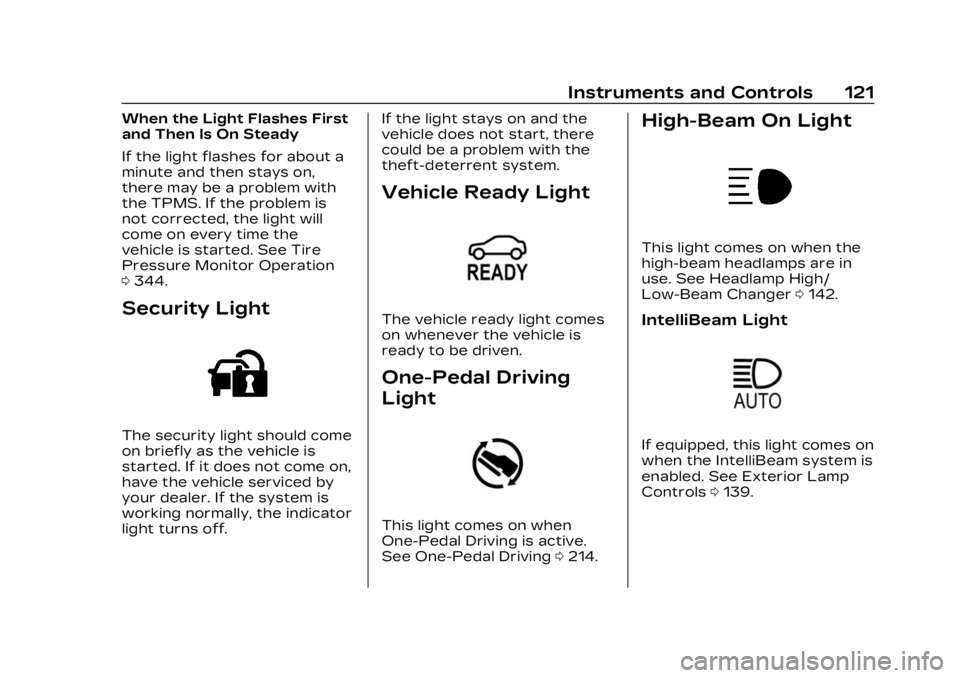
Security Light
The security light should come
on briefly as the vehicle is
started. If it does not come on,
have the vehicle serviced by
your dealer. If the system is
working normally, the indicator
light turns off. If the light stays on and the
vehicle does not start, there
could be a problem with the
theft-deterrent system.
Vehicle Ready Light
The vehicle ready light comes
on whenever the vehicle is
ready to be driven.
One-Pedal Driving
Light
This light comes on when
One-Pedal Driving is active.
See One-Pedal Driving
0214.
High-Beam On Light
This light comes on when the
high-beam headlamps are in
use. See Headlamp High/
Low-Beam Changer 0142.
IntelliBeam Light
If equipped, this light comes on
when the IntelliBeam system is
enabled. See Exterior Lamp
Controls 0139.
Page 124 of 424
Cadillac Lyriq Owner Manual (GMNA-Localizing-U.S./Canada-15644413) -
2023 - CRC - 2/23/22
Instruments and Controls 123
This light comes on when a
door is open or not securely
latched. Before driving, check
that all doors are properly
closed.
Information
Displays
Charging
Important Information about
Electric Vehicle Charging
.Charging an electric vehicle
can stress a building’s
electrical system more than
a typical household
appliance.
.Charge cord limits can vary
from vehicle to vehicle, and
increased charging rates can
stress a building’s electrical
system.
.Before plugging into any
electrical outlet, have a
qualified electrician inspect
and verify the electrical
system (electrical outlet,
wiring, junctions, andprotection devices) for
heavy-duty service at a
12 amp continuous load.
.Electrical outlets may wear
out with normal usage or
may be damaged over time,
making them unsuitable for
electric vehicle charging.
.Check the electrical outlet/
plug while charging and
discontinue use if the
electrical outlet/plug is hot,
then have the electrical
outlet serviced by a qualified
electrician.
.When outdoors, plug into an
electrical outlet that is
weatherproof while in use.
.Mount the charging cord to
reduce strain on the
electrical outlet/plug.
.Do not place the charge cord
in a position where it is
expected to be submerged
in water.
{Danger
Improper use of portable
electric vehicle charge cords
may cause a fire, electrical
shock, or burns, and may
result in damage to
property, serious injury,
or death.
.Do not use extension
cords, multi-outlet power
strips, splitters, grounding
adaptors, surge
protectors, or similar
devices.
.Do not use an electrical
outlet that is worn or
damaged, or will not hold
the plug firmly in place.
.Do not use an electrical
outlet that is not properly
grounded.
.Do not use an electrical
outlet that is on a circuit
with other electrical loads.
Page 132 of 424
Cadillac Lyriq Owner Manual (GMNA-Localizing-U.S./Canada-15644413) -
2023 - CRC - 2/23/22
Instruments and Controls 131
according to any existing
schedules. The Home Charge
Location can be changed or
deleted at this screen.
The wireless service and GPS
satellite technologies must be
available and operating for
features to function properly.
These systems may not
operate if the battery is
disconnected, or if the vehicle
has been off for an extended
period of time. If GPS is
unavailable, a message
displays on the infotainment
screen. GPS functionality may
resume after the next time
you drive the vehicle.
Notifications
This section contains on/off
preferences for multiple
notifications triggered during
the Charging session.
Charge Status Feedback :
Provides an audible
notification through horn
chirps that accompany
changes in the charging
status.Charge Cord Unplugged
Alert :
When on and your
vehicle is locked, your vehicle
will honk the horn and flash
the lights if charge cord
becomes unplugged.
Charge Power Loss Alert :
When on, your vehicle will
honk the horn and flash the
lights if Charging power is
cut off.
DC Fast Charge Battery
Conditioning
If equipped, adjusts the
battery to the optimal
temperature for quicker DC
Fast Charging. This should be
done before charging at a DC
Fast Charger.
Depending on the outside and
battery temperature, battery
conditioning could take longer
to reach the optimal
temperature. While en route to a DC fast
charge station using Google
Maps, DC Fast Charge
Conditioning happens
automatically.
Cabin Pre-Conditioning
Temperature
Allows for the preferred cabin
temperature to be set. During
a planned charging session at
the vehicle's Home Charge
Location, the vehicle cabin is
warmed or cooled to this
temperature if set to ON in
either the Charge Later
screen, or in an active
Schedule.
Preferred Charge Times
Allows preferred charge time
windows to be enabled for the
Home Charge Location during
both weekday and weekend
planned charging sessions.
It does so whether the vehicle
is set to Charge Later,
or observing a scheduled
charge. This allows for
charging at a lower cost by
prioritizing charging during the
Page 135 of 424
Cadillac Lyriq Owner Manual (GMNA-Localizing-U.S./Canada-15644413) -
2023 - CRC - 2/23/22
134 Instruments and Controls
Tires :Tire Pressure card
displays the approximate
pressures of all four tires. Tire
pressure is displayed in either
kilopascal (kPa) or in pounds
per square inch (psi). If the
pressure is low, the value for
that tire is shown in amber.
See Tire Pressure Monitor
System 0343 and
Tire Pressure Monitor
Operation 0344.
When selected, the following
options may be chosen in the
dialog: Relearn Tire Pressure,
Reset Leak Detection, Turn
Off/On Leak Detection, and
Show in Cluster. When
enabled, you will receive alerts
when a fast and/or slow tire
leak is detected. The Leak
Detection speeds shown are
either Tire Leak or Fast Leak.
When disabled, you will still
receive low tire pressure
alerts. However, you will stop
receiving additional alerts
when a tire is leaking air. Energy Info :
Energy Usage
card displays how energy is
being used for the current
drive since the last time the
vehicle was started.
Percentages of the Driving,
Remote Start, Climate and
Conditioning vehicle systems
as overall vehicle energy use
are shown. When selected,
distance driven, total energy,
energy usage bar diagram, and
selectable categories are
displayed. Select a category to
learn more about how your
vehicle uses energy from the
battery.
Energy Efficiency card
displays a graph showing the
energy efficiency that has
been used by the vehicle over
the last 48 km (30 mi). When
selected, regenerated range,
and instant efficiency is shown
along with average efficiency
in the dialog.Vehicle Messages
Messages displayed on the
Driver Information Center
(DIC) indicate the status of the
vehicle or some action that
may be needed to correct a
condition. Multiple messages
may appear one after another.
Vehicle status notifications
are also sent to the
infotainment display. Touching
Uon the bottom right corner
of the infotainment display
opens the notification drawer
where all the active vehicle
messages can be viewed.
Depending on the message,
you can schedule a service,
find the nearest dealer, or find
the nearest charging station.
When there are active
messages that can be viewed,
a red dot appears on top of
the notification icon on the
infotainment display.
The messages that do not
require immediate action can
be acknowledged and cleared
Page 136 of 424
Cadillac Lyriq Owner Manual (GMNA-Localizing-U.S./Canada-15644413) -
2023 - CRC - 2/23/22
Instruments and Controls 135
by pressing the thumbwheel.
The messages that require
immediate action cannot be
cleared until that action is
performed.
All messages should be taken
seriously; clearing the
message does not correct the
problem.
If a SERVICE message
appears, see your dealer.
Follow the instructions given
in the messages. The system
displays messages regarding
the following topics:
.Service Messages
.Fluid Levels
.Vehicle Security
.Brakes
.Ride Control Systems
.Driver Assistance Systems
.Cruise Control
.Lighting and Bulb
Replacement
.Wiper/Washer Systems
.Doors and Windows
.Seat Belts
.Airbag Systems
.Propulsion
.Tire Pressure
.Battery
.Steering
Propulsion Power
Messages
REDUCED
ACCELERATION DRIVE
WITH CARE
This message displays when
the vehicle's propulsion power
is reduced. A reduction in
propulsion power can affect
the vehicle's ability to
accelerate. If this message is
on, but there is no observed
reduction in performance,
proceed to your destination.
Under certain conditions, the
performance may be reduced
the next time the vehicle is
driven. The vehicle may be
driven while this message is
on, but maximum acceleration
and speed may be reduced.
Anytime this message stayson, or displays repeatedly, the
vehicle should be taken to
your dealer for service as
soon as possible.
This message can be displayed
when the high voltage battery
charge level is low. The vehicle
is limiting power to maximize
range.
Under certain operating
conditions propulsion will be
disabled. Try restarting after
the vehicle has been off for
two minutes.
PROPULSION POWER
REDUCED DUE TO
TEMPERATURE
This message displays when
the vehicle is on, the battery
temperature is low, and when
the vehicle’s performance is
limited. The duration of the
limited vehicle performance
depends, in part, on the high
voltage battery charge level.
If the high voltage battery
charge level is relatively high,
as the vehicle is driven, the
Page 147 of 424
Cadillac Lyriq Owner Manual (GMNA-Localizing-U.S./Canada-15644413) -
2023 - CRC - 2/23/22
146 Lighting
Turn and
Lane-Change Signals
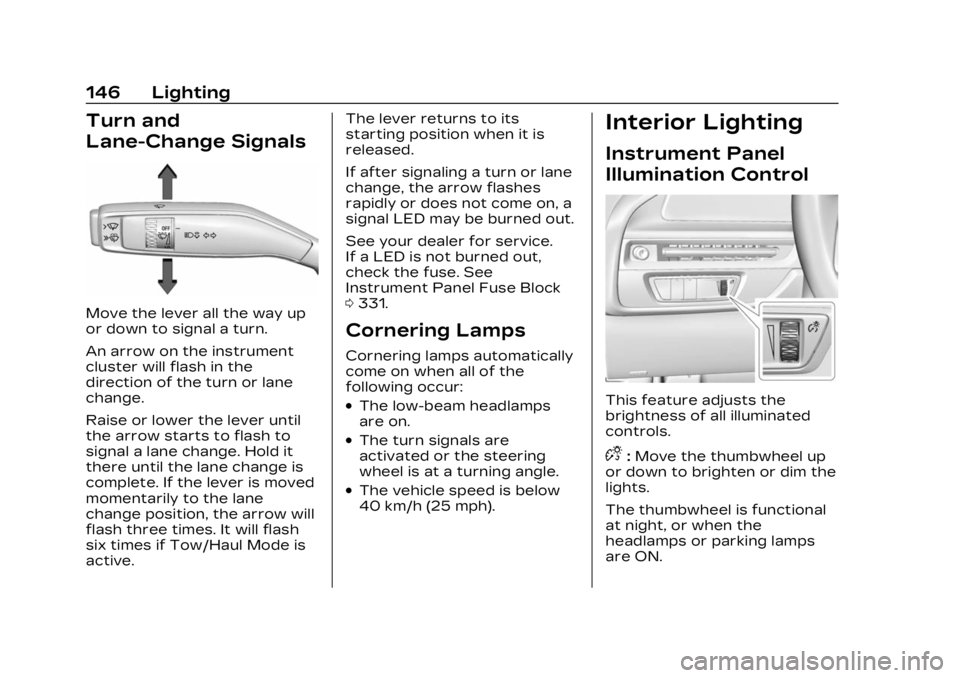
Move the lever all the way up
or down to signal a turn.
An arrow on the instrument
cluster will flash in the
direction of the turn or lane
change.
Raise or lower the lever until
the arrow starts to flash to
signal a lane change. Hold it
there until the lane change is
complete. If the lever is moved
momentarily to the lane
change position, the arrow will
flash three times. It will flash
six times if Tow/Haul Mode is
active.The lever returns to its
starting position when it is
released.
If after signaling a turn or lane
change, the arrow flashes
rapidly or does not come on, a
signal LED may be burned out.
See your dealer for service.
If a LED is not burned out,
check the fuse. See
Instrument Panel Fuse Block
0
331.
Cornering Lamps
Cornering lamps automatically
come on when all of the
following occur:
.The low-beam headlamps
are on.
.The turn signals are
activated or the steering
wheel is at a turning angle.
.The vehicle speed is below
40 km/h (25 mph).
Interior Lighting
Instrument Panel
Illumination Control
This feature adjusts the
brightness of all illuminated
controls.
D:Move the thumbwheel up
or down to brighten or dim the
lights.
The thumbwheel is functional
at night, or when the
headlamps or parking lamps
are ON.