ignition CHEVROLET CITY EXPRESS 2018 Owner's Guide
[x] Cancel search | Manufacturer: CHEVROLET, Model Year: 2018, Model line: CITY EXPRESS, Model: CHEVROLET CITY EXPRESS 2018Pages: 287, PDF Size: 4.19 MB
Page 104 of 287
Chevrolet City Express Owner Manual (GMNA-Localizing-U.S./Canada-
11683523) - 2018 - CRC - 7/10/17
Lighting 103
Lighting
Exterior Lighting
Exterior Lamp Controls . . . . . . . 103
Exterior Lamps OffReminder . . . . . . . . . . . . . . . . . . . 103
Headlamp High/Low-Beam Changer . . . . . . . . . . . . . . . . . . . . 103
Flash-to-Pass . . . . . . . . . . . . . . . . 104
Daytime Running Lamps (DRL) . . . . . . . . . . . . . . . 104
Hazard Warning Flashers . . . . . 104
Turn and Lane-Change Signals . . . . . . . . . . . . . . . . . . . . . . 104
Interior Lighting
Instrument Panel IlluminationControl . . . . . . . . . . . . . . . . . . . . . . 105
Cargo Lamp . . . . . . . . . . . . . . . . . . 105
Dome Lamps . . . . . . . . . . . . . . . . . 106
Reading Lamps . . . . . . . . . . . . . . 106
Lighting Features
Exterior Lighting Battery Saver . . . . . . . . . . . . . . . . . . . . . . . 107
Exterior Lighting
Exterior Lamp Controls
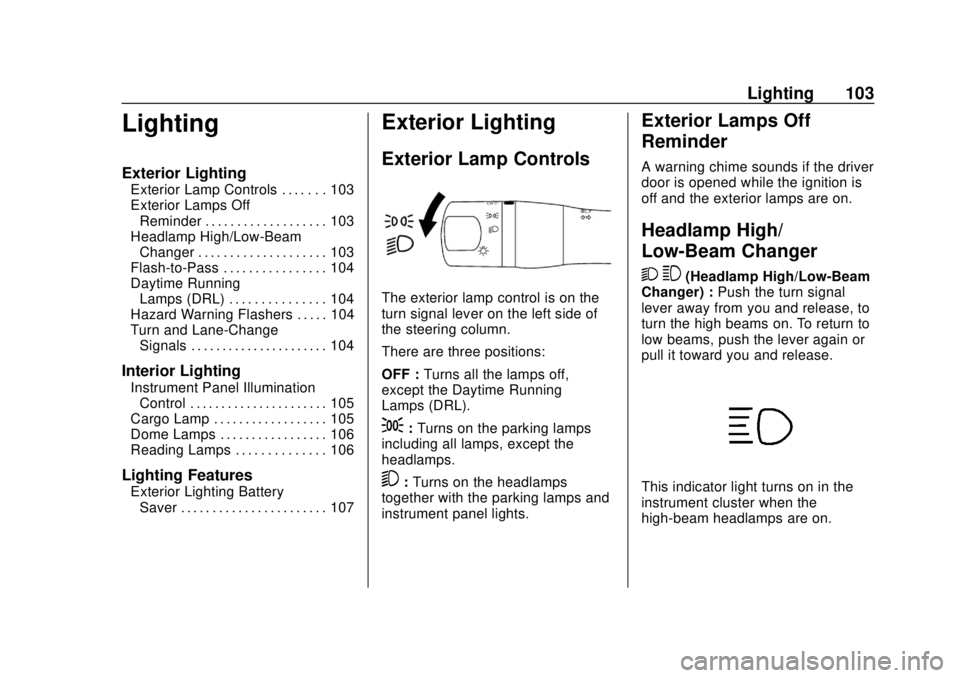
The exterior lamp control is on the
turn signal lever on the left side of
the steering column.
There are three positions:
OFF : Turns all the lamps off,
except the Daytime Running
Lamps (DRL).
;: Turns on the parking lamps
including all lamps, except the
headlamps.
5: Turns on the headlamps
together with the parking lamps and
instrument panel lights.
Exterior Lamps Off
Reminder
A warning chime sounds if the driver
door is opened while the ignition is
off and the exterior lamps are on.
Headlamp High/
Low-Beam Changer
2 3
(Headlamp High/Low-Beam
Changer) : Push the turn signal
lever away from you and release, to
turn the high beams on. To return to
low beams, push the lever again or
pull it toward you and release.
This indicator light turns on in the
instrument cluster when the
high-beam headlamps are on.
Page 105 of 287
Chevrolet City Express Owner Manual (GMNA-Localizing-U.S./Canada-
11683523) - 2018 - CRC - 7/10/17
104 Lighting
Flash-to-Pass
This feature is used to signal to the
vehicle ahead that you want
to pass.
If the headlamps are off or in the
low‐beam position, pull the turn
signal lever toward you to
momentarily switch to high beams.
Release the lever to turn the
high-beam headlamps off.
Daytime Running
Lamps (DRL)
DRL can make it easier for others to
see the front of your vehicle during
the day.
A light sensor on top of the
instrument panel makes the DRL
work, so be sure it is not covered.
The DRL system makes the
low-beam headlamps come on at a
reduced brightness when the
following conditions are met:
.The ignition is in the ON
position. .
The exterior lamp control is in
the OFF position.
. The parking brake is released.
If the parking brake is applied
before the engine is started, the
DRL do not come on.
When the DRL are on, only the
low-beam headlamps, at a reduced
level of brightness, will be on. The
taillamps, sidemarker, instrument
panel, and other lamps will not
be on.
Turn the exterior lamp control to
the;or5position for full
illumination when driving at night.
The DRL remain on until the ignition
switch is placed in the OFF position.
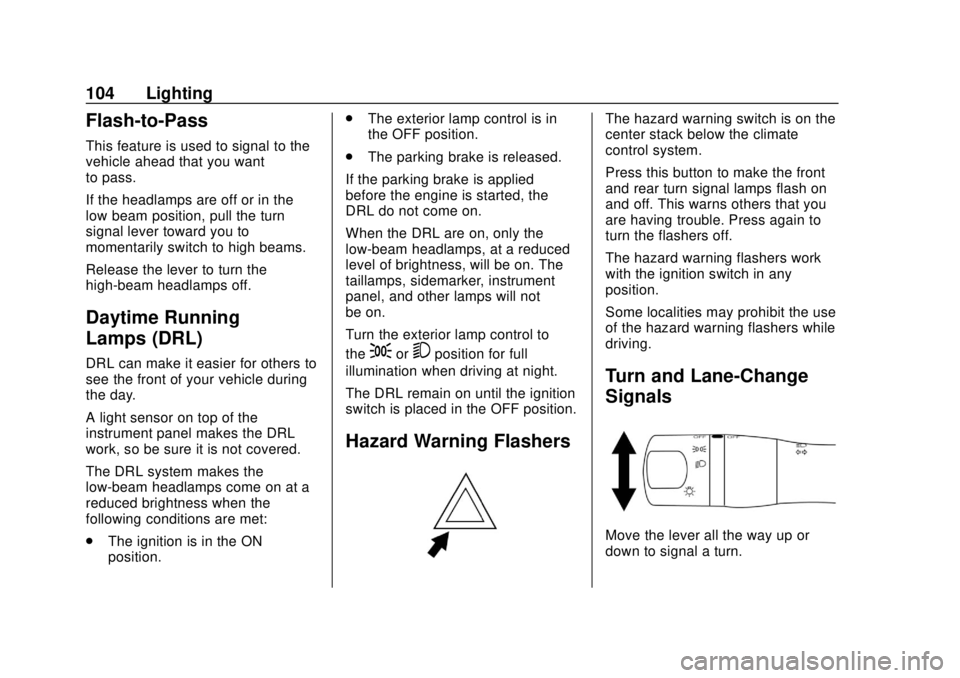
Hazard Warning Flashers
The hazard warning switch is on the
center stack below the climate
control system.
Press this button to make the front
and rear turn signal lamps flash on
and off. This warns others that you
are having trouble. Press again to
turn the flashers off.
The hazard warning flashers work
with the ignition switch in any
position.
Some localities may prohibit the use
of the hazard warning flashers while
driving.
Turn and Lane-Change
Signals
Move the lever all the way up or
down to signal a turn.
Page 106 of 287
Chevrolet City Express Owner Manual (GMNA-Localizing-U.S./Canada-
11683523) - 2018 - CRC - 7/10/17
Lighting 105
An arrow on the instrument cluster
flashes in the direction of the turn or
lane change.
Raise or lower the lever until the
arrow starts to flash to signal a lane
change. Hold it there until the lane
change is completed. If the lever is
briefly pressed and released, the
turn signal flashes three times.
The lever returns to its starting
position whenever it is released.
If after signaling a turn or lane
change the arrow flashes rapidly or
does not come on, a signal bulb
may be burned out.
Have any burned out bulbs
replaced. If a bulb is not burned out,
check the fuse. SeeElectrical
System Overload 0198.Interior Lighting
Instrument Panel
Illumination Control
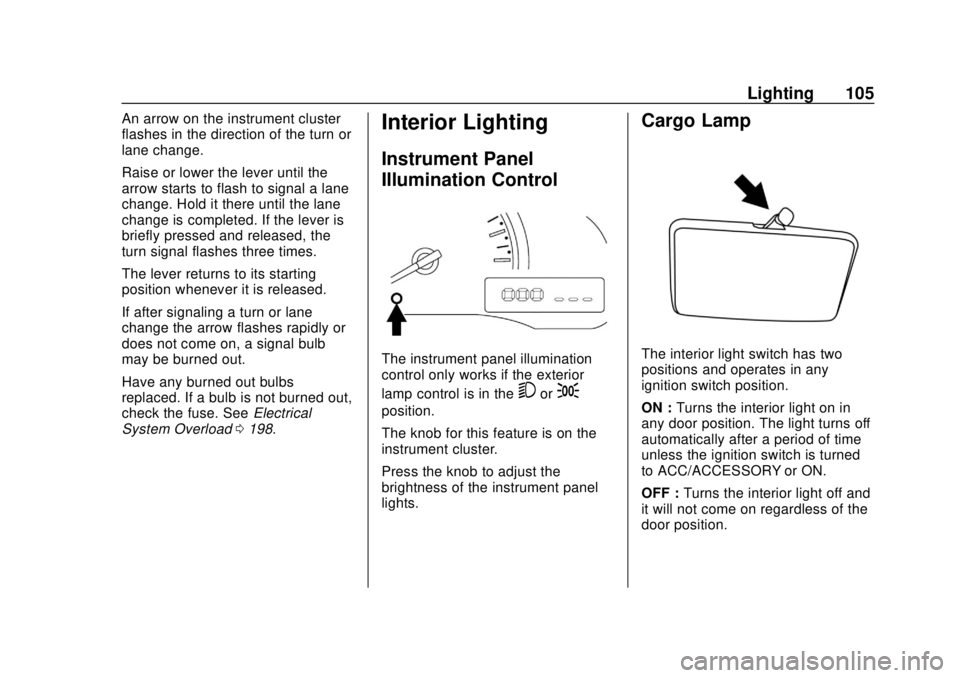
The instrument panel illumination
control only works if the exterior
lamp control is in the
5or;
position.
The knob for this feature is on the
instrument cluster.
Press the knob to adjust the
brightness of the instrument panel
lights.
Cargo Lamp
The interior light switch has two
positions and operates in any
ignition switch position.
ON : Turns the interior light on in
any door position. The light turns off
automatically after a period of time
unless the ignition switch is turned
to ACC/ACCESSORY or ON.
OFF : Turns the interior light off and
it will not come on regardless of the
door position.
Page 107 of 287
Chevrolet City Express Owner Manual (GMNA-Localizing-U.S./Canada-
11683523) - 2018 - CRC - 7/10/17
106 Lighting
Dome Lamps
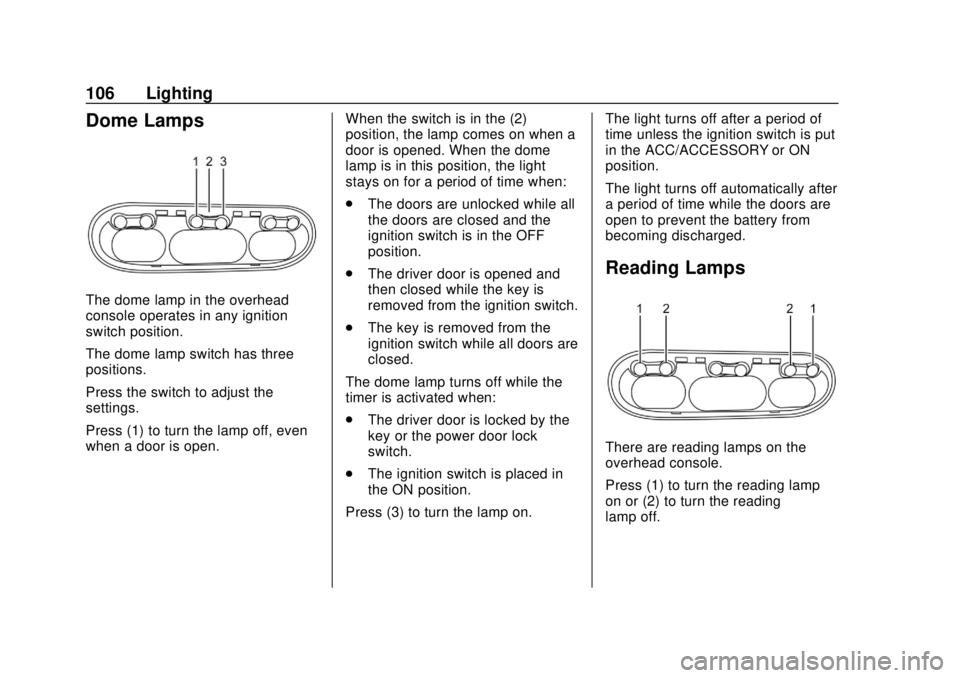
The dome lamp in the overhead
console operates in any ignition
switch position.
The dome lamp switch has three
positions.
Press the switch to adjust the
settings.
Press (1) to turn the lamp off, even
when a door is open.When the switch is in the (2)
position, the lamp comes on when a
door is opened. When the dome
lamp is in this position, the light
stays on for a period of time when:
.
The doors are unlocked while all
the doors are closed and the
ignition switch is in the OFF
position.
. The driver door is opened and
then closed while the key is
removed from the ignition switch.
. The key is removed from the
ignition switch while all doors are
closed.
The dome lamp turns off while the
timer is activated when:
. The driver door is locked by the
key or the power door lock
switch.
. The ignition switch is placed in
the ON position.
Press (3) to turn the lamp on. The light turns off after a period of
time unless the ignition switch is put
in the ACC/ACCESSORY or ON
position.
The light turns off automatically after
a period of time while the doors are
open to prevent the battery from
becoming discharged.
Reading Lamps
There are reading lamps on the
overhead console.
Press (1) to turn the reading lamp
on or (2) to turn the reading
lamp off.
Page 108 of 287
Chevrolet City Express Owner Manual (GMNA-Localizing-U.S./Canada-
11683523) - 2018 - CRC - 7/10/17
Lighting 107
Lighting Features
Exterior Lighting Battery
Saver
If the ignition is turned off and the
parking lamps or headlamps have
been left on, they will automatically
turn off after a period of time. This
protects against draining the battery.
Page 117 of 287
Chevrolet City Express Owner Manual (GMNA-Localizing-U.S./Canada-
11683523) - 2018 - CRC - 7/10/17
116 Infotainment System
Root Folder
If there is a file in the top level of the
disc,“Root Folder” is displayed.
Empty Folder
Folders that do not contain files are
skipped, and the player advances to
the next folder that contains files.
Order of Play
The playback order is the order in
which the files were written by the
writing software. Therefore, the files
may not play in the desired order.
File System and Naming
The artist/song title that displays is
the artist/song title contained in the
ID3 tag. The ID3 tag information is
displayed on the artist/song title line
on the screen.
Text character limit is
128 characters.CD Player Messages
CHECK DISC : If this message
displays and/or the CD ejects, it
could be for one of the following
reasons:
. Confirm that the CD is inserted
correctly (the label side is facing
up, etc.).
. Confirm that the CD is not bent
or warped and it is free of
scratches.
PRESS EJECT : This is an error
due to excessive temperature inside
the player. Remove the CD by
pressing
X. After a short time,
reinsert the CD. The CD can be
played when the temperature of the
player returns to normal.
UNPLAYABLE : The file is
unplayable in this audio system
(only MP3 or WMA CD).
If the CD is not playing correctly, for
any other reason, try a known
good CD.
USB Port
USB Supported Devices
This vehicle has a USB port on the
center stack. If the USB supports
charging via a USB connection, its
battery will be charged while
connected to the vehicle with the
ignition on or in ACC/Accessory.
External devices such as iPhones/
iPods and USB storage devices
may be connected.
This system supports various USB
memory devices, USB hard drives
and iPod players. Some USB
devices may not be supported by
this system. Partitioned USB
devices may not play correctly.
USB Device Operation
When a compatible storage device
is plugged into the connection port,
compatible audio files on the
storage device can be played
through the vehicle’ s audio system.
Page 118 of 287
Chevrolet City Express Owner Manual (GMNA-Localizing-U.S./Canada-
11683523) - 2018 - CRC - 7/10/17
Infotainment System 117
MEDIA
Turn the ignition on or in ACC/
ACCESSORY and press MEDIA on
the center stack to switch to the
USB input mode. If a CD is playing
or another audio source is plugged
in through the AUX IN jack located
in the center stack, MEDIA toggles
between the three sources.
Play Information
Information about the audio files
being played can be displayed on
the display screen of the vehicle’s
audio system. Depending on how
the audio files are encoded,
information such as Folder, Song
and Artist will be displayed.
The track number and number of
total tracks in the folder are
displayed as well.
gSEEK/TRACKd(Reverse or
Fast Forward)
Press and hold
gordfor
1.5 seconds while an audio file on
the USB device is playing to reverse
or fast forward the track being
played. The track plays at an increased speed while reversing or
fast forwarding. When the control is
released, the audio file returns to
normal play speed.
gSEEK/TRACKd
Pressgwhile an audio file on the
USB device is playing to return to
the beginning of the current track.
Press
gseveral times to skip
backward several tracks.
Press
dwhile an audio file on the
USB device is playing to advance
one track. Press
dseveral times to
skip forward several tracks. If the
last track in a folder on the USB
device is skipped, the first track of
the next folder is played.
RDM (Random)
When RDM is pressed while an
audio file on the USB device is
playing, the play pattern can be
changed between All Random,
Folder Random, and OFF.
The current play pattern of the USB
device is displayed unless no
pattern is applied. RPT (Repeat)
When RPT is pressed while an
audio file on the USB device is
playing, the play pattern can be
changed between Folder Repeat,
Track Repeat, and OFF.
The current play pattern of the USB
device is displayed unless no
pattern is applied.
TUNE/FOLDER
If there are multiple folders with
audio files on the USB device, turn
TUNE/FOLDER to change folders.
Turn to the left to skip back a folder.
Turn to the right to skip ahead a
folder. If there is only one folder of
audio files on the USB device,
turning TUNE/FOLDER in either
direction will return to the first track
on the USB device.
iPod Player Operation
To connect an iPod to the vehicle so
that the iPod can be controlled with
the audio system controls and
display screen, use the USB
connection port located on the
center stack below the heater and
Page 119 of 287
Chevrolet City Express Owner Manual (GMNA-Localizing-U.S./Canada-
11683523) - 2018 - CRC - 7/10/17
118 Infotainment System
air conditioner controls. Connect the
iPod specific end of the cable to the
iPod and the USB end of the cable
to the USB connection port on the
vehicle. If your iPod supports
charging via a USB connection, its
battery will be charged while
connected to the vehicle with the
ignition on or in ACC/ACCESSORY.
While connected to the vehicle, the
iPod can only be operated by the
vehicle audio controls.
To disconnect the iPod from the
vehicle, remove the USB end of the
cable from the USB connection port
on the vehicle, then remove the
cable from the iPod.
Compatible Devices
Most devices are compatible. Make
sure that your iPod firmware is
updated.
Audio Main Operation
Turn the ignition on or in ACC/
ACCESSORY. Press iPod MENU or
MEDIA repeatedly to switch to the
iPod mode.If the audio system is turned off
while the iPod is playing, the iPod
plays when the audio system is
turned back on.
If the audio system is off, pressing
iPod MENU or MEDIA turns the
audio system on and plays the iPod.
If the audio system is on, the audio
system automatically begins playing
tracks from the iPod when it is
plugged into the USB port.
gSEEK/TRACKd
Pressgordto skip backward or
forward one track.
Press and hold
gordfor
1.5 seconds while a track is playing
to reverse or fast forward the track
being played. The track plays at an
increased speed while reversing or
fast forwarding. When the button is
released, the track returns to normal
play speed. RPT (Repeat)
When RPT is pressed while a track
is being played, the play pattern can
be changed between Repeat Off,
Track Repeat, and All Repeat.
RDM (Random)
When RDM is pressed while a track
is being played, the play pattern can
be changed between Shuffle Off,
Track Shuffle, and Shuffle Off.
0BACK
When
0BACK is pressed, it
returns to the previous menu.
Auxiliary Jack
Using the Auxiliary Input Jack
The auxiliary input jack is on the
center stack. External devices such
as an iPod, laptop computer, MP3
player, cassette player, or CD
changer can be connected to the
auxiliary port using a 3.5 mm (1/8 in)
input cable.
Page 121 of 287
Chevrolet City Express Owner Manual (GMNA-Localizing-U.S./Canada-
11683523) - 2018 - CRC - 7/10/17
120 Infotainment System
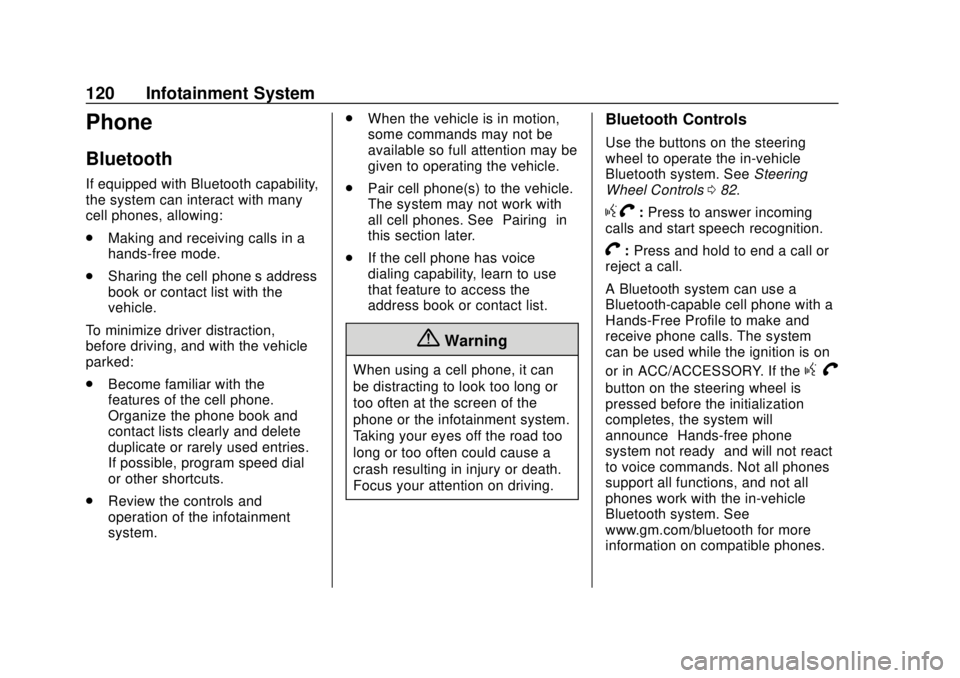
Phone
Bluetooth
If equipped with Bluetooth capability,
the system can interact with many
cell phones, allowing:
.Making and receiving calls in a
hands-free mode.
. Sharing the cell phone’s address
book or contact list with the
vehicle.
To minimize driver distraction,
before driving, and with the vehicle
parked:
. Become familiar with the
features of the cell phone.
Organize the phone book and
contact lists clearly and delete
duplicate or rarely used entries.
If possible, program speed dial
or other shortcuts.
. Review the controls and
operation of the infotainment
system. .
When the vehicle is in motion,
some commands may not be
available so full attention may be
given to operating the vehicle.
. Pair cell phone(s) to the vehicle.
The system may not work with
all cell phones. See “Pairing”in
this section later.
. If the cell phone has voice
dialing capability, learn to use
that feature to access the
address book or contact list.
{Warning
When using a cell phone, it can
be distracting to look too long or
too often at the screen of the
phone or the infotainment system.
Taking your eyes off the road too
long or too often could cause a
crash resulting in injury or death.
Focus your attention on driving.
Bluetooth Controls
Use the buttons on the steering
wheel to operate the in-vehicle
Bluetooth system. See Steering
Wheel Controls 082.
gV:Press to answer incoming
calls and start speech recognition.
V: Press and hold to end a call or
reject a call.
A Bluetooth system can use a
Bluetooth-capable cell phone with a
Hands-Free Profile to make and
receive phone calls. The system
can be used while the ignition is on
or in ACC/ACCESSORY. If the
g V
button on the steering wheel is
pressed before the initialization
completes, the system will
announce “Hands-free phone
system not ready” and will not react
to voice commands. Not all phones
support all functions, and not all
phones work with the in-vehicle
Bluetooth system. See
www.gm.com/bluetooth for more
information on compatible phones.
Page 128 of 287
Chevrolet City Express Owner Manual (GMNA-Localizing-U.S./Canada-
11683523) - 2018 - CRC - 7/10/17
Infotainment System 127
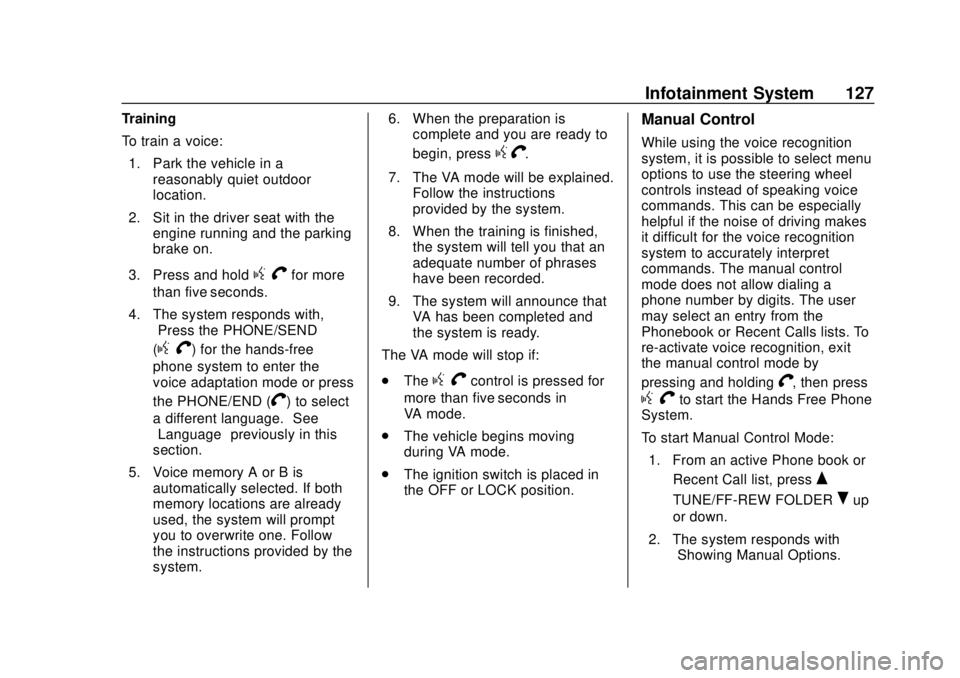
Training
To train a voice:1. Park the vehicle in a reasonably quiet outdoor
location.
2. Sit in the driver seat with the engine running and the parking
brake on.
3. Press and hold
g Vfor more
than five seconds.
4. The system responds with, “Press the PHONE/SEND
(
gV) for the hands-free
phone system to enter the
voice adaptation mode or press
the PHONE/END (
V) to select
a different language.” See
“Language” previously in this
section.
5. Voice memory A or B is automatically selected. If both
memory locations are already
used, the system will prompt
you to overwrite one. Follow
the instructions provided by the
system. 6. When the preparation is
complete and you are ready to
begin, press
gV.
7. The VA mode will be explained. Follow the instructions
provided by the system.
8. When the training is finished, the system will tell you that an
adequate number of phrases
have been recorded.
9. The system will announce that VA has been completed and
the system is ready.
The VA mode will stop if:
. The
gVcontrol is pressed for
more than five seconds in
VA mode.
. The vehicle begins moving
during VA mode.
. The ignition switch is placed in
the OFF or LOCK position.
Manual Control
While using the voice recognition
system, it is possible to select menu
options to use the steering wheel
controls instead of speaking voice
commands. This can be especially
helpful if the noise of driving makes
it difficult for the voice recognition
system to accurately interpret
commands. The manual control
mode does not allow dialing a
phone number by digits. The user
may select an entry from the
Phonebook or Recent Calls lists. To
re-activate voice recognition, exit
the manual control mode by
pressing and holding
V, then press
gVto start the Hands Free Phone
System.
To start Manual Control Mode:
1. From an active Phone book or Recent Call list, press
Q
TUNE/FF-REW FOLDERRup
or down.
2. The system responds with “Showing Manual Options.”