ignition CHEVROLET CITY EXPRESS 2018 User Guide
[x] Cancel search | Manufacturer: CHEVROLET, Model Year: 2018, Model line: CITY EXPRESS, Model: CHEVROLET CITY EXPRESS 2018Pages: 287, PDF Size: 4.19 MB
Page 26 of 287
Chevrolet City Express Owner Manual (GMNA-Localizing-U.S./Canada-
11683523) - 2018 - CRC - 7/10/17
Keys, Doors, and Windows 25
The RKE transmitter buttons will not
operate when the key is in the
ignition.
Programming Transmitters to
the Vehicle
Only RKE transmitters programmed
to the vehicle will work. If a
transmitter is lost or stolen, a
replacement can be purchased and
programmed through your dealer.
When the replacement transmitter is
programmed to the vehicle, all
remaining transmitters must also be
programmed. Any lost or stolen
transmitters no longer work once the
new transmitter is programmed.
Each vehicle can have up to
five transmitters programmed to it.
Battery ReplacementCaution
When replacing the battery, do
not touch any of the circuitry on
the transmitter. Static from your
body could damage the
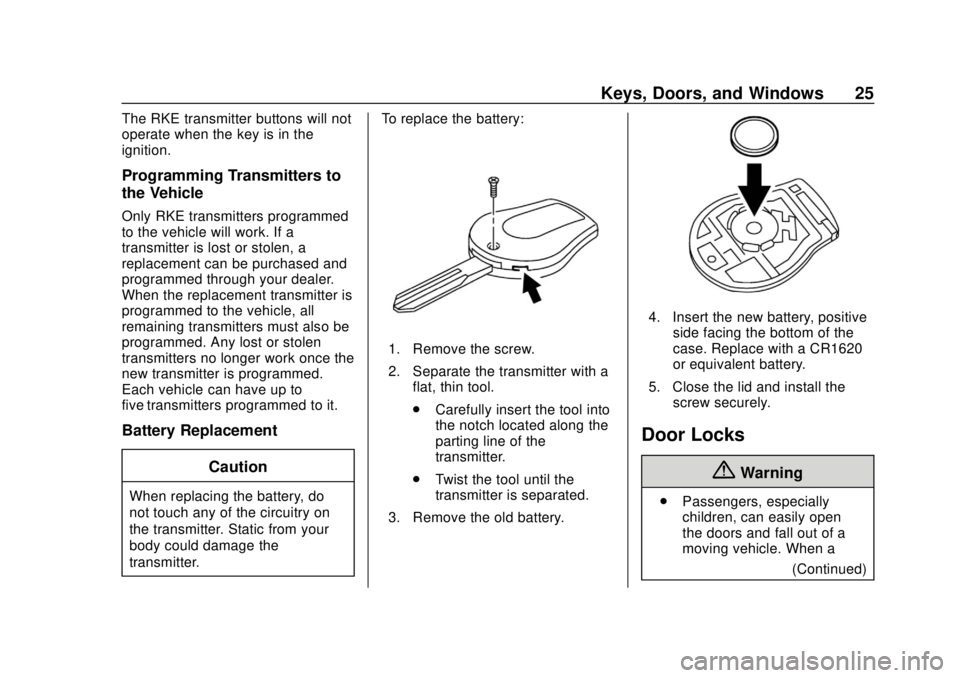
transmitter. To replace the battery:
1. Remove the screw.
2. Separate the transmitter with a
flat, thin tool.
.Carefully insert the tool into
the notch located along the
parting line of the
transmitter.
. Twist the tool until the
transmitter is separated.
3. Remove the old battery.
4. Insert the new battery, positive side facing the bottom of the
case. Replace with a CR1620
or equivalent battery.
5. Close the lid and install the screw securely.
Door Locks
{Warning
.Passengers, especially
children, can easily open
the doors and fall out of a
moving vehicle. When a
(Continued)
Page 28 of 287
Chevrolet City Express Owner Manual (GMNA-Localizing-U.S./Canada-
11683523) - 2018 - CRC - 7/10/17
Keys, Doors, and Windows 27
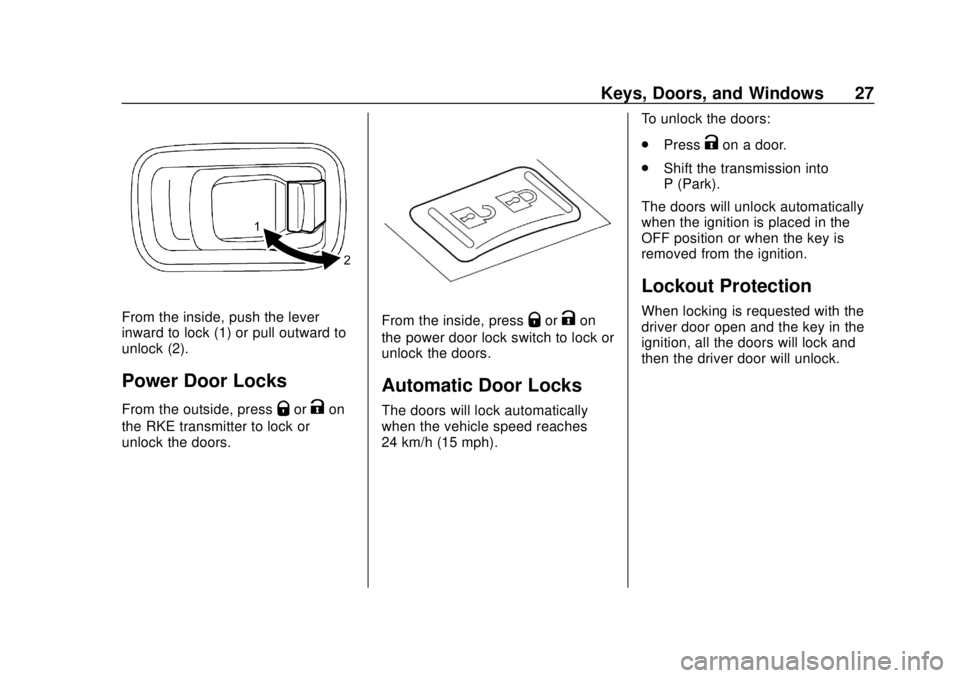
From the inside, push the lever
inward to lock (1) or pull outward to
unlock (2).
Power Door Locks
From the outside, pressQorKon
the RKE transmitter to lock or
unlock the doors.
From the inside, pressQorKon
the power door lock switch to lock or
unlock the doors.
Automatic Door Locks
The doors will lock automatically
when the vehicle speed reaches
24 km/h (15 mph). To unlock the doors:
.
Press
Kon a door.
. Shift the transmission into
P (Park).
The doors will unlock automatically
when the ignition is placed in the
OFF position or when the key is
removed from the ignition.
Lockout Protection
When locking is requested with the
driver door open and the key in the
ignition, all the doors will lock and
then the driver door will unlock.
Page 32 of 287
Chevrolet City Express Owner Manual (GMNA-Localizing-U.S./Canada-
11683523) - 2018 - CRC - 7/10/17
Keys, Doors, and Windows 31
2. Close all the doors and lockthe vehicle in one of
three ways:
.Use the key.
. With the door open, press
the inside lock button and
close the door. Make sure
the key is not inside the
vehicle.
. Use the RKE transmitter.
See Remote Keyless Entry
(RKE) System Operation
0 23.
If the lock button is pressed
when the doors are locked,
the lights flash twice and
the horn may beep once to
indicate the doors are
locked.
3. Confirm that the security light comes on. The security light
stays on for about 30 seconds.
The vehicle security system is
now pre-armed. After 30 seconds the alarm system
will arm, and the security light will
begin to slowly flash indicating the
alarm system is operating.
The system will not arm if any of the
following occur during the
30-second pre-arm time period:
.
The door is unlocked with the
key, the power door lock switch,
or the RKE transmitter.
. Any door is open.
. The ignition key is turned to
ACC or ON.
. The key is turned slowly when
locking the door.
If the key is turned beyond the
vertical position toward the unlock
position to remove the key, the
system may be disarmed when the
key is removed. If the security light
fails to glow for a period of time,
unlock the door once and lock it
again. When the driver and/or passengers
are in the vehicle, the system will
still arm when all doors are closed
and locked and the ignition key is in
the OFF position.
Vehicle Security System
Activation
The security system will activate as
follows:
.
The headlamps blink and the
horn sounds intermittently. The
alarm automatically turns off
after a period of time. The alarm
will sound if the vehicle is
tampered with again.
. The alarm will sound if opening
a door without using the key or
RKE transmitter, even if the door
is unlocked by using the inside
lock knob or the power door lock
switch.
Page 33 of 287
Chevrolet City Express Owner Manual (GMNA-Localizing-U.S./Canada-
11683523) - 2018 - CRC - 7/10/17
32 Keys, Doors, and Windows
Disarming the Alarm System
Do one of the following to disarm
the alarm system or turn off the
alarm if it has been activated:
.Press
Kon the RKE transmitter.
. Unlock the driver door using
the key.
Immobilizer
See Radio Frequency Statement
0 273.
Immobilizer Operation
This vehicle has an alarm system.
The system does not have to be
manually armed or disarmed.
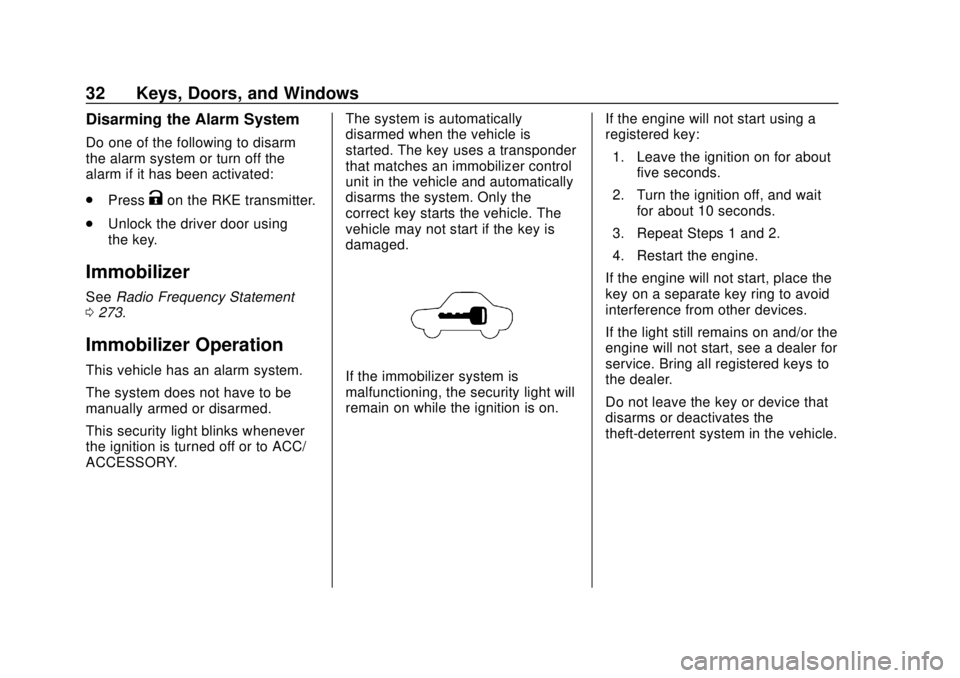
This security light blinks whenever
the ignition is turned off or to ACC/
ACCESSORY. The system is automatically
disarmed when the vehicle is
started. The key uses a transponder
that matches an immobilizer control
unit in the vehicle and automatically
disarms the system. Only the
correct key starts the vehicle. The
vehicle may not start if the key is
damaged.If the immobilizer system is
malfunctioning, the security light will
remain on while the ignition is on.
If the engine will not start using a
registered key:
1. Leave the ignition on for about five seconds.
2. Turn the ignition off, and wait for about 10 seconds.
3. Repeat Steps 1 and 2.
4. Restart the engine.
If the engine will not start, place the
key on a separate key ring to avoid
interference from other devices.
If the light still remains on and/or the
engine will not start, see a dealer for
service. Bring all registered keys to
the dealer.
Do not leave the key or device that
disarms or deactivates the
theft-deterrent system in the vehicle.
Page 34 of 287
Chevrolet City Express Owner Manual (GMNA-Localizing-U.S./Canada-
11683523) - 2018 - CRC - 7/10/17
Keys, Doors, and Windows 33
Exterior Mirrors
Convex Mirrors
{Warning
A convex mirror can make things,
like other vehicles, look farther
away than they really are. If you
cut too sharply into the right lane,
you could hit a vehicle on the
right. Check the inside mirror or
glance over your shoulder before
changing lanes.
The passenger side mirror is convex
shaped. A convex mirror's surface is
curved so more can be seen from
the driver seat.
Manual Mirrors
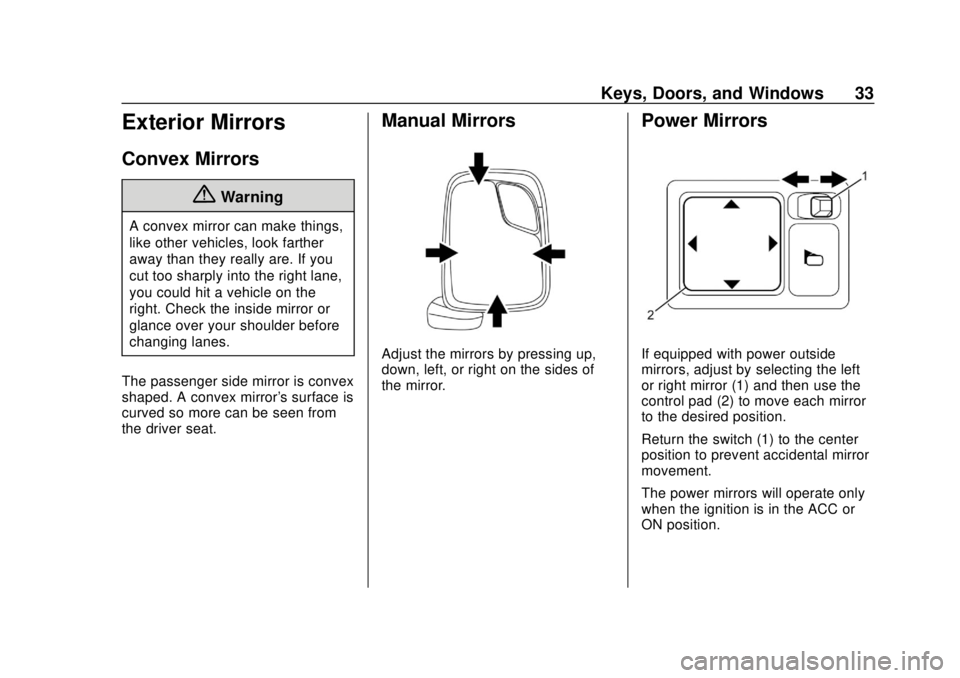
Adjust the mirrors by pressing up,
down, left, or right on the sides of
the mirror.
Power Mirrors
If equipped with power outside
mirrors, adjust by selecting the left
or right mirror (1) and then use the
control pad (2) to move each mirror
to the desired position.
Return the switch (1) to the center
position to prevent accidental mirror
movement.
The power mirrors will operate only
when the ignition is in the ACC or
ON position.
Page 36 of 287
Chevrolet City Express Owner Manual (GMNA-Localizing-U.S./Canada-
11683523) - 2018 - CRC - 7/10/17
Keys, Doors, and Windows 35
Power Windows
{Warning
Leaving children in a vehicle with
the Remote Keyless Entry (RKE)
transmitter is dangerous for many
reasons; children or others could
be badly injured or even killed.
They could operate the power
windows or other controls or even
make the vehicle move. They
could be seriously injured or killed
if caught in the path of a closing
window. Do not leave the RKE
transmitter in a vehicle with
children.
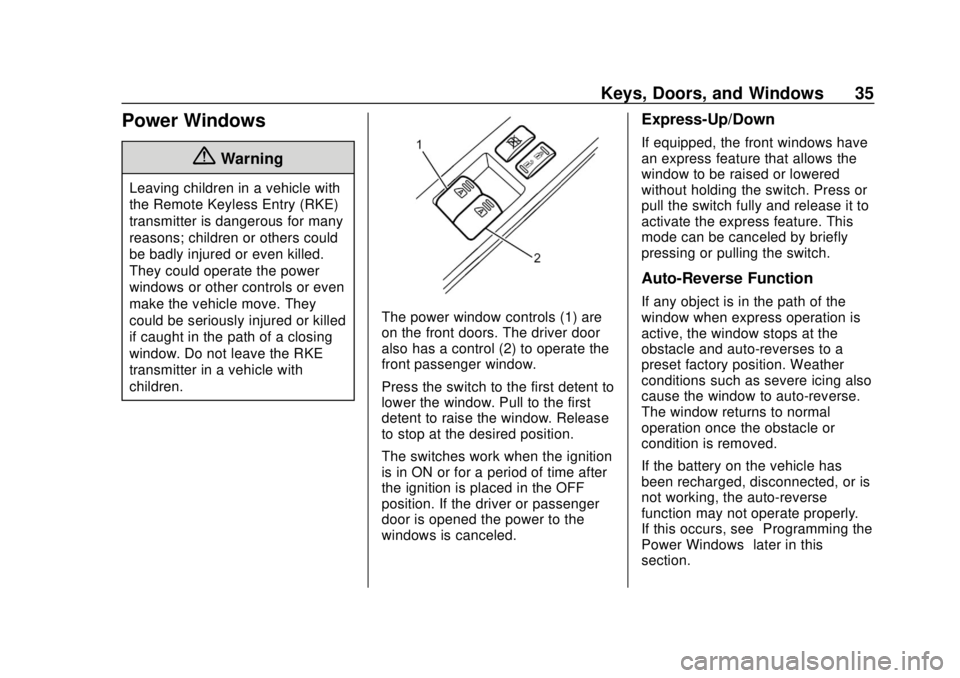
The power window controls (1) are
on the front doors. The driver door
also has a control (2) to operate the
front passenger window.
Press the switch to the first detent to
lower the window. Pull to the first
detent to raise the window. Release
to stop at the desired position.
The switches work when the ignition
is in ON or for a period of time after
the ignition is placed in the OFF
position. If the driver or passenger
door is opened the power to the
windows is canceled.
Express-Up/Down
If equipped, the front windows have
an express feature that allows the
window to be raised or lowered
without holding the switch. Press or
pull the switch fully and release it to
activate the express feature. This
mode can be canceled by briefly
pressing or pulling the switch.
Auto-Reverse Function
If any object is in the path of the
window when express operation is
active, the window stops at the
obstacle and auto-reverses to a
preset factory position. Weather
conditions such as severe icing also
cause the window to auto-reverse.
The window returns to normal
operation once the obstacle or
condition is removed.
If the battery on the vehicle has
been recharged, disconnected, or is
not working, the auto-reverse
function may not operate properly.
If this occurs, see“Programming the
Power Windows” later in this
section.
Page 37 of 287
Chevrolet City Express Owner Manual (GMNA-Localizing-U.S./Canada-
11683523) - 2018 - CRC - 7/10/17
36 Keys, Doors, and Windows
{Warning
There are some small distances
immediately before the closed
position which cannot be
detected. Make sure that all
passengers have their hands,
etc., inside the vehicle before
closing the window.
Window Lockout
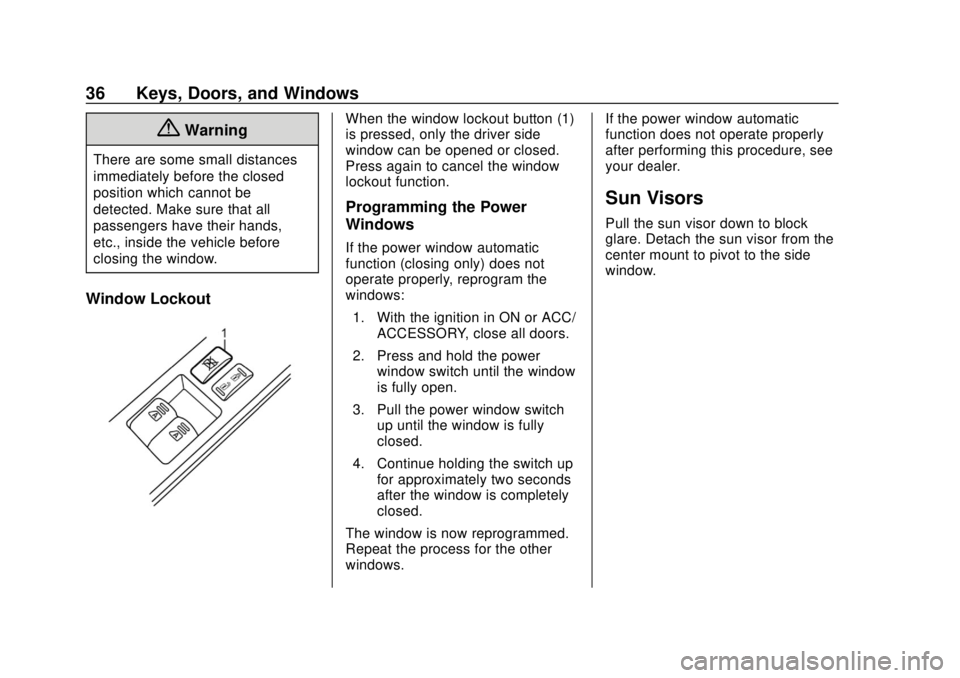
When the window lockout button (1)
is pressed, only the driver side
window can be opened or closed.
Press again to cancel the window
lockout function.
Programming the Power
Windows
If the power window automatic
function (closing only) does not
operate properly, reprogram the
windows:1. With the ignition in ON or ACC/ ACCESSORY, close all doors.
2. Press and hold the power window switch until the window
is fully open.
3. Pull the power window switch up until the window is fully
closed.
4. Continue holding the switch up for approximately two seconds
after the window is completely
closed.
The window is now reprogrammed.
Repeat the process for the other
windows. If the power window automatic
function does not operate properly
after performing this procedure, see
your dealer.
Sun Visors
Pull the sun visor down to block
glare. Detach the sun visor from the
center mount to pivot to the side
window.
Page 53 of 287
Chevrolet City Express Owner Manual (GMNA-Localizing-U.S./Canada-
11683523) - 2018 - CRC - 7/10/17
52 Seats and Restraints
Warning (Continued)
or it might force the object into
that person causing severe injury
or even death. The path of an
inflating airbag must be kept
clear. Do not put anything
between an occupant and an
airbag, and do not attach or put
anything on the steering wheel
hub or on or near any other
airbag covering.
Do not use seat accessories that
block the inflation path of a
seat-mounted side impact airbag.
Never secure anything to the roof
of a vehicle with roof-rail airbags
by routing a rope or tie‐down
through any door or window
opening. If you do, the path of an
inflating roof-rail airbag will be
blocked.
When Should an Airbag
Inflate?
This vehicle is equipped with
airbags. SeeAirbag System 049.
Airbags are designed to inflate
when the ignition is in the ON
position and the impact exceeds the
specific airbag system's deployment
threshold. Deployment thresholds
are used to predict how severe a
crash is likely to be in time for the
airbags to inflate and help restrain
the occupants. The vehicle has
electronic sensors that help the
airbag system determine the
severity of the impact. Deployment
thresholds can vary with specific
vehicle design.
Frontal airbags are designed to
inflate in higher severity frontal
collisions, although they may inflate
if the forces in another type of
collision are similar to those of a
higher severity frontal impact, to
help reduce the potential for severe
injuries, mainly to the driver's or
front outboard passenger's head
and chest. Frontal airbags do not
provide restraint to the lower body. Depending upon sensor input and
crash severity, it is possible that
only one frontal airbag may inflate
during a crash.
In addition, the vehicle has
advanced technology frontal
airbags. Advanced technology
frontal airbags adjust the restraint
according to crash severity and seat
belt usage.
In any particular crash, no one can
say whether an airbag should have
inflated simply because of the
vehicle damage or repair costs.
{Warning
.
The front airbags ordinarily
will not inflate in the event of
a side impact, rear impact,
rollover, or lower severity
frontal collision. Always
wear your seat belt to help
reduce the risk or severity of
injury in various kinds of
accidents.
(Continued)
Page 57 of 287
Chevrolet City Express Owner Manual (GMNA-Localizing-U.S./Canada-
11683523) - 2018 - CRC - 7/10/17
56 Seats and Restraints
other parts. The service manual
for the vehicle covers the need
to replace other parts.
. The vehicle has a crash sensing
and diagnostic module which
records information after a
crash. See Vehicle Data
Recording and Privacy 0275
and Event Data Recorders
0 275.
. Let only qualified technicians
work on the airbag systems.
Improper service can mean that
an airbag system will not work
properly. See your dealer for
service.
Passenger Sensing
System
{Warning
The front passenger airbag is
designed to automatically turn off
under some conditions. Read this
section carefully to learn how it
operates. Proper use of the seat,
(Continued)
Warning (Continued)
seat belt, and child restraints is
necessary for most effective
protection. Failure to follow all
instructions in this manual
concerning the use of seats, seat
belts, and child restraints can
increase the risk or severity of
injury in an accident.
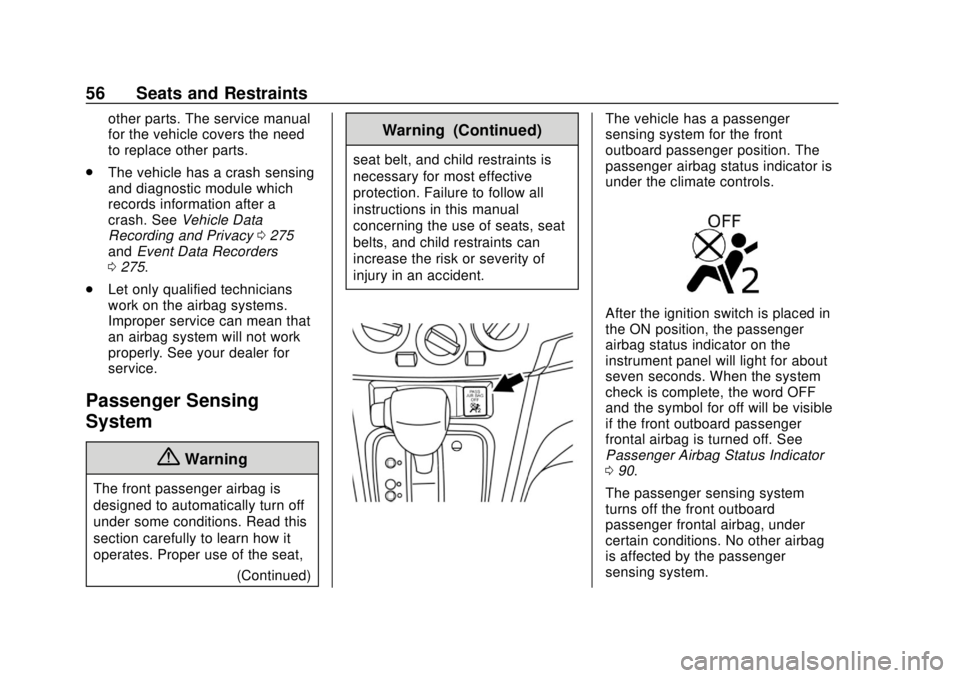
The vehicle has a passenger
sensing system for the front
outboard passenger position. The
passenger airbag status indicator is
under the climate controls.
After the ignition switch is placed in
the ON position, the passenger
airbag status indicator on the
instrument panel will light for about
seven seconds. When the system
check is complete, the word OFF
and the symbol for off will be visible
if the front outboard passenger
frontal airbag is turned off. See
Passenger Airbag Status Indicator
090.
The passenger sensing system
turns off the front outboard
passenger frontal airbag, under
certain conditions. No other airbag
is affected by the passenger
sensing system.
Page 79 of 287
Chevrolet City Express Owner Manual (GMNA-Localizing-U.S./Canada-
11683523) - 2018 - CRC - 7/10/17
78 Seats and Restraints
To remove the child restraint,
unbuckle the vehicle seat belt and
let it return to the stowed position.
Securing a Booster Seat
{Warning
Do not use the child restraint
locking feature when using a
booster seat with the seat belts.
Follow these steps to install a
booster seat in the front
passenger seat: 1. If you must install a booster seat in the front seat, move the
seat to the rear-most position.
2. Position the booster seat on the seat. Only place it in a
front-facing direction. Always
follow the booster seat
manufacturer ’s instructions.
3. The booster seat should be positioned on the vehicle seat
so that it is stable. If necessary, adjust or remove
the head restraint to obtain the
correct booster seat fit. If the
head restraint is removed,
store it in a secure place. Be
sure to reinstall the head
restraint when the booster seat
is removed. For more
information, see
Head
Restraints 037 for head
restraint adjustment, removal,
and installation information.
If the seating position does not
have an adjustable head
restraint and it is interfering
with the proper booster seat fit,
try a different booster seat.
4. Position the lap portion of the seat belt low and snug on the
child’s hips. Be sure to follow
the booster seat
manufacturer ’s instructions for
adjusting the seat belt routing.
5. Pull the shoulder belt portion of the seat belt toward the
retractor to take up the extra
slack. Be sure the shoulder belt
is positioned across the top,
middle portion of the child’s shoulder. Be sure to follow the
booster seat manufacturer
’s
instructions for adjusting the
seat belt routing.
6. Follow the warnings, cautions, and instructions for properly
fastening a seat belt. See
Lap-Shoulder Belt 045.
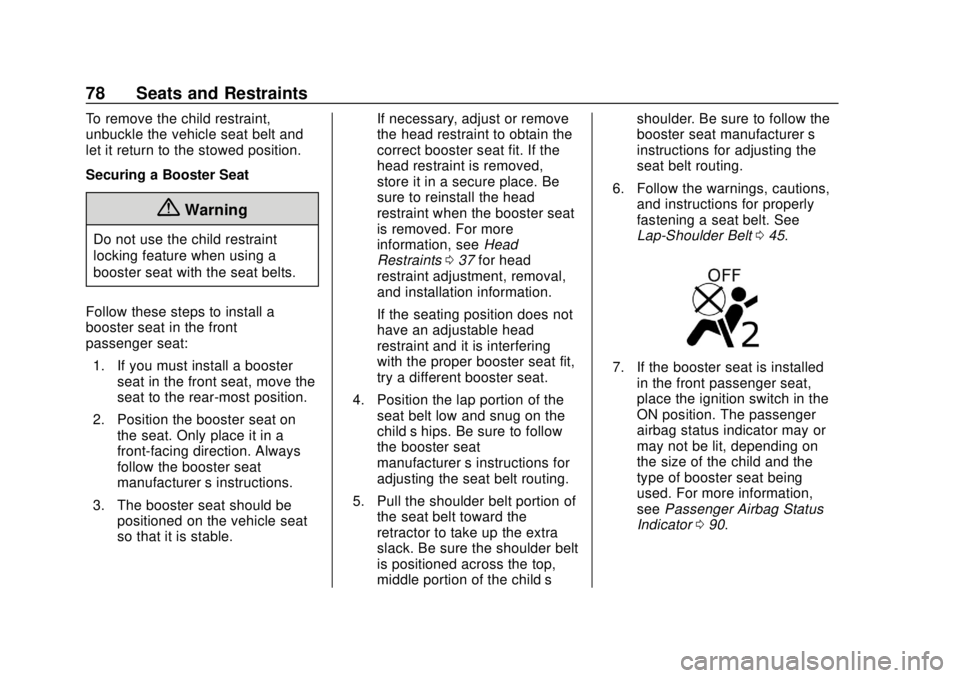
7. If the booster seat is installed
in the front passenger seat,
place the ignition switch in the
ON position. The passenger
airbag status indicator may or
may not be lit, depending on
the size of the child and the
type of booster seat being
used. For more information,
see Passenger Airbag Status
Indicator 090.