steering CHEVROLET DYNASTY 1993 Service Manual
[x] Cancel search | Manufacturer: CHEVROLET, Model Year: 1993, Model line: DYNASTY, Model: CHEVROLET DYNASTY 1993Pages: 2438, PDF Size: 74.98 MB
Page 2374 of 2438
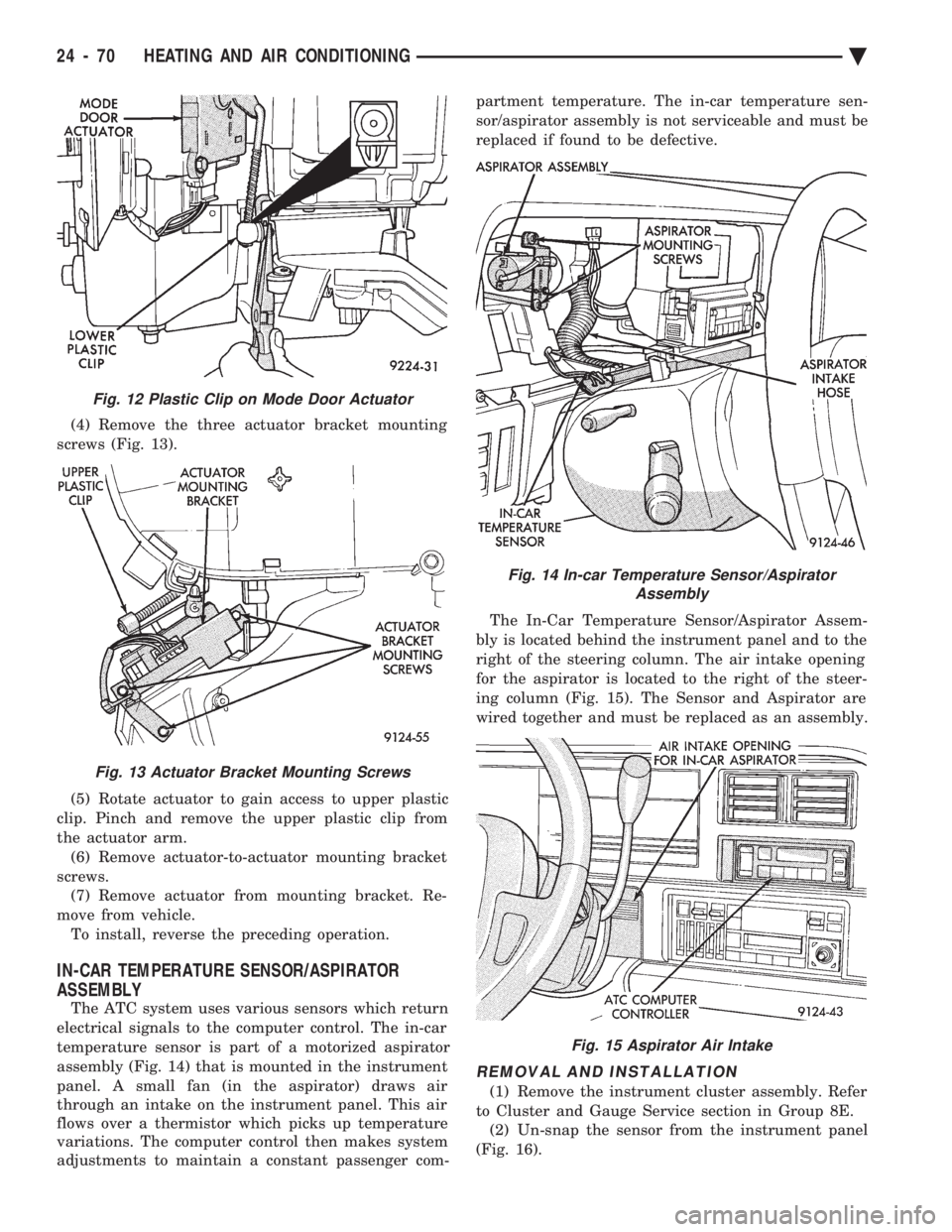
(4) Remove the three actuator bracket mounting
screws (Fig. 13).
(5) Rotate actuator to gain access to upper plastic
clip. Pinch and remove the upper plastic clip from
the actuator arm. (6) Remove actuator-to-actuator mounting bracket
screws. (7) Remove actuator from mounting bracket. Re-
move from vehicle. To install, reverse the preceding operation.
IN-CAR TEMPERATURE SENSOR/ASPIRATOR
ASSEMBLY
The ATC system uses various sensors which return
electrical signals to the computer control. The in-car
temperature sensor is part of a motorized aspirator
assembly (Fig. 14) that is mounted in the instrument
panel. A small fan (in the aspirator) draws air
through an intake on the instrument panel. This air
flows over a thermistor which picks up temperature
variations. The computer control then makes system
adjustments to maintain a constant passenger com- partment temperature. The in-car temperature sen-
sor/aspirator assembly is not serviceable and must be
replaced if found to be defective.
The In-Car Temperature Sensor/Aspirator Assem-
bly is located behind the instrument panel and to the
right of the steering column. The air intake opening
for the aspirator is located to the right of the steer-
ing column (Fig. 15). The Sensor and Aspirator are
wired together and must be replaced as an assembly.
REMOVAL AND INSTALLATION
(1) Remove the instrument cluster assembly. Refer
to Cluster and Gauge Service section in Group 8E. (2) Un-snap the sensor from the instrument panel
(Fig. 16).
Fig. 12 Plastic Clip on Mode Door Actuator
Fig. 13 Actuator Bracket Mounting Screws
Fig. 14 In-car Temperature Sensor/Aspirator Assembly
Fig. 15 Aspirator Air Intake
24 - 70 HEATING AND AIR CONDITIONING Ä
Page 2376 of 2438
NONÐCOMPUTER AIDED DIAGNOSTIC TESTS
Determine whether the operator complaint is due
to a system failure or improper operation of the ATC
system. The system will to go into a maximum heat
or cooling mode if the operator changes the tempera-
ture setting four or more degrees. Check the following:
² Coolant level
² Refrigerant charge
² Drive belt tension
² Radiator air flow
² Radiator fan operation
² Air suction of In-car Temperature Sensor/Aspirator
To check air suction of the Aspirator, place a small
piece of tissue paper over the Aspirator opening on
the instrument panel. This opening is located to the
right of the steering column. The tissue paper should
cling to the opening if system is functioning properly. Bring the engine to normal operating temperature
and proceed with Computer Aided Diagnostic Proce-
dures. Always test the entire system after each re-
pair has been performed.
COMPUTER AIDED DIAGNOSTIC TESTS
The ATC control has a computer capable of trou-
bleshooting the entire ATC system in approximately
60 seconds. The engine must be running and at nor-
mal operating temperature during the test to provide
hot coolant for the heater. During the ATC Diagnostic Test, the computer will
calibrate the Mode and Blend Door actuators.
CAUTION: Do not remove the actuators from the
heater-A/C unit assembly with power applied. Re-
moval should only be done with the Ignition OFF.
The actuators have no mechanical stops to limit the
travel. If the actuator rotates and is not connected
to the unit assembly, it will become un-calibrated.
The Diagnostic Test is capable of checking all elec-
trical signals between the ATC Control Module, ac-
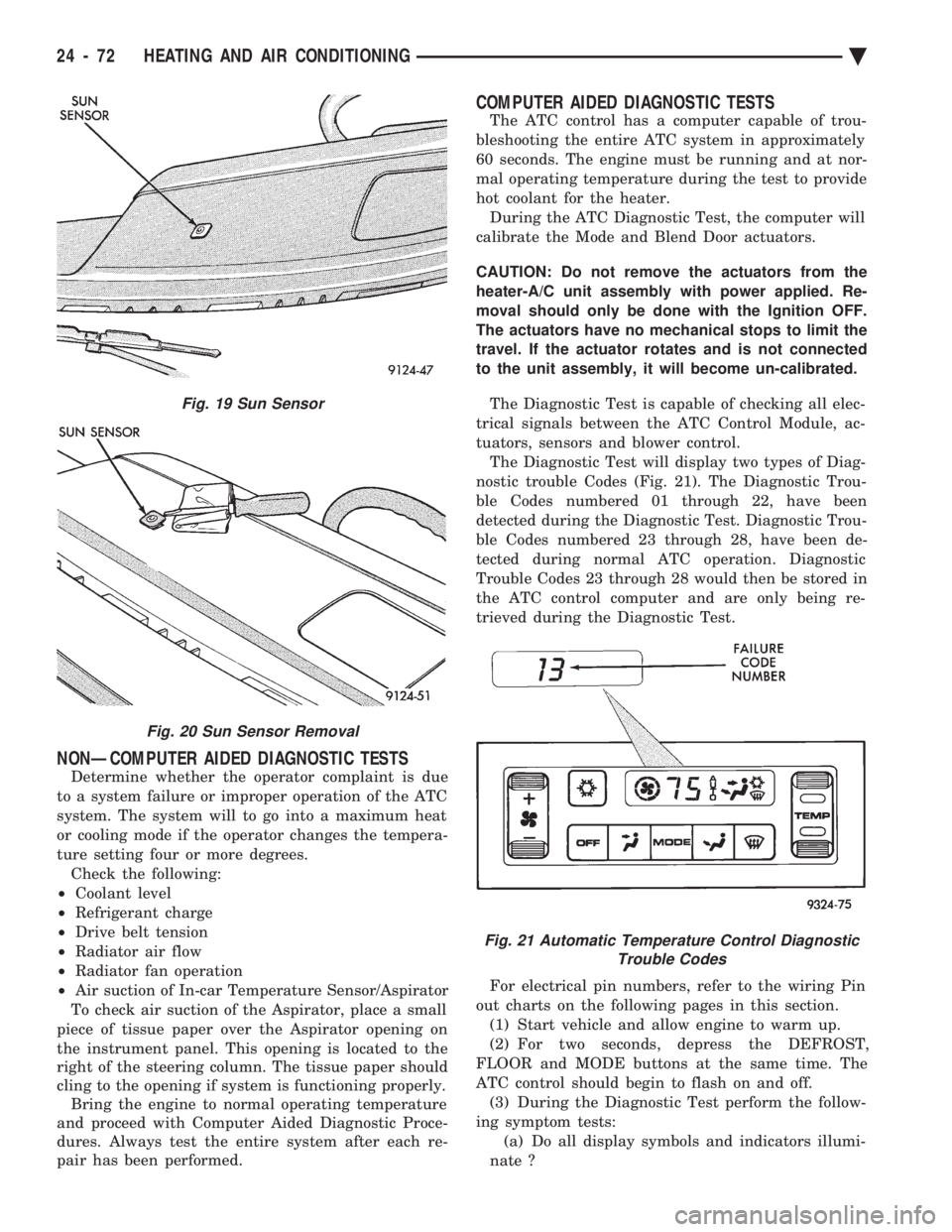
tuators, sensors and blower control. The Diagnostic Test will display two types of Diag-
nostic trouble Codes (Fig. 21). The Diagnostic Trou-
ble Codes numbered 01 through 22, have been
detected during the Diagnostic Test. Diagnostic Trou-
ble Codes numbered 23 through 28, have been de-
tected during normal ATC operation. Diagnostic
Trouble Codes 23 through 28 would then be stored in
the ATC control computer and are only being re-
trieved during the Diagnostic Test.
For electrical pin numbers, refer to the wiring Pin
out charts on the following pages in this section. (1) Start vehicle and allow engine to warm up.
(2) For two seconds, depress the DEFROST,
FLOOR and MODE buttons at the same time. The
ATC control should begin to flash on and off. (3) During the Diagnostic Test perform the follow-
ing symptom tests: (a) Do all display symbols and indicators illumi-
nate ?
Fig. 19 Sun Sensor
Fig. 20 Sun Sensor Removal
Fig. 21 Automatic Temperature Control Diagnostic Trouble Codes
24 - 72 HEATING AND AIR CONDITIONING Ä