tow CHEVROLET KODIAK 2006 User Guide
[x] Cancel search | Manufacturer: CHEVROLET, Model Year: 2006, Model line: KODIAK, Model: CHEVROLET KODIAK 2006Pages: 398, PDF Size: 5.72 MB
Page 101 of 398
Overdrive Defeat
If your vehicle has this feature, you can select not to
shift up to fifth gear. This is useful when towing or under
a heavy load.
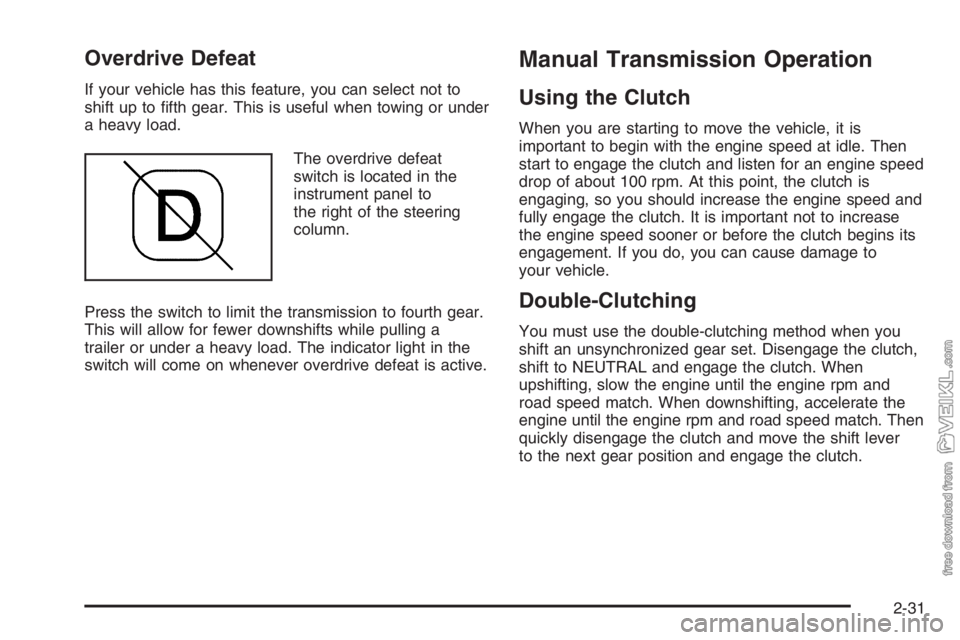
The overdrive defeat
switch is located in the
instrument panel to
the right of the steering
column.
Press the switch to limit the transmission to fourth gear.
This will allow for fewer downshifts while pulling a
trailer or under a heavy load. The indicator light in the
switch will come on whenever overdrive defeat is active.
Manual Transmission Operation
Using the Clutch
When you are starting to move the vehicle, it is
important to begin with the engine speed at idle. Then
start to engage the clutch and listen for an engine speed
drop of about 100 rpm. At this point, the clutch is
engaging, so you should increase the engine speed and
fully engage the clutch. It is important not to increase
the engine speed sooner or before the clutch begins its
engagement. If you do, you can cause damage to
your vehicle.
Double-Clutching
You must use the double-clutching method when you
shift an unsynchronized gear set. Disengage the clutch,
shift to NEUTRAL and engage the clutch. When
upshifting, slow the engine until the engine rpm and
road speed match. When downshifting, accelerate the
engine until the engine rpm and road speed match. Then
quickly disengage the clutch and move the shift lever
to the next gear position and engage the clutch.
2-31
Page 102 of 398
Eaton®Fuller®Five and Six-Speed
Transmissions and TTC Spicer
Seven-Speed Transmissions
These transmissions have gears that automatically
synchronize when you shift up or down (except
FIRST (1) gear on the five-speed and seven-speed
transmission which is unsynchronized). Choose the gear
that will maintain the road speed you want while
keeping the engine above two-thirds of the governed
speed. When the engine speed drops below two-thirds
of the governed speed, shift into the next lower gear
before your engine begins to lug. When you shift down,
be sure to double-clutch if required.
ZF Six-Speed Transmission
Here is how to operate your transmission.
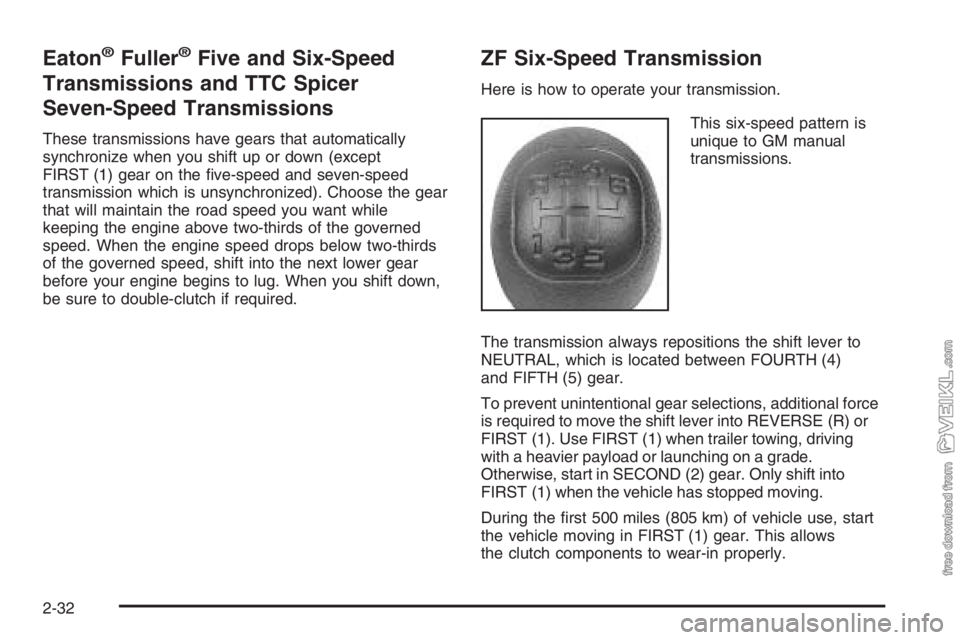
This six-speed pattern is
unique to GM manual
transmissions.
The transmission always repositions the shift lever to
NEUTRAL, which is located between FOURTH (4)
and FIFTH (5) gear.
To prevent unintentional gear selections, additional force
is required to move the shift lever into REVERSE (R) or
FIRST (1). Use FIRST (1) when trailer towing, driving
with a heavier payload or launching on a grade.
Otherwise, start in SECOND (2) gear. Only shift into
FIRST (1) when the vehicle has stopped moving.
During the first 500 miles (805 km) of vehicle use, start
the vehicle moving in FIRST (1) gear. This allows
the clutch components to wear-in properly.
2-32
Page 107 of 398
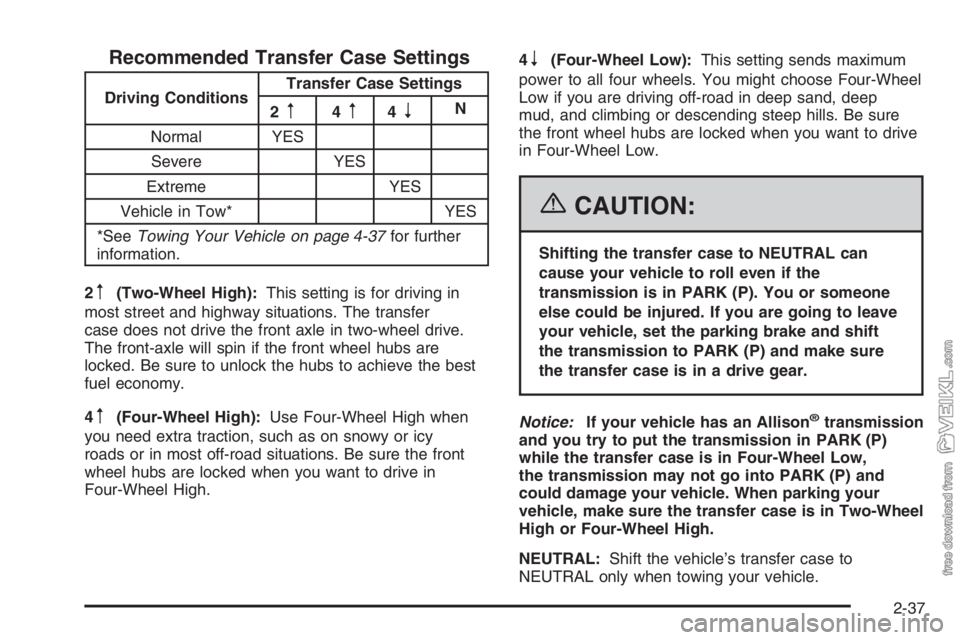
Recommended Transfer Case Settings
Driving ConditionsTransfer Case Settings
2m4m4nN
Normal YES
Severe YES
Extreme YES
Vehicle in Tow* YES
*SeeTowing Your Vehicle on page 4-37for further
information.
2
m(Two-Wheel High):This setting is for driving in
most street and highway situations. The transfer
case does not drive the front axle in two-wheel drive.
The front-axle will spin if the front wheel hubs are
locked. Be sure to unlock the hubs to achieve the best
fuel economy.
4
m(Four-Wheel High):Use Four-Wheel High when
you need extra traction, such as on snowy or icy
roads or in most off-road situations. Be sure the front
wheel hubs are locked when you want to drive in
Four-Wheel High.4
n(Four-Wheel Low):This setting sends maximum
power to all four wheels. You might choose Four-Wheel
Low if you are driving off-road in deep sand, deep
mud, and climbing or descending steep hills. Be sure
the front wheel hubs are locked when you want to drive
in Four-Wheel Low.
{CAUTION:
Shifting the transfer case to NEUTRAL can
cause your vehicle to roll even if the
transmission is in PARK (P). You or someone
else could be injured. If you are going to leave
your vehicle, set the parking brake and shift
the transmission to PARK (P) and make sure
the transfer case is in a drive gear.
Notice:If your vehicle has an Allison
®transmission
and you try to put the transmission in PARK (P)
while the transfer case is in Four-Wheel Low,
the transmission may not go into PARK (P) and
could damage your vehicle. When parking your
vehicle, make sure the transfer case is in Two-Wheel
High or Four-Wheel High.
NEUTRAL:Shift the vehicle’s transfer case to
NEUTRAL only when towing your vehicle.
2-37
Page 113 of 398
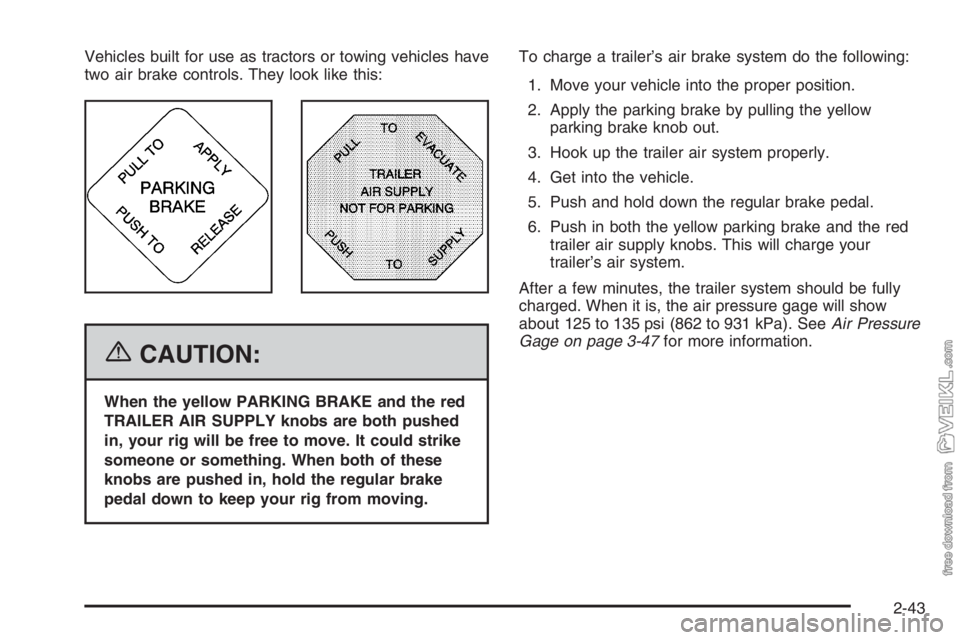
Vehicles built for use as tractors or towing vehicles have
two air brake controls. They look like this:
{CAUTION:
When the yellow PARKING BRAKE and the red
TRAILER AIR SUPPLY knobs are both pushed
in, your rig will be free to move. It could strike
someone or something. When both of these
knobs are pushed in, hold the regular brake
pedal down to keep your rig from moving.To charge a trailer’s air brake system do the following:
1. Move your vehicle into the proper position.
2. Apply the parking brake by pulling the yellow
parking brake knob out.
3. Hook up the trailer air system properly.
4. Get into the vehicle.
5. Push and hold down the regular brake pedal.
6. Push in both the yellow parking brake and the red
trailer air supply knobs. This will charge your
trailer’s air system.
After a few minutes, the trailer system should be fully
charged. When it is, the air pressure gage will show
about 125 to 135 psi (862 to 931 kPa). SeeAir Pressure
Gage on page 3-47for more information.
2-43
Page 114 of 398
For driving with a trailer, the yellow and red, if equipped,
knobs must be pushed in. When you are not pulling a
trailer, the red trailer air supply knob must be pulled out.
{CAUTION:
If you apply any one of the air brake parking
controls while the vehicle is moving, your rig
will stop suddenly. If you are not ready for this,
you or others could be injured. Do not apply any
one of these controls while you are driving,
unless you have to make an emergency stop.
If the air pressure drops below 60 to 70 psi
(413 to 482 kPa), the primary brake light and warning
buzzer will come on. If the air pressure drops to
35 to 45 psi (241 to 310 kPa), the red trailer air supply
knob will automatically pop out and apply the spring
brakes on the trailer.
If the air pressure drops to 35 to 45 psi (241 to 310 kPa),
the yellow park brake knob will automatically pop out
and apply the spring brakes on the truck or tractor.
If you ever have a complete loss of air so that your air
brakes automatically apply, there is a way that the
tow operator can release the parking brakes to tow the
vehicle. SeeTowing Your Vehicle on page 4-37.
Air Suspension
Your vehicle may have the Hendrickson HAS Series
single-axle air suspension which is designed for a
single-axle on-highway use. This feature is available in
19,000 lb (8 613.3 kg), 21,000 lb (9 525.4 kg) and
23,000 lb (10 432.6 kg) capacities.
Rear Air Suspension Dump Control
If your vehicle is equipped with the Hendrickson HAS
Series single-axle air suspension, you may have
this control. The air suspension dump control allows the
operator to lower the deck height approximately
4.5 inches (11.5 cm) from the normal frame height.
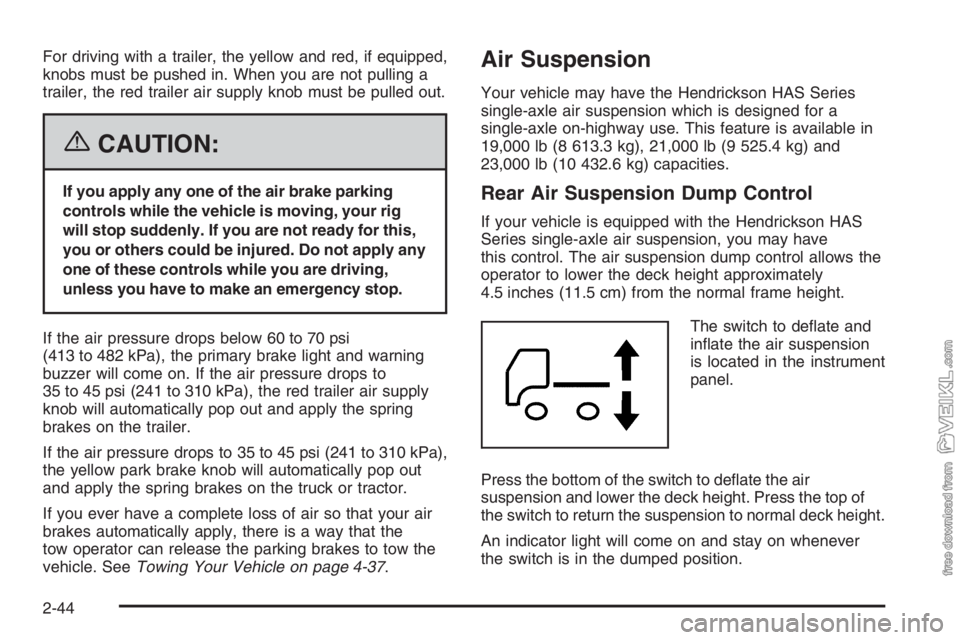
The switch to deflate and
inflate the air suspension
is located in the instrument
panel.
Press the bottom of the switch to deflate the air
suspension and lower the deck height. Press the top of
the switch to return the suspension to normal deck height.
An indicator light will come on and stay on whenever
the switch is in the dumped position.
2-44
Page 117 of 398
Mirrors
Manual Rearview Mirror
If your vehicle has this feature, pull the tab under the
mirror toward you to reduce glare from headlamps
behind you after dark. Push the tab away from you to
restore the mirror to the daytime position.
Outside Manual Mirrors
Adjust the outside rearview mirrors so you can see a
little of the side of your vehicle, and the area beside your
vehicle from a comfortable driving position. All mirrors
can be folded in to enter narrow passageways.
Outside Power Mirrors
If you have outside power mirrors, they can be adjusted
from the inside of the vehicle.
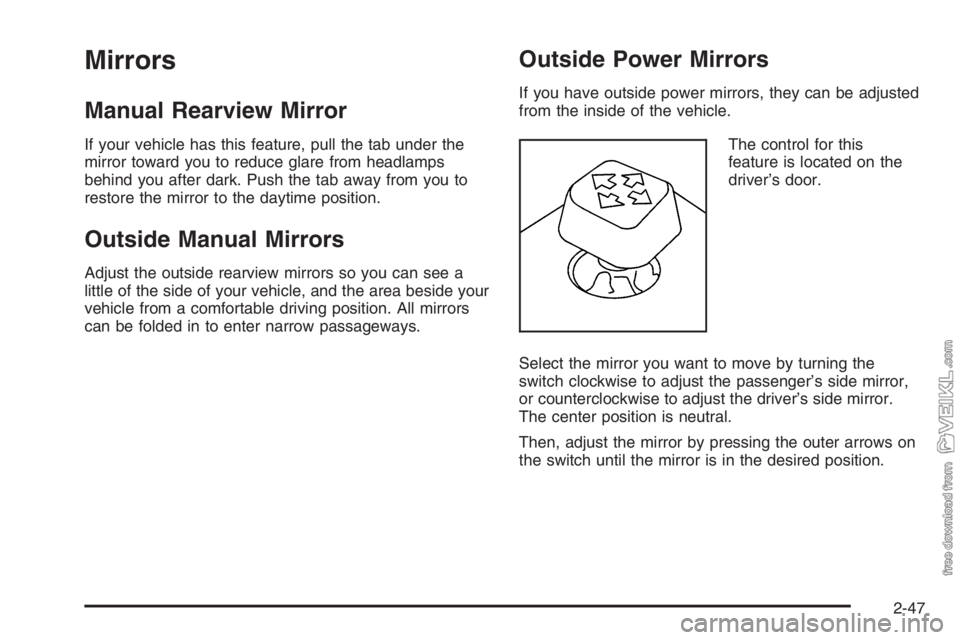
The control for this
feature is located on the
driver’s door.
Select the mirror you want to move by turning the
switch clockwise to adjust the passenger’s side mirror,
or counterclockwise to adjust the driver’s side mirror.
The center position is neutral.
Then, adjust the mirror by pressing the outer arrows on
the switch until the mirror is in the desired position.
2-47
Page 128 of 398
Turn and Lane-Change Signals
The turn signal has two upward (for right) and
two downward (for left) positions. These positions allow
you to signal a turn or a lane change.
To signal a turn, move the lever all the way up or down.
When the turn is finished, the lever will return
automatically.
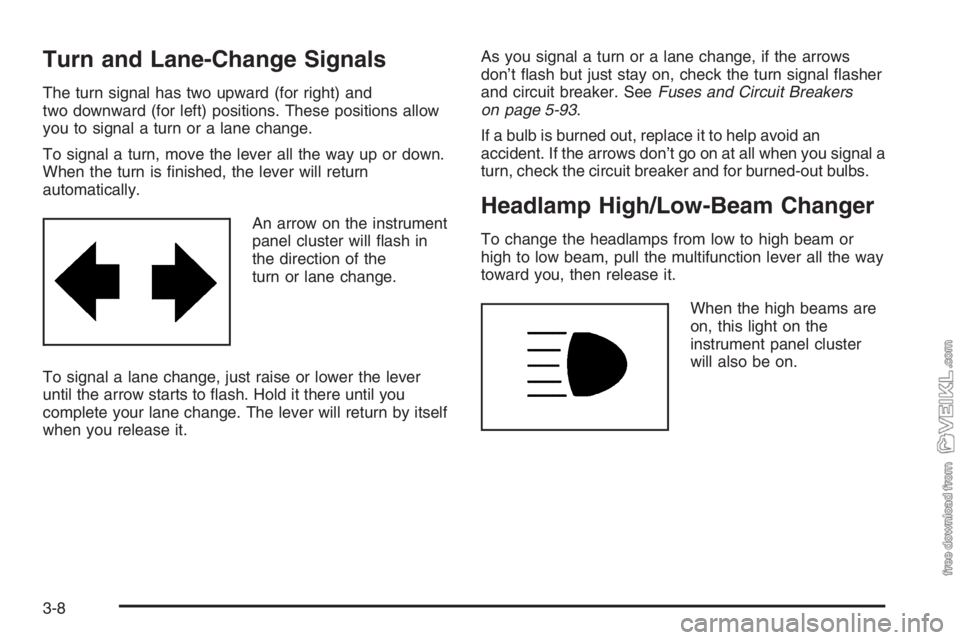
An arrow on the instrument
panel cluster will flash in
the direction of the
turn or lane change.
To signal a lane change, just raise or lower the lever
until the arrow starts to flash. Hold it there until you
complete your lane change. The lever will return by itself
when you release it.As you signal a turn or a lane change, if the arrows
don’t flash but just stay on, check the turn signal flasher
and circuit breaker. SeeFuses and Circuit Breakers
on page 5-93.
If a bulb is burned out, replace it to help avoid an
accident. If the arrows don’t go on at all when you signal a
turn, check the circuit breaker and for burned-out bulbs.
Headlamp High/Low-Beam Changer
To change the headlamps from low to high beam or
high to low beam, pull the multifunction lever all the way
toward you, then release it.
When the high beams are
on, this light on the
instrument panel cluster
will also be on.
3-8
Page 129 of 398
Windshield Wipers
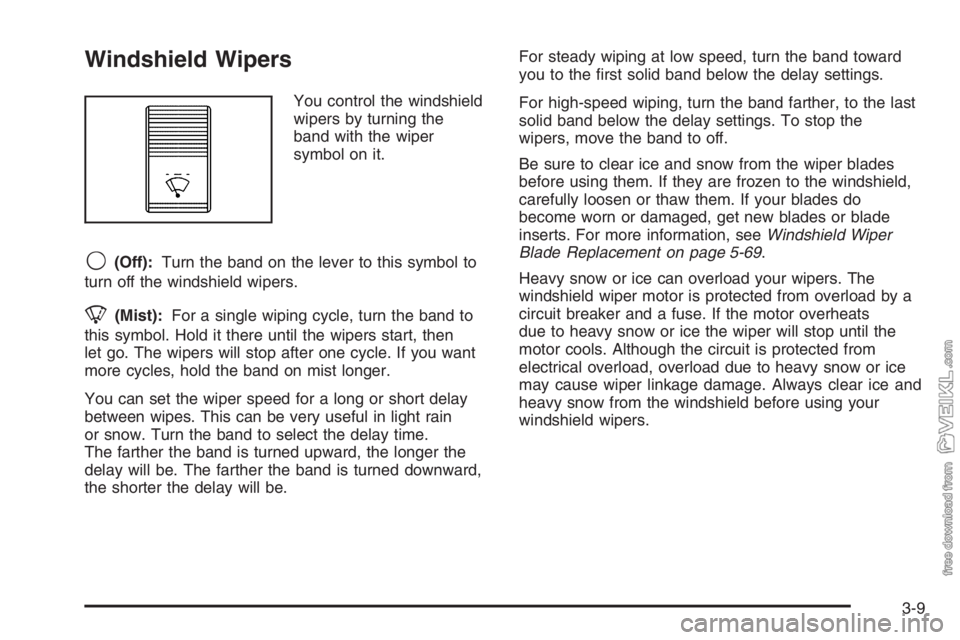
You control the windshield
wipers by turning the
band with the wiper
symbol on it.
9(Off):Turn the band on the lever to this symbol to
turn off the windshield wipers.
8(Mist):For a single wiping cycle, turn the band to
this symbol. Hold it there until the wipers start, then
let go. The wipers will stop after one cycle. If you want
more cycles, hold the band on mist longer.
You can set the wiper speed for a long or short delay
between wipes. This can be very useful in light rain
or snow. Turn the band to select the delay time.
The farther the band is turned upward, the longer the
delay will be. The farther the band is turned downward,
the shorter the delay will be.For steady wiping at low speed, turn the band toward
you to the first solid band below the delay settings.
For high-speed wiping, turn the band farther, to the last
solid band below the delay settings. To stop the
wipers, move the band to off.
Be sure to clear ice and snow from the wiper blades
before using them. If they are frozen to the windshield,
carefully loosen or thaw them. If your blades do
become worn or damaged, get new blades or blade
inserts. For more information, seeWindshield Wiper
Blade Replacement on page 5-69.
Heavy snow or ice can overload your wipers. The
windshield wiper motor is protected from overload by a
circuit breaker and a fuse. If the motor overheats
due to heavy snow or ice the wiper will stop until the
motor cools. Although the circuit is protected from
electrical overload, overload due to heavy snow or ice
may cause wiper linkage damage. Always clear ice and
heavy snow from the windshield before using your
windshield wipers.
3-9
Page 134 of 398
Exterior Lamps
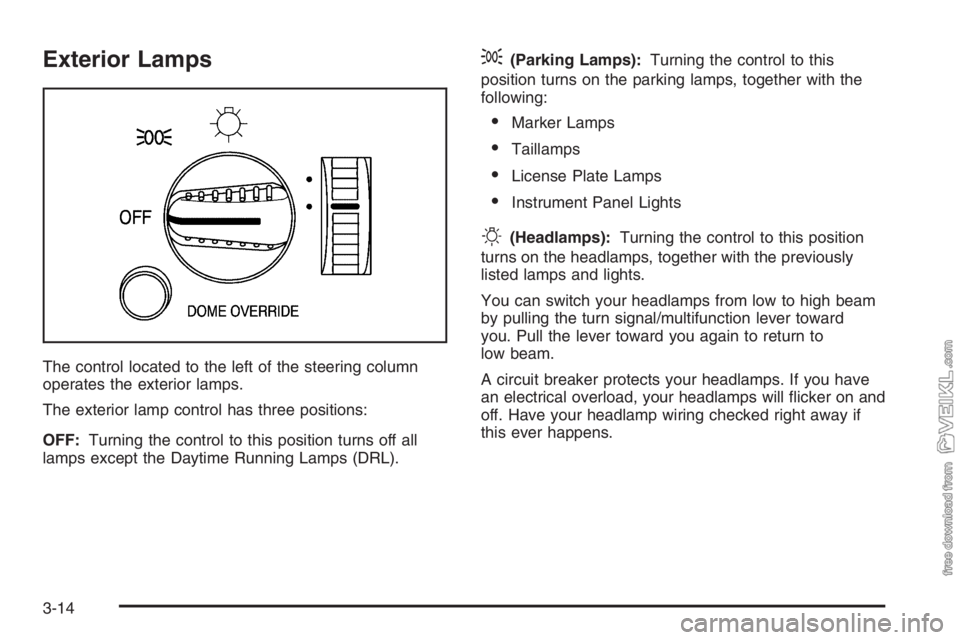
The control located to the left of the steering column
operates the exterior lamps.
The exterior lamp control has three positions:
OFF:Turning the control to this position turns off all
lamps except the Daytime Running Lamps (DRL).
;(Parking Lamps):Turning the control to this
position turns on the parking lamps, together with the
following:
•Marker Lamps
•Taillamps
•License Plate Lamps
•Instrument Panel Lights
O(Headlamps):Turning the control to this position
turns on the headlamps, together with the previously
listed lamps and lights.
You can switch your headlamps from low to high beam
by pulling the turn signal/multifunction lever toward
you. Pull the lever toward you again to return to
low beam.
A circuit breaker protects your headlamps. If you have
an electrical overload, your headlamps will flicker on and
off. Have your headlamp wiring checked right away if
this ever happens.
3-14
Page 141 of 398
To change the current mode, select one of the following:
9(Off):This setting turns the system off.
H(Vent):This mode directs air to the instrument
panel vents.
)(Bi-Level):This mode directs half of the air to the
instrument panel vents, then directs the remaining
air to the floor vents. Cooler air is directed to the upper
vents and warmer air to the floor vents.
6(Floor):This mode directs most of the air to the
floor vents. Use this mode to send air to the rear of the
vehicle. Keep the area under the front seats free of
objects that could obstruct airflow to the rear of
the vehicle.The mode knob can also be used to select the defrost
mode. For more information, see “Defogging and
Defrosting” later in this section.
9(Fan):Turn the left knob clockwise or
counterclockwise to increase or decrease the fan speed.
To increase airflow, turn the knob clockwise. To
decrease airflow, turn it counterclockwise. To turn the
fan off, turn the mode knob on the far right
counterclockwise to the off position.
Temperature Knob:Turn the middle knob located
clockwise or counterclockwise to increase or decrease
the temperature inside of your vehicle. Turn the
knob toward the red area for warmer air. Turn the knob
toward the blue area for cooler air.
3-21