wheel CHEVROLET KODIAK 2009 Owner's Manual
[x] Cancel search | Manufacturer: CHEVROLET, Model Year: 2009, Model line: KODIAK, Model: CHEVROLET KODIAK 2009Pages: 376, PDF Size: 5.39 MB
Page 128 of 376
Cruise Control
With cruise control, a speed of about 25 mph (40 km/h)
or more can be maintained without keeping your foot
on the accelerator. Cruise control does not work
at speeds below about 25 mph (40 km/h).
If the brakes or clutch pedal, if the vehicle has a manual
transmission, is applied, the cruise control will shut off.
{CAUTION:
Cruise control can be dangerous where you
cannot drive safely at a steady speed. So, do not
use the cruise control on winding roads or in
heavy traffic.
Cruise control can be dangerous on slippery
roads. On such roads, fast changes in tire traction
can cause excessive wheel slip, and you could
lose control. Do not use cruise control on slippery
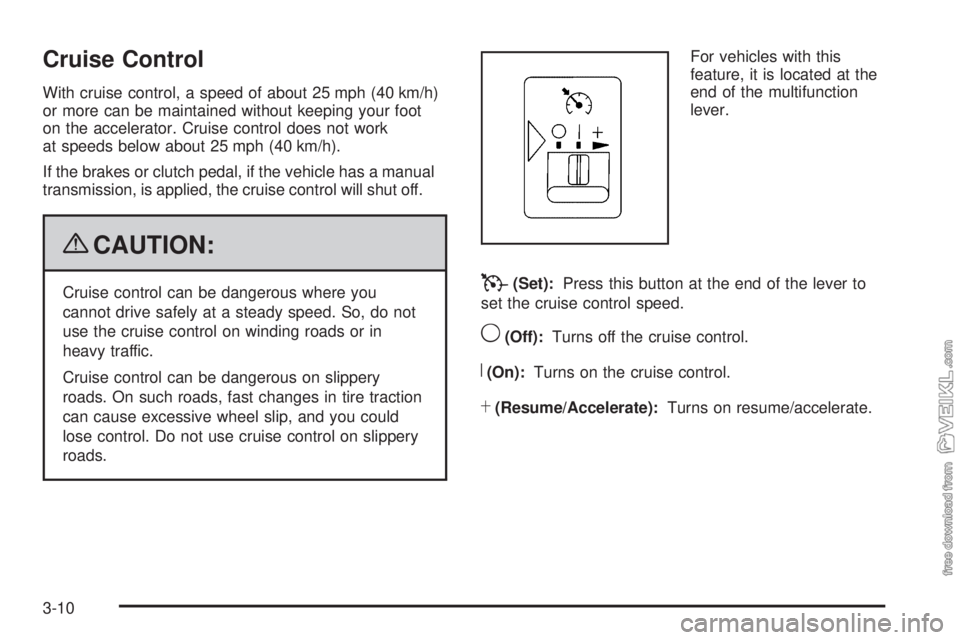
roads.For vehicles with this
feature, it is located at the
end of the multifunction
lever.T(Set):Press this button at the end of the lever to
set the cruise control speed.
9(Off):Turns off the cruise control.
R(On):Turns on the cruise control.
S(Resume/Accelerate):Turns on resume/accelerate.
3-10
Page 134 of 376
Marker Lamps
For vehicles with this feature, the marker and clearance
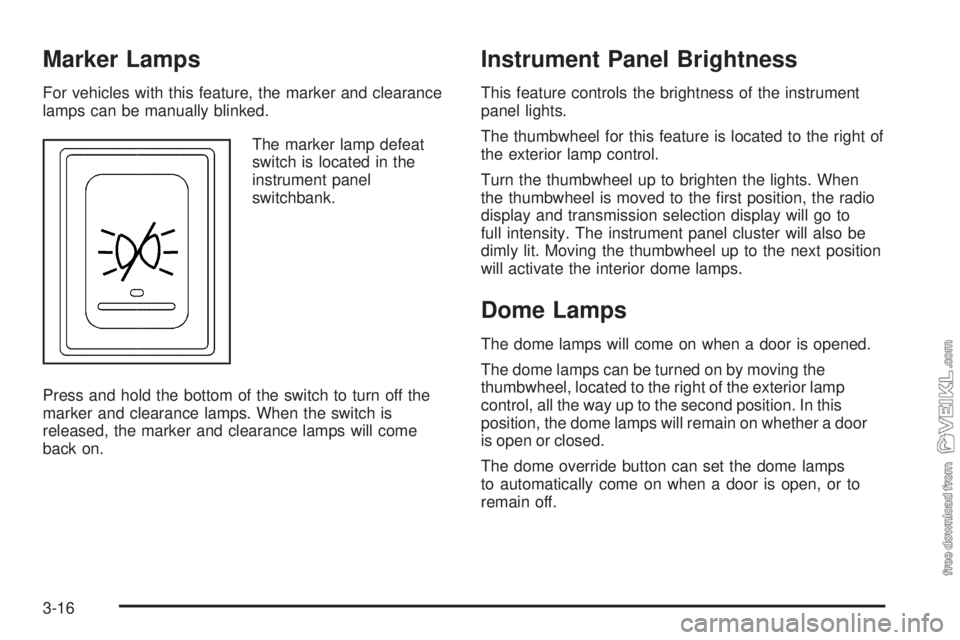
lamps can be manually blinked.
The marker lamp defeat
switch is located in the
instrument panel
switchbank.
Press and hold the bottom of the switch to turn off the
marker and clearance lamps. When the switch is
released, the marker and clearance lamps will come
back on.
Instrument Panel Brightness
This feature controls the brightness of the instrument
panel lights.
The thumbwheel for this feature is located to the right of
the exterior lamp control.
Turn the thumbwheel up to brighten the lights. When
the thumbwheel is moved to the first position, the radio
display and transmission selection display will go to
full intensity. The instrument panel cluster will also be
dimly lit. Moving the thumbwheel up to the next position
will activate the interior dome lamps.
Dome Lamps
The dome lamps will come on when a door is opened.
The dome lamps can be turned on by moving the
thumbwheel, located to the right of the exterior lamp
control, all the way up to the second position. In this
position, the dome lamps will remain on whether a door
is open or closed.
The dome override button can set the dome lamps
to automatically come on when a door is open, or to
remain off.
3-16
Page 141 of 376

Rear Heating System
If the vehicle has a crew
cab and has a rear heater,
the thumbwheel for this
feature is located on
the headliner.
To increase and decrease the flow of heated air to the
rear floor vents, turn the thumbwheel to the desired
fan speed. To turn the fan off, turn the thumbwheel all
the way down.
Warning Lights, Gages, and
Indicators
Warning lights and gages can signal that something is
wrong before it becomes serious enough to cause
an expensive repair or replacement. Paying attention to
the warning lights and gages could prevent injury.
Warning lights come on when there may be or is a
problem with one of the vehicle’s functions. Some
warning lights come on briefly when the engine is started
to indicate they are working.
Gages can indicate when there may be or is a problem
with one of the vehicle’s functions. Often gages and
warning lights work together to indicate a problem with
the vehicle.
When one of the warning lights comes on and stays on
while driving, or when one of the gages shows there
may be a problem, check the section that explains what
to do. Follow this manual’s advice. Waiting to do
repairs can be costly and even dangerous.
3-23
Page 180 of 376
Braking
SeeBrake System Warning Light on page 3-31.
Braking action involves perception time and reaction
time. Deciding to push the brake pedal is perception
time. Actually doing it is reaction time.
Average reaction time is about three-fourths of a
second. But that is only an average. It might be less
with one driver and as long as two or three seconds or
more with another. Age, physical condition, alertness,
coordination and eyesight all play a part. So do alcohol,
drugs and frustration. But even in three-fourths of a
second, a vehicle moving at 60 mph (100 km/h) travels
66 feet (20 m). That could be a lot of distance in an
emergency, so keeping enough space between
the vehicle and others is important.
And, of course, actual stopping distances vary greatly
with the surface of the road, whether it is pavement
or gravel; the condition of the road, whether it is wet, dry
or icy; tire tread; the condition of the brakes; the
weight of the vehicle; the weight of the load; and the
amount of brake force applied.
Avoid needless heavy braking. Some people drive
in spurts — heavy acceleration followed by heavy
braking — rather than keeping pace with traffic. This is
a mistake. The brakes might not have time to cool
between hard stops. The brakes will wear out much
faster with a lot of heavy braking. Keeping pace with thetraffic and allowing realistic following distances
eliminates a lot of unnecessary braking. That means
better braking and longer brake life.
If the engine ever stops while the vehicle is being driven,
brake normally but do not pump the brakes. If the brakes
are pumped, the pedal could get harder to push down.
If the engine stops, there will still be some power brake
assist but it will be used when the brake is applied. Once
the power assist is used up, it can take longer to stop and
the brake pedal will be harder to push.
Hydraulic Brake Systems
If the engine stops running, or if the primary brake system
stops working, your vehicle has a reserve power assist
system to help you slow down. Just slowly and steadily
apply the brake pedal until you can safely get off the road.
The pedal will seem harder to push down. Do not pump
the pedal; the system will not work well that way.
You might find that the steering wheel seems hard to
turn when you are turning and braking at the same time.
Also, the primary brake warning light might come on
and the warning tone might sound. This is normal
because the main hydraulic brake system and power
steering both use the power steering pump. If this ever
happens, let up on the brake pedal a little. When
you let up on the brake pedal in that situation, it lets the
steering get a little more help from the pump.
4-4
Page 181 of 376
Antilock Brake System (ABS)
This vehicle has the Antilock Brake System (ABS), an
advanced electronic braking system that helps prevent a
braking skid.
When the engine is started and the vehicle begins to
drive away, ABS checks itself. A momentary motor
or clicking noise might be heard while this test is going
on. This is normal.
If there is a problem with
ABS, this warning light
stays on. SeeAntilock
Brake System (ABS)
Warning Light on
page 3-33.
Let us say the road is wet and you are driving safely.
Suddenly, an animal jumps out in front of you. You slam
on the brakes and continue braking. Here is what
happens with ABS:
A computer senses that the wheels are slowing down.
If one of the wheels is about to stop rolling, the computer
will separately work the brakes at each wheel.ABS can change the brake pressure to each wheel, as
required, faster than any driver could. This can help
the driver steer around the obstacle while braking hard.
As the brakes are applied, the computer keeps
receiving updates on wheel speed and controls braking
pressure accordingly.
Remember: ABS does not change the time needed to get
a foot up to the brake pedal or always decrease stopping
distance. If you get too close to the vehicle in front of you,
there will not be enough time to apply the brakes if that
vehicle suddenly slows or stops. Always leave enough
room up ahead to stop, even with ABS.
Using ABS
Do not pump the brakes. Just hold the brake pedal
down firmly and let antilock work. The brakes might be
felt to pulsate, or the sound of air exhausting might
be heard if the vehicle has air brakes, but this is normal.
Braking in Emergencies
ABS allows the driver to steer and brake at the same
time. In many emergencies, steering can help more than
even the very best braking.
4-5
Page 183 of 376
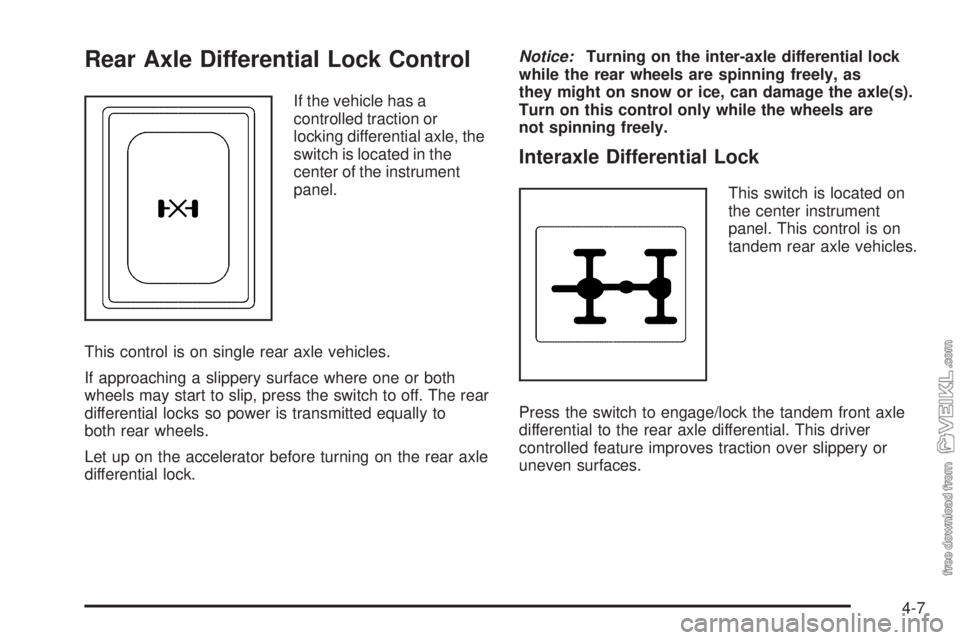
Rear Axle Differential Lock Control
If the vehicle has a
controlled traction or
locking differential axle, the
switch is located in the
center of the instrument
panel.
This control is on single rear axle vehicles.
If approaching a slippery surface where one or both
wheels may start to slip, press the switch to off. The rear
differential locks so power is transmitted equally to
both rear wheels.
Let up on the accelerator before turning on the rear axle
differential lock.Notice:Turning on the inter-axle differential lock
while the rear wheels are spinning freely, as
they might on snow or ice, can damage the axle(s).
Turn on this control only while the wheels are
not spinning freely.
Interaxle Differential Lock
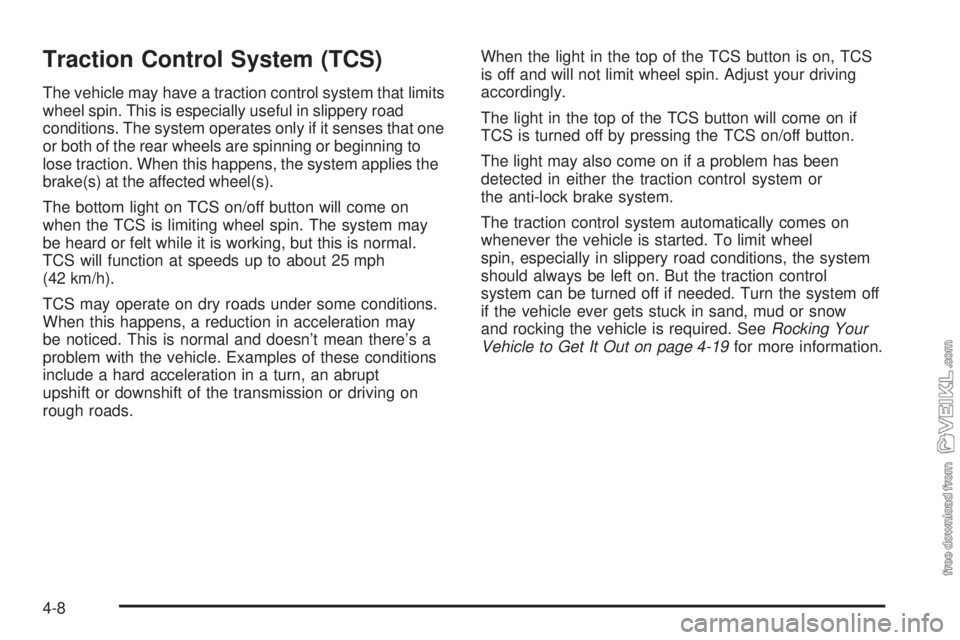
This switch is located on
the center instrument
panel. This control is on
tandem rear axle vehicles.
Press the switch to engage/lock the tandem front axle
differential to the rear axle differential. This driver
controlled feature improves traction over slippery or
uneven surfaces.
4-7
Page 184 of 376
Traction Control System (TCS)
The vehicle may have a traction control system that limits
wheel spin. This is especially useful in slippery road
conditions. The system operates only if it senses that one
or both of the rear wheels are spinning or beginning to
lose traction. When this happens, the system applies the
brake(s) at the affected wheel(s).
The bottom light on TCS on/off button will come on
when the TCS is limiting wheel spin. The system may
be heard or felt while it is working, but this is normal.
TCS will function at speeds up to about 25 mph
(42 km/h).
TCS may operate on dry roads under some conditions.
When this happens, a reduction in acceleration may
be noticed. This is normal and doesn’t mean there’s a
problem with the vehicle. Examples of these conditions
include a hard acceleration in a turn, an abrupt
upshift or downshift of the transmission or driving on
rough roads.When the light in the top of the TCS button is on, TCS
is off and will not limit wheel spin. Adjust your driving
accordingly.
The light in the top of the TCS button will come on if
TCS is turned off by pressing the TCS on/off button.
The light may also come on if a problem has been
detected in either the traction control system or
the anti-lock brake system.
The traction control system automatically comes on
whenever the vehicle is started. To limit wheel
spin, especially in slippery road conditions, the system
should always be left on. But the traction control
system can be turned off if needed. Turn the system off
if the vehicle ever gets stuck in sand, mud or snow
and rocking the vehicle is required. SeeRocking Your
Vehicle to Get It Out on page 4-19for more information.
4-8
Page 185 of 376
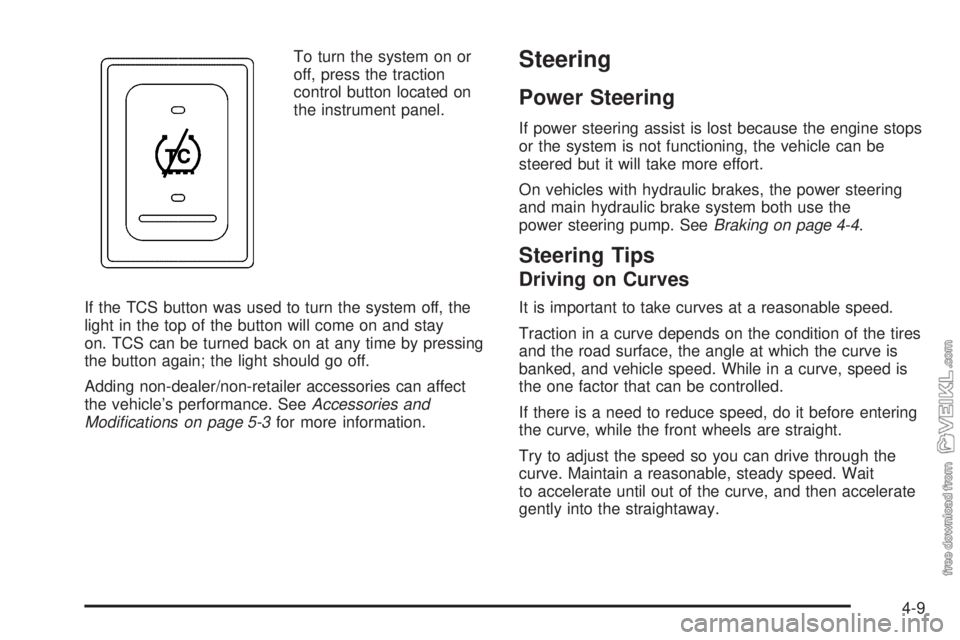
To turn the system on or
off, press the traction
control button located on
the instrument panel.
If the TCS button was used to turn the system off, the
light in the top of the button will come on and stay
on. TCS can be turned back on at any time by pressing
the button again; the light should go off.
Adding non-dealer/non-retailer accessories can affect
the vehicle’s performance. SeeAccessories and
Modifications on page 5-3for more information.Steering
Power Steering
If power steering assist is lost because the engine stops
or the system is not functioning, the vehicle can be
steered but it will take more effort.
On vehicles with hydraulic brakes, the power steering
and main hydraulic brake system both use the
power steering pump. SeeBraking on page 4-4.
Steering Tips
Driving on Curves
It is important to take curves at a reasonable speed.
Traction in a curve depends on the condition of the tires
and the road surface, the angle at which the curve is
banked, and vehicle speed. While in a curve, speed is
the one factor that can be controlled.
If there is a need to reduce speed, do it before entering
the curve, while the front wheels are straight.
Try to adjust the speed so you can drive through the
curve. Maintain a reasonable, steady speed. Wait
to accelerate until out of the curve, and then accelerate
gently into the straightaway.
4-9
Page 186 of 376
Steering in Emergencies
There are times when steering can be more effective
than braking. For example, you come over a hill and find
a truck stopped in your lane, or a car suddenly pulls
out from nowhere, or a child darts out from between
parked cars and stops right in front of you. These
problems can be avoided by braking — if you can stop
in time. But sometimes you cannot stop in time
because there is no room. That is the time for evasive
action — steering around the problem.
The vehicle can perform very well in emergencies like
these. First apply the brakes. SeeBraking on page 4-4.
It is better to remove as much speed as possible
from a collision. Then steer around the problem, to the
left or right depending on the space available.
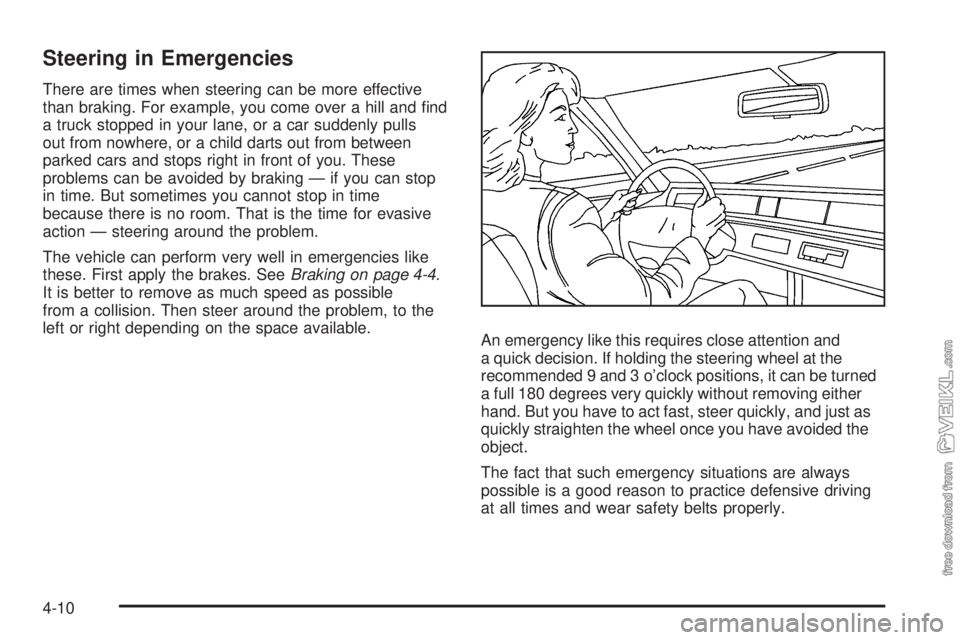
An emergency like this requires close attention and
a quick decision. If holding the steering wheel at the
recommended 9 and 3 o’clock positions, it can be turned
a full 180 degrees very quickly without removing either
hand. But you have to act fast, steer quickly, and just as
quickly straighten the wheel once you have avoided the
object.
The fact that such emergency situations are always
possible is a good reason to practice defensive driving
at all times and wear safety belts properly.
4-10
Page 187 of 376
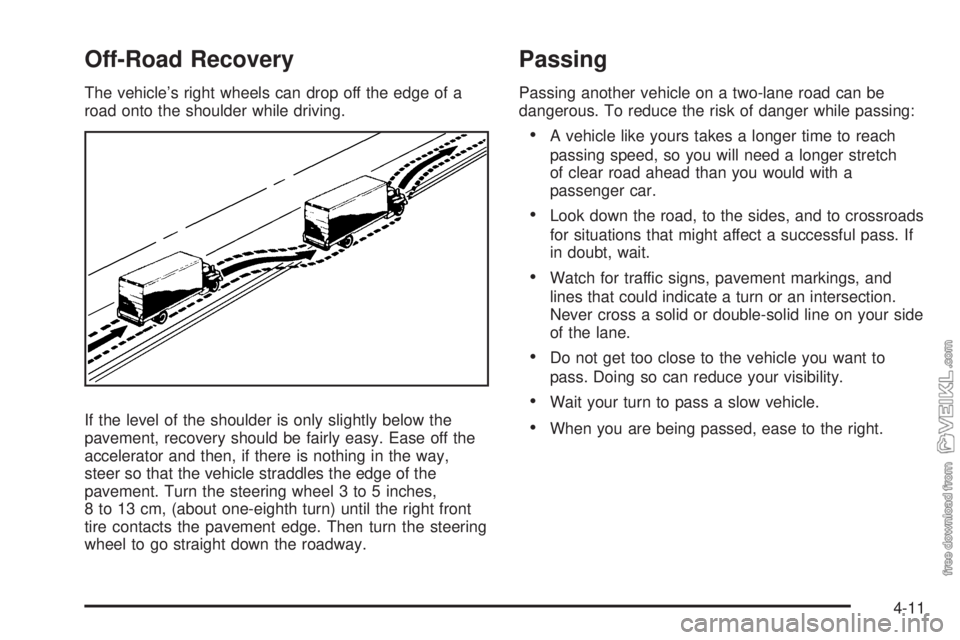
Off-Road Recovery
The vehicle’s right wheels can drop off the edge of a
road onto the shoulder while driving.
If the level of the shoulder is only slightly below the
pavement, recovery should be fairly easy. Ease off the
accelerator and then, if there is nothing in the way,
steer so that the vehicle straddles the edge of the
pavement. Turn the steering wheel 3 to 5 inches,
8 to 13 cm, (about one-eighth turn) until the right front
tire contacts the pavement edge. Then turn the steering
wheel to go straight down the roadway.
Passing
Passing another vehicle on a two-lane road can be
dangerous. To reduce the risk of danger while passing:
•A vehicle like yours takes a longer time to reach
passing speed, so you will need a longer stretch
of clear road ahead than you would with a
passenger car.
•Look down the road, to the sides, and to crossroads
for situations that might affect a successful pass. If
in doubt, wait.
•Watch for traffic signs, pavement markings, and
lines that could indicate a turn or an intersection.
Never cross a solid or double-solid line on your side
of the lane.
•Do not get too close to the vehicle you want to
pass. Doing so can reduce your visibility.
•Wait your turn to pass a slow vehicle.
•When you are being passed, ease to the right.
4-11