Stop CHEVROLET MALIBU 2017 9.G Manual PDF
[x] Cancel search | Manufacturer: CHEVROLET, Model Year: 2017, Model line: MALIBU, Model: CHEVROLET MALIBU 2017 9.GPages: 419, PDF Size: 7.81 MB
Page 251 of 419
Chevrolet Malibu Owner Manual (GMNA-Localizing-U.S./Canada/Mexico-10122664) - 2017 - crc - 5/23/16
250 Driving and Operating
See“Go Notifier”in“Collision/Detection Systems”underVehiclePersonalization0147.
When the vehicle ahead drivesaway, press +RES or theaccelerator pedal to resume ACC.If stopped for more thantwo minutes or if the driver door isopened and the driver safety belt isunbuckled, the ACC automaticallyapplies the Electric Parking Brake(EPB) to hold the vehicle. TheElectric Parking Brake status lightwill turn on. SeeElectric ParkingBrake0238.ToreleasetheEPB,press the accelerator pedal.
ADICwarningmessagemaydisplay indicating to shift to P (Park)before exiting the vehicle. SeeCruise Control Messages0139.
{Warning
If ACC has stopped the vehicle,
and if ACC is disengaged, turned
off, or canceled, the vehicle will
no longer be held at a stop. The
vehicle can move. When ACC is
(Continued)
Warning (Continued)
holding the vehicle at a stop,
always be prepared to manually
apply the brakes.
{Warning
Leaving the vehicle without
placing it in P (Park) can be
dangerous. Do not leave the
vehicle while it is being held at a
stop by ACC. Always place the
vehicle in P (Park) and turn off
the ignition before leaving the
vehicle.
ACC Override
If using the accelerator pedal whileACC is active, a warning messageon the DIC will indicate thatautomatic braking will not occur.SeeCruise Control Messages0139.ACCwillresumeoperationwhen the accelerator pedal is notbeing pressed.
{Warning
The ACC will not automatically
apply the brakes if your foot is
resting on the accelerator pedal.
Yo u c o u l d c r a s h i n t o a v e h i c l e
ahead of you.
Curves in the Road
{Warning
On curves, ACC may not detect a
vehicle ahead in your lane. You
could be startled if the vehicle
accelerates up to the set speed,
especially when following a
vehicle exiting or entering exit
ramps. You could lose control of
the vehicle or crash. Do not use
ACC while driving on an entrance
or exit ramp. Always be ready to
use the brakes if necessary.
Page 257 of 419
Chevrolet Malibu Owner Manual (GMNA-Localizing-U.S./Canada/Mexico-10122664) - 2017 - crc - 5/23/16
256 Driving and Operating
Automatic Parking
Assist (APA)
If equipped, APA searches for andsteers the vehicle into parallel orperpendicular parking spots. Whenusing APA, you must still shift gears,and control the brakes andaccelerator. The Driver informationCenter (DIC) and audible beepshelp to guide parking maneuvers.
{Warning
APA does not apply the brakes.
APA may not detect objects in the
parking space, objects that are
soft or narrow, objects high off the
ground such as flatbed trucks,
or objects below ground level
such as large potholes. Always
verify that the parking space is
appropriate for parking a vehicle.
APA does not respond to changes
in the parking space, such as
movement of an adjacent vehicle,
or a person or object entering the
parking space. APA does not
(Continued)
Warning (Continued)
detect or avoid traffic that is
behind or alongside of the
vehicle. Always be prepared to
stop the vehicle during the
parking maneuver.
PressOon the center console to
enable the system to search for aparking space that is large enoughand within 1.5 m (5 ft) of the vehicle.The vehicle speed must be below30 km/h (18 mph).
The system cannot:
.Detect whether it is a legalparking space.
.Park exactly lined up with thevehicle next to it if the spot isapproached at an angle or if theparking space is angled.
.Park exactly centered in a spotthat is marked too large.
.Always detect short curbs.
If the vehicle is equipped withperpendicular parking mode, press
and holdOduring the search
process to switch the APA parkingmode between perpendicular andparallel parking.
APA searches for parking spaces tothe right of the vehicle. To search foraparkingspacetotheleft,turnonthe left turn signal.
After completely passing a largeenough space bordered by twovehicles or other objects, an audiblebeep occurs and a red symboldisplays in the DIC.
Page 258 of 419
Chevrolet Malibu Owner Manual (GMNA-Localizing-U.S./Canada/Mexico-10122664) - 2017 - crc - 5/23/16
Driving and Operating 257
APA will instruct the vehicle to stoponce a large enough space is found.Follow the instructions in the DIC.When instructed to drive in reverse,shift to R (Reverse) to engageautomatic steering. The steeringwheel will briefly vibrate as areminder to remove hands from thesteering wheel. Check surroundingsand continue braking or acceleratingas needed, and be prepared to stopto avoid vehicles, pedestrians,or objects.
If the vehicle is in R (Reverse), butdoes not steer into the expectedspace, this may be because thesystem is maneuvering the vehicleinto a previously detected space.The APA system does not needservice.
If the vehicle exceeds 10 km/h(6 mph), APA is automaticallydisengaged and automatic steeringwill turn off. A DIC progress arrowdisplays the status of the parkingmaneuver. Depending on the spacesize, additional maneuvers may berequired, and there will be additionalinstructions. When changing gears,allow the automatic steering tocomplete before continuing theparking maneuver. Upon successfulcompletion of a maneuver, APA willbeep and display a PARKINGCOMPLETE message. Place thevehicle in P (Park).
APA may automatically disengage if:
.The steering wheel is used bythe driver.
.The maximum allowed speed isexceeded.
.There is a failure with the APAsystem.
.Electronic stability control orantilock brakes are activated.
.Ahighpriorityvehiclemessageis displayed in the DIC.
To c a n c e l A PA , p r e s sOagain.
When the System Does Not Seemto Work Properly
The APA system may require ashort period of driving along curvesto calibrate.
Assistance Systems for
Driving
If equipped, when driving thevehicle in a forward gear, ForwardCollision Alert (FCA), LaneDeparture Warning (LDW), LaneKeep Assist (LKA), Side Blind ZoneAlert (SBZA), Lane Change Alert(LCA), Forward Automatic Braking(FAB), and/or the Front PedestrianBraking (FPB) System can help toavoid a crash or reduce crashdamage.
Page 259 of 419
Chevrolet Malibu Owner Manual (GMNA-Localizing-U.S./Canada/Mexico-10122664) - 2017 - crc - 5/23/16
258 Driving and Operating
Forward Collision Alert
(FCA) System
If equipped, the FCA system mayhelp to avoid or reduce the harmcaused by front-end crashes. Whenapproaching a vehicle ahead tooquickly, FCA provides a flashing redalert on the windshield and rapidlybeeps. FCA also lights an ambervisual alert if following anothervehicle much too closely.
FCA detects vehicles within adistance of approximately 60 m(197 ft) and operates at speedsabove 8 km/h (5 mph). If the vehiclehas Adaptive Cruise Control (ACC),it can detect vehicles to distances ofapproximately 110 m (360 ft) andoperates at all speeds. SeeAdaptive Cruise Control0245.
{Warning
FCA is a warning system and
does not apply the brakes. When
approaching a slower-moving or
stopped vehicle ahead too rapidly,
or when following a vehicle too
closely, FCA may not provide a
warning with enough time to help
avoid a crash. It also may not
provide any warning at all. FCA
does not warn of pedestrians,
animals, signs, guardrails,
bridges, construction barrels,
or other objects. Be ready to take
action and apply the brakes. See
Defensive Driving0216.
FCA can be disabled with the FCAsteering wheel control.
Detecting the Vehicle Ahead
FCA warnings will not occur unlessthe FCA system detects a vehicleahead. When a vehicle is detected,the vehicle ahead indicator willdisplay green. Vehicles may not bedetected on curves, highway exitramps, or hills, due to poor visibility;or if a vehicle ahead is partiallyblocked by pedestrians or otherobjects. FCA will not detect anothervehicle ahead until it is completelyin the driving lane.
{Warning
FCA does not provide a warning
to help avoid a crash, unless it
detects a vehicle. FCA may not
detect a vehicle ahead if the FCA
sensor is blocked by dirt, snow,
(Continued)
Page 261 of 419
Chevrolet Malibu Owner Manual (GMNA-Localizing-U.S./Canada/Mexico-10122664) - 2017 - crc - 5/23/16
260 Driving and Operating
vehicles, or shadows. These alertsare normal operation and thevehicle does not need service.
Cleaning the System
If the FCA system does not seem tooperate properly, cleaning theoutside of the windshield in front ofthe camera sensor may correct theissue
Forward Automatic
Braking (FAB)
If the vehicle has Forward CollisionAlert (FCA), it also has FAB, whichincludes Intelligent BrakeAssist (IBA). When the systemdetects a vehicle ahead in your paththat is traveling in the samedirection that you may be about tocrash into, it can provide a boost tobraking or automatically brake thevehicle. This can help avoid orlessen the severity of crashes whendriving in a forward gear. Dependingon the situation, the vehicle mayautomatically brake moderately orhard. This forward automaticbraking can only occur if a vehicle is
detected. This is shown by the FCAvehicle ahead indicator being lit.SeeForward Collision Alert (FCA)System0258.
The system works when driving in aforward gear between 8 km/h(5 mph) and 80 km/h (50 mph),or on vehicles with Adaptive CruiseControl (ACC), above 4 km/h(2 mph). It can detect vehicles up toapproximately 60 m (197 ft).
{Warning
FA B i s a n e m e r g e n c y c r a s h
preparation feature and is not
designed to avoid crashes. Do
not rely on FAB to brake the
vehicle. FAB will not brake
outside of its operating speed
range and only responds to
detected vehicles.
FA B m a y n o t :
.Detect a vehicle ahead onwinding or hilly roads.
(Continued)
Warning (Continued)
.Detect all vehicles,especially vehicles with atrailer, tractors, muddyvehicles, etc.
.Detect a vehicle whenweather limits visibility, suchas in fog, rain, or snow.
.Detect a vehicle ahead if itis partially blocked bypedestrians or other objects.
Complete attention is always
required while driving, and you
should be ready to take action
and apply the brakes and/or steer
the vehicle to avoid crashes.
FA B m a y s l o w t h e v e h i c l e t o acomplete stop to try to avoid apotential crash. If this happens, FABmay engage the Electric ParkingBrake (EPB) to hold the vehicle at astop. Release the EPB or firmlypress the accelerator pedal.
Page 264 of 419
Chevrolet Malibu Owner Manual (GMNA-Localizing-U.S./Canada/Mexico-10122664) - 2017 - crc - 5/23/16
Driving and Operating 263
more rapidly which can cause abrief, mild deceleration. Continue toapply the brake pedal as needed.Cruise control may be disengagedwhen the Front Pedestrian Alertoccurs.
Automatic Braking
If FPB detects it is about to crashinto a pedestrian directly ahead ofthe vehicle, and the brakes have notbeen applied, it may automaticallybrake moderately or brake hard.This can help to avoid some verylow-speed pedestrian crashes orreduce pedestrian injury. FPB canautomatically brake to detectedpedestrians between 8 km/h (5 mph)and 80 km/h (50 mph). Automaticbraking levels may be reducedunder certain conditions, such ashigher speeds.
If this happens, Automatic Brakingmay engage the Electric ParkingBrake (EPB) to hold the vehicle at astop. Release the EPB. A firm pressof the accelerator pedal will alsorelease Automatic Braking andthe EPB.
{Warning
FPB may alert or automatically
brake the vehicle suddenly in
situations where it is unexpected
and undesired. It could falsely
alert or brake for objects similar in
shape or size to pedestrians,
including shadows. This is normal
operation and the vehicle does
not need service. To override
Automatic Braking, firmly press
the accelerator pedal, if it is safe
to do so.
Automatic Braking can be disabledthrough vehicle personalization. See“Front Pedestrian Detection”in“Collision/Detection Systems”underVehicle Personalization0147.
{Warning
Using the Front Pedestrian
Braking system while towing a
trailer could cause you to lose
(Continued)
Warning (Continued)
control of the vehicle and crash.
Turn the system to Alert or Off
when towing a trailer.
Cleaning the System
If FPB does not seem to operateproperly, cleaning the outside of thewindshield in front of the rearviewmirror may correct the issue.
Side Blind Zone
Alert (SBZA)
If equipped, the SBZA system is alane-changing aid that assistsdrivers with avoiding crashes thatoccur with moving vehicles in theside blind zone (or spot) areas.When the vehicle is in a forwardgear, the left or right side mirrordisplay will light up if a movingvehicle is detected in that blindzone. If the turn signal is activatedand a vehicle is also detected onthe same side, the display will flashas an extra warning not to changelanes. Since this system is part of
Page 266 of 419
Chevrolet Malibu Owner Manual (GMNA-Localizing-U.S./Canada/Mexico-10122664) - 2017 - crc - 5/23/16
Driving and Operating 265
system is operating. When thevehicle is in a forward gear, the leftor right side mirror display will lightup if a moving vehicle is detected inthe next lane over in that blind zoneor rapidly approaching that zone.If the turn signal is activated in thesame direction as a detectedvehicle, this display will flash as anextra warning not to change lanes.
LCA can be disabled throughvehicle personalization. See“Collision/Detection Systems”underVehicle Personalization0147.If LCA is disabled by the driver, theLCA mirror displays will not light up.
When the System Does Not
Seem to Work Properly
The LCA system requires somedriving for the system to calibrate tomaximum performance. Thiscalibration may occur more quickly ifthe vehicle is driven on a straighthighway road with traffic androadside objects (e.g., guardrails,barriers). During a trip, the LCAsystem is not operational until thevehicle first reaches a speed of24 km/h (15 mph).
LCA displays may not come onwhen passing a vehicle quickly, forastoppedvehicle,orwhentowingatrailer. The LCA detection zonesthat extend back from the side ofthe vehicle do not move further backwhen a trailer is towed. Use cautionwhile changing lanes when towing atrailer. LCA may alert to objectsattached to the vehicle, such as atrailer, bicycle, or object extendingout to either side of the vehicle.Attached objects may also interferewith the detection of vehicles. Thisis normal system operation; thevehicle does not need service.
LCA may not always alert the driverto vehicles in the next lane over,especially in wet conditions or whendriving on sharp curves. The systemdoes not need to be serviced. Thesystem may light up due toguardrails, signs, trees, shrubs, andother non-moving objects. This isnormal system operation; thevehicle does not need service.
LCA may not operate when the LCAsensors in the left or right corners ofthe rear bumper are covered withmud, dirt, snow, ice, or slush, or in
heavy rainstorms. For cleaninginstructions, see "Washing theVehicle" underExterior Care0358.If the DIC still displays the systemunavailable message after cleaningboth sides of the vehicle toward therear corners of the vehicle, see yourdealer.
If the LCA displays do not light upwhen moving vehicles are in theside blind zone or rapidlyapproaching this zone and thesystem is clean, the system mayneed service. Take the vehicle toyour dealer.
When LCA is disabled for anyreason other than the driver turningit off, the Lane Change Alert Onoption will not be available on thepersonalization menu.
Radio Frequency Information
SeeRadio FrequencyStatement0393.
Page 271 of 419
Chevrolet Malibu Owner Manual (GMNA-Localizing-U.S./Canada/Mexico-10122664) - 2017 - crc - 5/23/16
270 Driving and Operating
{Warning
Overfilling the fuel tank by more
than three clicks of a standard fill
nozzle may cause:
.Vehicle performance issues,including engine stalling anddamage to the fuel system.
.Fuel spills.
.Potential fuel fires.
Be careful not to spill fuel. Wait afew seconds after you have finishedpumping before removing thenozzle. Clean fuel from paintedsurfaces as soon as possible. SeeExterior Care0358.
{Warning
Fuel vapors and fuel fires burn
violently and can cause injury or
death.
.To h e l p a v o i d i n j u r i e s t o y o uand others, read and followall the instructions on thefuel pump island.
.Turn off the engine whenrefueling.
.Keep sparks, flames, andsmoking materials awayfrom fuel.
.Do not leave the fuel pumpunattended.
.Do not use a cell phonewhile refueling.
.Do not reenter the vehiclewhile pumping fuel.
.Keep children away fromthe fuel pump and never letchildren pump fuel.
(Continued)
Warning (Continued)
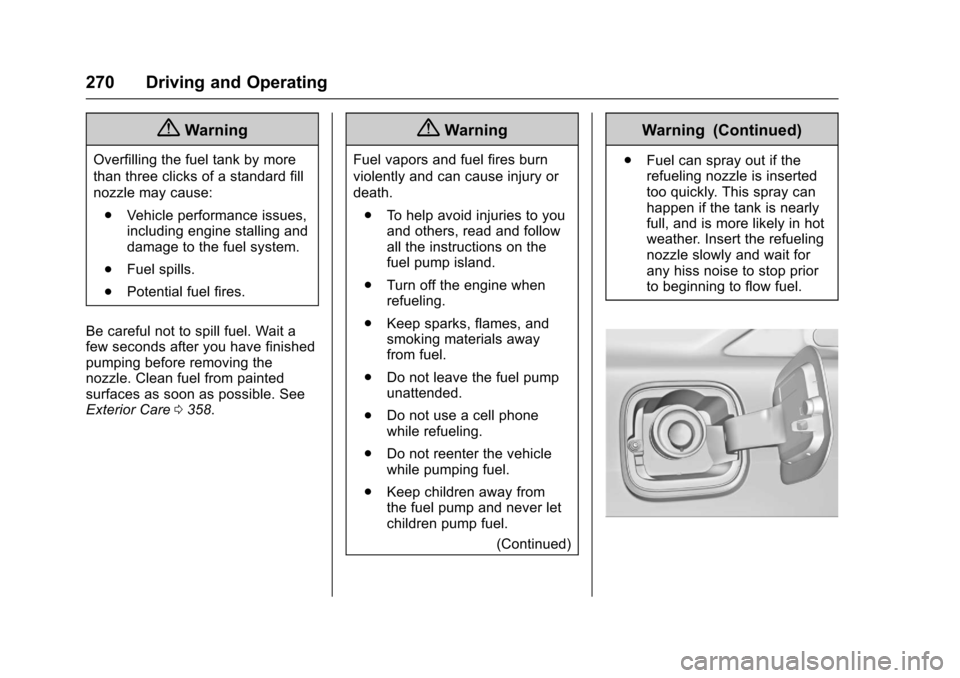
.Fuel can spray out if therefueling nozzle is insertedtoo quickly. This spray canhappen if the tank is nearlyfull, and is more likely in hotweather. Insert the refuelingnozzle slowly and wait forany hiss noise to stop priorto beginning to flow fuel.
Page 275 of 419
Chevrolet Malibu Owner Manual (GMNA-Localizing-U.S./Canada/Mexico-10122664) - 2017 - crc - 5/23/16
274 Driving and Operating
Backing Up
Hold the bottom of the steeringwheel with one hand. To move thetrailer to the left, move your hand tothe left. To move the trailer to theright, move your hand to the right.Always back up slowly and,if possible, have someoneguide you.
Making Turns
Caution
Making very sharp turns while
trailering could cause the trailer to
come in contact with the vehicle.
The vehicle could be damaged.
Avoid making very sharp turns
while trailering.
When turning with a trailer, makewider turns than normal so thetrailer will not strike soft shoulders,curbs, road signs, trees, or otherobjects. Use the turn signal well inadvance and avoid jerky or suddenmaneuvers.
Turn Signals When Towing a
Trailer
The turn signal indicators on theinstrument cluster flash wheneversignaling a turn or lane change.Properly hooked up, the trailerlamps also flash, telling otherdrivers the vehicle is turning,changing lanes, or stopping.
When towing a trailer, the arrows onthe instrument cluster flash for turnseven if the bulbs on the trailer areburned out. Check occasionally tobe sure the trailer bulbs are stillworking.
Driving on Grades
Reduce speed and shift to a lowergear before starting down a long orsteep downgrade. If thetransmission is not shifted down, thebrakes might have to be used somuch that they would get hot and nolonger work well.
The vehicle can tow in D (Drive).Use a lower gear if the transmissionshifts too often.
When towing at high altitude onsteep uphill grades, engine coolantboils at a lower temperature than atnormal altitudes. If the engine isturned off immediately after towingat high altitude on steep uphillgrades, the vehicle could showsigns similar to engine overheating.To a v o i d t h i s , l e t t h e e n g i n e r u nwhile parked, preferably on levelground, with the transmission inP(Park) for a few minutes beforeturning the engine off. If theoverheat warning comes on, seeEngine Overheating0297.
Parking on Hills
{Warning
Parking the vehicle on a hill with
the trailer attached can be
dangerous. If something goes
wrong, the rig could start to move.
People can be injured, and both
the vehicle and the trailer can be
damaged. When possible, always
park the rig on a flat surface.
Page 276 of 419
Chevrolet Malibu Owner Manual (GMNA-Localizing-U.S./Canada/Mexico-10122664) - 2017 - crc - 5/23/16
Driving and Operating 275
If parking the rig on a hill:
1. Press the brake pedal, but donot shift into P (Park) yet. Turnthe wheels into the curb iffacing downhill or into traffic iffacing uphill.
2. Have someone place chocksunder the trailer wheels.
3. When the wheel chocks are inplace, release the brake pedaluntil the chocks absorbthe load.
4. Reapply the brake pedal. Thenapply the parking brake andshift into P (Park).
5. Release the brake pedal.
Leaving After Parking on a Hill
1. Apply and hold the brake pedalwhile you:
1.1. Start the engine.
1.2. Shift into a gear.
1.3. Release the parkingbrake.
2. Let up on the brake pedal.
3. Drive slowly until the trailer isclear of the chocks.
4. Stop and have someone pickup and store the chocks.
Maintenance When Trailer
Towing
The vehicle needs service moreoften when pulling a trailer. See theMaintenance Schedule0369.Things that are especially importantin trailer operation are automatictransmission fluid, engine oil, axlelubricant, belts, cooling system, andbrake system. Inspect these beforeand during the trip.
Check periodically to see that allhitch nuts and bolts are tight.
Engine Cooling When Trailer
Towing
The cooling system may temporarilyoverheat during severe operatingconditions. SeeEngineOverheating0297.
Trailer Towing
Before pulling a trailer, threeimportant considerations have to dowith weight:
.Weight of the trailer.
.Weight of the trailer tongue.
.To t a l w e i g h t o n y o u r v e h i c l e ' stires.
Weight of the Trailer
How heavy can a trailer safely be?
It should never weigh more than454 kg (1,000 lb). But even that canbe too heavy.
It depends on how the rig is used.For example, speed, altitude, roadgrades, outside temperature, andhow much the vehicle is used to pullatrailerareallimportant.Itcandepend on any special equipmenton the vehicle, and the amount oftongue weight the vehicle can carry.See“Weight of the Trailer Tongue”following.
Maximum trailer weight is calculatedassuming the tow vehicle has thedriver, a front seat passenger and