lock CHRYSLER 300 2005 1.G Owner's Manual
[x] Cancel search | Manufacturer: CHRYSLER, Model Year: 2005, Model line: 300, Model: CHRYSLER 300 2005 1.GPages: 374, PDF Size: 6.8 MB
Page 34 of 374

Adjustable Upper Shoulder Belt Anchorage
In the driver and front passenger seats, the shoulder belt
can be adjusted upward or downward to position the belt
away from your neck. Push and fully depress the button
above the webbing to release the anchorage, and then
move it up or down to the position that serves you best.
As a guide, if you are shorter than average, you will
prefer a lower position, and if you are taller than average,
you'll prefer a higher position. When you release the
anchorage, try to move it up or down to make sure that
it is locked in position.In the rear seat, move toward the center of the seat to
position the belt away from your neck.
Pretensioners
The seat belts for both front seating positions are
equipped with pretensioning devices that are designed to
remove any slack from the seat belts in the event of a
collision. These devices improve the performance of the
seat belt system by assuring that the belt is tight about the
occupant in a collision. Pretensioners work for all size
occupants, including those in child restraints.
NOTE:These devices are not a substitute for proper
seat belt placement by the occupant. The seat belt still
must be worn snugly and positioned properly.
The pretensioners are triggered by the airbag control
module (see Airbag Section). Like the front airbags, the
pretensioners are single use items. After a collision that is
severe enough to deploy the airbags and pretensioners,
both must be replaced.
34 THINGS TO KNOW BEFORE STARTING YOUR VEHICLE
Page 35 of 374

Enhanced Driver Seat Belt Reminder System
(BeltAlert)
If the driver's seat belt has not been buckled within 60
seconds of starting the vehicle and if the vehicle speed is
greater than 5 mph (8 km/h), the Enhanced Warning
System (BeltAlert) will alert the driver to buckle their seat
belt. The driver should also instruct all other occupants to
buckle their seat belts. Once the warning is triggered, the
Enhanced Warning System (BeltAlert) will continue to
chime and flash the Seat Belt Warning Light for 96
seconds or until the driver's seat belt is buckled. The
Enhanced Warning System (BeltAlert) will be reactivated
if the driver's seat belt is unbuckled for more than 10
seconds and the vehicle speed is greater than 5 mph (8
km/h).
The Enhanced Warning System (BeltAlert) can be en-
abled or disabled by your authorized dealer or by
following these steps:
NOTE:The following steps must occur within the first
60 seconds of the ignition switch being turned to the ONor START position. DaimlerChrysler does not recom-
mend deactivating the Enhanced Warning System
(BeltAlert).
1. Turn the ignition switch to the LOCK position and
buckle the driver's seat belt.
2. Start the engine and wait for the Seat Belt Warning
Light to turn off.
3. Within 60 seconds of starting the vehicle, unbuckle
and then re-buckle the driver's seat belt at least three
times within 10 seconds, ending with the seat belt
buckled.
NOTE:Watch for the Seat Belt Warning Light to turn on
while unbuckling and off while re-buckling the seat belt.
It may be necessary to retract the seat belt.
4. Turn off the engine. A single chime will sound to
signify that you have successfully completed the pro-
gramming.
The Enhanced Warning System (BeltAlert) can be reacti-
vated by repeating this procedure.
THINGS TO KNOW BEFORE STARTING YOUR VEHICLE 35
2
Page 38 of 374
WARNING!
²Do not put anything on or around the front airbag
covers or attempt to manually open them. You may
damage the airbags and you could be injured be-
cause the airbags are not there to protect you. These
protective covers for the airbag cushions are de-
signed to open only when the airbags are inflating.
²If your vehicle is equipped with left and right side
curtain airbags, do not stack luggage or other cargo
up high enough to block the location of the side
curtain airbag. The area where the side curtain airbag
is located should remain free from any obstructions.
²If your vehicle is equipped with left and right side
curtain airbags, do not have any accessory items
installed which will alter the roof, including adding
a sunroof to your vehicle. Do not add roof racks that
require permanent attachments (bolts or screws) for
installation on the vehicle roof. Do not drill into the
roof of the vehicle for any reason.
²Do not drill, cut or tamper with the knee bolster in
any way.
²Do not mount any accessories to the knee bolster
such as alarm lights, stereos, citizens band radios etc.
Airbags inflate in moderate to high speed impacts. Along
with the seat belts, front airbags work with the instru-
ment panel knee bolsters to provide improved protection
for the driver and front passenger. Left and right side
curtain airbags also work with seat belts to improve
occupant protection.
The seat belts are designed to protect you in many types
of collisions. The front airbags deploy only in moderate
to severe frontal collisions. If your vehicle is so equipped,
the side curtain airbag on the crash side of the vehicle is
triggered in moderate to severe side collisions. In certain
types of collisions where the airbags deploy, you need the
seat belts to keep you in the right position for the airbags
to protect you properly.
38 THINGS TO KNOW BEFORE STARTING YOUR VEHICLE
Page 41 of 374

The side curtain airbag system, on vehicles so equipped,
consists of the following:
²Airbag Control Module
²AIRBAGReadiness Light
²Left and Right Side Curtain Airbags Above Side
Windows
²Left and Right Side Impact Sensors
²Interconnection Wiring
How The Airbag System Works
²
The airbag control module determines if a frontal
collision is severe enough to require the airbags to
inflate. The control module receives the level of colli-
sion severity, determines the proper level of airbag to
be deployed. The frontal airbag inflators are designed
to provide three different rates of airbag inflation.
²The airbag control module will not detect a rollover.
²The airbag control module also monitors the readiness
of the electronic parts of the system whenever the
ignition switch is in the START or ON positions. Theseinclude all of the items listed above except the knee
bolster, the instrument panel, and the steering wheel
and column. If the key is in the ªLOCKº position, in
the ACC position, or not in the ignition, the airbags are
not on and will not inflate.
²The airbag control module also turns on the
AIRBAGlight, and thePassenger Airbag
Disable (PAD) Indicator Lightin the instru-
ment panel for 6 to 8 seconds when the
ignition is first turned on, then turns the light off. If it
detects a malfunction in any part of the system, it turns
on the light either momentarily or continuously.
WARNING!
Ignoring the AIRBAG light in your instrument panel
could mean you won't have the airbags to protect
you in a collision. If the light does not come on, stays
on after you start the vehicle, or if it comes on as you
drive, have the airbag system checked right away.
THINGS TO KNOW BEFORE STARTING YOUR VEHICLE 41
2
Page 43 of 374
²As the airbags deflate you may see some smoke-like
particles. The particles are a normal by-product of the
process that generates the nontoxic gas used for airbag
inflation. These airborne particles may irritate the skin,
eyes, nose, or throat. If you have skin or eye irritation,
rinse the area with cool water. For nose or throat
irritation, move to fresh air. If the irritation continues,
see your doctor. If these particles settle on your
clothing, follow the garment manufacturer's instruc-
tions for cleaning.
²It is not advisable to drive your vehicle after the
airbags have been deployed. If you are involved in
another collision, the airbags will not be in place to
protect you.
WARNING!
Deployed airbags can't protect you in another colli-
sion. Have the airbags replaced by an authorized
dealer as soon as possible.
Enhanced Accident Response Feature
If the airbags deploy after an impact and the electrical
system remains functional, vehicles equipped with
power door locks will unlock automatically. In addition,
approximately 5 seconds after the vehicle has stopped
moving, the interior lights will illuminate to aid visibility.
NOTE:The interior lights can only be deactivated if the
key is removed from the ignition switch or the vehicle is
driven.
Side Airbag System
The airbag control module determines if a side collision is
severe enough to require the airbag to inflate. The control
module receives the level of collision severity from the
side impact sensors. The airbag control module will not
detect rollover or rear impacts.
The side impact SRS Airbags are designed to activate
only in certain side collisions. When the airbag control
module detects a collision requiring the side curtain
airbags to inflate, it signals the inflators on the crash side
of the vehicle. A quantity of nontoxic gas is generated to
inflate the side curtain airbags. The inflating side curtain
airbag pushes the outside edge of the headliner out of the
THINGS TO KNOW BEFORE STARTING YOUR VEHICLE 43
2
Page 55 of 374

means of adjusting the tension in the strap. Forward-
facing toddler restraints and some rear-facing infant
restraints will also be equipped with a tether strap, a
hook for attachment to the tether strap anchorage and a
means of adjusting the tension of the strap.
You will first loosen the adjusters on the lower straps and
on the tether strap so that you can more easily attach the
hooks or connectors to the vehicle anchorages. Next
attach the lower hooks or connectors over the top of the
seat cover material. Then rotate the tether anchorage
cover directly behind the seat where you are placing the
child restraint and attach the tether strap to the anchor-
age, being careful to route the tether strap to provide the
most direct path between the anchor and the child
restraint. If your vehicle is equipped with adjustable rear
head restraints, raise the head restraint and, where pos-
sible, route the tether strap under the head restraint and
between the two posts. If not possible, lower the head
restraint and route the tether strap around the outboard
side of the head restraint. Finally, tighten all three straps
as you push the child restraint rearward and downward
into the seat, removing slack in the straps according to
the child restraint manufacturer's instructions.WARNING!
Improper installation of a child restraint to the
LATCH anchorages can lead to failure of an infant or
child restraint. The child could be badly injured or
killed. Follow the manufacturer's directions exactly
when installing an infant or child restraint.
Installing Child Restraints Using the Vehicle Seat
belt
The passenger seat belts are equipped with cinching latch
plates which are designed to keep the lap portion tight
around the child restraint so that it is not necessary to use
a locking clip. Pulling up on the shoulder portion of the
lap/shoulder belt will tighten the belt. The cinching latch
plate will keep the belt tight, however, any seat belt
system will loosen with time, so check the belt occasion-
ally and pull it tight if necessary.
THINGS TO KNOW BEFORE STARTING YOUR VEHICLE 55
2
Page 67 of 374
WARNING!
Vehicles and other objects seen in the right side
convex mirror will look smaller and farther away
than they really are. Relying too much on your right
side mirror could cause you to collide with another
vehicle or other object.
Use your inside mirror when judging the size or
distance of a vehicle seen in this convex mirror.
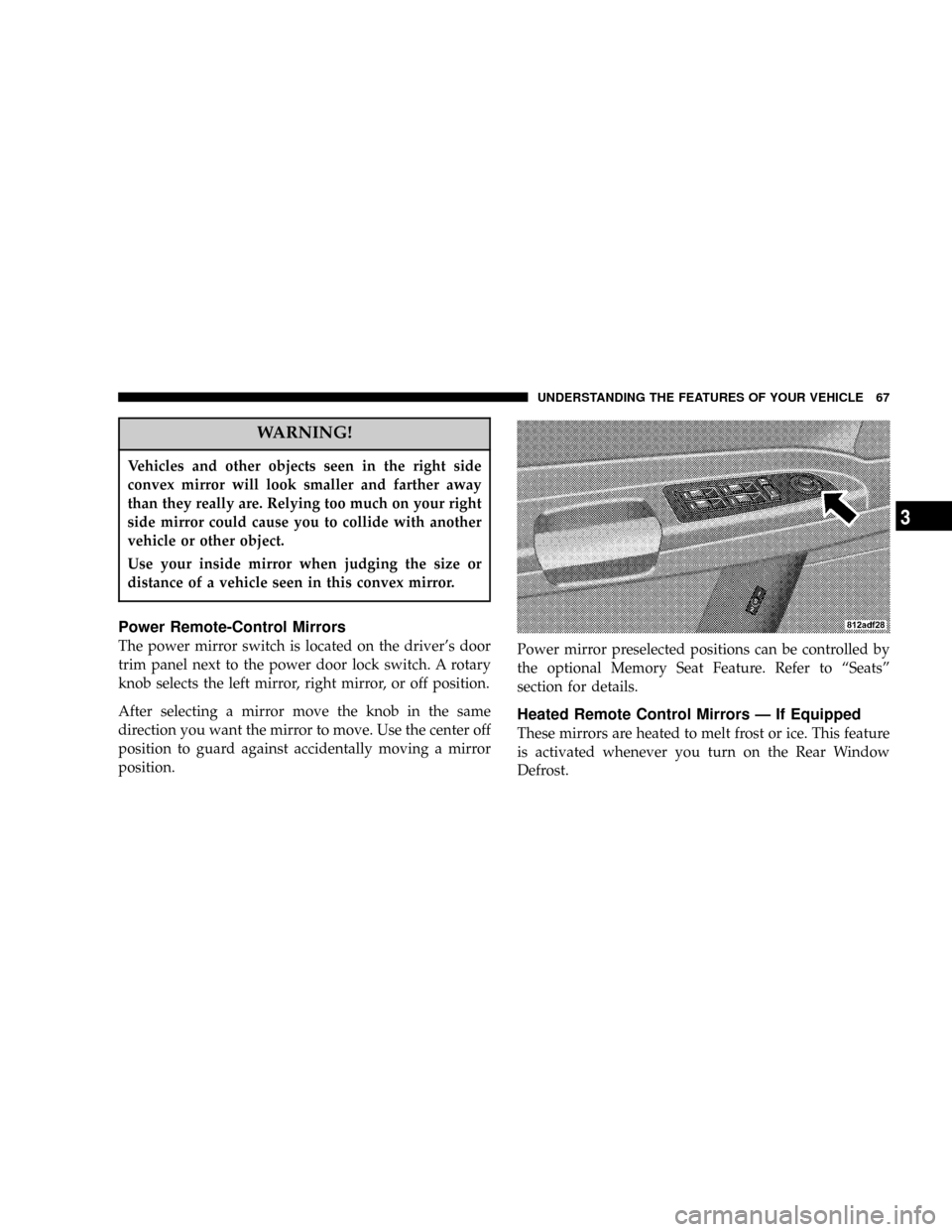
Power Remote-Control Mirrors
The power mirror switch is located on the driver's door
trim panel next to the power door lock switch. A rotary
knob selects the left mirror, right mirror, or off position.
After selecting a mirror move the knob in the same
direction you want the mirror to move. Use the center off
position to guard against accidentally moving a mirror
position.Power mirror preselected positions can be controlled by
the optional Memory Seat Feature. Refer to ªSeatsº
section for details.
Heated Remote Control Mirrors Ð If Equipped
These mirrors are heated to melt frost or ice. This feature
is activated whenever you turn on the Rear Window
Defrost.
UNDERSTANDING THE FEATURES OF YOUR VEHICLE 67
3
Page 77 of 374

Redial
²
Press the 'Phone' button to begin.
²After the9Ready9prompt and the following beep, say
9Redial.9
²The UConnectŸ system will call the last number that
was dialed on your cellular phone. Note: this may not
be the last number dialed from the UConnectŸ sys-
tem.
Call Continuation
Call continuation is progression of a phone call on
UConnectŸ system after the vehicle ignition key has
been switched to LOCK. Call continuation functionality
can be of three types:
²After ignition key is switched to LOCK, a call can
continue on the UConnectŸ system either until the
call ends or until the vehicle battery condition dictates
cessation of the call on the UConnectŸ system and
transfer of the call to the mobile phone.
²After ignition key is switched to LOCK, a call can
continue on the UConnectŸ system for certain dura-
tion, after which the call is automatically transferred
from the UConnectŸ system to the mobile phone.
²An active call is automatically transferred to the
mobile phone after ignition key is switched to LOCK
Vehicles, such as Pacifica, support this approach.
UConnectŸ System Features
Language Selection
To change the language that the UConnectŸ system is
using,
²Press the 'Phone' button to begin.
²After the9Ready9prompt and the following beep, say
the name of the language you wish to switch to
(English, Espanol, or Francais, if so equipped).
²Continue to follow the system prompts to complete
language selection.
After selecting one of the languages, all prompts and
voice commands will be in that language.
UNDERSTANDING THE FEATURES OF YOUR VEHICLE 77
3
Page 84 of 374

Bluetooth Communication Link
Cellular phones have been found to occasionally loose
connection to the UConnectŸ system. When this hap-
pens, the connection can generally be re-established by
switching the phone off/on. Your cell phone is recom-
mended to remain in Bluetooth9on9mode.
Reset
In rare instances, it may be necessary to reset the UCon-
nectŸ system. The reset feature is exercised by pressingand holding the 'UConnectŸ ' and 'Voice Recognition'
buttons simultaneously for 15 seconds. Normally, you do
not need to exercise this feature.
Power-Up
After switching ignition key from LOCK to either ON or
ACC position, or after a reset, you must wait at least five
(5) seconds prior to using the system.
84 UNDERSTANDING THE FEATURES OF YOUR VEHICLE
Page 94 of 374

2. Press and release the Set (S) button on the memory
seat switch, then press button 1 within 5 seconds. The
radio display will show which memory position is being
set.
3. A second memory profile can also be stored in the
vehicle memory. Begin by pressing 2 on the memory
switch for driver 2. Adjust settings to desired positions,
press Set (S) button, then press button 2 within 5 seconds.
Each time the Set and a numbered button are pressed, the
old memory is erased, and a new one is stored.
NOTE:Memory positions can be set without the ve-
hicle in Park, but the vehicle must be in Park to recall a
memory position. The Recall Memory with Remote Key
Unlock feature must be turned on using the Electronic
Vehicle Information Center (EVIC). Refer to Electronic
Vehicle Information Center in this manual for details.
Programming the Remote Keyless Transmitter for
the Memory Feature
Your remote transmitter can be programmed to return to
a memory profile when the Unlock button is pressed and
released.To program your transmitters, perform the following:
1. Insert the key into the ignition and turn the key to the
Run position.
2. Select desired memory profile 1 or 2.
3. Press and release the Set (S) button on the memory
seat switch, then press and release button 1 or 2.
9Memory Profile Setº (1or 2) will be displayed in the
instrument cluster on vehicles equipped with the Elec-
tronic Vehicle Information Center.
4. Press and release the Lock button on the transmitter
within 10 seconds.
NOTE:Your transmitters may be unlinked to your
memory settings by pressing the Unlock button on the
transmitter in step 4 above. On vehicles equipped with an
Electronic Vehicle Information Center (Optional), these
functions can be selected at the EVIC using the Personal
Settings (Customer Programmable Features). Refer to
Electronic Vehicle Information Center Ð ªPersonal Set-
tingsº for details. When newly purchased (or replace-
ment) transmitters are programmed into the vehicle, the
first transmitter trained will be associated with memory
94 UNDERSTANDING THE FEATURES OF YOUR VEHICLE