deactivate Citroen C4 2014 2.G Owner's Guide
[x] Cancel search | Manufacturer: CITROEN, Model Year: 2014, Model line: C4, Model: Citroen C4 2014 2.GPages: 340, PDF Size: 28.99 MB
Page 171 of 340
9
DRIVING
169
Deactivation
Going into engine START mode
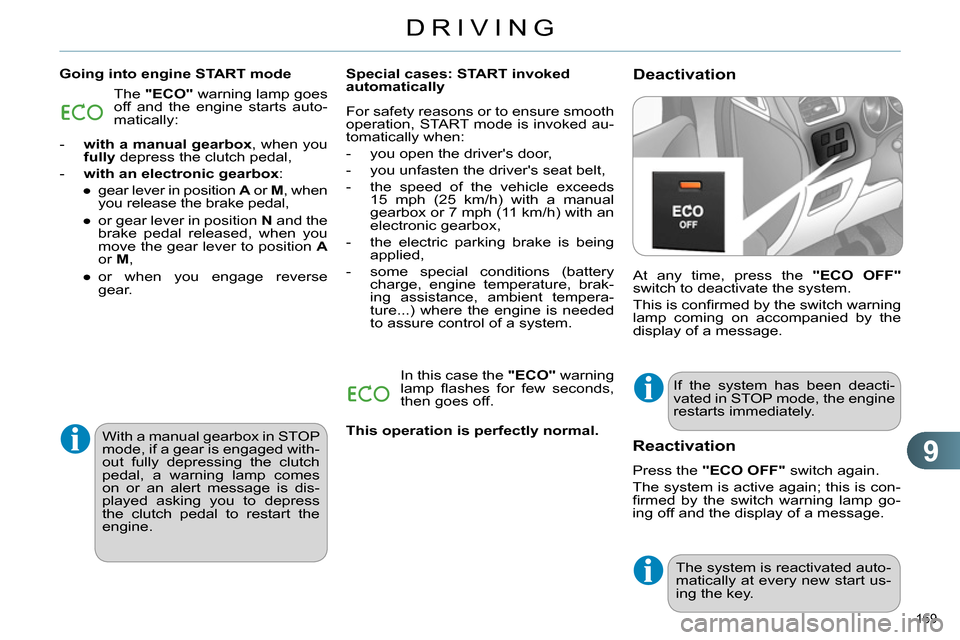
At any time, press the "ECO OFF"
switch to deactivate the system.
This is confi rmed by the switch warning
lamp coming on accompanied by the
display of a message.
Special cases: START invoked
automatically
If the system has been deacti-
vated in STOP mode, the engine
restarts immediately. The "ECO"
warning lamp goes
off and the engine starts auto-
matically:
- with a manual gearbox
, when you
fully
depress the clutch pedal,
- with an electronic gearbox
:
●
gear lever in position A
or M
, when
you release the brake pedal,
●
or gear lever in position N
and the
brake pedal released, when you
move the gear lever to position A
or M
,
●
or when you engage reverse
gear.
For safety reasons or to ensure smooth
operation, START mode is invoked au-
tomatically when:
- you open the driver's door,
- you unfasten the driver's seat belt,
- the speed of the vehicle exceeds
15 mph (25 km/h) with a manual
gearbox or 7 mph (11 km/h) with an
electronic gearbox,
- the electric parking brake is being
applied,
- some special conditions (battery
charge, engine temperature, brak-
ing assistance, ambient tempera-
ture...) where the engine is needed
to assure control of a system.
In this case the "ECO"
warning
lamp fl ashes for few seconds,
then goes off.
With a manual gearbox in STOP
mode, if a gear is engaged with-
out fully depressing the clutch
pedal, a warning lamp comes
on or an alert message is dis-
played asking you to depress
the clutch pedal to restart the
engine.
Reactivation
Press the "ECO OFF"
switch again.
The system is active again; this is con-
fi rmed by the switch warning lamp go-
ing off and the display of a message.
The system is reactivated auto-
matically at every new start us-
ing the key.
This operation is perfectly normal.
Page 172 of 340
9
DRIVING
170
Maintenance
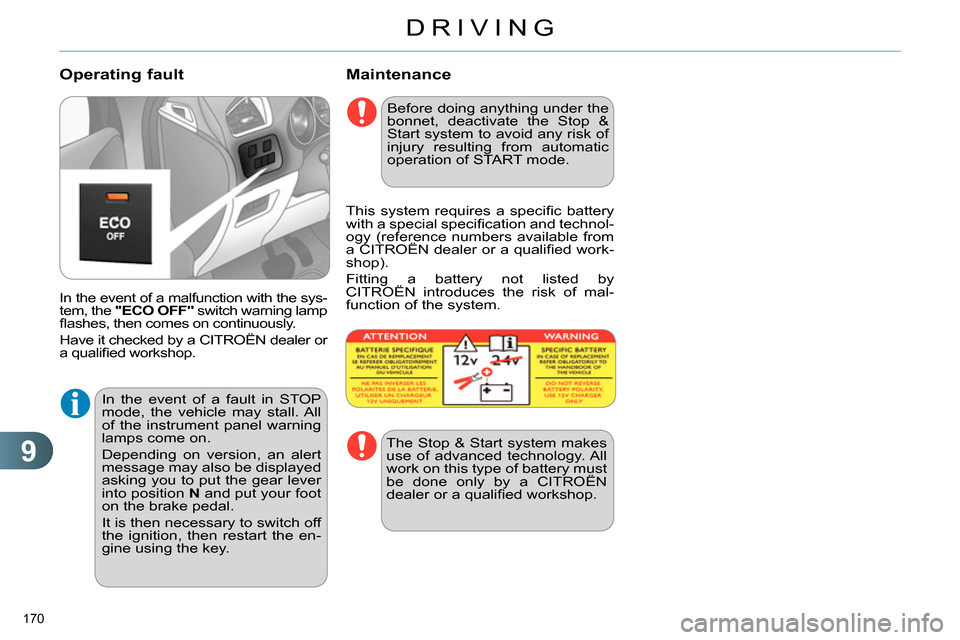
In the event of a malfunction with the sys-
tem, the "ECO OFF"
switch warning lamp
fl ashes, then comes on continuously.
Have it checked by a CITROËN dealer or
a qualifi ed workshop.
Operating fault
Before doing anything under the
bonnet, deactivate the Stop &
Start system to avoid any risk of
injury resulting from automatic
operation of START mode.
This system requires a specifi c battery
with a special specifi cation and technol-
ogy (reference numbers available from
a CITROËN dealer or a qualifi ed work-
shop).
Fitting a battery not listed by
CITROËN introduces the risk of mal-
function of the system.
The Stop & Start system makes
use of advanced technology. All
work on this type of battery must
be done only by a CITROËN
dealer or a qualifi ed workshop.
In the event of a fault in STOP
mode, the vehicle may stall. All
of the instrument panel warning
lamps come on.
Depending on version, an alert
message may also be displayed
asking you to put the gear lever
into position N
and put your foot
on the brake pedal.
It is then necessary to switch off
the ignition, then restart the en-
gine using the key.
Page 176 of 340
9
DRIVING
174
The system may suffer tem-
porary interference in certain
weather conditions (rain, hail...).
In particular, driving on a wet sur-
face or moving from a dry area to
a wet area can cause false alerts
(for example, the presence of a
fog of water droplets in the blind
spot angle is interpreted as a ve-
hicle).
In bad or wintry weather, ensure
that the sensors are not covered
by mud, ice or snow.
Take care not to cover the warn-
ing zone in the door mirrors or
the detection zones on the front
and rear bumpers with adhesive
labels or other objects; they may
hamper the correct operation of
the system.
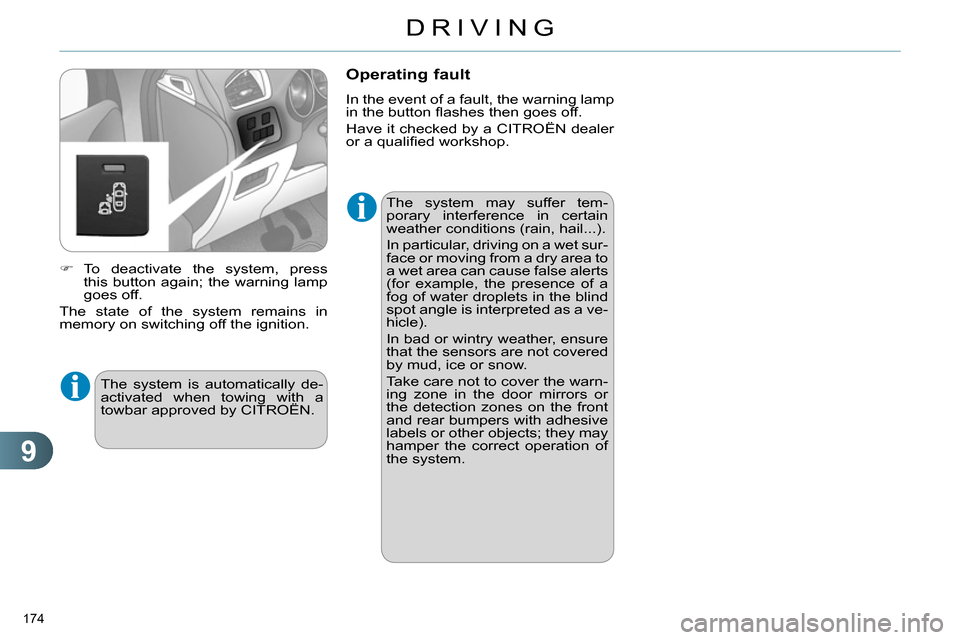
To deactivate the system, press
this button again; the warning lamp
goes off.
The state of the system remains in
memory on switching off the ignition.
Operating fault
In the event of a fault, the warning lamp
in the button fl ashes then goes off.
Have it checked by a CITROËN dealer
or a qualifi ed workshop.
The system is automatically de-
activated when towing with a
towbar approved by CITROËN.
Page 179 of 340
9
DRIVING
177
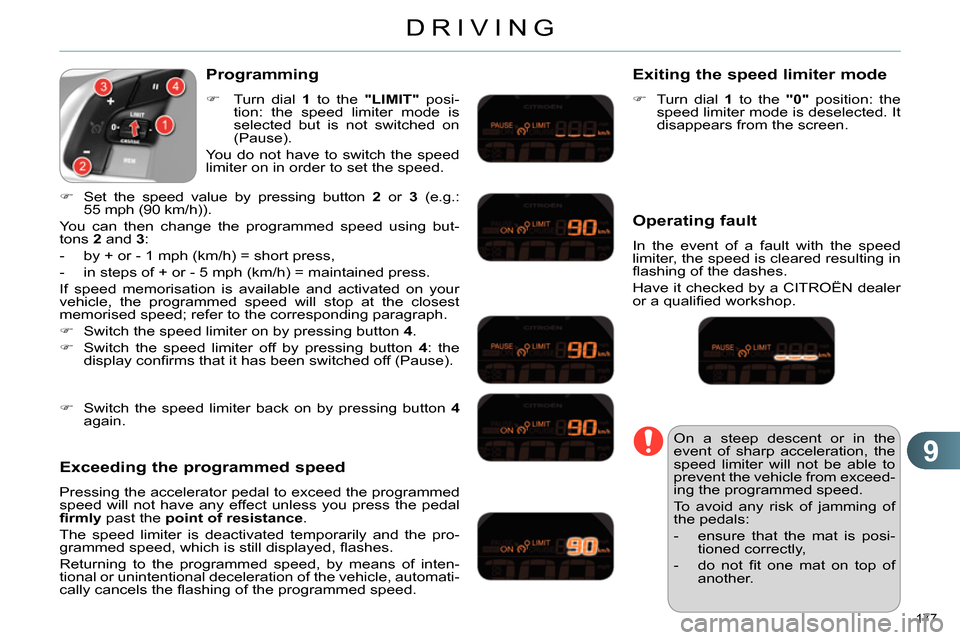
Programming
Turn dial 1
to the "LIMIT"
posi-
tion: the speed limiter mode is
selected but is not switched on
(Pause).
You do not have to switch the speed
limiter on in order to set the speed.
Set the speed value by pressing button 2
or 3
(e.g.:
55 mph (90 km/h)).
You can then change the programmed speed using but-
tons 2
and 3
:
- by + or - 1 mph (km/h) = short press,
- in steps of + or - 5 mph (km/h) = maintained press.
If speed memorisation is available and activated on your
vehicle, the programmed speed will stop at the closest
memorised speed; refer to the corresponding paragraph.
Switch the speed limiter on by pressing button 4
.
Switch the speed limiter off by pressing button 4
: the
display confi rms that it has been switched off (Pause).
Exceeding the programmed speed
Pressing the accelerator pedal to exceed the programmed
speed will not have any effect unless you press the pedal
fi rmly
past the point of resistance
.
The speed limiter is deactivated temporarily and the pro-
grammed speed, which is still displayed, fl ashes.
Returning to the programmed speed, by means of inten-
tional or unintentional deceleration of the vehicle, automati-
cally cancels the fl ashing of the programmed speed.
Exiting the speed limiter mode
Turn dial 1
to the "0"
position: the
speed limiter mode is deselected. It
disappears from the screen.
Operating fault
In the event of a fault with the speed
limiter, the speed is cleared resulting in
fl ashing of the dashes.
Have it checked by a CITROËN dealer
or a qualifi ed workshop.
On a steep descent or in the
event of sharp acceleration, the
speed limiter will not be able to
prevent the vehicle from exceed-
ing the programmed speed.
To avoid any risk of jamming of
the pedals:
- ensure that the mat is posi-
tioned correctly,
- do not fi t one mat on top of
another.
Switch the speed limiter back on by pressing button 4
again.
Page 185 of 340
9
DRIVING
183
In addition to the rear parking sensors,
the front parking sensors are triggered
when an obstacle is detected in front
and the speed of the vehicle is still below
6 mph (10 km/h).
The front parking sensors are interrupted
if the vehicle stops for more than three
seconds in forward gear, if no further ob-
stacles are detected or when the speed
of the vehicle exceeds 6 mph (10 km/h).
Front parking sensors
Deactivation/Activation of the front
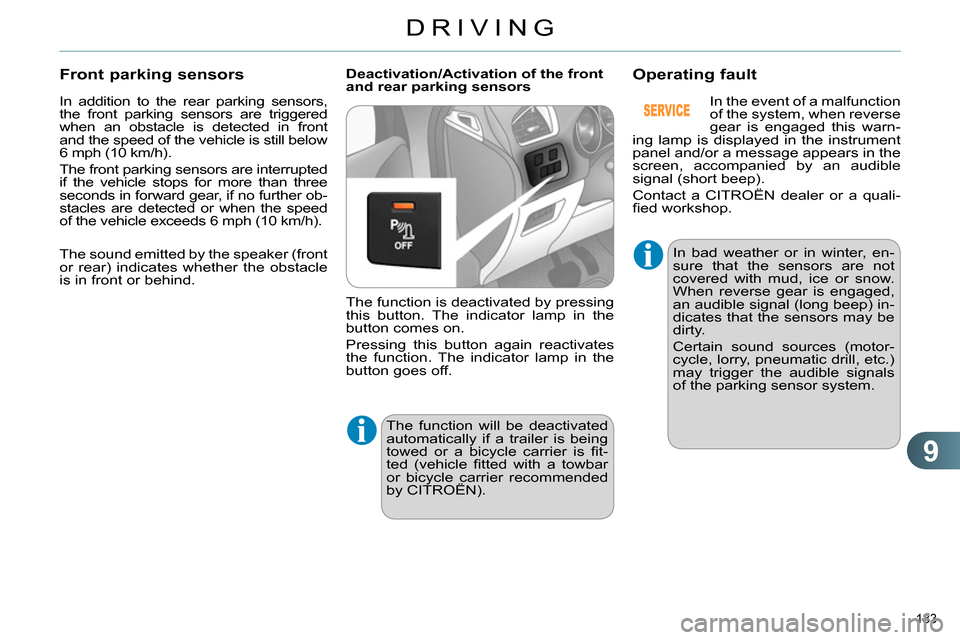
and rear parking sensors
The function is deactivated by pressing
this button. The indicator lamp in the
button comes on.
Pressing this button again reactivates
the function. The indicator lamp in the
button goes off.
Operating fault
The function will be deactivated
automatically if a trailer is being
towed or a bicycle carrier is fi t-
ted (vehicle fi tted with a towbar
or bicycle carrier recommended
by CITROËN).
In bad weather or in winter, en-
sure that the sensors are not
covered with mud, ice or snow.
When reverse gear is engaged,
an audible signal (long beep) in-
dicates that the sensors may be
dirty.
Certain sound sources (motor-
cycle, lorry, pneumatic drill, etc.)
may trigger the audible signals
of the parking sensor system.
In the event of a malfunction
of the system, when reverse
gear is engaged this warn-
ing lamp is displayed in the instrument
panel and/or a message appears in the
screen, accompanied by an audible
signal (short beep).
Contact a CITROËN dealer or a quali-
fi ed workshop.
The sound emitted by the speaker (front
or rear) indicates whether the obstacle
is in front or behind.
Page 218 of 340
11
PRACTICAL INFORMATION
216
LOAD REDUCTION MODE
System which manages the use of cer-
tain functions according to the level of
charge remaining in the battery.
When the vehicle is being driven, the
load reduction function temporarily de-
activates certain functions, such as the
air conditioning, the heated rear screen...
The deactivated functions are reactivat-
ed automatically as soon as conditions
permit.
ENERGY ECONOMY MODE
System which manages the period of
use of certain functions to conserve a
suffi cient level of charge in the battery.
After the engine has stopped, you can
still use functions such as the audio
equipment, windscreen wipers, dipped
beam headlamps, courtesy lamps, etc.
for a maximum combined period of thirty
minutes.
Switching to economy mode
Once this period has elapsed, a message
appears in the screen indicating that the
vehicle has switched to economy mode
and the active functions are put on standby.
If the telephone is being used at
the same time on the navigation
system, it will be interrupted after
10 minutes.
A fl at battery prevents the en-
gine from starting (refer to the
corresponding paragraph).
Exiting economy mode
These functions are reactivated auto-
matically the next time the vehicle is
driven.
In order to resume the use of these
functions immediately, start the engine
and let it run for a few minutes.
The time available to you will then be
double the period for which the engine
is left running. However, this period will
always be between fi ve and thirty minutes.
This period may be greatly re-
duced if the battery is not fully
charged.
CHANGING A WIPER BLADE
Before removing a front wiper
blade
Within one minute after switching
off the ignition, operate the wiper
stalk to position the wiper blades
vertically on the windscreen.
Removing
Raise the corresponding wiper arm.
Unclip the wiper blade and remove it.
Fitting
Put the corresponding new wiper
blade in place and clip it.
Fold down the wiper arm carefully.
After fitting a front wiper blade
Switch on the ignition.
Operate the wiper stalk again to
park the wiper blades.
Page 222 of 340

11
PRACTICAL INFORMATION
220
TOWING A TRAILER
We recommend the use of genu-
ine CITROËN towbars and their
harnesses that have been tested
and approved from the design
stage of your vehicle, and that
the fi tting of the towbar is en-
trusted to a CITROËN dealer or
a qualifi ed workshop.
If the towbar is not fi tted by a
CITROËN dealer, it is impera-
tive that it is fi tted in accordance
with the vehicle manufacturer's
instructions.
The rear parking sensors will
be deactivated automatically if
a genuine CITROËN towbar is
used.
Towbar suitable for the attachment of a
trailer or installation of a bicycle carrier,
with additional lighting and signalling.
Your vehicle is primarily designed for
transporting people and luggage, but it
may also be used for towing a trailer.
Driving with a trailer places greater de-
mands on the towing vehicle and the
driver must take particular care.
Driving advice
Distribution of loads
Distribute the load in the trailer so
that the heaviest items are as close
as possible to the axle and the nose
weight approaches the maximum
permitted without exceeding it.
Air density decreases with altitude, thus
reducing engine performance. Above
1 000 metres, the maximum towed load
must be reduced by 10 % for every
1 000 metres of altitude.
Side wind
Take into account the increased
sensitivity to side wind.
Cooling
Towing a trailer on a slope increases
the temperature of the coolant.
As the fan is electrically controlled, its
cooling capacity is not dependent on
the engine speed.
To lower the engine speed, reduce
your speed. The maximum towed load on a long in-
cline depends on the gradient and the
ambient temperature.
In all cases, keep a check on the cool-
ant temperature.
If the warning lamp and the
STOP
warning lamp come
on, stop the vehicle and
switch off the engine as
soon as possible.
Braking
Towing a trailer increases the braking
distance.
To avoid overheating of the brakes on a
long mountain type of descent, the use
of engine braking is recommended.
Tyres
Check the tyre pressures of the towing
vehicle and of the trailer, observing the
recommended pressures.
Lighting
Check the electrical lighting and sig-
nalling on the trailer.
Refer to the "Technical data" section for
details of the weights and towed loads
which apply to your vehicle.
Page 242 of 340
03
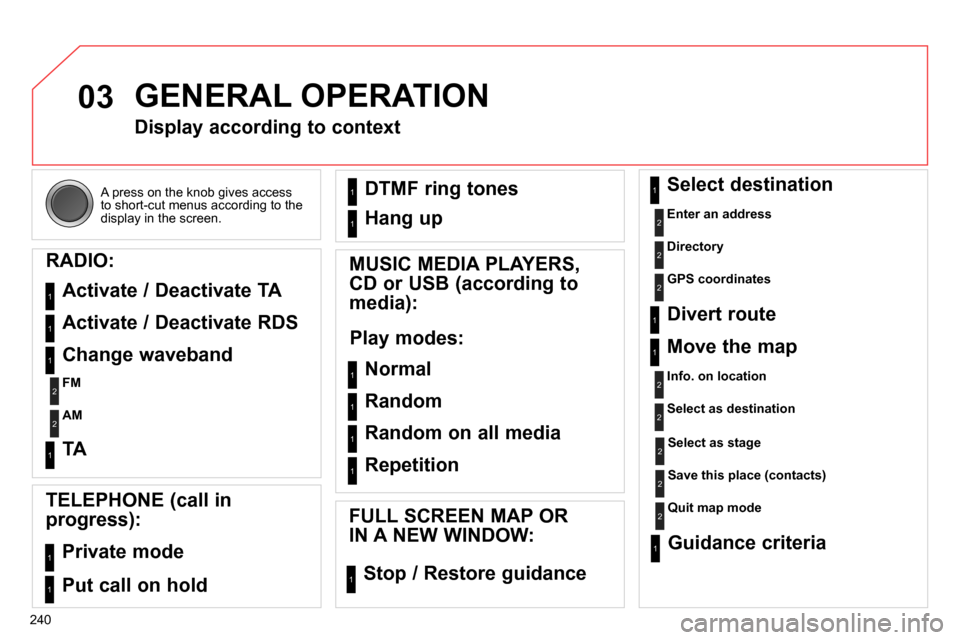
240 A press on the knob gives access
to short-cut menus according to the
display in the screen.
GENERAL OPERATION
Display according to context
RADIO:
Activate / Deactivate TA
Activate / Deactivate RDS
MUSIC MEDIA PLAYERS,
CD or USB (according to
media):
Play modes:
Normal
Random
Random on all media
Repetition
TELEPHONE (call in
progress):
Private mode
FULL SCREEN MAP OR
IN A NEW WINDOW:
Stop / Restore guidance Select destination
Enter an address
Directory
GPS coordinates
Divert route
Move the map
Info. on location
Select as destination
Select as stage
Save this place (contacts)
Quit map mode
Guidance criteria
Put call on hold DTMF ring tones
Hang up
1
1
1
1
1
1
1
1
2
2
2
2
2
1
2
2
2
1
1
1
1
1
1
Change waveband
FM
AM
2
2
1
TA 1
Page 254 of 340
04
252
NAVIGATION - GUIDANCE
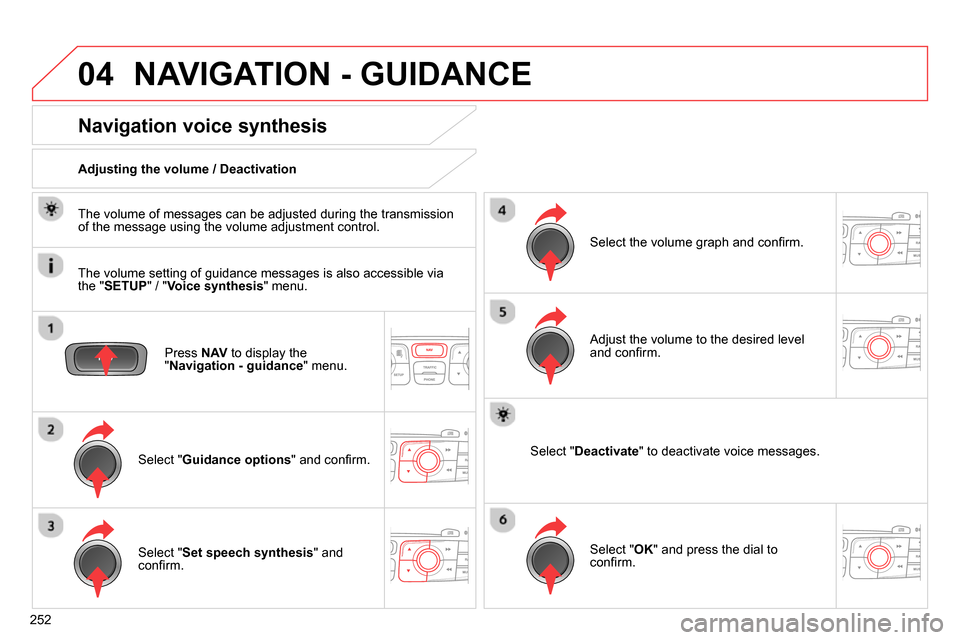
Press NAV
to display the
" Navigation - guidance
" menu.
Navigation voice synthesis
Select " Guidance options
" and confi rm.
Adjusting the volume / Deactivation
Select " Set speech synthesis
" and
confi rm.
Select the volume graph and confi rm.
Select " Deactivate
" to deactivate voice messages.
Select " OK
" and press the dial to
confi rm.
Adjust the volume to the desired level
and confi rm.
The volume of messages can be adjusted during the transmission
of the message using the volume adjustment control.
The volume setting of guidance messages is also accessible via
the " SETUP
" / " Voice synthesis
" menu.
Page 258 of 340
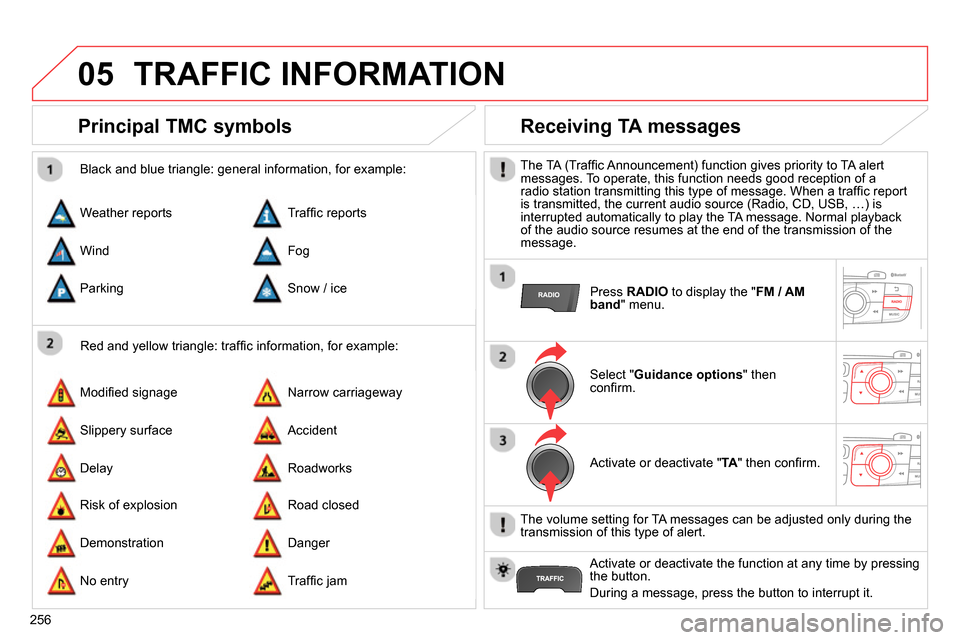
05
256
TRAFFIC INFORMATION
Principal TMC symbols
Red and yellow triangle: traffi c information, for example:
Black and blue triangle: general information, for example:
Weather reports
Modifi ed signage
Risk of explosion Traffi c reports
Narrow carriageway
Road closed Wind
Slippery surface
Demonstration Fog
Accident
Danger Parking
Delay
No entry Snow / ice
Roadworks
Traffi c jam
Receiving TA messages
The TA (Traffi c Announcement) function gives priority to TA alert
messages. To operate, this function needs good reception of a
radio station transmitting this type of message. When a traffi c report
is transmitted, the current audio source (Radio, CD, USB, …) is
interrupted automatically to play the TA message. Normal playback
of the audio source resumes at the end of the transmission of the
message.
Press RADIO
to display the " FM / AM
band
" menu.
Select " Guidance options
" then
confi rm.
Activate or deactivate " TA
" then confi rm.
The volume setting for TA messages can be adjusted only during the
transmission of this type of alert.
Activate or deactivate the function at any time by pressing
the button.
During a message, press the button to interrupt it.