ESP Citroen C4 2016 2.G Service Manual
[x] Cancel search | Manufacturer: CITROEN, Model Year: 2016, Model line: C4, Model: Citroen C4 2016 2.GPages: 396, PDF Size: 10.22 MB
Page 172 of 396
170
C4-2_en_Chap06_conduite_ed02-2015
Switching off the engine
Energy economy mode
After switching off the engine (position 1- Stop), f
or a maximum of 30 minutes you can still use
f
unctions such as the audio and telematic
s
ystem, the wipers, dipped beam headlamps,
c
ourtesy lamps, ...
F
C
heck
that
the
parking
brake
is
correctly
a
pplied,
particularly
on
sloping
ground.
Never
switch
off
the
ignition
before
the
v
ehicle
is
at
a
complete
stop.
With
the
e
ngine
off,
the
braking
and
steering
a
ssistance
systems
are
also
cut
off:
risk
o
f
loss
of
control
of
the
vehicle.
To
facilitate
unlocking
of
the
steering
c
olumn,
it
is
recommended
that
the
w
heels
be
returned
to
the
straight
ahead
p
osition
before
switching
off
the
engine.
When
you
leave
the
vehicle,
keep
the
k
ey
with
you
and
lock
the
vehicle. For
more information on the
e
nergy economy mode, refer to the
c
orresponding
s
ection.Key left in the "Ignition on" position
If the key has been left in the ignition switch at position 2 (Ignition on) ,
the
ignition will be switched off
a
utomatically after one hour.
To
switch the ignition back on, turn the
k
ey to position 1 (Stop),
then back to
p
osition 2 (Ignition on) .
F
S
top
the
vehicle.
F
W
ith
the
engine
running
at
idle,
turn
the
key
t
o position 1 .
F
R
emove
the
key
from
the
ignition
switch.
F
T
o
lock
the
steering
column,
turn
the
s
teering
until
it
locks.
Driving
Page 184 of 396
182
C4-2_en_Chap06_conduite_ed02-2015
Automatic gearbox
Gear selection gate
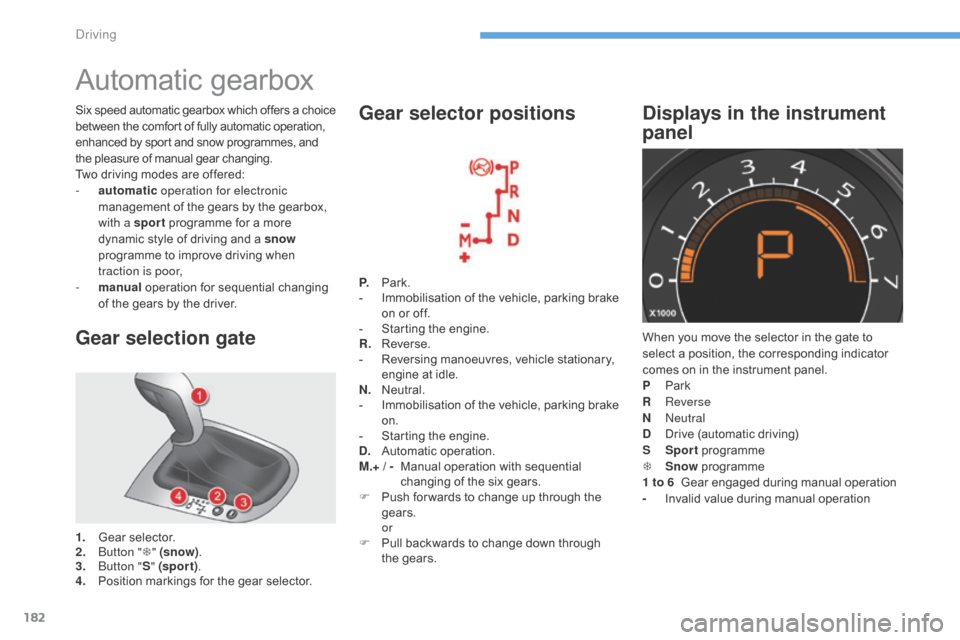
1. Gear selector.
2. B utton " T" (snow) .
3.
B
utton " S" (spor t) .
4.
P
osition markings for the gear selector.P.
Pa
rk.
-
I
mmobilisation of the vehicle, parking brake
o
n or off.
-
S
tarting the engine.
R.
R
everse.
-
R
eversing manoeuvres, vehicle stationary,
e
ngine at idle.
N.
N
eutral.
-
I
mmobilisation of the vehicle, parking brake
o
n.
-
S
tarting the engine.
D.
A
utomatic
ope
ration.
M.+ / -
M
anual operation with sequential
c
hanging of the six gears.
F
P
ush for wards to change up through the
g
ears.
or
F P ull backwards to change down through
t
he gears.
Gear selector positions
When you move the selector in the gate to select a position, the corresponding indicator
c
omes on in the instrument panel.
P
Pa
rk
R
Reverse
N
Neutral
D
D
rive (automatic driving)
S
Sp
ort
pro
gramme
T
S
now
pro
gramme
1 to 6
Gear engaged during manual operation
-
I
nvalid value during manual operation
Displays in the instrument
panelSix speed automatic gearbox which of fers a choice b
etween the comfort of fully automatic operation, e
nhanced by sport and snow programmes, and
t
he pleasure of manual gear changing.
Two
driving modes are offered:
-
a
utomatic operation for electronic
management
of the gears by the gearbox,
w
ith a sport
programme for a more
d
ynamic style of driving and a snow
programme
to improve driving when
t
raction is poor,
-
m
anual
operation for sequential changing
o
f the gears by the driver.
Driving
Page 189 of 396
187
C4-2_en_Chap06_conduite_ed02-2015
Gear shift indicator*
Depending on the driving situation and your vehicle's equipment, the system may advise
y
ou to skip one (or more) gear(s). You can
f
ollow this instruction without engaging the
i
ntermediate
g
ears.
The
gear engagement recommendations must
n
ot be considered compulsory. In fact, the
c
onfiguration of the road, the amount of traffic
a
nd safety remain determining factors when
c
hoosing the best gear. Therefore, the driver
r
emains responsible for deciding whether or not
t
o follow the advice given by the system.
This
function cannot be deactivated. -
Y
ou press the accelerator pedal.
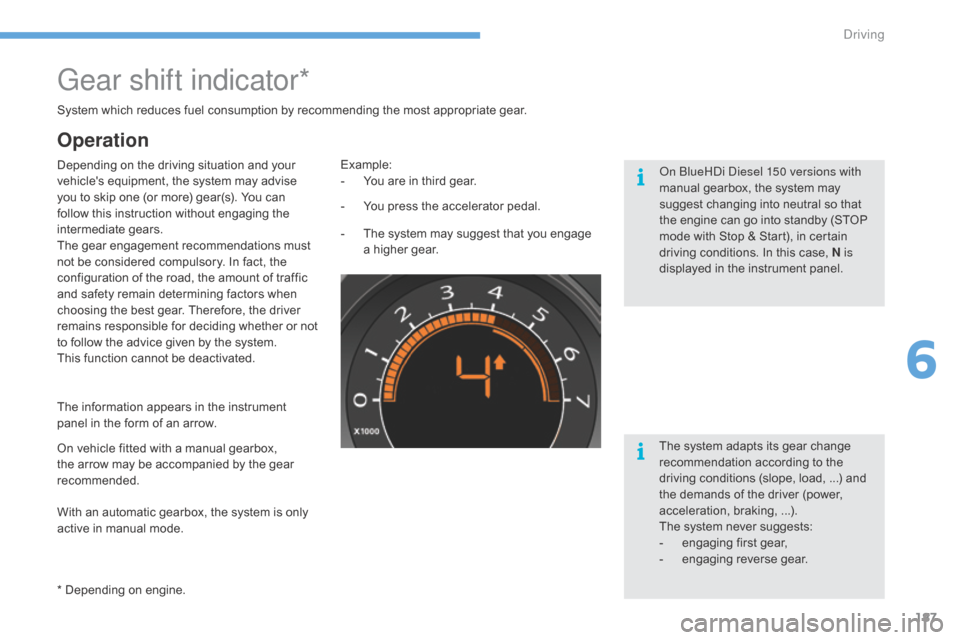
Example:
-
Y ou are in third gear.
-
T
he system may suggest that you engage
a
higher gear.
The
information appears in the instrument
p
anel in the form of an arrow.
System
which reduces fuel consumption by recommending the most appropriate gear.
With an automatic gearbox, the system is only
a
ctive in manual mode.
* Depending
on engine.
On
vehicle fitted with a manual gearbox,
t
he arrow may be accompanied by the gear
re
commended. The
system adapts its gear change
r
ecommendation according to the
d
riving conditions (slope, load, ...) and
t
he demands of the driver (power,
a
cceleration, braking, ...).
The
system never suggests:
-
e
ngaging first gear,
-
enga
ging
r
everse
g
ear.
Operation
On BlueHDi Diesel 150 versions with
manual gearbox, the system may
s
uggest changing into neutral so that
t
he engine can go into standby (STOP
m
ode with Stop & Start), in certain
d
riving conditions. In this case, N is
displayed
in the instrument panel.
6
Driving
Page 194 of 396
192
C4-2_en_Chap06_conduite_ed02-2015
Tyre under-inflation detection
System which automatically checks the p
ressures of the tyres while driving.
The
system continuously monitors the
p
ressures of the four tyres, as soon as the
vehicle
is moving.
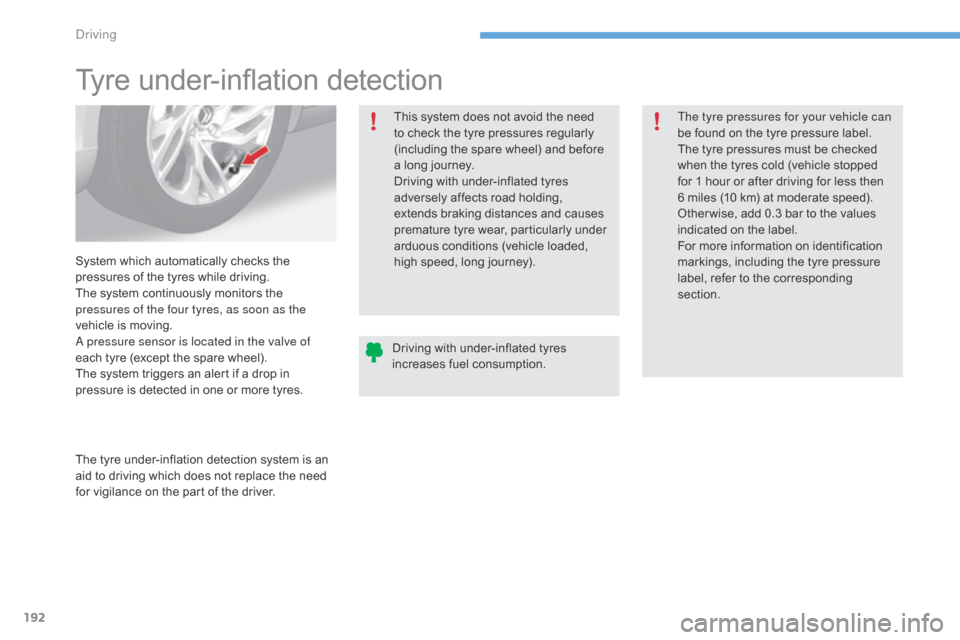
A pressure sensor is located in the valve of
each
tyre (except the spare wheel).
The
system triggers an alert if a drop in
p
ressure is detected in one or more tyres.
The
tyre under-inflation detection system is an
a
id to driving which does not replace the need
f
or vigilance on the part of the driver.This
system does not avoid the need
t
o check the tyre pressures regularly
(
including the spare wheel) and before
a
long journey.
Driving with under-inflated tyres
a
dversely affects road holding,
e
xtends braking distances and causes
p
remature tyre wear, particularly under a
rduous conditions (vehicle loaded, h
igh speed, long journey).The tyre pressures for your vehicle can
be
found on the tyre pressure label.
The tyre pressures must be checked
w
hen the tyres cold (vehicle stopped
f
or 1 hour or after driving for less then
6
miles (10 km) at moderate speed).
O
ther wise, add 0.3 bar to the values
i
ndicated on the label.
For m ore i nformation o n id entification m
arkings, including the tyre pressure
l
abel, refer to the corresponding
s
ection.
Driving
with under-inflated tyres
i
ncreases fuel consumption.
Driving
Page 197 of 396
195
C4-2_en_Chap06_conduite_ed02-2015
Blind spot sensors
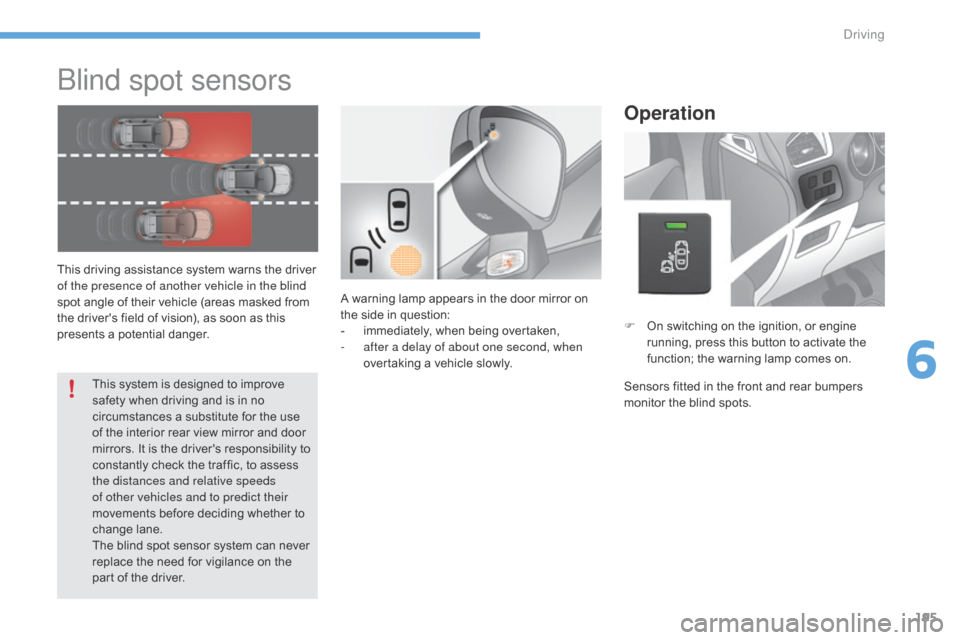
This driving assistance system warns the driver of the presence of another vehicle in the blind
spot
angle of their vehicle (areas masked from
t
he driver's field of vision), as soon as this
p
resents a potential danger.
Operation
F On switching on the ignition, or engine r
unning, press this button to activate the
f
unction; the warning lamp comes on.
Sensors
fitted in the front and rear bumpers
m
onitor the blind spots.
A
warning
lamp
appears
in
the
door
mirror
on
t
he
side
in
question:
-
i
mmediately,
when
being
overtaken,
-
a
fter a delay of about one second, when
overtaking
a
vehicle
slowly.
This
system
is
designed
to
improve
s
afety
when
driving
and
is
in
no
c
ircumstances
a
substitute
for
the
use
o
f
the
interior
rear
view
mirror
and
door
m
irrors.
It
is
the
driver's
responsibility
to
c
onstantly
check
the
traffic,
to
assess
t
he distances and relative speeds
of other vehicles and to predict their
movements
before
deciding
whether
to
c
hange
lan
e.
The
blind
spot
sensor
system
can
never
r
eplace
the
need
for
vigilance
on
the
p
art
of
the
driver.
6
Driving
Page 201 of 396
199
C4-2_en_Chap06_conduite_ed02-2015
Switching on
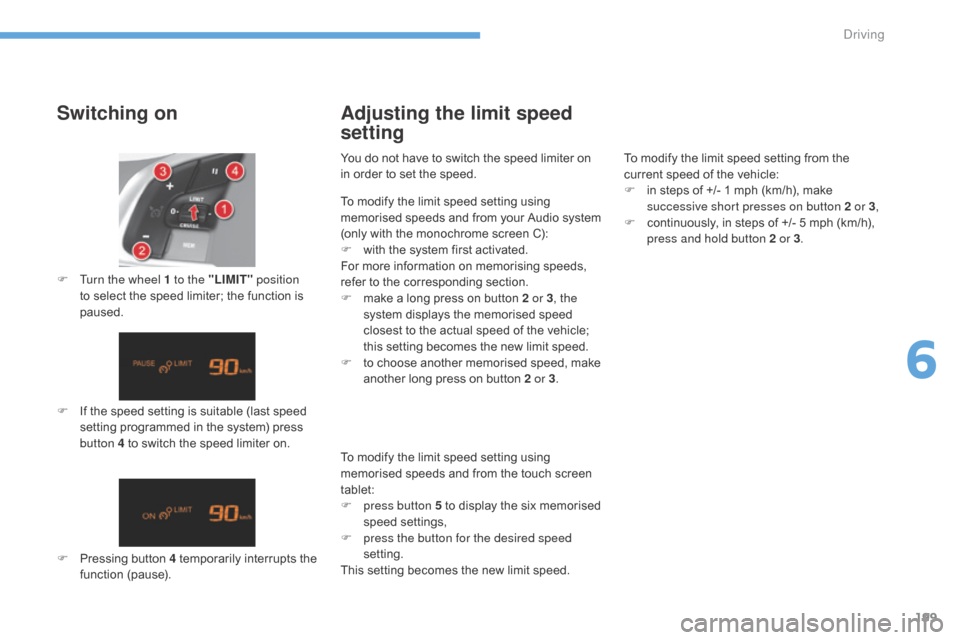
F If the speed setting is suitable (last speed s
etting programmed in the system) press
b
utton 4 to switch the speed limiter on.
F
T
urn the wheel 1 to the "LIMIT"
position
to select the speed limiter; the function is
pa
used.
F
P
ressing button 4 temporarily interrupts the
f
unction
(
pause).
Adjusting the limit speed
setting
You do not have to switch the speed limiter on in order to set the speed. To
modify the limit speed setting from the
c
urrent speed of the vehicle:
F
i
n steps of +/- 1 mph (km/h), make
s
uccessive short presses on button 2 or 3,
F
c
ontinuously, in steps of +/- 5 mph (km/h),
p
ress and hold button 2 or 3.
To
modify the limit speed setting using
m
emorised speeds and from the touch screen
t
ablet:
F
p
ress button 5 to display the six memorised
s
peed
se
ttings,
F
p
ress the button for the desired speed
setting.
This
setting becomes the new limit speed.
To
modify the limit speed setting using
m
emorised
s
peeds
a
nd
f
rom
y
our
A
udio
s
ystem
(
only with the monochrome screen C):
F
w
ith the system first activated.
For
more information on memorising speeds,
r
efer to the corresponding section.
F
m
ake a long press on button 2 or 3, the
system
displays the memorised speed
c
losest to the actual speed of the vehicle;
t
his setting becomes the new limit speed.
F
t
o choose another memorised speed, make
a
nother long press on button 2 or 3.
6
Driving
Page 204 of 396
202
C4-2_en_Chap06_conduite_ed02-2015
Switching on
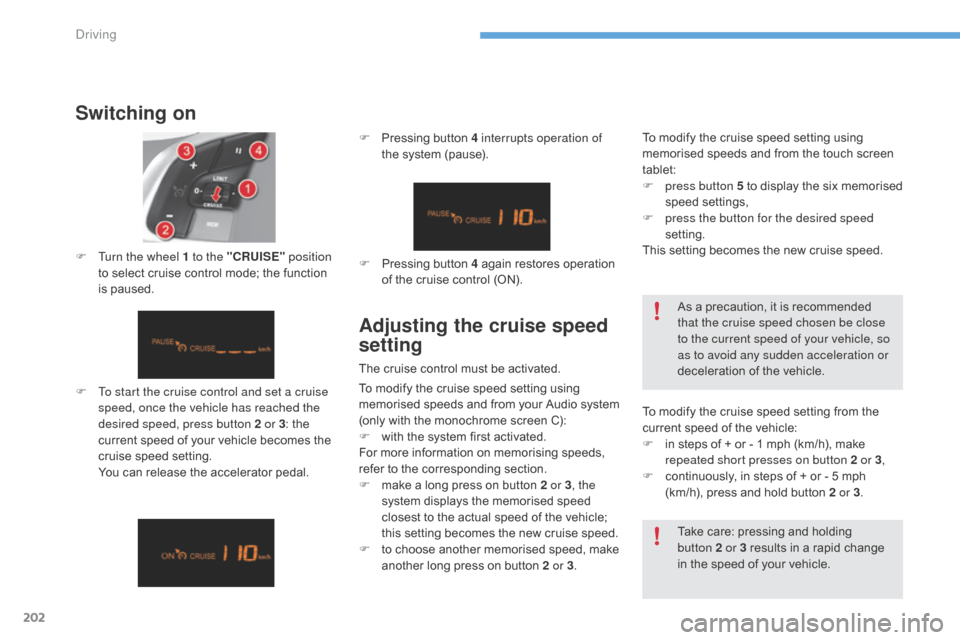
F To start the cruise control and set a cruise speed, once the vehicle has reached the
desired speed, press button 2 or 3 :
the
c
urrent speed of your vehicle becomes the
c
ruise speed setting.
Y
ou can release the accelerator pedal.
F
T
urn the wheel 1 to the "CRUISE"
position
to select cruise control mode; the function
i
s paused. F
P
ressing button 4 interrupts operation of
the system (pause).
Take care: pressing and holding
b
utton 2 or 3 results in a rapid change
i
n the speed of your vehicle.
F
P
ressing button 4 again restores operation
o
f the cruise control (ON).
As a precaution, it is recommended
t
hat the cruise speed chosen be close
to the current speed of your vehicle, so
as to avoid any sudden acceleration or
deceleration of the vehicle.
Adjusting the cruise speed
setting
The cruise control must be activated.
T o modify the cruise speed setting from the
c
urrent speed of the vehicle:
F
i
n steps of + or - 1 mph (km/h), make
r
epeated short presses on button 2 or 3,
F
c
ontinuously, in steps of + or - 5 mph
(
km/h), press and hold button 2 or 3.
To
modify the cruise speed setting using
m
emorised speeds and from the touch screen
t
ablet:
F
p
ress button 5 to display the six memorised
s
peed
se
ttings,
F
p
ress the button for the desired speed
setting.
This setting becomes the new cruise speed.
To modify the cruise speed setting using
m
emorised
s
peeds
a
nd
f
rom
y
our
A
udio
s
ystem
(
only with the monochrome screen C):
F
w
ith the system first activated.
For
more information on memorising speeds,
r
efer to the corresponding section.
F
m
ake a long press on button 2 or 3, the
system
displays the memorised speed
c
losest to the actual speed of the vehicle;
t
his setting becomes the new cruise speed.
F
t
o choose another memorised speed, make
a
nother long press on button 2 or 3.
Driving
Page 207 of 396
205
C4-2_en_Chap06_conduite_ed02-2015
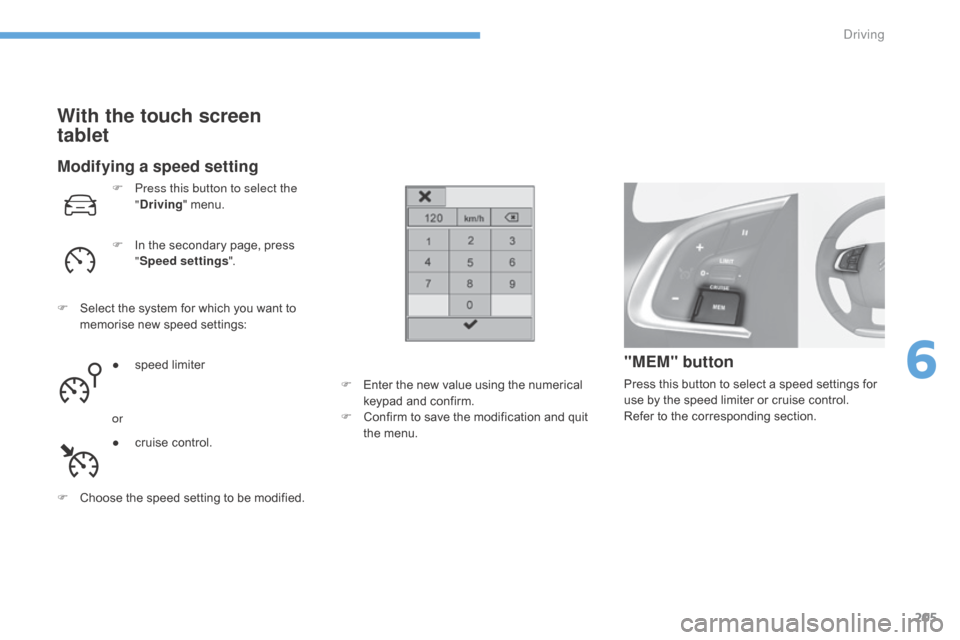
Modifying a speed setting
F Press this button to select the "Driving "
menu.
F
I
n the secondary page, press
"S
peed settings ".
F
S
elect the system for which you want to
m
emorise new speed settings:
●
s
peed limiter
or
●
c
ruise control.
F
C
hoose the speed setting to be modified.
"MEM" button
Press this button to select a speed settings for use by the speed limiter or cruise control.
Refer
to the corresponding section.
With the touch screen
tablet
F Enter the new value using the numerical k
eypad and confirm.
F
C
onfirm to save the modification and quit
t
he menu.
6
Driving
Page 211 of 396
209
C4-2_en_Chap07_infos-pratiques_ed02-2015
Fuel
Capacity of the tank: approximately 60 litres.When the low fuel level in the
tank
is reached, this warning lamp
c
omes on in the instrument panel,
a
ccompanied by an audible warning
a
nd the display of an alert message.
W
hen it first comes on, around
6
litres of fuel remain in the tank.
Low fuel level
Additions of fuel must be of at least 5 litres to be registered by the fuel gauge.
Opening
the filler cap may result in an inrush of
a
ir. This vacuum is entirely normal and results
f
rom the sealing of the fuel system.
F
P
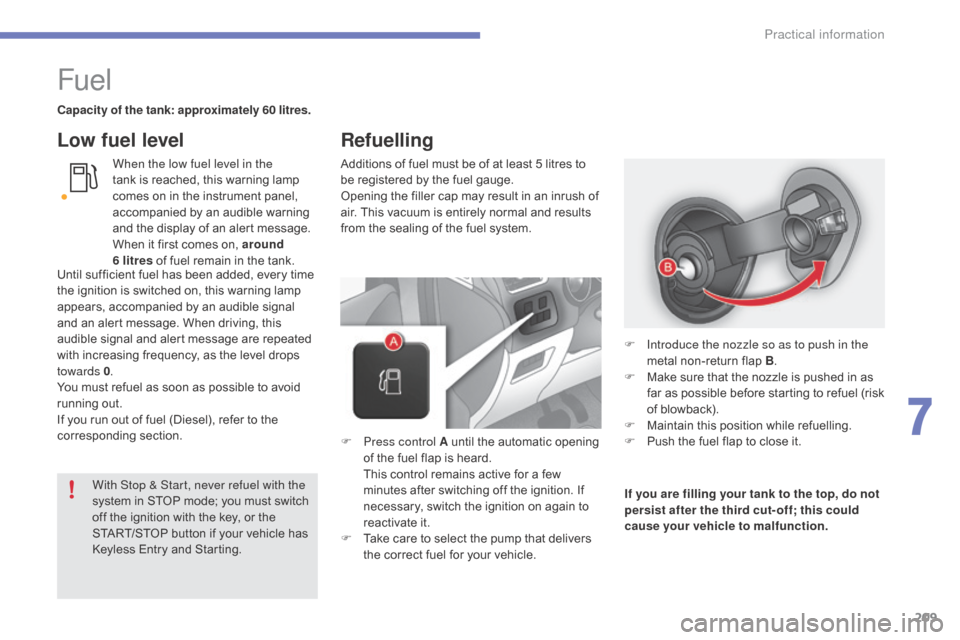
ress control A until the automatic opening
o
f the fuel flap is heard.
T
his control remains active for a few
m
inutes after switching off the ignition. If
n
ecessary, switch the ignition on again to
r
eactivate it.
F
T
ake care to select the pump that delivers
t
he correct fuel for your vehicle.If you are filling your tank to the top, do not
persist after the third cut- off; this could
cause your vehicle to malfunction.
F
I
ntroduce the nozzle so as to push in the
metal
non-return flap B.
F
M
ake sure that the nozzle is pushed in as
f
ar as possible before starting to refuel (risk
o
f blowback).
F
M
aintain this position while refuelling.
F
P
ush the fuel flap to close it.
With Stop & Start, never refuel with the
system
in
STOP
mode;
you
must
switch
o
ff
the
ignition
with
the
key,
or
the
S
TART/STOP
button
if
your
vehicle
has
K
eyless
Entry
and
Starting.
Until
sufficient
fuel
has
been
added,
every
time
t
he
ignition
is
switched
on,
this
warning
lamp
a
ppears,
accompanied
by
an
audible
signal
a
nd
an
alert
message.
When
driving,
this
a
udible
signal
and
alert
message
are
repeated
w
ith
increasing
frequency,
as
the
level
drops
tow
ards 0 .
You
must
refuel
as
soon
as
possible
to
avoid
r
unning
out.
If
you
run
out
of
fuel
(Diesel),
refer
to
the
c
orresponding
s
ection.
Refuelling
7
Practical information
Page 215 of 396
213
C4-2_en_Chap07_infos-pratiques_ed02-2015
Towing a trailer
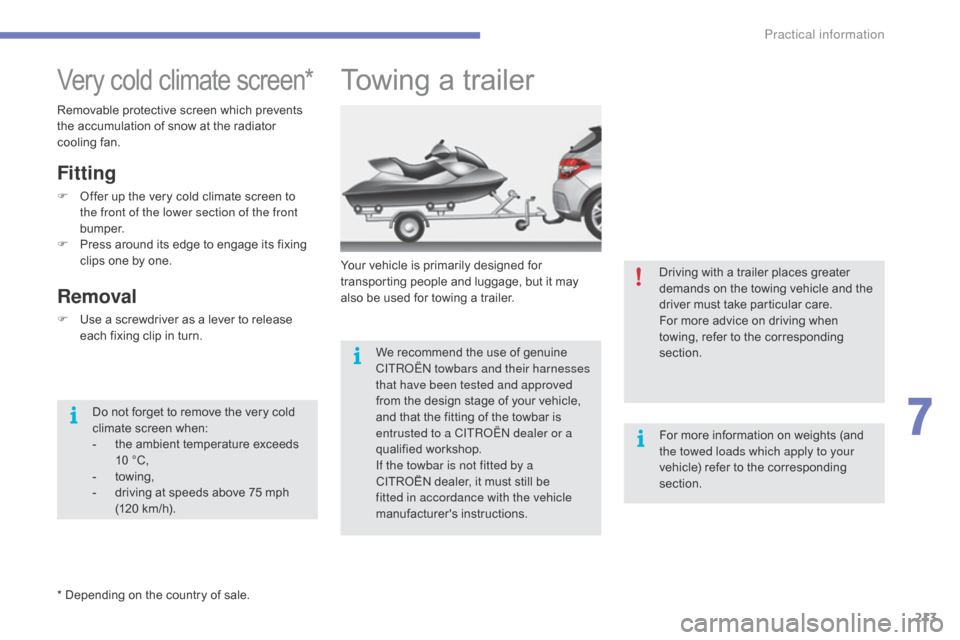
Your vehicle is primarily designed for transporting people and luggage, but it may
a
lso be used for towing a trailer.
We
recommend the use of genuine
C
ITROËN towbars and their harnesses
that have been tested and approved
from
the design stage of your vehicle,
a
nd that the fitting of the towbar is
e
ntrusted to a CITROËN dealer or a
qualified
w
orkshop.
If the towbar is not fitted by a
CITROËN
dealer, it must still be
f
itted in accordance with the vehicle
manufacturer's
i
nstructions.
Very cold climate screen*
* Depending on the country of sale.
Fitting
F Offer up the very cold climate screen to t
he front of the lower section of the front
b u m p e r.
F
P
ress around its edge to engage its fixing
c
lips one by one.
Removal
F Use a screwdriver as a lever to release e
ach fixing clip in turn.
Removable
protective screen which prevents
t
he accumulation of snow at the radiator
c
ooling fan.
Do not forget to remove the very cold
c
limate screen when:
-
t
he ambient temperature exceeds
1
0 °C,
-
tow
ing,
-
d
riving at speeds above 75 mph
(
120 km/h). Driving
with a trailer places greater
d
emands on the towing vehicle and the d
river must take particular care.
For more advice on driving when
t
owing, refer to the corresponding
s
ection.
For
more information on weights (and
t
he towed loads which apply to your
vehicle)
refer to the corresponding
s
ection.
7
Practical information