ignition Citroen C4 PICASSO 2015 2.G User Guide
[x] Cancel search | Manufacturer: CITROEN, Model Year: 2015, Model line: C4 PICASSO, Model: Citroen C4 PICASSO 2015 2.GPages: 420, PDF Size: 10.72 MB
Page 44 of 420
42
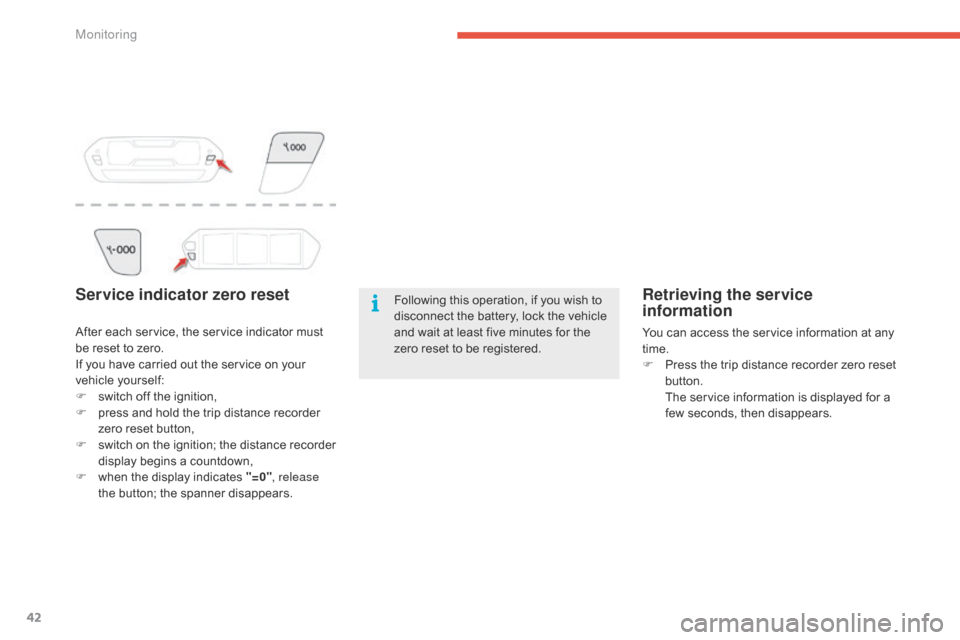
Service indicator zero resetFollowing this operation, if you wish to disconnect the battery, lock the vehicle
a
nd wait at least five minutes for the
z
ero reset to be registered.
After
each
service,
the
service
indicator
must
b
e
reset
to
zero.
If
you
have
carried
out
the
service
on
your
v
ehicle
y
ourself:
F
s
witch
off
the
ignition,
F
p
ress
and
hold
the
trip
distance
recorder
z
ero
reset
button,
F
s
witch
o
n
t
he
i
gnition;
t
he
d
istance
r
ecorder
d
isplay
begins
a
countdown,
F
w
hen
the
display
indicates
"=0" , release
the
button;
the
spanner
disappears.Retrieving the service
information
You can access the service information at any t ime.
F
P
ress the trip distance recorder zero reset
b
utton.
T
he service information is displayed for a
f
ew seconds, then disappears.
Monitoring
Page 46 of 420
44
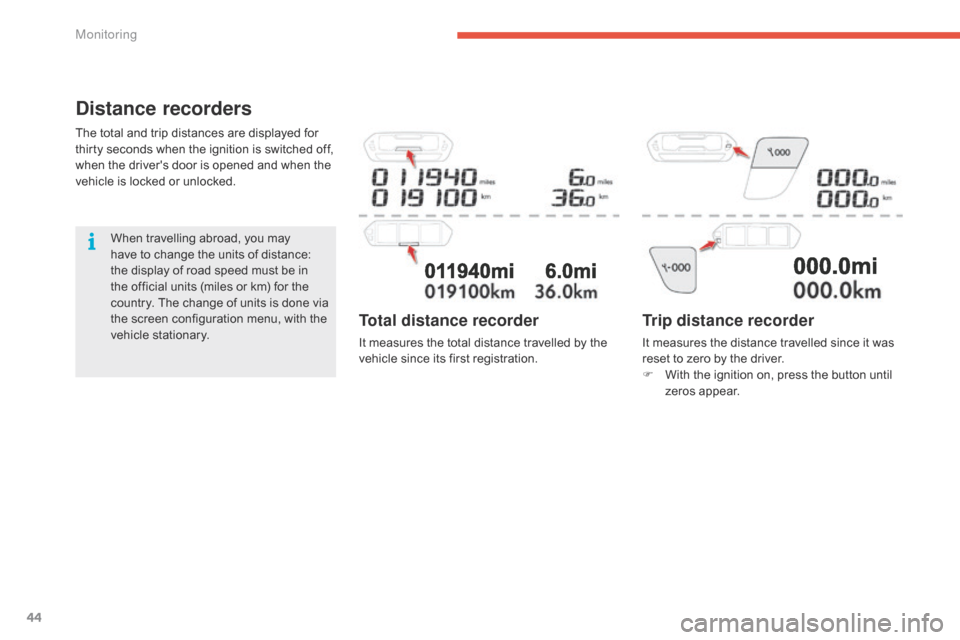
Distance recorders
The total and trip distances are displayed for thirty seconds when the ignition is switched off,
w
hen the driver's door is opened and when the
v
ehicle is locked or unlocked.
When
travelling abroad, you may
h
ave to change the units of distance:
t
he display of road speed must be in
t
he official units (miles or km) for the
c
ountry. The change of units is done via
t
he screen configuration menu, with the
v
ehicle stationary.
Trip distance recorder
It measures the distance travelled since it was reset to zero by the driver.
F
W
ith the ignition on, press the button until
z
eros appear.
Total distance recorder
It measures the total distance travelled by the vehicle since its first registration.
Monitoring
Page 52 of 420
50
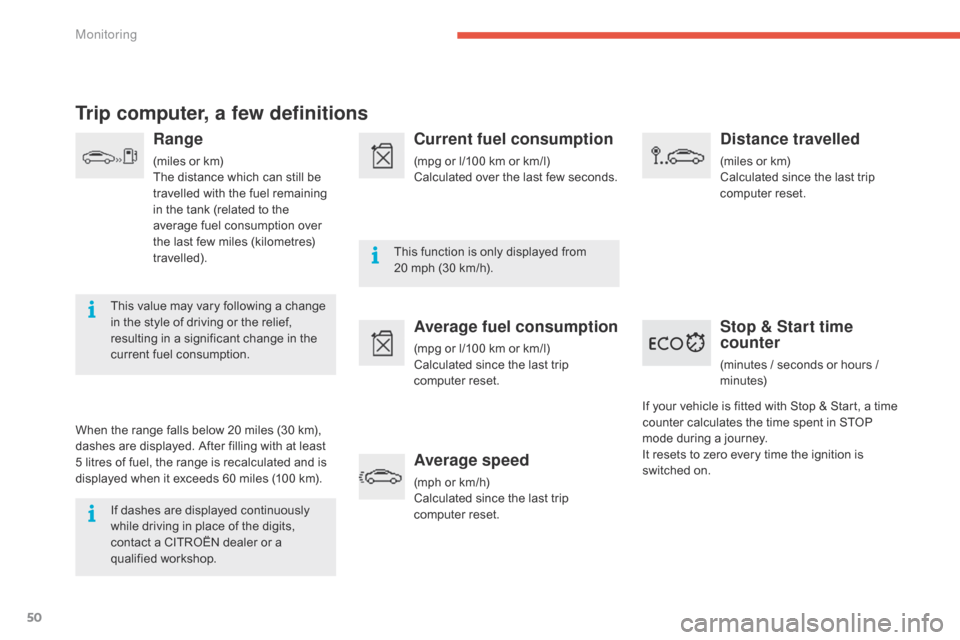
Trip computer, a few definitions
Range
(miles or km)
T he distance which can still be
t
ravelled with the fuel remaining
i
n the tank (related to the
a
verage fuel consumption over
t
he last few miles (kilometres)
t
ravelled).
This
value may vary following a change
i
n
the
style of driving or the relief,
r
esulting in a significant change in the
c
urrent
fuel consumption.
When
the
range falls below 20 miles (30 km),
d
ashes
are
displayed. After filling with at least
5
litres
of
fuel,
the range is recalculated and is
d
isplayed
when it exceeds 60 miles (100 km).
If
dashes are displayed continuously
w
hile
driving in place of the digits,
c
ontact
a CITROËN dealer or a
q
ualified
w
orkshop. This
function is only displayed from
2
0 mph (30 km/h).
Current fuel consumption
(mpg or l/100 km or km/l)
C alculated over the last few seconds.
Average fuel consumption
(mpg or l/100 km or km/l)
C alculated since the last trip
c
omputer
re
set.
Average speed
(mph or km/h)
C alculated since the last trip
c
omputer
re
set.
Distance travelled
(miles or km)
C alculated since the last trip
c
omputer
re
set.
Stop & Start time
counter
(minutes / seconds or hours / minutes)
If
your
vehicle
is fitted with Stop & Start, a time
c
ounter
calculates the time spent in STOP
m
ode
during
a journey.
It
resets
to
zero every time the ignition is
s
witched
on.
Monitoring
Page 60 of 420
58
Normal locking
F Turn the key towards the rear of the vehicle t
o lock the vehicle completely.
Deadlocking
F Turn the key towards the rear in the driver's d
oor lock to lock the vehicle completely.
F
T
urn the key towards the rear again within
f
ive seconds to deadlock the vehicle.
Depending
on your version, the
d
irection indicators flash for a
few
seconds, the door mirrors fold.
If
your vehicle has an alarm, this
f
unction is not activated by locking with
t
he integral key.
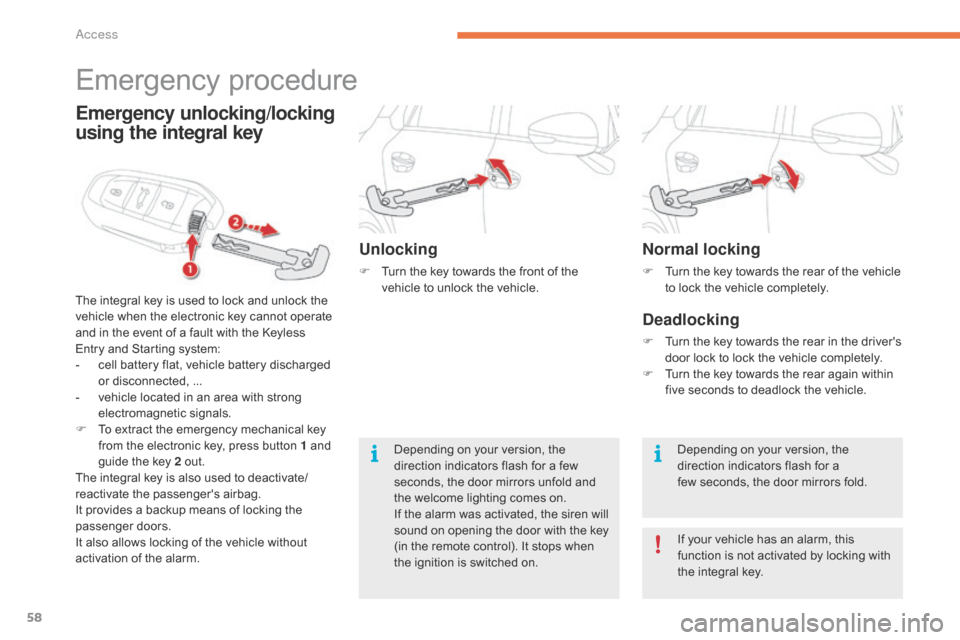
Emergency procedure
The integral key is used to lock and unlock the v
ehicle when the electronic key cannot operate
a
nd in the event of a fault with the Keyless
E
ntry and Starting system:
-
c
ell battery flat, vehicle battery discharged
o
r disconnected, ...
-
v
ehicle located in an area with strong
e
lectromagnetic
si
gnals.
F
T
o extract the emergency mechanical key
f
rom the electronic key, press button 1 and
g
uide the key 2 out.
The
integral key is also used to deactivate/
reactivate
t
he
p
assenger's
a
irbag.
It
provides a backup means of locking the
p
assenger
do
ors.
It
also allows locking of the vehicle without
a
ctivation of the alarm.
Emergency unlocking/locking
using the integral key
Unlocking
F Turn the key towards the front of the v
ehicle to unlock the vehicle.
Depending
on your version, the
d
irection indicators flash for a few
s
econds, the door mirrors unfold and
t
he welcome lighting comes on.
If
the alarm was activated, the siren will
s
ound on opening the door with the key
(
in the remote control). It stops when
t
he ignition is switched on.
Access
Page 61 of 420
59
Remote control problem -
reinitialisationChanging the battery
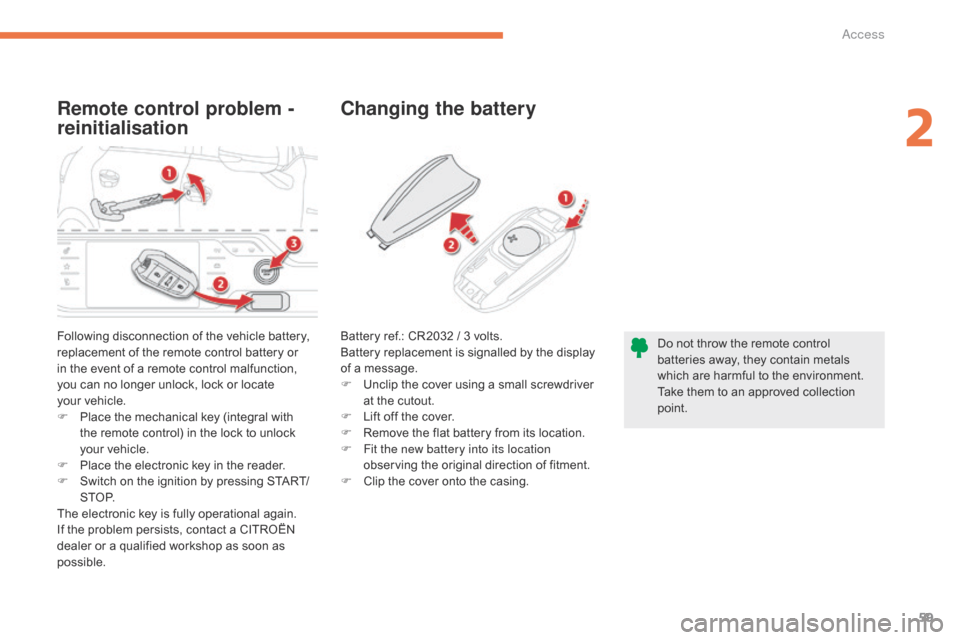
Following disconnection of the vehicle battery, r
eplacement of the remote control battery or
i
n the event of a remote control malfunction,
y
ou can no longer unlock, lock or locate
y
our vehicle.
F
P
lace the mechanical key (integral with
t
he remote control) in the lock to unlock
y
our vehicle.
F
P
lace the electronic key in the reader.
F
S
witch on the ignition by pressing START/
S T O P.
The
electronic key is fully operational again.
If
the problem persists, contact a CITROËN
d
ealer or a qualified workshop as soon as
p
ossible. Do
not throw the remote control
b
atteries away, they contain metals
w
hich are harmful to the environment.
Take
them to an approved collection
po
int.
Battery
ref.: CR2032 / 3 volts.
Battery replacement is signalled by the display
o
f a message.
F
U
nclip the cover using a small screwdriver
a
t the cutout.
F
L
ift off the cover.
F
R
emove the flat battery from its location.
F
F
it the new battery into its location
observing
the original direction of fitment.
F
C
lip the cover onto the casing.
2
Access
Page 62 of 420
60
Lost electronic key
Visit a CITROËN dealer with the vehicle's registration certificate, your personal identification documents and if possible the key code label.
T he CITROËN dealer will be able to retrieve the key code and the transponder code required to order a new key.
Electronic key
The electronic key is a sensitive system; do not operate it while it is in your pocket as there is a possibility that it may unlock the vehicle, without you being aware of it.
Do
not repeatedly press the buttons of your electronic key out of range and out of sight of your vehicle. You run the risk of stopping it from
w
orking and the remote control would have to be reinitialised.
The
electronic key cannot operate as a remote control when it is in the reader or even when the ignition is switched on.
Locking the vehicle
Driving with the doors locked may make access to the passenger compartment by the emergency services more difficult in an emergency.
A s a safety precaution (with children on board), take the electronic key with you when you leave the vehicle, even for a short time.
Electrical interference
The electronic key may not operate if close to certain electronic devices: telephone, laptop computer, strong magnetic fields, ...
Anti-theft protection
Do not make any modifications to the electronic engine immobiliser system; this could cause malfunctions.
When purchasing a second-hand vehicle
Have all of the keys in your possession paired by a CITROËN dealer, to ensure that only your keys allow your vehicle to be unlocked and started.
Access
Page 63 of 420
61
Manual central
locking
Central locking
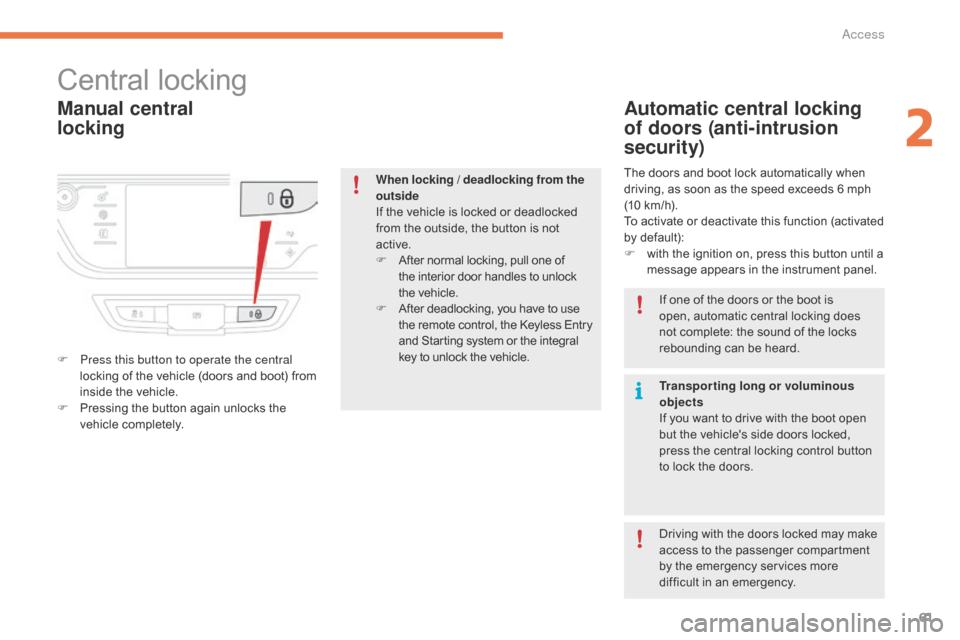
F Press this button to operate the central locking of the vehicle (doors and boot) from
i
nside the vehicle.
F
P
ressing the button again unlocks the
v
ehicle
c
ompletely.
Automatic central locking
of doors (anti-intrusion
security)
The doors and boot lock automatically when driving, as soon as the speed exceeds 6 mph
(
10 km/h).
To
activate or deactivate this function (activated
b
y default):
F
w
ith the ignition on, press this button until a
m
essage appears in the instrument panel.
When locking / deadlocking from the
outside
If
the
vehicle
is
locked
or
deadlocked
f
rom
the
outside,
the
button
is
not
a
ctive.
F
A
fter
normal
locking,
pull
one
of
t
he
interior
door
handles
to
unlock
t
he vehicle.
F
A
fter
deadlocking,
you
have
to
use
t
he
remote
control,
the
Keyless
Entry
a
nd
Starting
system
or
the
integral
k
ey
to
unlock
the
vehicle. If
one of the doors or the boot is
o
pen, automatic central locking does
n
ot complete: the sound of the locks
r
ebounding can be heard.
Transporting long or voluminous
objects
If
you want to drive with the boot open
b
ut the vehicle's side doors locked,
p
ress the central locking control button
t
o lock the doors.
Driving
with the doors locked may make
a
ccess to the passenger compartment
b
y the emergency services more
d
ifficult in an emergency.
2
Access
Page 70 of 420
68
For all work on the alarm system, contact a CITROËN dealer or a
q
ualified
w
orkshop.
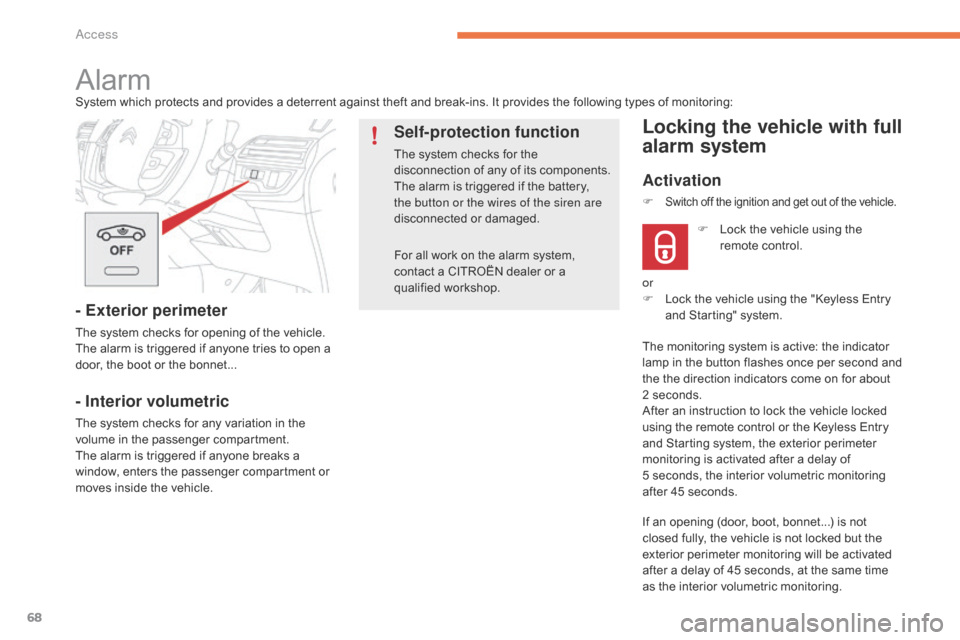
AlarmSystem which protects and provides a deterrent against theft and break-ins. It provides the following types of monitoring:
- Exterior perimeter
The system checks for opening of the vehicle.
T he alarm is triggered if anyone tries to open a
d
oor, the boot or the bonnet...
- Interior volumetric
The system checks for any variation in the volume in the passenger compartment.
The
alarm is triggered if anyone breaks a
w
indow, enters the passenger compartment or
m
oves inside the vehicle.
Self-protection function
The system checks for the disconnection of any of its components.
The
alarm is triggered if the battery,
t
he button or the wires of the siren are
disconnected
o
r
d
amaged.
Locking the vehicle with full
alarm system
Activation
If an opening (door, boot, bonnet...) is not closed fully, the vehicle is not locked but the
e
xterior perimeter monitoring will be activated
a
fter a delay of 45 seconds, at the same time
a
s the interior volumetric monitoring.
F
L
ock the vehicle using the
r
emote control.
F
Switch off the ignition and get out of the vehicle.
or
F
L ock the vehicle using the "Keyless Entry
a
nd Starting" system.
The
monitoring system is active: the indicator
l
amp in the button flashes once per second and
t
he the direction indicators come on for about
2
seconds.
After
an instruction to lock the vehicle locked
u
sing the remote control or the Keyless Entry
a
nd Starting system, the exterior perimeter
m
onitoring is activated after a delay of
5 s
econds, the interior volumetric monitoring
a
fter 45 seconds.
Access
Page 71 of 420

69
OFF
Locking the vehicle
with exterior perimeter
monitoring only
Deactivate the interior volumetric monitoring to avoid unwanted triggering of the alarm in
c
ertain cases such as:
-
l
eaving a window partially open,
-
w
ashing your vehicle,
-
c
hanging a wheel.
Deactivating the volumetric
monitoring
F Switch of the ignition and within t
en seconds press this button
u
ntil its indicator lamp is on fixed.
F
G
et
out of the vehicle.
F
I
mmediately lock the vehicle using the
r
emote control or the "Keyless Entry and
S
tarting" system.
Only
the
exterior perimeter protection system is
a
ctive:
the indicator lamp in the button flashes
o
nce
per
second.
To
be
effective, this deactivation must be done
e
very
time the ignition is switched off.
In
the
case
of
automatic
locking
of
the
v
ehicle
(which
occurs
after
a
period
of
3
0
seconds
if
a
door
or
the
boot
is
not
o
pened),
the
monitoring
system
is
not
r
eactivated
automatically.
To
reactivate
i
t,
it
is
necessary
to
unlock
the
vehicle
a
nd
lock
it
again,
using
the
remote
c
ontrol
or
the
"Keyless
Entry
and
S
tarting"
system.
Deactivation
F Press
one of the unlocking buttons on the r
emote control:
short press
long
press
or
F
U
nlock the vehicle using the "Keyless Entry
a
nd Starting" system.
The
monitoring system is deactivated: the
i
ndicator lamp in the button is off and the
d
irection indicators flash for about 2 seconds.
2
Access
Page 72 of 420

70
Reactivating the interior
volumetric monitoring
F Deactivate the exterior perimeter m
onitoring by unlocking the vehicle using
t
he remote control or the Keyless Entry and
S
tarting system.
The
indicator lamp in the button goes off.
F
R
eactivate the full alarm system by locking
t
he vehicle using the remote control or the
"
Keyless Entry and Starting" system.
The
indicator lamp in the button flashes once
p
er second again.
Triggering of the alarm
This is indicated by sounding of the siren and flashing of the direction indicators for
t
hirty seconds.
The
monitoring functions remain active until
t
he alarm has been triggered eleven times in
s
uccession.
When
the vehicle is unlocked using the remote
c
ontrol or the Keyless Entry and Starting
s
ystem, rapid flashing of the indicator lamp
i
n the button informs you that the alarm was
t
riggered during your absence. When the
i
gnition is switched on, this flashing stops
i
mmediately.
Failure of the remote control
To deactivate the monitoring functions:
F
U
nlock the vehicle using the key (integral
w
ith the remote control) in the driver's door
l
ock.
F
O
pen the door; the alarm is triggered.
F
S
witch on the ignition; the alarm stops.
T
he indicator lamp in the button goes off.
Locking the vehicle without
activating the alarm
F Lock or deadlock the vehicle using the key (
integral with the remote control) in the
d
river's door lock.
Operating fault
When the ignition is switched on, fixed illumination of the indicator lamp in the button
i
ndicates a fault in the system.
Have
it checked by a CITROËN dealer or a
q
ualified
w
orkshop.
Automatic activation*
2 minutes after the last door or the boot is closed, the system is activated automatically.
F
T
o avoid triggering the alarm on entering
t
he vehicle, first press the unlocking button
o
n the remote control or unlock the vehicle
u
sing the Keyless Entry and Starting
s
ystem.
*
Depending on the country of sale.
Access