display DODGE CHARGER SRT 2015 7.G Uconnect 8.4A
[x] Cancel search | Manufacturer: DODGE, Model Year: 2015, Model line: CHARGER SRT, Model: DODGE CHARGER SRT 2015 7.GPages: 429, PDF Size: 4.01 MB
Page 272 of 429
•Junction View
Press this button on the touchscreen to enable Junction
View during route guidance. Press and release the button
on the touchscreen until a check-mark appears, showing
the setting has been selected.
•Navigation Turn-by-Turn Displayed In Cluster
Press this button on the touchscreen to enable navigation
turn-by-turn displayed in vehicles cluster during route
guidance. Press and release the button on the touchscreen
until a check-mark appears, showing the setting has been
selected.
•TMC Route Mode (If Equipped)
Press this button on the touchscreen to change how the
Traffic Message Channel (TMC) Route Mode functions
during route guidance. Press the desired button on the
touchscreen.
Automatic
By Delay Time
Manual
Off
•TMC Avoidance Types (IF Equipped)
Press this button on the touchscreen to display the
available Traffic Message Channel (TMC) Avoidance
Types you would like displayed while in route guidance.
Press and release the desired selection button on the
touchscreen until a check-mark appears, showing the
setting has been selected.
•Avoid
Press the Avoid button on the touchscreen to choose road
types to avoid during your route. To make a selection
press and release the desired setting until a check-mark
appears.
3
Uconnect® 8.4A — If Equipped 271
Page 274 of 429
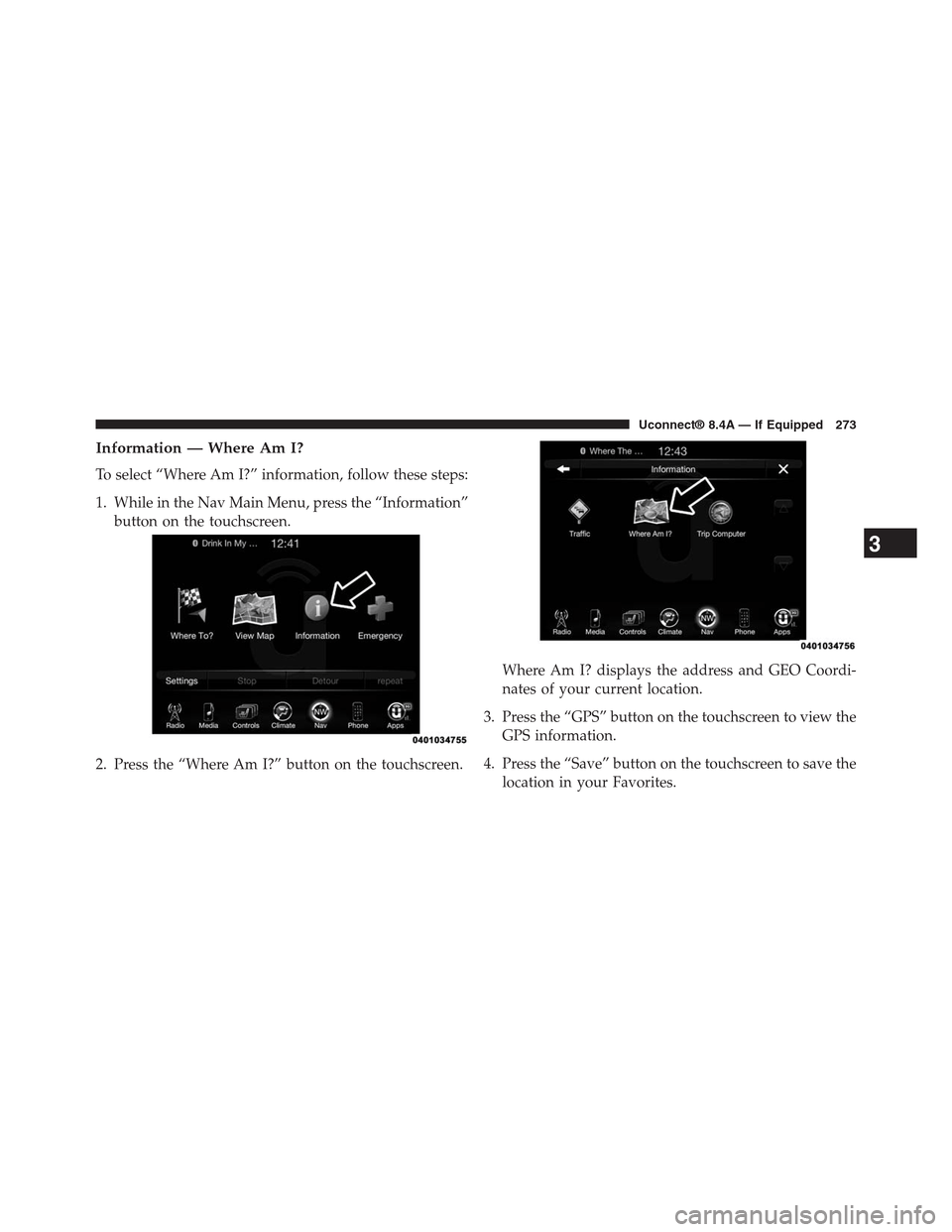
Information — Where Am I?
To select “Where Am I?” information, follow these steps:
1. While in the Nav Main Menu, press the “Information”
button on the touchscreen.
2. Press the “Where Am I?” button on the touchscreen.
Where Am I? displays the address and GEO Coordi-
nates of your current location.
3. Press the “GPS” button on the touchscreen to view the
GPS information.
4. Press the “Save” button on the touchscreen to save the
location in your Favorites.
3
Uconnect® 8.4A — If Equipped 273
Page 276 of 429
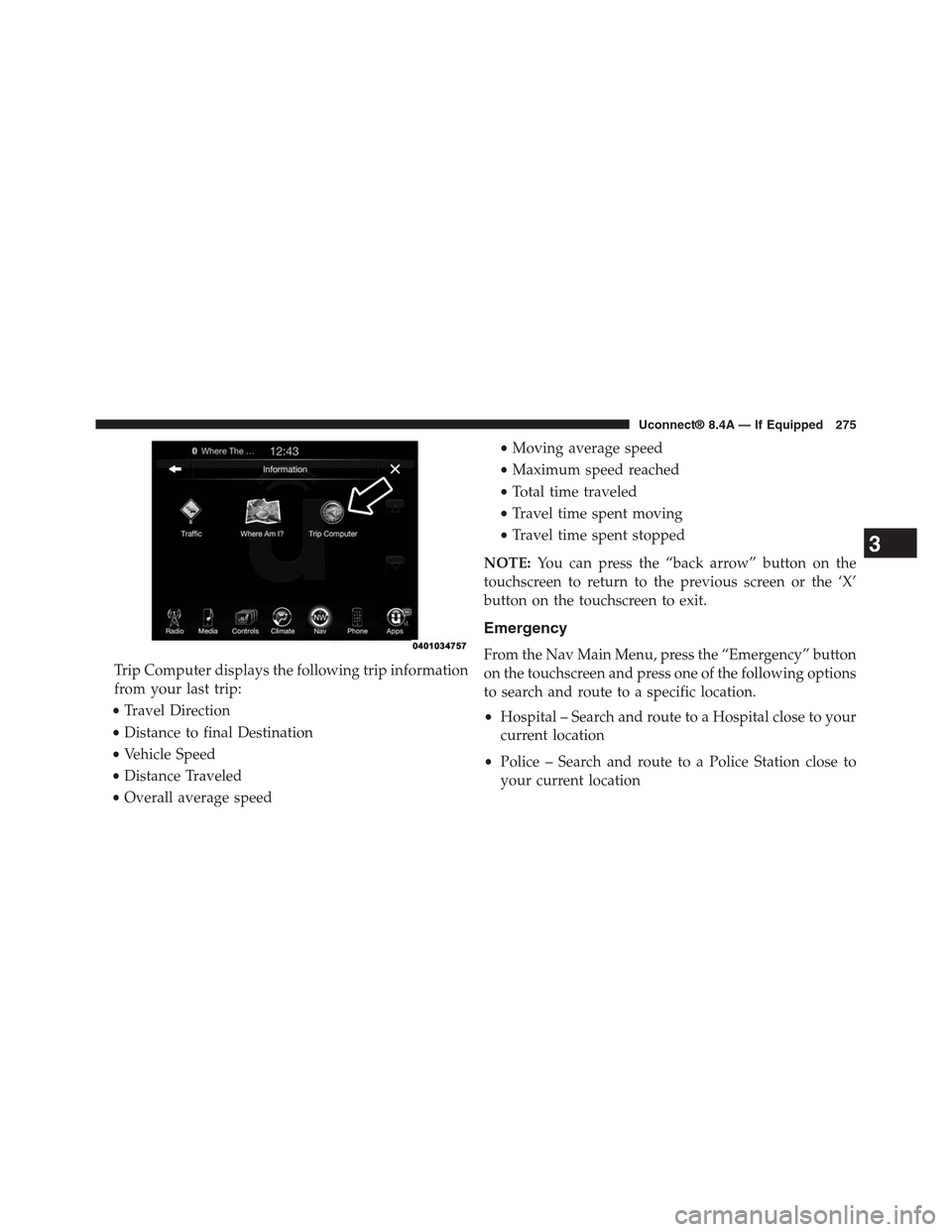
Trip Computer displays the following trip information
from your last trip:
•Travel Direction
•Distance to final Destination
•Vehicle Speed
•Distance Traveled
•Overall average speed
•Moving average speed
•Maximum speed reached
•Total time traveled
•Travel time spent moving
•Travel time spent stopped
NOTE:You can press the “back arrow” button on the
touchscreen to return to the previous screen or the ‘X’
button on the touchscreen to exit.
Emergency
From the Nav Main Menu, press the “Emergency” button
on the touchscreen and press one of the following options
to search and route to a specific location.
•Hospital – Search and route to a Hospital close to your
current location
•Police – Search and route to a Police Station close to
your current location
3
Uconnect® 8.4A — If Equipped 275
Page 277 of 429
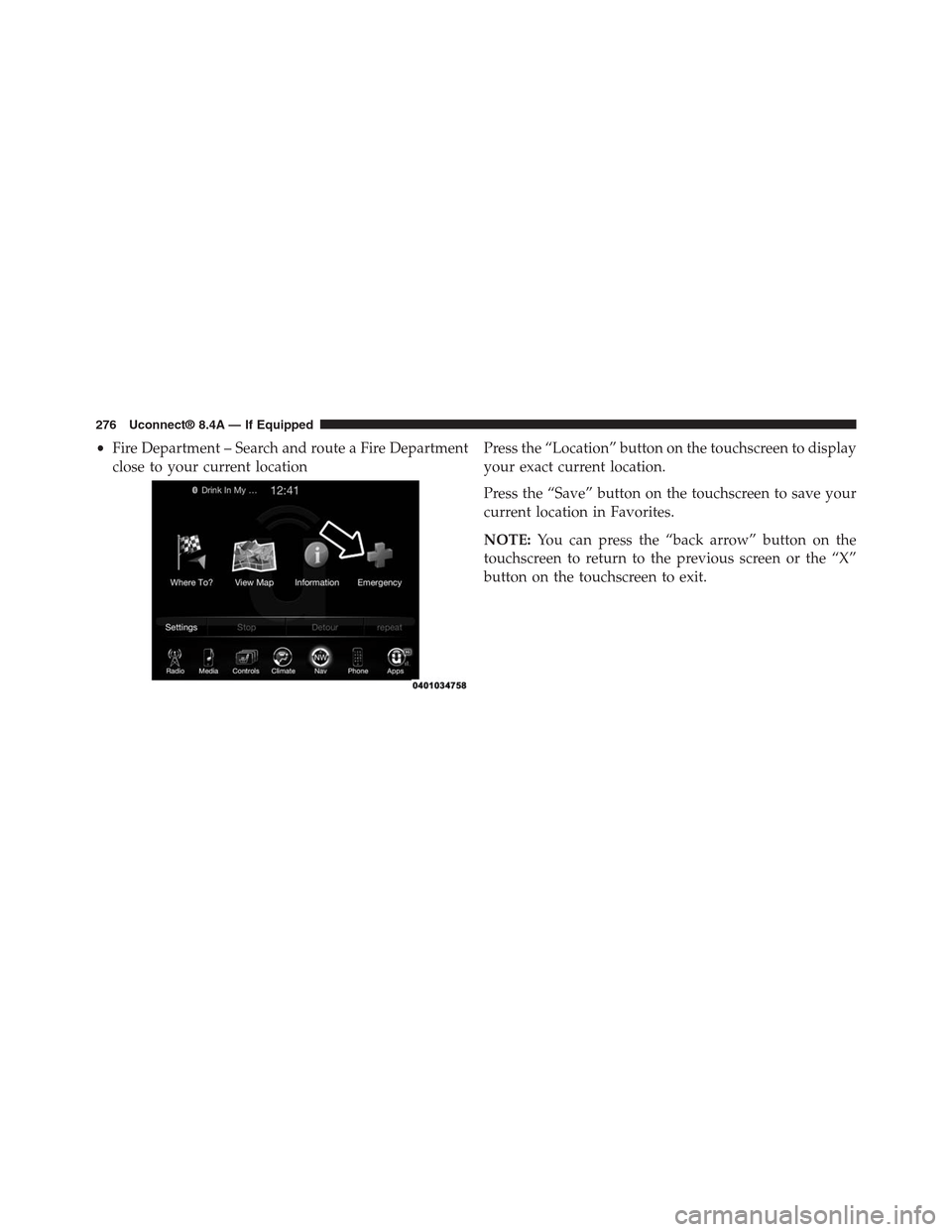
•Fire Department – Search and route a Fire Department
close to your current location
Press the “Location” button on the touchscreen to display
your exact current location.
Press the “Save” button on the touchscreen to save your
current location in Favorites.
NOTE:You can press the “back arrow” button on the
touchscreen to return to the previous screen or the “X”
button on the touchscreen to exit.
276 Uconnect® 8.4A — If Equipped
Page 286 of 429
9-1-1 Call System Limitations
Vehicles sold in Canada and Mexico DO NOT have 9-1-1
Call system capabilities.
9-1-1 or other emergency line operators in Canada and
Mexico may not answer or respond to 9-1-1 system calls.
If the 9-1-1 Call system detects a malfunction, any of the
following may occur at the time the malfunction is
detected, and at the beginning of each ignition cycle:
•The Rearview Mirror light will continuously be illu-
minated red.
•The Phone Screen will display the following message
“Vehicle phone requires service. Please contact your
dealer.”
•An In-Vehicle Audio message will state “Vehicle phone
requires service. Please contact your dealer.”
WARNING!
•Ignoring the Rearview Mirror light could mean you
may not have 9-1-1 Call capability if needed. If the
Rearview Mirror light is illuminated, have an au-
thorized dealer service the 9-1-1 Call system imme-
diately.
•The Occupant Restraint Controller (ORC) turns on
the Air Bag Warning Light on the instrument panel
if a malfunction is detected in any part of the air
bag system. If the Air Bag Warning Light is illumi-
nated, the air bag system may not be working
properly and the 9-1-1 system may not be able to
send a signal to a 9-1-1 operator. If the Air Bag
Warning Light is illuminated, have an authorized
dealer service your vehicle immediately.
3
Uconnect® 8.4A — If Equipped 285
Page 295 of 429
Seek And Direct Tune Functions
The Seek Up and Down functions are activated by
pressing the double arrow buttons on the touchscreen to
the right and left of the radio station display, or by
pressing the left “Steering Wheel Audio Control” (if
equipped) up or down.
Seek Up
Press and release the “Seek Up”button on the
touchscreen to tune the radio to the next listenable
station or channel. During a Seek Up function, if the
radio reaches the starting station after passing through
the entire band two times, the radio will stop at the
station where it began.
Fast Seek Up
Press and hold the “Seek Up”button on the touch-
screen to advance the radio through the available
stations or channels at a faster rate, the radio stops at
the next available station or channel when the button
on the touchscreen is released.
Seek Down
Press and release the “Seek Down”button on the
touchscreen to tune the radio to the next listenable
station or channel. During a Seek Down function, if
the radio reaches the starting station after passing
through the entire band two times, the radio will stop
at the station where it began.
Fast Seek Down
Press and hold the “Seek Down”button on the
touchscreen to advance the radio through the avail-
able stations or channel at a faster rate, the radio stops
at the next available station or channel when the
button on the touchscreen is released.
294 Uconnect® 8.4AN — If Equipped
Page 296 of 429
Direct Tune
Press the “Tune” button on the touchscreen located at the
bottom of the radio screen. The Direct Tune button on the
touchscreen is available in AM, FM and SXM radio
modes and can be used to direct tune the radio to a
desired station or channel.
Press the available number button on the touchscreen to
begin selecting a desired station. Once a number has been
entered, any numbers that are no longer possible (sta-
tions that cannot be reached) will become deactivated/
grayed out.
Undo
You can backspace an entry by pressing the bottom left
“Undo” button on the touchscreen.
GO
Once the last digit of a station has been entered, the
DIRECT TUNE screen will close and the system will
automatically tune to that station.
The selected Station or Channel number is displayed in
the Direct Tune text box.
Setting Presets
The Presets are available for all Radio Modes, and are
activated by pressing any of the six “Preset” buttons on
the touchscreen, located at the top of the screen.
When you are receiving a station that you wish to
commit into memory, press and hold the desired num-
bered button on the touchscreen for more that two
seconds or until you hear a confirmation beep.
The Radio stores up to 12 presets in each of the Radio
modes. A set of 6 presets are visible at the top of the radio
screen.
4
Uconnect® 8.4AN — If Equipped 295
Page 299 of 429
This functionality is only available for radios equipped
with a Satellite receiver. In order to receive satellite radio,
the vehicle needs to be outside with a clear view to the
sky.
If the screen shows Acquiring Signal, you might have to
change the vehicle’s position in order to receive a signal.
In most cases, the satellite radio does not receive a signal
in underground parking garages or tunnels.
No Subscription
Radios equipped with a Satellite receiver, require a
subscription to the SiriusXM Service. When the Radio
does not have the necessary subscription, the Radio is
able to receive the Pre-View channel only.
Acquiring SiriusXM Subscription
To activate the SiriusXM Satellite Radio subscription, call
1-800-643-2112 for U.S. residents and 1-877-438-9677 for
Canadian residents. You will need to provide the Siri-
usXM ID (RID) located at the bottom of the Channel 0
screen.
The Satellite Mode is activated by a press of the “SXM”
button on the touchscreen.
When in Satellite mode:
•The SXM button on the touchscreen is highlighted.
•The SiriusXM Presets are displayed at the top of the
screen.
•The Genre is displayed below the Presets Bar.
•The SiriusXM Channel Number is displayed in the
center.
•The Program Information is displayed at the bottom of
the Channel Number.
•The SiriusXM function buttons are displayed below
the Program Information.
298 Uconnect® 8.4AN — If Equipped
Page 300 of 429
Tuning is done by operating the Tune Knob or by Direct
Tune, similar to other Radio Bands, see Presets, browse,
Tune Knob, and Direct Tune.
In addition to the tuning Operation functions common to
all Radio modes, the replay, Traffic/Weather Jump, and
fav button functions are available in SiriusXM Mode.
Replay
The replay function provides a means to store and replay
up to 22 minutes of music audio and 48 minutes of talk
radio. Once the channel is switched, content in replay
memory is lost.
Press the “Replay” button on the touchscreen. The play/
pause, rewind/forward and live buttons will display at
the top of the screen, along with the replay time.
You can exit by pressing the “Replay” button on the
touchscreen, any time during the Replay mode.
Play/Pause
Press the “Pause/Play” button on the touchscreen to
pause the playing of live or rewound content at any time.
Play can be resumed again by pressing of the “Pause/
Play” button on the touchscreen.
Rewind
Press the “RW” button on the touchscreen to rewind the
content in steps of five seconds. Pressing the “RW”
button on the touchscreen for more than two seconds
rewinds the content. The Radio begins playing the con-
tent at the point at which the press is released.
Forward
Each press of the “FW” button on the touchscreen
forwards the content in steps of five seconds. Forwarding
of the content can only be done when the content is
previously rewound, and therefore, can not be done for
live content. A continuous press of the “FW” button on
4
Uconnect® 8.4AN — If Equipped 299
Page 302 of 429
When the Traffic & Weather button on the touchscreen is
pressed, the Traffic & Weather channel is tuned.
If the Traffic & Weather alert City is not set, you are
presented with a pop up to allow you to select the
favorite city using the Browse Screen.
Browse In SXM
Press the “Browse” button on the touchscreen to edit
Presets, Favorites, Game Zone, and Jump settings, along
with providing the SiriusXM Channel List.
This Screen contains many sub menus. You can exit a sub
menu to return to a parent menu by pressing the “Back
Arrow.”
All
Press the “All” button at the left of the Browse Screen.
Channel List
Press the Channel List, or Genre, to display all the
SiriusXM Channel Numbers. You can scroll the Channel
list by pressing the “Up and Down arrows”, located on
the right side of the screen. Scrolling can also be done by
operating the TUNE/SCROLL knob.
Genre
Press the “Genre” button on the touchscreen to display a
list of Genres. You can select any desired Genre by
pressing the “Genre” list, the Radio tunes to a channel
with the content in the selected Genre.
Presets
Press the “Presets” button located at the left of the
Browse screen.
4
Uconnect® 8.4AN — If Equipped 301