tow DODGE GRAND CARAVAN 2020 User Guide
[x] Cancel search | Manufacturer: DODGE, Model Year: 2020, Model line: GRAND CARAVAN, Model: DODGE GRAND CARAVAN 2020Pages: 380, PDF Size: 14.92 MB
Page 40 of 380
38GETTING TO KNOW YOUR VEHICLE
Daytime Running Lights (DRLs) — If
Equipped
The headlights on your vehicle will illuminate
when the engine is started and the
transmission is in any gear except PARK. This
provides a constant "lights on" condition until
the ignition is placed in the OFF position. The
lights illuminate at less than half of normal
intensity. If the parking brake is applied, the
Daytime Running Lights (DRLs) will turn off.
Also, if a turn signal is activated, the DRL lamp
on the same side of the vehicle may turn off for
the duration of the turn signal activation. Once
the turn signal is no longer active, the DRL lamp
will illuminate.
High/Low Beam Switch
Push the multifunction lever toward the
instrument panel to switch the headlights to
high beams. Pulling the multifunction lever
back toward the steering wheel will return the
lights to low beams.
Flash-To-Pass
You can signal another vehicle with your
headlights by lightly pulling the multifunction
lever toward you. This will cause the high beam
headlights to turn on, and remain on, until the
lever is released.
Automatic Headlights
This system automatically turns the headlights
on or off according to ambient light levels. To
turn the system on, rotate the headlight switch
counterclockwise to the AUTO position. When
the system is on, the headlight time delay
feature is also on. This means the headlights
will stay on for up to 90 seconds after you place
the ignition into the OFF position. The headlight
time delay can be programmed to 0, 30, 60, or
90 seconds. Refer to “Headlight Delay” in this
section for further information.
To turn the automatic system off, move the
headlight switch out of the AUTO position.
NOTE:
The engine must be running before the
headlights will come on in the automatic mode.
Headlights On With Wipers — If Equipped
When your headlights are in the AUTO mode
and the engine is running, the headlights will
automatically turn on when the wiper system is
also turned on. Headlights on when windshield
wipers are on may be found on vehicles
equipped with an automatic headlight system.
NOTE:
The Headlights with Wipers feature can be
turned on or off through the instrument cluster
display. Refer to “Instrument Cluster Display” in
“Getting To Know Your Instrument Panel” for
further information.
Headlight Delay — If Equipped
This feature provides the safety of headlight
illumination for up to 90 seconds after exiting
your vehicle.
To activate the delay feature, place the ignition
in the OFF position while the headlights are still
on. Then turn off the headlights within 45
seconds. The 90 second delay interval begins
when the headlight switch is turned off. If the
headlights or parking lights are turned back on
or the ignition switch is placed in the ON
position, the delay will be cancelled.
20_RT_OM_EN_USC_t.book Page 38
Page 44 of 380
42GETTING TO KNOW YOUR VEHICLE
Intermittent Wiper System
Use the intermittent wiper when weather
conditions make a single wiping cycle with a
variable pause between cycles desirable.
Rotate the end of the multifunction lever to the
first detent position, and then turn the end of
the lever to select the desired delay interval.
There are five delay settings, which allow you to
regulate the wipe interval from a minimum of
one cycle every second to a maximum of
approximately 36 seconds between cycles. The
delay intervals will double in duration when the
vehicle speed is 10 mph (16 km/h) or less.
Windshield Washers
To use the windshield washer, push on the end
of the lever to the second detent and hold while
spray is desired. If the lever is pushed while on
the intermittent setting, the wipers will turn on
and operate for several wipe cycles after the
lever is released, and then resume the
intermittent interval previously selected. If the
lever is pushed while the wipers are in the off
position, the wipers will operate several wipe
cycles, then turn off.
Mist Feature
Push the end of the multifunction lever inward
(toward the steering column) to the first detent
and release for a single wiping cycle.
NOTE:
The mist feature does not activate the washer
pump; therefore, no washer fluid will be sprayed
on the windshield. The wash function must be
used in order to spray the windshield with
washer fluid.
Rear Wiper And Washer
Rotating the center ring of the wiper lever to the
first detent activates the rear intermittent
wipers. To activate the washers, rotate the
center ring fully forward and the washers will
spray until the ring is released, and then
resume the intermittent interval.
NOTE:
Rear window wipers function in the intermittent
wiper speed only.
CLIMATE CONTROLS
The Climate Control system allows you to
regulate the temperature, air flow, and direction
of air circulating throughout the vehicle. The
controls are located on the touchscreen (if
equipped) and on the instrument panel below
the radio.
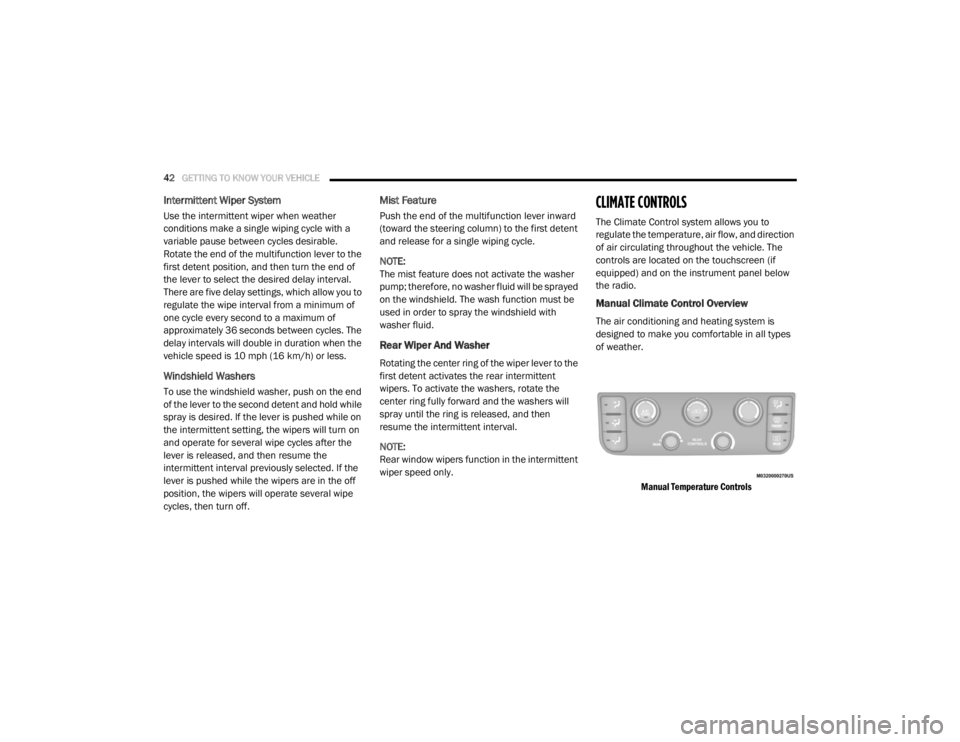
Manual Climate Control Overview
The air conditioning and heating system is
designed to make you comfortable in all types
of weather.
Manual Temperature Controls
20_RT_OM_EN_USC_t.book Page 42
Page 65 of 380
GETTING TO KNOW YOUR VEHICLE63
Using the above ways:
When the liftgate is fully closed, the liftgate
will open
When the liftgate is fully open, the liftgate will
close
When the liftgate is moving, the liftgate will
reverse
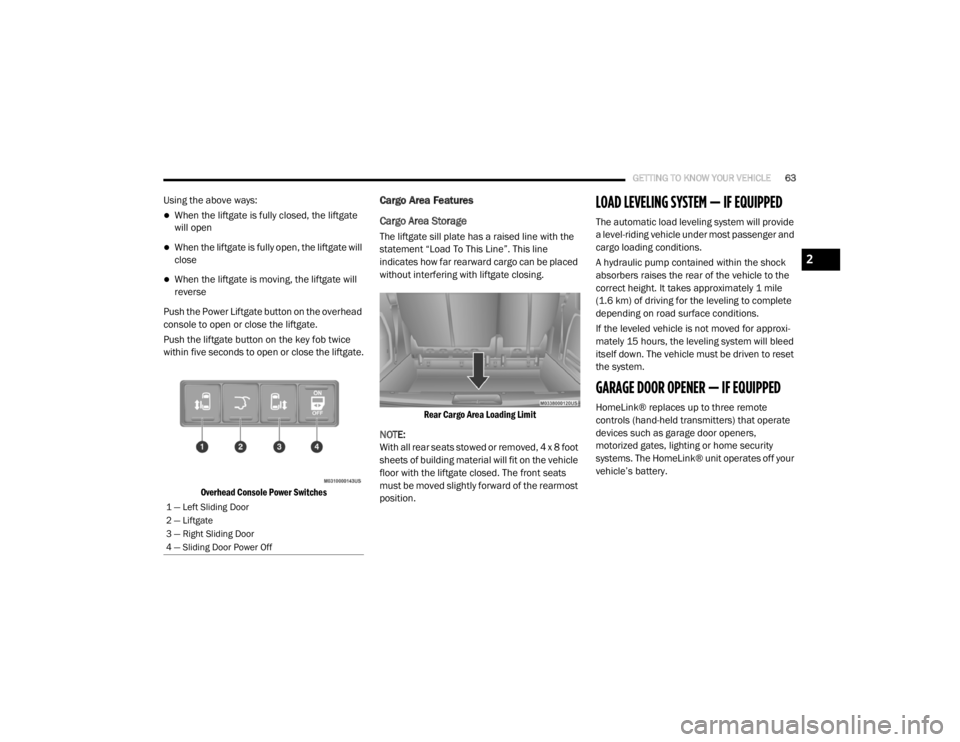
Push the Power Liftgate button on the overhead
console to open or close the liftgate.
Push the liftgate button on the key fob twice
within five seconds to open or close the liftgate.
Overhead Console Power Switches
Cargo Area Features
Cargo Area Storage
The liftgate sill plate has a raised line with the
statement “Load To This Line”. This line
indicates how far rearward cargo can be placed
without interfering with liftgate closing.
Rear Cargo Area Loading Limit
NOTE:
With all rear seats stowed or removed, 4 x 8 foot
sheets of building material will fit on the vehicle
floor with the liftgate closed. The front seats
must be moved slightly forward of the rearmost
position.
LOAD LEVELING SYSTEM — IF EQUIPPED
The automatic load leveling system will provide
a level-riding vehicle under most passenger and
cargo loading conditions.
A hydraulic pump contained within the shock
absorbers raises the rear of the vehicle to the
correct height. It takes approximately 1 mile
(1.6 km) of driving for the leveling to complete
depending on road surface conditions.
If the leveled vehicle is not moved for approxi-
mately 15 hours, the leveling system will bleed
itself down. The vehicle must be driven to reset
the system.
GARAGE DOOR OPENER — IF EQUIPPED
HomeLink® replaces up to three remote
controls (hand-held transmitters) that operate
devices such as garage door openers,
motorized gates, lighting or home security
systems. The HomeLink® unit operates off your
vehicle’s battery.
1 — Left Sliding Door
2 — Liftgate
3 — Right Sliding Door
4 — Sliding Door Power Off
2
20_RT_OM_EN_USC_t.book Page 63
Page 78 of 380
76GETTING TO KNOW YOUR VEHICLE
One outlet in the removable floor console
(if equipped) shares a fuse with the lower outlet
in the instrument panel and is also connected
to the battery. Do not exceed a maximum power
of 160 Watts (13 Amps) shared between the
lower panel outlet and the removable floor
console outlet.
Removable Console Power Outlet
On vehicles equipped, center console power
outlets are located under the retractable cover.
To access the power outlets push down on the
cover and slide it toward the instrument panel.
Center Console Power Outlets
There is an additional 12 Volt power outlet
located on the left rear trim panel immediately
behind the second row left passenger seat.
Rear Panel Power Outlet
The outlet in the rear quarter panel near the
liftgate and the upper outlet in the instrument
panel are both controlled by the ignition switch.
Each of these outlets can support 160 Watts
(13 Amps). Do not exceed 160 Watts (13 Amps)
for each of these outlets.
The power outlets include tethered caps,
labeled with a key or battery symbol indicating
the power source. The power outlet, located on
the lower instrument panel, is powered directly
from the battery. Items plugged into this power
outlet may discharge the battery and/or prevent
the engine from starting.
WARNING!
To avoid serious injury or death:
Only devices designed for use in this type of
outlet should be inserted into any 12 Volt
outlet.
Do not touch with wet hands.
Close the lid when not in use and while
driving the vehicle.
If this outlet is mishandled, it may cause an
electric shock and failure.
20_RT_OM_EN_USC_t.book Page 76
Page 81 of 380
GETTING TO KNOW YOUR VEHICLE79
ROOF LUGGAGE RACK — IF EQUIPPED
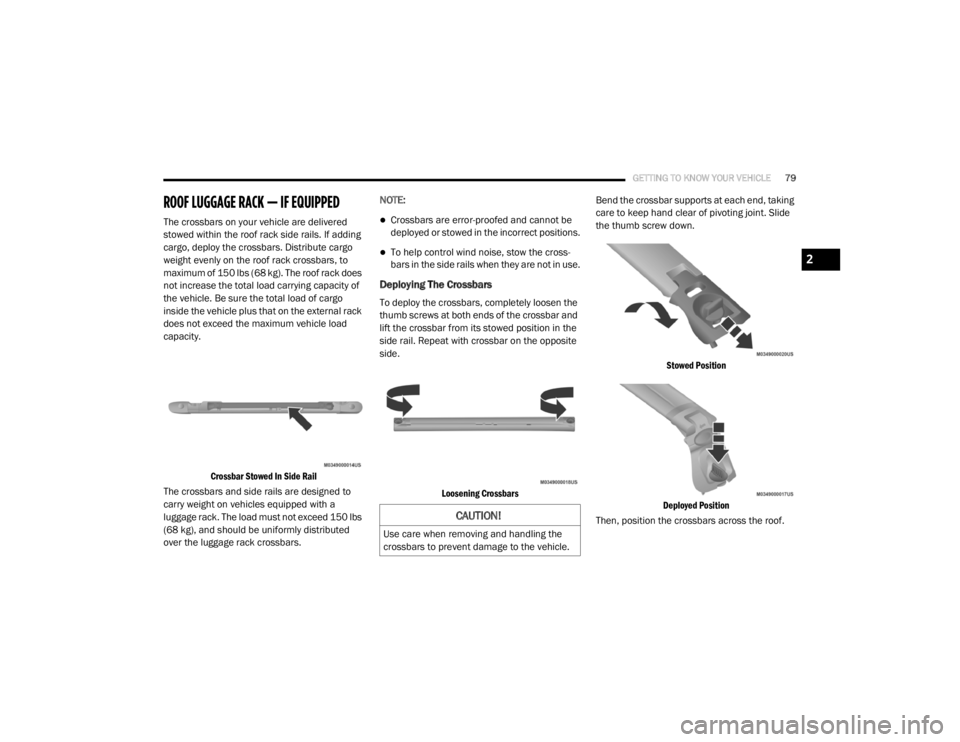
The crossbars on your vehicle are delivered
stowed within the roof rack side rails. If adding
cargo, deploy the crossbars. Distribute cargo
weight evenly on the roof rack crossbars, to
maximum of 150 lbs (68 kg). The roof rack does
not increase the total load carrying capacity of
the vehicle. Be sure the total load of cargo
inside the vehicle plus that on the external rack
does not exceed the maximum vehicle load
capacity.
Crossbar Stowed In Side Rail
The crossbars and side rails are designed to
carry weight on vehicles equipped with a
luggage rack. The load must not exceed 150 lbs
(68 kg), and should be uniformly distributed
over the luggage rack crossbars. NOTE:Crossbars are error-proofed and cannot be
deployed or stowed in the incorrect positions.
To help control wind noise, stow the cross
-
bars in the side rails when they are not in use.
Deploying The Crossbars
To deploy the crossbars, completely loosen the
thumb screws at both ends of the crossbar and
lift the crossbar from its stowed position in the
side rail. Repeat with crossbar on the opposite
side.
Loosening Crossbars
Bend the crossbar supports at each end, taking
care to keep hand clear of pivoting joint. Slide
the thumb screw down.
Stowed Position
Deployed Position
Then, position the crossbars across the roof.
CAUTION!
Use care when removing and handling the
crossbars to prevent damage to the vehicle.
2
20_RT_OM_EN_USC_t.book Page 79
Page 82 of 380
80GETTING TO KNOW YOUR VEHICLE
NOTE:
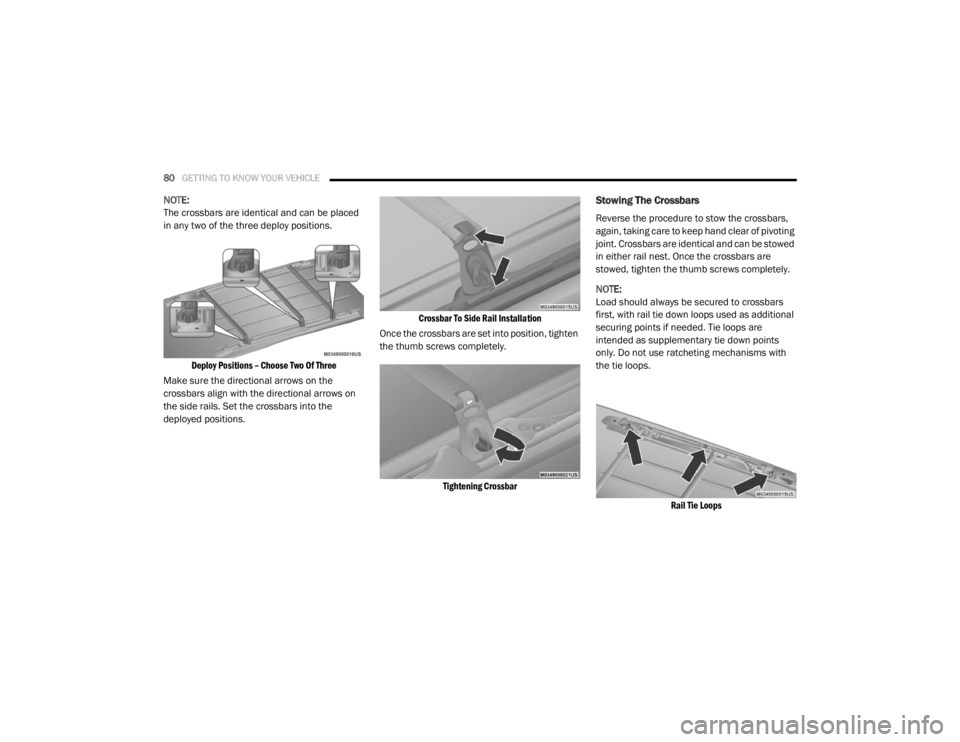
The crossbars are identical and can be placed
in any two of the three deploy positions.
Deploy Positions – Choose Two Of Three
Make sure the directional arrows on the
crossbars align with the directional arrows on
the side rails. Set the crossbars into the
deployed positions.
Crossbar To Side Rail Installation
Once the crossbars are set into position, tighten
the thumb screws completely.
Tightening Crossbar
Stowing The Crossbars
Reverse the procedure to stow the crossbars,
again, taking care to keep hand clear of pivoting
joint. Crossbars are identical and can be stowed
in either rail nest. Once the crossbars are
stowed, tighten the thumb screws completely.
NOTE:
Load should always be secured to crossbars
first, with rail tie down loops used as additional
securing points if needed. Tie loops are
intended as supplementary tie down points
only. Do not use ratcheting mechanisms with
the tie loops.
Rail Tie Loops
20_RT_OM_EN_USC_t.book Page 80
Page 97 of 380
GETTING TO KNOW YOUR INSTRUMENT PANEL95
Vehicles equipped with the Anti-Lock Brake
System (ABS) are also equipped with Electronic
Brake Force Distribution (EBD). In the event of
an EBD failure, the Brake Warning Light will turn
on along with the ABS Light. Immediate repair to
the ABS system is required.
Operation of the Brake Warning Light can be
checked by turning the ignition switch from the
OFF position to the ON/RUN position. The light
should illuminate for approximately two
seconds. The light should then turn off unless
the parking brake is applied or a brake fault is
detected. If the light does not illuminate, have
the light inspected by an authorized dealer.
The light also will turn on when the parking
brake is applied with the ignition switch in the
ON/RUN position.
NOTE:
This light shows only that the parking brake is
applied. It does not show the degree of brake
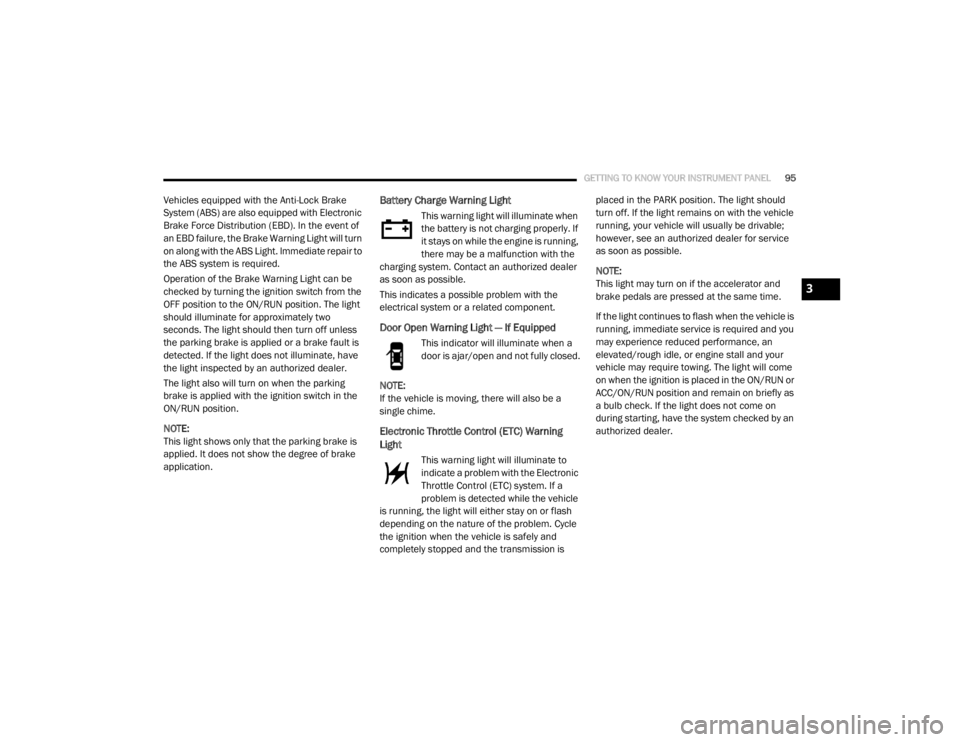
application.Battery Charge Warning Light
This warning light will illuminate when
the battery is not charging properly. If
it stays on while the engine is running,
there may be a malfunction with the
charging system. Contact an authorized dealer
as soon as possible.
This indicates a possible problem with the
electrical system or a related component.
Door Open Warning Light — If Equipped
This indicator will illuminate when a
door is ajar/open and not fully closed.
NOTE:
If the vehicle is moving, there will also be a
single chime.
Electronic Throttle Control (ETC) Warning
Light
This warning light will illuminate to
indicate a problem with the Electronic
Throttle Control (ETC) system. If a
problem is detected while the vehicle
is running, the light will either stay on or flash
depending on the nature of the problem. Cycle
the ignition when the vehicle is safely and
completely stopped and the transmission is placed in the PARK position. The light should
turn off. If the light remains on with the vehicle
running, your vehicle will usually be drivable;
however, see an authorized dealer for service
as soon as possible.
NOTE:
This light may turn on if the accelerator and
brake pedals are pressed at the same time.
If the light continues to flash when the vehicle is
running, immediate service is required and you
may experience reduced performance, an
elevated/rough idle, or engine stall and your
vehicle may require towing. The light will come
on when the ignition is placed in the ON/RUN or
ACC/ON/RUN position and remain on briefly as
a bulb check. If the light does not come on
during starting, have the system checked by an
authorized dealer.
3
20_RT_OM_EN_USC_t.book Page 95
Page 98 of 380
96GETTING TO KNOW YOUR INSTRUMENT PANEL
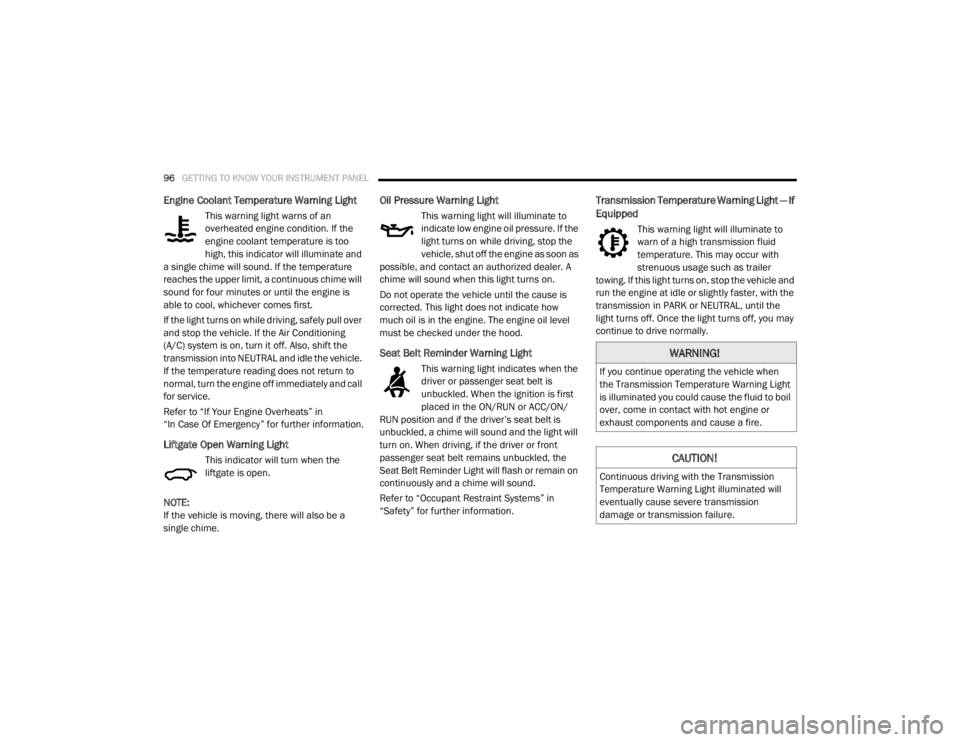
Engine Coolant Temperature Warning Light
This warning light warns of an
overheated engine condition. If the
engine coolant temperature is too
high, this indicator will illuminate and
a single chime will sound. If the temperature
reaches the upper limit, a continuous chime will
sound for four minutes or until the engine is
able to cool, whichever comes first.
If the light turns on while driving, safely pull over
and stop the vehicle. If the Air Conditioning
(A/C) system is on, turn it off. Also, shift the
transmission into NEUTRAL and idle the vehicle.
If the temperature reading does not return to
normal, turn the engine off immediately and call
for service.
Refer to “If Your Engine Overheats” in
“In Case Of Emergency” for further information.
Liftgate Open Warning Light
This indicator will turn when the
liftgate is open.
NOTE:
If the vehicle is moving, there will also be a
single chime.
Oil Pressure Warning Light
This warning light will illuminate to
indicate low engine oil pressure. If the
light turns on while driving, stop the
vehicle, shut off the engine as soon as
possible, and contact an authorized dealer. A
chime will sound when this light turns on.
Do not operate the vehicle until the cause is
corrected. This light does not indicate how
much oil is in the engine. The engine oil level
must be checked under the hood.
Seat Belt Reminder Warning Light
This warning light indicates when the
driver or passenger seat belt is
unbuckled. When the ignition is first
placed in the ON/RUN or ACC/ON/
RUN position and if the driver’s seat belt is
unbuckled, a chime will sound and the light will
turn on. When driving, if the driver or front
passenger seat belt remains unbuckled, the
Seat Belt Reminder Light will flash or remain on
continuously and a chime will sound.
Refer to “Occupant Restraint Systems” in
“Safety” for further information.
Transmission Temperature Warning Light — If
Equipped
This warning light will illuminate to
warn of a high transmission fluid
temperature. This may occur with
strenuous usage such as trailer
towing. If this light turns on, stop the vehicle and
run the engine at idle or slightly faster, with the
transmission in PARK or NEUTRAL, until the
light turns off. Once the light turns off, you may
continue to drive normally.
WARNING!
If you continue operating the vehicle when
the Transmission Temperature Warning Light
is illuminated you could cause the fluid to boil
over, come in contact with hot engine or
exhaust components and cause a fire.
CAUTION!
Continuous driving with the Transmission
Temperature Warning Light illuminated will
eventually cause severe transmission
damage or transmission failure.
20_RT_OM_EN_USC_t.book Page 96
Page 100 of 380
98GETTING TO KNOW YOUR INSTRUMENT PANEL
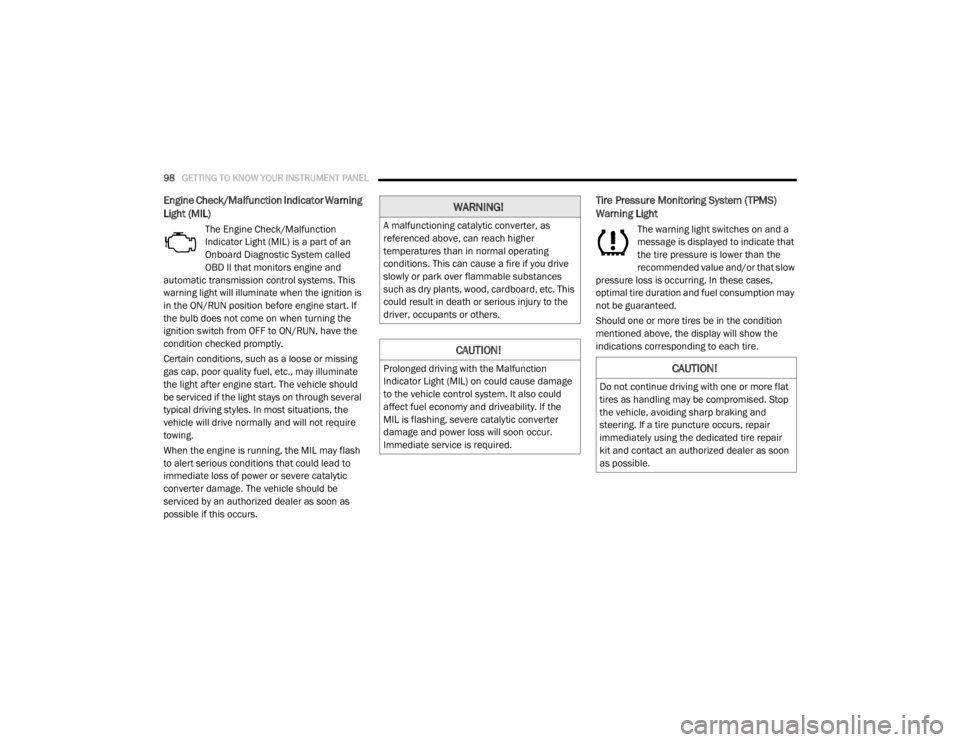
Engine Check/Malfunction Indicator Warning
Light (MIL)
The Engine Check/Malfunction
Indicator Light (MIL) is a part of an
Onboard Diagnostic System called
OBD II that monitors engine and
automatic transmission control systems. This
warning light will illuminate when the ignition is
in the ON/RUN position before engine start. If
the bulb does not come on when turning the
ignition switch from OFF to ON/RUN, have the
condition checked promptly.
Certain conditions, such as a loose or missing
gas cap, poor quality fuel, etc., may illuminate
the light after engine start. The vehicle should
be serviced if the light stays on through several
typical driving styles. In most situations, the
vehicle will drive normally and will not require
towing.
When the engine is running, the MIL may flash
to alert serious conditions that could lead to
immediate loss of power or severe catalytic
converter damage. The vehicle should be
serviced by an authorized dealer as soon as
possible if this occurs.
Tire Pressure Monitoring System (TPMS)
Warning Light
The warning light switches on and a
message is displayed to indicate that
the tire pressure is lower than the
recommended value and/or that slow
pressure loss is occurring. In these cases,
optimal tire duration and fuel consumption may
not be guaranteed.
Should one or more tires be in the condition
mentioned above, the display will show the
indications corresponding to each tire.
WARNING!
A malfunctioning catalytic converter, as
referenced above, can reach higher
temperatures than in normal operating
conditions. This can cause a fire if you drive
slowly or park over flammable substances
such as dry plants, wood, cardboard, etc. This
could result in death or serious injury to the
driver, occupants or others.
CAUTION!
Prolonged driving with the Malfunction
Indicator Light (MIL) on could cause damage
to the vehicle control system. It also could
affect fuel economy and driveability. If the
MIL is flashing, severe catalytic converter
damage and power loss will soon occur.
Immediate service is required.CAUTION!
Do not continue driving with one or more flat
tires as handling may be compromised. Stop
the vehicle, avoiding sharp braking and
steering. If a tire puncture occurs, repair
immediately using the dedicated tire repair
kit and contact an authorized dealer as soon
as possible.
20_RT_OM_EN_USC_t.book Page 98
Page 102 of 380
100GETTING TO KNOW YOUR INSTRUMENT PANEL
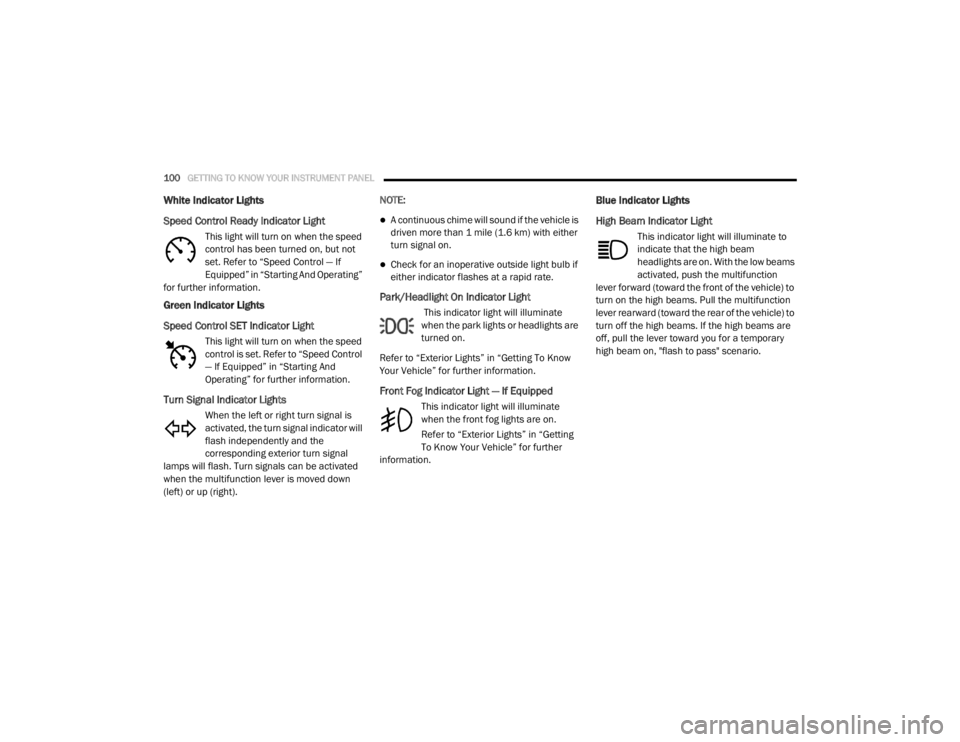
White Indicator Lights
Speed Control Ready Indicator Light
This light will turn on when the speed
control has been turned on, but not
set. Refer to “Speed Control — If
Equipped” in “Starting And Operating”
for further information.
Green Indicator Lights
Speed Control SET Indicator Light
This light will turn on when the speed
control is set. Refer to “Speed Control
— If Equipped” in “Starting And
Operating” for further information.
Turn Signal Indicator Lights
When the left or right turn signal is
activated, the turn signal indicator will
flash independently and the
corresponding exterior turn signal
lamps will flash. Turn signals can be activated
when the multifunction lever is moved down
(left) or up (right). NOTE:
A continuous chime will sound if the vehicle is
driven more than 1 mile (1.6 km) with either
turn signal on.
Check for an inoperative outside light bulb if
either indicator flashes at a rapid rate.
Park/Headlight On Indicator Light
This indicator light will illuminate
when the park lights or headlights are
turned on.
Refer to “Exterior Lights” in “Getting To Know
Your Vehicle” for further information.
Front Fog Indicator Light — If Equipped
This indicator light will illuminate
when the front fog lights are on.
Refer to “Exterior Lights” in “Getting
To Know Your Vehicle” for further
information.
Blue Indicator Lights
High Beam Indicator Light
This indicator light will illuminate to
indicate that the high beam
headlights are on. With the low beams
activated, push the multifunction
lever forward (toward the front of the vehicle) to
turn on the high beams. Pull the multifunction
lever rearward (toward the rear of the vehicle) to
turn off the high beams. If the high beams are
off, pull the lever toward you for a temporary
high beam on, "flash to pass" scenario.
20_RT_OM_EN_USC_t.book Page 100