change time DODGE JOURNEY 2020 Owner's Manual
[x] Cancel search | Manufacturer: DODGE, Model Year: 2020, Model line: JOURNEY, Model: DODGE JOURNEY 2020Pages: 396, PDF Size: 25.53 MB
Page 221 of 396
SERVICING AND MAINTENANCE 219
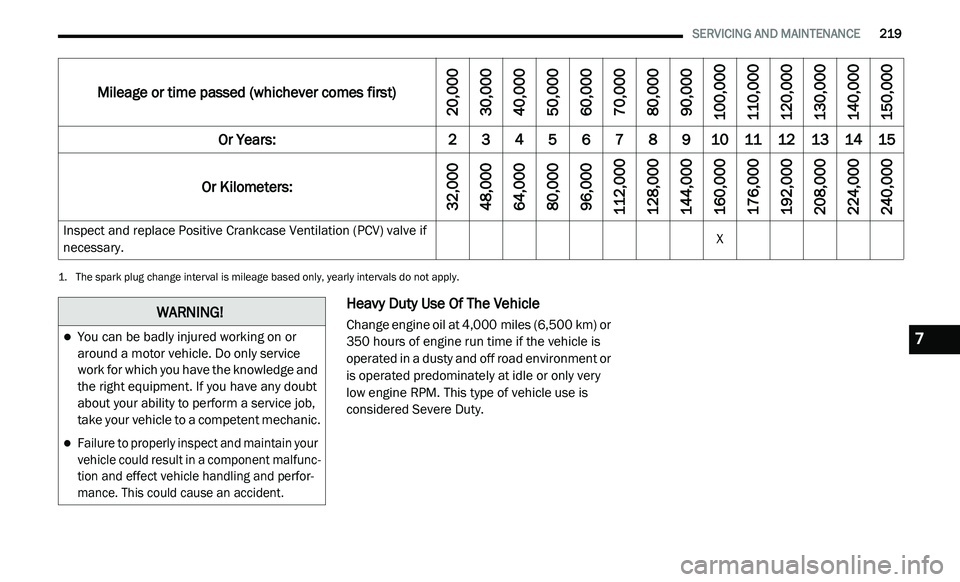
Heavy Duty Use Of The Vehicle
Change engine oil at 4,000 miles (6,500 km) or
35
0 hours of engine run time if the vehicle is
operated in a dusty and off road environment or
is operated predominately at idle or only very
low engine RPM. This type of vehicle use is
considered Severe Duty.
Inspect and replace Positive Crankcase Ventilation (PCV) valve if
ne
cessary. X
1. The spark plug change interval is mileage based only, yearly intervals do not apply.
Mileage or time passed (whichever comes first)
20,000
30,000
40,000
50,000
60,000
70,000
80,000
90,000
100,000
110,000
120,000
130,000
140,000
150,000
Or Years: 2 3 4 5 6 7 8 9 10 11 12 13 14 15
Or Kilometers:
32,000
48,000
64,000
80,000
96,000
112,000
128,000
144,000
160,000
176,000
192,000
208,000
224,000
240,000
WARNING!
You can be badly injured working on or
around a motor vehicle. Do only service
work for which you have the knowledge and
the right equipment. If you have any doubt
about your ability to perform a service job,
take your vehicle to a competent mechanic.
Failure to properly inspect and maintain your
vehicle could result in a component malfunc -
tion and effect vehicle handling and perfor -
mance. This could cause an accident.
7
Page 225 of 396
SERVICING AND MAINTENANCE 223
ENGINE OIL
Change Engine Oil
The oil change indicator system will remind you
that it is time to take your vehicle in for scheduled
maintenance. Refer to the “Maintenance Plan”
for further information.
NOTE:
Under no circumstances should oil change
i n
tervals exceed 10,000 miles (16,000 km),
1 2
months or 350 hours of engine run time,
w h
ichever comes first. The 350 hours of engine
run or idle time is generally only a concern for
fleet customers.
Engine Oil Selection
For best performance and maximum protection
under all types of operating conditions, the
manufacturer only recommends engine oils that
are API Certified and meet the requirements of
FCA Material Standard MS-6395.
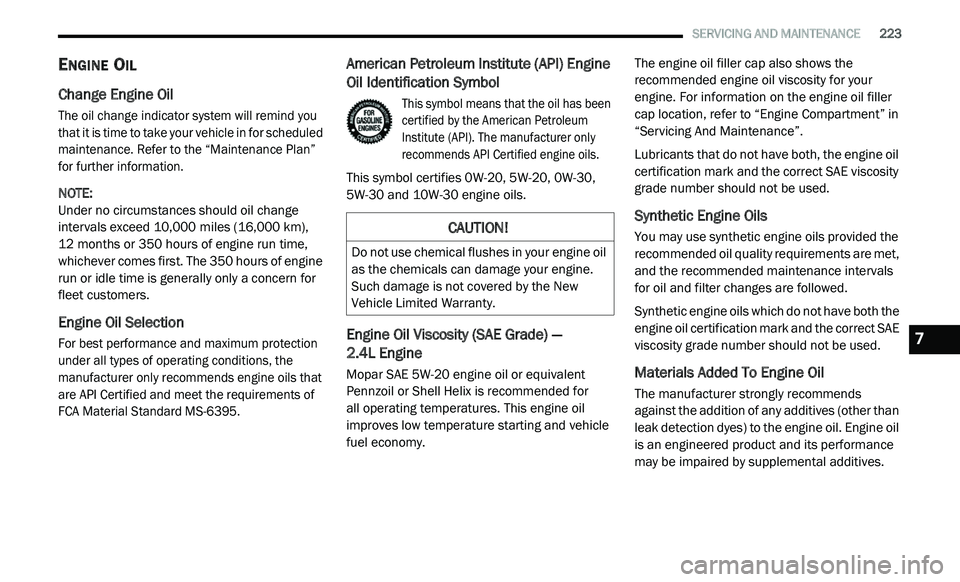
American Petroleum Institute (API) Engine
Oil Identification Symbol
This symbol means that the oil has been
certified by the American Petroleum
I n
stitute (API). The manufacturer only
recommends API Certified engine oils.
This symbol certifies 0W-20, 5W-20, 0W-30,
5 W
-30 and 10W-30 engine oils.
Engine Oil Viscosity (SAE Grade) —
2.4L Engine
Mopar SAE 5W-20 engine oil or equivalent
Pennzoil or Shell Helix is recommended for
all operating temperatures. This engine oil
i m
proves low temperature starting and vehicle
fuel economy. The engine oil filler cap also shows the
r
e
commended engine oil viscosity for your
engine. For information on the engine oil filler
cap location, refer to “Engine Compartment” in
“Servicing And Maintenance”.
Lubricants that do not have both, the engine oil
ce
rtification mark and the correct SAE viscosity
grade number should not be used.
Synthetic Engine Oils
You may use synthetic engine oils provided the
recommended oil quality requirements are met,
and the recommended maintenance intervals
for oil and filter changes are followed.
Synthetic engine oils which do not have both the
e n
gine oil certification mark and the correct SAE
viscosity grade number should not be used.
Materials Added To Engine Oil
The manufacturer strongly recommends
against the addition of any additives (other than
leak detection dyes) to the engine oil. Engine oil
is an engineered product and its performance
may be impaired by supplemental additives.
CAUTION!
Do not use chemical flushes in your engine oil
as the chemicals can damage your engine.
Such damage is not covered by the New
Vehicle Limited Warranty.
7
Page 226 of 396
224 SERVICING AND MAINTENANCE
Disposing Of Used Engine Oil And Oil
Filters
Care should be taken in disposing of used
engine oil and oil filters from your vehicle.
Used oil and oil filters, indiscriminately
d i
scarded, can present a problem to the
environment. Contact an authorized dealer,
service station or governmental agency for
advice on how and where used oil and oil filters
can be safely discarded in your area.
ENGINE OIL FILTER
The engine oil filter should be replaced with a
new filter at every engine oil change.
Engine Oil Filter Selection
This manufacturer's engines have a full-flow
ty
pe disposable oil filter. Use a filter of this type
for replacement. The quality of replacement
filters varies considerably. Only high quality
filters should be used to ensure most efficient
service. Mopar engine oil filters are high quality
oil filters and are recommended.
ENGINE AIR CLEANER FILTER
Refer to the “Maintenance Plan” in “Servicing
and Maintenance” for the proper maintenance
intervals.
NOTE:
Be sure to follow the “Severe Duty Conditions”
ma
intenance interval if applicable.
Engine Air Cleaner Filter Selection
The quality of replacement engine air cleaner
f i
lters varies considerably. Only high quality
filters should be used to ensure most efficient
service. Mopar engine air cleaner filters are a
high quality filter and are recommended.
AIR CONDITIONER MAINTENANCE
For best possible performance, your air
conditioner should be checked and serviced by
an authorized dealer at the start of each warm
season. This service should include cleaning of
the condenser fins and a performance test.
Drive belt tension should also be checked at
this time.
WARNING!
The air induction system (air cleaner, hoses,
etc.) can provide a measure of protection in the
case of engine backfire. Do not remove the air
induction system (air cleaner, hoses, etc.)
unless such removal is necessary for repair or
maintenance. Make sure that no one is near
the engine compartment before starting the
vehicle with the air induction system (air
cleaner, hoses, etc.) removed. Failure to do so
can result in serious personal injury.
WARNING!
Use only refrigerants and compressor lubri -
cants approved by the manufacturer for
y o
ur air conditioning system. Some unap -
proved refrigerants are flammable and can
e x
plode, injuring you. Other unapproved
refrigerants or lubricants can cause the
system to fail, requiring costly repairs.
Refer to Warranty Information Book, for
further warranty information.
The air conditioning system contains refrig -
erant under high pressure. To avoid risk of
p e
rsonal injury or damage to the system,
adding refrigerant or any repair requiring
lines to be disconnected should be done by
an experienced technician.
Page 229 of 396
SERVICING AND MAINTENANCE 227
(Continued)
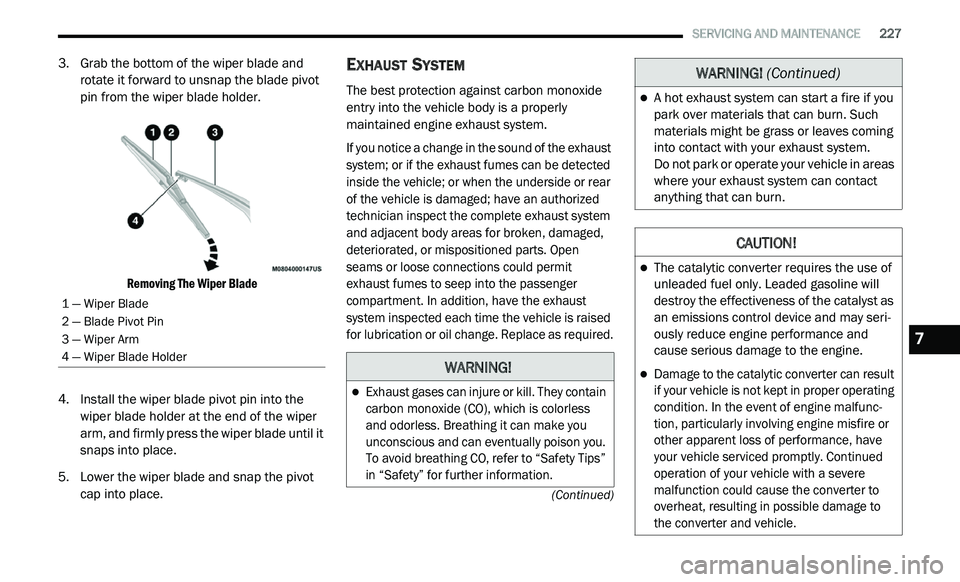
3. Grab the bottom of the wiper blade and rotate it forward to unsnap the blade pivot
pin from the wiper blade holder.
Removing The Wiper Blade
4. I nstall the wiper blade pivot pin into the
w
iper blade holder at the end of the wiper
arm, and firmly press the wiper blade until it
snaps into place.
5. Lower the wiper blade and snap the pivot c
ap into place.
EXHAUST SYSTEM
The best protection against carbon monoxide
entry into the vehicle body is a properly
maintained engine exhaust system.
If you notice a change in the sound of the exhaust
sy
stem; or if the exhaust fumes can be detected
inside the vehicle; or when the underside or rear
of the vehicle is damaged; have an authorized
technician inspect the complete exhaust system
and adjacent body areas for broken, damaged,
deteriorated, or mispositioned parts. Open
seams or loose connections could permit
exhaust fumes to seep into the passenger
compartment. In addition, have the exhaust
system inspected each time the vehicle is raised
for lubrication or oil change. Replace as required.
1 — Wiper Blade
2 — Blade Pivot Pin
3 — Wiper Arm
4 — Wiper Blade Holder
WARNING!
Exhaust gases can injure or kill. They contain
carbon monoxide (CO), which is colorless
and odorless. Breathing it can make you
unconscious and can eventually poison you.
To avoid breathing CO, refer to “Safety Tips”
in “Safety” for further information.
A hot exhaust system can start a fire if you
park over materials that can burn. Such
materials might be grass or leaves coming
into contact with your exhaust system.
Do not park or operate your vehicle in areas
w h
ere your exhaust system can contact
anything that can burn.
CAUTION!
The catalytic converter requires the use of
unleaded fuel only. Leaded gasoline will
destroy the effectiveness of the catalyst as
an emissions control device and may seri -
ously reduce engine performance and
c a
use serious damage to the engine.
Damage to the catalytic converter can result
if your vehicle is not kept in proper operating
condition. In the event of engine malfunc -
tion, particularly involving engine misfire or
o t
her apparent loss of performance, have
your vehicle serviced promptly. Continued
operation of your vehicle with a severe
malfunction could cause the converter to
overheat, resulting in possible damage to
the converter and vehicle.
WARNING! (Continued)
7
Page 235 of 396
SERVICING AND MAINTENANCE 233
AUTOMATIC TRANSMISSION
Selection Of Lubricant
It is important to use the proper transmission
fluid to ensure optimum transmission
performance and life. Use only the
manufacturer's specified transmission fluid.
Refer to “Fluids And Lubricants” in “Technical
Specifications” for fluid specifications. It is
important to maintain the transmission fluid at
the correct level using the recommended fluid.
NOTE:
No chemical flushes should be used in any
t r
ansmission; only the approved lubricant
should be used.
Special Additives
The manufacturer strongly recommends against
using any special additives in the transmission.
Automatic Transmission Fluid (ATF) is an
engineered product and its performance
may be impaired by supplemental additives.
T h
erefore, do not add any fluid additives to the
transmission. The only exception to this policy is
the use of special dyes for diagnosing fluid leaks.
Avoid using transmission sealers as they may
adversely affect seals.
Fluid Level Check
Use the following procedure to check the
transmission fluid level properly:
1. P ark the vehicle on level ground.
2
. R un the engine at normal idle speed for at
l
east 60 seconds, and leave the engine
running for the rest of this procedure. 3. F
ully apply the parking brake, and press the
b
rake pedal.
4. P lace the gear selector momentarily into
e
ach gear position (allowing time for the
transmission to fully engage in each
position), ending with the transmission in
PARK.
5. W ipe the area around the dipstick clean to
p
revent dirt from entering the transmission.
6. R emove the dipstick and determine if the
f
luid is hot or cold. You can also read the
transmission fluid temperature using the
instrument cluster. Refer to "Instrument
Cluster Display" in "Getting To Know Your
Instrument Panel" for further information.
Hot fluid is approximately 180°F (82°C),
which is the normal operating temperature
after the vehicle is driven at least 15 miles
( 2
4 km). Hot fluid cannot be held
c o
mfortably between the fingertips. Cold
fluid is at a temperature of approximately
80°F (27°C).
CAUTION!
Using a transmission fluid other than the
manufacturer’s recommended fluid may cause
deterioration in transmission shift quality and/
or torque converter shudder, and will require
more frequent fluid and filter changes. Refer to
“Fluids And Lubricants” in “Technical
Specifications” for fluid specifications.
CAUTION!
Do not use chemical flushes in your
transmission as the chemicals can damage
your transmission components. Such damage
is not covered by the New Vehicle Limited
Warranty.
7
Page 268 of 396
266 MULTIMEDIA
UCONNECT SETTINGS
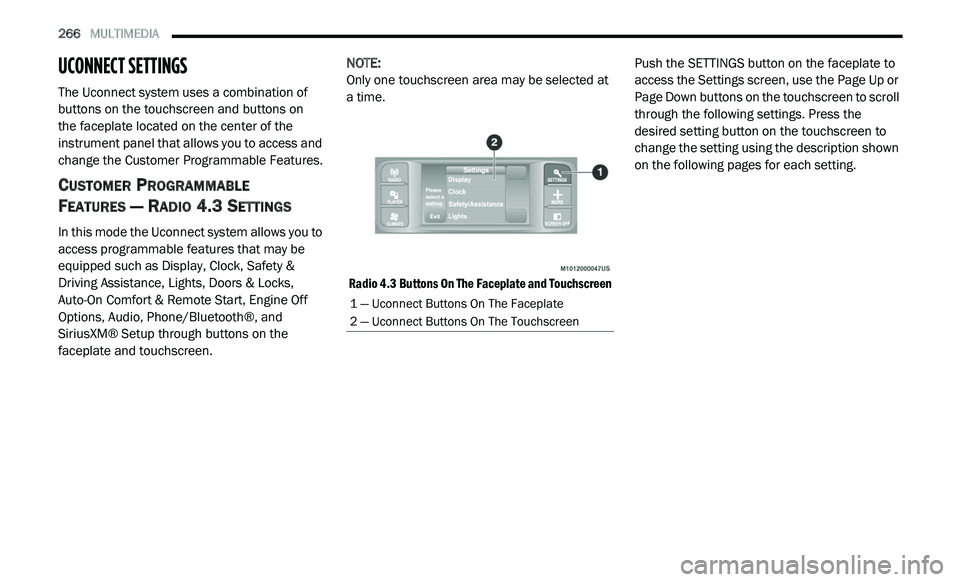
The Uconnect system uses a combination of
buttons on the touchscreen and buttons on
the faceplate located on the center of the
i n
strument panel that allows you to access and
change the Customer Programmable Features.
CUSTOMER PROGRAMMABLE
F
EATURES — RADIO 4.3 SETTINGS
In this mode the Uconnect system allows you to
access programmable features that may be
equipped such as Display, Clock, Safety &
Driving Assistance, Lights, Doors & Locks,
Auto-On Comfort & Remote Start, Engine Off
Options, Audio, Phone/Bluetooth®, and
SiriusXM® Setup through buttons on the
faceplate and touchscreen. NOTE:
Only one touchscreen area may be selected at
a
time.
Radio 4.3 Buttons On The Faceplate and Touchscreen
Push the SETTINGS button on the faceplate to
a
c
cess the Settings screen, use the Page Up or
Page Down buttons on the touchscreen to scroll
through the following settings. Press the
desired setting button on the touchscreen to
change the setting using the description shown
on the following pages for each setting.
1 — Uconnect Buttons On The Faceplate
2 — Uconnect Buttons On The Touchscreen
Page 271 of 396
MULTIMEDIA 269
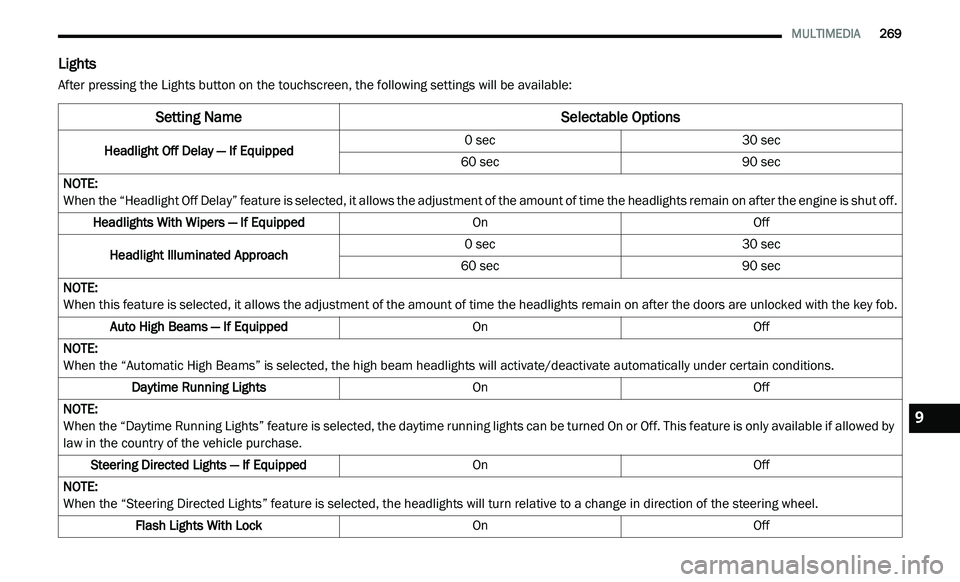
Lights
After pressing the Lights button on the touchscreen, the following settings will be available:
Setting Name Selectable Options
Headlight Off Delay — If Equipped0 sec
30 sec
60 sec 90 sec
NOTE:
When the “Headlight Off Delay” feature is selected, it allows the adjustment of the amount of time the headlights remain on after the engine is shut off.
Headlights With Wipers — If Equipped OnOff
Headlight Illuminated Approach 0 sec
30 sec
60 sec 90 sec
NOTE:
When this feature is selected, it allows the adjustment of the amount of time the headlights remain on after the doors are unlocked with the key fob.
Auto High Beams — If Equipped OnOff
NOTE:
When the “Automatic High Beams” is selected, the high beam headlights will activate/deactivate automatically under certain conditions.
Daytime Running Lights OnOff
NOTE:
When the “Daytime Running Lights” feature is selected, the daytime running lights can be turned On or Off. This feature is only available if allowed by
l a
w in the country of the vehicle purchase.
Steering Directed Lights — If Equipped OnOff
NOTE:
When the “Steering Directed Lights” feature is selected, the headlights will turn relative to a change in direction of the steering wheel.
Flash Lights With Lock OnOff9
Page 274 of 396
272 MULTIMEDIA
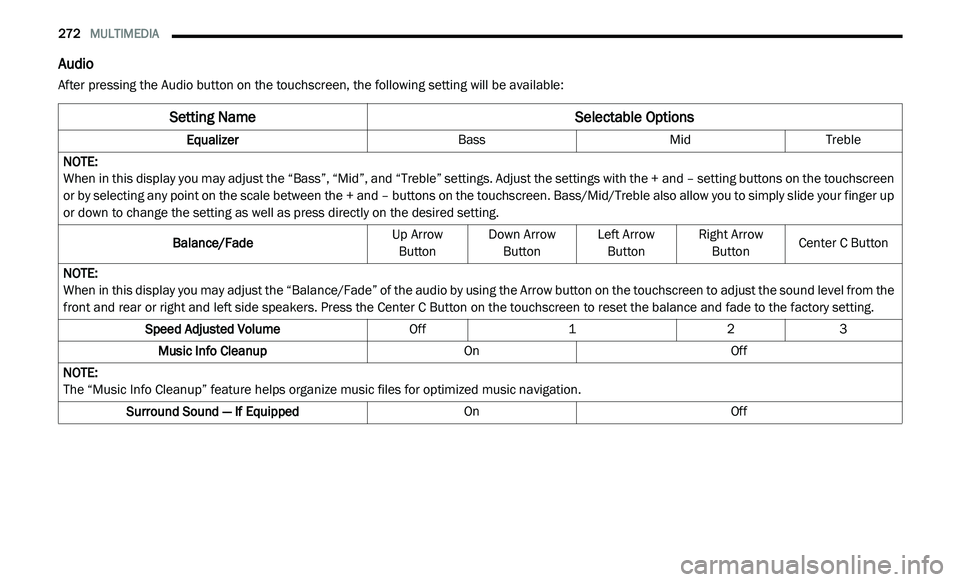
Audio
After pressing the Audio button on the touchscreen, the following setting will be available:
Setting Name Selectable Options
EqualizerBassMidTreble
NOTE:
When in this display you may adjust the “Bass”, “Mid”, and “Treble” settings. Adjust the settings with the + and – setting buttons on the touchscreen
o r
by selecting any point on the scale between the + and – buttons on the touchscreen. Bass/Mid/Treble also allow you to simply slide your finger up
or down to change the setting as well as press directly on the desired setting.
Balance/Fade Up Arrow
B u
tton Down Arrow
Bu tton Left Arrow
Bu tton Right Arrow
Bu tton Center C Button
NOTE:
When in this display you may adjust the “Balance/Fade” of the audio by using the Arrow button on the touchscreen to adjust the sound level from the
f r
ont and rear or right and left side speakers. Press the Center C Button on the touchscreen to reset the balance and fade to the factory setting.
Speed Adjusted Volume Off123
Music Info Cleanup OnOff
NOTE:
The “Music Info Cleanup” feature helps organize music files for optimized music navigation.
Surround Sound — If Equipped OnOff
Page 277 of 396
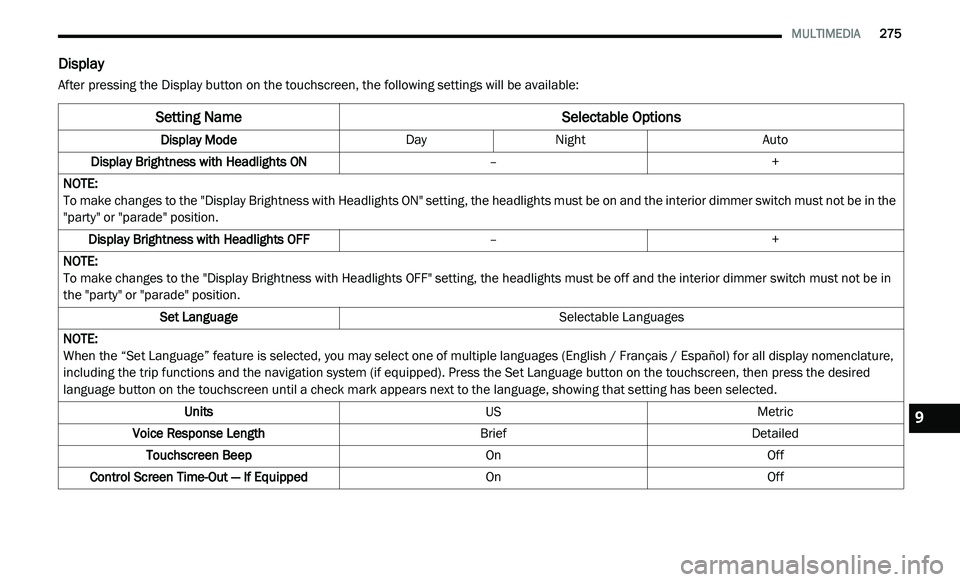
MULTIMEDIA 275
Display
After pressing the Display button on the touchscreen, the following settings will be available:
Setting Name Selectable Options
Display ModeDayNight Auto
Display Brightness with Headlights ON –+
NOTE:
To make changes to the "Display Brightness with Headlights ON" setting, the headlights must be on and the interior dimmer switch must not be in the
" p
arty" or "parade" position.
Display Brightness with Headlights OFF –+
NOTE:
To make changes to the "Display Brightness with Headlights OFF" setting, the headlights must be off and the interior dimmer switch must not be in
th
e "party" or "parade" position.
Set Language Selectable Languages
NOTE:
When the “Set Language” feature is selected, you may select one of multiple languages (English / Français / Español) for all display nomenclature,
in
cluding the trip functions and the navigation system (if equipped). Press the Set Language button on the touchscreen, then press the desired
language button on the touchscreen until a check mark appears next to the language, showing that setting has been selected.
Units USMetric
Voice Response Length BriefDetailed
Touchscreen Beep OnOff
Control Screen Time-Out — If Equipped OnOff
9
Page 281 of 396

MULTIMEDIA 279
Doors & Locks
After pressing the Doors & Locks button on the touchscreen, the following settings will be available:NOTE:
When the “Auto Dim High Beams” feature is selected, the high beam headlights activate/deactivate automatically under certain conditions.
Daytime Running Lights OnOff
NOTE:
When the “Daytime Running Lights” feature is selected, the daytime running lights can be turned On or Off. This feature is only available if allowed by
l a
w in the country of the vehicle purchase.
Steering Directed Headlights — If Equipped OnOff
NOTE:
The “Steering Directed Headlights” feature causes the headlights to turn relative to a change in direction of the steering wheel.
Flash Headlights With Lock OnOff
Setting Name Selectable Options
Setting NameSelectable Options
Auto Door Locks — If EquippedOnOff
NOTE:
When the “Auto Door Locks” feature is selected, all doors will lock automatically when the vehicle reaches a speed of 12 mph (20 km/h).
Auto Unlock On Exit OnOff
NOTE:
When this feature is selected, all doors will unlock when the vehicle is stopped, the transmission is in the PARK or NEUTRAL position and the driver's
d o
or is opened.
Flash Lamps With Lock OnOff
9