ECU DODGE MAGNUM SRT 2007 1.G User Guide
[x] Cancel search | Manufacturer: DODGE, Model Year: 2007, Model line: MAGNUM SRT, Model: DODGE MAGNUM SRT 2007 1.GPages: 380, PDF Size: 6.63 MB
Page 57 of 380
WARNING!
An incorrectly anchored tether strap could lead to
increased head motion and possible injury to the
child. Use only the anchor positions directly behind
the child seat to secure a child restraint top tether
strap.
Transporting Pets
Airbags deploying in the front seat could harm your pet.
An unrestrained pet will be thrown about and possibly
injured, or injure a passenger during panic braking or in
a collision.
Pets should be restrained in the rear seat in pet harnesses
or pet carriers that are secured by seat belts.
BREAK-IN RECOMMENDATIONS
A long break-in period is not required for the drivetrain
(engine, transmission, and rear axle) in your new vehicle.
Drive moderately during the first 500 miles (800 km).
After the initial 60 miles (100 km), speeds up to 50 or 55
mph (80 or 90 km/h) are desirable.
While cruising, brief full-throttle acceleration, within the
limits of local traffic laws, contributes to a good break-in.
However, wide-open throttle acceleration in low gear can
be detrimental and should be avoided.
The engine oil, transmission fluid, and axle lubricant
installed at the factory is high quality and energy con-
serving. Oil, fluid, and lubricant changes should be
consistent with anticipated climate and conditions under
which vehicle operations will occur. The recommended
viscosity and quality grades is shown in Section 7 of this
manual.
56 THINGS TO KNOW BEFORE STARTING YOUR VEHICLE
Page 64 of 380
mOverhead Console.....................106
NCourtesy/Reading Lights................106
NSunglasses Storage....................106
mGarage Door Opener (HomeLinkt)Ð
If Equipped
..........................107
NProgramming HomeLink................108
NCanadian Programming/Gate Programming . . 110
NUsing HomeLink.....................111
NErasing HomeLink Buttons..............111
NReprogramming a Single HomeLink Button . . . 111
NSecurity............................112
mPower Sunroof Ð If Equipped............112
NOpening Sunroof - Express..............113
NClosing Sunroof - Express...............113
NPinch Protect Feature...................113
NPinch Protect Override.................114NVenting Sunroof - Express...............114
NSunshade Operation...................114
NWind Buffeting.......................114
NSunroof Maintenance...................114
NIgnition Off Operation..................114
NSunroof Fully Closed...................115
mElectrical Power Outlets.................115
NElectrical Outlet Use With Engine Off.......117
mCup Holders.........................117
NFront Seat Cup Holders.................117
NRear Seat Cup Holders.................118
mStorage..............................118
NConsole Features......................118
NCargo Management System Ð If Equipped . . . 119
mRoof Luggage Rack Ð If Equipped.........126
mLoad Leveling System..................128
UNDERSTANDING THE FEATURES OF YOUR VEHICLE 63
3
Page 92 of 380
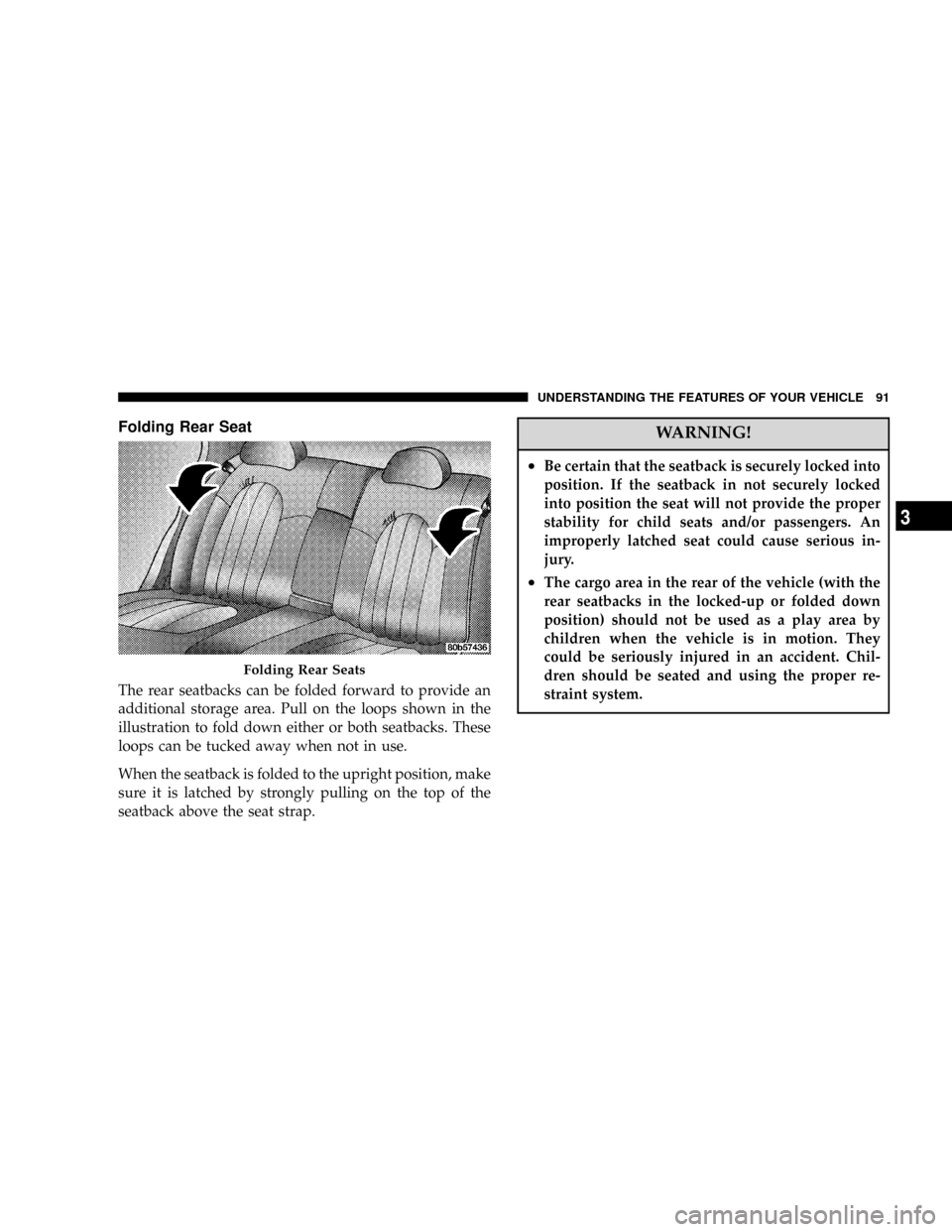
Folding Rear Seat
The rear seatbacks can be folded forward to provide an
additional storage area. Pull on the loops shown in the
illustration to fold down either or both seatbacks. These
loops can be tucked away when not in use.
When the seatback is folded to the upright position, make
sure it is latched by strongly pulling on the top of the
seatback above the seat strap.
WARNING!
²Be certain that the seatback is securely locked into
position. If the seatback in not securely locked
into position the seat will not provide the proper
stability for child seats and/or passengers. An
improperly latched seat could cause serious in-
jury.
²The cargo area in the rear of the vehicle (with the
rear seatbacks in the locked-up or folded down
position) should not be used as a play area by
children when the vehicle is in motion. They
could be seriously injured in an accident. Chil-
dren should be seated and using the proper re-
straint system.
Folding Rear Seats
UNDERSTANDING THE FEATURES OF YOUR VEHICLE 91
3
Page 93 of 380
TO OPEN AND CLOSE THE HOOD
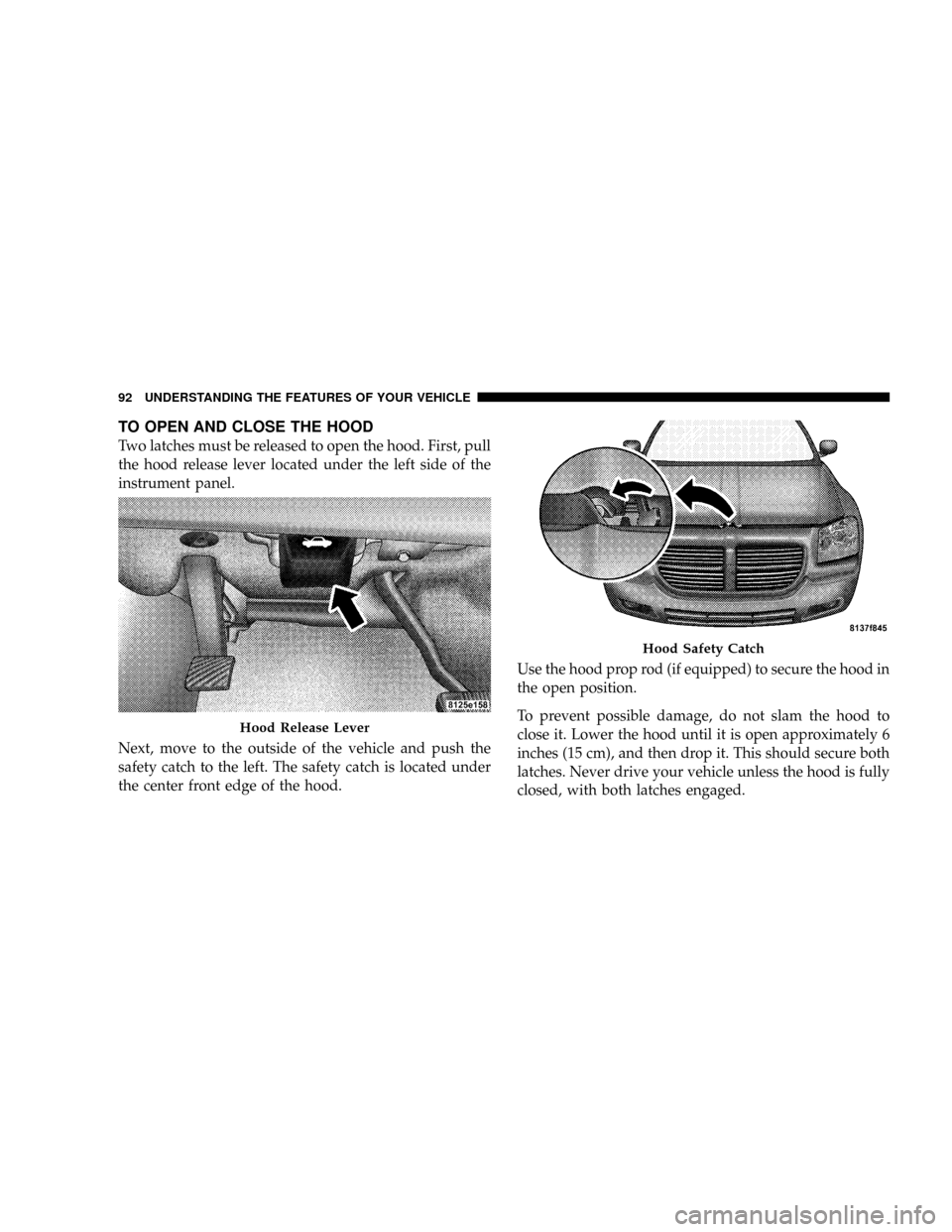
Two latches must be released to open the hood. First, pull
the hood release lever located under the left side of the
instrument panel.
Next, move to the outside of the vehicle and push the
safety catch to the left. The safety catch is located under
the center front edge of the hood.Use the hood prop rod (if equipped) to secure the hood in
the open position.
To prevent possible damage, do not slam the hood to
close it. Lower the hood until it is open approximately 6
inches (15 cm), and then drop it. This should secure both
latches. Never drive your vehicle unless the hood is fully
closed, with both latches engaged.
Hood Release Lever
Hood Safety Catch
92 UNDERSTANDING THE FEATURES OF YOUR VEHICLE
Page 108 of 380
GARAGE DOOR OPENER (HomeLinkT)ÐIF
EQUIPPED
The HomeLinktUniversal Transceiver replaces up to
three remote controls (hand held transmitters) that oper-
ate devices such as garage door openers, motorized
gates, or home lighting. It triggers these devices at the
push of a button. The Universal Transceiver operates off
your vehicle's battery and charging system; no batteries
are needed.
NOTE:The HomeLinktUniversal Transceiver is dis-
abled when the Vehicle Security Alarm is active.
For additional information on HomeLinkt, call 1±800±
355±3515, or on the internet at www.homelink.com.
WARNING!
²A moving garage door can cause injury to people
and pets in the path of the door. People or pets
could be seriously or fatally injured. Only use this
transceiver with a garage door opener that has a
ªstop and reverseº feature as required by federal
safety standards. This includes most garage door
opener models manufactured after 1982. Do not
use a garage door opener without these safety
features it could cause injury or death. Call toll-
free 1±800±355±3515 or, on the Internet at
www.homelink.com for safety information or as-
sistance.
²Vehicle exhaust contains carbon monoxide, a dan-
gerous gas. Do not run the vehicle's exhaust while
training the transceiver. Exhaust gas can cause
serious injury or death.
²Your motorized door or gate will open and close
while you are training the Universal Transceiver.
Do not train the transceiver if people or pets are in
the path of the door or gate. A moving door or gate
can cause serious injury or death to people and
pets or damage to objects.
UNDERSTANDING THE FEATURES OF YOUR VEHICLE 107
3
Page 111 of 380
NOTE:If your garage door opener fails to respond to
the programmed HomeLinktUniversal Transceiver, and
your garage door opener is manufactured after 1995, it
may have a multiple security code system (rolling code
system). Please proceed to Steps 6±8 to complete the
programming of a rolling code equipped device (most
common garage door openers require this step.
6. At the garage door opener receiver (motor-head unit)
in the garage, locate the9learn9or9smart9button. This
can usually be found where the hanging antenna wire is
attached to the motor-head unit.
7. Firmly press and release the9learn9or9smart9button.
(The name and color of the button may vary by manu-
facturer).
NOTE:You will have 30 seconds in which to initiate
Step 8.
8. Return to the vehicle and firmlypress, hold for two
seconds and releasethe programmed HomeLink button.
Repeat the(press/hold/release(sequence a second time,
and, depending on the brand of the garage door opener(or other rolling code equipped device), repeat this
sequence a third time to complete the programming.
HomeLink should now activate your rolling code
equipped device.
NOTE:To program the remaining two HomeLink but-
tons, begin with9Programming9Step 2. Do not repeat
Step 1. For questions or comments, please contact
HomeLink atwww.homelink.com or 1-800-355-3515.
Canadian Programming/Gate Programming
Canadian radio-frequency laws require transmitter sig-
nals to9time-out9(or quit) after several seconds of
transmission, which may not be long enough for
HomeLink to pick up the signal during programming.
Similar to this Canadian law, some U.S. gate operators are
designed to9time-out9in the same manner.
If you live in Canada or you are having difficulties
programming a gate operator by using the9Program-
ming9procedures (regardless of where you live),replace
(Programming HomeLink(Step 3with the following:
110 UNDERSTANDING THE FEATURES OF YOUR VEHICLE
Page 112 of 380
NOTE:If programming a garage door opener or gate
operator, it is advised to unplug the device during the
9cycling9process to prevent possible overheating.
3. Continue to press and hold the HomeLink button
while youpress and releaseyour hand-held transmitter
every two secondsuntil the frequency signal is accepted
successfully by HomeLink. The EVIC will display ªChan-
nel X Trainedº (where X is Channel 1, 2, or 3). Proceed
with9Programming9Step 4 to complete the procedure.
Using HomeLink
To operate, simply press and release the programmed
HomeLink button. Activation will now occur for the
trained device (i.e. garage door opener, gate operator,
security system, entry door lock, home/office lighting,
etc.). For convenience, the hand-held transmitter of the
device may also be used at any time. In the event that
there are still programming difficulties or questions,
contact HomeLink atwww.homelink.com or 1-800-355-
3515.
Erasing HomeLink Buttons
To erase programming from the three buttons (individual
buttons cannot be erased but can be9reprogrammed9-
note below), follow the step noted:
²Press and hold the two outer HomeLink buttons.
Release the buttons only when the EVIC displays
ªChannels Clearedº (after 20 seconds); however,do
nothold the buttons for longer than 30 seconds.
HomeLink is now in the train (or learning) mode and
can be programmed at any time beginning with9Pro-
gramming9Step 2.
Reprogramming a Single HomeLink Button
To program a device a previously trained HomeLink
button, follow these steps:
1. Press and hold the desired HomeLink button.Do
NOTrelease the button.
2. The EVIC will display ªChannel X Transmitº (where X
is Channel 1, 2, or 3) for 20 seconds and then change to
ªChannel X Training.º Without releasing the HomeLink
button, proceed with9Programming9Step 2.
UNDERSTANDING THE FEATURES OF YOUR VEHICLE 111
3
Page 113 of 380
For questions or comments, contact HomeLink at:
www.homelink.com or 1-800-355-3515.
Security
If you sell your vehicle, be sure to erase the frequencies
by following the ªErasing HomeLink Buttonsº instruc-
tions in this section.
This device complies with part 15 of FCC rules and with
RSS-210 of Industry Canada. Operation is subject to the
following conditions:
²This device may not cause harmful interference.
²This device must accept any interference that may be
received including interference that may cause undes-
ired operation.
NOTE:Changes or modifications not expressly ap-
proved by the party responsible for compliance could
void the user's authority to operate the equipment.
HomeLinktis a trademark owned by Johnson Controls,
Inc.
POWER SUNROOF Ð IF EQUIPPED
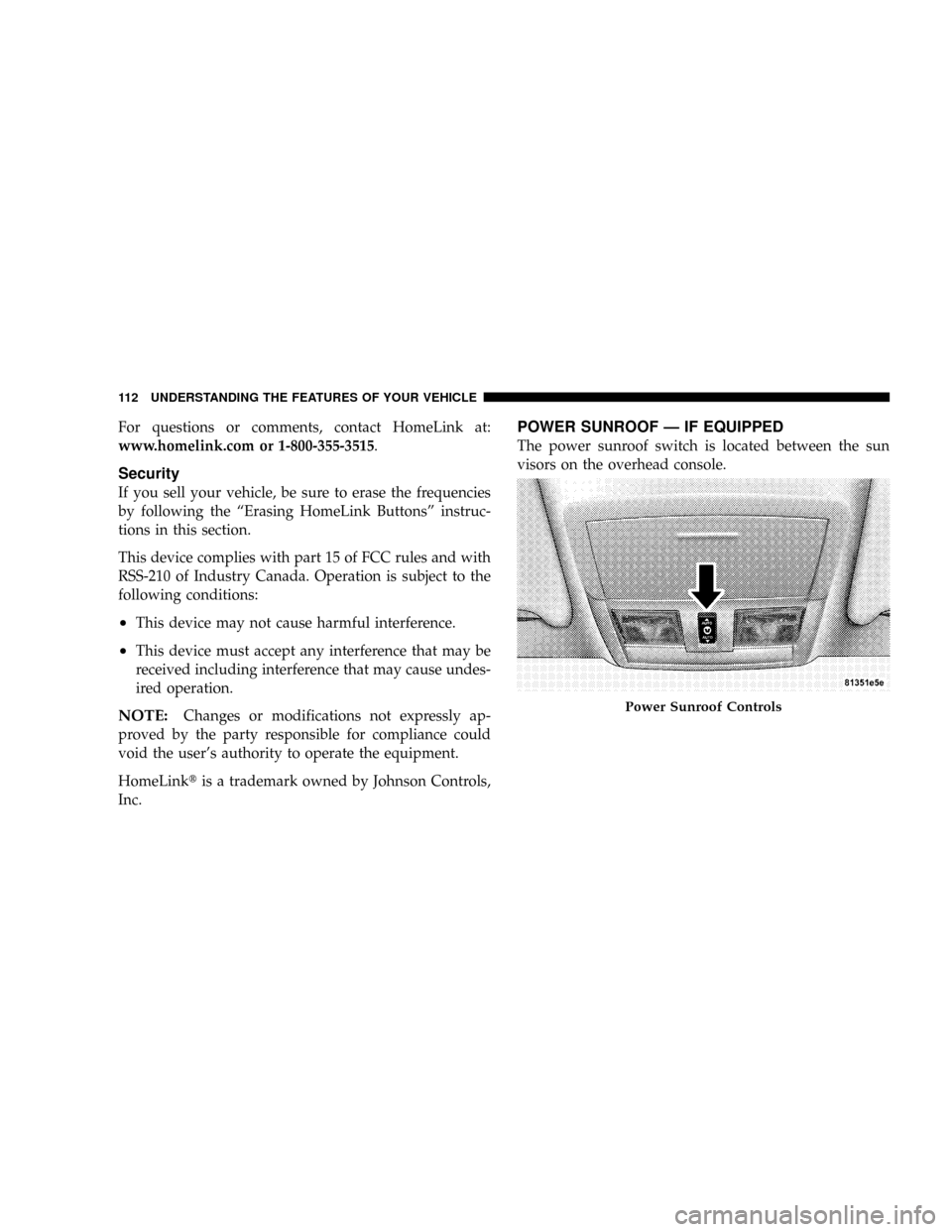
The power sunroof switch is located between the sun
visors on the overhead console.
Power Sunroof Controls
112 UNDERSTANDING THE FEATURES OF YOUR VEHICLE
Page 114 of 380
WARNING!
²Never leave children in a vehicle, with the keys in
the ignition switch. Occupants, particularly unat-
tended children, can become entrapped by the
power sunroof while operating the power sunroof
switch. Such entrapment may result in serious
injury or death.
²In an accident, there is a greater risk of being
thrown from a vehicle with an open sunroof. You
could also be seriously injured or killed. Always
fasten your seat belt properly and make sure all
passengers are properly secured too.
²Do not allow small children to operate the sun-
roof. Never allow fingers or other body parts, or
any object to project through the sunroof opening.
Injury may result.
Opening Sunroof - Express
Press the switch rearward and release, and the sunroof
will open automatically from any position. The sunroof
will open fully and then stop automatically. This is called
Express Open. During Express Open operation, any
movement of the sunroof switch will stop the sunroof.
Closing Sunroof - Express
Press the switch forward and release, and the sunroof
will close automatically from any position. The sunroof
will close fully and stop automatically. This is called
Express Close. During Express Close operation, any
movement of the switch will stop the sunroof.
Pinch Protect Feature
This feature will detect an obstruction in the opening of
the sunroof during Express Close operation. If an ob-
struction in the path of the sunroof is detected, the
sunroof will automatically retract. Remove the obstruc-
tion if this occurs. Next, press the switch forward and
release to Express Close.
UNDERSTANDING THE FEATURES OF YOUR VEHICLE 113
3
Page 123 of 380
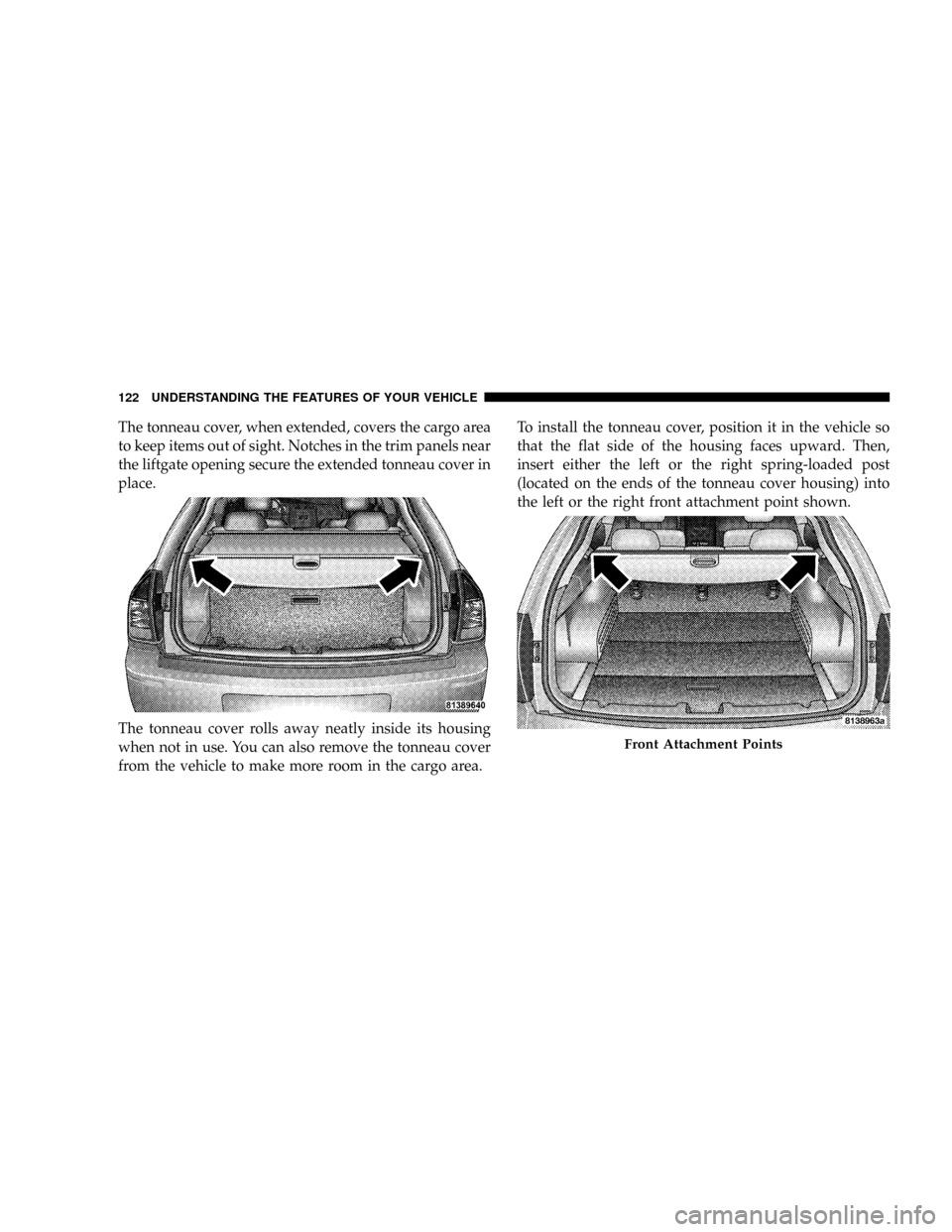
The tonneau cover, when extended, covers the cargo area
to keep items out of sight. Notches in the trim panels near
the liftgate opening secure the extended tonneau cover in
place.
The tonneau cover rolls away neatly inside its housing
when not in use. You can also remove the tonneau cover
from the vehicle to make more room in the cargo area.To install the tonneau cover, position it in the vehicle so
that the flat side of the housing faces upward. Then,
insert either the left or the right spring-loaded post
(located on the ends of the tonneau cover housing) into
the left or the right front attachment point shown.
Front Attachment Points
122 UNDERSTANDING THE FEATURES OF YOUR VEHICLE