light DODGE SPRINTER 2007 2.G Workshop Manual
[x] Cancel search | Manufacturer: DODGE, Model Year: 2007, Model line: SPRINTER, Model: DODGE SPRINTER 2007 2.GPages: 393, PDF Size: 7.61 MB
Page 141 of 393
140 Controls in detailAuxiliary heating/ventilation*
3
You can switch the auxiliary heating / ven-
tilation on and off immediately using:
\4the auxiliary heating / heater booster
switch (\2page 140)
\4the auxiliary heating remote control*
(\2page 141)
Before switching on
\1Adjust the heat output to the desired
temperature using the temperature
control (\2page 131).
\1Set the air distribution as required.Operation using the switch
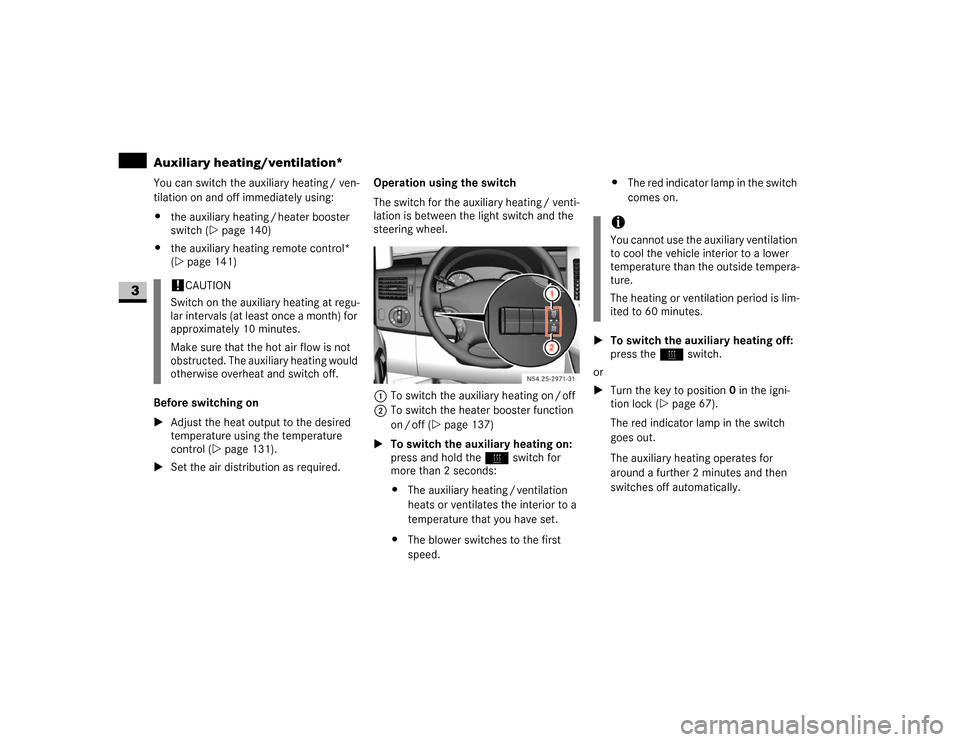
The switch for the auxiliary heating / venti-
lation is between the light switch and the
steering wheel.
1To switch the auxiliary heating on / off
2To switch the heater booster function
on / off (\2page 137)
\1To switch the auxiliary heating on:
press and hold theö switch for
more than 2 seconds:
\4The auxiliary heating / ventilation
heats or ventilates the interior to a
temperature that you have set.
\4The blower switches to the first
speed.\4The red indicator lamp in the switch
comes on.
\1To switch the auxiliary heating off:
press theö switch.
or
\1Turn the key to position0 in the igni-
tion lock (\2page 67).
The red indicator lamp in the switch
goes out.
The auxiliary heating operates for
around a further 2 minutes and then
switches off automatically.
!
CAUTION
Switch on the auxiliary heating at regu-
lar intervals (at least once a month) for
approximately 10 minutes.
Make sure that the hot air flow is not
obstructed. The auxiliary heating would
otherwise overheat and switch off.
N54.25-2928-31
iYou cannot use the auxiliary ventilation
to cool the vehicle interior to a lower
temperature than the outside tempera-
ture.
The heating or ventilation period is lim-
ited to 60 minutes.
Page 142 of 393
141 Controls in detail
Auxiliary heating/ventilation*
3
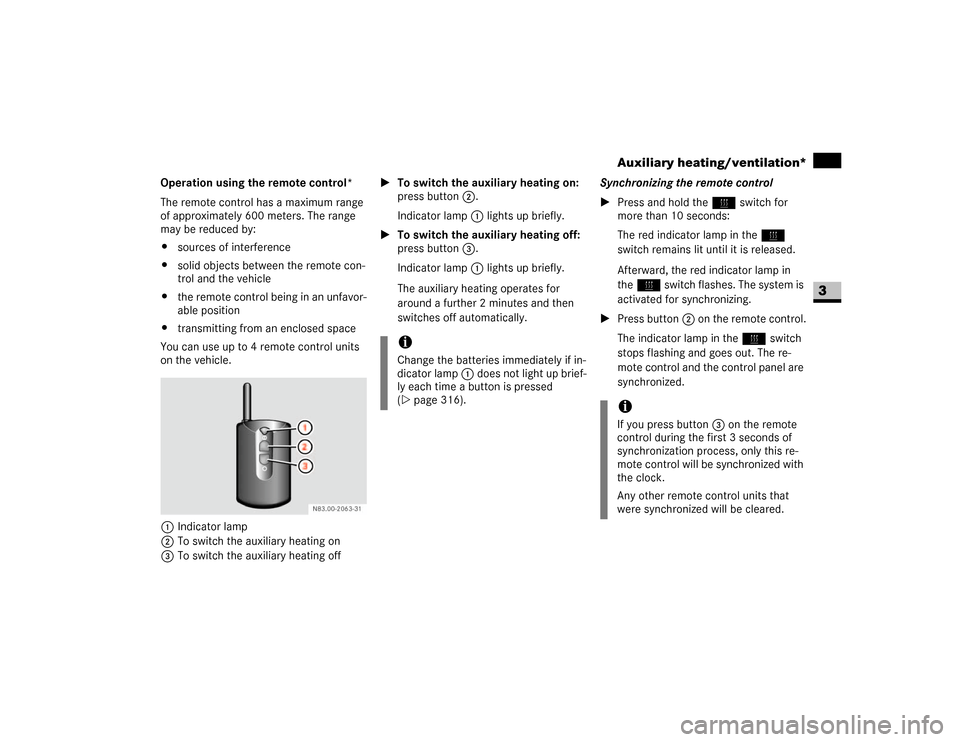
Operation using the remote control*
The remote control has a maximum range
of approximately 600 meters. The range
may be reduced by:
\4sources of interference
\4solid objects between the remote con-
trol and the vehicle
\4the remote control being in an unfavor-
able position
\4transmitting from an enclosed space
You can use up to 4 remote control units
on the vehicle.
1Indicator lamp
2To switch the auxiliary heating on
3To switch the auxiliary heating off\1To switch the auxiliary heating on:
press button2.
Indicator lamp1 lights up briefly.
\1To switch the auxiliary heating off:
press button3.
Indicator lamp1 lights up briefly.
The auxiliary heating operates for
around a further 2 minutes and then
switches off automatically.Synchronizing the remote control
\1Press and hold theö switch for
more than 10 seconds:
The red indicator lamp in theö
switch remains lit until it is released.
Afterward, the red indicator lamp in
theö switch flashes. The system is
activated for synchronizing.
\1Press button2 on the remote control.
The indicator lamp in theö switch
stops flashing and goes out. The re-
mote control and the control panel are
synchronized.
iChange the batteries immediately if in-
dicator lamp 1 does not light up brief-
ly each time a button is pressed
(\2page 316).
iIf you press button3 on the remote
control during the first 3 seconds of
synchronization process, only this re-
mote control will be synchronized with
the clock.
Any other remote control units that
were synchronized will be cleared.
Page 143 of 393
142 Controls in detailAuxiliary heating/ventilation*
3
Selecting a switch-on time
You can use the operating system to define
up to 3 switch-on times, one of which can
be selected to switch on the auxiliary
heating / ventilation.
Operating system without steering
wheel buttons
\1Switch on the ignition (\2page 67).
\1Press theö switch.
Theö symbol in the display flashes.
or
\1Press the menu button on the in-
strument cluster repeatedly until the
ö symbol in the display flashes.
\1Use the or button on the instru-
ment cluster to select desired switch-
on time
1 to
3.
The switch-on time selected is dis-
played.\1Wait 10 seconds for the standard dis-
play to appear.
The switch-on time is selected.
The yellow indicator lamp in theö
switch comes on.
If you have not selected a switch-on time
and
--:--
appears in the display, the auto-
matic switch-on is deactivated. The yellow
indicator lamp in theö switch goes
out.Operating system with steering wheel
buttons*
\1Switch on the ignition (\2page 67).
\1Briefly press theö switch.
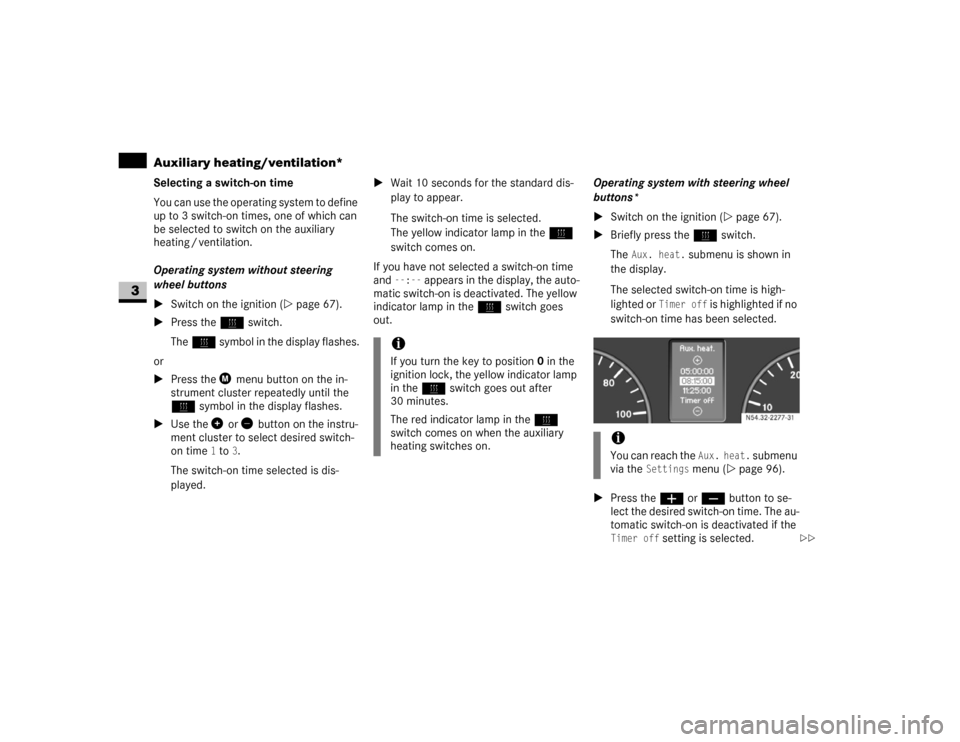
The
Aux. heat.
submenu is shown in
the display.
The selected switch-on time is high-
lighted or
Timer off
is highlighted if no
switch-on time has been selected.
\1Press theæ orç button to se-
lect the desired switch-on time. The au-
tomatic switch-on is deactivated if the
Timer off
setting is selected.
iIf you turn the key to position0 in the
ignition lock, the yellow indicator lamp
in theö switch goes out after
30 minutes.
The red indicator lamp in theö
switch comes on when the auxiliary
heating switches on.
iYou can reach the
Aux. heat.
submenu
via the
Settings
menu (\2page 96).
N54.32-2277-31
\2\2
Page 147 of 393
146 Controls in detailOpen air
3
Resetting the sliding sunroof
The sliding sunroof must be reset after:
\4the sunroof has been closed manually
using the emergency operation key
(\2page 304)
\4the sunroof has opened with a jerk
\4a malfunction
\1Switch on the ignition (\2page 67).
\1Press the sliding sunroof switch in the
direction of arrow2 (\2page 145).
\1Wait until the sliding sunroof is closed
and then keep the sliding sunroof
switch pressed for approximately
3seconds.
The sliding sunroof is reset.The roof ventilator can be used to ventilate
or remove air from the load compartment.
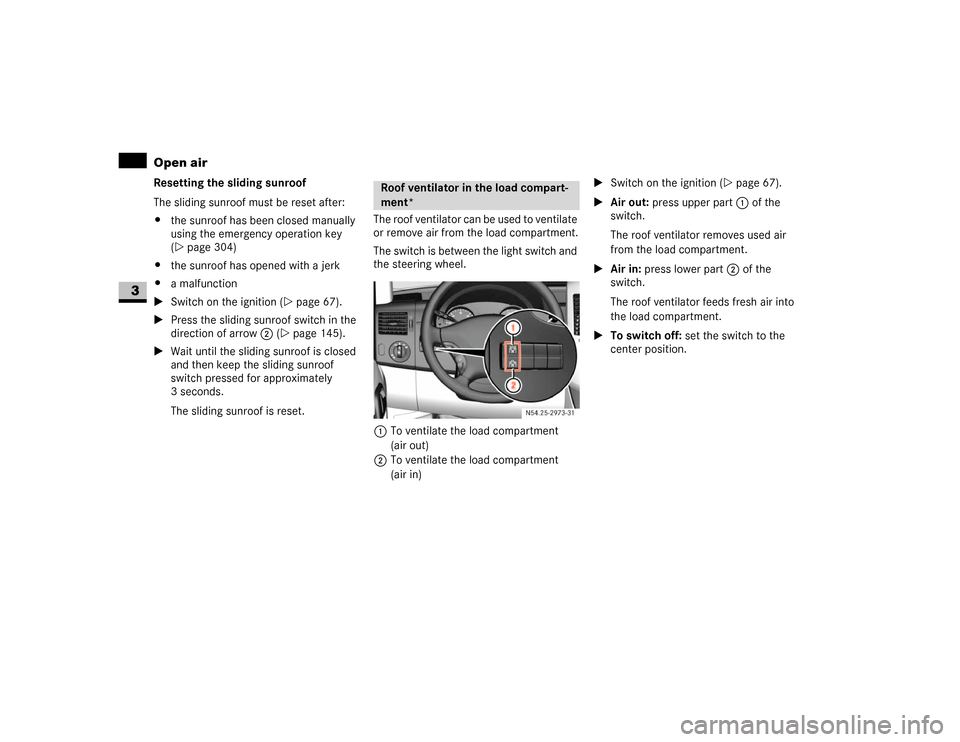
The switch is between the light switch and
the steering wheel.
1To ventilate the load compartment
(air out)
2To ventilate the load compartment
(air in)\1Switch on the ignition (\2page 67).
\1Air out: press upper part 1 of the
switch.
The roof ventilator removes used air
from the load compartment.
\1Air in: press lower part 2 of the
switch.
The roof ventilator feeds fresh air into
the load compartment.
\1To switch off: set the switch to the
center position.
Roof ventilator in the load compart-
ment*
N54.25-2929-31
Page 152 of 393
151 Controls in detail
Driving systems
3
Front sensors
Rear sensors
Minimum distance
If an obstacle is within this range, all seg-
ments of the warning displays light up and
you will hear an audible warning tone. The
distance may no longer be displayed if you
drive the vehicle closer to the obstacle
than the minimum distance.Warning displays
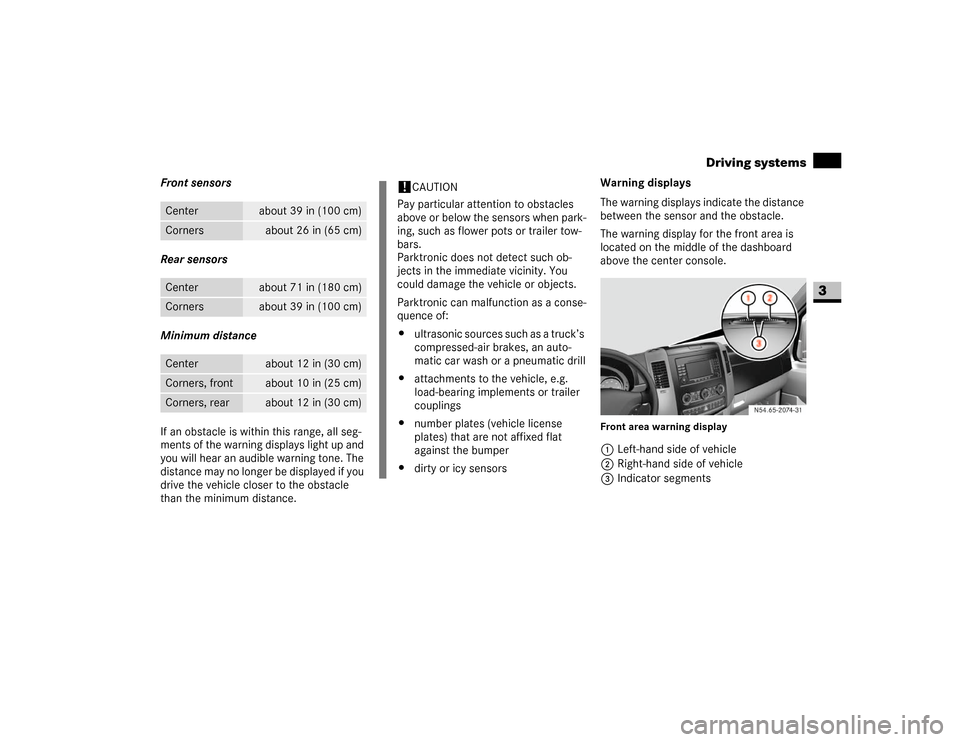
The warning displays indicate the distance
between the sensor and the obstacle.
The warning display for the front area is
located on the middle of the dashboard
above the center console.
Front area warning display1Left-hand side of vehicle
2Right-hand side of vehicle
3Indicator segments
Center
about 39 in (100 cm)
Corners
about 26 in (65 cm)
Center
about 71 in (180 cm)
Corners
about 39 in (100 cm)
Center
about 12 in (30 cm)
Corners, front
about 10 in (25 cm)
Corners, rear
about 12 in (30 cm)
!
CAUTION
Pay particular attention to obstacles
above or below the sensors when park-
ing, such as flower pots or trailer tow-
bars.
Parktronic does not detect such ob-
jects in the immediate vicinity. You
could damage the vehicle or objects.
Parktronic can malfunction as a conse-
quence of:
\4ultrasonic sources such as a truck’s
compressed-air brakes, an auto-
matic car wash or a pneumatic drill
\4attachments to the vehicle, e.g.
load-bearing implements or trailer
couplings
\4number plates (vehicle license
plates) that are not affixed flat
against the bumper
\4dirty or icy sensors
N54.65-2074-31
Page 153 of 393
152 Controls in detailDriving systems
3
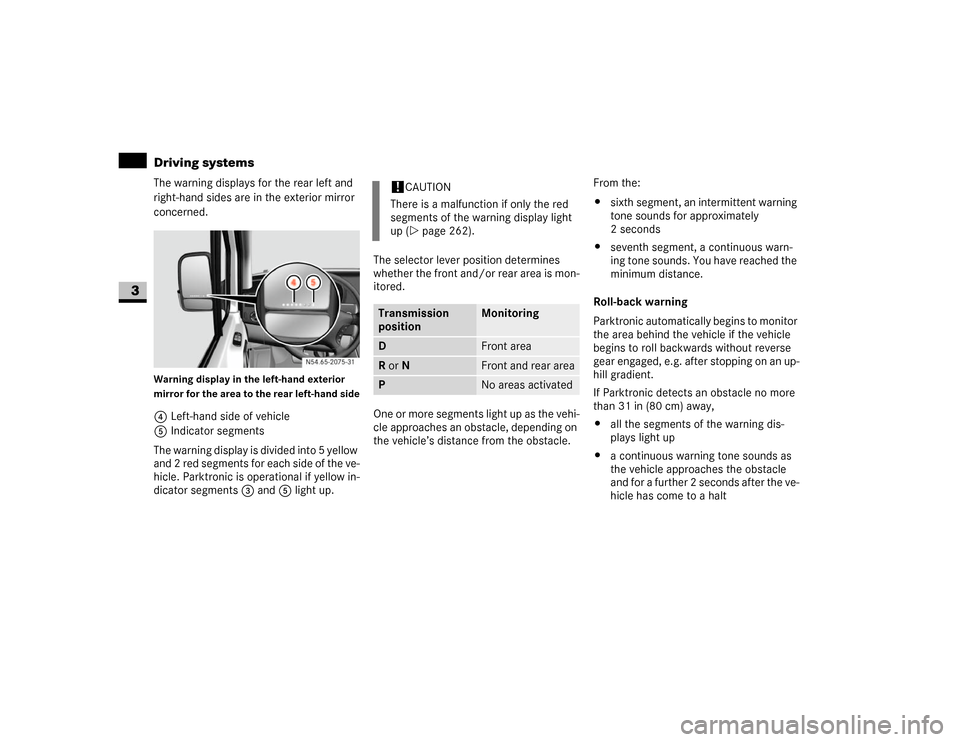
The warning displays for the rear left and
right-hand sides are in the exterior mirror
concerned.Warning display in the left-hand exterior
mirror for the area to the rear left-hand side4Left-hand side of vehicle
5Indicator segments
The warning display is divided into 5 yellow
and 2 red segments for each side of the ve-
hicle. Parktronic is operational if yellow in-
dicator segments3 and5 light up.The selector lever position determines
whether the front and/or rear area is mon-
itored.
One or more segments light up as the vehi-
cle approaches an obstacle, depending on
the vehicle’s distance from the obstacle.From the:
\4sixth segment, an intermittent warning
tone sounds for approximately
2seconds
\4seventh segment, a continuous warn-
ing tone sounds. You have reached the
minimum distance.
Roll-back warning
Parktronic automatically begins to monitor
the area behind the vehicle if the vehicle
begins to roll backwards without reverse
gear engaged, e.g. after stopping on an up-
hill gradient.
If Parktronic detects an obstacle no more
than 31 in (80 cm) away,
\4all the segments of the warning dis-
plays light up
\4a continuous warning tone sounds as
the vehicle approaches the obstacle
and for a further 2 seconds after the ve-
hicle has come to a halt N54.65-2075-31
!
CAUTION
There is a malfunction if only the red
segments of the warning display light
up (\2page 262).
Transmission
position
Monitoring
D
Front area
R or N
Front and rear area
P
No areas activated
Page 155 of 393
154 Controls in detailOperating the vehicle
3
\3 Operating the vehicleWhen activated, the operating speed gov-
ernor (ADR) automatically increases the
engine speed to a preset or adjustable
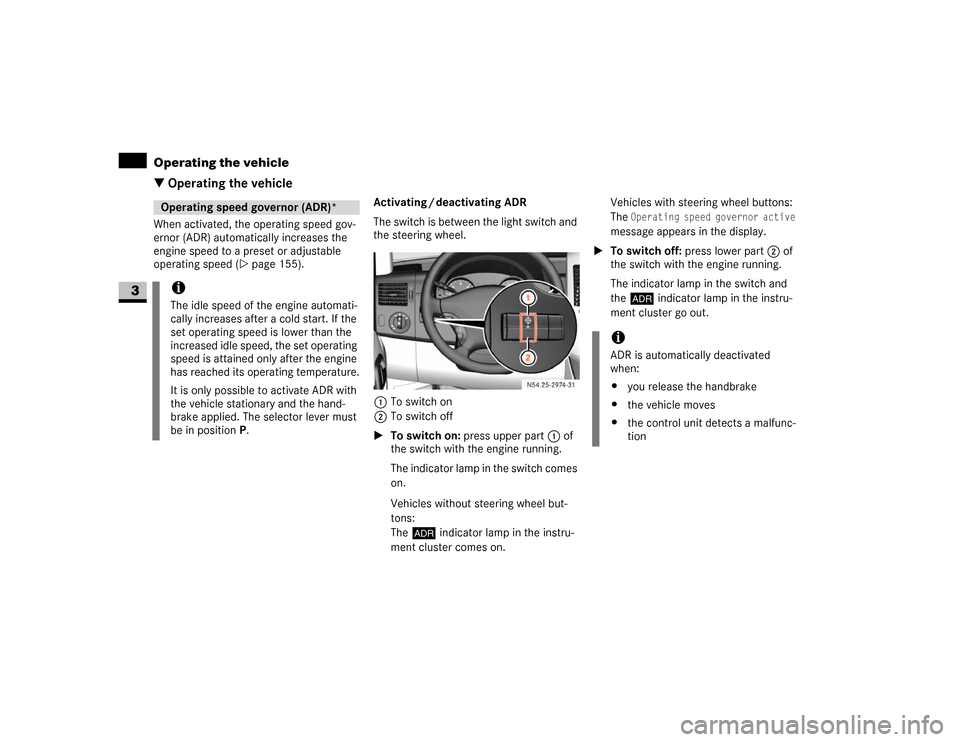
operating speed (\2page 155).Activating / deactivating ADR
The switch is between the light switch and
the steering wheel.
1To switch on
2To switch off
\1To switch on: press upper part 1 of
the switch with the engine running.
The indicator lamp in the switch comes
on.
Vehicles without steering wheel but-
tons:
The™ indicator lamp in the instru-
ment cluster comes on.Vehicles with steering wheel buttons:
The
Operating speed governor active
message appears in the display.
\1To switch off: press lower part 2 of
the switch with the engine running.
The indicator lamp in the switch and
the™ indicator lamp in the instru-
ment cluster go out.
Operating speed governor (ADR)*iThe idle speed of the engine automati-
cally increases after a cold start. If the
set operating speed is lower than the
increased idle speed, the set operating
speed is attained only after the engine
has reached its operating temperature.
It is only possible to activate ADR with
the vehicle stationary and the hand-
brake applied. The selector lever must
be in position P.
N54.25-2932-31
iADR is automatically deactivated
when:
\4you release the handbrake
\4the vehicle moves
\4the control unit detects a malfunc-
tion
Page 162 of 393
161 Controls in detail
Transporting
3
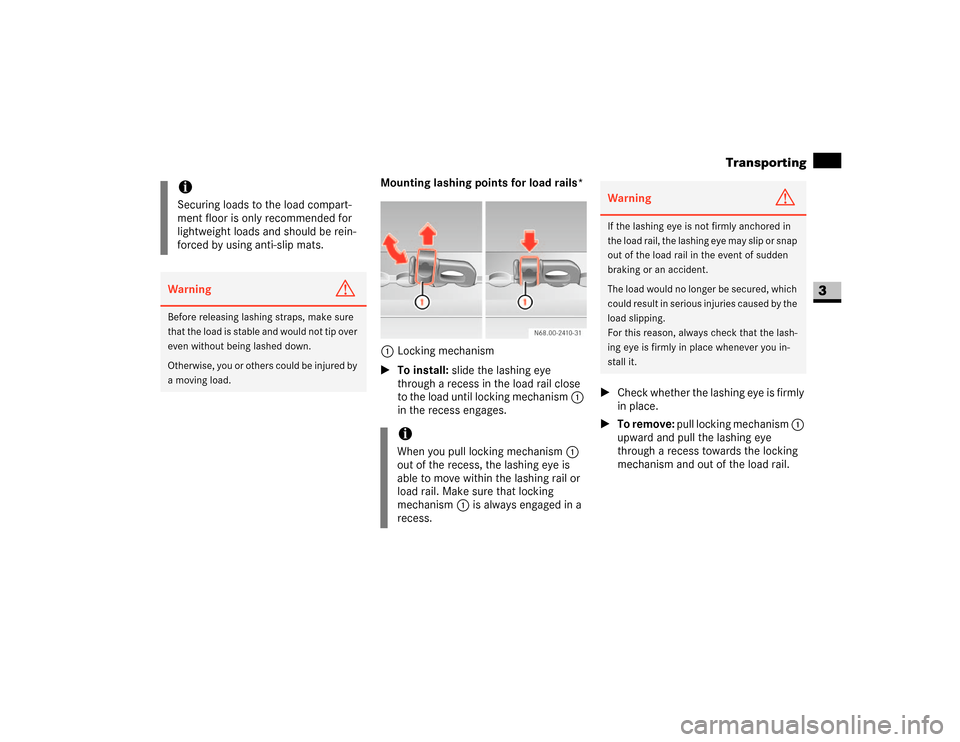
Mounting lashing points for load rails*
1Locking mechanism
\1To install: slide the lashing eye
through a recess in the load rail close
to the load until locking mechanism 1
in the recess engages.\1Check whether the lashing eye is firmly
in place.
\1To remove: pull locking mechanism 1
upward and pull the lashing eye
through a recess towards the locking
mechanism and out of the load rail.
iSecuring loads to the load compart-
ment floor is only recommended for
lightweight loads and should be rein-
forced by using anti-slip mats.Warning
G
Before releasing lashing straps, make sure
that the load is stable and would not tip over
even without being lashed down.
Otherwise, you or others could be injured by
a moving load.
iWhen you pull locking mechanism1
out of the recess, the lashing eye is
able to move within the lashing rail or
load rail. Make sure that locking
mechanism1 is always engaged in a
recess.
Warning
G
If the lashing eye is not firmly anchored in
the load rail, the lashing eye may slip or snap
out of the load rail in the event of sudden
braking or an accident.
The load would no longer be secured, which
could result in serious injuries caused by the
load slipping.
For this reason, always check that the lash-
ing eye is firmly in place whenever you in-
stall it.
Page 165 of 393
164 Controls in detailFeatures
3
\3 FeaturesStorage compartments above the wind-
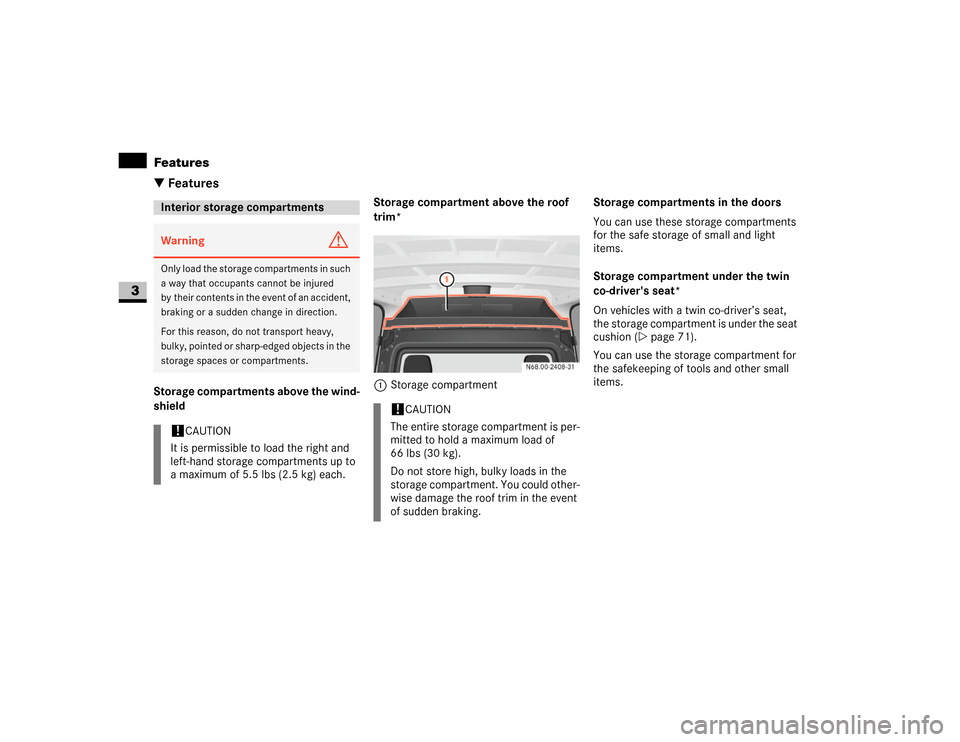
shieldStorage compartment above the roof
trim*
1Storage compartmentStorage compartments in the doors
You can use these storage compartments
for the safe storage of small and light
items.
Storage compartment under the twin
co-driver's seat*
On vehicles with a twin co-driver’s seat,
the storage compartment is under the seat
cushion (\2page 71).
You can use the storage compartment for
the safekeeping of tools and other small
items.Interior storage compartmentsWarning
G
Only load the storage compartments in such
a way that occupants cannot be injured
by their contents in the event of an accident,
braking or a sudden change in direction.
For this reason, do not transport heavy,
bulky, pointed or sharp-edged objects in the
storage spaces or compartments.!
CAUTION
It is permissible to load the right and
left-hand storage compartments up to
a maximum of 5.5 lbs (2.5 kg) each.
!
CAUTION
The entire storage compartment is per-
mitted to hold a maximum load of
66 lbs (30 kg).
Do not store high, bulky loads in the
storage compartment. You could other-
wise damage the roof trim in the event
of sudden braking.
Page 170 of 393
169 Controls in detail
Features
3
Ashtray in the passenger compart-
ment*
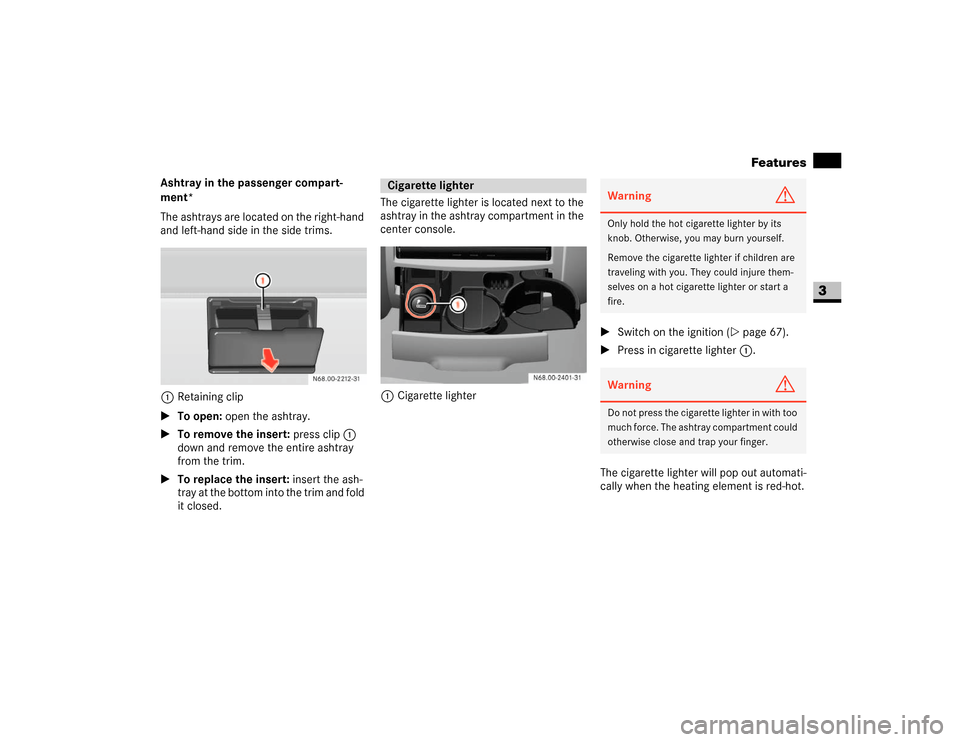
The ashtrays are located on the right-hand
and left-hand side in the side trims.
1Retaining clip
\1To open: open the ashtray.
\1To remove the insert: press clip1
down and remove the entire ashtray
from the trim.
\1To replace the insert: insert the ash-
tray at the bottom into the trim and fold
it closed.The cigarette lighter is located next to the
ashtray in the ashtray compartment in the
center console.
1Cigarette lighter\1Switch on the ignition (\2page 67).
\1Press in cigarette lighter 1.
The cigarette lighter will pop out automati-
cally when the heating element is red-hot.
Cigarette lighter
Warning
G
Only hold the hot cigarette lighter by its
knob. Otherwise, you may burn yourself.
Remove the cigarette lighter if children are
traveling with you. They could injure them-
selves on a hot cigarette lighter or start a
fire.Warning
G
Do not press the cigarette lighter in with too
much force. The ashtray compartment could
otherwise close and trap your finger.