phone FIAT DUCATO 244 2002 3.G Connect NavPlus Manual
[x] Cancel search | Manufacturer: FIAT, Model Year: 2002, Model line: DUCATO 244, Model: FIAT DUCATO 244 2002 3.GPages: 246, PDF Size: 3.39 MB
Page 65 of 246
CONNECT Nav
64
To accept the call, proceed as
follows:
– short push on button ò13-fig. 1;
dialog box disappears and ring stops,
the display shows the string “call in
progress”.
To close the conversation,
proceed as follows:
– press button ò13-fig. 1; the sys-
tem returns automatically to the pre-
vious mode and the display shows the
relevant status.
To refuse the call, proceed as
follows:
– long push on button ò13-fig. 1;
dialog box disappears and ring stops.
In this case the screen will remain the
one shown before the incoming call.
IMPORTANT: dialog box disap-
pears and ring stops also if the line is
unwillingly lost.OUTGOING CALLS
To start a call, proceed as
follows:
– enter the telephone mode as pre-
viously described;
– dial the required number using the
multifunction keys 1 ÷ 12-fig. 1;
– to enter the international prefix
(“+” char), push button “*/+” at
length;
dialled number is shown in the input
box on the display; max. 20 digits can
be input and in case there is no enough
space to keep the whole string, the in-
terface will provide a left string scroll;
– to start a call, press button ò13-
fig. 1; active screen becomes the one
shown in fig. 47.
To enter a phone number, follow
these instructions:
Press briefly one of the multifunction
keys 1 ÷ 12-fig. 1to enter the cor-
responding digit or character;More particularly keys “*” and “#”
can be used.
Press continuously button “+” to en-
ter the international prefix (“+” char);
Press continuously keys 1 ÷ 9-fig. 1
to select the corresponding frequent
number set (see paragraph “Frequent
Numbers”);
Short push on “ESC” 23-fig. 1clears
the last input digit;
Long push on “ESC” 23-fig. 1clears
all entered digits;
DIALLING A SERVICE
NUMBER
Following the instructions given in
the previous paragraph, the user can
dial service numbers (e.g.: ←#
xxxxx←) according to ETSI Standard
GSM 02.30.
Page 66 of 246
CONNECT Nav
65
“FREQUENT NUMBERS”
FUNCTION
The “FREQUENT NUMBERS” func-
tion enables to create and have quick
access to a list with the 9 most fre-
quently dialled phone numbers.
To choose the required frequent
number, select “FREQUENT NUM-
BERS” on the main telephone function
screen by rotating and pressing the
knob 22-fig. 1. The display shows the
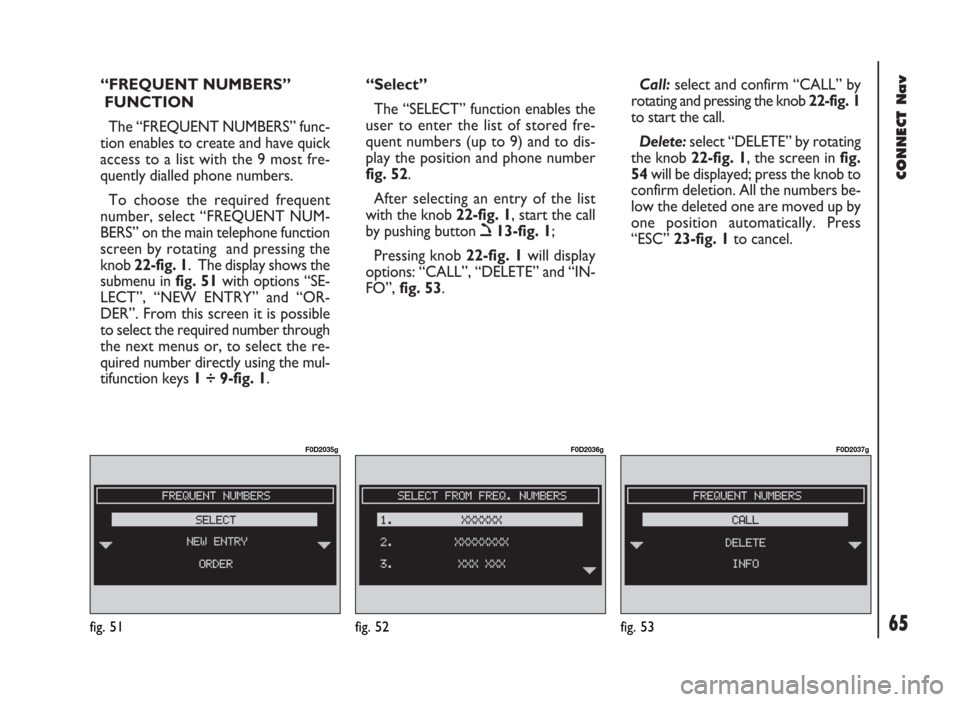
submenu in fig. 51with options “SE-
LECT”, “NEW ENTRY” and “OR-
DER”. From this screen it is possible
to select the required number through
the next menus or, to select the re-
quired number directly using the mul-
tifunction keys 1 ÷ 9-fig. 1.“Select”
The “SELECT” function enables the
user to enter the list of stored fre-
quent numbers (up to 9) and to dis-
play the position and phone number
fig. 52.
After selecting an entry of the list
with the knob 22-fig. 1, start the call
by pushing button ò13-fig. 1;
Pressing knob 22-fig. 1will display
options: “CALL”, “DELETE” and “IN-
FO”, fig. 53.Call:select and confirm “CALL” by
rotating and pressing the knob 22-fig. 1
to start the call.
Delete:select “DELETE” by rotating
the knob 22-fig. 1, the screen in fig.
54will be displayed; press the knob to
confirm deletion. All the numbers be-
low the deleted one are moved up by
one position automatically. Press
“ESC” 23-fig. 1to cancel.
fig. 53
F0D2037g
fig. 51
F0D2035g
fig. 52
F0D2036g
Page 67 of 246
CONNECT Nav
66
IMPORTANT“Delete” shall be
used specially when the “Frequent
numbers” list is full (9 numbers stored)
and you want to enter a new number.
Info:selecting and confirming “Info”
by rotating and pressing the knob 22-
fig. 1, will display a new screen with
information concerning the name and
the telephone number.“New entry”
Select and confirm “NEW ENTRY”
by rotating and pressing the knob22-
fig. 1, to copy an entry from the di-
rectory. If the list is full this function
is disabled.
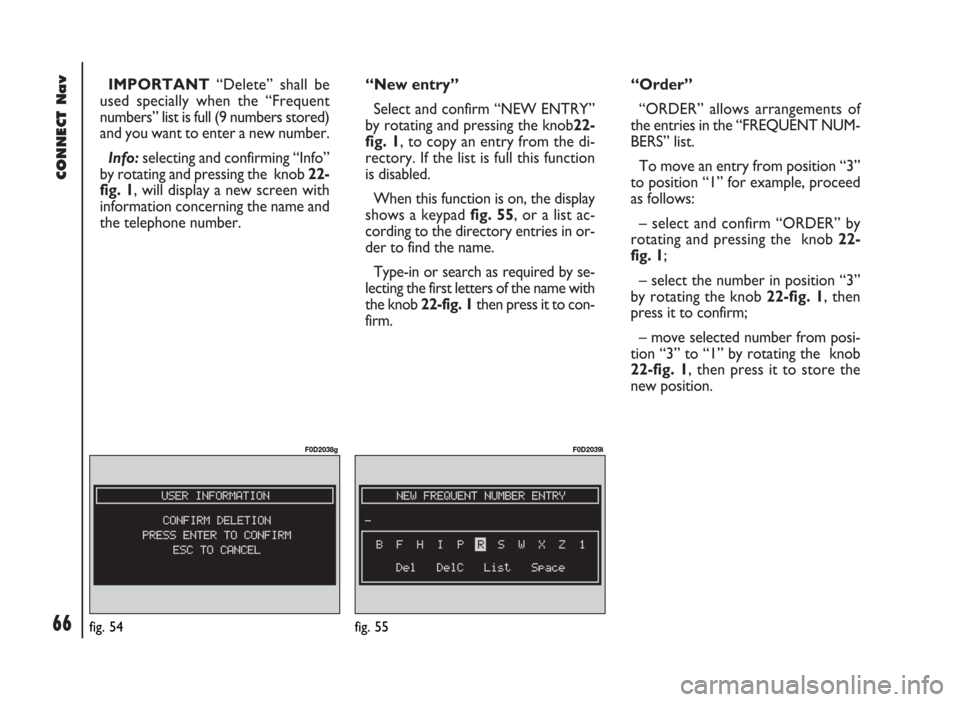
When this function is on, the display
shows a keypad fig. 55, or a list ac-
cording to the directory entries in or-
der to find the name.
Type-in or search as required by se-
lecting the first letters of the name with
the knob 22-fig. 1then press it to con-
firm.“Order”
“ORDER” allows arrangements of
the entries in the “FREQUENT NUM-
BERS” list.
To move an entry from position “3”
to position “1” for example, proceed
as follows:
– select and confirm “ORDER” by
rotating and pressing the knob 22-
fig. 1;
– select the number in position “3”
by rotating the knob 22-fig. 1, then
press it to confirm;
– move selected number from posi-
tion “3” to “1” by rotating the knob
22-fig. 1, then press it to store the
new position.
fig. 54
F0D2038g
fig. 55
F0D2039ì
Page 68 of 246
CONNECT Nav
67
“LAST CALLS RECEIVED”
FUNCTION
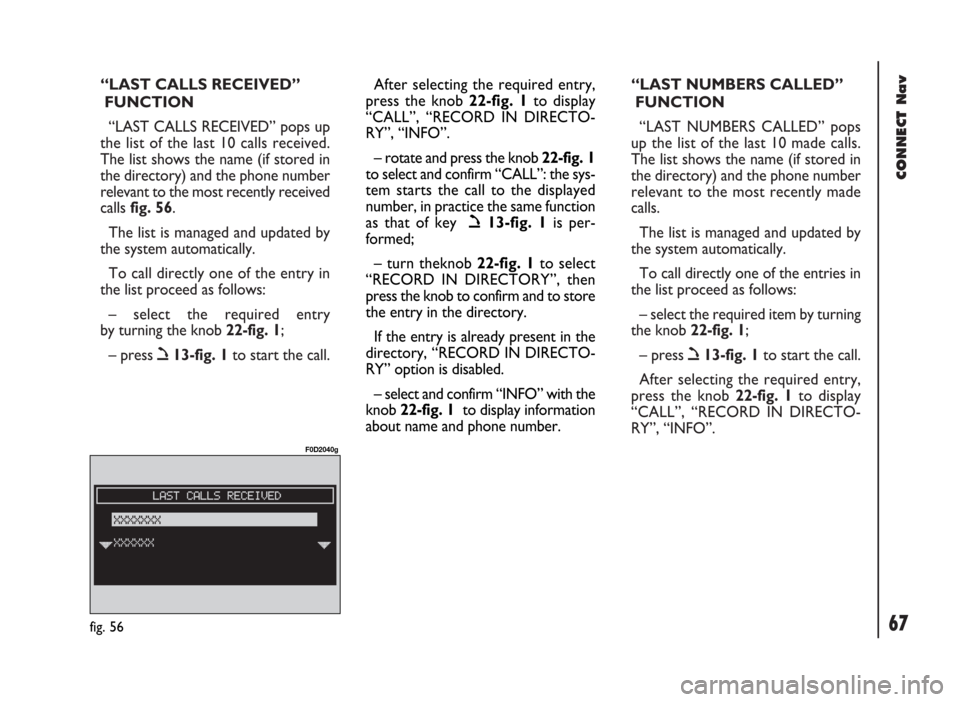
“LAST CALLS RECEIVED” pops up
the list of the last 10 calls received.
The list shows the name (if stored in
the directory) and the phone number
relevant to the most recently received
calls fig. 56.
The list is managed and updated by
the system automatically.
To call directly one of the entry in
the list proceed as follows:
– select the required entry
by turning the knob 22-fig. 1;
– press ò13-fig. 1to start the call.“LAST NUMBERS CALLED”
FUNCTION
“LAST NUMBERS CALLED” pops
up the list of the last 10 made calls.
The list shows the name (if stored in
the directory) and the phone number
relevant to the most recently made
calls.
The list is managed and updated by
the system automatically.
To call directly one of the entries in
the list proceed as follows:
– select the required item by turning
the knob 22-fig. 1;
– press ò13-fig. 1to start the call.
After selecting the required entry,
press the knob 22-fig. 1to display
“CALL”, “RECORD IN DIRECTO-
RY”, “INFO”.
fig. 56
F0D2040g
After selecting the required entry,
press the knob 22-fig. 1to display
“CALL”, “RECORD IN DIRECTO-
RY”, “INFO”.
– rotate and press the knob 22-fig. 1
to select and confirm “CALL”: the sys-
tem starts the call to the displayed
number, in practice the same function
as that of key ò13-fig. 1is per-
formed;
– turn theknob 22-fig. 1to select
“RECORD IN DIRECTORY”, then
press the knob to confirm and to store
the entry in the directory.
If the entry is already present in the
directory, “RECORD IN DIRECTO-
RY” option is disabled.
– select and confirm “INFO” with the
knob 22-fig. 1to display information
about name and phone number.
Page 69 of 246
CONNECT Nav
68
– select and confirm “CALL” rotat-
ing and pressing the knob 22-fig. 1, the
system starts the call to the displayed
number;
– select and confirm “RECORD IN
DIRECTORY” rotating and pressing
the knob 22-fig. 1, to store the entry
in the directory.
If the entry is already present in the
directory, ”RECORD IN DIRECTO-
RY” option is disabled.
– select and confirm “INFO” rotating
and pressing the knob 22-fig. 1, to dis-
play information about name and
phone number.“DIRECTORY” FUNCTION
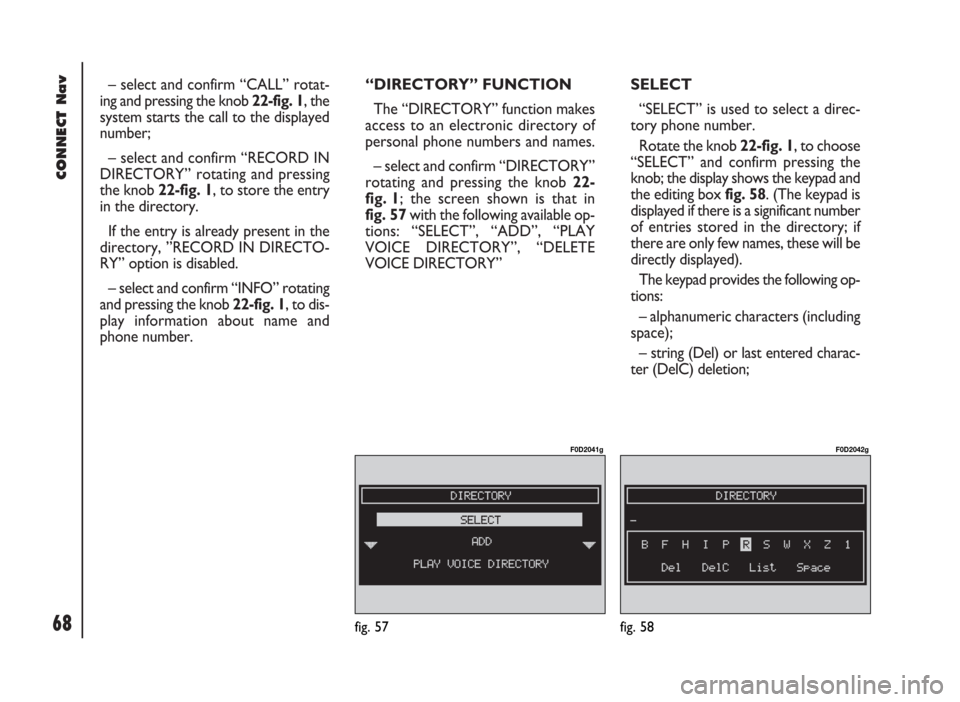
The “DIRECTORY” function makes
access to an electronic directory of
personal phone numbers and names.
– select and confirm “DIRECTORY”
rotating and pressing the knob 22-
fig. 1; the screen shown is that in
fig. 57with the following available op-
tions: “SELECT”, “ADD”, “PLAY
VOICE DIRECTORY”, “DELETE
VOICE DIRECTORY” SELECT
“SELECT” is used to select a direc-
tory phone number.
Rotate the knob 22-fig. 1, to choose
“SELECT” and confirm pressing the
knob; the display shows the keypad and
the editing box fig. 58. (The keypad is
displayed if there is a significant number
of entries stored in the directory; if
there are only few names, these will be
directly displayed).
The keypad provides the following op-
tions:
– alphanumeric characters (including
space);
– string (Del) or last entered charac-
ter (DelC) deletion;
fig. 57
F0D2041g
fig. 58
F0D2042g
Page 71 of 246
CONNECT Nav
70
IMPORTANTA SIM card element
cannot be associated to a voice sample.
“CALL”: rotating the knob 22-fig. 1
to select this option and pressing the
knob to confirm, starts call to the se-
lected number; the display goes back
to “call in progress” screen; the same
function as that of key ò13-fig. 1is
performed.
“CHANGE”: rotating the knob 22-
fig. 1to select this option and press-
ing the knob to confirm, it is possible
to change the name, the phone num-
ber, the relevant voice sample (if you
are operating in the directory) and to
copy an entry from the directory to
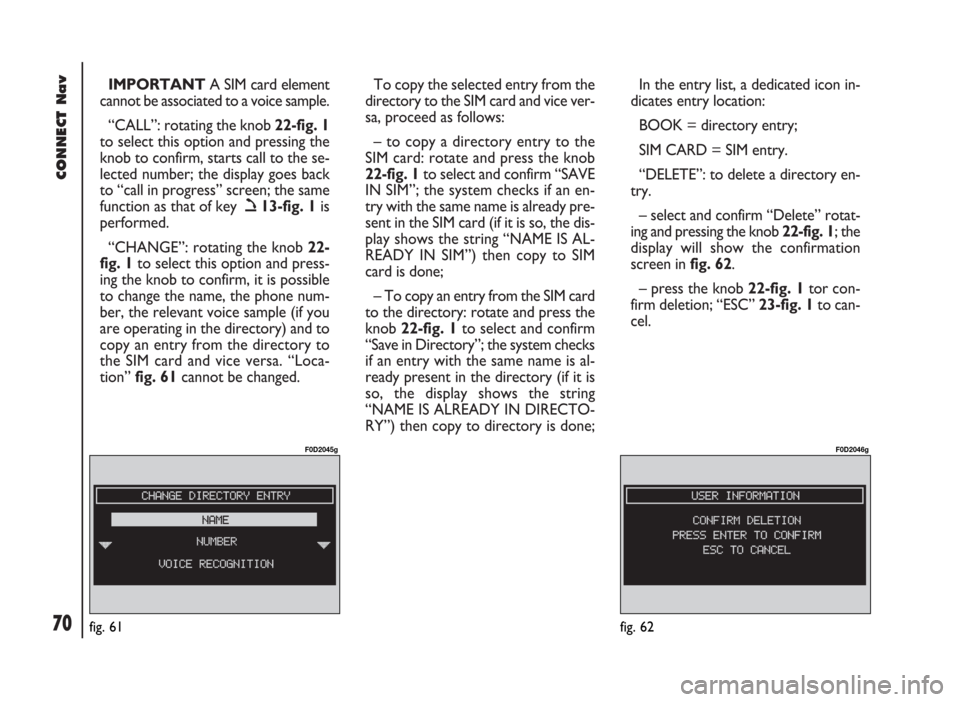
the SIM card and vice versa. “Loca-
tion” fig. 61cannot be changed. To copy the selected entry from the
directory to the SIM card and vice ver-
sa, proceed as follows:
– to copy a directory entry to the
SIM card: rotate and press the knob
22-fig. 1to select and confirm “SAVE
IN SIM”; the system checks if an en-
try with the same name is already pre-
sent in the SIM card (if it is so, the dis-
play shows the string “NAME IS AL-
READY IN SIM”) then copy to SIM
card is done;
– To copy an entry from the SIM card
to the directory: rotate and press the
knob 22-fig. 1to select and confirm
“Save in Directory”; the system checks
if an entry with the same name is al-
ready present in the directory (if it is
so, the display shows the string
“NAME IS ALREADY IN DIRECTO-
RY”) then copy to directory is done; In the entry list, a dedicated icon in-
dicates entry location:
BOOK = directory entry;
SIM CARD = SIM entry.
“DELETE”: to delete a directory en-
try.
– select and confirm “Delete” rotat-
ing and pressing the knob 22-fig. 1; the
display will show the confirmation
screen in fig. 62.
– press the knob 22-fig. 1tor con-
firm deletion; “ESC” 23-fig. 1to can-
cel.
fig. 61
F0D2045g
fig. 62
F0D2046g
Page 72 of 246
CONNECT Nav
71
“RECORD IN FREQUENT NUM-
BERS”: selecting and confirming this
option by rotating and pressing the
knob 22-fig. 1will automatically add
the selected entry (to last position) in
the “Frequent Numbers” list (if the list
is full this function is disabled).
“INFO”: selecting and confirming this
option by rotating and pressing the
knob 22-fig. 1will provide detailed in-
formation on directory entries: name,
phone number, location and symbol
(ô) for voice sample (if any).ADD
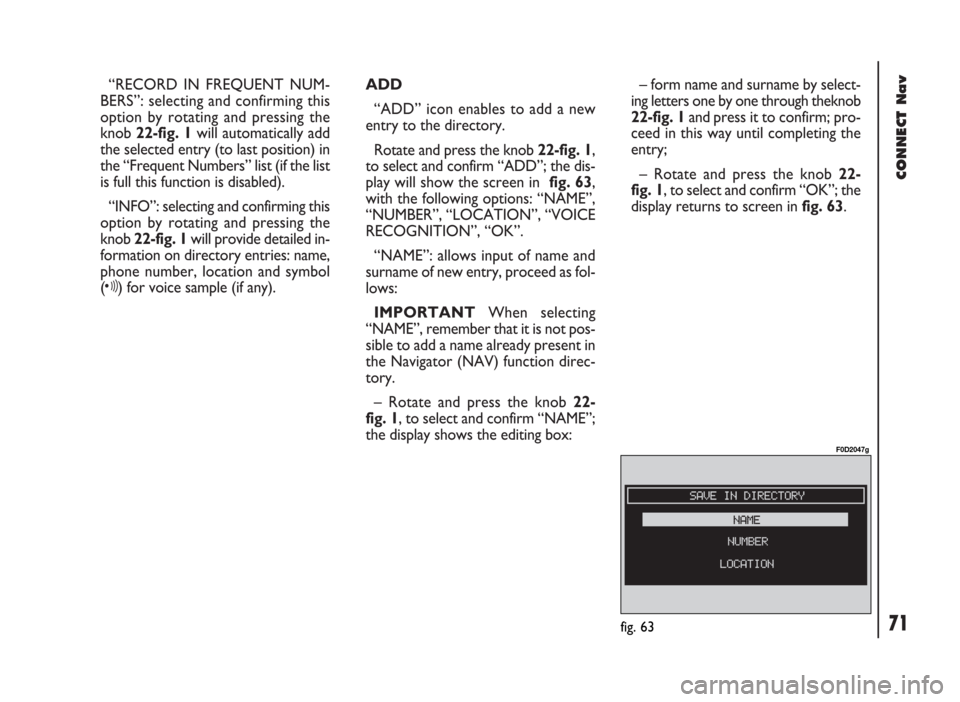
“ADD” icon enables to add a new
entry to the directory.
Rotate and press the knob 22-fig. 1,
to select and confirm “ADD”; the dis-
play will show the screen in fig. 63,
with the following options: “NAME”,
“NUMBER”, “LOCATION”, “VOICE
RECOGNITION”, “OK”.
“NAME”: allows input of name and
surname of new entry, proceed as fol-
lows:
IMPORTANTWhen selecting
“NAME”, remember that it is not pos-
sible to add a name already present in
the Navigator (NAV) function direc-
tory.
– Rotate and press the knob 22-
fig. 1, to select and confirm “NAME”;
the display shows the editing box:– form name and surname by select-
ing letters one by one through theknob
22-fig. 1and press it to confirm; pro-
ceed in this way until completing the
entry;
– Rotate and press the knob 22-
fig. 1, to select and confirm “OK”; the
display returns to screen in fig. 63.
fig. 63
F0D2047g
Page 73 of 246
CONNECT Nav
72
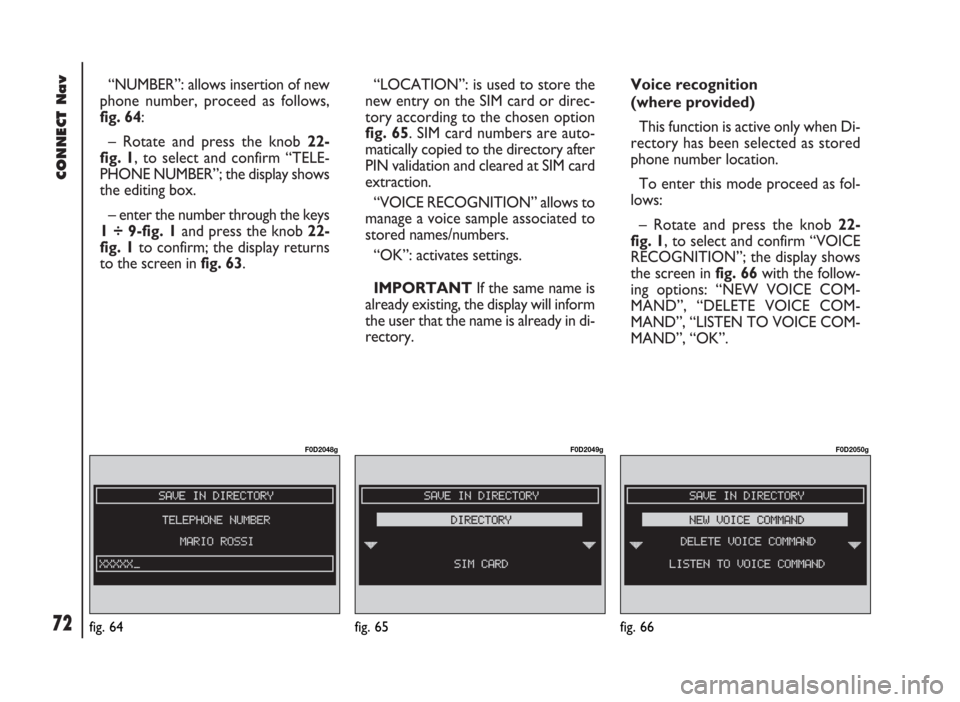
“NUMBER”: allows insertion of new
phone number, proceed as follows,
fig. 64:
– Rotate and press the knob 22-
fig. 1, to select and confirm “TELE-
PHONE NUMBER”; the display shows
the editing box.
– enter the number through the keys
1 ÷ 9-fig. 1and press the knob 22-
fig. 1to confirm; the display returns
to the screen in fig. 63.“LOCATION”: is used to store the
new entry on the SIM card or direc-
tory according to the chosen option
fig. 65. SIM card numbers are auto-
matically copied to the directory after
PIN validation and cleared at SIM card
extraction.
“VOICE RECOGNITION” allows to
manage a voice sample associated to
stored names/numbers.
“OK”: activates settings.
IMPORTANTIf the same name is
already existing, the display will inform
the user that the name is already in di-
rectory.Voice recognition
(where provided)
This function is active only when Di-
rectory has been selected as stored
phone number location.
To enter this mode proceed as fol-
lows:
– Rotate and press the knob 22-
fig. 1, to select and confirm “VOICE
RECOGNITION”; the display shows
the screen in fig. 66with the follow-
ing options: “NEW VOICE COM-
MAND”, “DELETE VOICE COM-
MAND”, “LISTEN TO VOICE COM-
MAND”, “OK”.
fig. 65
F0D2049g
fig. 66
F0D2050g
fig. 64
F0D2048g
Page 75 of 246
CONNECT Nav
74fig. 67
F0D2051g
PLAY VOICE DIRECTORY
This function (play voice directory)
allows playback of all the previously
recorded voice samples, stored to al-
low vocal management of telephone
directory.
– Rotate and press the knob 22-
fig. 1, to select and confirm “PLAY
VOICE DIRECTORY”; the system will
reproduce stored samples. DELETE VOICE DIRECTORY
This function (delete voice directo-
ry) allows to clear off previously
recorded voice samples.
– Rotate and press the knob 22-
fig. 1, to select and confirm “DELETE
VOICE DIRECTORY”. The system will
display the following confirmation
screen: “PRESS ENTER TO CON-
FIRM, ESCAPE TO CANCEL” before
deleting the selected voice sample.
– press the knob 22-fig. 1to delete
voice samples.
– press “ESC” 23-fig. 1to go back to
previous screen without deleting voice
samples.“WAP” FUNCTION
The “WAP” function opens a GSM
link to a WAP provider, browsing the
“home” site first. Access to WAP site
loads automatically in memory the
corresponding “deck”; the display
shows the first card of the deck.
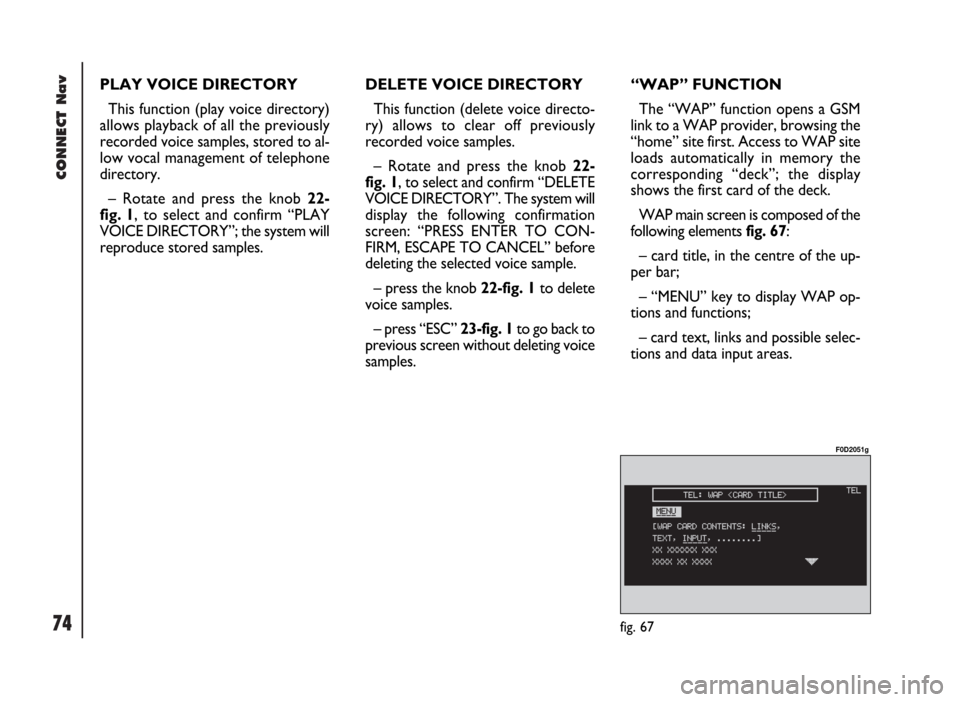
WAP main screen is composed of the
following elements fig. 67:
– card title, in the centre of the up-
per bar;
– “MENU” key to display WAP op-
tions and functions;
– card text, links and possible selec-
tions and data input areas.
Page 81 of 246
CONNECT Nav
80
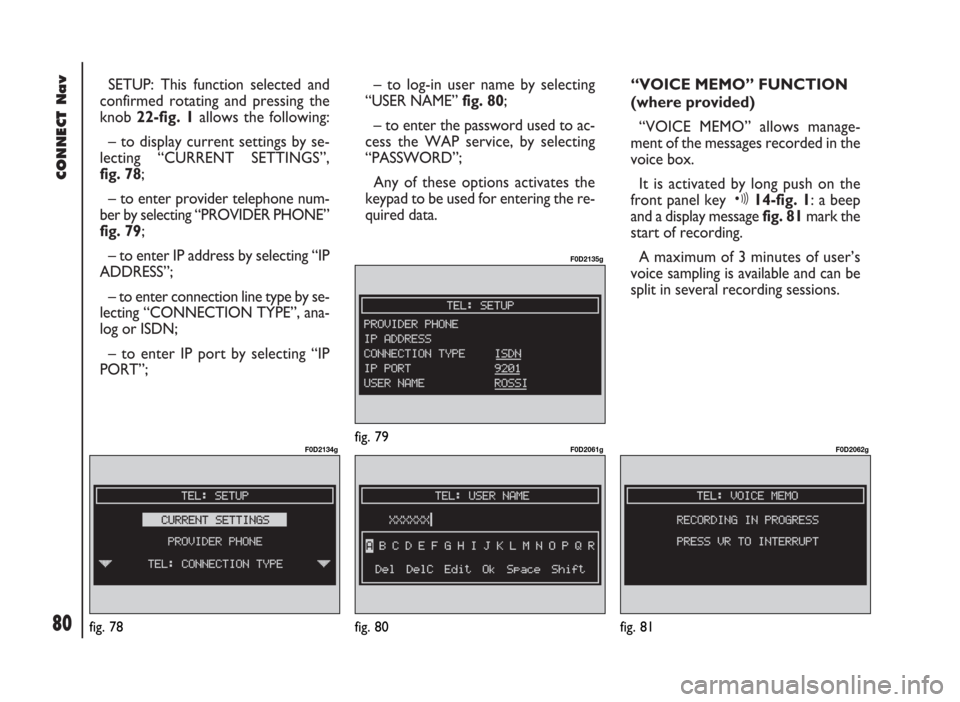
SETUP: This function selected and
confirmed rotating and pressing the
knob 22-fig. 1 allows the following:
– to display current settings by se-
lecting “CURRENT SETTINGS”,
fig. 78;
– to enter provider telephone num-
ber by selecting “PROVIDER PHONE”
fig. 79;
– to enter IP address by selecting “IP
ADDRESS”;
– to enter connection line type by se-
lecting “CONNECTION TYPE”, ana-
log or ISDN;
– to enter IP port by selecting “IP
PORT”;– to log-in user name by selecting
“USER NAME” fig. 80;
– to enter the password used to ac-
cess the WAP service, by selecting
“PASSWORD”;
Any of these options activates the
keypad to be used for entering the re-
quired data.“VOICE MEMO” FUNCTION
(where provided)
“VOICE MEMO” allows manage-
ment of the messages recorded in the
voice box.
It is activated by long push on the
front panel key ô14-fig. 1: a beep
and a display message fig. 81mark the
start of recording.
A maximum of 3 minutes of user’s
voice sampling is available and can be
split in several recording sessions.
fig. 78
F0D2134g
fig. 80
F0D2061g
fig. 81
F0D2062gfig. 79
F0D2135g