display FORD F450 SUPER DUTY 2017 Owners Manual
[x] Cancel search | Manufacturer: FORD, Model Year: 2017, Model line: F450 SUPER DUTY, Model: FORD F450 SUPER DUTY 2017Pages: 642, PDF Size: 12.35 MB
Page 402 of 642
•To reduce the chances of interferencefrom another vehicle, perform thesystem reset procedure at least threefeet (one meter) away from anotherFord Motor Company vehicleundergoing the system reset procedureat the same time.
•Do not wait more than two minutesbetween resetting each tire sensor orthe system will time-out and the entireprocedure will have to be repeated onall four wheels.
•A double horn will sound indicating theneed to repeat the procedure.
Performing the System Reset Procedure(Single Rear Wheel)
Read the entire procedure beforeattempting.
1. Drive the vehicle above 20 mph(32 km/h) for at least two minutes,then park in a safe location where youcan easily get to all four tires and haveaccess to an air pump.
2.Place the ignition in the off position andkeep the key in the ignition.
3. Cycle the ignition to the on positionwith the engine off.
4. Turn the hazard flashers on then offthree times. You must accomplish thiswithin 10 seconds. If the reset modehas been entered successfully, the hornwill sound once, the system indicatorwill flash and a message is shown inthe information display. If this does notoccur, please try again starting at Step2. If after repeated attempts to enterthe reset mode, the horn does notsound, the system indicator does notflash and no message is shown in theinformation display, seek service fromyour authorized dealer.
5. Train the tire pressure monitoringsystem sensors in the tires using thefollowing system reset sequencestarting with the left front tire in thefollowing clockwise order: Left front(driver's side front tire), Right front(passenger's side front tire), Right rear(passenger's side rear tire), Left rear(driver's side rear tire).
6. Remove the valve cap from the valvestem on the left front tire. Decrease theair pressure until the horn sounds.
Note:The single horn chirp confirms thatthe sensor identification code has beenlearned by the module for this position. If adouble horn is heard, the reset procedurewas unsuccessful, and you must repeat it.
7. Remove the valve cap from the valvestem on the right front tire. Decreasethe air pressure until the horn sounds.
8. Remove the valve cap from the valvestem on the right rear tire. Decrease theair pressure until the horn sounds.
9. Remove the valve cap from the valvestem on the left rear tire. Decrease theair pressure until the horn sounds.Training is complete after the hornsounds for the last tire trained (driver'sside rear tire), the system indicatorstops flashing, and a message is shownin the information display.
10.Turn the ignition off. If two short hornbeeps are heard, the reset procedurewas unsuccessful and you mustrepeat it. If after repeating theprocedure and two short beeps areheard when the ignition is turned tooff, seek assistance from yourauthorized dealer.
399
Super Duty (TFE) Canada/United States of America, enUSA, Edition date: 201710, Second Printing
Wheels and Tires
Page 403 of 642
11.Set all four tires to the recommendedair pressure as indicated on theSafety Compliance CertificationLabel (affixed to either the door hingepillar, door-latch post, or the dooredge that meets the door-latch post,next to the driver's seating position)or Tire Label located on the B-Pillaror the edge of the driver's door.
Performing the System Reset Procedure(Dual Rear Wheel)
For further information seeUnderstanding Your Tire PressureMonitoring System and refer to DualRear Wheel, earlier in this section.
Read the entire procedure beforeattempting.
1. Drive the vehicle above 20 mph(32 km/h) for at least two minutes,then park in a safe location where youcan easily get to all four tires and haveaccess to an air pump.
2.Place the ignition in the off position andkeep the key in the ignition.
3. Cycle the ignition to the on positionwith the engine off.
4. Turn the hazard flashers on then offthree times. You must accomplish thiswithin 10 seconds. If the reset modehas been entered successfully, the hornwill sound once, the system indicatorwill flash and a message is shown inthe information display. If this does notoccur, please try again starting at Step2. If after repeated attempts to enterthe reset mode, the horn does notsound, the system indicator does notflash and no message is shown in theinformation display, seek service fromyour authorized dealer.
5. Train the tire pressure monitoringsystem sensors in the tires using thefollowing system reset sequencestarting with the left front tire in thefollowing order: Left front (driver's sidefront tire), Right front (passenger's sidefront tire), Right outer rear (passenger'sside rear outer tire), Right inner rear(passenger's side rear inner tire), Leftouter rear (driver's side rear outer tire),Left inner rear (driver's side rear innertire).
6. Remove the valve cap from the valvestem on the left front tire. Decrease theair pressure until the horn sounds.
Note:The single horn chirp confirms thatthe sensor identification code has beenlearned by the module for this position. If adouble horn is heard, the reset procedurewas unsuccessful, and you must repeat it.
7. Remove the valve cap from the valvestem on the right front tire. Decreasethe air pressure until the horn sounds.
8. Remove the valve cap from the valvestem on the right outer rear tire.Decrease the air pressure until the hornsounds.
9. Remove the valve cap from the valvestem on the right inner rear tire.Decrease the air pressure until the hornsounds.
10.Remove the valve cap from the valvestem on the left outer rear tire.Decrease the air pressure until thehorn sounds.
11.Remove the valve cap from the valvestem on the left inner rear tire.Decrease the air pressure until thehorn sounds. Training is completeafter the horn sounds for the last tiretrained, the system indicator stopsflashing, and a message is shown inthe information display.
400
Super Duty (TFE) Canada/United States of America, enUSA, Edition date: 201710, Second Printing
Wheels and Tires
Page 404 of 642
12.Turn the ignition off. If two short hornbeeps are heard, the reset procedurewas unsuccessful and you mustrepeat it. If after repeating theprocedure and two short beeps areheard when the ignition is turned tooff, seek assistance from yourauthorized dealer.
13.Set all four tires to the recommendedair pressure as indicated on theSafety Compliance CertificationLabel (affixed to either the door hingepillar, door-latch post, or the dooredge that meets the door-latch post,next to the driver's seating position)or Tire Label located on the B-Pillaror the edge of the driver's door.
Trailer Tire Pressure MonitoringSystem (If Equipped)
Note:Additional equipment may berequired for your vehicle to support trailertire pressure monitoring. See your authorizeddealer for more information.
Note:The trailer tire pressure monitoringsystem is not a substitute for proper tiremaintenance. It is your responsibility tomaintain correct tire pressures at all times.
Note:If a trailer tire is repaired, replaced orbroken down for service, the screw and valveon the trailer tire pressure sensor should bereplaced. See your authorized dealer fordetails.
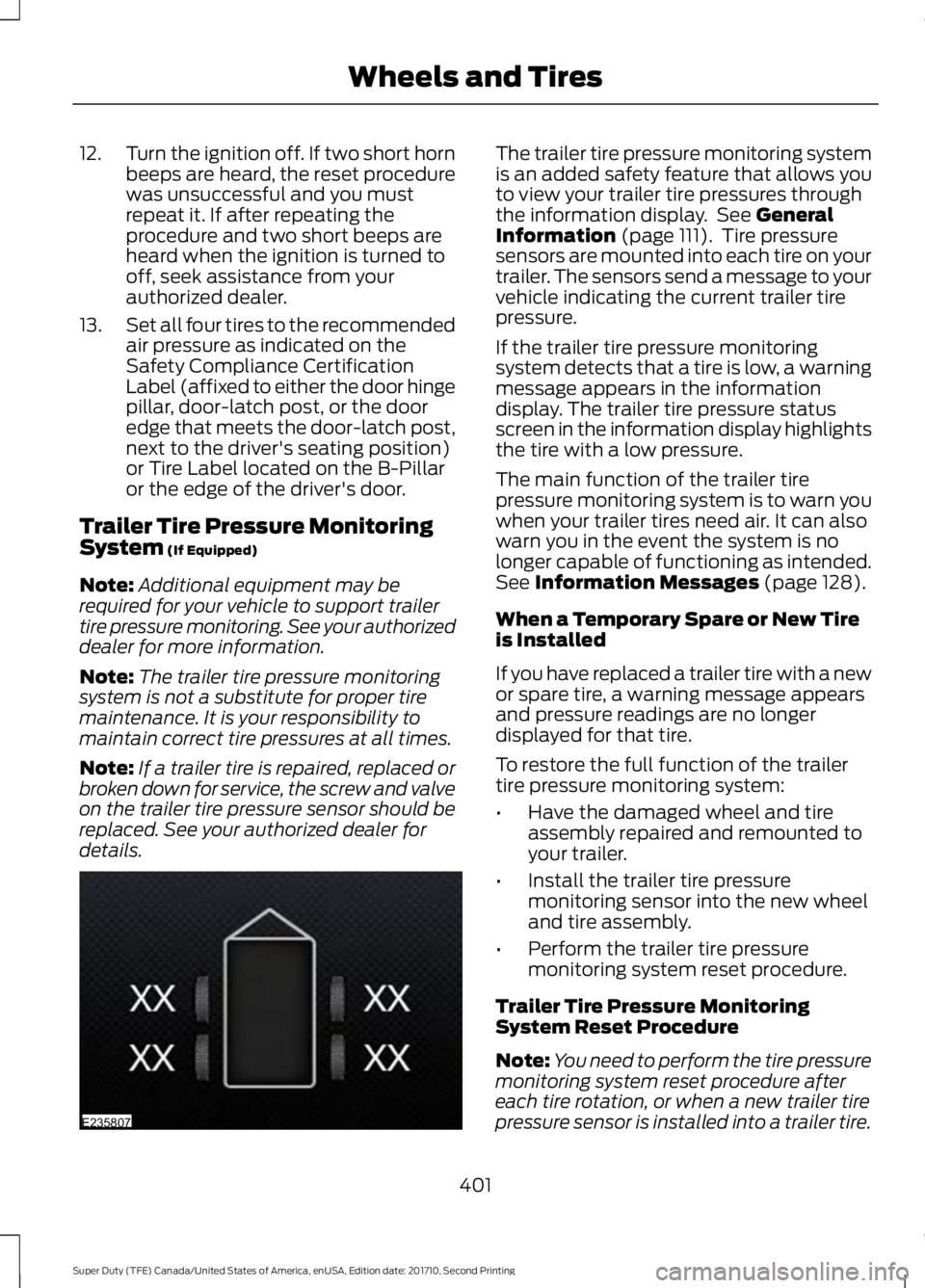
The trailer tire pressure monitoring systemis an added safety feature that allows youto view your trailer tire pressures throughthe information display. See GeneralInformation (page 111). Tire pressuresensors are mounted into each tire on yourtrailer. The sensors send a message to yourvehicle indicating the current trailer tirepressure.
If the trailer tire pressure monitoringsystem detects that a tire is low, a warningmessage appears in the informationdisplay. The trailer tire pressure statusscreen in the information display highlightsthe tire with a low pressure.
The main function of the trailer tirepressure monitoring system is to warn youwhen your trailer tires need air. It can alsowarn you in the event the system is nolonger capable of functioning as intended.See Information Messages (page 128).
When a Temporary Spare or New Tireis Installed
If you have replaced a trailer tire with a newor spare tire, a warning message appearsand pressure readings are no longerdisplayed for that tire.
To restore the full function of the trailertire pressure monitoring system:
•Have the damaged wheel and tireassembly repaired and remounted toyour trailer.
•Install the trailer tire pressuremonitoring sensor into the new wheeland tire assembly.
•Perform the trailer tire pressuremonitoring system reset procedure.
Trailer Tire Pressure MonitoringSystem Reset Procedure
Note:You need to perform the tire pressuremonitoring system reset procedure aftereach tire rotation, or when a new trailer tirepressure sensor is installed into a trailer tire.
401
Super Duty (TFE) Canada/United States of America, enUSA, Edition date: 201710, Second Printing
Wheels and TiresE235807
Page 405 of 642
The trailer tire pressure monitoring systemcan be reset through the menu in theinformation display. See GeneralInformation (page 111). Performing thetrailer setup process also resets the trailertire pressure monitoring system.
CHANGING A ROAD WHEEL
WARNINGS
The use of tire sealant may damageyour tire pressure monitoring systemand should only be used in roadsideemergencies. If you must use a sealant, theFord Tire Mobility Kit sealant should beused. The tire pressure monitoring systemsensor and valve stem on the wheel mustbe replaced by an authorized dealer afteruse of the sealant.
If the tire pressure monitor sensorbecomes damaged, it will no longerfunction. See Tire PressureMonitoring System (page 394).
Note:If your vehicle is equipped with thetire pressure monitoring system, theindicator light will illuminate when the sparetire is in use. To restore the full function ofthe monitoring system, all road wheelsequipped with tire pressure monitoringsensors must be mounted on the vehicle.
If you get a flat tire while driving, do notapply the brake heavily. Instead, graduallydecrease your speed. Hold the steeringwheel firmly and slowly move to a safeplace on the side of the road.
If your vehicle is equipped with the tirepressure monitoring system, have a flatserviced by an authorized dealer in orderto prevent damage to the system sensors.See Tire Pressure Monitoring System(page 394). Replace the spare tire with aroad tire as soon as possible. Duringrepairing or replacing of the flat tire, havethe authorized dealer inspect the systemsensor for damage.
Dissimilar Spare Wheel and TireAssembly Information
WARNING
Failure to follow these guidelinescould result in an increased risk ofloss of vehicle control, injury or death.
If you have a dissimilar spare wheel andtire, then it is intended for temporary useonly. This means that if you need to use it,you should replace it as soon as possiblewith a road wheel and tire assembly thatis the same size and type as the road tiresand wheels that were originally providedby Ford. If the dissimilar spare tire or wheelis damaged, it should be replaced ratherthan repaired.
A dissimilar spare wheel and tire assemblyis defined as a spare wheel and tireassembly that is different in brand, size orappearance from the road tires and wheelsand can be one of three types:
1.T-type mini-spare: This spare tirebegins with the letter T for tire size andmay have Temporary Use Only molded inthe sidewall.
2.Full-size dissimilar spare with labelon wheel: This spare tire has a label onthe wheel that states: THIS WHEEL ANDTIRE ASSEMBLY FOR TEMPORARY USEONLY
When driving with one of the dissimilarspare tires listed above, do not:
402
Super Duty (TFE) Canada/United States of America, enUSA, Edition date: 201710, Second Printing
Wheels and Tires
Page 429 of 642
If you use oil and fluids that do not meetthe defined specification and viscositygrade, this may lead to:
•Component damage which is notcovered by the vehicle warranty.
•Longer engine cranking periods.
•Increased emission levels.
•Reduced engine performance.
•Reduced fuel economy.
•Degraded brake performance.
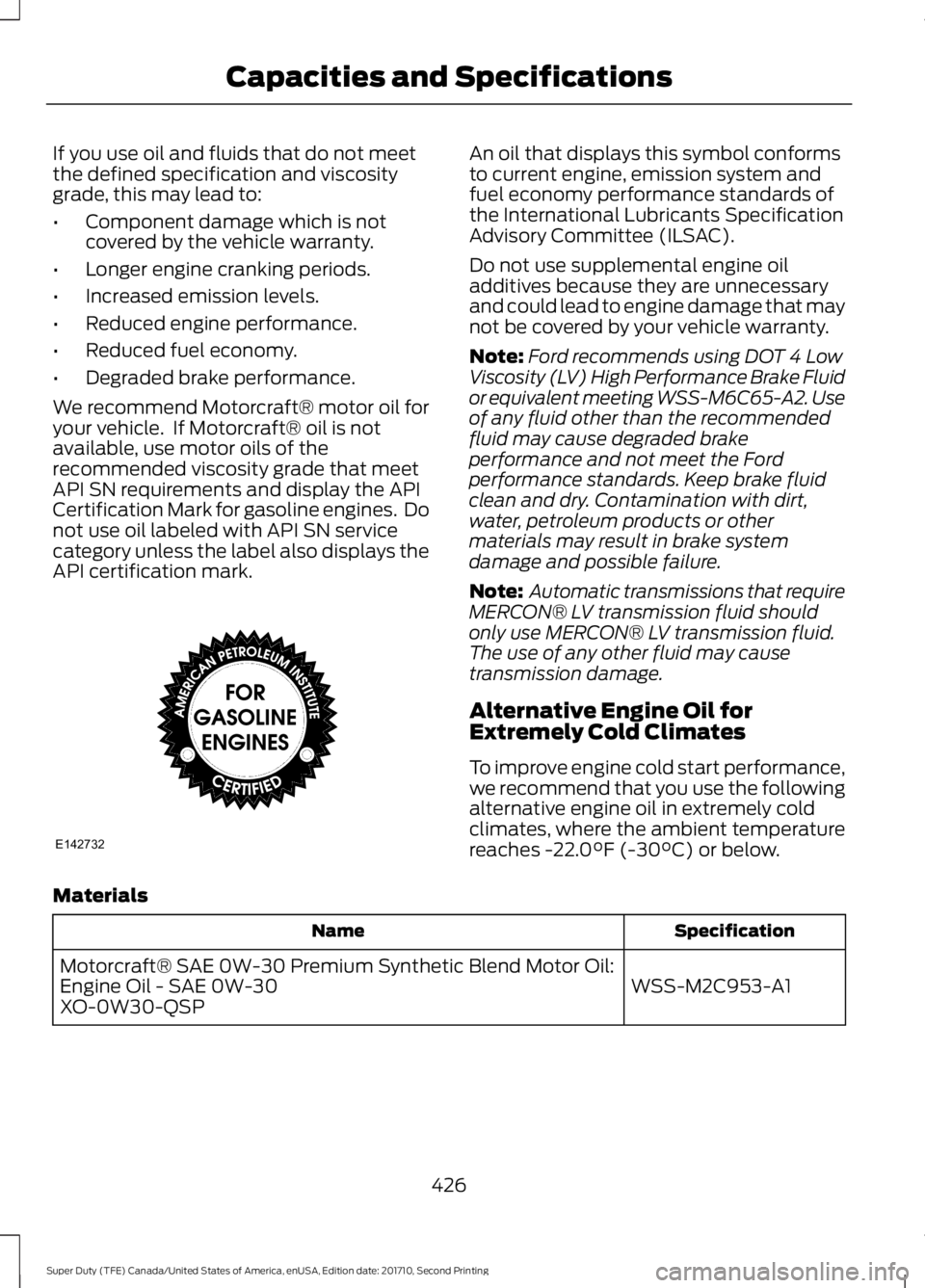
We recommend Motorcraft® motor oil foryour vehicle. If Motorcraft® oil is notavailable, use motor oils of therecommended viscosity grade that meetAPI SN requirements and display the APICertification Mark for gasoline engines. Donot use oil labeled with API SN servicecategory unless the label also displays theAPI certification mark.
An oil that displays this symbol conformsto current engine, emission system andfuel economy performance standards ofthe International Lubricants SpecificationAdvisory Committee (ILSAC).
Do not use supplemental engine oiladditives because they are unnecessaryand could lead to engine damage that maynot be covered by your vehicle warranty.
Note:Ford recommends using DOT 4 LowViscosity (LV) High Performance Brake Fluidor equivalent meeting WSS-M6C65-A2. Useof any fluid other than the recommendedfluid may cause degraded brakeperformance and not meet the Fordperformance standards. Keep brake fluidclean and dry. Contamination with dirt,water, petroleum products or othermaterials may result in brake systemdamage and possible failure.
Note: Automatic transmissions that requireMERCON® LV transmission fluid shouldonly use MERCON® LV transmission fluid.The use of any other fluid may causetransmission damage.
Alternative Engine Oil forExtremely Cold Climates
To improve engine cold start performance,we recommend that you use the followingalternative engine oil in extremely coldclimates, where the ambient temperaturereaches -22.0°F (-30°C) or below.
Materials
SpecificationName
WSS-M2C953-A1Motorcraft® SAE 0W-30 Premium Synthetic Blend Motor Oil:Engine Oil - SAE 0W-30XO-0W30-QSP
426
Super Duty (TFE) Canada/United States of America, enUSA, Edition date: 201710, Second Printing
Capacities and SpecificationsE142732
Page 437 of 642
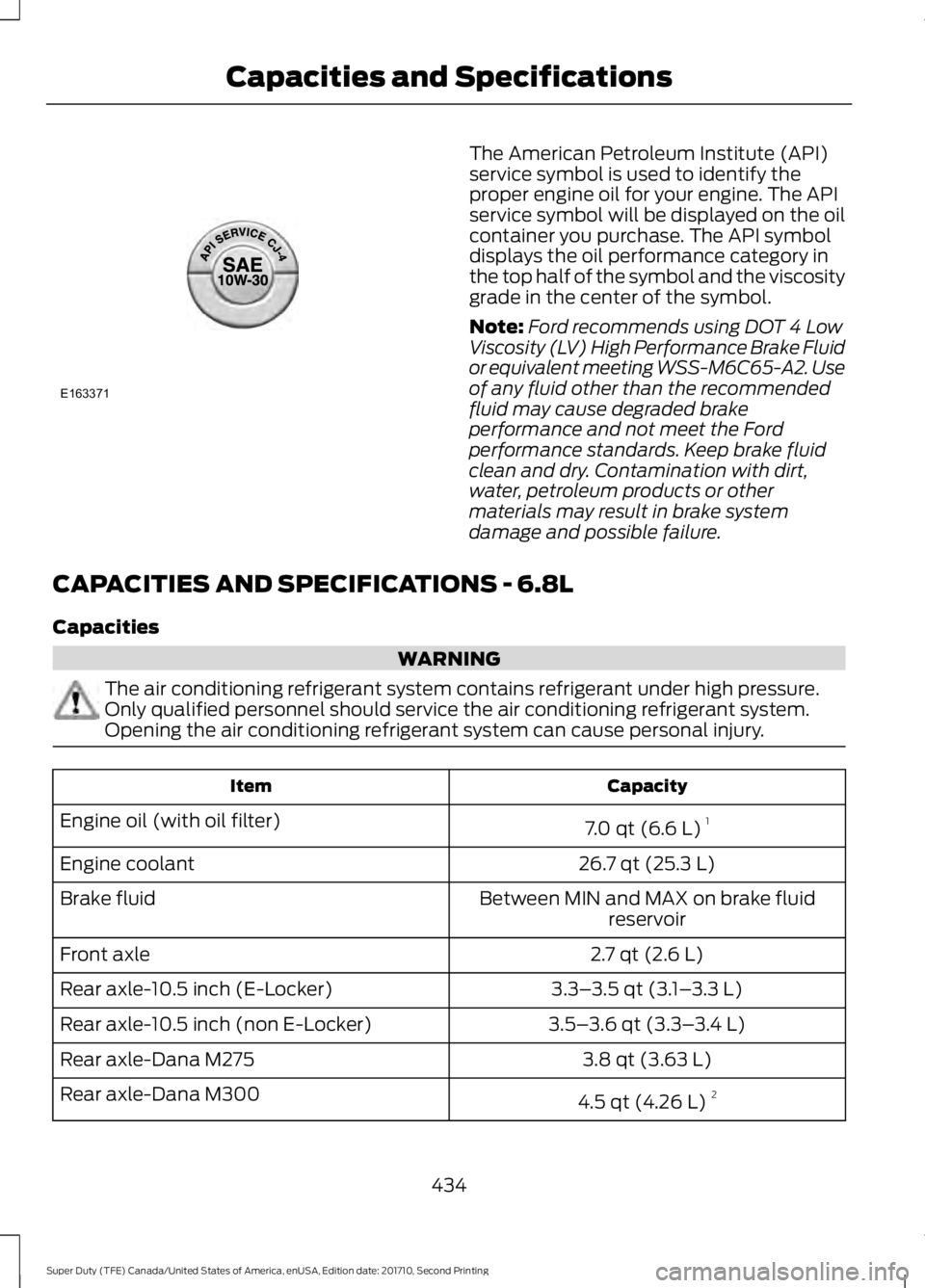
The American Petroleum Institute (API)service symbol is used to identify theproper engine oil for your engine. The APIservice symbol will be displayed on the oilcontainer you purchase. The API symboldisplays the oil performance category inthe top half of the symbol and the viscositygrade in the center of the symbol.
Note:Ford recommends using DOT 4 LowViscosity (LV) High Performance Brake Fluidor equivalent meeting WSS-M6C65-A2. Useof any fluid other than the recommendedfluid may cause degraded brakeperformance and not meet the Fordperformance standards. Keep brake fluidclean and dry. Contamination with dirt,water, petroleum products or othermaterials may result in brake systemdamage and possible failure.
CAPACITIES AND SPECIFICATIONS - 6.8L
Capacities
WARNING
The air conditioning refrigerant system contains refrigerant under high pressure.Only qualified personnel should service the air conditioning refrigerant system.Opening the air conditioning refrigerant system can cause personal injury.
CapacityItem
7.0 qt (6.6 L)1Engine oil (with oil filter)
26.7 qt (25.3 L)Engine coolant
Between MIN and MAX on brake fluidreservoirBrake fluid
2.7 qt (2.6 L)Front axle
3.3–3.5 qt (3.1–3.3 L)Rear axle-10.5 inch (E-Locker)
3.5–3.6 qt (3.3–3.4 L)Rear axle-10.5 inch (non E-Locker)
3.8 qt (3.63 L)Rear axle-Dana M275
4.5 qt (4.26 L)2Rear axle-Dana M300
434
Super Duty (TFE) Canada/United States of America, enUSA, Edition date: 201710, Second Printing
Capacities and SpecificationsE163371
Page 441 of 642
SpecificationName
WSH-M1C231-BA/C refrigerant compressor oil:Motorcraft® PAG Refrigerant Compressor OilYN-12-D
ESB-M1C93-BMulti-purpose grease:Motorcraft® Multi-Purpose Grease SprayXL-5-A
--Lock cylinders (U.S.):Penetrating and Lock LubricantXL-1
--Lock cylinders (Canada):Penetrating FluidCXC-51-A
--Lock cylinders (Mexico):Penetrating and Lock LubricantMXL-1
WSD-M1C227-ATransmission, parking brake linkages and pivots, brakepedal shift:Motorcraft® Premium Long-Life GreaseXG-1-E
1Reference the reservoir cap for proper fluid.
If you use oil and fluids that do not meetthe defined specification and viscositygrade, this may lead to:
•Component damage which is notcovered by the vehicle warranty.
•Longer engine cranking periods.
•Increased emission levels.
•Reduced engine performance.
•Reduced fuel economy.
•Degraded brake performance.
We recommend Motorcraft® motor oil foryour vehicle. If Motorcraft® oil is notavailable, use motor oils of therecommended viscosity grade that meetAPI SN requirements and display the APICertification Mark for gasoline engines. Donot use oil labeled with API SN servicecategory unless the label also displays theAPI certification mark.
438
Super Duty (TFE) Canada/United States of America, enUSA, Edition date: 201710, Second Printing
Capacities and Specifications
Page 442 of 642
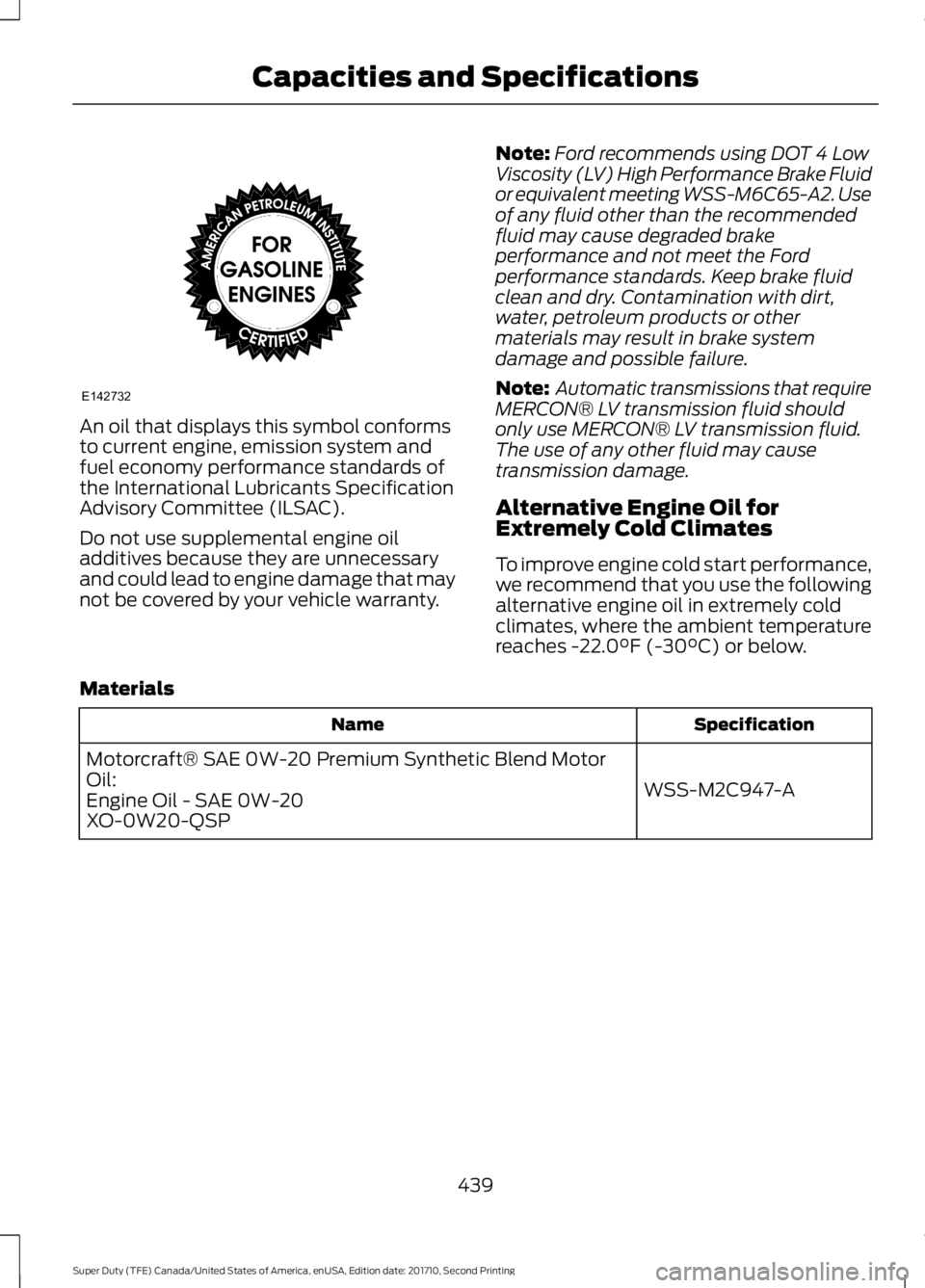
An oil that displays this symbol conformsto current engine, emission system andfuel economy performance standards ofthe International Lubricants SpecificationAdvisory Committee (ILSAC).
Do not use supplemental engine oiladditives because they are unnecessaryand could lead to engine damage that maynot be covered by your vehicle warranty.
Note:Ford recommends using DOT 4 LowViscosity (LV) High Performance Brake Fluidor equivalent meeting WSS-M6C65-A2. Useof any fluid other than the recommendedfluid may cause degraded brakeperformance and not meet the Fordperformance standards. Keep brake fluidclean and dry. Contamination with dirt,water, petroleum products or othermaterials may result in brake systemdamage and possible failure.
Note: Automatic transmissions that requireMERCON® LV transmission fluid shouldonly use MERCON® LV transmission fluid.The use of any other fluid may causetransmission damage.
Alternative Engine Oil forExtremely Cold Climates
To improve engine cold start performance,we recommend that you use the followingalternative engine oil in extremely coldclimates, where the ambient temperaturereaches -22.0°F (-30°C) or below.
Materials
SpecificationName
WSS-M2C947-A
Motorcraft® SAE 0W-20 Premium Synthetic Blend MotorOil:Engine Oil - SAE 0W-20XO-0W20-QSP
439
Super Duty (TFE) Canada/United States of America, enUSA, Edition date: 201710, Second Printing
Capacities and SpecificationsE142732
Page 445 of 642
•MP3 and WMA folder mode representsa folder structure consisting of onelevel of folders. The CD player numbersall MP3 and WMA tracks on the disc(noted by the MP3 or WMA fileextension) and all folders containingMP3 and WMA files, from F001 (folder)T001 (track) to F253 T255.
•Creating discs with only one level offolders helps with navigation throughthe disc files.
If you are burning your own MP3 and WMAdiscs, it is important to understand howthe system reads the structures you create.While various files may be present (fileswith extensions other than MP3 andWMA), only files with the MP3 and WMAextension are played; other files areignored by the system. This enables you touse the same MP3 and WMA disc for avariety of tasks on your work computer,home computer and your in-vehiclesystem.
In track mode, the system displays andplays the structure as if it were only onelevel deep (all MP3 and WMA files play,regardless of being in a specific folder). Infolder mode, the system only plays theMP3 and WMA files in the current folder.
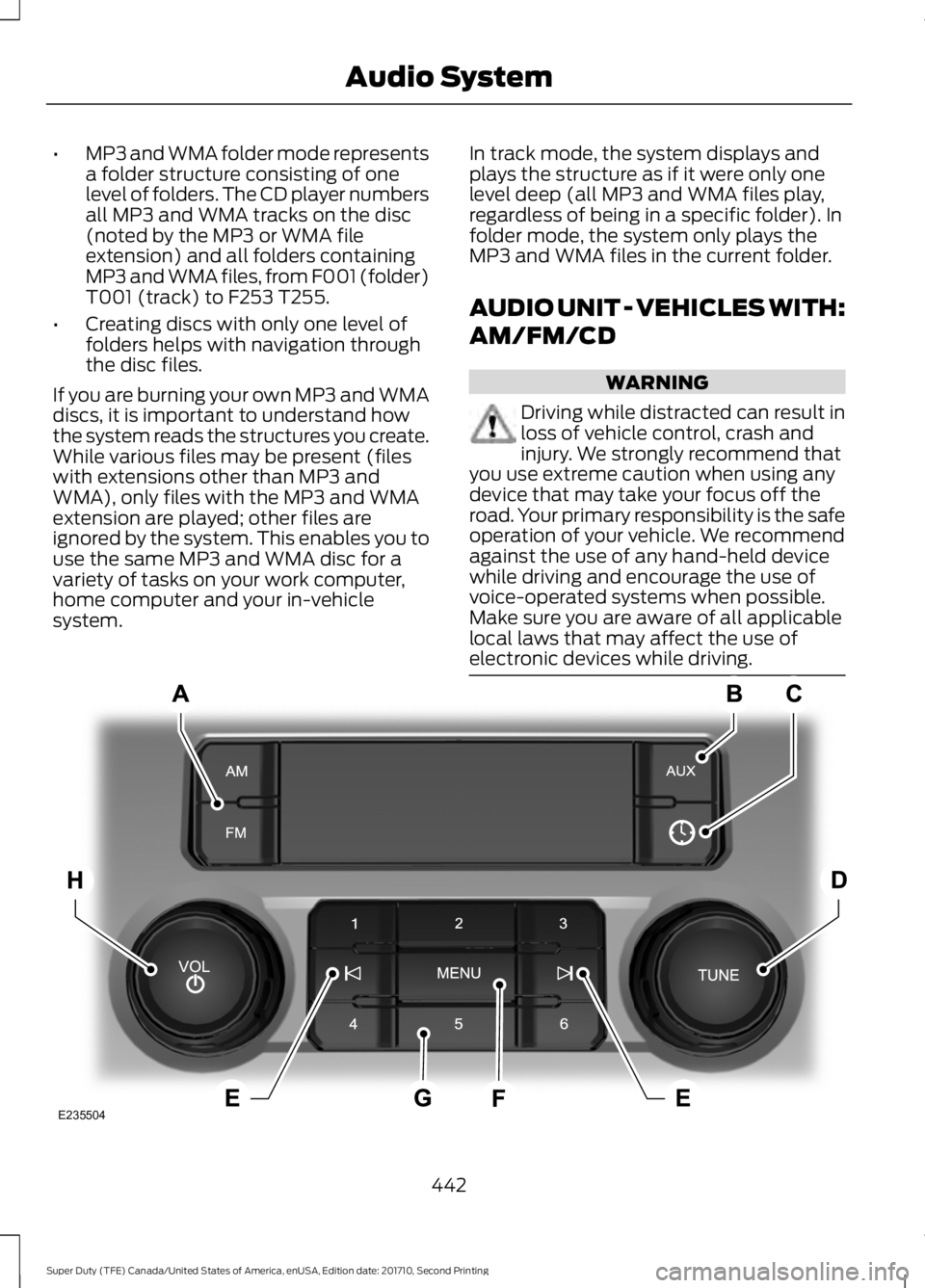
AUDIO UNIT - VEHICLES WITH:
AM/FM/CD
WARNING
Driving while distracted can result inloss of vehicle control, crash andinjury. We strongly recommend thatyou use extreme caution when using anydevice that may take your focus off theroad. Your primary responsibility is the safeoperation of your vehicle. We recommendagainst the use of any hand-held devicewhile driving and encourage the use ofvoice-operated systems when possible.Make sure you are aware of all applicablelocal laws that may affect the use ofelectronic devices while driving.
442
Super Duty (TFE) Canada/United States of America, enUSA, Edition date: 201710, Second Printing
Audio SystemE235504
Page 446 of 642
SOURCE: Press to access different audio modes, for example AM, FM.A
AUX: Press to access the AUX and SYNC features, it will also cancel the menuor list browsing.B
CLOCK: Press to display the clock.C
TUNE: Turn to search manually through the radio frequency band. The systemstops at the first station it finds in that direction.D
Seek, Fast Forward and Reverse: In radio mode, select a frequency bandand press either button. The system stops at the first station it finds in thatdirection. In CD mode, press to select the next or previous track. Press and holdto move quickly forward or backward through the current track.
E
MENU: Press to access different audio system features.F
Memory presets: Store your favorite radio stations. To store a radio station,tune to the station, then press and hold a preset button until sound returns.G
VOL and Power Press to switch the system ON AND OFF. Turn to adjust thevolume.H
AUDIO UNIT - VEHICLES WITH:
AM/FM/CD/SYNC
WARNING
Driving while distracted can result inloss of vehicle control, crash andinjury. We strongly recommend thatyou use extreme caution when using anydevice that may take your focus off theroad. Your primary responsibility is the safeoperation of your vehicle. We recommendagainst the use of any hand-held devicewhile driving and encourage the use ofvoice-operated systems when possible.Make sure you are aware of all applicablelocal laws that may affect the use ofelectronic devices while driving.
Note:Depending on your vehicle optionpackage, your system may look differentfrom what you see here.
443
Super Duty (TFE) Canada/United States of America, enUSA, Edition date: 201710, Second Printing
Audio System