remote control FORD MUSTANG 2015 6.G Owner's Manual
[x] Cancel search | Manufacturer: FORD, Model Year: 2015, Model line: MUSTANG, Model: FORD MUSTANG 2015 6.GPages: 441, PDF Size: 6.98 MB
Page 110 of 441
Note:
Do not clean the housing or glass of
any mirror with harsh abrasives, fuel or other
petroleum-based cleaning products.
The heated mirrors remove ice, mist and
fog when you switch on the heated rear
window.
CABIN AIR FILTER
Your vehicle is equipped with a cabin air
filter. It is located behind the glove box.
The particulate filtration system reduces
the concentration of airborne particles
such as dust, spores and pollen in the air
supplied to the interior of your vehicle.
Note: Make sure you have a cabin air filter
installed at all times. This prevents foreign
objects from entering the system. Running
the system without a filter in place could
result in degradation or damage to the
system.
The particulate filtration system gives you
and your passengers the following
benefits:
• It improves your driving comfort by
reducing particle concentration.
• It improves the interior compartment
cleanliness.
• It protects the climate control
components from particle deposits.
Replace the filter at regular intervals. See
Scheduled Maintenance (page 414).
For additional cabin air filter information,
or to replace the filter, see an authorized
dealer.
REMOTE START
(If Equipped)
The remote start feature allows you to
pre-condition the interior of your vehicle.
The climate control system works to
achieve comfort according to your previous
settings. Note:
You cannot adjust the system during
remote start operation.
Turn the ignition on to return the system
to its previous settings. You can now make
adjustments normally, but you need to turn
certain vehicle-dependent features back
on, such as:
• Heated seats.
• Cooled seats.
• Heated steering wheel.
• Heated mirrors.
• Heated rear window.
You can adjust the default remote start
settings using the information display
controls. See
Information Displays
(page 83).
Automatic Settings
In hot weather, the system is set to 72°F
(22°C). The cooled seats are set to high
(if available, and selected to AUTO in the
information display).
In moderate weather, the system either
heats or cools (based on previous
settings). The rear defroster, heated
mirrors and heated seats do not
automatically turn on.
In cold weather, the system is set to 72°F
(22°C). The heated seats are set to high
(if available, and selected to AUTO in the
information display). The rear defroster
and heated mirrors automatically turn on.
107
Mustang (), enUSA, First Printing Climate Control
Page 115 of 441
Note:
A preset memory position can only
be recalled when the ignition is off, or when
the transmission is in park (P) or neutral (N)
if the ignition is on.
You can also recall a preset memory
position by:
• Pressing the unlock button on your
intelligent access key fob if it is linked
to a preset position.
• Unlocking the intelligent driver door
handle if a linked key fob is present.
• Entering a personal entry code on the
Securicode keypad. See Locks (page
56).
Note: Using a linked key fob to recall your
memory position when the ignition is off will
move the seat to the Easy Entry position.
Note: Pressing any seat or mirror
adjustment control (or any memory button)
during a memory recall cancels the
operation.
Seat recall movement will also stop if you
drive your vehicle.
Linking a PreSet Position to your
Remote Control or Intelligent
Access Key Fob
Your vehicle can save the preset memory
positions for up to three remote controls
or intelligent access (IA) keys.
1. With the ignition on, move the memory
positions to the desired positions.
2. Press and hold the desired preset button for about five seconds. A tone
will sound after about two seconds.
Continue holding until a second tone
is heard.
3. Within three seconds, press the lock button on the remote control you are
linking.
To unlink a remote control, follow the
same procedure – except in step 3, press
the unlock button on the remote control. Note:
If more than one linked remote
control or intelligent access key is in range,
the memory function will move to the
settings of the first key stored.
Easy Entry and Exit Feature
If you enable the easy entry and exit
feature, it automatically moves the driver
seat position rearward up to two inches
(five centimeters) when you switch the
ignition off.
The driver seat will return to the previous
position when you switch the ignition on.
You can enable or disable this feature in
the information display. See Information
Displays
(page 83).
REAR SEATS
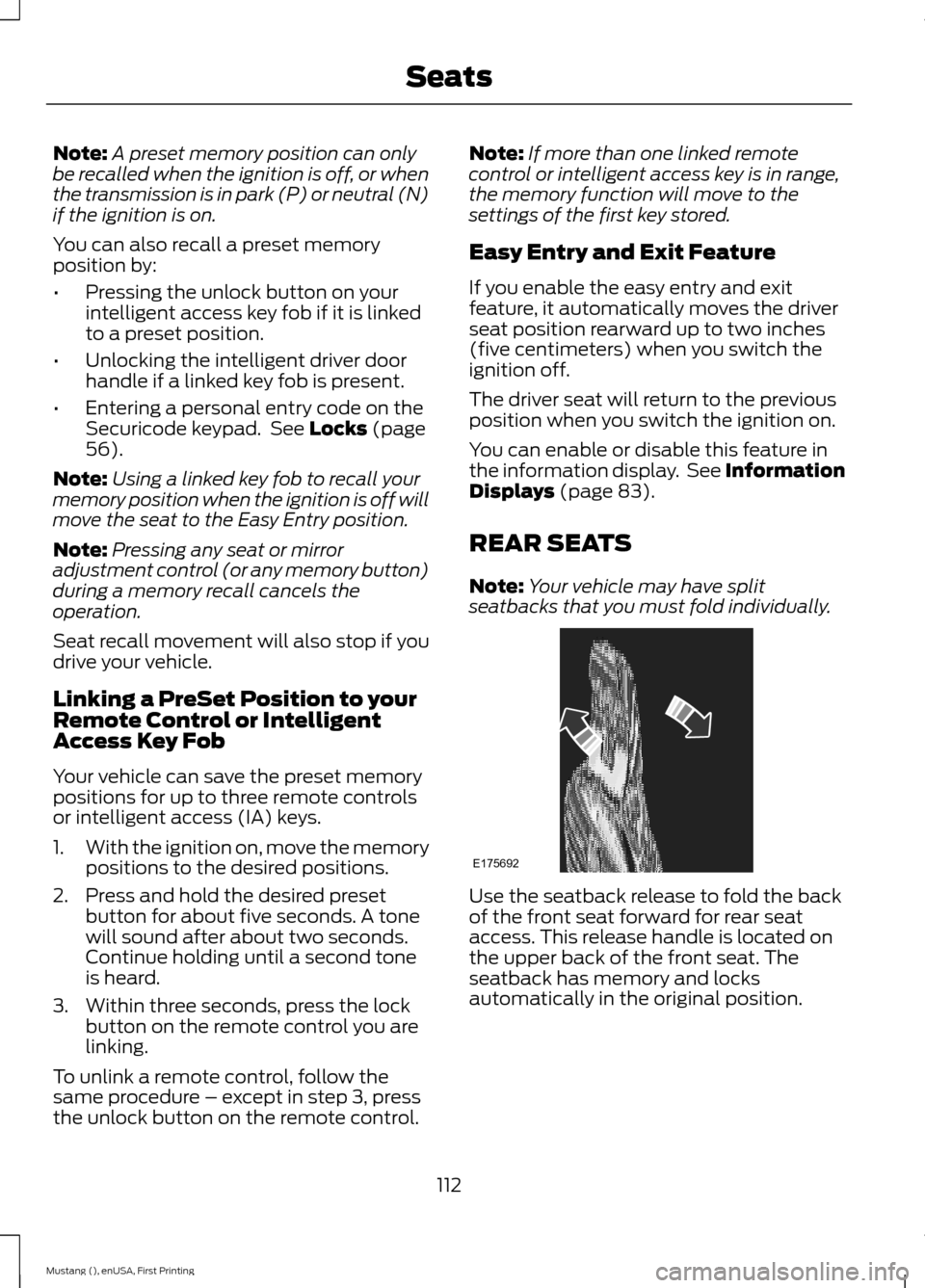
Note: Your vehicle may have split
seatbacks that you must fold individually. Use the seatback release to fold the back
of the front seat forward for rear seat
access. This release handle is located on
the upper back of the front seat. The
seatback has memory and locks
automatically in the original position.
112
Mustang (), enUSA, First Printing SeatsE175692
Page 117 of 441
HomeLink Wireless Control
System (If Equipped)
WARNING
Do not use the system with any
garage door opener that does not
have the safety stop and reverse
feature as required by U.S. Federal Safety
Standards (this includes any garage door
opener manufactured before April 1, 1982).
A garage door opener which cannot detect
an object, signaling the door to stop and
reverse, does not meet current federal
safety standards. Using a garage door
opener without these features increases
the risk of serious injury or death. Note:
Make sure that the garage door and
security device are free from obstruction
when you are programming. Do not program
the system with the vehicle in the garage.
Note: Make sure you keep the original
remote control transmitter for use in other
vehicles as well as for future system
programming.
Note: We recommend that upon the sale
or lease termination of your vehicle, you
erase the programmed function buttons for
security reasons. See Erasing the Function
Button Codes
later in this section.
Note: You can program a maximum of
three devices. To change or replace any of
the three devices after initially programming
them, you must first erase the current
settings. See
Erasing the Function Button
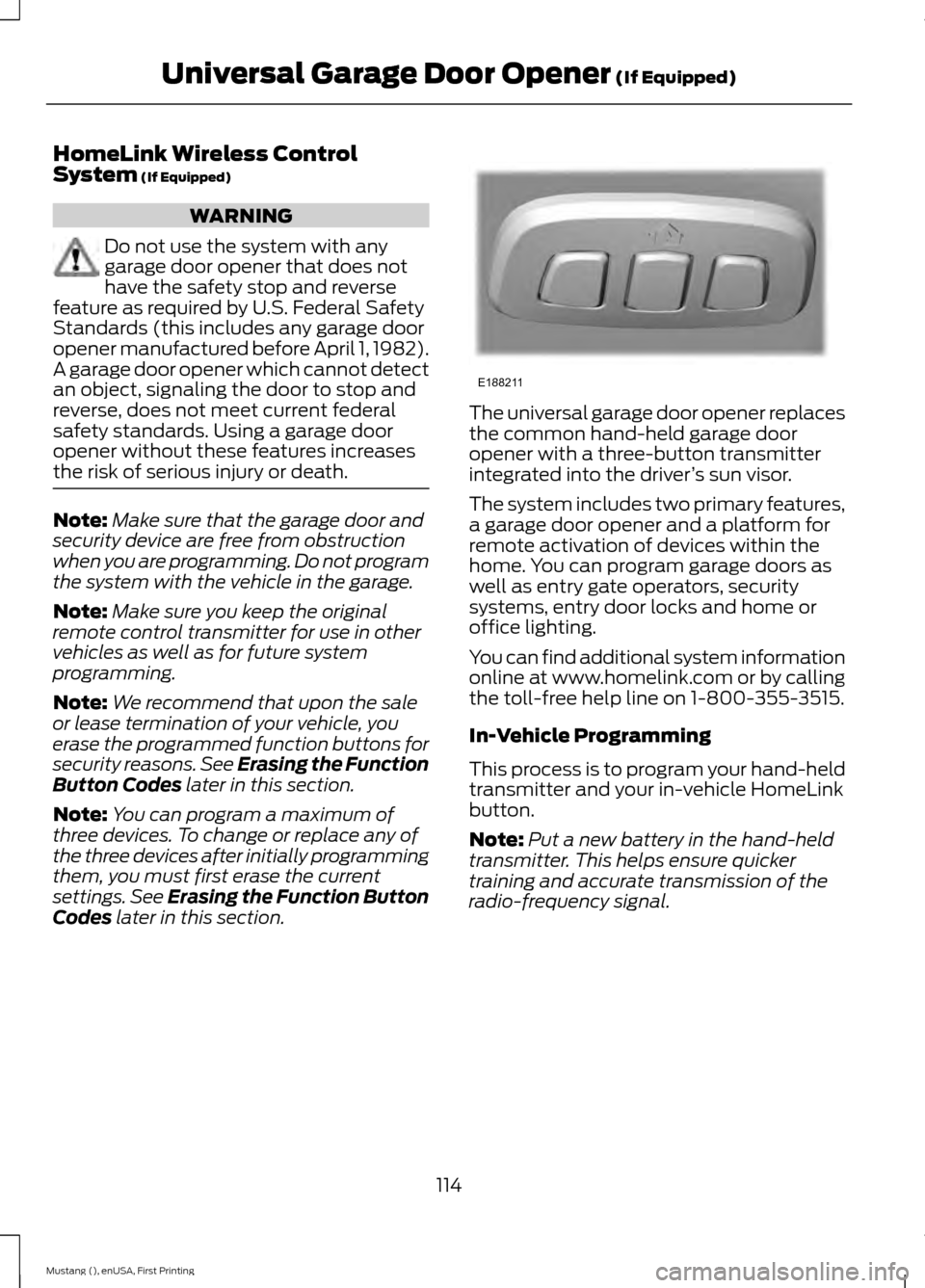
Codes later in this section. The universal garage door opener replaces
the common hand-held garage door
opener with a three-button transmitter
integrated into the driver
’s sun visor.
The system includes two primary features,
a garage door opener and a platform for
remote activation of devices within the
home. You can program garage doors as
well as entry gate operators, security
systems, entry door locks and home or
office lighting.
You can find additional system information
online at www.homelink.com or by calling
the toll-free help line on 1-800-355-3515.
In-Vehicle Programming
This process is to program your hand-held
transmitter and your in-vehicle HomeLink
button.
Note: Put a new battery in the hand-held
transmitter. This helps ensure quicker
training and accurate transmission of the
radio-frequency signal.
114
Mustang (), enUSA, First Printing Universal Garage Door Opener
(If Equipped)E188211
Page 161 of 441
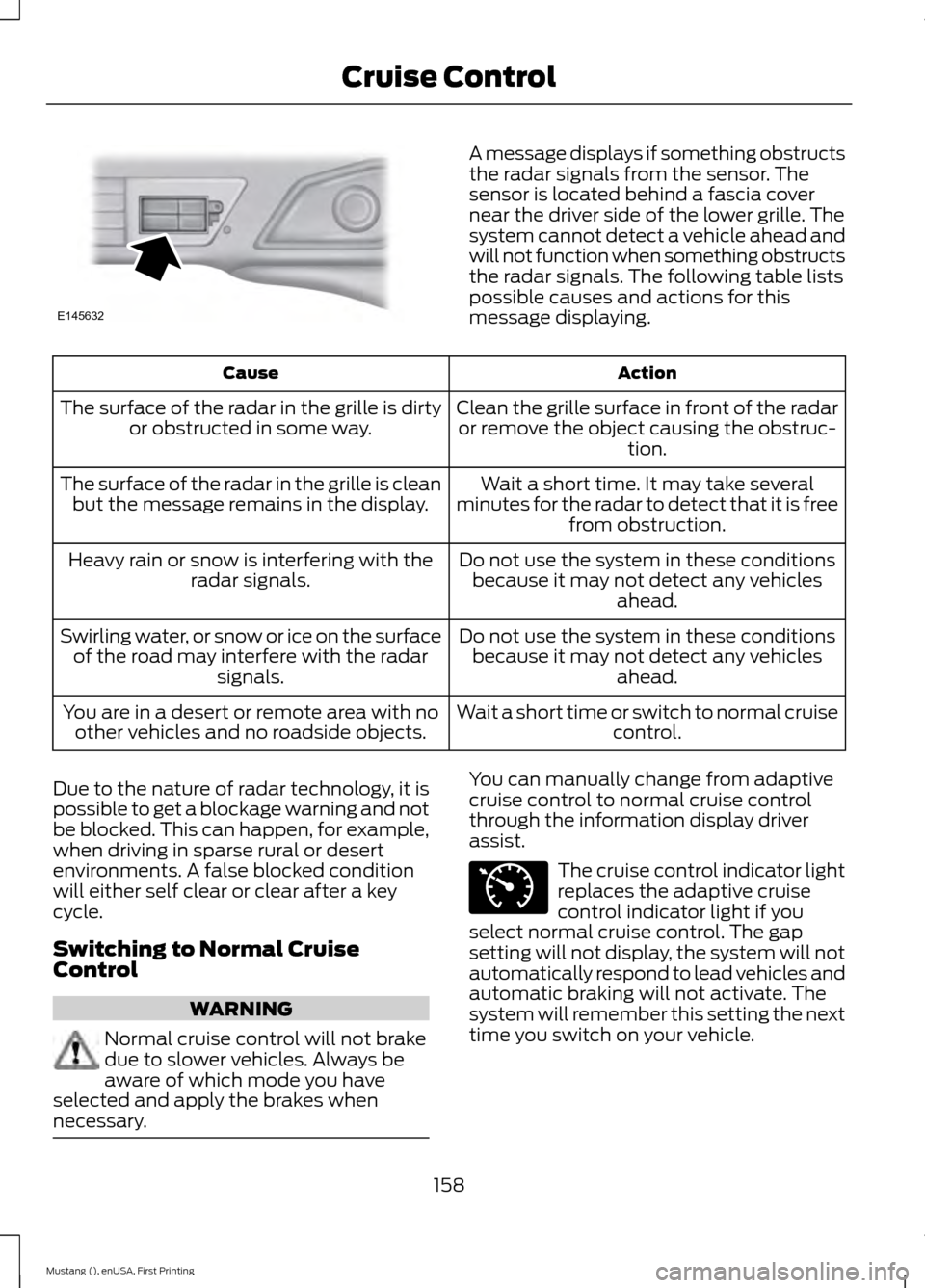
A message displays if something obstructs
the radar signals from the sensor. The
sensor is located behind a fascia cover
near the driver side of the lower grille. The
system cannot detect a vehicle ahead and
will not function when something obstructs
the radar signals. The following table lists
possible causes and actions for this
message displaying.
Action
Cause
Clean the grille surface in front of the radaror remove the object causing the obstruc- tion.
The surface of the radar in the grille is dirty
or obstructed in some way.
Wait a short time. It may take several
minutes for the radar to detect that it is free from obstruction.
The surface of the radar in the grille is clean
but the message remains in the display.
Do not use the system in these conditionsbecause it may not detect any vehicles ahead.
Heavy rain or snow is interfering with the
radar signals.
Do not use the system in these conditionsbecause it may not detect any vehicles ahead.
Swirling water, or snow or ice on the surface
of the road may interfere with the radar signals.
Wait a short time or switch to normal cruisecontrol.
You are in a desert or remote area with no
other vehicles and no roadside objects.
Due to the nature of radar technology, it is
possible to get a blockage warning and not
be blocked. This can happen, for example,
when driving in sparse rural or desert
environments. A false blocked condition
will either self clear or clear after a key
cycle.
Switching to Normal Cruise
Control WARNING
Normal cruise control will not brake
due to slower vehicles. Always be
aware of which mode you have
selected and apply the brakes when
necessary. You can manually change from adaptive
cruise control to normal cruise control
through the information display driver
assist.
The cruise control indicator light
replaces the adaptive cruise
control indicator light if you
select normal cruise control. The gap
setting will not display, the system will not
automatically respond to lead vehicles and
automatic braking will not activate. The
system will remember this setting the next
time you switch on your vehicle.
158
Mustang (), enUSA, First Printing Cruise ControlE145632 E71340
Page 195 of 441
Canadian roadside coverage and benefits
may differ from the U.S. coverage. If you
require more information, please refer to
the coverage section of your warranty
guide, call us in Canada at
1-800-665-2006, or visit our website at
www.ford.ca.
Sykes Assistance Services Corporation
administers the Roadside Assistance
program. You must receive covered
services in Canada or the continental
United States. Coverage extends to
vehicles that use public, non-seasonal,
annually traveled roadways. Roadside
Assistance coverage does not extend to
vehicles involved in cross-country driving,
logging, autocross and any other form of
off-road use. Well maintained roads and
surfaces help ensure safe travel for the
supplier, and allow their representatives
to perform service as per the standard
operating procedures.
In Remote Locations
If our supplier cannot take your vehicle by
road to the nearest authorized dealership,
transportation by rail or water may be
necessary. The program covers a tow to
the dock or rail terminal and also to the
dealership at the end of the trip.
For rail or water transportation, however,
contact your authorized dealer to confirm
if you are eligible for additional coverage
before you authorize or pay for the service.
Call the Ford Roadside Assistance at
1-800-665-2006 for additional
information.
HAZARD WARNING FLASHERS
Note:
The hazard warning flashers will
operate when the ignition is in any position
or if the key is not in the ignition. If used
when the engine is not running, the battery
will lose charge. As a result, there may be
insufficient power to restart your engine. The hazard flasher control is
located on the instrument panel
by the radio. Use it when your
vehicle is disabled and is creating a safety
hazard for other motorists.
• Press the flasher control and all front
and rear direction indicators flash.
• Press the flasher control again to turn
them off.
FUEL SHUTOFF WARNING
Failure to inspect and, if necessary,
repair fuel leaks after a collision may
increase the risk of fire and serious
injury. Ford Motor Company recommends
that the fuel system be inspected by an
authorized dealer after any collision. In the event of a moderate to severe
collision, this vehicle includes a fuel pump
shut-off feature that stops the flow of fuel
to the engine. Not every impact will cause
a shut-off.
192
Mustang (), enUSA, First Printing Roadside EmergenciesE142663
Page 198 of 441
2. Remove the jumper cable on the
negative (-) terminal of the booster
vehicle's battery.
3. Remove the jumper cable from the positive (+) terminal of the booster
vehicle's battery.
4. Remove the jumper cable from the positive (+) terminal of the disabled
vehicle's battery.
After the disabled vehicle has been started
and the jumper cables removed, allow it
to idle for several minutes so the battery
can recharge.
POST-CRASH ALERT SYSTEM
The system flashes the turn signal lamps
and sounds the horn (intermittently) in the
event of a serious impact that deploys an
airbag (front, side, side curtain or Safety
Canopy) or the safety belt pretensioners.
The horn and lamps will turn off when:
• You press the hazard control button.
• You press the panic button on the
remote entry transmitter (if equipped).
• Your vehicle runs out of power.
195
Mustang (), enUSA, First Printing Roadside Emergencies
Page 211 of 441
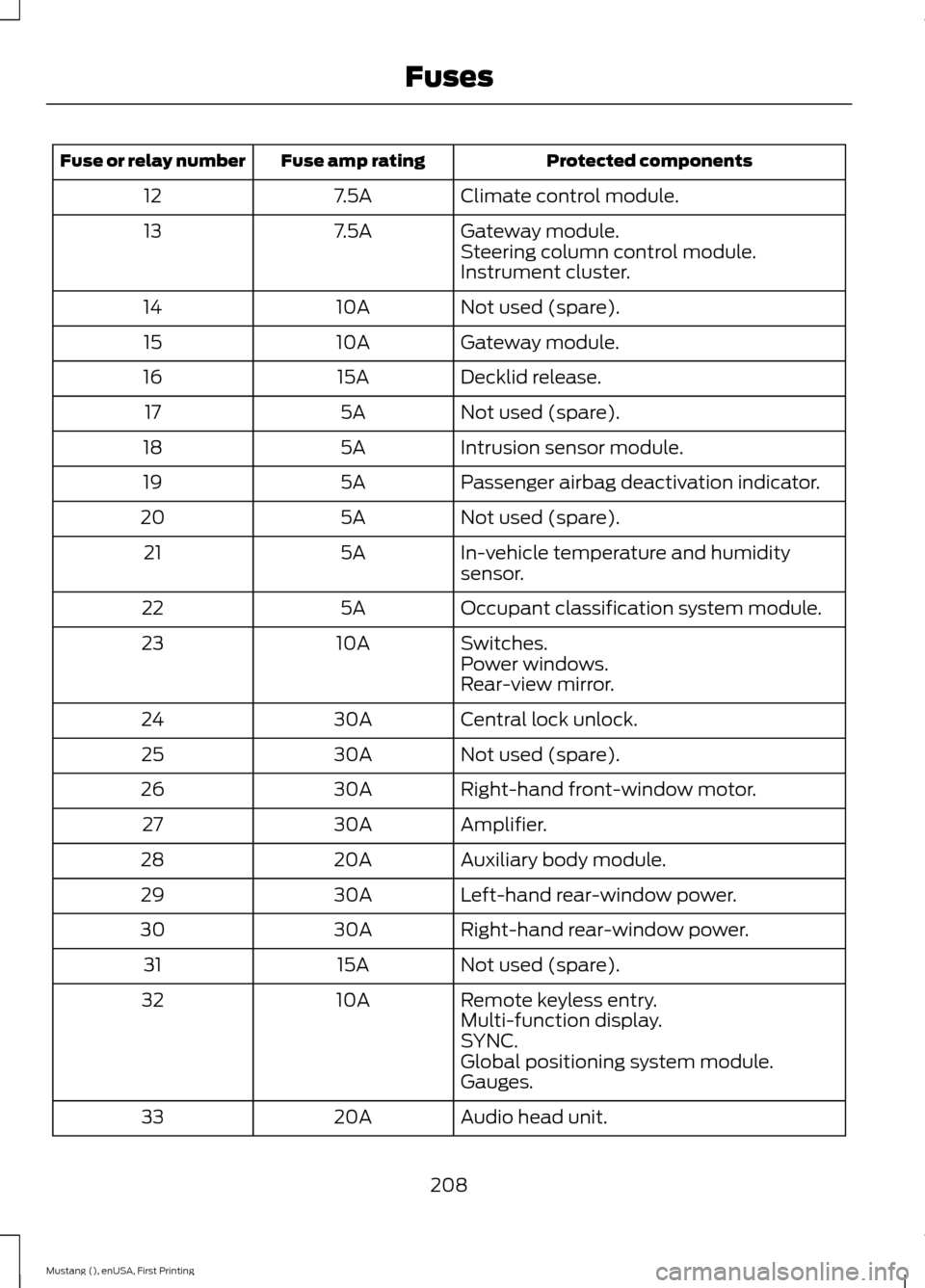
Protected components
Fuse amp rating
Fuse or relay number
Climate control module.
7.5A
12
Gateway module.
7.5A
13
Steering column control module.
Instrument cluster.
Not used (spare).
10A
14
Gateway module.
10A
15
Decklid release.
15A
16
Not used (spare).
5A
17
Intrusion sensor module.
5A
18
Passenger airbag deactivation indicator.
5A
19
Not used (spare).
5A
20
In-vehicle temperature and humidity
sensor.
5A
21
Occupant classification system module.
5A
22
Switches.
10A
23
Power windows.
Rear-view mirror.
Central lock unlock.
30A
24
Not used (spare).
30A
25
Right-hand front-window motor.
30A
26
Amplifier.
30A
27
Auxiliary body module.
20A
28
Left-hand rear-window power.
30A
29
Right-hand rear-window power.
30A
30
Not used (spare).
15A
31
Remote keyless entry.
10A
32
Multi-function display.
SYNC.
Global positioning system module.
Gauges.
Audio head unit.
20A
33
208
Mustang (), enUSA, First Printing Fuses
Page 256 of 441
WARNINGS
may be found on either the Safety
Compliance Certification Label
(affixed to either the door hinge
pillar, door-latch post, or the door
edge that meets the door-latch
post, next to the driver seating
position), or the Tire Label which
is located on the B-Pillar or edge
of the driver ’s door. If this
information is not found on these
labels then you should contact
your authorized dealer as soon as
possible. Use of any tire or wheel
not recommended by Ford can
affect the safety and performance
of your vehicle, which could result
in an increased risk of loss of
vehicle control, vehicle rollover,
personal injury and death.
Additionally the use of
non-recommended tires and
wheels could cause steering,
suspension, axle, transfer case or
power transfer unit failure. If you
have questions regarding tire
replacement, contact your
authorized dealer as soon as
possible. To reduce the risk of serious
injury, when mounting
replacement tires and wheels, you
should not exceed the maximum
pressure indicated on the sidewall
of the tire to set the beads without
additional precautions listed
below. If the beads do not seat at
the maximum pressure indicated,
re-lubricate and try again. WARNINGS
When inflating the tire for
mounting pressures up to 20 psi
(1.38 bar) greater than the
maximum pressure on the tire
sidewall, the following
precautions must be taken to
protect the person mounting the
tire:
1. Make sure that you have the
correct tire and wheel size.
2. Lubricate the tire bead and
wheel bead seat area again.
3. Stand at a minimum of 12 feet
(3.66 meters) away from the
wheel and tire assembly.
4. Use both eye and ear
protection.
For a mounting pressure more
than 20 psi (1.38 bar) greater than
the maximum pressure, a Ford
dealer or other tire service
professional should do the
mounting.
Always inflate steel carcass tires
with a remote air fill with the
person inflating standing at a
minimum of 12 feet (3.66 meters)
away from the wheel and tire
assembly. Important: Remember to replace
the wheel valve stems when the
road tires are replaced on your
vehicle.
253
Mustang (), enUSA, First Printing Wheels and Tires
Page 436 of 441
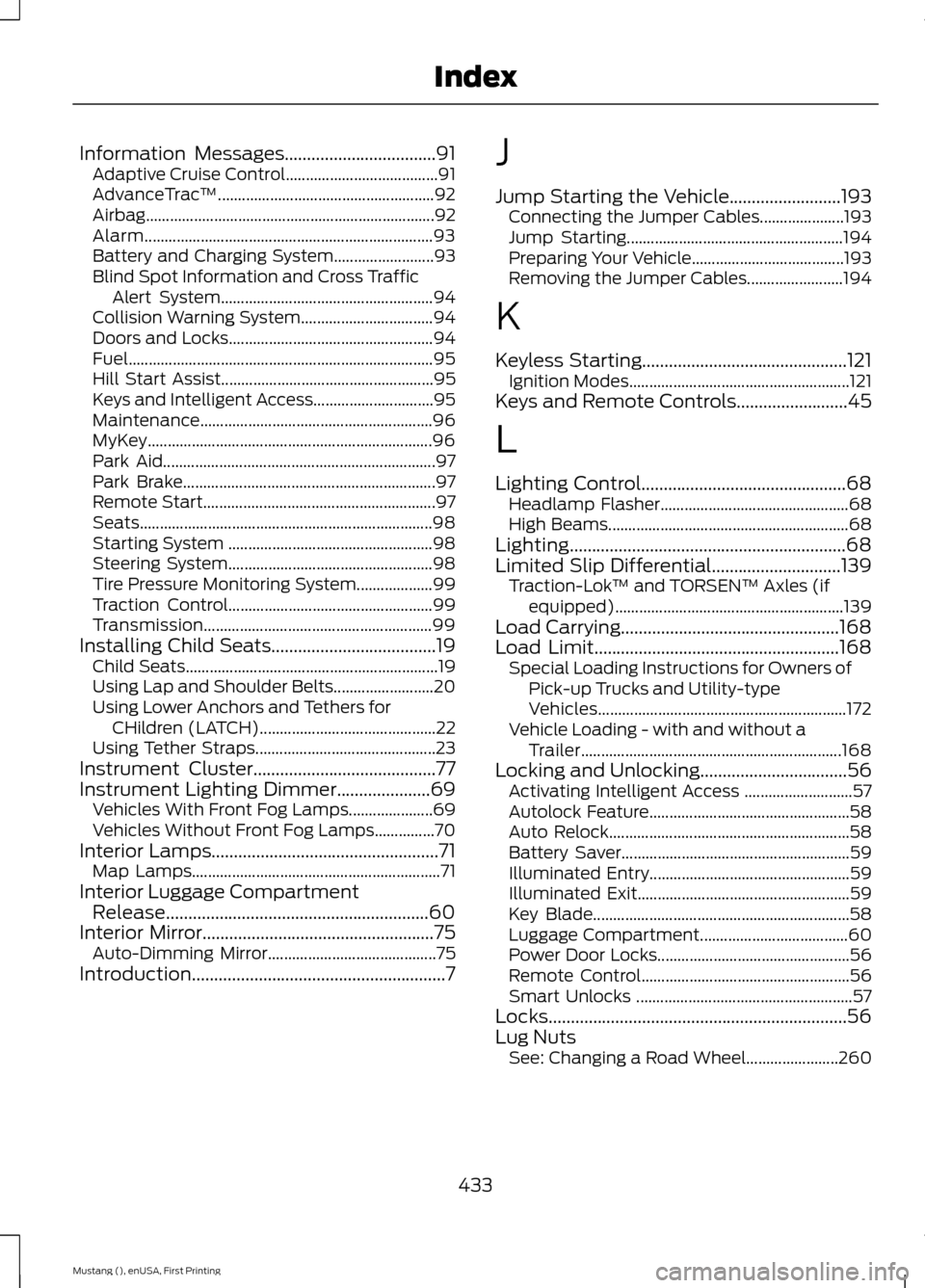
Information Messages..................................91
Adaptive Cruise Control...................................... 91
AdvanceTrac ™...................................................... 92
Airbag........................................................................\
92
Alarm........................................................................\
93
Battery and Charging System......................... 93
Blind Spot Information and Cross Traffic Alert System..................................................... 94
Collision Warning System................................. 94
Doors and Locks................................................... 94
Fuel........................................................................\
.... 95
Hill Start Assist..................................................... 95
Keys and Intelligent Access.............................. 95
Maintenance.......................................................... 96
MyKey....................................................................... 96
Park Aid.................................................................... 97
Park Brake............................................................... 97
Remote Start.......................................................... 97
Seats........................................................................\
. 98
Starting System ................................................... 98
Steering System................................................... 98
Tire Pressure Monitoring System................... 99
Traction Control................................................... 99
Transmission......................................................... 99
Installing Child Seats
.....................................19
Child Seats............................................................... 19
Using Lap and Shoulder Belts......................... 20
Using Lower Anchors and Tethers for CHildren (LATCH)............................................ 22
Using Tether Straps............................................. 23
Instrument Cluster
.........................................77
Instrument Lighting Dimmer.....................69
Vehicles With Front Fog Lamps..................... 69
Vehicles Without Front Fog Lamps...............70
Interior Lamps...................................................71 Map Lamps.............................................................. 71
Interior Luggage Compartment Release...........................................................60
Interior Mirror
....................................................75
Auto-Dimming Mirror.......................................... 75
Introduction.........................................................7 J
Jump Starting the Vehicle.........................193
Connecting the Jumper Cables..................... 193
Jump Starting...................................................... 194
Preparing Your Vehicle...................................... 193
Removing the Jumper Cables........................ 194
K
Keyless Starting..............................................121 Ignition Modes....................................................... 121
Keys and Remote Controls.........................45
L
Lighting Control..............................................68 Headlamp Flasher............................................... 68
High Beams............................................................ 68
Lighting..............................................................68
Limited Slip Differential
.............................139
Traction-Lok ™ and TORSEN™ Axles (if
equipped)......................................................... 139
Load Carrying.................................................168
Load Limit.......................................................168 Special Loading Instructions for Owners of
Pick-up Trucks and Utility-type
Vehicles.............................................................. 172
Vehicle Loading - with and without a Trailer................................................................. 168
Locking and Unlocking
.................................56
Activating Intelligent Access ........................... 57
Autolock Feature.................................................. 58
Auto Relock............................................................ 58
Battery Saver......................................................... 59
Illuminated Entry.................................................. 59
Illuminated Exit..................................................... 59
Key Blade................................................................ 58
Luggage Compartment..................................... 60
Power Door Locks................................................ 56
Remote Control.................................................... 56
Smart Unlocks ...................................................... 57
Locks
...................................................................56
Lug Nuts See: Changing a Road Wheel....................... 260
433
Mustang (), enUSA, First Printing Index
Page 437 of 441
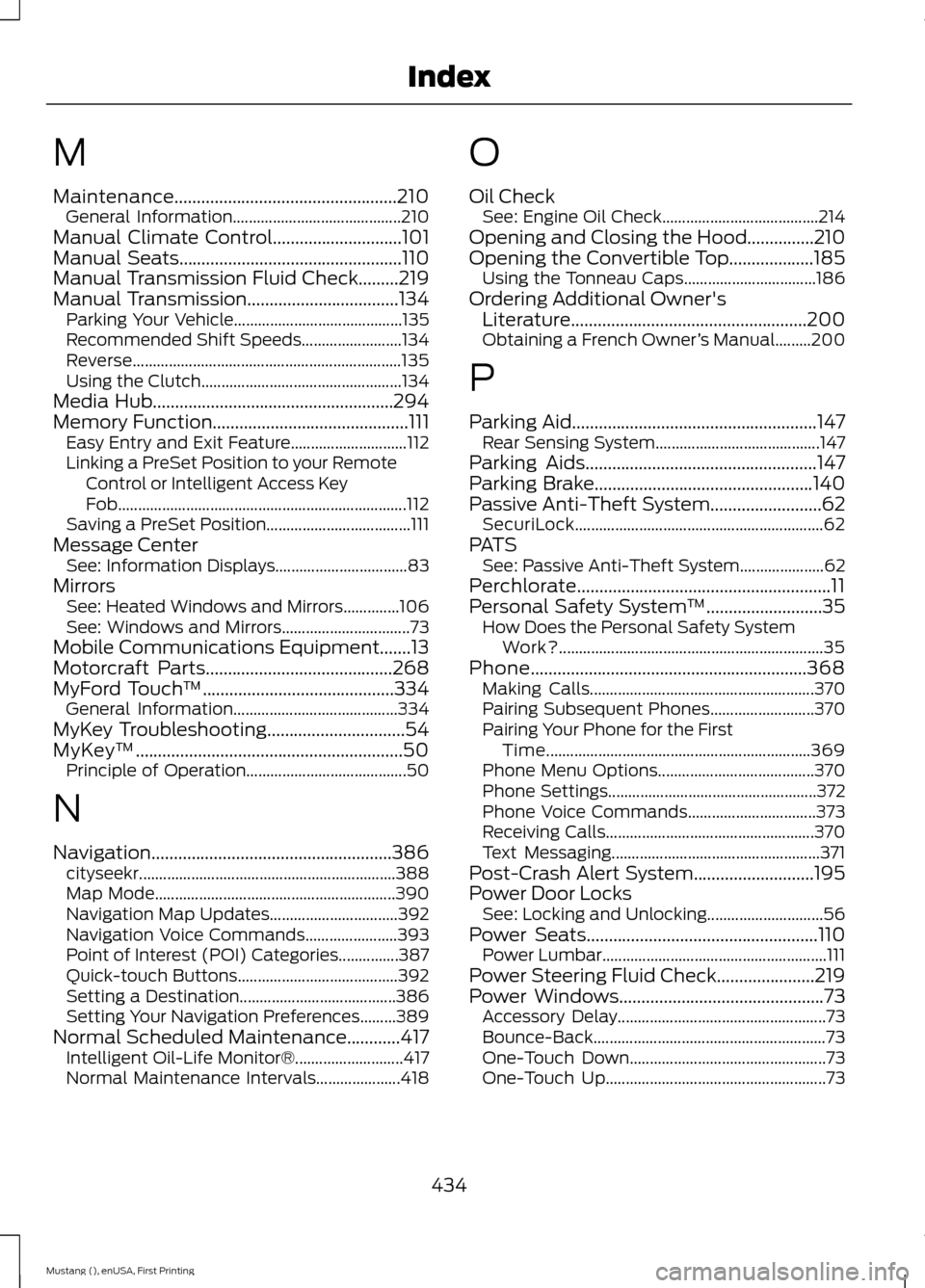
M
Maintenance..................................................210
General Information.......................................... 210
Manual Climate Control.............................101
Manual Seats..................................................110
Manual Transmission Fluid Check.........219
Manual Transmission
..................................134
Parking Your Vehicle.......................................... 135
Recommended Shift Speeds......................... 134
Reverse................................................................... 135
Using the Clutch.................................................. 134
Media Hub......................................................294
Memory Function
............................................111
Easy Entry and Exit Feature............................. 112
Linking a PreSet Position to your Remote Control or Intelligent Access Key
Fob........................................................................\
112
Saving a PreSet Position.................................... 111
Message Center See: Information Displays................................. 83
Mirrors See: Heated Windows and Mirrors..............106
See: Windows and Mirrors................................ 73
Mobile Communications Equipment.......13
Motorcraft Parts
..........................................268
MyFord Touch ™...........................................334
General Information......................................... 334
MyKey Troubleshooting
...............................54
MyKey ™............................................................50
Principle of Operation........................................ 50
N
Navigation
......................................................386
cityseekr................................................................ 388
Map Mode............................................................ 390
Navigation Map Updates................................ 392
Navigation Voice Commands....................... 393
Point of Interest (POI) Categories...............387
Quick-touch Buttons........................................ 392
Setting a Destination....................................... 386
Setting Your Navigation Preferences.........389
Normal Scheduled Maintenance............417 Intelligent Oil-Life Monitor®........................... 417
Normal Maintenance Intervals..................... 418O
Oil Check
See: Engine Oil Check....................................... 214
Opening and Closing the Hood
...............210
Opening the Convertible Top...................185 Using the Tonneau Caps................................. 186
Ordering Additional Owner's Literature.....................................................200
Obtaining a French Owner ’s Manual.........200
P
Parking Aid
.......................................................147
Rear Sensing System......................................... 147
Parking Aids
....................................................147
Parking Brake.................................................140
Passive Anti-Theft System.........................62 SecuriLock.............................................................. 62
PATS See: Passive Anti-Theft System..................... 62
Perchlorate.........................................................11
Personal Safety System ™
..........................35
How Does the Personal Safety System
Work?.................................................................. 35
Phone..............................................................368 Making Calls........................................................ 370
Pairing Subsequent Phones.......................... 370
Pairing Your Phone for the First Time.................................................................. 369
Phone Menu Options....................................... 370
Phone Settings.................................................... 372
Phone Voice Commands................................ 373
Receiving Calls.................................................... 370
Text Messaging.................................................... 371
Post-Crash Alert System...........................195
Power Door Locks See: Locking and Unlocking............................. 56
Power Seats
....................................................110
Power Lumbar........................................................ 111
Power Steering Fluid Check......................219
Power Windows
..............................................73
Accessory Delay.................................................... 73
Bounce-Back.......................................................... 73
One-Touch Down................................................. 73
One-Touch Up....................................................... 73
434
Mustang (), enUSA, First Printing Index