manual radio set FORD RANGER 2021 Owners Manual
[x] Cancel search | Manufacturer: FORD, Model Year: 2021, Model line: RANGER, Model: FORD RANGER 2021Pages: 475, PDF Size: 7.9 MB
Page 61 of 475
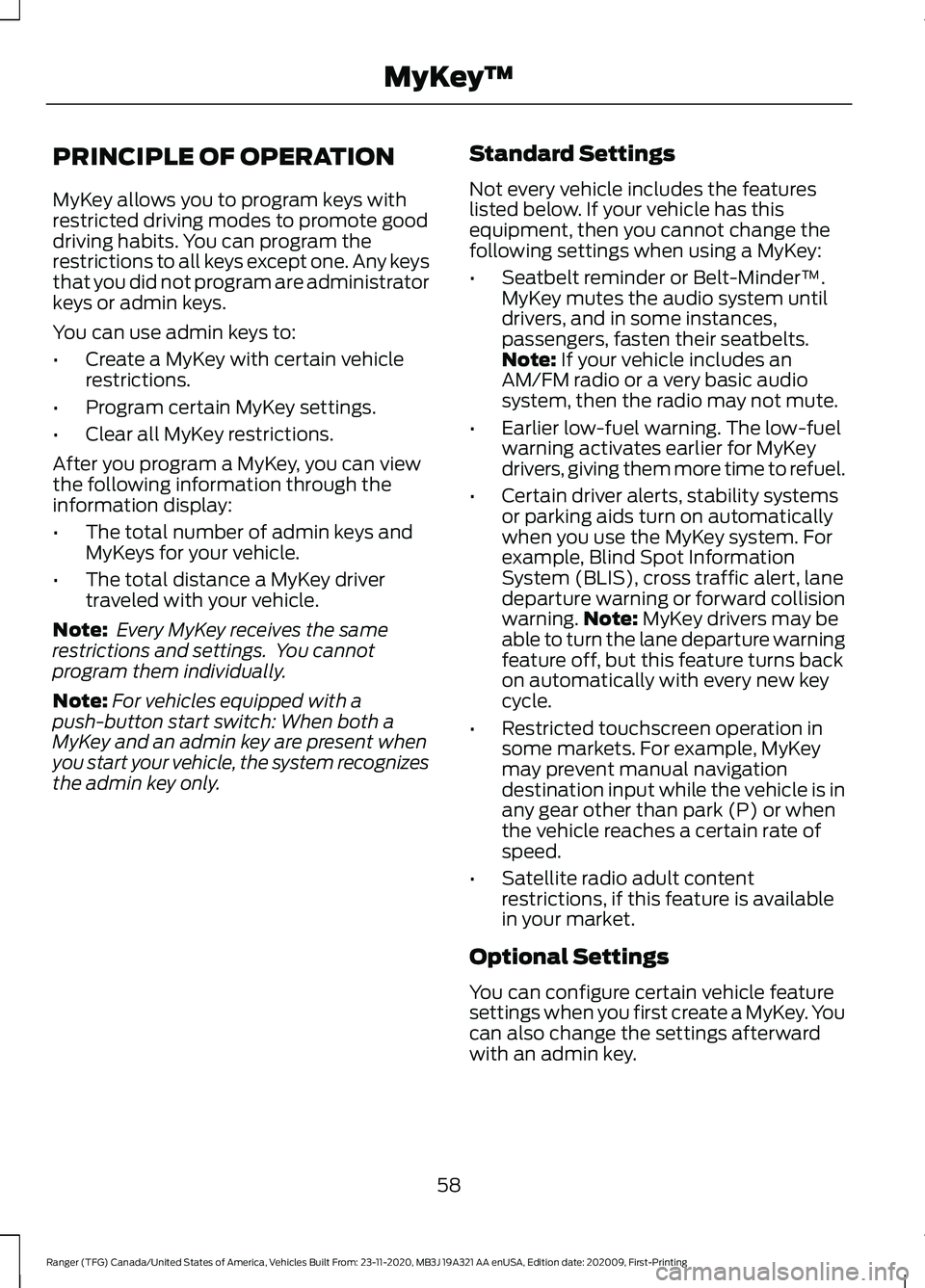
PRINCIPLE OF OPERATION
MyKey allows you to program keys with
restricted driving modes to promote good
driving habits. You can program the
restrictions to all keys except one. Any keys
that you did not program are administrator
keys or admin keys.
You can use admin keys to:
•
Create a MyKey with certain vehicle
restrictions.
• Program certain MyKey settings.
• Clear all MyKey restrictions.
After you program a MyKey, you can view
the following information through the
information display:
• The total number of admin keys and
MyKeys for your vehicle.
• The total distance a MyKey driver
traveled with your vehicle.
Note: Every MyKey receives the same
restrictions and settings. You cannot
program them individually.
Note: For vehicles equipped with a
push-button start switch: When both a
MyKey and an admin key are present when
you start your vehicle, the system recognizes
the admin key only. Standard Settings
Not every vehicle includes the features
listed below. If your vehicle has this
equipment, then you cannot change the
following settings when using a MyKey:
•
Seatbelt reminder or Belt-Minder™.
MyKey mutes the audio system until
drivers, and in some instances,
passengers, fasten their seatbelts.
Note: If your vehicle includes an
AM/FM radio or a very basic audio
system, then the radio may not mute.
• Earlier low-fuel warning. The low-fuel
warning activates earlier for MyKey
drivers, giving them more time to refuel.
• Certain driver alerts, stability systems
or parking aids turn on automatically
when you use the MyKey system. For
example, Blind Spot Information
System (BLIS), cross traffic alert, lane
departure warning or forward collision
warning. Note:
MyKey drivers may be
able to turn the lane departure warning
feature off, but this feature turns back
on automatically with every new key
cycle.
• Restricted touchscreen operation in
some markets. For example, MyKey
may prevent manual navigation
destination input while the vehicle is in
any gear other than park (P) or when
the vehicle reaches a certain rate of
speed.
• Satellite radio adult content
restrictions, if this feature is available
in your market.
Optional Settings
You can configure certain vehicle feature
settings when you first create a MyKey. You
can also change the settings afterward
with an admin key.
58
Ranger (TFG) Canada/United States of America, Vehicles Built From: 23-11-2020, MB3J 19A321 AA enUSA, Edition date: 202009, First-Printing MyKey
™
Page 361 of 475
USING SYNC™ WITH YOUR
PHONE
Hands-free calling is one of the main
features of SYNC. While the system
supports a variety of features, many are
dependent on your cellular phone's
functionality. At a minimum, most cellular
phones with Bluetooth wireless technology
support the following functions:
•
Answering an incoming call.
• Ending a call.
• Dialing a number.
• Redialing.
• Call waiting notification.
• Caller identification.
Other features, such as text messaging
using Bluetooth and automatic phonebook
download, are phone-dependent features.
Pairing a Phone
Wirelessly pairing your phone with SYNC
allows you to make and receive hands-free
calls.
Note: Make sure to switch on the ignition
and the radio. Shift the transmission into
park (P) for automatic transmission or
neutral (N) for manual transmission.
Using the Audio System
Note: To scroll through the menus, press
the up and down arrows on your audio
system.
1. Make sure to switch on your phone's Bluetooth feature before starting the
search. See your device's manual if
necessary.
2. Press the Settings button.
3. Select Bluetooth from the menu.
4. Press the
OK button.
5. Select the option to add. This starts the pairing process. 6. When a message to begin pairing
appears in the audio display, search for
SYNC on your device.
Depending on your phone's capability and
your market, the system may prompt you
with questions, such as setting the current
phone as the primary phone and
downloading your phonebook.
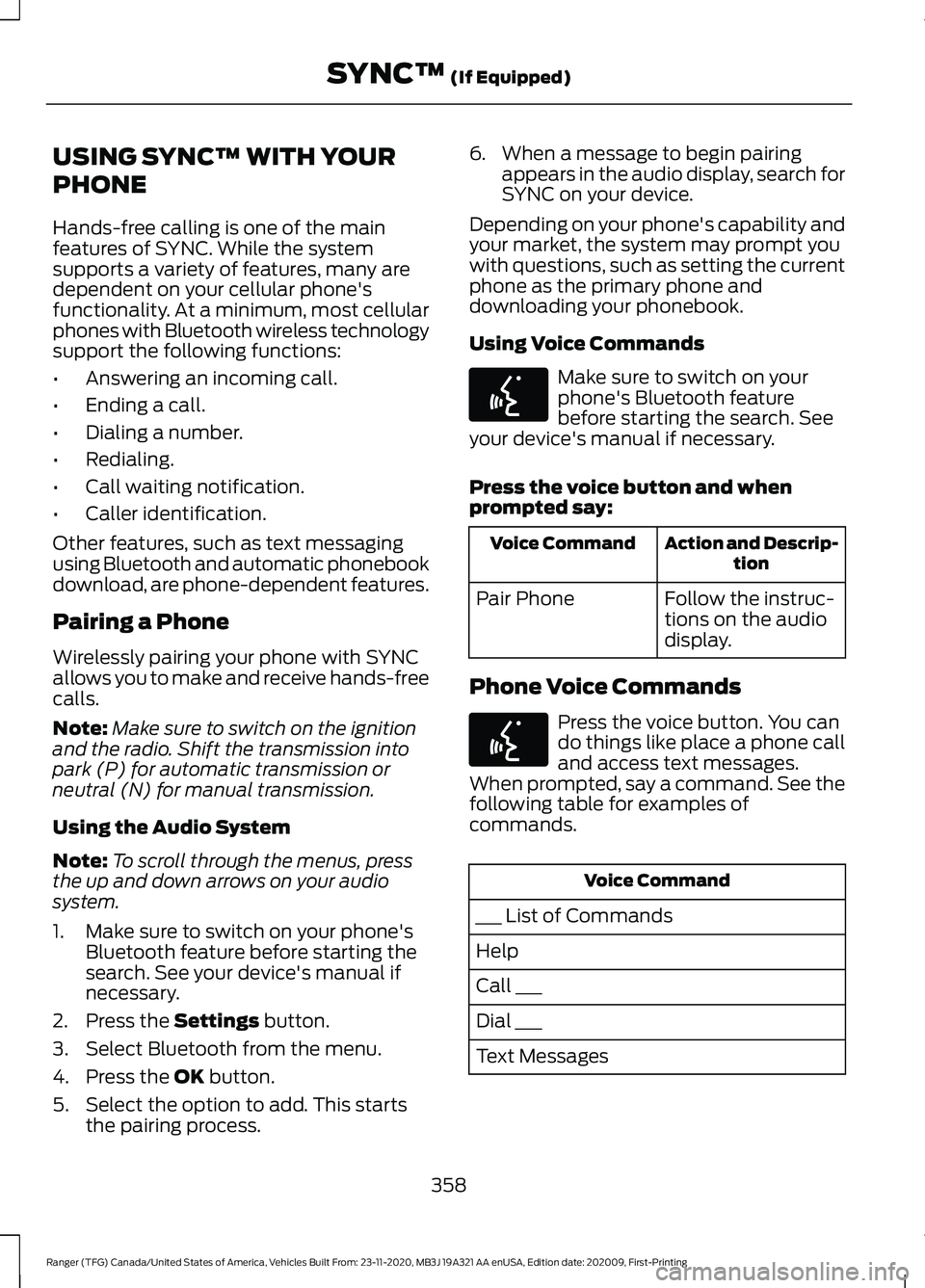
Using Voice Commands Make sure to switch on your
phone's Bluetooth feature
before starting the search. See
your device's manual if necessary.
Press the voice button and when
prompted say: Action and Descrip-
tion
Voice Command
Follow the instruc-
tions on the audio
display.
Pair Phone
Phone Voice Commands Press the voice button. You can
do things like place a phone call
and access text messages.
When prompted, say a command. See the
following table for examples of
commands. Voice Command
___ List of Commands
Help
Call ___
Dial ___
Text Messages
358
Ranger (TFG) Canada/United States of America, Vehicles Built From: 23-11-2020, MB3J 19A321 AA enUSA, Edition date: 202009, First-Printing SYNC™
(If Equipped)E142599 E142599
Page 366 of 475
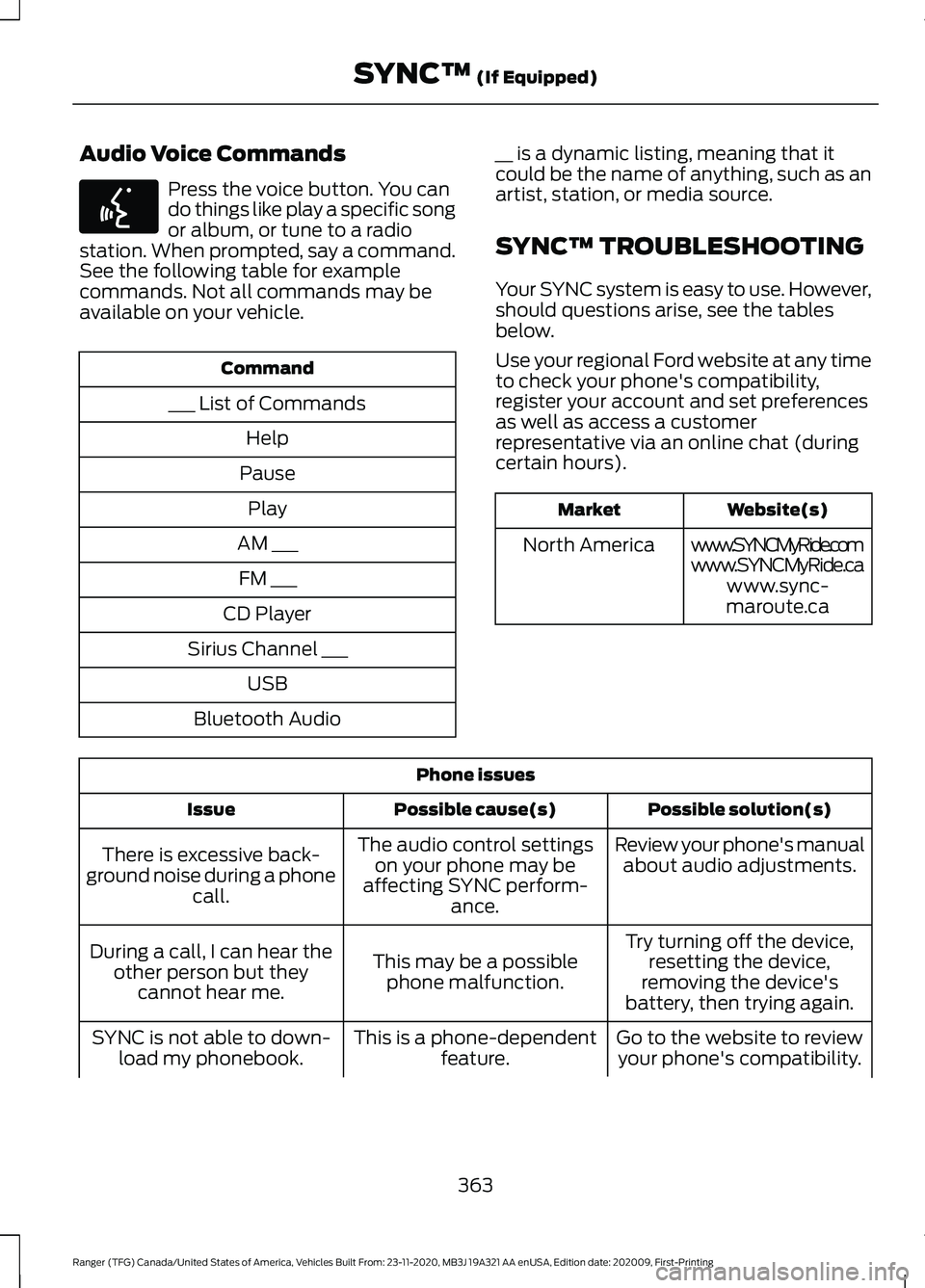
Audio Voice Commands
Press the voice button. You can
do things like play a specific song
or album, or tune to a radio
station. When prompted, say a command.
See the following table for example
commands. Not all commands may be
available on your vehicle. Command
___ List of Commands Help
Pause Play
AM ___ FM ___
CD Player
Sirius Channel ___ USB
Bluetooth Audio __ is a dynamic listing, meaning that it
could be the name of anything, such as an
artist, station, or media source.
SYNC™ TROUBLESHOOTING
Your SYNC system is easy to use. However,
should questions arise, see the tables
below.
Use your regional Ford website at any time
to check your phone's compatibility,
register your account and set preferences
as well as access a customer
representative via an online chat (during
certain hours). Website(s)
Market
www.SYNCMyRide.com
North America
www.SYNCMyRide.cawww.sync-
maroute.ca Phone issues
Possible solution(s)
Possible cause(s)
Issue
Review your phone's manualabout audio adjustments.
The audio control settings
on your phone may be
affecting SYNC perform- ance.
There is excessive back-
ground noise during a phone call.
Try turning off the device,resetting the device,
removing the device's
battery, then trying again.
This may be a possible
phone malfunction.
During a call, I can hear the
other person but theycannot hear me.
Go to the website to reviewyour phone's compatibility.
This is a phone-dependent
feature.
SYNC is not able to down-
load my phonebook.
363
Ranger (TFG) Canada/United States of America, Vehicles Built From: 23-11-2020, MB3J 19A321 AA enUSA, Edition date: 202009, First-Printing SYNC™ (If Equipped)E142599
Page 462 of 475
4
4WD
See: Four-Wheel Drive..................................... 164
9
911 Assist...........................................................49
A
A/C See: Climate Control........................................... 117
About This Manual
...........................................7
ABS See: Brakes............................................................ 173
ABS driving hints See: Hints on Driving With Anti-Lock
Brakes................................................................. 173
Accessories...................................................408
Accessories See: Replacement Parts
Recommendation............................................ 13
ACC See: Using Adaptive Cruise Control..............191
Adjusting the Headlamps..........................277 Vertical Aim Adjustment.................................. 277
Adjusting the Steering Wheel....................72
Airbag Disposal..............................................48
Air Conditioning See: Climate Control........................................... 117
Air Filter See: Changing the Engine Air Filter............266
Alarm See: Anti-Theft Alarm........................................ 70
Ambient Lighting
............................................82
Adjusting the Brightness................................... 82
Changing the Color.............................................. 82
Switching Ambient Lighting Off..................... 82
Switching Ambient Lighting On...................... 82
Anti-Theft Alarm............................................70 Alarm System........................................................ 70
Arming the Alarm.................................................. 71
Disarming the Alarm............................................ 71
Triggering the Alarm............................................. 71
Appendices....................................................426
Apps..................................................................392 Using Apps on an Android Device...............393 Using Apps on an iOS Device........................
392
Using Mobile Navigation on an Android Device................................................................ 393
At a Glance
.........................................................17
Audible Warnings and Indicators.............95 Headlamps On Warning Chime...................... 95
Key in Ignition Warning Chime........................ 95
Keyless Warning Alert........................................ 95
Parking Brake On Warning Chime.................95
Audio Control
...................................................72
Type One.................................................................. 72
Type Two.................................................................. 73
You can operate the following functions with the control:............................................... 73
Audio Input Jack
...........................................352
Audio System................................................342
General Information......................................... 342
Audio Unit.......................................................342 Accessing the Clock Settings........................ 342
Accessing the Media Source Menu.............342
Accessing the Menu.......................................... 343
Accessing the Phone Features..................... 343
Accessing the Sound Settings...................... 343
Adjusting the Volume....................................... 343
Changing Radio Stations................................ 343
Listening to the Radio...................................... 343
Muting the Audio............................................... 343
Switching the Audio Unit On and Off........343
Using Seek, Fast Forward and Reverse............................................................. 344
Using the Display Control............................... 343
Using the Number Block................................. 344
Audio Unit - Vehicles With: SYNC 3
......................................................................346
Adjusting the Volume....................................... 347
Changing Radio Stations................................ 347
Playing or Pausing Media................................ 347
Switching the Audio Unit On and Off.........347
Using Seek, Fast Forward and Reverse.............................................................. 347
Audio Unit - Vehicles With: SYNC.........344 Accessing the Apps Menu.............................. 344
Accessing the Clock Settings........................ 344
Accessing the Information Menu................344
Accessing the Media Source Menu.............344
Accessing the Phone Features..................... 345
Accessing the Settings Menu........................ 345
Accessing the Sound Settings...................... 345
459
Ranger (TFG) Canada/United States of America, Vehicles Built From: 23-11-2020, MB3J 19A321 AA enUSA, Edition date: 202009, First-Printing Index
Page 470 of 475
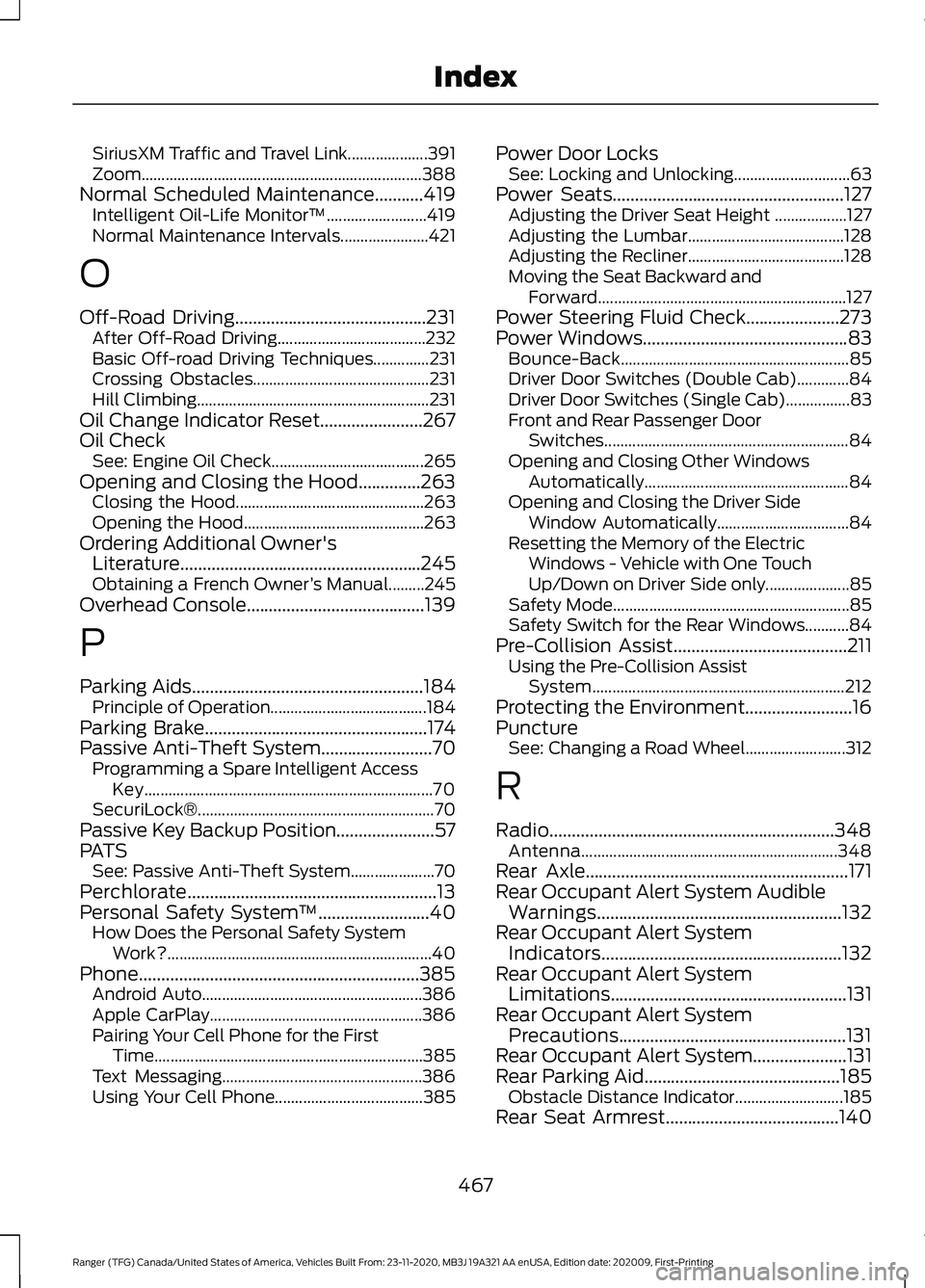
SiriusXM Traffic and Travel Link....................
391
Zoom...................................................................... 388
Normal Scheduled Maintenance...........419 Intelligent Oil-Life Monitor™......................... 419
Normal Maintenance Intervals...................... 421
O
Off-Road Driving...........................................231 After Off-Road Driving..................................... 232
Basic Off-road Driving Techniques..............231
Crossing Obstacles............................................ 231
Hill Climbing.......................................................... 231
Oil Change Indicator Reset.......................267
Oil Check See: Engine Oil Check...................................... 265
Opening and Closing the Hood..............263 Closing the Hood............................................... 263
Opening the Hood............................................. 263
Ordering Additional Owner's Literature......................................................245
Obtaining a French Owner ’s Manual.........245
Overhead Console
........................................139
P
Parking Aids
....................................................184
Principle of Operation.......................................184
Parking Brake
..................................................174
Passive Anti-Theft System.........................70 Programming a Spare Intelligent Access
Key........................................................................\
70
SecuriLock®........................................................... 70
Passive Key Backup Position
......................57
PATS See: Passive Anti-Theft System..................... 70
Perchlorate........................................................13
Personal Safety System ™
.........................40
How Does the Personal Safety System
Work?.................................................................. 40
Phone...............................................................385 Android Auto....................................................... 386
Apple CarPlay..................................................... 386
Pairing Your Cell Phone for the First Time................................................................... 385
Text Messaging.................................................. 386
Using Your Cell Phone..................................... 385Power Door Locks
See: Locking and Unlocking............................. 63
Power Seats
....................................................127
Adjusting the Driver Seat Height .................. 127
Adjusting the Lumbar....................................... 128
Adjusting the Recliner....................................... 128
Moving the Seat Backward and Forward.............................................................. 127
Power Steering Fluid Check.....................273
Power Windows
..............................................83
Bounce-Back......................................................... 85
Driver Door Switches (Double Cab).............84
Driver Door Switches (Single Cab)................83
Front and Rear Passenger Door Switches............................................................. 84
Opening and Closing Other Windows Automatically................................................... 84
Opening and Closing the Driver Side Window Automatically................................. 84
Resetting the Memory of the Electric Windows - Vehicle with One Touch
Up/Down on Driver Side only..................... 85
Safety Mode........................................................... 85
Safety Switch for the Rear Windows...........84
Pre-Collision Assist
.......................................211
Using the Pre-Collision Assist
System............................................................... 212
Protecting the Environment........................16
Puncture See: Changing a Road Wheel......................... 312
R
Radio................................................................348 Antenna................................................................ 348
Rear Axle
...........................................................171
Rear Occupant Alert System Audible Warnings.......................................................132
Rear Occupant Alert System Indicators......................................................132
Rear Occupant Alert System Limitations
.....................................................131
Rear Occupant Alert System Precautions...................................................131
Rear Occupant Alert System.....................131
Rear Parking Aid............................................185 Obstacle Distance Indicator........................... 185
Rear Seat Armrest.......................................140
467
Ranger (TFG) Canada/United States of America, Vehicles Built From: 23-11-2020, MB3J 19A321 AA enUSA, Edition date: 202009, First-Printing Index
Page 471 of 475
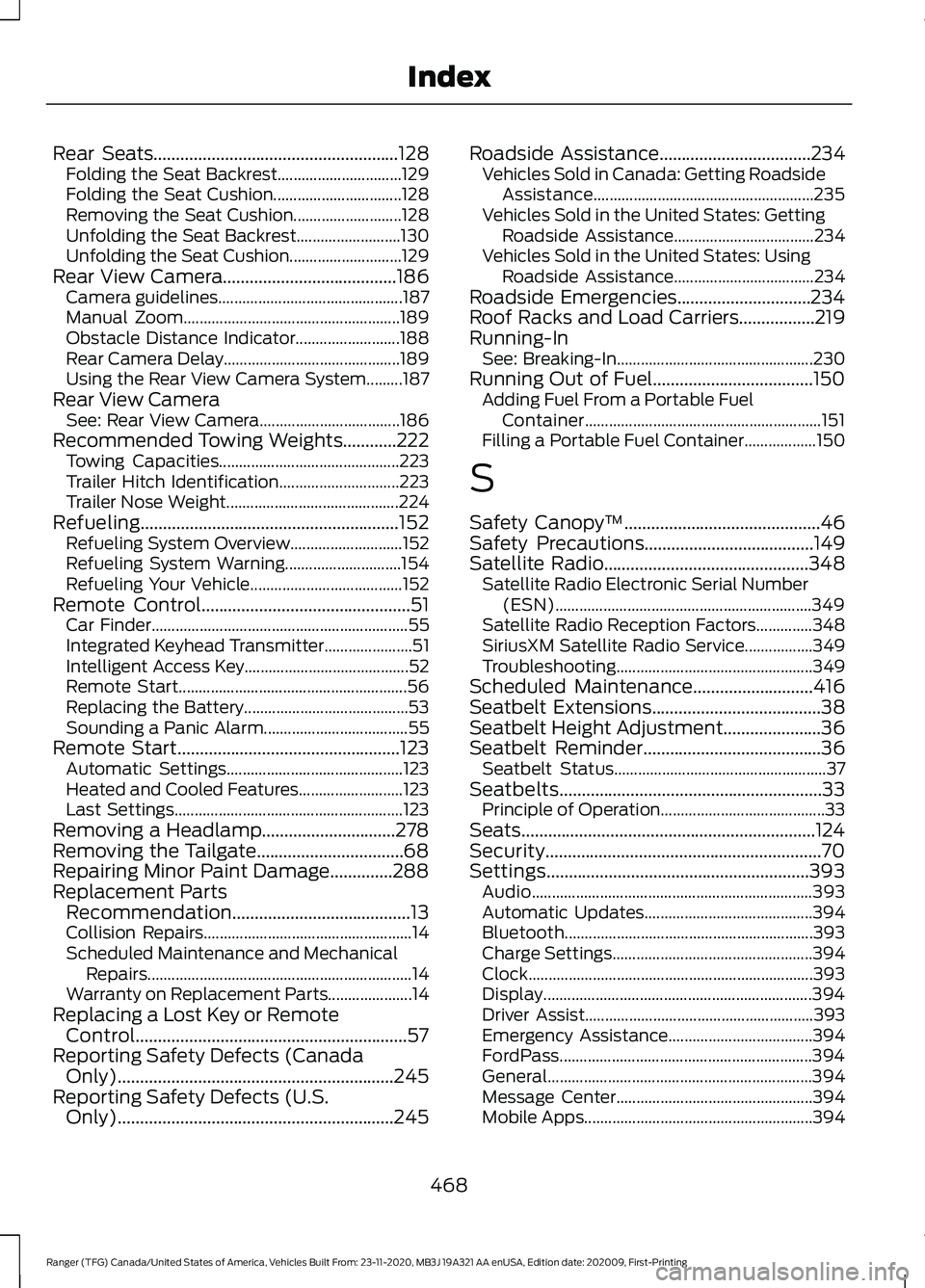
Rear Seats.......................................................128
Folding the Seat Backrest............................... 129
Folding the Seat Cushion................................ 128
Removing the Seat Cushion........................... 128
Unfolding the Seat Backrest.......................... 130
Unfolding the Seat Cushion............................ 129
Rear View Camera.......................................186 Camera guidelines.............................................. 187
Manual Zoom...................................................... 189
Obstacle Distance Indicator.......................... 188
Rear Camera Delay............................................ 189
Using the Rear View Camera System.........187
Rear View Camera See: Rear View Camera................................... 186
Recommended Towing Weights............222 Towing Capacities............................................. 223
Trailer Hitch Identification.............................. 223
Trailer Nose Weight........................................... 224
Refueling..........................................................152 Refueling System Overview............................ 152
Refueling System Warning............................. 154
Refueling Your Vehicle...................................... 152
Remote Control
...............................................51
Car Finder................................................................ 55
Integrated Keyhead Transmitter...................... 51
Intelligent Access Key......................................... 52
Remote Start......................................................... 56
Replacing the Battery......................................... 53
Sounding a Panic Alarm.................................... 55
Remote Start..................................................123 Automatic Settings............................................ 123
Heated and Cooled Features.......................... 123
Last Settings......................................................... 123
Removing a Headlamp..............................278
Removing the Tailgate.................................68
Repairing Minor Paint Damage..............288
Replacement Parts Recommendation........................................13
Collision Repairs.................................................... 14
Scheduled Maintenance and Mechanical Repairs.................................................................. 14
Warranty on Replacement Parts..................... 14
Replacing a Lost Key or Remote Control.............................................................57
Reporting Safety Defects (Canada Only)..............................................................245
Reporting Safety Defects (U.S. Only)..............................................................245 Roadside Assistance
..................................234
Vehicles Sold in Canada: Getting Roadside
Assistance....................................................... 235
Vehicles Sold in the United States: Getting Roadside Assistance................................... 234
Vehicles Sold in the United States: Using Roadside Assistance................................... 234
Roadside Emergencies..............................234
Roof Racks and Load Carriers.................219
Running-In See: Breaking-In................................................. 230
Running Out of Fuel....................................150 Adding Fuel From a Portable Fuel
Container........................................................... 151
Filling a Portable Fuel Container.................. 150
S
Safety Canopy ™
............................................46
Safety Precautions......................................149
Satellite Radio..............................................348
Satellite Radio Electronic Serial Number
(ESN)................................................................ 349
Satellite Radio Reception Factors..............348
SiriusXM Satellite Radio Service.................349
Troubleshooting................................................. 349
Scheduled Maintenance
...........................416
Seatbelt Extensions......................................38
Seatbelt Height Adjustment......................36
Seatbelt Reminder........................................36 Seatbelt Status..................................................... 37
Seatbelts...........................................................33 Principle of Operation......................................... 33
Seats..................................................................124
Security..............................................................70
Settings...........................................................393 Audio...................................................................... 393
Automatic Updates.......................................... 394
Bluetooth.............................................................. 393
Charge Settings.................................................. 394
Clock....................................................................... 393
Display................................................................... 394
Driver Assist......................................................... 393
Emergency Assistance.................................... 394
FordPass............................................................... 394
General.................................................................. 394
Message Center................................................. 394
Mobile Apps......................................................... 394
468
Ranger (TFG) Canada/United States of America, Vehicles Built From: 23-11-2020, MB3J 19A321 AA enUSA, Edition date: 202009, First-Printing Index