ignition FORD TRANSIT 2015 5.G Owner's Manual
[x] Cancel search | Manufacturer: FORD, Model Year: 2015, Model line: TRANSIT, Model: FORD TRANSIT 2015 5.GPages: 461, PDF Size: 5.82 MB
Page 77 of 461
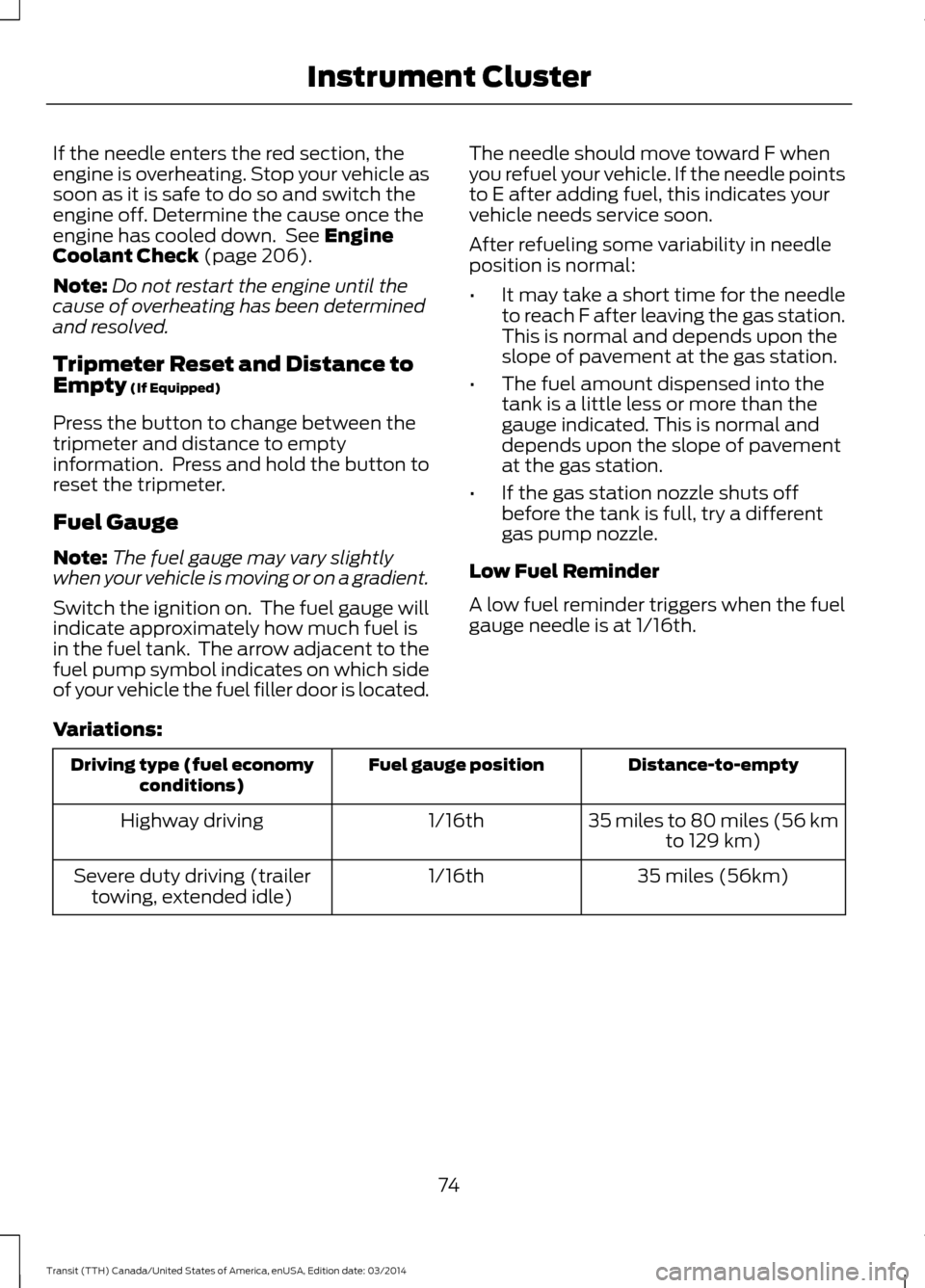
If the needle enters the red section, the
engine is overheating. Stop your vehicle as
soon as it is safe to do so and switch the
engine off. Determine the cause once the
engine has cooled down. See Engine
Coolant Check (page 206).
Note: Do not restart the engine until the
cause of overheating has been determined
and resolved.
Tripmeter Reset and Distance to
Empty
(If Equipped)
Press the button to change between the
tripmeter and distance to empty
information. Press and hold the button to
reset the tripmeter.
Fuel Gauge
Note: The fuel gauge may vary slightly
when your vehicle is moving or on a gradient.
Switch the ignition on. The fuel gauge will
indicate approximately how much fuel is
in the fuel tank. The arrow adjacent to the
fuel pump symbol indicates on which side
of your vehicle the fuel filler door is located. The needle should move toward F when
you refuel your vehicle. If the needle points
to E after adding fuel, this indicates your
vehicle needs service soon.
After refueling some variability in needle
position is normal:
•
It may take a short time for the needle
to reach F after leaving the gas station.
This is normal and depends upon the
slope of pavement at the gas station.
• The fuel amount dispensed into the
tank is a little less or more than the
gauge indicated. This is normal and
depends upon the slope of pavement
at the gas station.
• If the gas station nozzle shuts off
before the tank is full, try a different
gas pump nozzle.
Low Fuel Reminder
A low fuel reminder triggers when the fuel
gauge needle is at 1/16th.
Variations: Distance-to-empty
Fuel gauge position
Driving type (fuel economy
conditions)
35 miles to 80 miles (56 kmto 129 km)
1/16th
Highway driving
35 miles (56km)
1/16th
Severe duty driving (trailer
towing, extended idle)
74Transit (TTH) Canada/United States of America, enUSA, Edition date: 03/2014 Instrument Cluster
Page 78 of 461
WARNING LAMPS AND
INDICATORS
The following warning lamps and
indicators will alert you to a vehicle
condition that may become serious. Some
lamps will illuminate when you start your
vehicle to make sure they work. If any
lamps remain on after starting your vehicle,
refer to the respective system warning
lamp for further information.
Note:
Some warning indicators appear in
the information display and function the
same as a warning lamp but do not
illuminate when you start your vehicle.
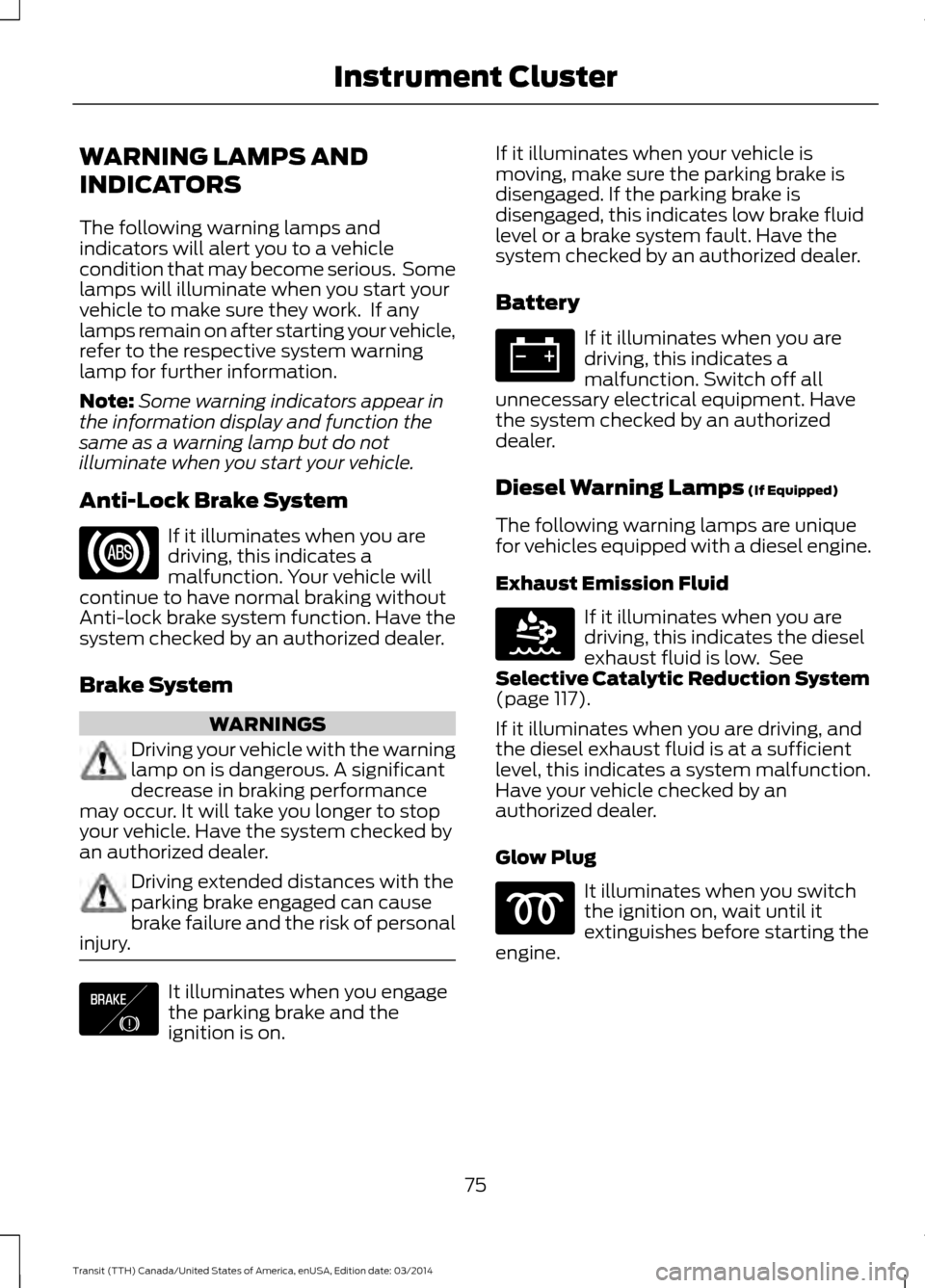
Anti-Lock Brake System If it illuminates when you are
driving, this indicates a
malfunction. Your vehicle will
continue to have normal braking without
Anti-lock brake system function. Have the
system checked by an authorized dealer.
Brake System WARNINGS
Driving your vehicle with the warning
lamp on is dangerous. A significant
decrease in braking performance
may occur. It will take you longer to stop
your vehicle. Have the system checked by
an authorized dealer. Driving extended distances with the
parking brake engaged can cause
brake failure and the risk of personal
injury. It illuminates when you engage
the parking brake and the
ignition is on. If it illuminates when your vehicle is
moving, make sure the parking brake is
disengaged. If the parking brake is
disengaged, this indicates low brake fluid
level or a brake system fault. Have the
system checked by an authorized dealer.
Battery If it illuminates when you are
driving, this indicates a
malfunction. Switch off all
unnecessary electrical equipment. Have
the system checked by an authorized
dealer.
Diesel Warning Lamps (If Equipped)
The following warning lamps are unique
for vehicles equipped with a diesel engine.
Exhaust Emission Fluid If it illuminates when you are
driving, this indicates the diesel
exhaust fluid is low. See
Selective Catalytic Reduction System
(page
117).
If it illuminates when you are driving, and
the diesel exhaust fluid is at a sufficient
level, this indicates a system malfunction.
Have your vehicle checked by an
authorized dealer.
Glow Plug It illuminates when you switch
the ignition on, wait until it
extinguishes before starting the
engine.
75 Transit (TTH) Canada/United States of America, enUSA, Edition date: 03/2014 Instrument Cluster E138644 E163176
Page 79 of 461
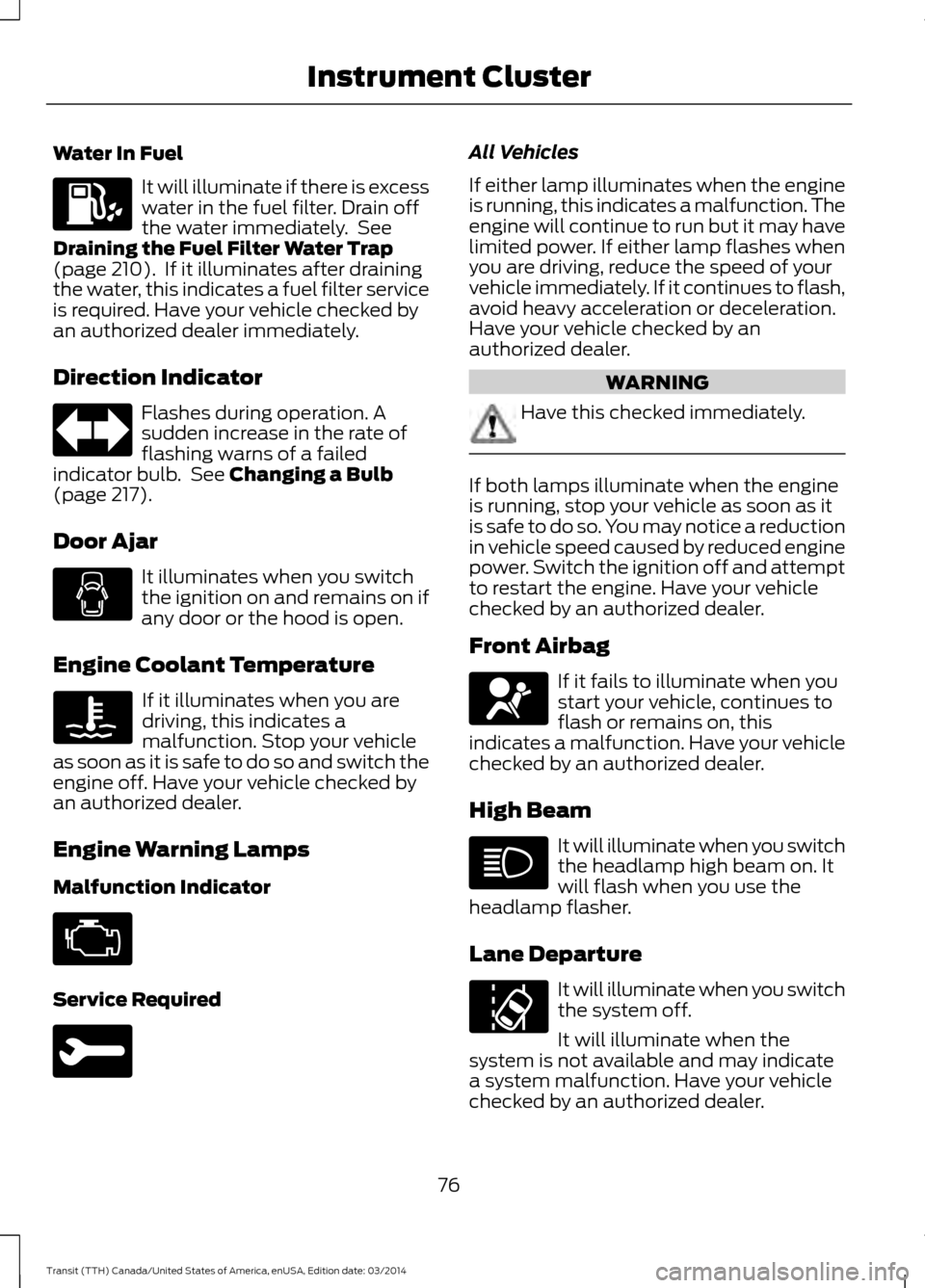
Water In Fuel
It will illuminate if there is excess
water in the fuel filter. Drain off
the water immediately. See
Draining the Fuel Filter Water Trap
(page 210). If it illuminates after draining
the water, this indicates a fuel filter service
is required. Have your vehicle checked by
an authorized dealer immediately.
Direction Indicator Flashes during operation. A
sudden increase in the rate of
flashing warns of a failed
indicator bulb. See
Changing a Bulb
(page 217).
Door Ajar It illuminates when you switch
the ignition on and remains on if
any door or the hood is open.
Engine Coolant Temperature If it illuminates when you are
driving, this indicates a
malfunction. Stop your vehicle
as soon as it is safe to do so and switch the
engine off. Have your vehicle checked by
an authorized dealer.
Engine Warning Lamps
Malfunction Indicator Service Required All Vehicles
If either lamp illuminates when the engine
is running, this indicates a malfunction. The
engine will continue to run but it may have
limited power. If either lamp flashes when
you are driving, reduce the speed of your
vehicle immediately. If it continues to flash,
avoid heavy acceleration or deceleration.
Have your vehicle checked by an
authorized dealer.
WARNING
Have this checked immediately.
If both lamps illuminate when the engine
is running, stop your vehicle as soon as it
is safe to do so. You may notice a reduction
in vehicle speed caused by reduced engine
power. Switch the ignition off and attempt
to restart the engine. Have your vehicle
checked by an authorized dealer.
Front Airbag
If it fails to illuminate when you
start your vehicle, continues to
flash or remains on, this
indicates a malfunction. Have your vehicle
checked by an authorized dealer.
High Beam It will illuminate when you switch
the headlamp high beam on. It
will flash when you use the
headlamp flasher.
Lane Departure It will illuminate when you switch
the system off.
It will illuminate when the
system is not available and may indicate
a system malfunction. Have your vehicle
checked by an authorized dealer.
76 Transit (TTH) Canada/United States of America, enUSA, Edition date: 03/2014 Instrument Cluster
Page 80 of 461
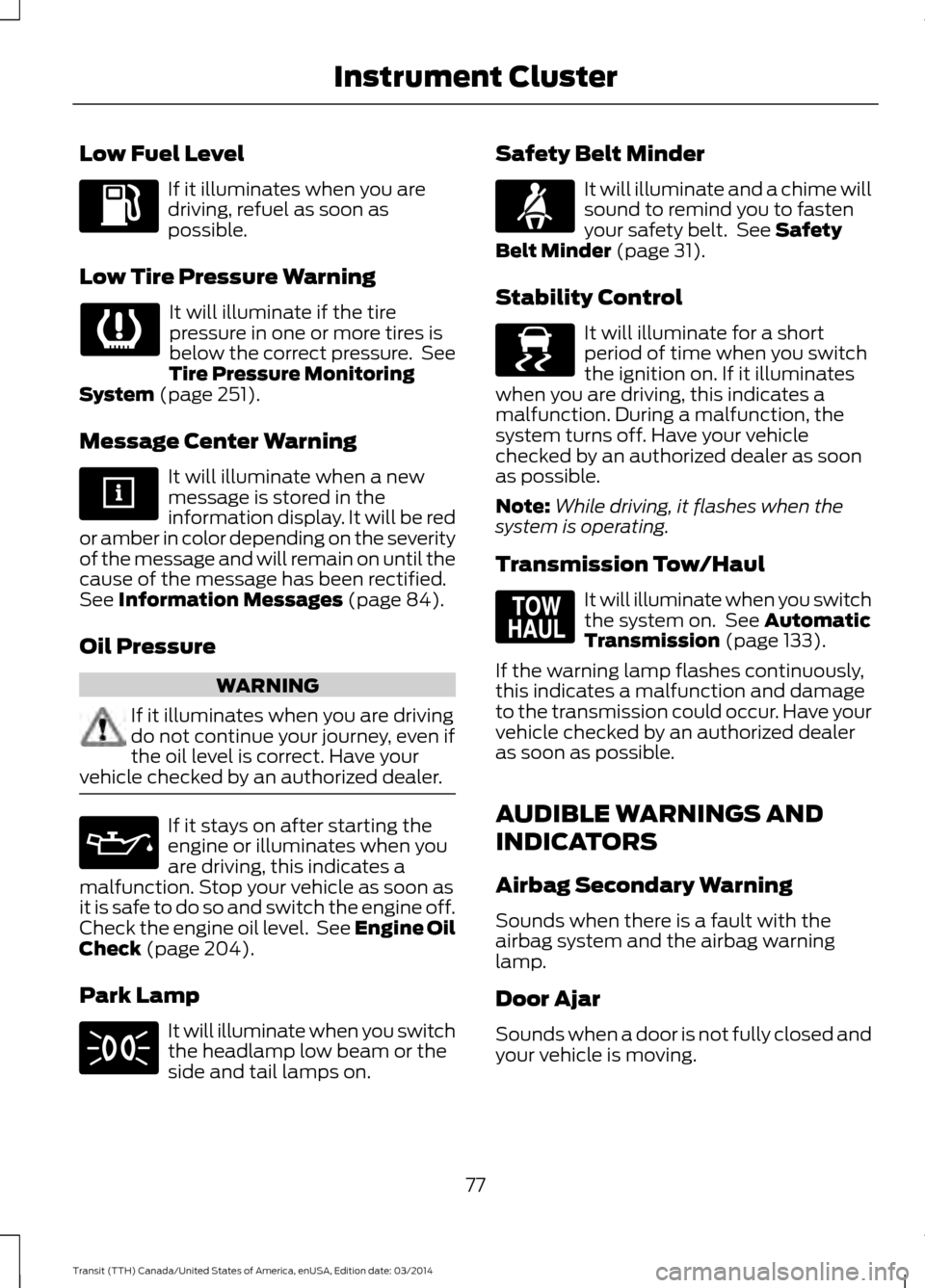
Low Fuel Level
If it illuminates when you are
driving, refuel as soon as
possible.
Low Tire Pressure Warning It will illuminate if the tire
pressure in one or more tires is
below the correct pressure. See
Tire Pressure Monitoring
System (page 251).
Message Center Warning It will illuminate when a new
message is stored in the
information display. It will be red
or amber in color depending on the severity
of the message and will remain on until the
cause of the message has been rectified.
See
Information Messages (page 84).
Oil Pressure WARNING
If it illuminates when you are driving
do not continue your journey, even if
the oil level is correct. Have your
vehicle checked by an authorized dealer. If it stays on after starting the
engine or illuminates when you
are driving, this indicates a
malfunction. Stop your vehicle as soon as
it is safe to do so and switch the engine off.
Check the engine oil level. See Engine Oil
Check
(page 204).
Park Lamp It will illuminate when you switch
the headlamp low beam or the
side and tail lamps on. Safety Belt Minder It will illuminate and a chime will
sound to remind you to fasten
your safety belt. See
Safety
Belt Minder (page 31).
Stability Control It will illuminate for a short
period of time when you switch
the ignition on. If it illuminates
when you are driving, this indicates a
malfunction. During a malfunction, the
system turns off. Have your vehicle
checked by an authorized dealer as soon
as possible.
Note: While driving, it flashes when the
system is operating.
Transmission Tow/Haul It will illuminate when you switch
the system on. See
Automatic
Transmission (page 133).
If the warning lamp flashes continuously,
this indicates a malfunction and damage
to the transmission could occur. Have your
vehicle checked by an authorized dealer
as soon as possible.
AUDIBLE WARNINGS AND
INDICATORS
Airbag Secondary Warning
Sounds when there is a fault with the
airbag system and the airbag warning
lamp.
Door Ajar
Sounds when a door is not fully closed and
your vehicle is moving.
77 Transit (TTH) Canada/United States of America, enUSA, Edition date: 03/2014 Instrument Cluster E138639 E161509
Page 81 of 461
Exterior Lamps On
Sounds when you remove the key from the
ignition and open the driver door, and you
have left the headlamps or parking lamps
on.
Gearshift Lever not in Park (P)
Sounds when the driver door is open, the
key is in the ignition and the gearshift lever
is not in park (P).
Key in Ignition
Sounds when the driver door is open and
the key is in the ignition.
Parking Brake On
Sounds when the parking brake is on and
your vehicle is moving. If the warning chime
continues to sound when you release the
parking brake, have the system checked
by an authorized dealer.
Safety Belt Minder
WARNINGS
The safety belt minder remains in
stand-by mode when the front safety
belts have been fastened. It will
sound if either safety belt is unfastened. Do not sit on top of a fastened safety
belt to prevent the safety belt minder
from coming on. The occupant
protection system will only provide
optimum protection when you use the
safety belt correctly. Sounds when a safety belt is unfastened
in an occupied seat and your vehicle is
moving.
78Transit (TTH) Canada/United States of America, enUSA, Edition date: 03/2014 Instrument Cluster
Page 88 of 461
Battery and Charging System
Description and Action
Message
Stop your vehicle as soon as it is safe to do so and switch the
ignition off. The system has detected a fault that requires
service.
Electrical system over-
voltage Stop safely
Switch off all unnecessary electrical systems and devices.
The system has detected a fault that requires service.
Battery low See manual
Diesel Exhaust Fluid Description and Action
Message
Indicates the approximate distance remaining before the
diesel exhaust fluid tank will be empty. Refill the diesel
exhaust fluid tank as soon as possible.
DEF level low Range XXX
mi Refill now
Indicates the approximate distance remaining before the
diesel exhaust fluid tank will be empty and when it will restrict
your vehicle speed. Refill the diesel exhaust fluid tank as soon
as possible.
DEF level empty YY MPH
max in XXX mi
Indicates that the diesel exhaust fluid tank is empty and that
your vehicle speed is being restricted. Refill the diesel exhaust
fluid tank as soon as possible.
DEF level empty Speed
limited to YY MPH
Indicates that the diesel exhaust fluid tank is empty and that
your vehicle speed will be restricted when you restart your
vehicle. Refill the diesel exhaust fluid tank as soon as possible.
DEF level empty YY MPH
max Upon restart
Indicates that the diesel exhaust fluid tank is empty and that
the engine will soon be restricted to idle operation.
DEF level empty Engine
idled soon
Indicates that the diesel exhaust fluid tank is empty and that
the engine is restricted to idle operation.
DEF level empty Engine
idled See manual
Indicates that your vehicle speed will soon be restricted. The
system has detected a fault that requires service.
DEF fault YY MPH max in
XXXX mi
Indicates that your vehicle speed is restricted. The system
has detected a fault that requires service.
DEF fault Speed limited
to YY MPH
Indicates that the engine will soon be restricted to idle oper-
ation. The system has detected a fault that requires service.
DEF fault Engine idled
soon
85Transit (TTH) Canada/United States of America, enUSA,
Edition da te: 03/2014 Information Displays
Page 106 of 461
WARNINGS
Do not use the power points for
operating a cigar lighter element.
Do not insert objects other than an
accessory plug into the power points.
Run the engine for full capacity use of the
power points.
Note:
Do not use the power points over the
vehicle capacity of 12 volt DC 180 watt or a
fuse may blow.
Note: Do not hang any accessory from the
accessory plug.
Note: Always keep the power point caps
closed when not in use.
Note: Incorrect use of the power points can
cause damage not covered by the vehicle
warranty.
To prevent the battery from running out of
charge:
• Do not use the power points for longer
than necessary when the engine is not
running.
• Do not leave devices plugged in
overnight or when your vehicle is in park
(P) for extended periods of time.
Note: The power point turns off after 30
minutes if you switched the ignition on
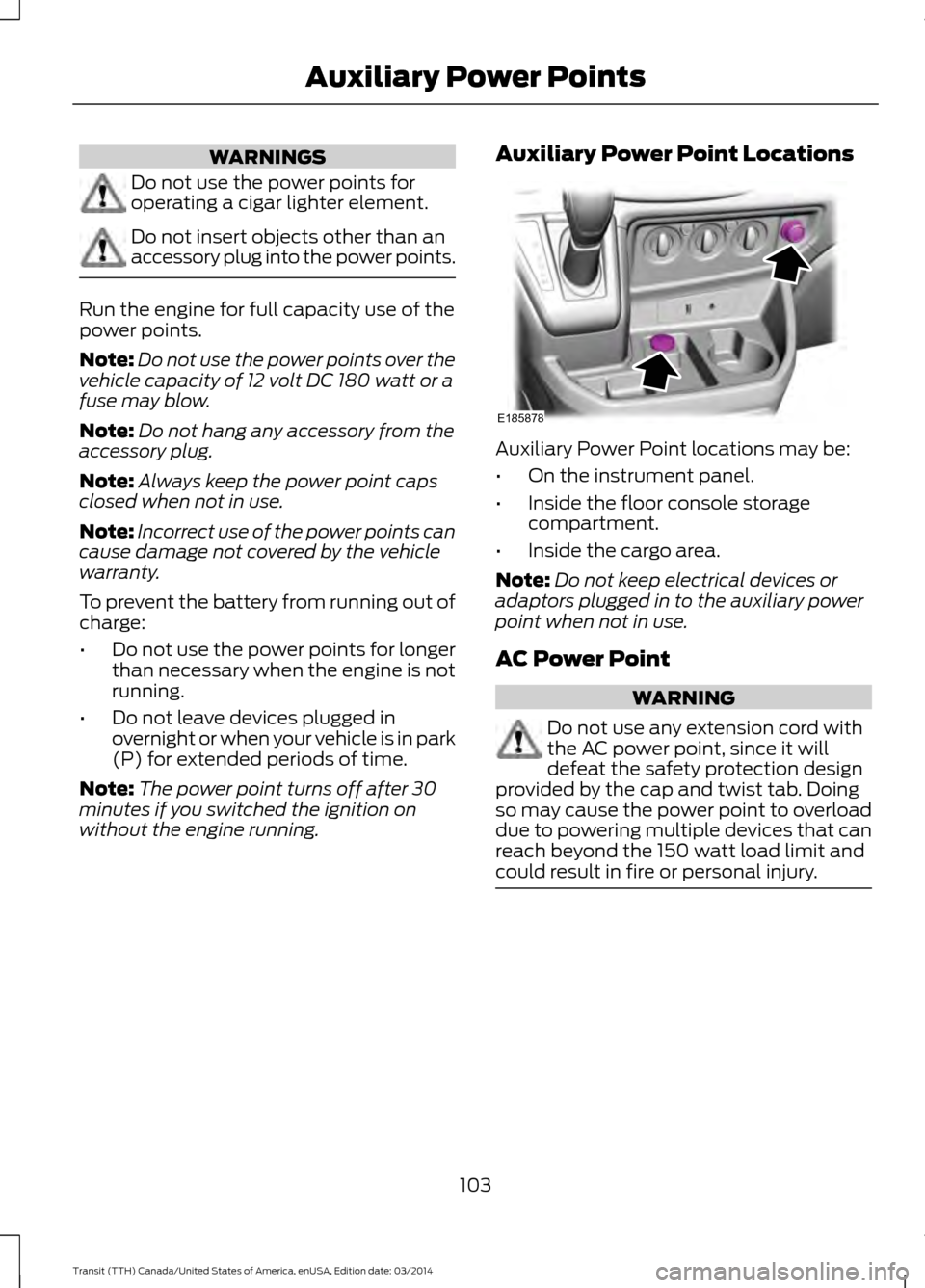
without the engine running. Auxiliary Power Point Locations Auxiliary Power Point locations may be:
•
On the instrument panel.
• Inside the floor console storage
compartment.
• Inside the cargo area.
Note: Do not keep electrical devices or
adaptors plugged in to the auxiliary power
point when not in use.
AC Power Point WARNING
Do not use any extension cord with
the AC power point, since it will
defeat the safety protection design
provided by the cap and twist tab. Doing
so may cause the power point to overload
due to powering multiple devices that can
reach beyond the 150 watt load limit and
could result in fire or personal injury. 103
Transit (TTH) Canada/United States of America, enUSA, Edition date: 03/2014 Auxiliary Power PointsE185878
Page 107 of 461
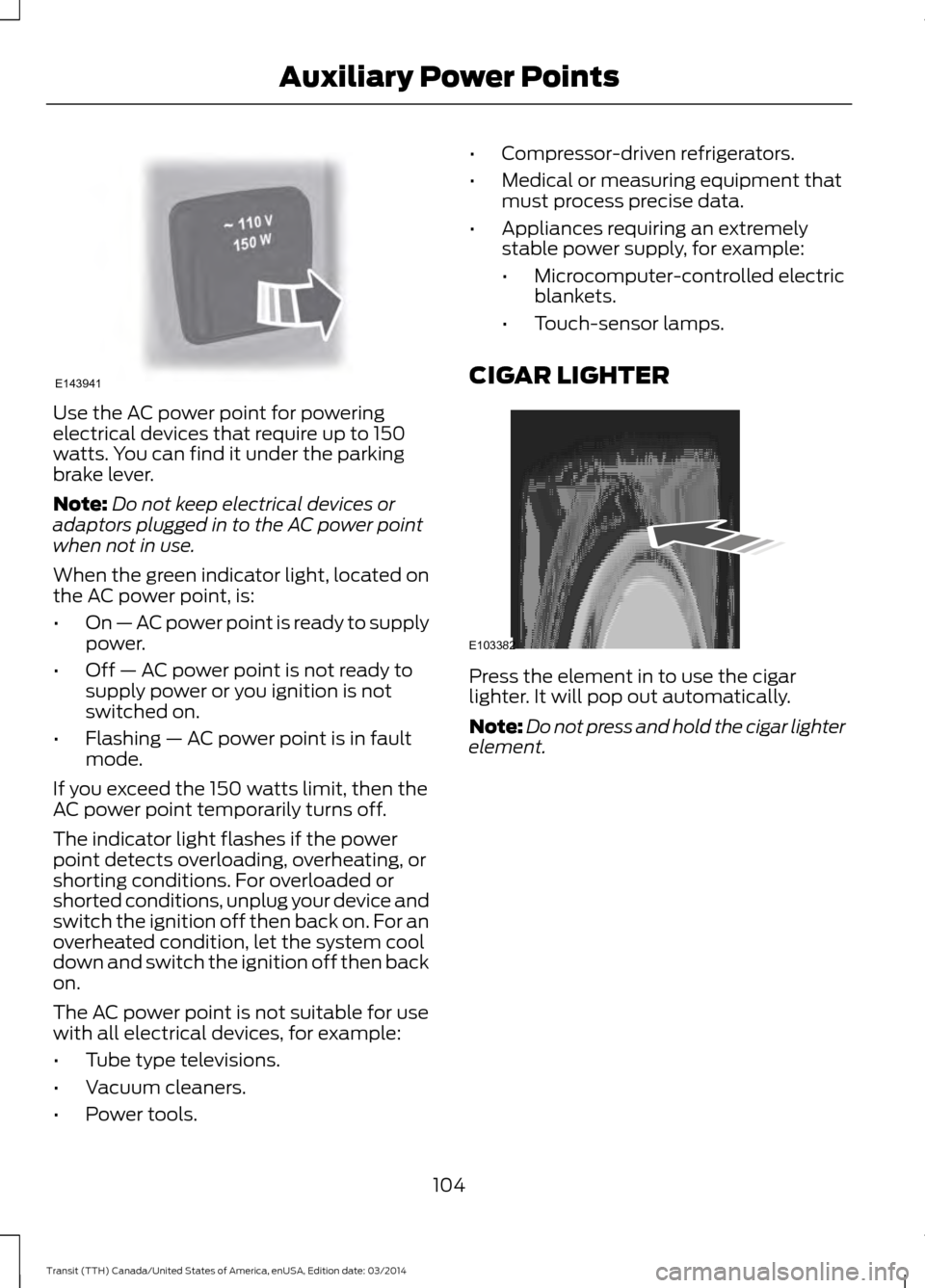
Use the AC power point for powering
electrical devices that require up to 150
watts. You can find it under the parking
brake lever.
Note:
Do not keep electrical devices or
adaptors plugged in to the AC power point
when not in use.
When the green indicator light, located on
the AC power point, is:
• On — AC power point is ready to supply
power.
• Off — AC power point is not ready to
supply power or you ignition is not
switched on.
• Flashing — AC power point is in fault
mode.
If you exceed the 150 watts limit, then the
AC power point temporarily turns off.
The indicator light flashes if the power
point detects overloading, overheating, or
shorting conditions. For overloaded or
shorted conditions, unplug your device and
switch the ignition off then back on. For an
overheated condition, let the system cool
down and switch the ignition off then back
on.
The AC power point is not suitable for use
with all electrical devices, for example:
• Tube type televisions.
• Vacuum cleaners.
• Power tools. •
Compressor-driven refrigerators.
• Medical or measuring equipment that
must process precise data.
• Appliances requiring an extremely
stable power supply, for example:
•Microcomputer-controlled electric
blankets.
• Touch-sensor lamps.
CIGAR LIGHTER Press the element in to use the cigar
lighter. It will pop out automatically.
Note:
Do not press and hold the cigar lighter
element.
104 Transit (TTH) Canada/United States of America, enUSA, Edition date: 03/2014 Auxiliary Power PointsE143941 E103382
Page 109 of 461
GENERAL INFORMATION
WARNINGS
Extended idling at high engine
speeds can produce very high
temperatures in the engine and
exhaust system, creating the risk of fire or
other damage. Do not park, idle or drive your vehicle
on dry grass or other dry ground
cover. The emission system heats up
the engine compartment and exhaust
system, creating the risk of fire. Do not start the engine in a closed
garage or in other enclosed areas.
Exhaust fumes can be toxic. Always
open the garage door before you start the
engine. If you smell exhaust fumes inside
your vehicle, have your vehicle
checked by an authorized dealer
immediately. Do not drive your vehicle if
you smell exhaust fumes. If you disconnect the battery, your vehicle
may exhibit some unusual driving
characteristics for approximately 5 miles
(8 kilometers) after you reconnect it. This
is because the engine management system
must realign itself with the engine. You can
disregard any unusual driving
characteristics during this period.
The powertrain control system meets all
Canadian interference-causing equipment
standard requirements regulating the
impulse electrical field or radio noise.
When you start the engine, avoid pressing
the accelerator pedal before and during
operation. Only use the accelerator pedal
when you have difficulty starting the
engine. IGNITION SWITCH
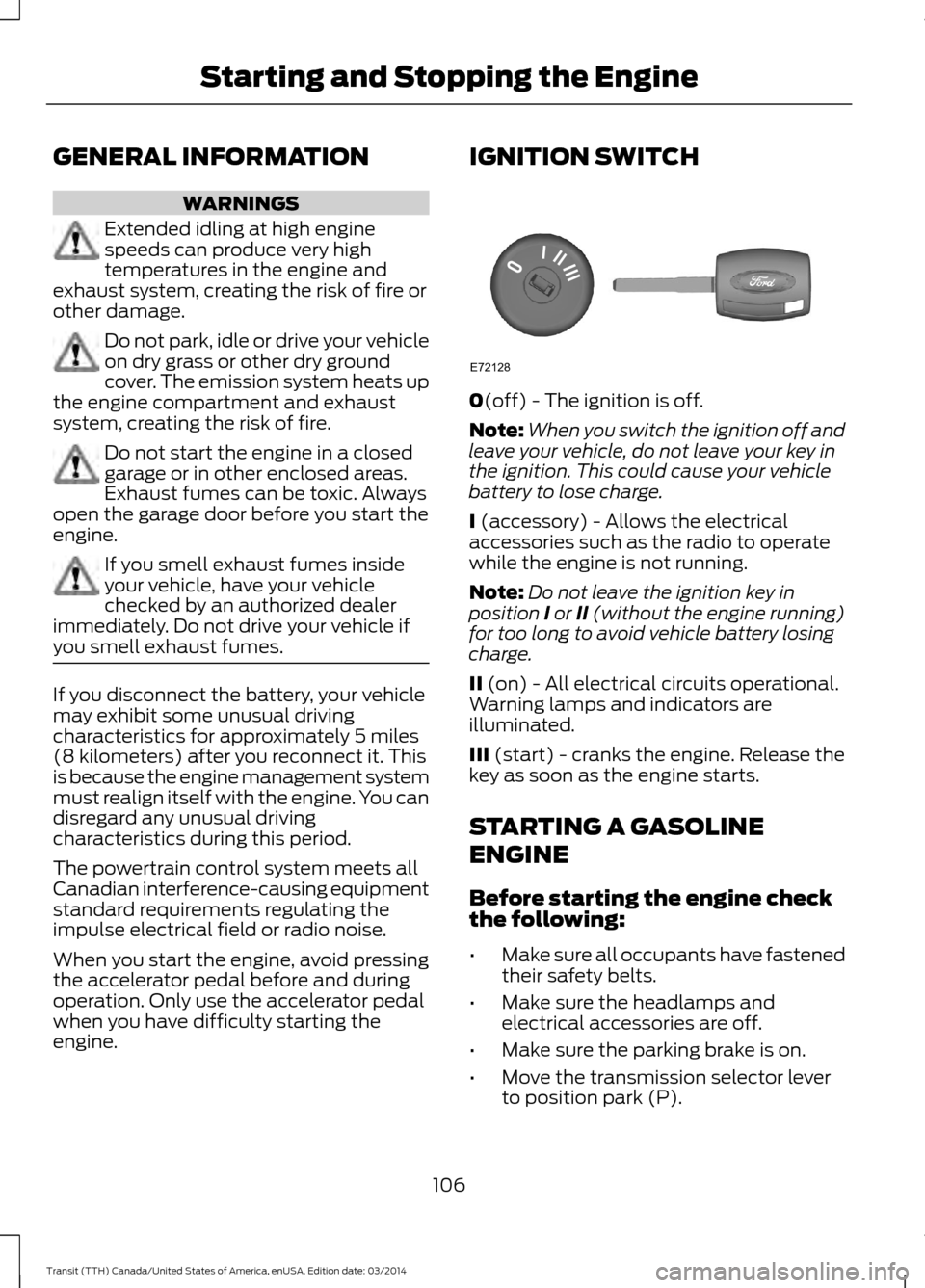
0(off) - The ignition is off.
Note: When you switch the ignition off and
leave your vehicle, do not leave your key in
the ignition. This could cause your vehicle
battery to lose charge.
I (accessory) - Allows the electrical
accessories such as the radio to operate
while the engine is not running.
Note: Do not leave the ignition key in
position I or II (without the engine running)
for too long to avoid vehicle battery losing
charge.
II (on) - All electrical circuits operational.
Warning lamps and indicators are
illuminated.
III
(start) - cranks the engine. Release the
key as soon as the engine starts.
STARTING A GASOLINE
ENGINE
Before starting the engine check
the following:
• Make sure all occupants have fastened
their safety belts.
• Make sure the headlamps and
electrical accessories are off.
• Make sure the parking brake is on.
• Move the transmission selector lever
to position park (P).
106 Transit (TTH) Canada/United States of America, enUSA, Edition date: 03/2014Starting and Stopping the EngineE72128
Page 110 of 461
When you start the engine, the idle speed
increases, this helps to warm up the
engine. If the engine idle speed does not
slow down automatically, have your
vehicle checked by an authorized dealer.
Note:
You can only operate the starter for
a limited period of time, for example 10
seconds. The number of start attempts is
limited to approximately six. If you exceed
this limit, the system will not allow you to
try again until a period of time has elapsed,
for example 30 minutes.
1. Fully press the brake pedal.
2. Turn the ignition key to position II to
switch the ignition on.
3. Turn the ignition key to position
III to
start your vehicle. Release the key
when the engine starts.
Note: Do not touch the accelerator pedal.
Engine Idle Speed after Starting
The speed at which the engine idles
immediately after starting will adjust
automatically to minimize vehicle
emissions and maximize cabin comfort
and fuel economy.
The idle speed will vary depending on
certain factors. These include vehicle
component and ambient temperatures as
well as electrical and climate system
demands.
Cold or Hot Engine
If the engine does not start within 10
seconds, wait for a short period and try
again.
If the engine does not start after three
attempts, wait 10 seconds and follow the
flooded engine procedure.
If you have difficulty starting the engine
when the temperature is below -13°F
(-25°C), press the accelerator pedal to the
mid-way point of its travel and try again. Flooded Engine
1. Move the transmission selector lever
to position
P.
2. Fully depress the accelerator pedal and
hold it there.
3. Start the engine.
Note: If the engine does not start, repeat
the cold or hot engine procedure.
STARTING A DIESEL ENGINE WARNINGS
Do not use starting fluid, for example
ether, in the air intake system (see
air filter decal). Starting fluids could
cause immediate explosive damage to the
engine. Failure to follow this warning could
result in fire, serious personal injury or
death. Do not add gasoline, gasohol, alcohol
or Kerosene to diesel fuel. This action
creates a serious fire hazard and will
result in poor engine performance. Engine
damage caused by the use of incorrect fuel
is not covered by the vehicle warranty. Note:
Avoid shutting the engine down after
an extensive idling period. Drive your vehicle
for several miles with the engine at normal
operating temperatures under a moderate
load.
Engine Glow Plugs The powertrain control and glow plug
control modules operate the glow plug
system. When you switch the ignition on
the glow plug control module immediately
energizes the glow plugs. The glow plug
control module using the engine coolant
temperature, barometric pressure sensor
107 Transit (TTH) Canada/United States of America, enUSA, Edition date: 03/2014Starting and Stopping the Engine