ignition GMC YUKON DENALI 2003 Workshop Manual
[x] Cancel search | Manufacturer: GMC, Model Year: 2003, Model line: YUKON DENALI, Model: GMC YUKON DENALI 2003Pages: 447, PDF Size: 21.97 MB
Page 222 of 447
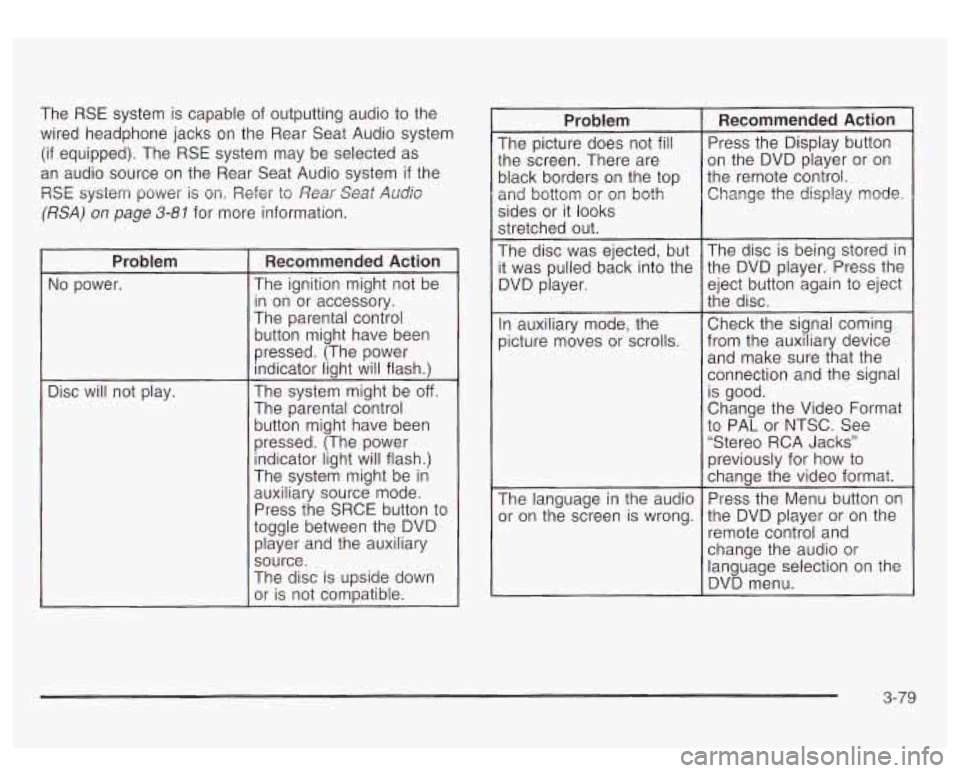
The RSE system is capable of outputting audio to the
wired headphone jacks on the Rear Seat Audio system
(if equipped). The RSE system may be selected as
an audio source on the Rear Seat Audio system
if the
RSE system power
is on. Refer to Rear Seat Audb
(RSA) on page 3-81 for more information.
~~
Problem
No power.
Disc will not play.
Recommended Action
The ignition might not be
in on or accessory.
The parental control
button might have been
pressed. (The power
indicator light will flash.)
The system might be
off.
The parental control button might have been
pressed. (The power indicator light will flash.)
The system might be
in
auxiliary source mode.
Press the SRCE button to
toggle between the DVD player and the auxiliary
source.
The disc is upside down
or is not compatible.
Problem
The picture does not fill
:he screen. There are
)lack borders on the top
2nd bottom or
or^ both
sides or it looks
stretched out.
The disc was ejected, but
t was pulled back into the
3VD player.
In auxiliary mode, the
Dicture moves
or scrolls.
The language in the audio
)r on the screen is wrong.
Recommended Action
Press the Display button
on the DVD player or on
the remote control. Change the display mode.
The disc is being stored in
the DVD player. Press the
eject button again
to eject
the disc.
Check the signal coming
from the auxiliary device and make sure that the
connection and the signal
is good.
Change the Video Format
to PAL or NTSC. See
“Stereo RCA Jacks”
previously for how to
change the video format.
Press the Menu button on
the DVD player or on the
remote control and
change the audio or
language selection on the
DVD menu.
3-79
Page 226 of 447
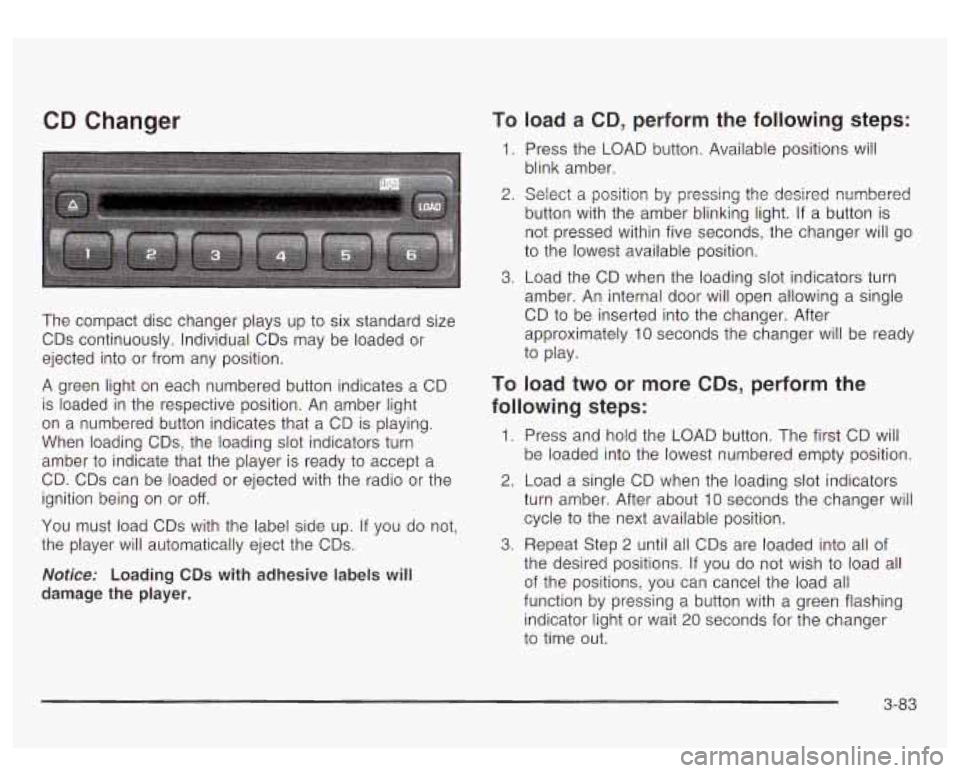
CD Changer
The compact disc changer plays up to six standard size
CDs continuously. Individual CDs may be loaded or
ejected into or from any position.
A green light on each numbered button indicates a CD
is loaded in the respective position. An amber light
on a numbered button indicates that a CD is playing.
When loading CDs, the loading slot indicators turn
amber to indicate that the player is ready
to accept a
CD. CDs can be loaded or ejected with the radio or the
ignition being on or
off.
You must load CDs with the label side up. If you do not,
the player will automatically eject the CDs.
Notice: Loading CDs with adhesive labels will
damage the player.
To load a CD, perform the following steps:
1. Press the LOAD button. Available positions Will
blink amber.
2. Select a position by pressing the desired numbered
button with the amber blinking light.
If a button is
not pressed within five seconds, the changer will go
to the lowest available position.
3. Load the CD when the loading slot indicators turn
amber. An internal door will open allowing a single
CD
to be inserted into the changer. After
approximately 10 seconds the changer will be ready
to play.
TO load two or more CDs, perform the
following steps:
1. Press and hold the LOAD button. The first CD will
be loaded into the lowest numbered empty position.
2. Load a single CD when the loading slot indicators
turn amber. After about 10 seconds the changer will
cycle to the next available position.
the desired positions.
If you do not wish to load all
of the positions, you can cancel the load all
function by pressing a button with a green flashing
indicator light or wait 20 seconds for the changer
to time out.
3. Repeat Step 2 until all CDs are loaded into all of
3-83
Page 231 of 447
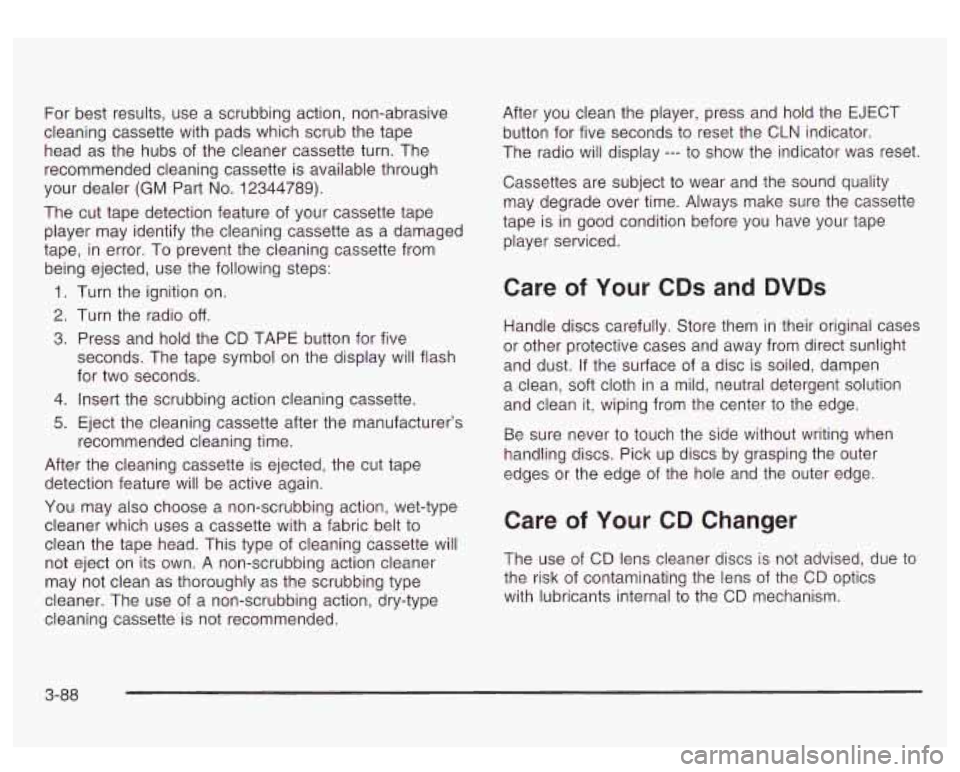
For best results, use a scrubbing action, non-abrasive
cleaning cassette with pads which scrub the tape
head as the hubs of the cleaner cassette turn. The
recommended cleaning cassette is available through
your dealer
(GM Part No. 12344789).
The cut tape detection feature of your cassette tape
player may identify the cleaning cassette as a damaged
tape, in error. To prevent the cleaning cassette from
being ejected, use the following steps:
1.
2.
3.
4.
5.
Turn the ignition on.
Turn the radio
off.
Press and hold the CD TAPE button for five
seconds. The tape symbol on the display will flash
for two seconds.
Insert the scrubbing action cleaning cassette.
Eject the cleaning cassette after the manufacturer’s
recommended cleaning time.
After the cleaning cassette is ejected, the cut tape detection feature will be active again.
You may also choose a non-scrubbing action, wet-type
cleaner which uses a cassette with a fabric belt
to
clean the tape head. This type of cleaning cassette will
not eject on its own. A non-scrubbing action cleaner
may not clean as thoroughly as the scrubbing type
cleaner. The use of a non-scrubbing action, dry-type
cleaning cassette is not recommended. After
you clean the player, press and hold the EJECT
button for five seconds to reset the CLN indicator.
The radio will display
--- to show the indicator was reset.
Cassettes are subject
to wear and the sound quality
may degrade over time. Always make sure the cassette
tape is in good condition before you have your tape
player serviced.
Care of Your CDs and DVDs
Handle discs carefully. Store them in their original cases
or other protective cases and away from direct sunlight
and dust. If the surface of a disc is soiled, dampen
a clean, soft cloth in a mild, neutral detergent solution
and clean it, wiping from the center to the edge.
Be sure never
to touch the side without writing when
handling discs. Pick up discs by grasping the outer
edges or the edge of the hole and the outer edge.
Care of Your CD Changer
The use of CD lens cleaner discs is not advised, due to
the risk of contaminating the lens
of the CD optics
with lubricants internal
to the CD mechanism.
3-88
Page 240 of 447
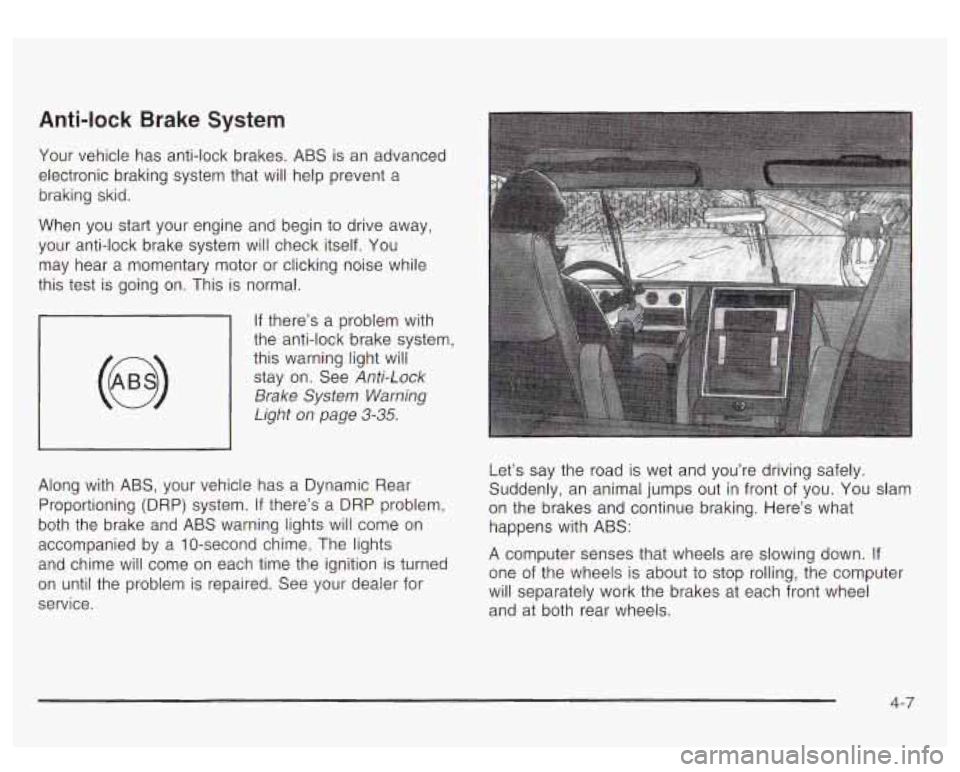
Anti-lock Brake System
Your vehicle has anti-lock brakes. ABS is an advanced
electronic braking system that will help prevent a
braking skid.
When you start your engine and begin to drive away,
your anti-lock brake system will check itself. You
may hear a momentary motor or clicking noise while
this test is going on. This is normal.
If there’s a problem with
the anti-lock brake system, this warning light
will
stay on. See Anti-Lock
Brake System Warning
Light
on page 3-35.
Along with ABS, your vehicle has a Dynamic Rear
Proportioning (DRP) system.
If there’s a DRP problem,
both the brake and ABS warning lights will come
on
accompanied by a IO-second chime. The lights
and chime will come
on each time the ignition is turned
on until the problem is repaired. See your dealer for
service. Let’s say
the road is wet and you’re driving safely.
Suddenly, an animal jumps out in front of you. You slam
on the brakes and continue braking. Here’s what
happens with ABS:
A computer senses that wheels are slowing down. If
one of the wheels is about to stop rolling, the computer
will separately work the brakes at each front wheel
and at both rear wheels.
4-7
Page 260 of 447

Driving in Water
Heavy rain can mean flash flooding, and flood waters
demand extreme caution.
Find out how deep the water
is before you drive through
it. If it’s deep enough to cover your wheel hubs, axles
or exhaust pipe, don’t try
it - you probably won’t
get through. Also, water that deep can damage your
axle and other vehicle parts.
If the water isn’t too deep, drive slowly through it. At
faster speeds, water splashes on your ignition system
and your vehicle can stall. Stalling can also occur
if you
get your tailpipe under water. And, as long as your
tailpipe is under water, you’ll never be able to start your
engine. When you go through water, remember that
when your brakes get wet, it may take you longer
to stop.
I
- - - - -ng through rushing water can be
dangerous. Deep water can sweep your vehicle
downstream and you and your passengers
i could drown. If it’s only shallow water, it can
still wash away the ground from under your
tires, and you could lose traction and roll the
vehicle over. Don’t drive through rushing water.
I I
See Driving in Rain and on Wet Roads on page 4-29 for
more information on driving through water.
After Off-Road Driving
Remove any brush or debris that has collected on the
underbody, chassis or under the hood. These
accumulations can be a fire hazard.
After operation in mud or sand, have the brake linings
cleaned and checked. These substances can cause
glazing and uneven braking. Check the body structure,
steering, suspension, wheels, tires and exhaust
system for damage.
Also, check the fuel lines and
cooling system for any leakage.
Your vehicle will require more frequent service due to
off-road use. Refer
to the Maintenance Schedule
for additional information.
4-27
Page 269 of 447
0 Keep your vehicle in good shape. Check all fluid
levels and also the brakes, tires, cooling system
and transmission. These parts can work hard
on mountain roads.
Know how to go down hills. The most important
thing to know is this: let your engine do some of
the slowing down. Shift
to a lower gear when you go
down a steep or long hill.
_. you c tt : ft down, your brakes could get
so hot that they wouldn’t work well. You would
then have poor braking or even none going down
a hill. You could crash. Shift down to let
your engine assist your brakes on
a steep
downhill slope.
L,ast,,,, ,ownh,,, NEUTrlmL (N) or with the
ignition
off is dangerous. Your brakes will have
to do all the work
of slowing down. They could
get so hot that they wouldn’t work well. You
would then have poor braking
or even none
going down
a hill. You could crash. Always
have your engine running and your vehicle in
gear when you go downhill.
Know how to go uphill. You may want to shift down
to a lower gear. The lower gears help cool your
engine and transmission, and you can climb the
hill better.
Stay in your own lane when driving on two-lane
roads in hills or mountains. Don’t swing wide or
cut across the center of the road. Drive at speeds
that let you stay in your own lane.
As you go over the top of a hill, be alert. There
could be something in your lane, like a stalled car or
an accident.
4-36
Page 279 of 447
Automatic Level Control
The automatic level control rear suspension comes as a
part of the AutorideTMsuspension. See AutorideTM on
page
4-46.
This type of level control is fully automatic and will
provide a better leveled riding position as well as better
handling under a variety of passenger and loading
conditions. An air compressor connected
to the rear
shocks will raise or lower the rear of the vehicle
to maintain proper vehicle height. The system is
activated when the ignition key
is turned to RUN and
will automatically adjust vehicle height thereafter.
The system may exhaust (lower vehicle height) for up
to
10 minutes after the ignition key has been turned to
OFF. You may hear the air compressor operating when
the height is being adjusted.
If a weight-distributing hitch is being used, it is
recommended
to allow the shocks to inflate, thereby
leveling the vehicle prior to adjusting the height.
AutorideTM
The AutorideTM feature provides superior vehicle ride
and handling under a variety
of passenger and loading
conditions.
The system is fully automatic and
uses a computer
controller
to continuously monitor vehicle speed, wheel
to body position, IifVdive and steering position of the
vehicle. The controller then sends signals to each shock
absorber
to independently adjust the damping level to
provide the optimum vehicle ride.
AutorideTM also interacts with the towlhaul mode that,
when activated, will provide additional control of
the shock absorbers. This additional control results in
better ride and handling characteristics when the vehicle
is loaded or towing a trailer. See "Tow/Haul Mode"
under Towing a Trailer on page
4-47 for more
information.
4-46
Page 306 of 447
How to Reset the CHANGE ENGINE OIL
Message
The GM Oil Life System calculates when to change
your engine oil and filter based on vehic!e
use. Anytime
your oil is changed, reset the system
so it can
calculate when the next oil change is required.
If a
situation occurs where you change your
oil prior to a
CHANGE ENGINE OIL message being turned on, reset
the system.
To reset the CHANGE ENGINE
OIL message, see “GM
Oil Life System” under DIC Operation and Displays
on page 3-43 for vehicles equipped with the DIC, or do
the following:
1. Turn the ignition key to RUN with the engine off.
2. Fully press and release the accelerator pedal three
If the OIL LIFE RESET message flashes for
10 seconds,
the system is reset.
If the system does not reset, try the procedure once
again. If it still does not reset, see your dealer for
service. times
within five seconds.
What to Do with Used Oil
Used engine oil contains certain elements that may be
unhealthy for your skin and could even cause cancer.
Don’t let used oil stay on your skin for very long. Clean
your skin and nails with soap and water, or a good hand cleaner. Wash
or properly dispose of clothing or
rags containing used engine oil. See the manufacturer’s
warnings about the use and disposal of oil products.
Used oil can be a threat
to the environment. If you
change your own oil, be sure
to drain all the oil from the
filter before disposal. Never dispose of oil by putting it
in the trash, pouring it on the ground, into sewers, or into
streams or bodies of water. Instead, recycle it by
taking it to a place that collects used oil. If you have a
problem properly disposing of your used oil, ask
your dealer, a service station or a local recycling center
for help.
Engine Air Cleaner/Filter
The engine air cleanedfilter assembly has an air filter
restriction indicator that lets you know when the engine
air cleaner/filter is dirty and needs to be serviced.
The air filter restriction indicator is located on the air
filter assembly cover. See Engine Compartment
Overview
on page 5-72 for more information on location.
See Part
B: Owner Checks and Services on page 6-10
to determine when to check the air filter restriction
indicator.
5-1 7
Page 324 of 447
Adding Washer Fluid
Your vehicle has a low washer fluid message that
comes on when the washer fluid
is low. The message is
displayed for
15 seconds at the star? of each ignition
cycle. When the LOW
WASHER FLUID message
is displayed, you will need to add washer fluid to the
windshield washer fluid reservoir.
The windshield washer
the engine compartment
toward the front of the
vehicle on the driver’s side.
4-4- fluid reservoir is located in 111
W
Open the cap with the washer symbol on it. Add washer
fluid until the tank is full.
Notice:
When using concentrated washer fluid, follow
the manufacturer’s instructions for adding water.
Don’t mix water with ready-to-use washer fluid.
Water can cause the solution to freeze and
damage your washer
fluid tank and other parts
of the washer system.
Also, water doesn’t
clean as well as washer fluid.
Fill your washer fluid tank only three-quarters
full when it’s very cold. This allows for expansion if freezing occurs, which could damage the tank if
it is completely full.
Don’t use engine coolant (antifreeze)
in your
windshield washer.
It can damage your
washer system and paint.
5-35
Page 330 of 447
Notice: If the other system isn’t a 12-volt system
with a negative ground, both vehicles can be
damaged.
2.
Get the vehicles close enough so the jumper cables
can reach, but be sure the vehicles aren’t touching
each other.
If they are, it could cause a ground
connection you don’t want. You wouldn’t be able
to
start your vehicle, and the bad grounding could
damage the electrical systems.
To avoid the possibility of the vehicles rolling, set
the parking brake firmly on both vehicles involved in
the jump start procedure. Put an automatic
transmission in PARK (P) or a manual transmission
in NEUTRAL before setting the parking brake.
Notice: If you leave your radio on, it could be badly
damaged. The repairs wouldn’t be covered by
your warranty.
3. Turn off the ignition on both vehicles. Unplug
unnecessary accessories plugged into the cigarette
lighter or accessory power outlets. Turn
off the
radio and all lamps that aren’t needed. This
will avoid sparks and help save both batteries.
And it could save your radio!
4. Open the hoods and locate the positive (+) and
negative
(-) terminal locations of the other vehicle.
Your vehicle has a remote positive
(+) jump
starting terminal and a remote negative
(-) jump
starting terminal.
You should always use these
remote terminals instead
of the terminals on the
battery.
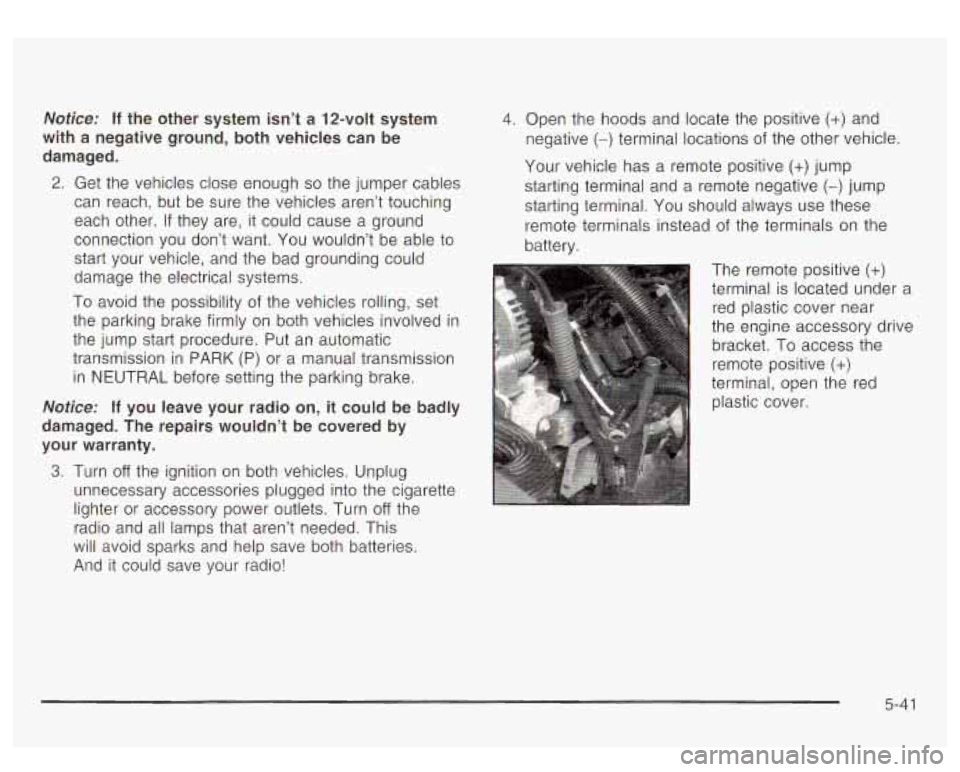
The remote positive
(+)
terminal is located under a red plastic cover near
the engine accessory drive
bracket.
To access the
remote positive
(+)
terminal, open the red
plastic cover.
5-41