ignition GMC YUKON DENALI 2003 Service Manual
[x] Cancel search | Manufacturer: GMC, Model Year: 2003, Model line: YUKON DENALI, Model: GMC YUKON DENALI 2003Pages: 447, PDF Size: 21.97 MB
Page 196 of 447

OIL LIFE RESET ENGINE COOLANT HOT
This message will appear on the display for about
10 seconds after resetting the change engine oil
message.
OIL PRESSURE LOW
If low oil pressure levels occur, this message will be
displayed on the DIC and a chime will sound. Stop the
vehicle as soon as safely possible and do not operate
it until the cause of the low oil pressure has been
corrected. Check your oil as soon as possible and have
your vehicle serviced.
CHECK OIL LEVEL
If the oil level in the vehicle is low, this message will
appear on the DIC. Check the oil level and correct it as
necessary. You may need
to let the vehicle cool or
warm up and cycle the ignition
to be sure this message
will clear. Once the problem is corrected, pressing
the select button will clear this message from the DIC
display. This message will clear itself after
10 seconds
until the next igntion cycle.
LOW COOLANT LEVEL
If the engine coolant level is low, this message will
appear on the DIC. Adding coolant will clear the
message. This message will clear itself after
10 seconds
until the next igntion cycle. If
the cooling system temperature gets hot, this message
will appear in the DIC. Stop the vehicle and
let the
engine idle in PARK
(P) to allow the coolant to reach a
safe temperature. This message will clear when the
coolant temperature drops
to a safe operating
temperature.
ENGINE OVERHEATED
If the engine cooling system reaches unsafe
temperatures for operation, this message will appear in
the DIC and you will hear a chime. Stop and turn
off
the vehicle as soon as it is safe to do so to avoid severe
damage. This message will clear when the engine
has cooled
to a safe operating temperature.
REDUCED ENGINE POWER
This message is displayed and you will hear a chime
when the cooling system temperature gets too hot
and the engine further enters the engine coolant
protection mode.
See
Engine Overheating on page 5-25 for further
information.
3-53
Page 197 of 447
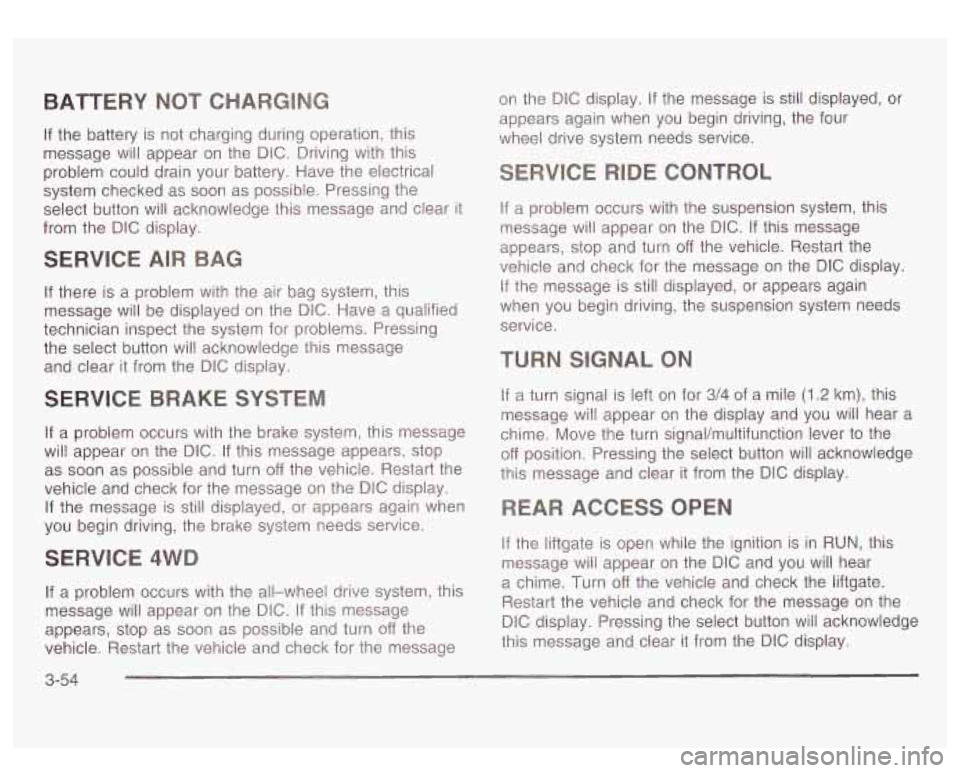
BATTERY
If the battery is not charging during operation, this
message will appear
on the DIG. Driving with this
problem could drain your battery. Have the electrical
system checked as soon as possible. Pressing the
select button will acknowledge this message and clear
it
from the DIC display.
SERVlCE AIR
If there is a problem with the air bag system, this
message will be displayed on the DIC. Have a qualified
technician inspect the system for problems. Pressing
the select button will acknowledge this message
and clear
it from the DIC display.
SERVICE BRAKE SYSTE
If a problem occurs with the brake system, this message
will appear on the DIC. If this message appears, stop
as soon as possible and turn
off the vehicle. Restart the
vehicle and check for the message
on the DIC display.
If the message is still displayed, or appears again when
you begin driving, the brake system needs service.
SERVICE 4W
If a problem occurs with the all-wheel drive system? this
message will appear on the DIG.
If this message
appears, stop as
soon as possible and turn off the
vehicle. Restart the vehicle and check for the message
3-54
on the DIC display. If the message is still displayed, or
appears again when you begin driving, the four
wheel drive system needs service.
ONTROL
If a problem occurs with the suspension system, this
message will appear on the DIC.
If this message
appears, stop and turn
off the vehicle. Restart the
vehicle and check for the message on the
DIC display.
If the message is still displayed, or appears again
when you begin driving, the suspension system needs
service.
TURN SIGNAL ON
If a turn signal is left on for 3/4 of a mile (1.2 km), this
message will appear on the display and you will hear a
chime. Move the turn signal/multifunction lever
to the
off position. Pressing the select button will acknowledge
this message and clear
it from the DIC display.
If the liftgate is open while the ignition is in
RUN, this
message will appear on the DIC and you will hear
a chime. Turn
off the vehicle and check the liftgate.
Restart the vehicle and check for the message on the
DlC display. Pressing the select button will acknowledge
this message and clear it from the
DIC display.
Page 198 of 447

FUEL LEVEL LOW
If the fuel level is low, this message will appear on the
DIC and you will hear a chime. Refuel as soon as
possible. Pressing the select button will acknowledge
this message immediately and clear it from the DIC
display. It will also clear itself after
10 seconds until the
next ignition cycle. The low fuel light near the fuel
gage will still remain on in either case.
CHECK WASHER FLUID
If the washer fluid level is low, this message will appear
on the DIC. Adding washer fluid will clear the message.
Pressing the select button will acknowledge this
message and clear it from the DIC display. This
message will clear itself after
10 seconds until the next
igntion cycle.
TRANSMISSION HOT
If the transmission fluid temperature becomes high, the
message center will display this message.
When the transmission enters the protection mode, you
may notice a change in the transmission shifting
patterns. When the transmission fluid temperature
returns
to normal, the display will turn off and the
transmission shifting patterns will return
to normal.
Notice: If you keep driving your vehicle with the
transmission
TRANS FLUID HOT message
displayed, you can damage the transmission. This
could lead to costly repairs that may not be covered
under your warranty.
The following situations can cause the transmission to
operate at higher temperatures:
Towing a trailer
@ Hot outside air temperatures
Hauling a large or heavy load
Low transmission fluid level
High transmission fluid level
Restricted air flow to the radiator.
A temporary solution
to hotter transmission operating
temperatures may be
to let the transmission cool down.
If the transmission is operated at higher temperatures
on a frequent basis, see Scheduled Maintenance
on page 6-5 for the proper transmission maintenance
intervals.
TRANS HOT IDLE ENGINE
If the transmission fluid in the vehicle gets hot, this
message will appear on the DIC along with a continuous
chime. Driving with the transmission fluid temperature
high can cause damage
to the vehicle.
3-55
Page 201 of 447
Audio System(s)
Notice: Before you add any sound equipment to
your vehicle
- like a tape player, CB radio, mobile
telephone or two-way radio
- be sure you can
add what you want. If you can, it’s very important to
do
it properly. Added sound equipment may
interfere with the operation of your vehicle’s engine,
Delphi Electronics radio or other systems, and
even damage them. Your vehicle’s systems may interfere with the operation of sound equipment that
has been added improperly.
So, before adding sound equipment, check with
your dealer and be sure to check federal rules
covering mobile radio and telephone units.
Your audio system has been designed to operate easily
and to give years of listening pleasure. You will get
the most enjoyment out of
it if you acquaint yourself with
it first. Find out what your audio system can do and
how to operate all
of its controls to be sure you’re getting
the most out of the advanced engineering that went
into it. Your
vehicle may have a feature called Retained
Accessory Power (RAP). With RAP, you can play your
audio system even after the ignition is turned
off.
See “Retained Accessory Power (RAP)” under Ignition
Positions on page 2- 18.
Setting the Time
Press and hold the HR button until the correct hour
appears
on the display. Press and hold the MN button
until the correct minute appears on the display. The time
may be set with the ignition on or
off.
To synchronize the time with an FM station broadcasting
Radio Data System (RDS) information, press and
hold the hour and minute buttons at the same time until
RDS TIME appears
on the display. To accept this
time, press and hold the hour and minute buttons, at the
same time, for another
2 seconds. If the time is not
available from the station,
NO UPDAT will appear on the
display instead.
RDS time is broadcast once a minute. Once you have
tuned to an RDS broadcast station,
it may take a
few minutes for your time
to update.
3-58
Page 203 of 447
Playing the Radio
PWR (Power): Press this knob to turn the system on
and
off.
VOL (Volume): Turn this knob to increase or to
decrease volume.
AUTO VOL (Automatic Volume): With automatic
volume, your audio system adjusts automatically
to make up for road and wind noise as you drive.
Set the volume at the desired level. Press this button
until AVOL ON appears on the display. Then as
you drive, automatic volume increases the volume as
necessary to overcome noise at any speed. The volume
level should always sound the same
to you as you
drive. To turn automatic volume
off, press this button
until AVOL OFF appears on the display.
DlSP (Display): Push this knob to switch the display
between radio station frequency and time. Time display
is available with the ignition turned
off.
For RDS, push this knob to change what appears on
the display while using
RDS. The display options
are station name,
RDS station frequency, PTY and the
name of the program
(if available).
For XMTM
(USA only, if your radio is equipped with
XMTM Satellite Radio Service), push this knob while in
XM mode to retrieve various pieces of information
related to the current song or channel. By pressing and
releasing this knob, you may retrieve four different
categories of information: Artist, Song Title, Category or
PTY, Channel Number/Channel Name.
To change the default on the display, push this knob
until you see the display you want, then hold the knob
for two seconds. The radio will produce one beep
and selected display will now be the default.
3-60
Page 211 of 447
Playing a Cassette Tape
Your tape player is built to work best with tapes that are
up
to 30 to 45 minutes long on each side. Tapes
longer than that are
so thin they may not work well in
this player. The longer side with the tape visible should
face
to the right. If the ignition is on, but the radio is
off, the tape can be inserted and will begin playing. A
tape symbol is shown on the display whenever a tape is
inserted. If you hear nothing but a garbled sound, the
tape may not be in squarely. Press the eject symbol
to
remove the tape and start over.
While the tape is playing, use the VOL, AUDIO and
SEEK controls just as you
do for the radio. The display
will show TAPE and an arrow showing which side of
the tape is playing.
If you want to insert a tape while the ignition is off, first
press the eject symbol or DISP.
If an error appears on the display, see “Cassette Tape
Messages” later in this section.
1 PREV (Previous): Your tape must have at least three
seconds of silence between each selection for previous
to work. Press this pushbutton to go to the previous
selection on the tape
if the current selection has been
playing for less than three seconds.
If pressed when the
current selection has been playing from 3
to 13 seconds,
it
will go to the beginning of the previous selection or
the beginning
of the current selection, depending upon
the position on the tape. If pressed when the current
3-68 selection has been playing
for more than 13 seconds, it
will go
to the beginning of the current selection.
SEEK and a negative number will appear on the display
while the cassette player is in the previous mode.
Pressing this pushbutton multiple times will increase the
number of selections
to be searched back, up to -9.
2 NEXT: Your tape must have at least three seconds of
silence between each selection for next
to work. Press
this pushbutton
to go to the next selection on the tape. If
you press the pushbutton more than once, the player will
continue moving forward through the tape. SEEK and a
positive number will appear on the display.
3 REV (Reverse): Press this pushbutton to reverse the
tape rapidly. Press it again
to return to playing speed.
The radio will play while the tape reverses. The
station frequency and
REV will appear on the display.
You may select stations during reverse operation
by using the
TUNE and SEEK.
4 FWD (Forward): Press this pushbutton to advance
quickly
to another part of the tape. Press this pushbutton
again
to return to playing speed. The radio will play
while the tape advances. The station frequency
and FWD will appear on the display. You may select
stations during forward operation by using TUNE
and SEEK.
5 SIDE: Press this pushbutton to play the other side of
the tape.
Page 213 of 447
To activate the bypass feature, perform the
following steps:
1. Turn the ignition on.
2. Turn the radio off.
3. Press and hold the TAPE DISC button for five
seconds. The radio will display READY and the
tape symbol on the display will flash, indicating the
feature is
4. Insert the
power up active.
adapter into the cassette tape slot. It will
the radio and begin playing.
The override feature will remain active until the eject
symbol is pressed.
Playing a Compact Disc
Insert a disc partway into the slot, label side up. The
player will pull it in and the disc should begin playing.
The display will show the CD symbol. If you want
to insert a compact disc with the ignition
off, first press
DlSP or the eject symbol.
If an error appears on the display, see “Compact Disc
Messages’’ later in this section.
1 PREV (Previous): Press this pushbutton to go to the
previous track
if the current track has been playing
for less than eight seconds. If pressed when the current
track has been playing for more than eight seconds,
it will go to the beginning of the current track. TRACK
and the track number will appear on the display. If
you hold this pushbutton or press it more than
once, the player will continue moving back through
the disc.
2 NEXT: Press this pushbutton to go to the next track.
TRACK and the track number will appear on the
display. If you hold this pushbutton or press it more than
once, the player will continue moving forward through
the disc.
3 REV (Reverse): Press and hold this pushbutton to
reverse quickly within a track. Press and hold this
pushbutton for less than two seconds
to reverse at six
times the normal playing speed. Press and hold it
for more than two seconds to reverse at 17 times the
normal playing speed. Release it to play the passage.
The display will show ET and the elapsed time.
4 FWD (Forward): Press and hold this pushbutton to
advance quickly within a track. Press and hold this
pushbutton for less than two seconds to advance at six
times the normal playing speed. Press and hold it for
more than two seconds
to advance at 17 times the
normal playing speed. Release it to play the passage.
The display will show ET and the elapsed time.
6 RDM (Random): Press this pushbutton to hear the
tracks in random, rather than sequential, order. RDM
ON
will appear on the display. RDM T and the track
number will appear on the display when each track
starts to play. Press this pushbutton again to turn
off random play. RDM OFF will appear on the display.
3-70
Page 214 of 447
4 SEEK b : Press the left arrow to go to the start of
the current or to the previous track. Press the right
arrow to go
to the start of the next track. If either arrow
is held or pressed more then once, the player will
continue moving backward or forward through the
CD.
4 SCAN b : To scan the disc, press and hold
either SCAN arrow for more than two seconds until
SCAN appears on the display and you hear a beep. Use
this feature
to listen to 10 seconds of each track of
the disc. Press either SCAN arrow again,
to stop
scanning.
DlSP (Display): Press this knob to see how long the
current track has been playing. ET and the elapsed time
will appear on the display.
To change the default on
the display (track or elapsed time), push the knob until
you see the display you want, then hold the knob
for two seconds. The radio will produce one beep and
selected display will now be the default.
BAND: Press this button to listen to the radio when a
CD is playing. The CD will stop but remain in the player.
TAPE DISC: Press this button to play a tape when
listening to the radio. Press this button to switch
between the tape and compact disc
if both are loaded.
The inactive tape or CD will remain safely inside the
radio for future listening.
(Eject): Press this button to stop a CD when it is
playing or
to eject a CD when it is not playing. Eject
may be activated with either the ignition or radio
off. CDs
may be loaded with the radio and ignition
off if this
hL!tton
is pressed first:
Compact Disc Messages
If the disc comes out, it could be for one of the following
reasons:
0 You’re driving on a very rough road. When the road
0 It’s very hot. When the temperature returns to
* The disc is dirty, scratched, wet or upside down.
* The air is very humid. If so, wait about an hour and
becomes smoother
the disc should play.
normal, the disc should play.
try again.
If the CD is not playing correctly,
try a known good CD.
If any error occurs repeatedly or
corrected, contact your dealer. for
any other reason, if an error can’t be
3-71
Page 215 of 447
Listening to a DVD Before You Drive
Your vehicle may have an overhead Rear Seat
Entertainment (RSE) System. If your vehicle has this
system and a DVD is playing, the DVD symbol will
appear on the radio display indicating that the DVD is
available and can be listened through your vehicle’s
speakers.
To listen to the DVD, press the TAPE DISC
button until RSE appears on the radio display. The
current radio source will stop and the DVD sound will
come through the speakers. To stop listening to
the DVD, press the TAPE DISC button,
if a cassette
tape or a CD is loaded, or press the BAND button
to select a different source.
When the RSE system is turned
off, the DVD symbol
will go off of the radio display and the radio will display
RSE
OFF. The radio will return to the last radio
source that you were listening
to.
Rear Seat Entertainment System
Your vehicle may have the optional Digital Versatile Disc
(DVD) Rear Seat Entertainment (RSE) system. The
RSE system includes a DVD player, a video display
screen, two sets of wireless headphones, and a remote
control. The
RSE system is for rear seat passengers. The driver
cannot safely view the video screen while driving and
should not try
to do so.
DVD Player
The DVD player is located in the overhead console.
The DVD player can be controlled by the buttons on the
DVD player and by the buttons on the remote control.
See “Remote Control’’ later in this section for more
information.
The DVD player power may be turned on when the
ignition is in RUN, ACCESSORY, or when Retained
Accessory Power (RAP) is active.
The RSE system DVD player is only compatible with
DVDs of the appropriate DVD region code for the
country that the vehicle was sold in. The DVD region
code is printed on the jacket of most DVDs.
The DVD player will also play audio CDs. Home
recorded CDs (CD-R or CD-RW formats) will not play in
this DVD player.
3-72
Page 216 of 447
If an error message appears on the video screen, see
“DVD Messages” later in this section.
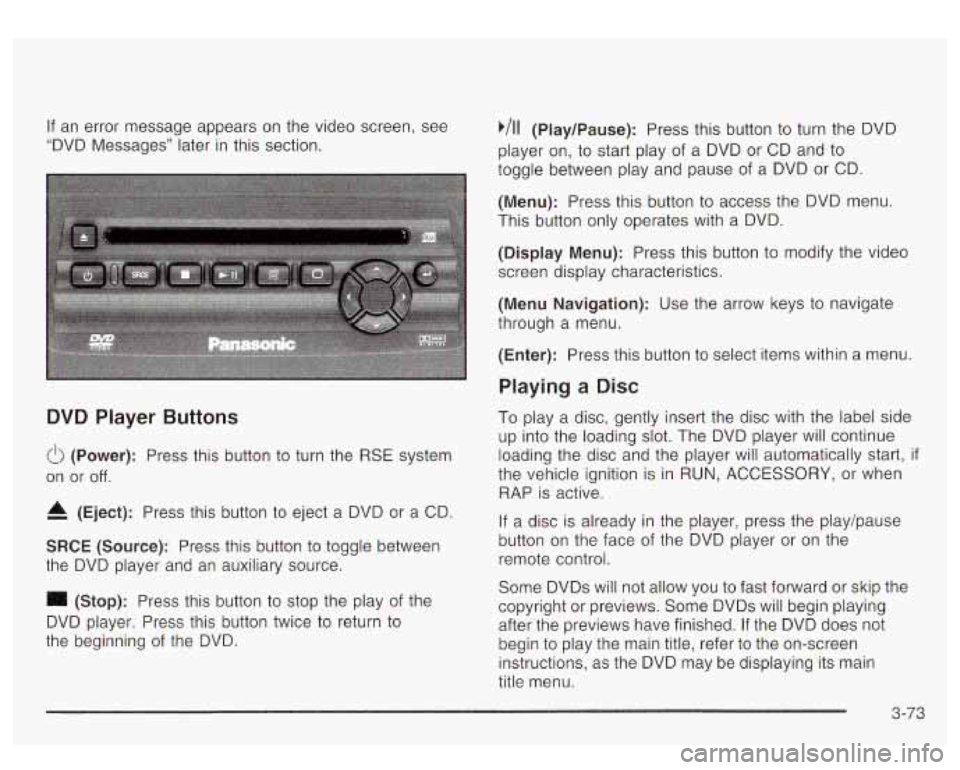
DVD Player Buttons
(Power): Press this button to turn the RSE system
on or
off.
4 (Eject): Press this button to eject a DVD or a CD.
SRCE (Source): Press this button to toggle between
the DVD player and an auxiliary source.
(Stop): Press this button to stop the play of the
DVD player. Press this button twice
to return to
the beginning
of the DVD.
,111 (Play/Pause): Press this button to turn the DVD
player on, to start play of a DVD or CD and
to
toggle between play and pause of a DVD or CD.
(Menu): Press this button to access the DVD menu.
This button only operates with a DVD.
(Display Menu): Press this button to modify the video
screen display characteristics.
(Menu Navigation): Use the arrow keys to navigate
through a menu.
(Enter): Press this button to select items within a menu
Playing a Disc
To play a disc, gently insert the disc with the label side
up into the loading slot. The DVD player will continue
loading the disc and the player will automatically start,
if
the vehicle ignition is in RUN, ACCESSORY, or when
RAP is active.
If a disc is already in the player, press the play/pause
button on the face of the DVD player or on the
remote control.
Some DVDs will not allow you to fast forward or skip the
copyright or previews. Some DVDs will begin playing
after the previews have finished. If the DVD does not
begin
to play the main title, refer to the on-screen
instructions, as the DVD may be displaying its main
title menu.
3-73