light HUMMER H3 2010 Manual Online
[x] Cancel search | Manufacturer: HUMMER, Model Year: 2010, Model line: H3, Model: HUMMER H3 2010Pages: 410, PDF Size: 2.24 MB
Page 238 of 410
9-54 Driving and Operating
When the vehicle is started and
begins to move, the system
performs several diagnostic checks
to insure there are no problems.
The system may be heard or felt
while it is working. This is normal
and does not mean there is a
problem with the vehicle.
If cruise control is being used when
StabiliTrak activates, the cruise
control automatically disengages.
The cruise control can be
re-engaged when road conditions
allow. SeeCruise Control
on
page 9‑57.
If there is a problem detected with
StabiliTrak, a SERVICE STAB SYS
message displays on the Driver
Information Center (DIC). See
Driver Information Center (DIC)
on
page 5‑18for more information.
When this message is displayed,
the system is not working. Adjust
your driving accordingly. StabiliTrak comes on automatically
whenever the vehicle is started and
resets itself at each ignition cycle.
However, when the transfer case is
placed in Four‐Wheel‐Low Lock
mode, StabiliTrak is automatically
disabled. See
Four-Wheel Drive
on
page 9‑46for more information.
It is recommended to leave the
system on for normal driving
conditions, but it may be necessary
to turn the system off if the vehicle
is stuck in sand, mud, ice, or snow,
and it is necessary to “rock”the
vehicle to attempt to free it. See If
the Vehicle is Stuck
on page 9‑26.
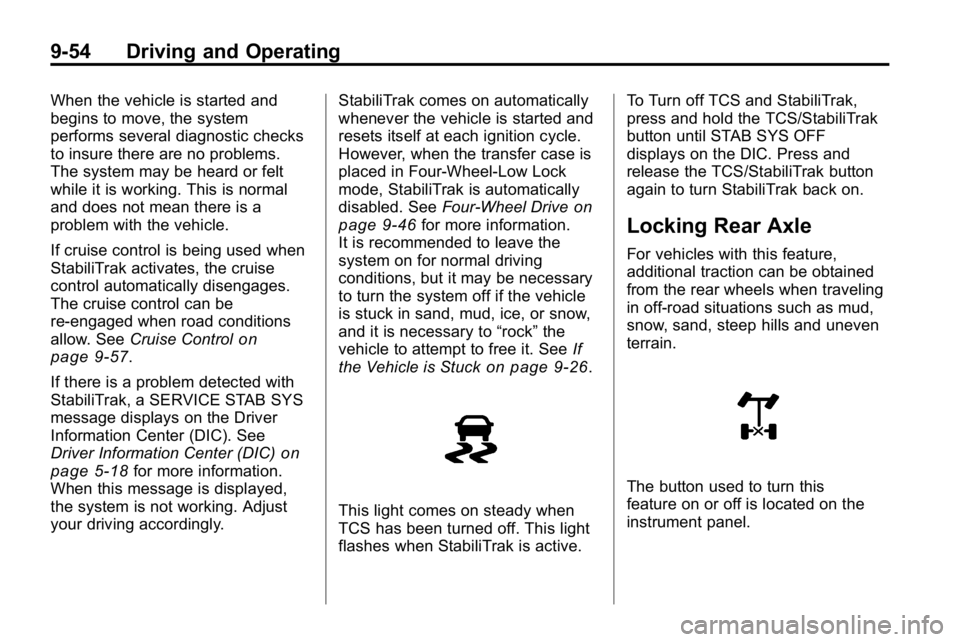
This light comes on steady when
TCS has been turned off. This light
flashes when StabiliTrak is active. To Turn off TCS and StabiliTrak,
press and hold the TCS/StabiliTrak
button until STAB SYS OFF
displays on the DIC. Press and
release the TCS/StabiliTrak button
again to turn StabiliTrak back on.
Locking Rear Axle
For vehicles with this feature,
additional traction can be obtained
from the rear wheels when traveling
in off-road situations such as mud,
snow, sand, steep hills and uneven
terrain.
The button used to turn this
feature on or off is located on the
instrument panel.
Page 239 of 410
Driving and Operating 9-55
To lock the rear axle, do the
following:
1. Place the transfer case in the4LO Lock mode. This is the
only mode which will allow
the rear axle to lock. See
Four-Wheel Drive
on page 9‑46for more information regarding
the transfer case and
4LO Lock mode.
2. Press the rear axle locking button with the vehicle moving
less than 26 km/h (16 mph).
The light in the button stops flashing
and remains illuminated when the
rear axle is locked.
Notice: If you try to lock the axle
while the vehicle is stuck and the
tires are spinning, the vehicle's
drivetrain could be damaged. The repairs would not be covered
by the vehicle warranty. Always
lock the axle before attempting
situations and/or navigating
terrain which could possibly
cause the vehicle to become
stuck.
The locking rear axle will be
disengaged when the wheel speed
is greater than 64 km/h (40 mph),
if the vehicle's battery is low and/or
the transfer case is shifted out of
4LO Lock mode.
Notice:
If the vehicle's axle
is locked while driving on
pavement, the drivetrain could be
damaged. Repairs would not be
covered by the vehicle warranty.
Do not use the locking axle on
pavement. If four-wheel drive is
needed when traveling on
pavement, use only 4HI.
Locking Front Axle
For vehicles with this feature, the
locking front axle, used with the
locking rear axle, can give the
vehicle additional traction when
traveling in off-road situations such
as mud, snow, sand, steep hills and
uneven terrain.
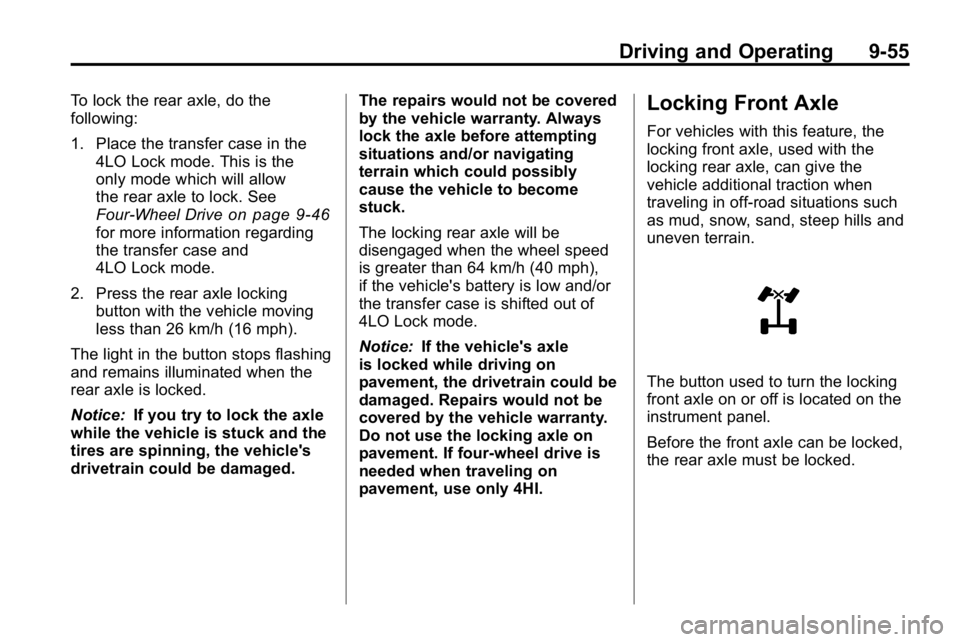
The button used to turn the locking
front axle on or off is located on the
instrument panel.
Before the front axle can be locked,
the rear axle must be locked.
Page 240 of 410
9-56 Driving and Operating
To lock the front and rear axles:
1. Place the transfer case in the4LO Lock mode. This is the
only mode which allows the
front and rear axles to lock.
See Four-Wheel Drive
on
page 9‑46for more information
regarding the transfer case and
4LO Lock mode.
2. Press the rear axle locking button with the vehicle moving
less than 16 mph (26 km/h).
3. Wait for the light in the button to stop flashing and remain
illuminated to show that the rear
axle is locked.
4. Press the front axle locking button with the vehicle stopped
or moving less than 26 km/h
(16 mph). 5. Wait for the light in the button
to stop flashing and remain
illuminated to show that the front
axle is locked.
Notice: If you try to lock the axle
while the vehicle is stuck and the
tires are spinning, the vehicle's
drivetrain could be damaged.
The repairs would not be covered
by the vehicle warranty. Always
lock the axle before attempting
situations and/or navigating
terrain which could possibly
cause the vehicle to become
stuck. Locking axles will be disengaged
when the wheel speed is greater
than 64 km/h (40 mph), if the
vehicle's battery is low and/or the
transfer case is shifted out of
4LO Lock mode.
Notice:
If the vehicle's axle
is locked while driving on
pavement, the drivetrain could be
damaged. Repairs would not be
covered by the vehicle warranty.
Do not use the locking axle on
pavement. If four-wheel drive is
needed when traveling on
pavement, use only 4HI.
Page 244 of 410
9-60 Driving and Operating
Ending Cruise Control
To turn off the cruise control, do
one of the following:
.Step lightly on the brake pedal.
.Move the cruise control switch
to
9.
.Lightly tap or press the clutch,
if the vehicle has a manual
transmission.
Erasing Speed Memory
The cruise control set speed
memory is erased, when the cruise
control or the ignition is turned off.
Object Detection
Systems
Rear Vision
Camera (RVC)
Vehicles with the rear vision camera
system are designed to help the
driver while the vehicle is backing
up. The area behind the vehicle is
displayed on the screen in the
inside rear view mirror. Read this
entire section before using the
camera system.
When the key is in the ON/RUN
position and the driver shifts the
vehicle into R (Reverse), the video
image appears from inside the rear
view mirror. Once the vehicle is
shifted out of R (Reverse), the
image disappears. The display may have a guideline
overlay that can help the driver align
the vehicle when backing into a
parking spot.
Turning the Rear Vision Camera
System On or Off
To turn off the rear vision camera
system, press and hold
z, located
on the inside rearview mirror, until
the left indicator light turns off. The
rear camera vision display is now
disabled.
To turn the rear vision camera
system on again, press and
hold
zuntil the left indicator light
illuminates. The rear vision camera
system display is now enabled and
the display will appear in the mirror
normally.
Page 247 of 410
Driving and Operating 9-63
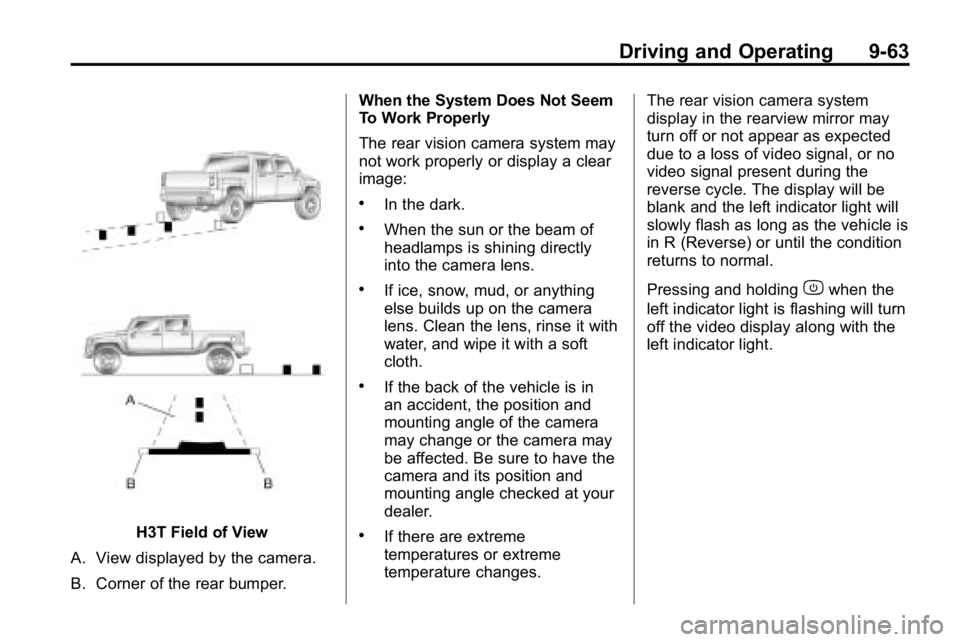
H3T Field of View
A. View displayed by the camera.
B. Corner of the rear bumper. When the System Does Not Seem
To Work Properly
The rear vision camera system may
not work properly or display a clear
image:
.In the dark.
.When the sun or the beam of
headlamps is shining directly
into the camera lens.
.If ice, snow, mud, or anything
else builds up on the camera
lens. Clean the lens, rinse it with
water, and wipe it with a soft
cloth.
.If the back of the vehicle is in
an accident, the position and
mounting angle of the camera
may change or the camera may
be affected. Be sure to have the
camera and its position and
mounting angle checked at your
dealer.
.If there are extreme
temperatures or extreme
temperature changes.
The rear vision camera system
display in the rearview mirror may
turn off or not appear as expected
due to a loss of video signal, or no
video signal present during the
reverse cycle. The display will be
blank and the left indicator light will
slowly flash as long as the vehicle is
in R (Reverse) or until the condition
returns to normal.
Pressing and holding
zwhen the
left indicator light is flashing will turn
off the video display along with the
left indicator light.
Page 253 of 410
Driving and Operating 9-69
This would allow fuel to evaporate
into the atmosphere. See
Malfunction Indicator Lamp
on
page 5‑12.
The FUEL CAP message displays
on the Driver Information Center
(DIC) if the fuel cap is not properly
installed. See Fuel System
Messages
on page 5‑24for
more information.
{WARNING
If a fire starts while you are
refueling, do not remove the
nozzle. Shut off the flow of fuel
by shutting off the pump or by
notifying the station attendant.
Leave the area immediately.
Notice: If a new fuel cap is
needed, be sure to get the right
type of cap from your dealer.
The wrong type fuel cap might
not fit properly, might cause the
malfunction indicator lamp to light, and could damage the fuel
tank and emissions system.
See
Malfunction Indicator Lamp
on page 5‑12.
Filling a Portable Fuel
Container
{WARNING
Never fill a portable fuel container
while it is in the vehicle. Static
electricity discharge from the
container can ignite the fuel
vapor. You can be badly burned
and the vehicle damaged if this
occurs. To help avoid injury to you
and others:
.Dispense fuel only into
approved containers.
.Do not fill a container while
it is inside a vehicle, in a
vehicle's trunk, pickup bed,
or on any surface other than
the ground.
(Continued)
WARNING (Continued)
.Bring the fill nozzle in contact
with the inside of the fill
opening before operating the
nozzle. Contact should be
maintained until the filling is
complete.
.Do not smoke while
pumping fuel.
.Do not use a cellular phone
while pumping fuel.
Page 263 of 410
Driving and Operating 9-79
Safety Chains
Always attach chains between the
vehicle and the trailer. Cross the
safety chains under the tongue
of the trailer to help prevent the
tongue from contacting the road if it
becomes separated from the hitch.
Always leave just enough slack so
the rig can turn. Never allow safety
chains to drag on the ground.
Trailer Brakes
A loaded trailer that weighs more
than 680 kg (1,500 lbs) needs to
have its own brake system that
is adequate for the weight of the
trailer. Be sure to read and follow
the instructions for the trailer brakes
so they are installed, adjusted and
maintained properly.
Trailer Wiring Harness
Light‐Duty Trailer Wiring Package
If the vehicle does not have a
trailer towing package, the chassis
harness will contain the following
blunt cut circuits:
.Yellow: Left Stop/Turn Signal
.Dark Green: Right Stop/Turn
Signal
.White: Ground
.Brown: Tail Lamps
To add a trailer towing wiring
package, have it installed by
your dealer or a qualified service
center. Also, see Add-On Electrical
Equipment
on page 9‑81for more
information. Heavy-Duty Trailer Wiring Package
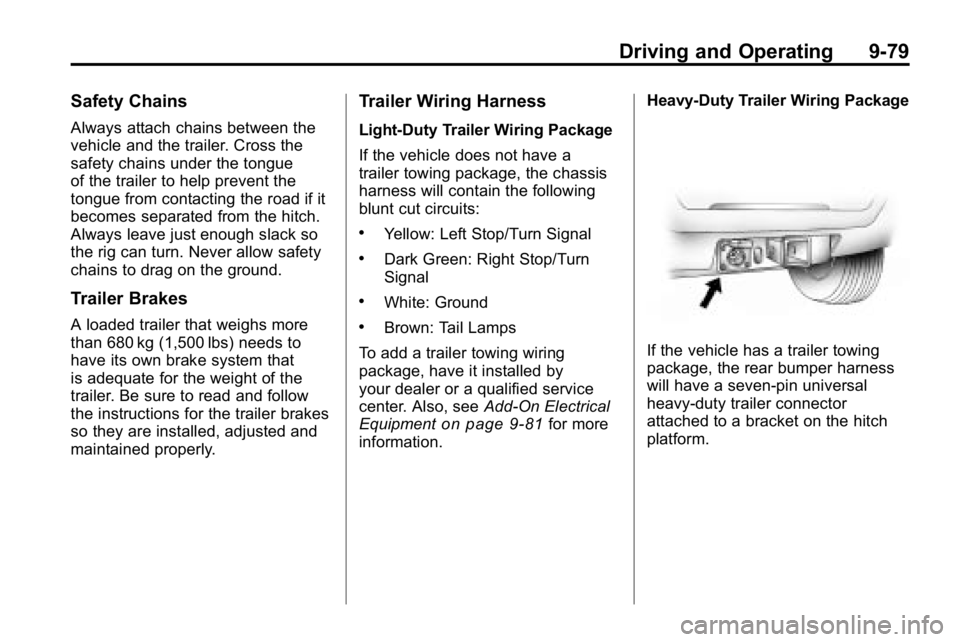
If the vehicle has a trailer towing
package, the rear bumper harness
will have a seven‐pin universal
heavy‐duty trailer connector
attached to a bracket on the hitch
platform.
Page 264 of 410
9-80 Driving and Operating
The trailer towing harness contains
the following seven trailer circuits:
.Yellow: Left Stop/Turn Signal
.Dark Green: Right Stop/Turn
Signal
.Brown: Taillamps
.White: Ground
.Light Green: Back-up Lamps
.Red: Battery Feed
.Dark Blue: Trailer Brake
If charging a remote (non‐vehicle)
battery, turn on the headlamps to
boost the vehicle system voltage to
properly charge the battery. Four-Wire Harness Adapter
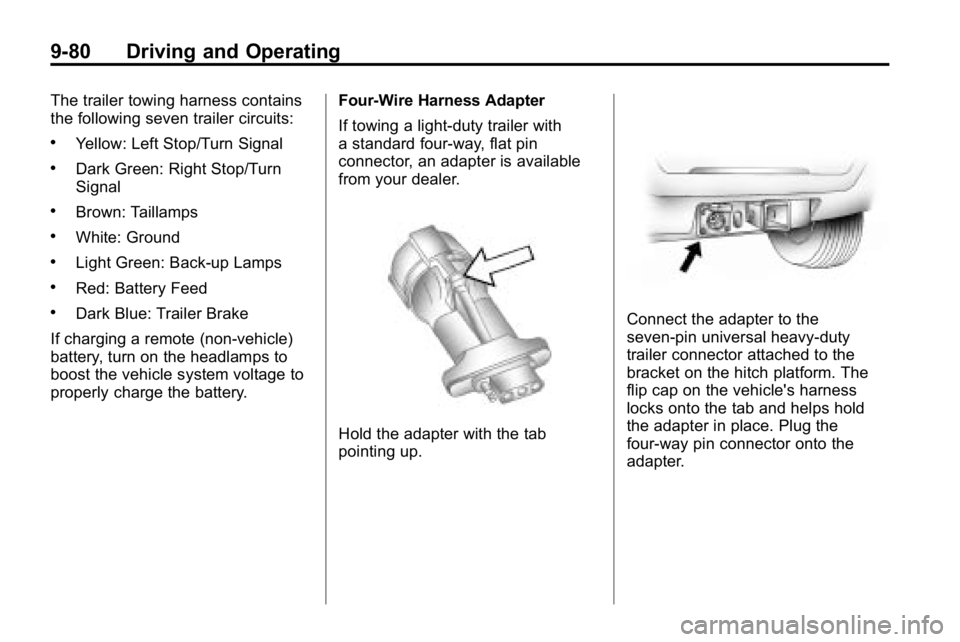
If towing a light-duty trailer with
a standard four-way, flat pin
connector, an adapter is available
from your dealer.
Hold the adapter with the tab
pointing up.
Connect the adapter to the
seven‐pin universal heavy‐duty
trailer connector attached to the
bracket on the hitch platform. The
flip cap on the vehicle's harness
locks onto the tab and helps hold
the adapter in place. Plug the
four-way pin connector onto the
adapter.
Page 265 of 410
Driving and Operating 9-81
Trailer Brake Control Wiring
Harness
The trailer brake control wiring
harness is located under the
instrument panel to the right of the
steering column. The wires are
taped to the harness that goes
to the courtesy light under the
instrument panel. The harness
has the following wires:
.Red Wire: AUX B+
.Black Wire: Ground
.Light Blue Wire: Brake Signal
.Dark Blue Wire: Trailer Brakes
Trailer Recommendations
Subtract the hitch loads from the
Cargo Weight Rating (CWR). CWR
is the maximum weight of the load
the vehicle can carry. It does not
include the weight of the people
inside, but you can figure about
68 kg (150 lbs) for each passenger.
The total cargo load must not be
more than the vehicles CWR.
Weigh the vehicle with the trailer
attached, so the GVWR or GAWR
are not exceeded. If using a
weight-distributing hitch, weigh the
vehicle without the spring bars in
place.
The best performance is obtained
by correctly spreading out the
weight of the load and choosing the
correct hitch and trailer brakes.
For more information seeTrailer
Towing on page 9‑74.
Conversions and
Add-Ons
Add-On Electrical
Equipment
Notice: Do not add anything
electrical to the vehicle unless
you check with your dealer first.
Some electrical equipment can
damage the vehicle and the
damage would not be covered
by the vehicle's warranty. Some
add-on electrical equipment can
keep other components from
working as they should.
Add-on equipment can drain the
vehicle battery, even if the vehicle is
not operating.
The vehicle has an airbag system.
Before attempting to add anything
electrical to the vehicle, see
Servicing the Airbag-Equipped
Vehicle
on page 3‑40and Adding
Equipment to the Airbag-Equipped
Vehicle on page 3‑40.
Page 292 of 410
10-26 Vehicle Care
Brakes
This vehicle has disc brakes. Disc
brake pads have built-in wear
indicators that make a high-pitched
warning sound when the brake pads
are worn and new pads are needed.
The sound can come and go or be
heard all the time the vehicle is
moving, except when applying the
brake pedal firmly.
{WARNING
The brake wear warning sound
means that soon the brakes will
not work well. That could lead to
an accident. When the brake
wear warning sound is heard,
have the vehicle serviced.
Notice: Continuing to drive with
worn-out brake pads could result
in costly brake repair. Some driving conditions or climates
can cause a brake squeal when the
brakes are first applied or lightly
applied. This does not mean
something is wrong with the brakes.
Properly torqued wheel nuts are
necessary to help prevent brake
pulsation. When tires are rotated,
inspect brake pads for wear and
evenly tighten wheel nuts in the
proper sequence to torque
specifications in
Capacities and
Specifications on page 12‑2.
Brake linings should always be
replaced as complete axle sets.
Brake Pedal Travel
See your dealer if the brake pedal
does not return to normal height,
or if there is a rapid increase in
pedal travel. This could be a sign
that brake service might be
required.
Brake Adjustment
Every time the brakes are applied,
with or without the vehicle moving,
the brakes adjust for wear.
Replacing Brake System Parts
The braking system on a vehicle is
complex. Its many parts have to be
of top quality and work well together
if the vehicle is to have really good
braking. The vehicle was designed
and tested with top-quality brake
parts. When parts of the braking
system are replaced, be sure to get
new, approved replacement parts.
If this is not done, the brakes might
not work properly. For example,
installing disc brake pads that are
wrong for the vehicle, can change
the balance between the front and
rear brakes —for the worse. The
braking performance expected can
change in many other ways if the
wrong replacement brake parts are
installed.