speed on Hyundai Elantra 2018 Manual PDF
[x] Cancel search | Manufacturer: HYUNDAI, Model Year: 2018, Model line: Elantra, Model: Hyundai Elantra 2018Pages: 526, PDF Size: 17.2 MB
Page 332 of 526
5-49
Driving your vehicle
5
RCTA (Rear Cross Traffic Alert)
The Rear Cross Traffic Alert feature mon-
itors approaching cross traffic from the
left and right side of the vehicle when
your vehicle is in reverse.
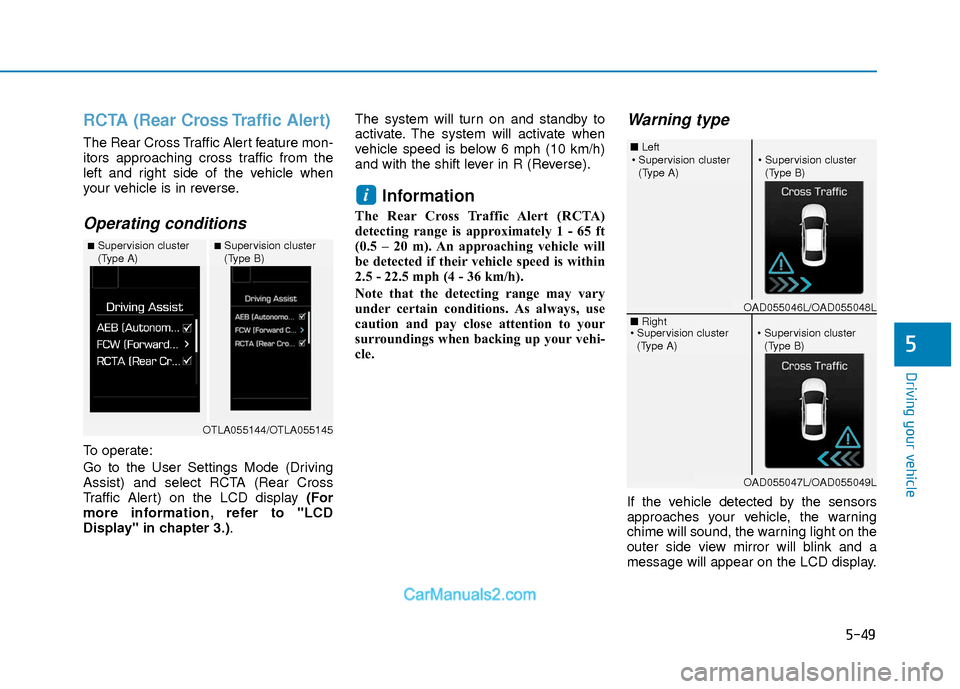
Operating conditions
To operate:
Go to the User Settings Mode (Driving
Assist) and select RCTA (Rear Cross
Traffic Alert) on the LCD display (For
more information, refer to "LCD
Display" in chapter 3.).The system will turn on and standby to
activate. The system will activate when
vehicle speed is below 6 mph (10 km/h)
and with the shift lever in R (Reverse).
Information
The Rear Cross Traffic Alert (RCTA)
detecting range is approximately 1 - 65 ft
(0.5 – 20 m). An approaching vehicle will
be detected if their vehicle speed is within
2.5 - 22.5 mph (4 - 36 km/h).
Note that the detecting range may vary
under certain conditions. As always, use
caution and pay close attention to your
surroundings when backing up your vehi-
cle.
Warning type
If the vehicle detected by the sensors
approaches your vehicle, the warning
chime will sound, the warning light on the
outer side view mirror will blink and a
message will appear on the LCD display.
i
■Supervision cluster
(Type A)■Supervision cluster
(Type B)
OTLA055144/OTLA055145
■
Left
■ Right
(Type A)(Type B)
OAD055046L/OAD055048L
OAD055047L/OAD055049L
(Type A)(Type B)
Page 334 of 526
5-51
Driving your vehicle
5
Limitations of the System
The driver must be cautious in the below
situations, because the system may not
detect other vehicles or objects in certain
circumstances.
- The vehicle drives on a curved road orthrough a tollgate.
- The sensor is polluted with rain, snow, mud, etc.
- The rear bumper where the sensor is located is covered with a foreign object
such as a bumper sticker, a bumper
guard, a bike rack, etc.
- The rear bumper is damaged, or the sensor is out of the original default posi-
tion.
- The vehicle height gets lower or higher due to heavy loading in a trunk, abnor-
mal tire pressure, etc.
- The vehicle drives in inclement weather such as heavy rain or snow.
- There is a fixed object near the vehicle, such as a guardrail.
- A big vehicle is near such as a bus or truck.
- A motorcycle or bicycle is near.
- A flat trailer is near. - If the vehicle has started at the same
time as the vehicle next to you and has
accelerated.
- When the other vehicle passes at a very fast speed.
- While changing lanes.
- While going down or up a steep road where the height of the lane is different.
- When the other vehicle approaches very close.
- When a trailer or carrier is installed.
- When the temperature near the rear bumper area is high or low.
- When the sensors are blocked by the other vehicles, walls or parking-lot pil-
lars.
- When the detected vehicle also moves back, as your vehicle drives back.
- If there are small objects in the detect- ing area such as a shopping cart or a
baby stroller.
- If there is a low height vehicle such as a sports car.
- When other vehicles are close to your vehicle.
- When the vehicle in the next lane moves two lanes away from you OR
when the vehicle two lanes away moves
to the next lane from you. - When driving through a narrow road
with many trees or bushes.
- When driving on wet surface.
Information
This device complies with Part 15 of the
FCC rules.
Operation is subject to the following two
conditions:
1. This device may not cause harmful interference, and
2. This device must accept any interfer- ence received, including interference
that may cause undesired operation.
i
Page 336 of 526
5-53
Driving your vehicle
5
Normal - When this condition is selected,
the initial Forward Collision
Warning is activated normally.
This setting allows for a nominal
amount of distance between
the vehicle ahead before the ini-
tial warning occurs.
Late - When this condition is selected,
the initial Forward Collision
Warning is activated later than
normal. This setting reduces the
amount of distance between the
vehicle ahead before the initial
warning occurs.Prerequisite for activation
The AEB system is on and ready when
AEB is selected on the LCD display and
when the following prerequisites are sat-
isfied:
- The ESC (Electronic Stability Control) or TCS (Traction Control System) is
activated.
- Driving speed exceeds approximately 6mph (10km/h). (The AEB
is only activated within a certain speed
range.)
- The system detects a pedestrian or a vehicle in front, which may collide with
your vehicle. (The AEB may not be acti-
vated or may sound a warning alarm in
accordance with the driving situation or
vehicle condition.)
Completely stop the vehicle on a
safe location before operating the
switch on the steering wheel to
activate/deactivate the AEB sys-
tem.
The AEB automatically activates
upon placing the ignition switch
to the ON position. The driver can
deactivate the AEB by canceling
the system setting on the LCD
display.
The AEB automatically deacti-
vates upon canceling the ESC
(Electronic Stability Control) or
TCS (Traction Control System).
When the ESC is canceled, the
AEB cannot be activated on the
LCD display.
WARNING
Page 338 of 526
5-55
Driving your vehicle
5
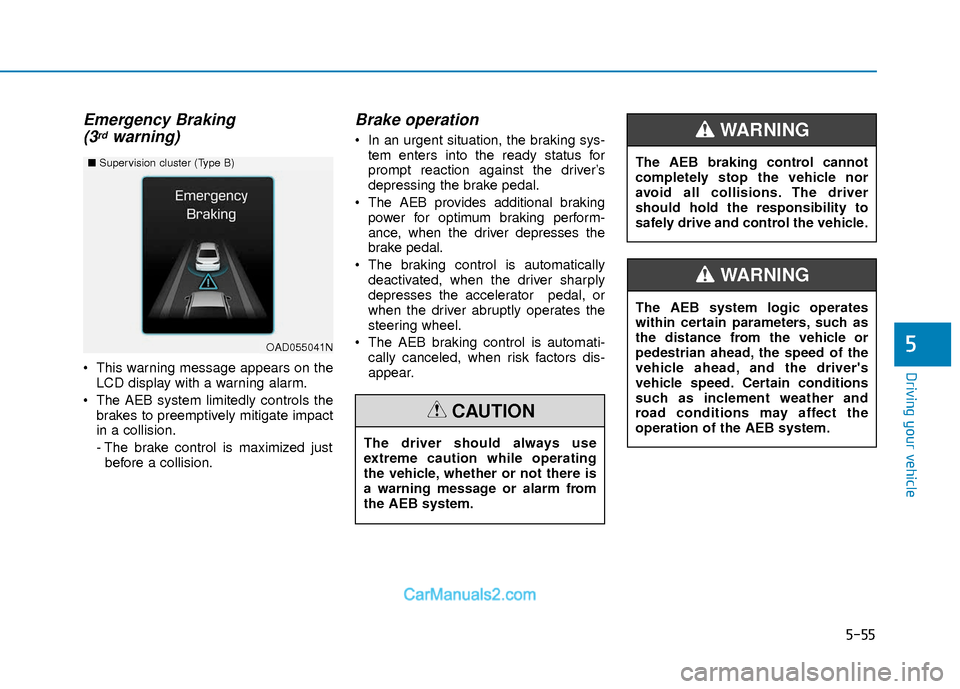
Emergency Braking(3rdwarning)
This warning message appears on the
LCD display with a warning alarm.
The AEB system limitedly controls the brakes to preemptively mitigate impact
in a collision.
- The brake control is maximized justbefore a collision.
Brake operation
In an urgent situation, the braking sys- tem enters into the ready status for
prompt reaction against the driver’s
depressing the brake pedal.
The AEB provides additional braking power for optimum braking perform-
ance, when the driver depresses the
brake pedal.
The braking control is automatically deactivated, when the driver sharply
depresses the accelerator pedal, or
when the driver abruptly operates the
steering wheel.
The AEB braking control is automati- cally canceled, when risk factors dis-
appear.
OAD055041N
■ Supervision cluster (Type B)
The driver should always use
extreme caution while operating
the vehicle, whether or not there is
a warning message or alarm from
the AEB system.
CAUTION
The AEB system logic operates
within certain parameters, such as
the distance from the vehicle or
pedestrian ahead, the speed of the
vehicle ahead, and the driver's
vehicle speed. Certain conditions
such as inclement weather and
road conditions may affect the
operation of the AEB system.
WARNING
The AEB braking control cannot
completely stop the vehicle nor
avoid all collisions. The driver
should hold the responsibility to
safely drive and control the vehicle.
WARNING
Page 340 of 526
5-57
Driving your vehicle
5
System Malfunction
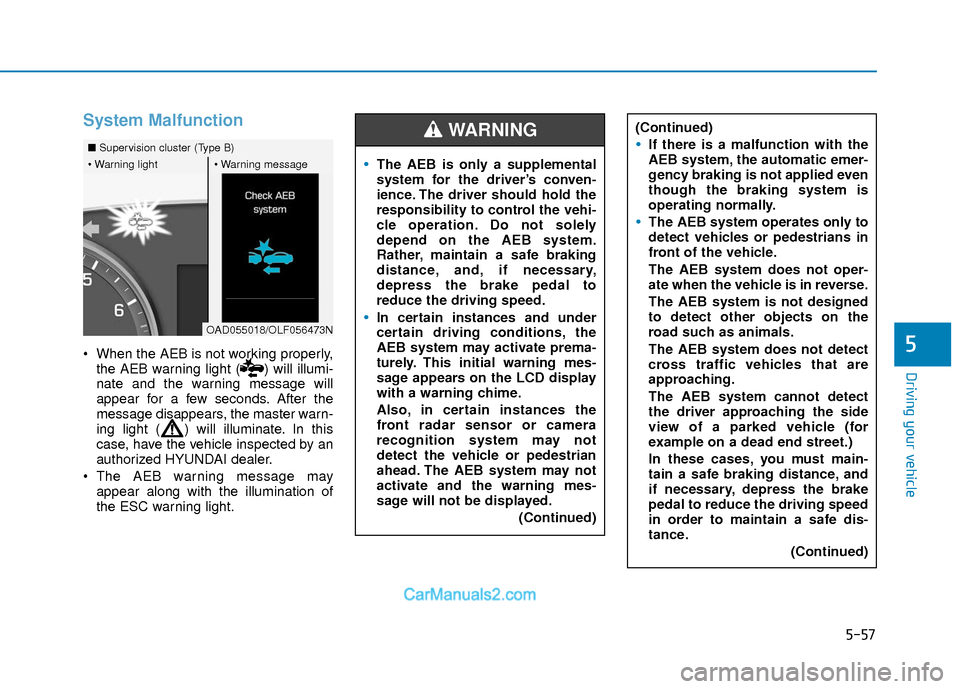
When the AEB is not working properly,the AEB warning light ( ) will illumi-
nate and the warning message will
appear for a few seconds. After the
message disappears, the master warn-
ing light ( ) will illuminate. In this
case, have the vehicle inspected by an
authorized HYUNDAI dealer.
The AEB warning message may appear along with the illumination of
the ESC warning light.
■ Supervision cluster (Type B)
OAD055018/OLF056473N
The AEB is only a supplemental
system for the driver’s conven-
ience. The driver should hold the
responsibility to control the vehi-
cle operation. Do not solely
depend on the AEB system.
Rather, maintain a safe braking
distance, and, if necessary,
depress the brake pedal to
reduce the driving speed.
In certain instances and under
certain driving conditions, the
AEB system may activate prema-
turely. This initial warning mes-
sage appears on the LCD display
with a warning chime.
Also, in certain instances the
front radar sensor or camera
recognition system may not
detect the vehicle or pedestrian
ahead. The AEB system may not
activate and the warning mes-
sage will not be displayed.
(Continued)
WARNING (Continued)
If there is a malfunction with the
AEB system, the automatic emer-
gency braking is not applied even
though the braking system is
operating normally.
The AEB system operates only to
detect vehicles or pedestrians in
front of the vehicle.
The AEB system does not oper-
ate when the vehicle is in reverse.
The AEB system is not designed
to detect other objects on the
road such as animals.
The AEB system does not detect
cross traffic vehicles that are
approaching.
The AEB system cannot detect
the driver approaching the side
view of a parked vehicle (for
example on a dead end street.)
In these cases, you must main-
tain a safe braking distance, and
if necessary, depress the brake
pedal to reduce the driving speed
in order to maintain a safe dis-
tance.(Continued)
Page 342 of 526
5-59
Driving your vehicle
5
- The vehicle in front is driving erratical-ly.
- The vehicle drives through a construc- tion area, on an unpaved road, or
above metal materials, such as a rail-
way.
- The vehicle drives inside a building, such as a basement parking lot.
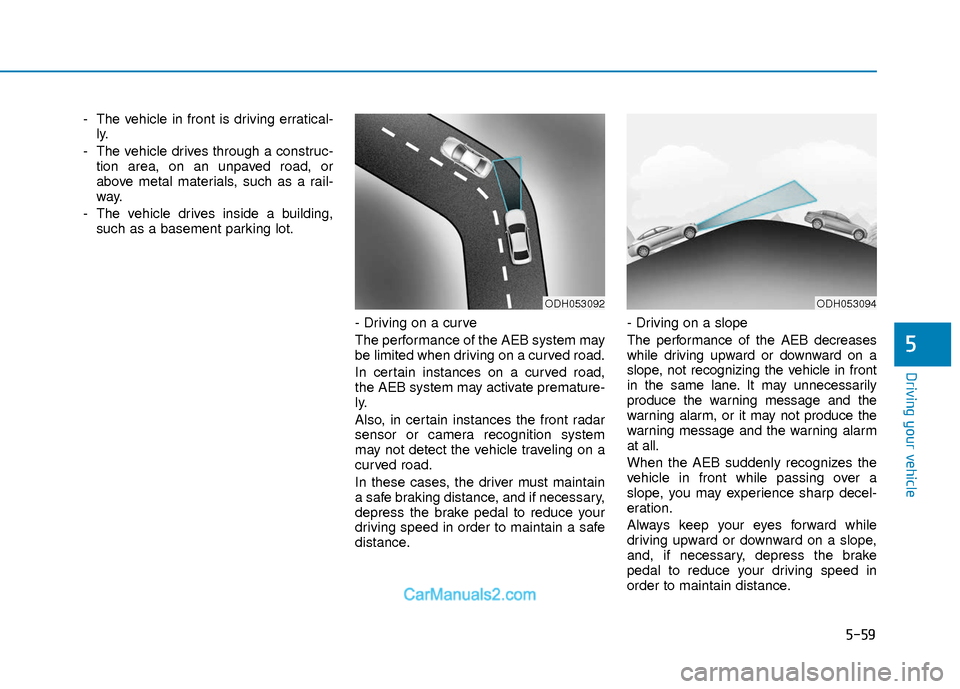
- Driving on a curve
The performance of the AEB system may
be limited when driving on a curved road.
In certain instances on a curved road,
the AEB system may activate premature-
ly.
Also, in certain instances the front radar
sensor or camera recognition system
may not detect the vehicle traveling on a
curved road.
In these cases, the driver must maintain
a safe braking distance, and if necessary,
depress the brake pedal to reduce your
driving speed in order to maintain a safe
distance. - Driving on a slope
The performance of the AEB decreases
while driving upward or downward on a
slope, not recognizing the vehicle in front
in the same lane. It may unnecessarily
produce the warning message and the
warning alarm, or it may not produce the
warning message and the warning alarm
at all.
When the AEB suddenly recognizes the
vehicle in front while passing over a
slope, you may experience sharp decel-
eration.
Always keep your eyes forward while
driving upward or downward on a slope,
and, if necessary, depress the brake
pedal to reduce your driving speed in
order to maintain distance.
ODH053092ODH053094
Page 343 of 526
5-60
Driving your vehicle
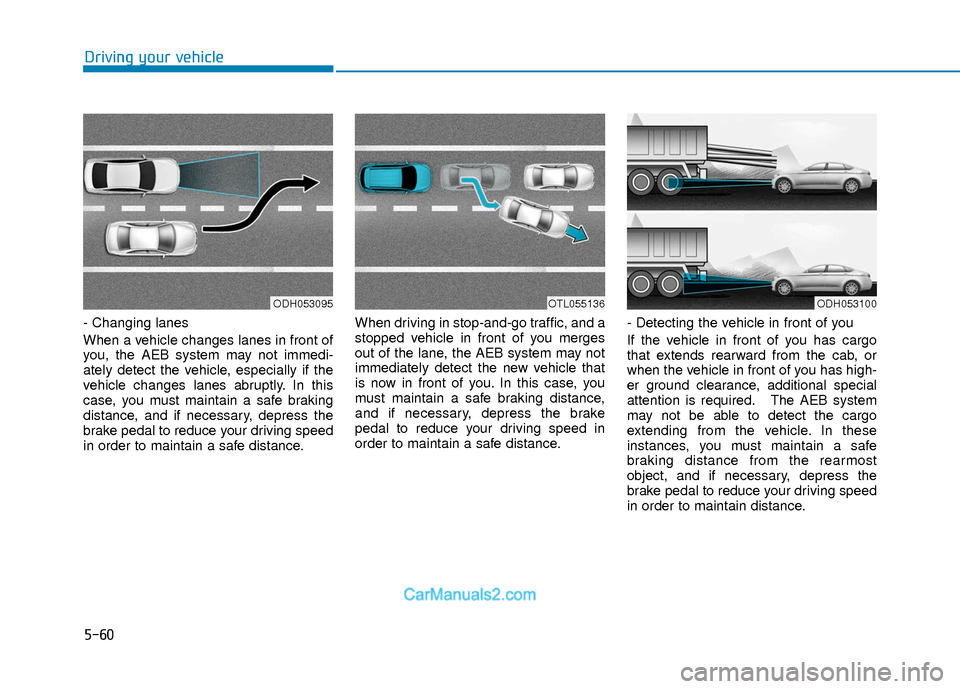
- Changing lanes
When a vehicle changes lanes in front of
you, the AEB system may not immedi-
ately detect the vehicle, especially if the
vehicle changes lanes abruptly. In this
case, you must maintain a safe braking
distance, and if necessary, depress the
brake pedal to reduce your driving speed
in order to maintain a safe distance.When driving in stop-and-go traffic, and a
stopped vehicle in front of you merges
out of the lane, the AEB system may not
immediately detect the new vehicle that
is now in front of you. In this case, you
must maintain a safe braking distance,
and if necessary, depress the brake
pedal to reduce your driving speed in
order to maintain a safe distance.
- Detecting the vehicle in front of you
If the vehicle in front of you has cargo
that extends rearward from the cab, or
when the vehicle in front of you has high-
er ground clearance, additional special
attention is required. The AEB system
may not be able to detect the cargo
extending from the vehicle. In these
instances, you must maintain a safe
braking distance from the rearmost
object, and if necessary, depress the
brake pedal to reduce your driving speed
in order to maintain distance.
ODH053095OTL055136ODH053100
Page 345 of 526
5-62
Driving your vehicle
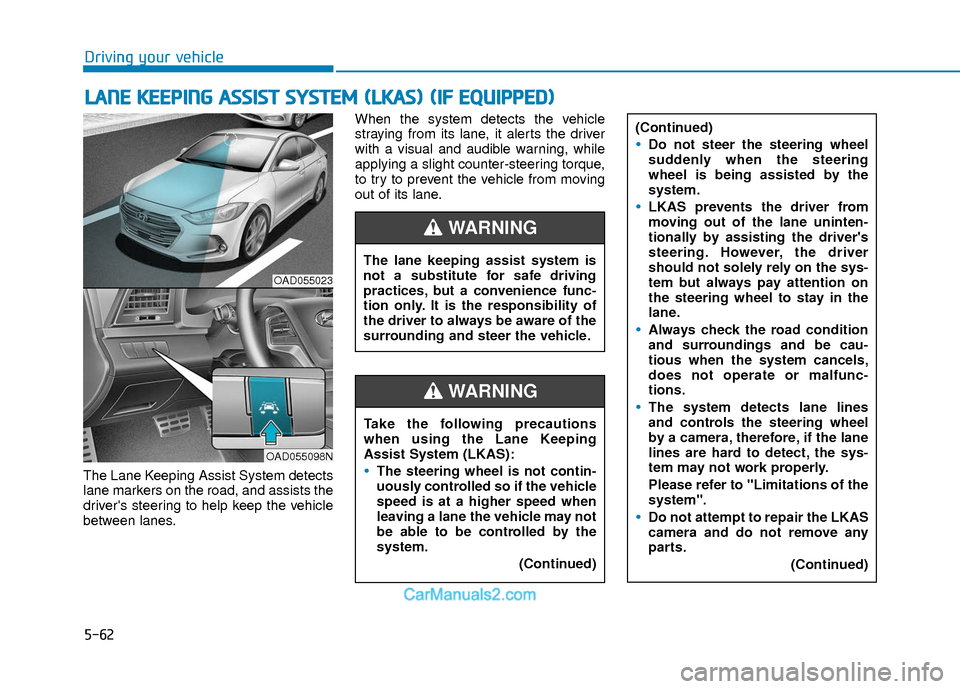
The Lane Keeping Assist System detects
lane markers on the road, and assists the
driver's steering to help keep the vehicle
between lanes.When the system detects the vehicle
straying from its lane, it alerts the driver
with a visual and audible warning, while
applying a slight counter-steering torque,
to try to prevent the vehicle from moving
out of its lane.
L L
A
A N
N E
E
K
K E
EE
EP
P I
IN
N G
G
A
A S
SS
SI
IS
S T
T
S
S Y
Y S
ST
T E
EM
M
(
( L
L K
K A
A S
S)
)
(
( I
IF
F
E
E Q
Q U
UI
IP
P P
PE
ED
D )
)
OAD055023
OAD055098N
The lane keeping assist system is
not a substitute for safe driving
practices, but a convenience func-
tion only. It is the responsibility of
the driver to always be aware of the
surrounding and steer the vehicle.
WARNING
Take the following precautions
when using the Lane Keeping
Assist System (LKAS):
The steering wheel is not contin-
uously controlled so if the vehicle
speed is at a higher speed when
leaving a lane the vehicle may not
be able to be controlled by the
system.
(Continued)
WARNING
(Continued)
Do not steer the steering wheel
suddenly when the steering
wheel is being assisted by the
system.
LKAS prevents the driver from
moving out of the lane uninten-
tionally by assisting the driver's
steering. However, the driver
should not solely rely on the sys-
tem but always pay attention on
the steering wheel to stay in the
lane.
Always check the road condition
and surroundings and be cau-
tious when the system cancels,
does not operate or malfunc-
tions.
The system detects lane lines
and controls the steering wheel
by a camera, therefore, if the lane
lines are hard to detect, the sys-
tem may not work properly.
Please refer to "Limitations of the
system".
Do not attempt to repair the LKAS
camera and do not remove any
parts.(Continued)
Page 349 of 526
5-66
Driving your vehicle
The LKAS system will not be in the
ENABLED state and the steering
wheel will not be assisted when:
Vehicle speed is below 40 mph (60 km/h) and over 110 mph (180
km/h).
Only one lane line is detected.
The turn signal is turned on before changing a lane. If you change lanes
without the turn signal on, the steering
wheel might be controlled.
The hazard warning flasher is on.
The width of the lane is below 10 feet (3.1 m) and over 15 feet (4.5
m).
ESC (Electronic Stability Control) is activated.
The vehicle is driven on a sharp curve.
The vehicle brakes suddenly.
The vehicle makes sharp lane changes.
Information
When the system is turned on or right
after changing a lane, drive in the middle
of the lane. If not, the system will not pro-
vide steering assist function.
Limitations of the System
The LKAS may operate prematurely
even if the vehicle does not depart from
the intended lane, OR, the LKAS may not
warn you if the vehicle leaves the intend-
ed lane under the following circum-
stances:
The lanes ahead are not visible due torain, snow, water on the road, dam-
aged or stained road surface, or other
factors.
The brightness outside changes sud- denly such as when entering or exiting
a tunnel.
The brightness outside is too low such as when the headlamps are not on at
night or the vehicle is going through a
tunnel.
It is difficult to distinguish the lane marking from the road surface or the
lane marking is faded or not clearly
marked.
Driving on a steep grade, over a hill, or when driving on a curved road.
When light coming from a street light or an oncoming vehicle is reflected on a
wet road surface such as a puddle in
the road.
The windshield or the LKAS camera lens is blocked with dirt or debris. The field of view in front is obstructed
by sun glare.
The lanes are incomplete or the area is in a construction zone.
There are more than two lane lines on the road in front of you.
The lane markings are not clearly visi- ble from the road.
The lane width is too wide or too nar- row. See previous page.
The windshield glass is fogged up; a clear view of the road is obstructed.
There are markings on the road sur- face that look like a lane line that is
inadvertently being detected by the
camera.
There is a boundary structure in the roadway such as a concrete barrier,
guardrail and reflector post that is
inadvertently being detected by the
camera.
There is not enough distance between you and the vehicle in front to be able
to detect the lane line or the vehicle
ahead is driving on the lane line.
The adverse road conditions cause excessive vehicle vibrations while driv-
ing.
i
Page 352 of 526
5-69
Driving your vehicle
5
Cruise Control operation
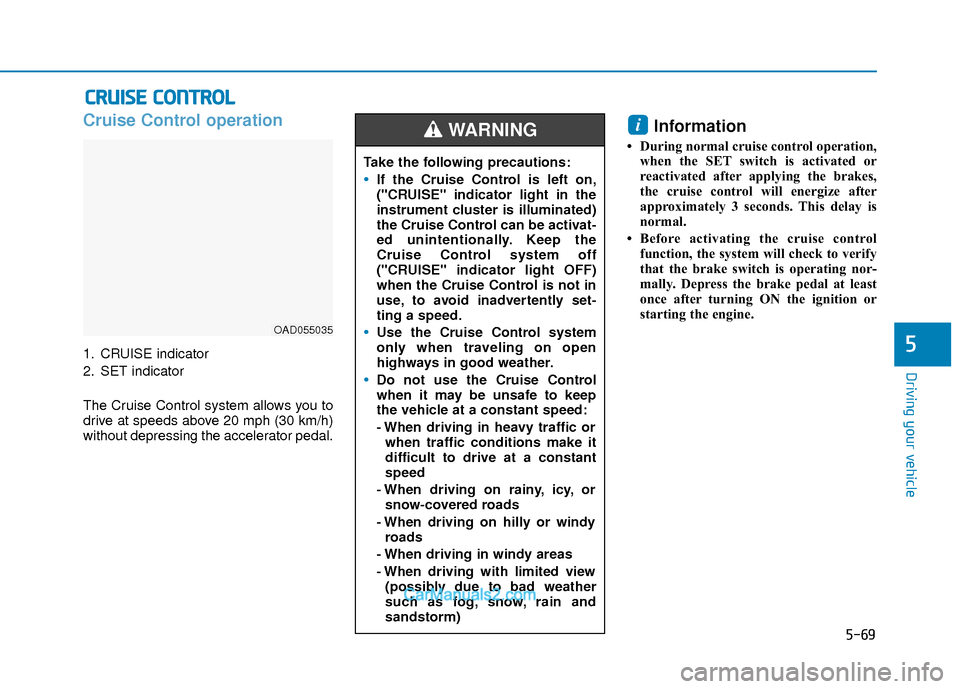
1. CRUISE indicator
2. SET indicator
The Cruise Control system allows you to
drive at speeds above 20 mph (30 km/h)
without depressing the accelerator pedal.
Information
• During normal cruise control operation,when the SET switch is activated or
reactivated after applying the brakes,
the cruise control will energize after
approximately 3 seconds. This delay is
normal.
• Before activating the cruise control function, the system will check to verify
that the brake switch is operating nor-
mally. Depress the brake pedal at least
once after turning ON the ignition or
starting the engine.
i
C CR
R U
U I
IS
S E
E
C
C O
O N
NT
TR
R O
O L
L
OAD055035
Take the following precautions:
If the Cruise Control is left on,
("CRUISE" indicator light in the
instrument cluster is illuminated)
the Cruise Control can be activat-
ed unintentionally. Keep the
Cruise Control system off
("CRUISE" indicator light OFF)
when the Cruise Control is not in
use, to avoid inadvertently set-
ting a speed.
Use the Cruise Control system
only when traveling on open
highways in good weather.
Do not use the Cruise Control
when it may be unsafe to keep
the vehicle at a constant speed:
- When driving in heavy traffic or
when traffic conditions make it
difficult to drive at a constant
speed
- When driving on rainy, icy, or snow-covered roads
- When driving on hilly or windy roads
- When driving in windy areas
- When driving with limited view (possibly due to bad weather
such as fog, snow, rain and
sandstorm)
WARNING