ignition HYUNDAI ELANTRA GT 2019 Owner's Guide
[x] Cancel search | Manufacturer: HYUNDAI, Model Year: 2019, Model line: ELANTRA GT, Model: HYUNDAI ELANTRA GT 2019Pages: 486, PDF Size: 78.59 MB
Page 144 of 486
3-59
Convenient features of your vehicle
3
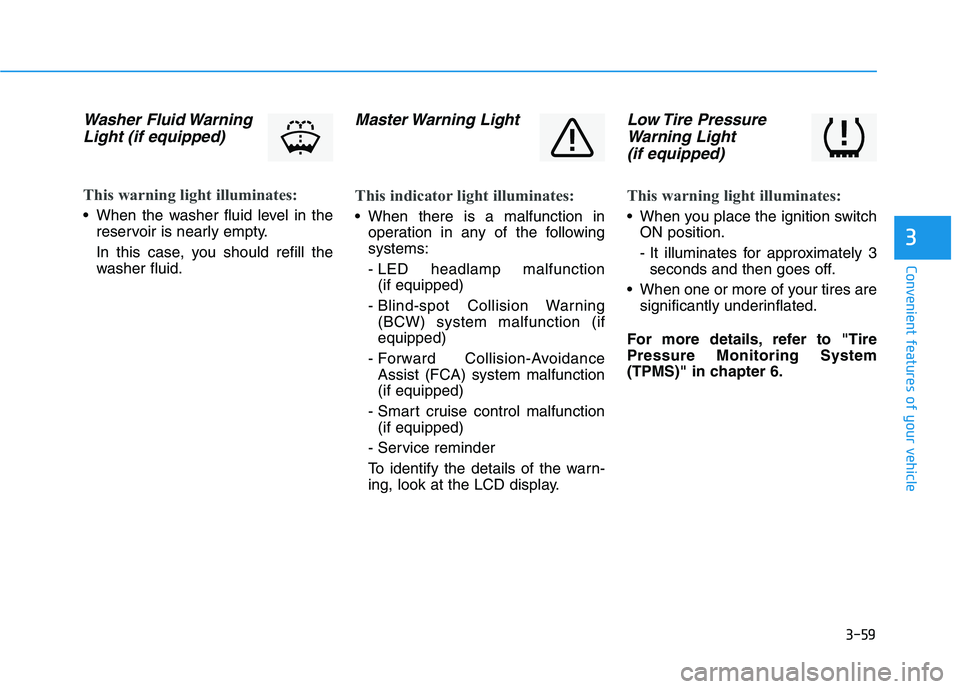
Washer Fluid WarningLight (if equipped)
This warning light illuminates:
When the washer fluid level in the reservoir is nearly empty.
In this case, you should refill the
washer fluid.
Master Warning Light
This indicator light illuminates:
When there is a malfunction inoperation in any of the following systems:
- LED headlamp malfunction (if equipped)
- Blind-spot Collision Warning (BCW) system malfunction (if equipped)
- Forward Collision-Avoidance Assist (FCA) system malfunction(if equipped)
- Smart cruise control malfunction (if equipped)
- Service reminder
To identify the details of the warn-
ing, look at the LCD display.
Low Tire Pressure Warning Light
(if equipped)
This warning light illuminates:
When you place the ignition switch ON position.
- It illuminates for approximately 3seconds and then goes off.
When one or more of your tires are significantly underinflated.
For more details, refer to "Tire Pressure Monitoring System
(TPMS)" in chapter 6.
Page 145 of 486
3-60
Convenient features of your vehicle
This warning light remains ON
after blinking for approximately 60
seconds, or repeatedly blinks ON
and OFF in 3 second intervals:
When there is a malfunction withthe TPMS.
In this case, have the vehicle
inspected by an authorized
HYUNDAI dealer as soon as possi-
ble.
For more details, refer to "TirePressure Monitoring System
(TPMS)" in chapter 6.
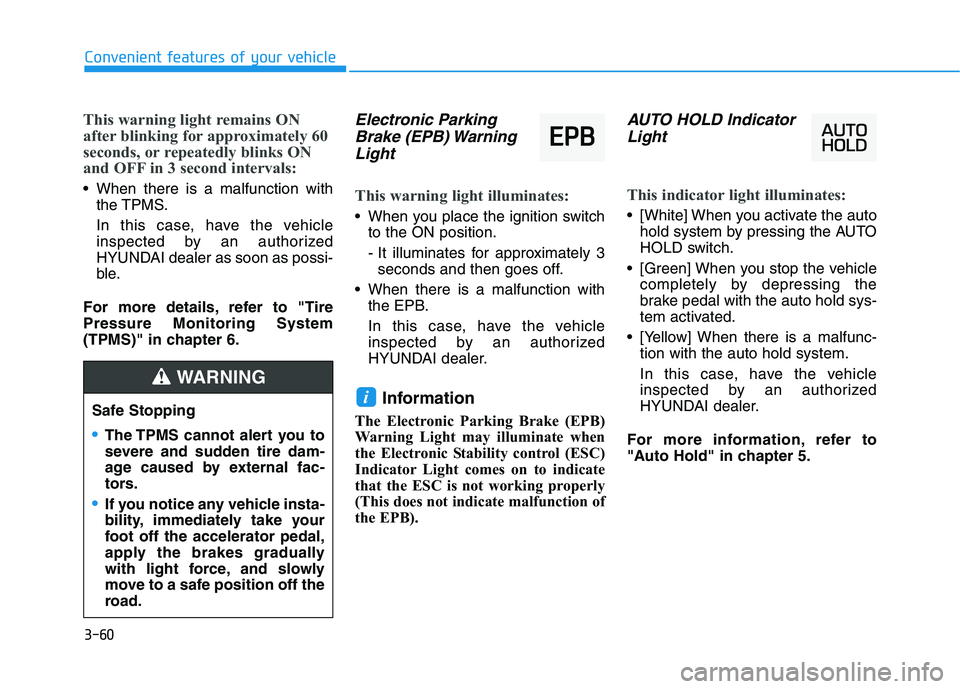
Electronic Parking Brake (EPB) Warning
Light
This warning light illuminates:
When you place the ignition switch to the ON position.
- It illuminates for approximately 3seconds and then goes off.
When there is a malfunction with the EPB.
In this case, have the vehicle
inspected by an authorized
HYUNDAI dealer.
Information
The Electronic Parking Brake (EPB)
Warning Light may illuminate when
the Electronic Stability control (ESC)
Indicator Light comes on to indicate
that the ESC is not working properly
(This does not indicate malfunction of
the EPB).
AUTO HOLD Indicator Light
This indicator light illuminates:
[White] When you activate the auto hold system by pressing the AUTO
HOLD switch.
[Green] When you stop the vehicle completely by depressing the
brake pedal with the auto hold sys-
tem activated.
[Yellow] When there is a malfunc- tion with the auto hold system.
In this case, have the vehicle
inspected by an authorized
HYUNDAI dealer.
For more information, refer to
"Auto Hold" in chapter 5.
i
EE PP BB
Safe Stopping
The TPMS cannot alert you to
severe and sudden tire dam-
age caused by external fac-
tors.
If you notice any vehicle insta-
bility, immediately take your
foot off the accelerator pedal,
apply the brakes gradually
with light force, and slowly
move to a safe position off the
road.
WARNING
Page 146 of 486
3-61
Convenient features of your vehicle
3
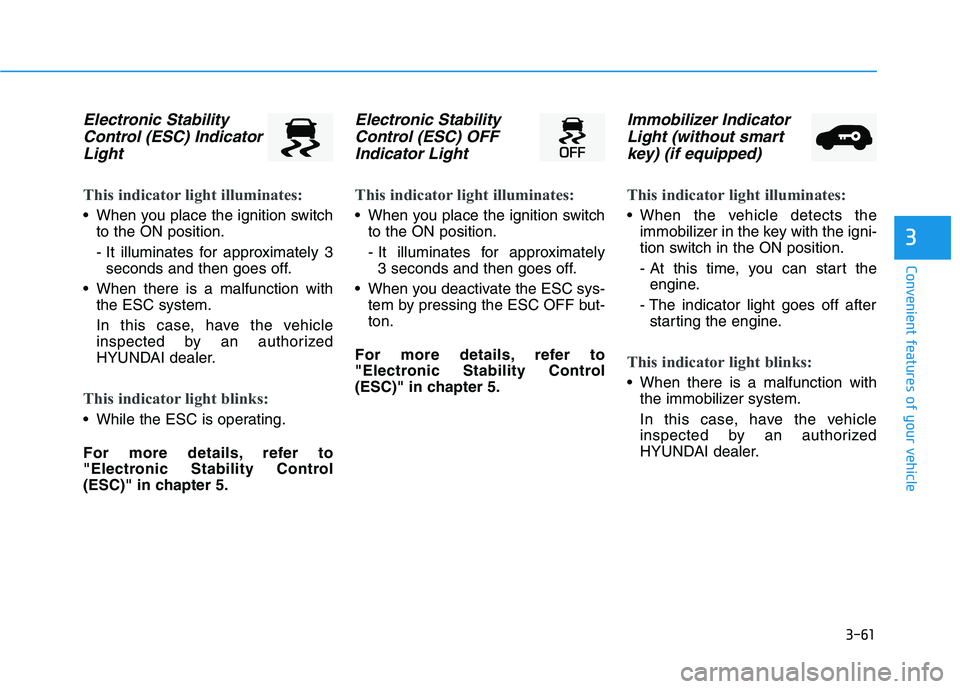
Electronic StabilityControl (ESC) Indicator
Light
This indicator light illuminates:
When you place the ignition switch to the ON position.
- It illuminates for approximately 3seconds and then goes off.
When there is a malfunction with the ESC system.
In this case, have the vehicle
inspected by an authorized
HYUNDAI dealer.
This indicator light blinks:
While the ESC is operating.
For more details, refer to
"Electronic Stability Control
(ESC)" in chapter 5.
Electronic Stability
Control (ESC) OFF
Indicator Light
This indicator light illuminates:
When you place the ignition switch to the ON position.
- It illuminates for approximately 3 seconds and then goes off.
When you deactivate the ESC sys- tem by pressing the ESC OFF but- ton.
For more details, refer to
"Electronic Stability Control
(ESC)" in chapter 5.
Immobilizer Indicator Light (without smart
key) (if equipped)
This indicator light illuminates:
When the vehicle detects the immobilizer in the key with the igni-
tion switch in the ON position.
- At this time, you can start theengine.
- The indicator light goes off after starting the engine.
This indicator light blinks:
When there is a malfunction with the immobilizer system.
In this case, have the vehicle
inspected by an authorized
HYUNDAI dealer.
Page 148 of 486
3-63
Convenient features of your vehicle
3
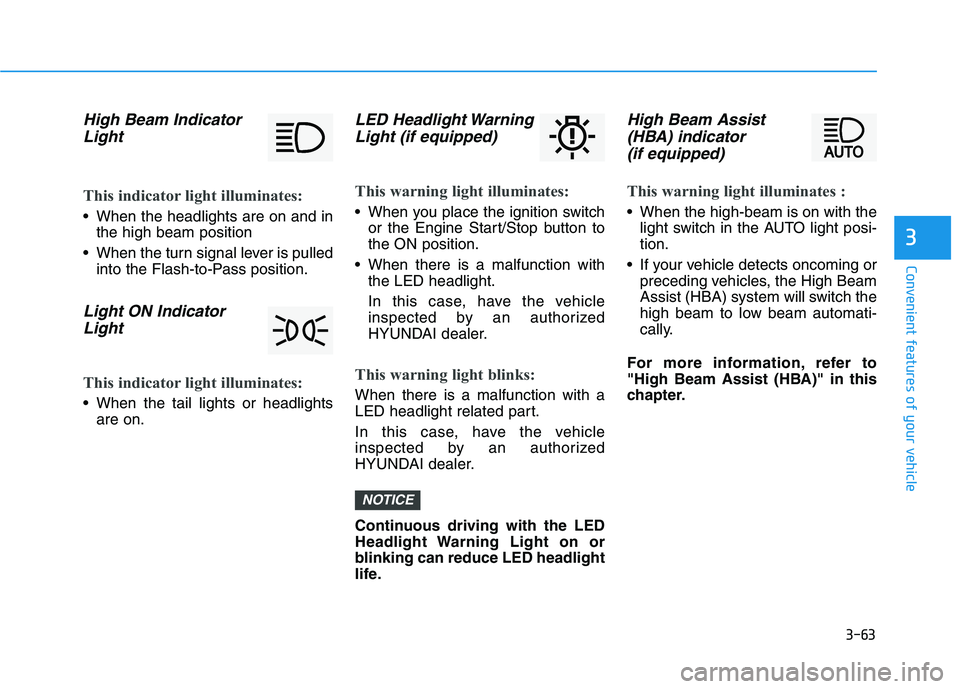
High Beam IndicatorLight
This indicator light illuminates:
When the headlights are on and in the high beam position
When the turn signal lever is pulled into the Flash-to-Pass position.
Light ON Indicator
Light
This indicator light illuminates:
When the tail lights or headlights are on.
LED Headlight Warning
Light (if equipped)
This warning light illuminates:
When you place the ignition switch or the Engine Start/Stop button to the ON position.
When there is a malfunction with the LED headlight.
In this case, have the vehicle
inspected by an authorized
HYUNDAI dealer.
This warning light blinks:
When there is a malfunction with a
LED headlight related part.
In this case, have the vehicle
inspected by an authorized
HYUNDAI dealer.
Continuous driving with the LED
Headlight Warning Light on or
blinking can reduce LED headlight
life.
High Beam Assist
(HBA) indicator
(if equipped)
This warning light illuminates :
When the high-beam is on with the light switch in the AUTO light posi- tion.
If your vehicle detects oncoming or preceding vehicles, the High Beam
Assist (HBA) system will switch the
high beam to low beam automati-
cally.
For more information, refer to
"High Beam Assist (HBA)" in this
chapter.
NOTICE
Page 161 of 486
3-76
Convenient features of your vehicle
Forward Collision-AvoidanceAssist (FCA) system
To activate or deactivate the Forward
Collision-Avoidance Assist (FCA)system.
For more information, refer to
"Forward Collision-Avoidance
Assist (FCA) system" in chapter 5.
Forward Collision Warning
- Late/Normal/Early
To adjust the initial warning alert
time for Automatic Emergency
Braking system.
For more information, refer to
"Forward Collision-Avoidance
Assist (FCA) system" in chapter 5.
Rear Cross-Traffic Collision Warning (RCCW)
To activate or deactivate the Rear
Cross-Traffic Collision Warning(RCCW) system.
For more information, refer to
"Blind-spot Collision Warning
(BCW) system" in chapter 5. 2. Door
Auto Lock
- Disable: The auto door lock opera-
tion will be canceled.
- Enable on Speed: All doors will be automatically locked when the
vehicle speed exceeds 15 km/h(9.3 mph).
- Enable on Shift: All doors will be automatically locked if the auto-
matic transmission shift lever is
shifted from the P (Park) position to
the R (Reverse), N (Neutral), or D
(Drive) position.
Auto Unlock
- Disable: The auto door unlock operation will be canceled.
- On Key Out: All doors will be auto- matically unlocked when the igni-
tion key is removed from the key
ignition switch (if equipped with
remote key).
- Vehicle Off: All doors will be auto- matically unlocked when the
Engine Start/Stop button is set tothe OFF position (if equipped with
smart key). - On Shift to P: All doors will be auto-
matically unlocked if the automatic
transmission/dual clutch transmis-
sion shift lever is shifted to the P
(Park) position.
Two Press Unlock
- Off: The two press unlock function will be deactivated. Therefore, all
doors will unlock if the door unlock
button is pressed.
- On: Only the driver's door will unlock if the door unlock button is
pressed. When the door unlock
button is pressed again within 4
seconds, the remaining doors will
unlock.
Horn Feedback
To activate or deactivate the horn
feedback.
If the horn feedback is activated,
after locking the door by pressing the
lock button on the remote key, and
pressing it again within 4 seconds,
the horn feedback sound will operateonce to indicate that all doors are
locked (if equipped with remote key).
Page 163 of 486
3-78
Convenient features of your vehicle
Information
If any of the following conditions
occur, the mileage and number of days
to service may be incorrect.
- The battery cable is disconnected.
- The fuse switch is turned off.
- The battery is discharged. 7. Other
Fuel Economy Auto Reset
- Off: The average fuel economy will
not reset automatically whenever refueling.
- After Ignition: When the engine has been OFF for 4 hours or longer the
average fuel economy will reset
automatically.
- After Refueling: The average fuel economy will reset automaticallyafter adding 6 liters (1.6 gallons) of
fuel or more and after driving
speed exceeds 1 km/h (1 mph).
For more information, refer to
"Trip Computer" in this chapter.
Fuel Economy Unit
To select the fuel economy unit. (km/L, L/100 km)
Temperature Unit
To select the temperature unit.
(°C,°F)
Tire Pressure Unit
To select the tire pressure unit.
(psi, kPa, bar) Language
To select language.
8. Reset
You can reset the menus in the User
Settings Mode. All menus in the User
Settings Mode are reset to factory
settings, except language and serv-
ice interval.i
Page 165 of 486
3-80
Convenient features of your vehicle
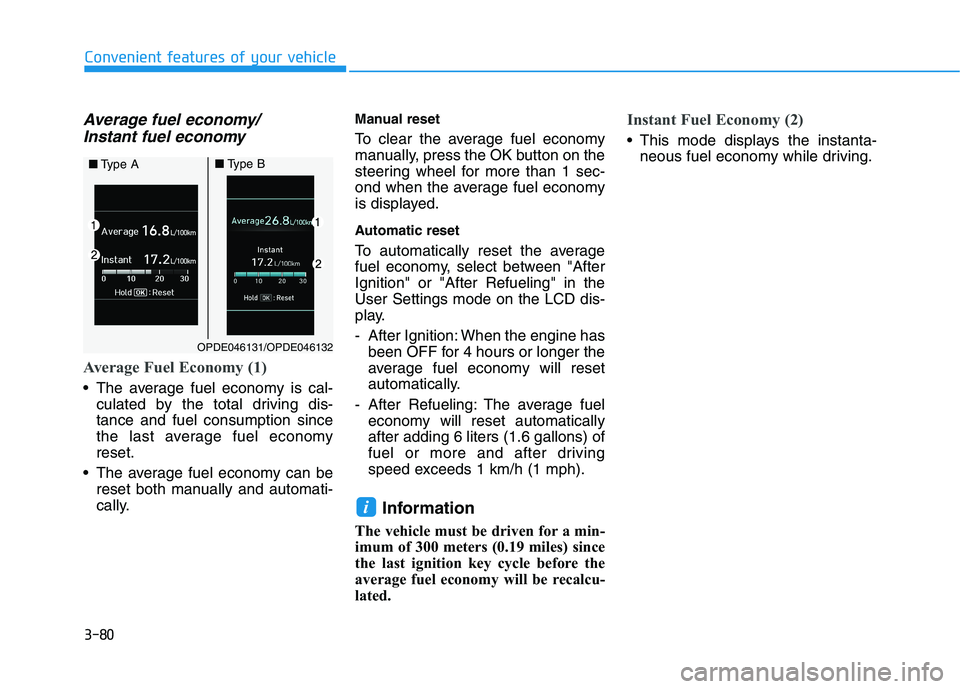
Average fuel economy/Instant fuel economy
Average Fuel Economy (1)
The average fuel economy is cal- culated by the total driving dis- tance and fuel consumption since
the last average fuel economyreset.
The average fuel economy can be reset both manually and automati-
cally. Manual reset
To clear the average fuel economy
manually, press the OK button on the
steering wheel for more than 1 sec-
ond when the average fuel economy
is displayed.
Automatic reset
To automatically reset the average
fuel economy, select between "AfterIgnition" or "After Refueling" in theUser Settings mode on the LCD dis-
play.
- After Ignition: When the engine has
been OFF for 4 hours or longer the
average fuel economy will reset
automatically.
- After Refueling: The average fuel economy will reset automaticallyafter adding 6 liters (1.6 gallons) of
fuel or more and after driving
speed exceeds 1 km/h (1 mph).
Information
The vehicle must be driven for a min-
imum of 300 meters (0.19 miles) since
the last ignition key cycle before the
average fuel economy will be recalcu-
lated.
Instant Fuel Economy (2)
This mode displays the instanta- neous fuel economy while driving.
i
OPDE046131/OPDE046132
■Type A■Type B
Page 166 of 486
3-81
Convenient features of your vehicle
3
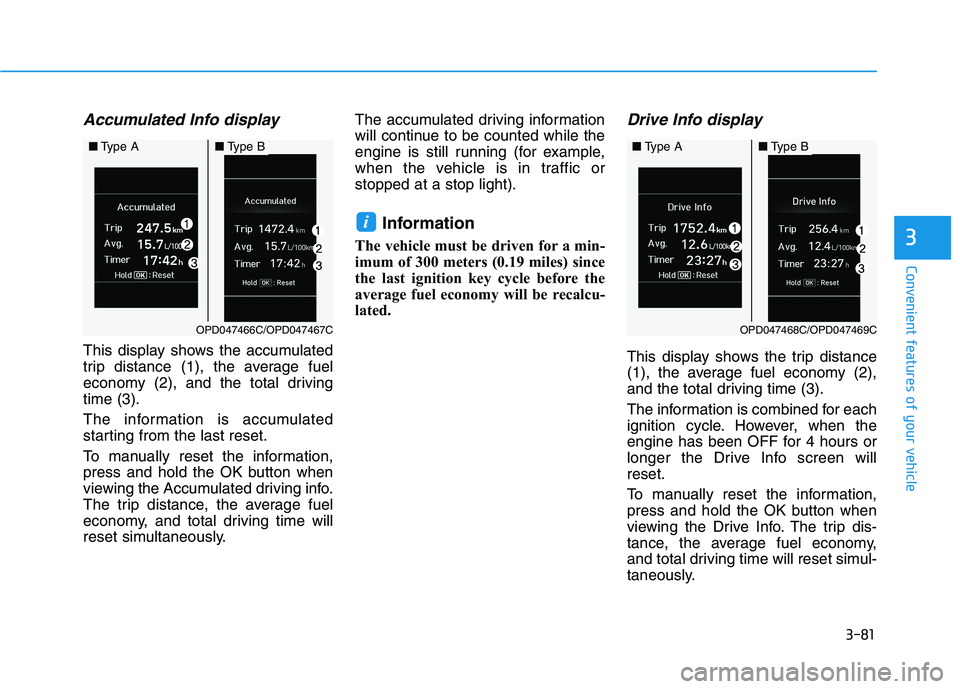
Accumulated Info display
This display shows the accumulated
trip distance (1), the average fuel
economy (2), and the total drivingtime (3).
The information is accumulated
starting from the last reset.
To manually reset the information,
press and hold the OK button when
viewing the Accumulated driving info.
The trip distance, the average fuel
economy, and total driving time will
reset simultaneously.The accumulated driving information
will continue to be counted while the
engine is still running (for example,
when the vehicle is in traffic orstopped at a stop light).
Information
The vehicle must be driven for a min-
imum of 300 meters (0.19 miles) since
the last ignition key cycle before the
average fuel economy will be recalcu-
lated.
Drive Info display
This display shows the trip distance
(1), the average fuel economy (2),
and the total driving time (3).
The information is combined for each
ignition cycle. However, when the
engine has been OFF for 4 hours or
longer the Drive Info screen willreset.
To manually reset the information,
press and hold the OK button when
viewing the Drive Info. The trip dis-
tance, the average fuel economy,
and total driving time will reset simul-
taneously.
i
OPD047468C/OPD047469C
■ Type A■Type B
OPD047466C/OPD047467C
■Type A■Type B
Page 167 of 486
The driving information will continue to be counted while the engine is still
running (for example, when the vehi-
cle is in traffic or stopped at a stoplight).Information
The vehicle must be driven for a min-
imum of 300 meters (0.19 miles) since
the last ignition key cycle before the
average fuel economy will be recalcu-
lated.Digital speedometer
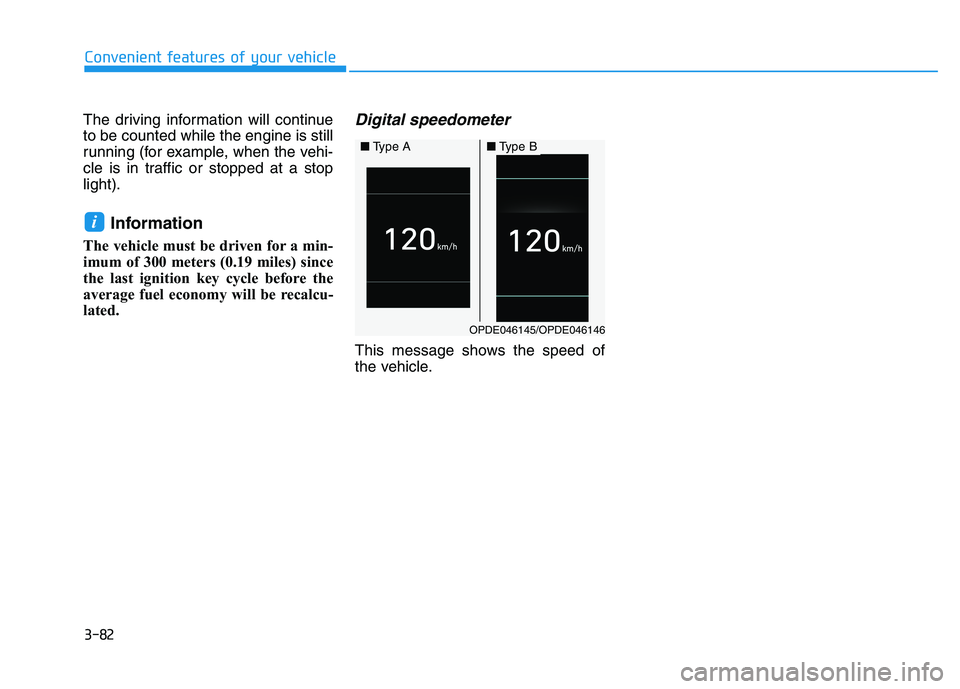
This message shows the speed of
the vehicle.
i
Convenient features of your vehicle
3-82
OPDE046145/OPDE046146
■ Type A■Type B
Page 169 of 486
3-84
Convenient features of your vehicle
• Do not cover or spill anything onthe sensor (1) located in front of the instrument panel.
Do not clean the sensor using a window cleaner, the cleanser
may leave a light film which
could interfere with sensor oper-ation.
If your vehicle has window tint or other types of metallic coat-
ing on the front windshield, the
AUTO light system may not work
properly.
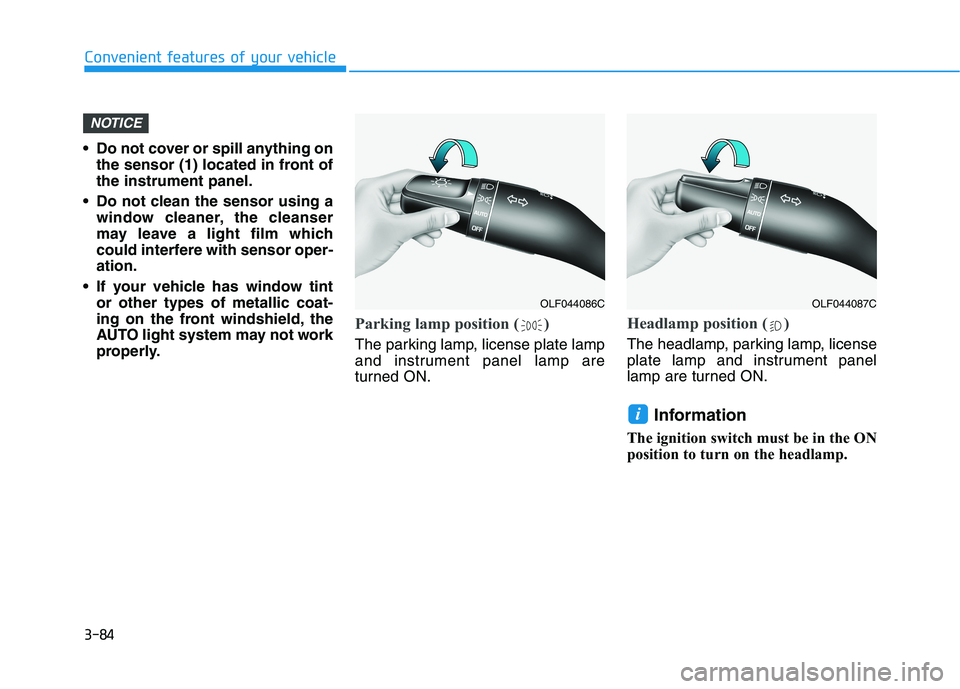
Parking lamp position ( )
The parking lamp, license plate lamp
and instrument panel lamp are
turned ON.
Headlamp position ( )
The headlamp, parking lamp, license
plate lamp and instrument panel
lamp are turned ON.
Information
The ignition switch must be in the ON
position to turn on the headlamp.
i
NOTICE
OLF044086COLF044087C