ignition HYUNDAI ELANTRA GT 2019 Repair Manual
[x] Cancel search | Manufacturer: HYUNDAI, Model Year: 2019, Model line: ELANTRA GT, Model: HYUNDAI ELANTRA GT 2019Pages: 486, PDF Size: 78.59 MB
Page 253 of 486
5-32
Driving your vehicle
Shift-lock system
For your safety, the dual clutch trans-
mission has a shift-lock system
which prevents shifting the transmis-
sion from P (Park) into R (Reverse)
unless the brake pedal is depressed.
To shift the transmission from P
(Park) into R (Reverse):
1. Depress and hold the brake pedal.
2. Start the engine or place the igni-tion switch in the ON position.
3. Move the shift lever.
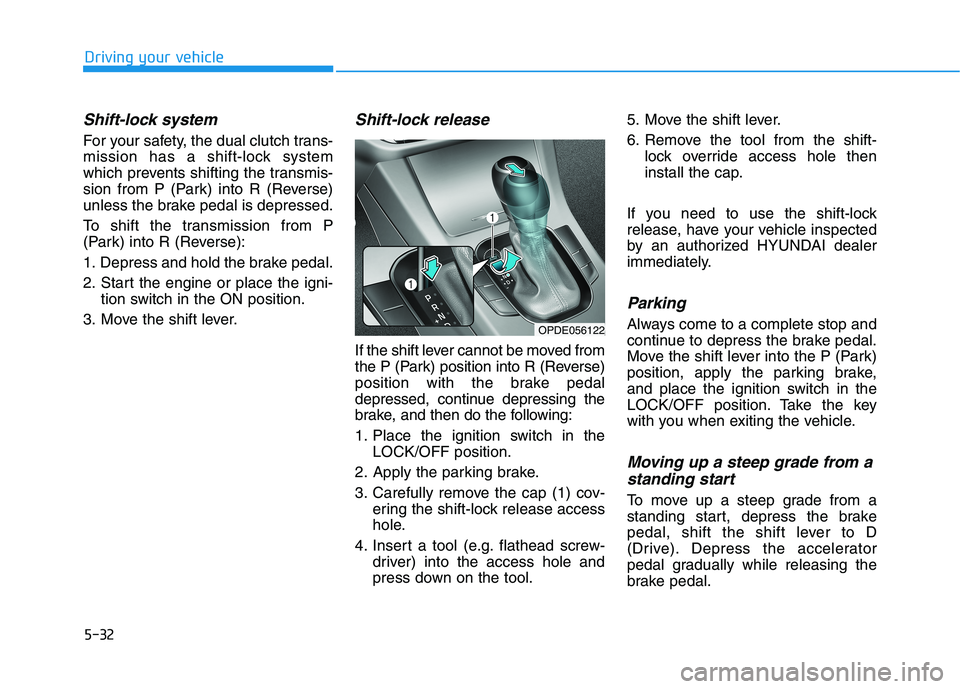
Shift-lock release
If the shift lever cannot be moved from
the P (Park) position into R (Reverse)
position with the brake pedal
depressed, continue depressing the
brake, and then do the following:
1. Place the ignition switch in the LOCK/OFF position.
2. Apply the parking brake.
3. Carefully remove the cap (1) cov- ering the shift-lock release access
hole.
4. Insert a tool (e.g. flathead screw- driver) into the access hole and
press down on the tool. 5. Move the shift lever.
6. Remove the tool from the shift-
lock override access hole then
install the cap.
If you need to use the shift-lock
release, have your vehicle inspected
by an authorized HYUNDAI dealer
immediately.
Parking
Always come to a complete stop and
continue to depress the brake pedal.
Move the shift lever into the P (Park)
position, apply the parking brake,
and place the ignition switch in the
LOCK/OFF position. Take the key
with you when exiting the vehicle.
Moving up a steep grade from a standing start
To move up a steep grade from a
standing start, depress the brake
pedal, shift the shift lever to D
(Drive). Depress the accelerator
pedal gradually while releasing the
brake pedal.
OPDE056122
Page 258 of 486
5-37
Driving your vehicle
5
Do not apply the acceleratorpedal while the parking brake is
engaged. If you depress theaccelerator pedal with the park-
ing brake engaged, warning will
sound. Damage to the parking
brake may occur.
Driving with the parking brake on can overheat the braking sys-tem and cause premature wear
or damage to brake parts. Makesure the parking brake is
released and the Brake Warning
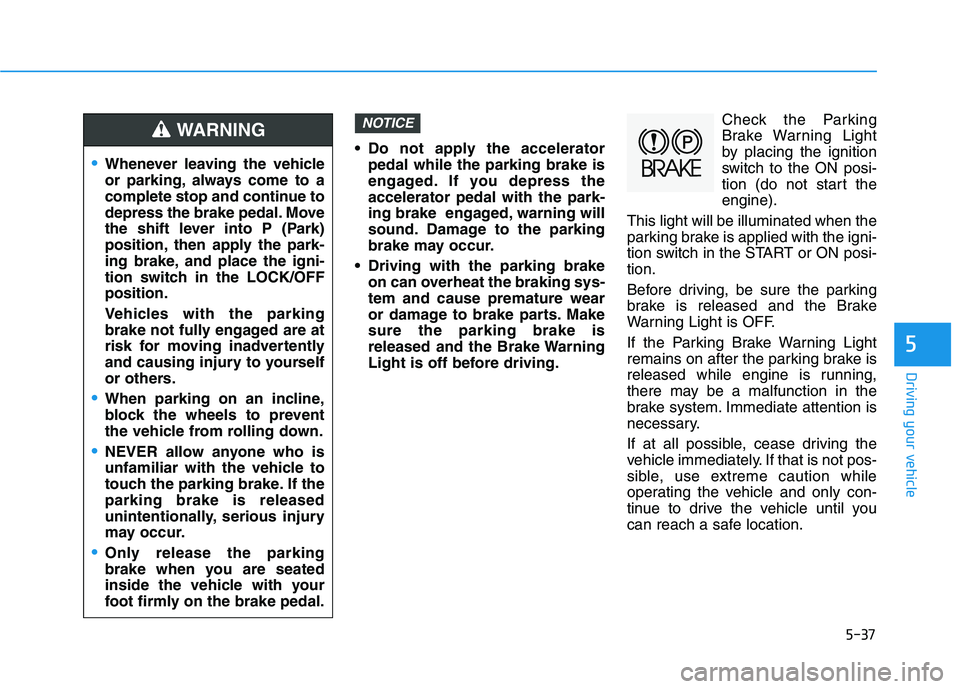
Light is off before driving. Check the Parking
Brake Warning Light
by placing the ignition
switch to the ON posi-
tion (do not start theengine).
This light will be illuminated when the
parking brake is applied with the igni-
tion switch in the START or ON posi-tion.
Before driving, be sure the parking
brake is released and the Brake
Warning Light is OFF.
If the Parking Brake Warning Light
remains on after the parking brake is
released while engine is running,
there may be a malfunction in the
brake system. Immediate attention is
necessary.
If at all possible, cease driving the
vehicle immediately. If that is not pos-
sible, use extreme caution while
operating the vehicle and only con-
tinue to drive the vehicle until you
can reach a safe location.
NOTICE
Whenever leaving the vehicle
or parking, always come to a
complete stop and continue to
depress the brake pedal. Move
the shift lever into P (Park)
position, then apply the park-
ing brake, and place the igni-
tion switch in the LOCK/OFFposition.
Vehicles with the parking
brake not fully engaged are at
risk for moving inadvertently
and causing injury to yourself
or others.
When parking on an incline,
block the wheels to prevent
the vehicle from rolling down.
NEVER allow anyone who is
unfamiliar with the vehicle to
touch the parking brake. If theparking brake is released
unintentionally, serious injury
may occur.
Only release the parking
brake when you are seated
inside the vehicle with your
foot firmly on the brake pedal.
WARNING
Page 270 of 486
5-49
Driving your vehicle
Information
When you jump start your vehicle
because of a drained battery, the ABS
warning light ( ) may turn on at the
same time. This happens because of
the low battery voltage. It does not
mean your ABS is malfunctioning.
Have the battery recharged before
driving the vehicle.
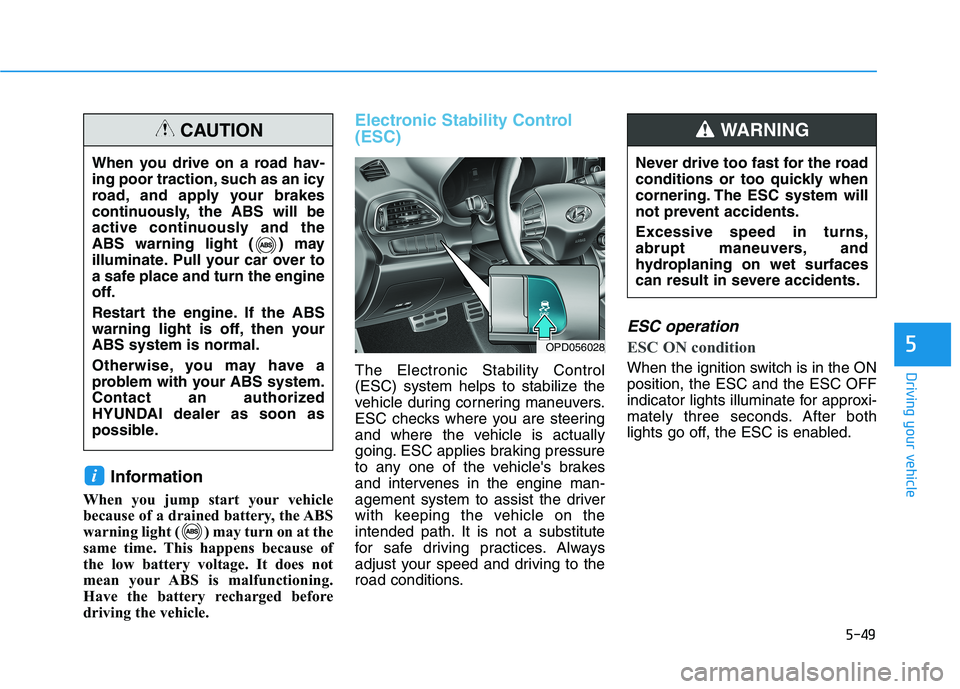
Electronic Stability Control (ESC)
The Electronic Stability Control
(ESC) system helps to stabilize the
vehicle during cornering maneuvers.
ESC checks where you are steering
and where the vehicle is actually
going. ESC applies braking pressure
to any one of the vehicle's brakes
and intervenes in the engine man-
agement system to assist the driver
with keeping the vehicle on the
intended path. It is not a substitute
for safe driving practices. Always
adjust your speed and driving to the
road conditions.
ESC operation
ESC ON condition
When the ignition switch is in the ON position, the ESC and the ESC OFF
indicator lights illuminate for approxi-
mately three seconds. After both
lights go off, the ESC is enabled.
i
5
When you drive on a road hav-
ing poor traction, such as an icy
road, and apply your brakes
continuously, the ABS will be
active continuously and the
ABS warning light ( ) may
illuminate. Pull your car over to
a safe place and turn the engine
off.
Restart the engine. If the ABS
warning light is off, then yourABS system is normal.
Otherwise, you may have a
problem with your ABS system.
Contact an authorized
HYUNDAI dealer as soon as
possible.
CAUTION
OPD056028 Never drive too fast for the road
conditions or too quickly when
cornering. The ESC system will
not prevent accidents. Excessive speed in turns,
abrupt maneuvers, and
hydroplaning on wet surfaces
can result in severe accidents.
WARNING
Page 271 of 486
5-50
Driving your vehicle
When operating
When the ESC is in opera- tion, the ESC indicator light
blinks:
When you apply your brakes under conditions which may lock the
wheels, you may hear sounds from
the brakes, or feel a corresponding
sensation in the brake pedal. This
is normal and it means your ESC is
active.
When the ESC activates, the engine may not respond to the
accelerator as it does under rou-
tine conditions.
If the Cruise Control was in use when the ESC activates, the Cruise
Control automatically disengages.
The Cruise Control can be reen-gaged when the road conditions
allow. See "Cruise Control System"
later in this chapter. (if equipped)
When moving out of the mud or driving on a slippery road, the
engine RPM (revolutions per
minute) may not increase even if
you press the accelerator pedal
deeply. This is to maintain the sta-
bility and traction of the vehicle and
does not indicate a problem.
ESC OFF condition
To cancel ESC operation : State 1
Press the ESC OFF button briefly. The ESC OFF indicator light and
message "Traction Control disabled“
will illuminate. In this state, the trac-tion control function of ESC (engine man-
agement) is disabled, but the brake
control function of ESC (braking
management) still operates.
Press and hold the ESC OFF button
continuously for more than 3 sec-
onds. The ESC OFF indicator light
and message "Traction & Stability
Control disabled" illuminates and a
warning chime sounds. In this state,
both the traction control function ofESC (engine management) and the
brake control function of ESC (brak-
ing management) are disabled.
If the ignition switch is placed to the
LOCK/OFF position when ESC is off,
ESC remains off. Upon restarting the
engine, the ESC will automatically
turn on again.
Page 272 of 486
5-51
Driving your vehicle
5
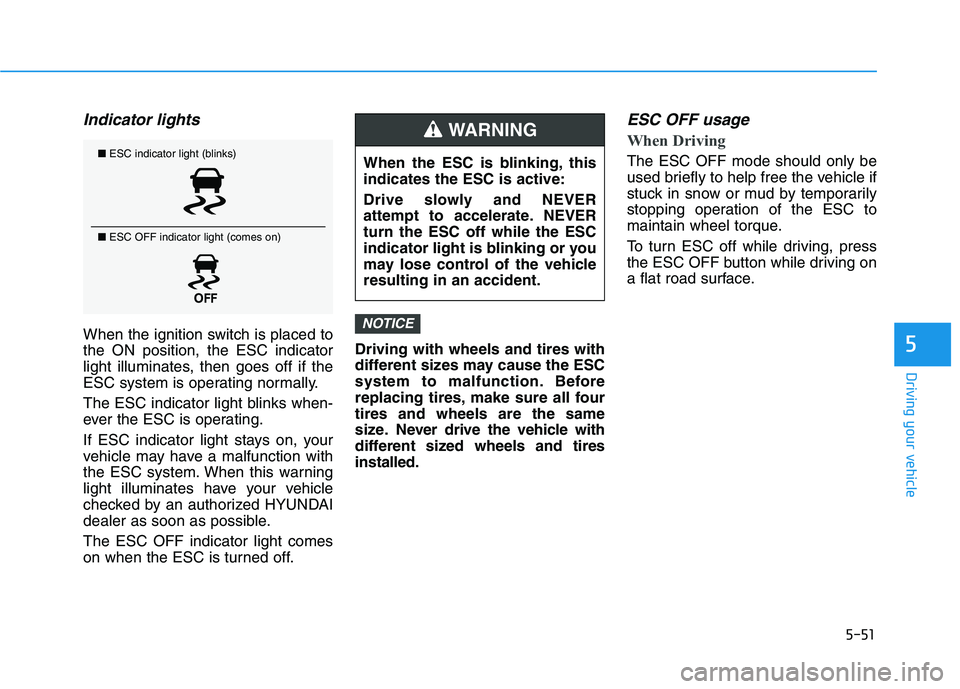
Indicator lights
When the ignition switch is placed to the ON position, the ESC indicator
light illuminates, then goes off if the
ESC system is operating normally.
The ESC indicator light blinks when-
ever the ESC is operating.
If ESC indicator light stays on, your
vehicle may have a malfunction with
the ESC system. When this warning
light illuminates have your vehicle
checked by an authorized HYUNDAI
dealer as soon as possible. The ESC OFF indicator light comes
on when the ESC is turned off.Driving with wheels and tires with
different sizes may cause the ESC
system to malfunction. Before
replacing tires, make sure all fourtires and wheels are the same
size. Never drive the vehicle with
different sized wheels and tiresinstalled.
ESC OFF usage
When Driving
The ESC OFF mode should only be
used briefly to help free the vehicle if
stuck in snow or mud by temporarily
stopping operation of the ESC to
maintain wheel torque.
To turn ESC off while driving, press
the ESC OFF button while driving on
a flat road surface.
NOTICE
■
ESC indicator light (blinks)
■ ESC OFF indicator light (comes on)When the ESC is blinking, this indicates the ESC is active:
Drive slowly and NEVER
attempt to accelerate. NEVERturn the ESC off while the ESC
indicator light is blinking or you
may lose control of the vehicleresulting in an accident.
WARNING
Page 275 of 486
5-54
Driving your vehicle
Good Braking Practices Wet brakes can be dangerous! The
brakes may get wet if the vehicle is
driven through standing water or if it
is washed. Your vehicle will not stop
as quickly if the brakes are wet. Wet
brakes may cause the vehicle to pull
to one side.
To dry the brakes, apply the brakes
lightly until the braking action returns
to normal, taking care to keep the
vehicle under control at all times. If
the braking action does not return to
normal, stop as soon as it is safe to
do so and call an authorized
HYUNDAI dealer for assistance.
DO NOT drive with your foot resting
on the brake pedal. Even light, butconstant pedal pressure can result in
the brakes overheating, brake wear,
and possibly even brake failure.If a tire goes flat while you are driv-
ing, apply the brakes gently and
keep the vehicle pointed straight
ahead while you slow down. When
you are moving slowly enough for it
to be safe to do so, pull off the road
and stop in a safe location.
Keep your foot firmly on the brake
pedal when the vehicle is stopped to
prevent the vehicle from rolling for-
ward.
Whenever leaving the vehicle or
parking, always come to a com-
plete stop and continue to
depress the brake pedal. Move
the shift lever into the 1
st
gear
(for manual transmission vehi-
cle) or P (Park, for automatic
transmission vehicle) position,
then apply the parking brake,
and place the ignition switch inthe LOCK/OFF position.
Vehicles parked with the park- ing brake not applied or not
fully engaged may roll inadver-
tently and may cause injury to
the driver and others. ALWAYS
apply the parking brake before
exiting the vehicle.
WARNING
Page 279 of 486
5-58
Driving your vehicle
BCW (Blind-spot Collision
Warning)
Operating conditions
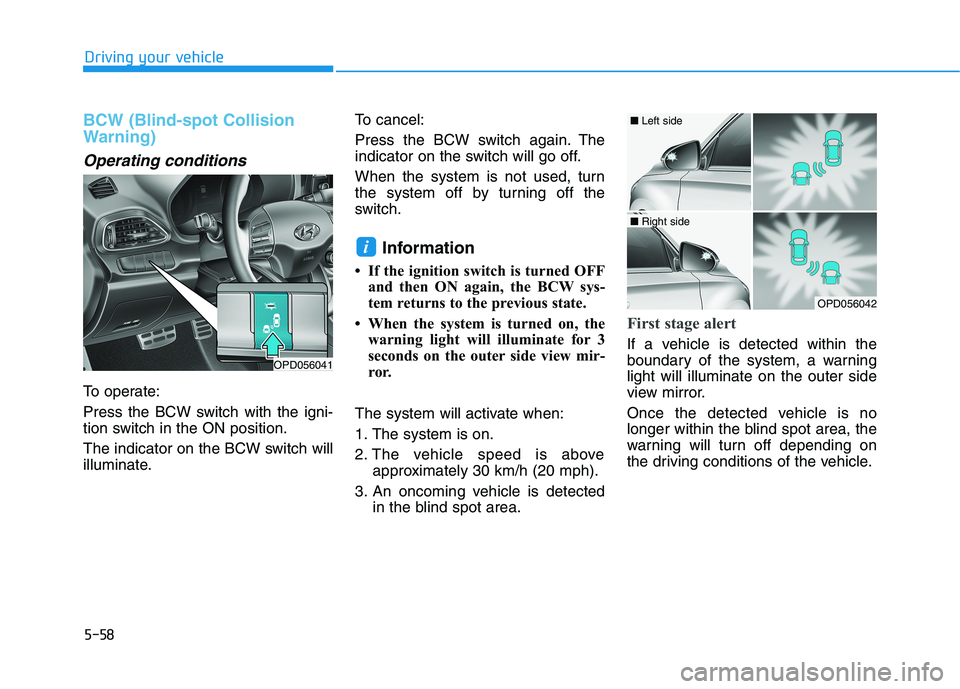
To operate:
Press the BCW switch with the igni-
tion switch in the ON position.
The indicator on the BCW switch will
illuminate.To cancel:
Press the BCW switch again. The
indicator on the switch will go off.
When the system is not used, turn
the system off by turning off the
switch.
Information
If the ignition switch is turned OFF and then ON again, the BCW sys-
tem returns to the previous state.
When the system is turned on, the warning light will illuminate for 3
seconds on the outer side view mir-
ror.
The system will activate when:
1. The system is on.
2. The vehicle speed is above approximately 30 km/h (20 mph).
3. An oncoming vehicle is detected in the blind spot area.
First stage alert
If a vehicle is detected within the
boundary of the system, a warninglight will illuminate on the outer side
view mirror.
Once the detected vehicle is no
longer within the blind spot area, the
warning will turn off depending on
the driving conditions of the vehicle.
i
OPD056041
OPD056042
■ Left side
■ Right side
Page 290 of 486
5-69
Driving your vehicle
5
The Forward Collision-Avoidance Assist (FCA) system is designed to
help detect and monitor the vehicle
ahead or detect a pedestrian (if
equipped) in the roadway through
radar signals and camera recogni-
tion to warn the driver that a collision
is imminent, and if necessary, apply
emergency braking.
System Setting and Activation
System setting
The driver can activate the FCA byplacing the ignition switch to the
ON position and by selecting:
'User Settings Driver Assistance
FCA (Forward Collision-
Avoidance Assist)'
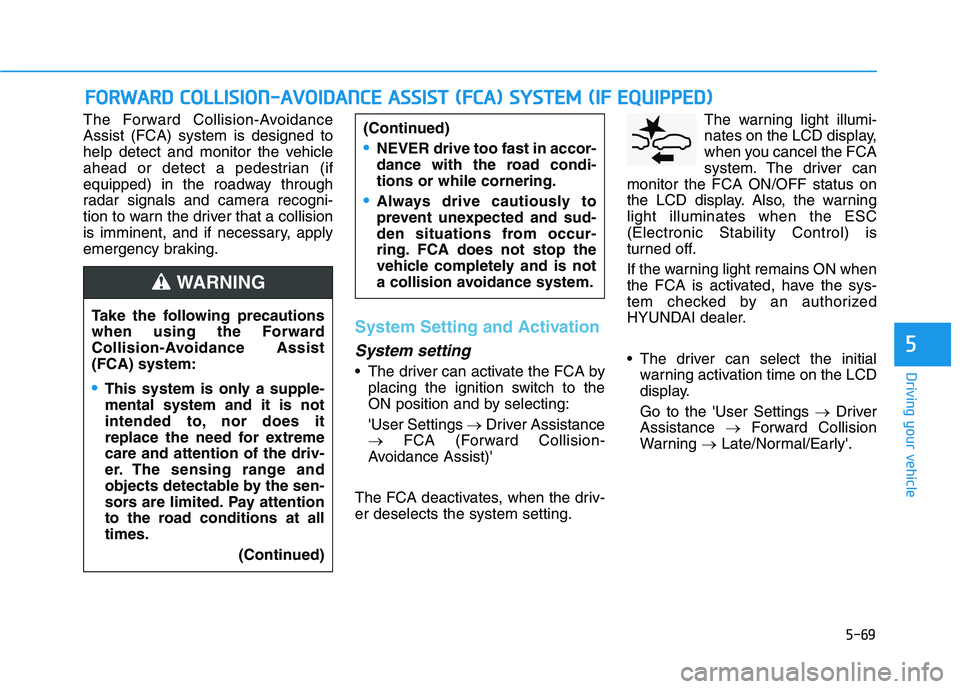
The FCA deactivates, when the driv-er deselects the system setting. The warning light illumi-
nates on the LCD display,
when you cancel the FCA
system. The driver can
monitor the FCA ON/OFF status on
the LCD display. Also, the warninglight illuminates when the ESC(Electronic Stability Control) is
turned off.
If the warning light remains ON when
the FCA is activated, have the sys-
tem checked by an authorized
HYUNDAI dealer.
The driver can select the initial warning activation time on the LCD
display. Go to the 'User Settings Driver
Assistance Forward Collision
Warning Late/Normal/Early'.
FFOO RRWW AARRDD CC OO LLLLIISS IIOO NN--AA VVOO IIDD AA NN CCEE AA SSSSIISS TT (( FF CC AA )) SS YY SSTT EEMM (( IIFF EE QQ UUIIPP PPEEDD ))
Take the following precautions
when using the Forward
Collision-Avoidance Assist(FCA) system:
This system is only a supple- mental system and it is not
intended to, nor does it
replace the need for extremecare and attention of the driv-
er. The sensing range and
objects detectable by the sen-
sors are limited. Pay attention
to the road conditions at alltimes.
(Continued)
(Continued)
NEVER drive too fast in accor-
dance with the road condi-tions or while cornering.
Always drive cautiously to
prevent unexpected and sud-
den situations from occur-
ring. FCA does not stop the
vehicle completely and is not
a collision avoidance system.
WARNING
Page 303 of 486
5-82
Driving your vehicle
(Continued)
The system detects lane lines
and controls the steering
wheel by a camera, therefore,
if the lane lines are hard to
detect, the system may not
work properly.
Please refer to "Limitations of the system".
Do not remove or damage the
related parts of LKA system.
You may not hear a warning sound of LKA system
because of excessive audiosound.
Do not place objects on the
dashboard that reflects light
such as mirrors, white paper,
etc. The system may malfunc-tion if the sunlight is reflected.(Continued)
LKA system Operation
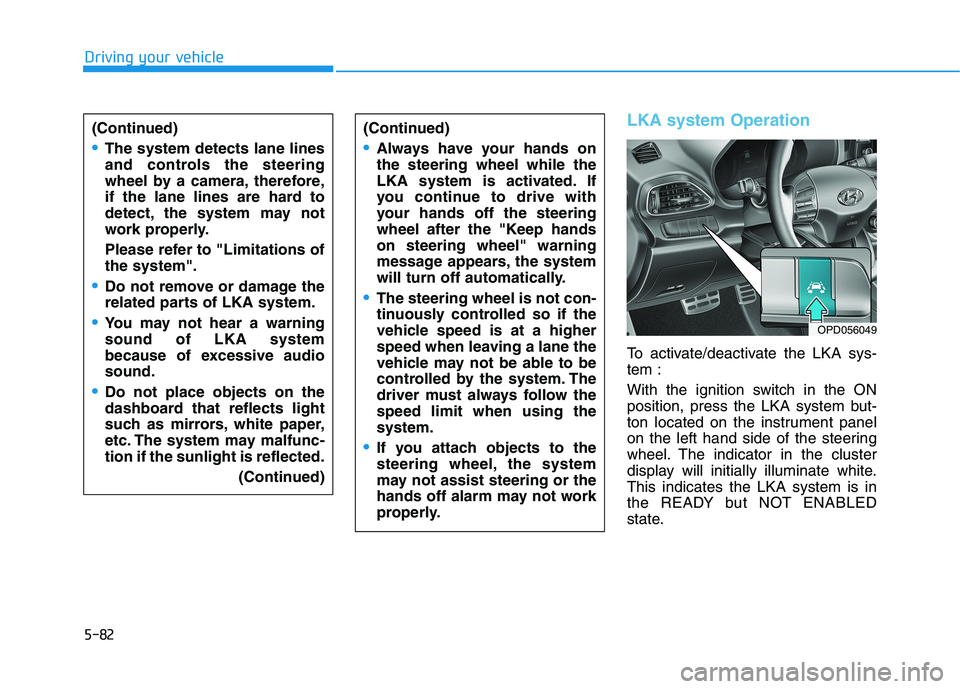
To activate/deactivate the LKA sys- tem :
With the ignition switch in the ON
position, press the LKA system but-
ton located on the instrument panel
on the left hand side of the steering
wheel. The indicator in the cluster
display will initially illuminate white.This indicates the LKA system is in
the READY but NOT ENABLED
state.
(Continued)
Always have your hands on the steering wheel while the
LKA system is activated. If
you continue to drive with
your hands off the steering
wheel after the "Keep handson steering wheel" warning
message appears, the system
will turn off automatically.
The steering wheel is not con-
tinuously controlled so if the
vehicle speed is at a higher
speed when leaving a lane the
vehicle may not be able to be
controlled by the system. The
driver must always follow thespeed limit when using thesystem.
If you attach objects to the
steering wheel, the system
may not assist steering or the
hands off alarm may not work
properly.
OPD056049
Page 307 of 486
5-86
Driving your vehicle
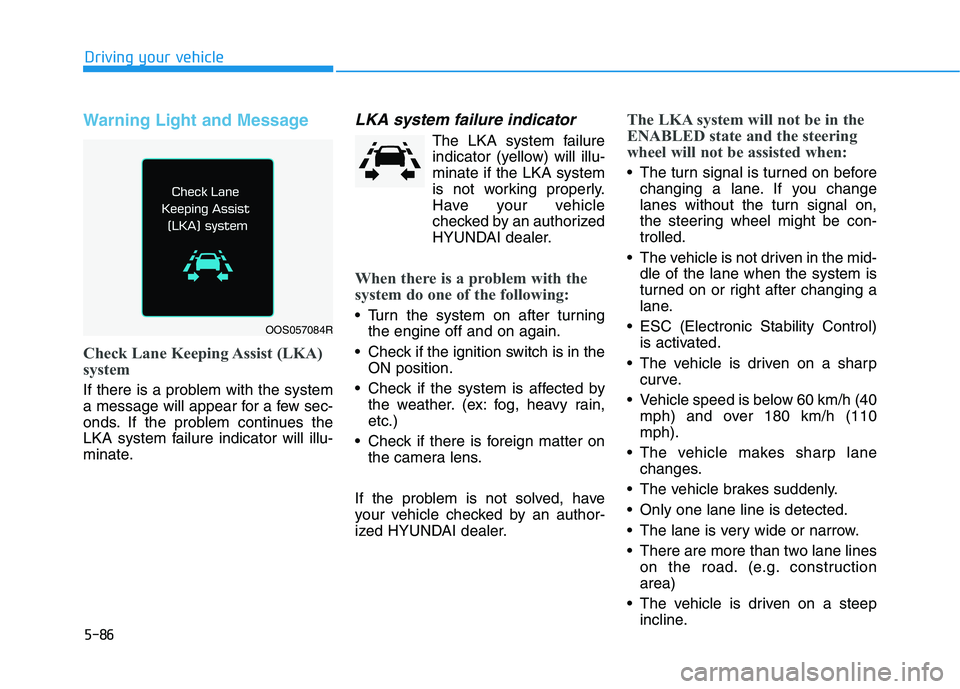
Warning Light and Message
Check Lane Keeping Assist (LKA)
system
If there is a problem with the system
a message will appear for a few sec-
onds. If the problem continues the
LKA system failure indicator will illu-
minate.
LKA system failure indicator
The LKA system failureindicator (yellow) will illu-minate if the LKA system
is not working properly.
Have your vehicle
checked by an authorized
HYUNDAI dealer.
When there is a problem with the
system do one of the following:
Turn the system on after turning the engine off and on again.
Check if the ignition switch is in the ON position.
Check if the system is affected by the weather. (ex: fog, heavy rain, etc.)
Check if there is foreign matter on the camera lens.
If the problem is not solved, have
your vehicle checked by an author-
ized HYUNDAI dealer.
The LKA system will not be in the
ENABLED state and the steering
wheel will not be assisted when:
The turn signal is turned on before changing a lane. If you change
lanes without the turn signal on,
the steering wheel might be con-trolled.
The vehicle is not driven in the mid- dle of the lane when the system is
turned on or right after changing a
lane.
ESC (Electronic Stability Control) is activated.
The vehicle is driven on a sharp curve.
Vehicle speed is below 60 km/h (40 mph) and over 180 km/h (110mph).
The vehicle makes sharp lane changes.
The vehicle brakes suddenly.
Only one lane line is detected.
The lane is very wide or narrow.
There are more than two lane lines on the road. (e.g. construction area)
The vehicle is driven on a steep incline.
OOS057084R