wheel Hyundai Getz 2007 Service Manual
[x] Cancel search | Manufacturer: HYUNDAI, Model Year: 2007, Model line: Getz, Model: Hyundai Getz 2007Pages: 463, PDF Size: 11.14 MB
Page 323 of 463
FEATURES OF YOUR HYUNDAI 1- 57
SB220A1-E MULTI FUNCTION SWITCH Turn Signal Operation To signal an intention to turn right, the switch lever should be pressed down. To signal an intention to turn left, theswitch lever should be pushed upwards. In both instances, the turn signal lights and the instrument cluster warning lightwill flash. Upon completion of the ma- noeuvre, the lever will, under normal circumstances, return to the "Off" posi-tion. However, if the manoeuvre in- volved only a small movement of the steering wheel, the signal may need tobe cancelled manually. If either turn signal indicator flashes more rapidly than normal or refuses to flash at all, amalfunction of the turn signal system may exist. SB220B1-E Lane Change Signal To indicate an intention to change lanes, moving the lever slightly towards the direction of the relevant turn signal willcause the turn signal lights to flash. When the lever is released, it will return to the "off" position.
HTB018-D
B400B04TB-E
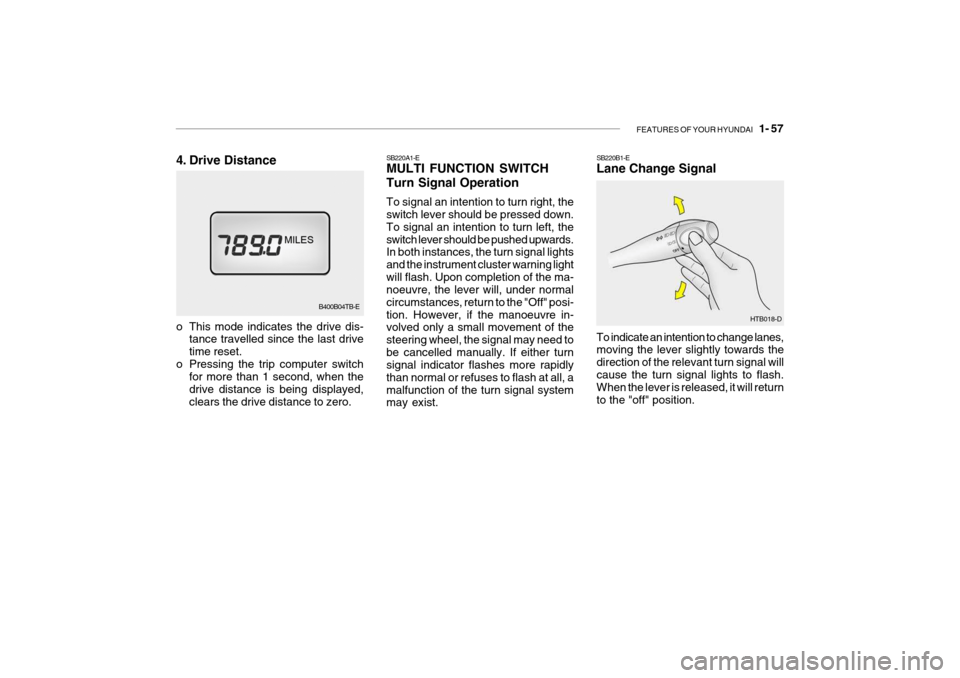
4. Drive Distance
o This mode indicates the drive dis-
tance travelled since the last drive time reset.
o Pressing the trip computer switch for more than 1 second, when thedrive distance is being displayed,clears the drive distance to zero.
Page 324 of 463
1- 58 FEATURES OF YOUR HYUNDAI
HTB017-DHTB015-D
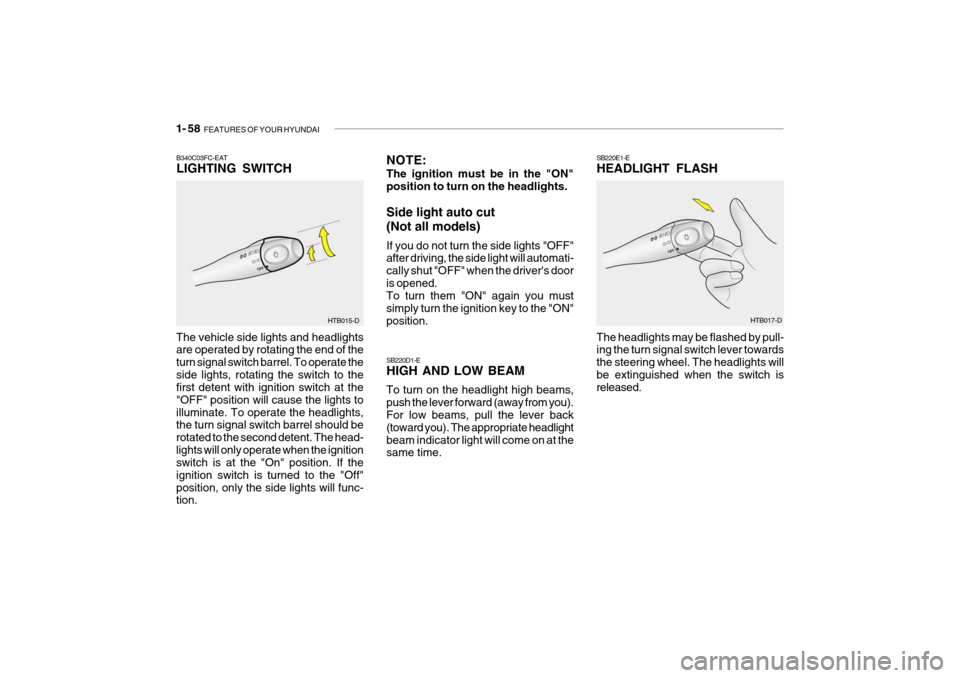
B340C03FC-EAT LIGHTING SWITCH
The vehicle side lights and headlights are operated by rotating the end of the turn signal switch barrel. To operate theside lights, rotating the switch to the first detent with ignition switch at the "OFF" position will cause the lights toilluminate. To operate the headlights, the turn signal switch barrel should be rotated to the second detent. The head-lights will only operate when the ignition switch is at the "On" position. If the ignition switch is turned to the "Off"position, only the side lights will func- tion. NOTE: The ignition must be in the "ON" position to turn on the headlights. Side light auto cut (Not all models) If you do not turn the side lights "OFF" after driving, the side light will automati- cally shut "OFF" when the driver's dooris opened. To turn them "ON" again you must simply turn the ignition key to the "ON"position. SB220D1-E HIGH AND LOW BEAM To turn on the headlight high beams, push the lever forward (away from you). For low beams, pull the lever back (toward you). The appropriate headlightbeam indicator light will come on at the same time.
SB220E1-E HEADLIGHT FLASH The headlights may be flashed by pull- ing the turn signal switch lever towards the steering wheel. The headlights willbe extinguished when the switch is released.
Page 325 of 463
FEATURES OF YOUR HYUNDAI 1- 59
HTB019A-D
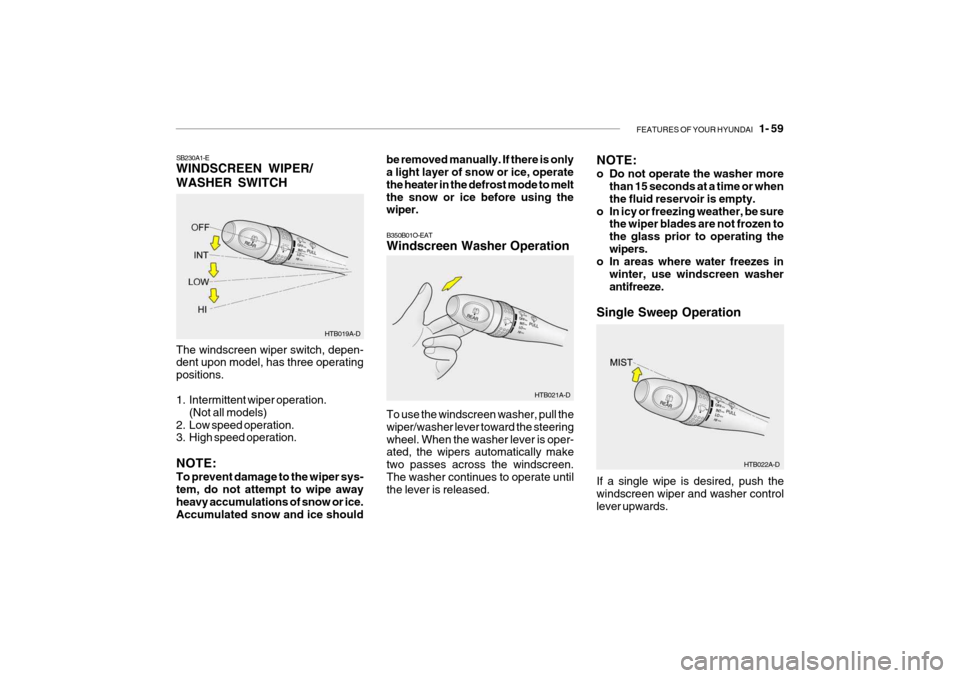
SB230A1-E WINDSCREEN WIPER/ WASHER SWITCH The windscreen wiper switch, depen- dent upon model, has three operating positions.
1. Intermittent wiper operation.
(Not all models)
2. Low speed operation.
3. High speed operation. NOTE: To prevent damage to the wiper sys- tem, do not attempt to wipe away heavy accumulations of snow or ice. Accumulated snow and ice should be removed manually. If there is only a light layer of snow or ice, operate the heater in the defrost mode to meltthe snow or ice before using the wiper.
NOTE:
o Do not operate the washer more
than 15 seconds at a time or when the fluid reservoir is empty.
o In icy or freezing weather, be sure the wiper blades are not frozen tothe glass prior to operating thewipers.
o In areas where water freezes in
winter, use windscreen washerantifreeze.
Single Sweep Operation
HTB022A-D
To use the windscreen washer, pull thewiper/washer lever toward the steeringwheel. When the washer lever is oper- ated, the wipers automatically make two passes across the windscreen.The washer continues to operate until the lever is released.
B350B01O-EAT Windscreen Washer Operation
HTB021A-DIf a single wipe is desired, push the windscreen wiper and washer controllever upwards.
Page 347 of 463

FEATURES OF YOUR HYUNDAI 1- 81
!
!
SB520A1-F STEERING WHEEL TILT LEVER To adjust the steering wheel:
1. Push the lever downward to unlock.
2. Raise or lower the steering wheel to
the desired position.
3. After adjustment, securely tighten the lever by pulling it upward
WARNING:
Do not attempt to adjust the steering wheel while driving as this may re- sult in loss of control of the vehicle and result in death or serious injury.
Your Hyundai is equipped with sun visors to give the driver and front pas- senger either frontal or side ward shade.The sun visors are fitted on both sides on all models. To reduce glare or to shut out direct rays of the sun, turn thesun visor down to block the annoy- ance. A ticket holder is provided on the back of the sun visor for the driver.Vanity mirrors are provided on the back of the sunvisor for the driver and the front passenger (If installed). NOTE: The Supplemental Restraint Sys- tem (SRS) label containing useful information can be found on the front of each sun visor.
WARNING:
Do not place the sun visor in such a manner that it obscures visibility of the roadway, traffic or other ob-jects.
B600A01TB-D
B610B01A-DAT HORN
Press the centre hub of the steering wheel to sound the horn. B240B01TB
Page 348 of 463
1- 82 FEATURES OF YOUR HYUNDAI
2. TAPE mode
o Pressing the upper SEEK switch will
play the beginning of the next music segment.
o Pressing the lower SEEK switch will
start replay at the beginning of themusic just listened to.
3. CD (Compact Disc) mode
o Press the upper SEEK switch once to skip forward to the beginning of the next track.
o Press the lower SEEK switch once to skip back to the beginning of thetrack.
VOL Switch
o Press the upper VOL switch to in- crease volume.
o Press the lower VOL switch to de- cease volume.
Press the SEEK switch 1 sec. or more.
1. RADIO mode When the upper SEEK switch is pressed, the unit will automatically tune to the next higher frequency and when thelower SEEK switch is pressed, it will automatically tune to the next lower frequency.
MODE Switch Press the MODE switch to select Ra- dio, Tape, CD (Compact Disc). Each press of the switch changes the display as follows:
RADIO (FM1 FM2 AM) TAPE CD
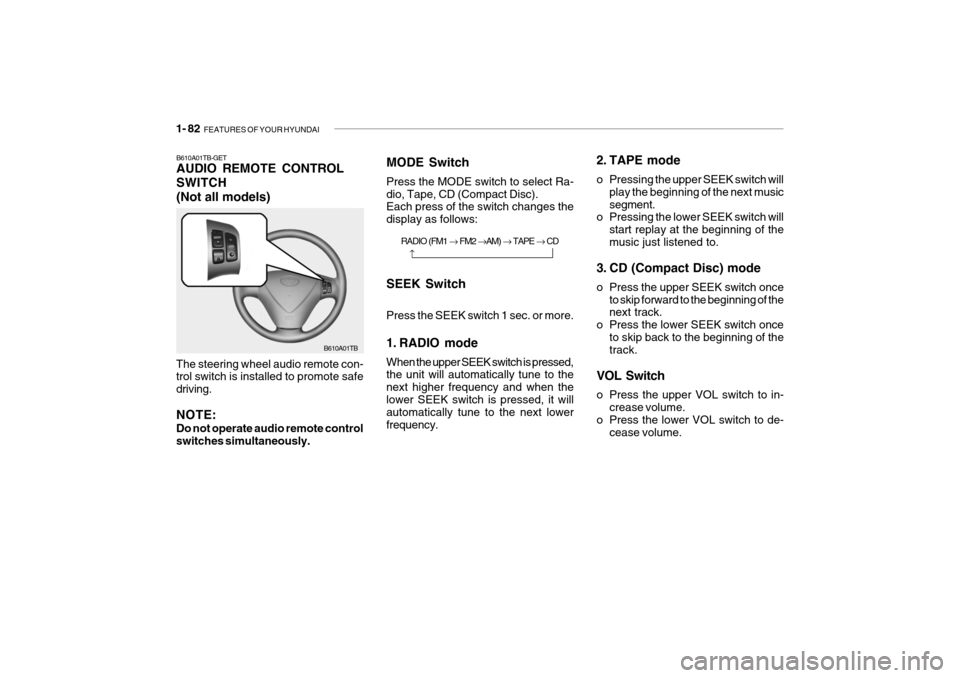
SEEK SwitchB610A01TB-GET AUDIO REMOTE CONTROL SWITCH(Not all models)
The steering wheel audio remote con- trol switch is installed to promote safe driving. NOTE: Do not operate audio remote control switches simultaneously. B610A01TB
Page 364 of 463
2- 4 DRIVING YOUR HYUNDAI
!
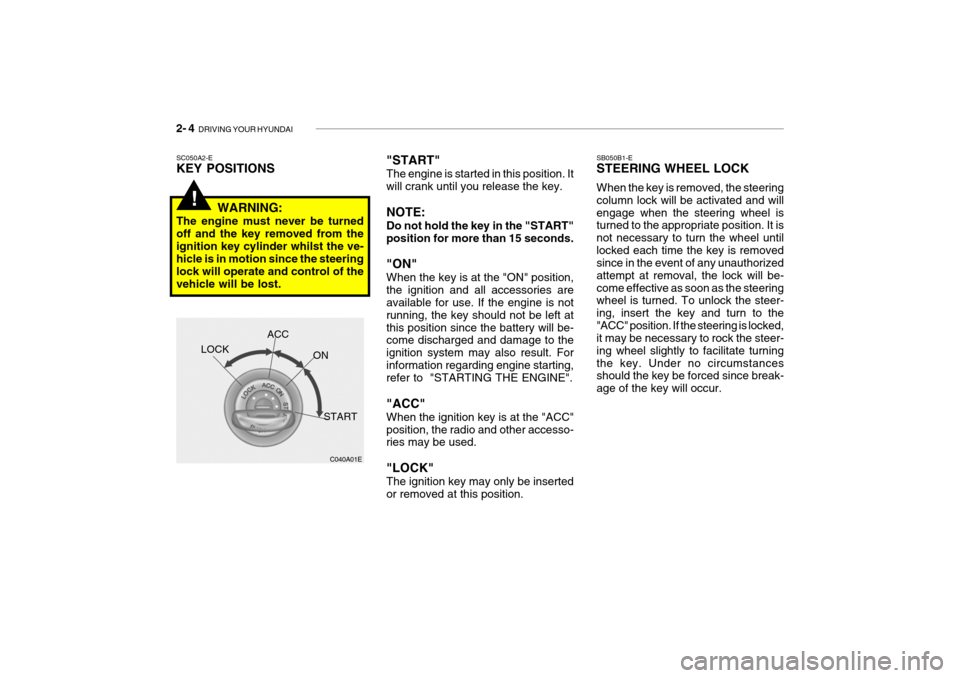
"START" The engine is started in this position. It will crank until you release the key. NOTE: Do not hold the key in the "START" position for more than 15 seconds. "ON" When the key is at the "ON" position, the ignition and all accessories are available for use. If the engine is not running, the key should not be left atthis position since the battery will be- come discharged and damage to the ignition system may also result. Forinformation regarding engine starting, refer to "STARTING THE ENGINE". "ACC" When the ignition key is at the "ACC" position, the radio and other accesso- ries may be used. "LOCK" The ignition key may only be inserted or removed at this position.SC050A2-E KEY POSITIONS
C040A01E
LOCK
ACC
ON
START
WARNING:
The engine must never be turned off and the key removed from theignition key cylinder whilst the ve- hicle is in motion since the steering lock will operate and control of thevehicle will be lost. SB050B1-E STEERING WHEEL LOCK When the key is removed, the steering column lock will be activated and willengage when the steering wheel is turned to the appropriate position. It is not necessary to turn the wheel untillocked each time the key is removed since in the event of any unauthorized attempt at removal, the lock will be-come effective as soon as the steering wheel is turned. To unlock the steer- ing, insert the key and turn to the"ACC" position. If the steering is locked, it may be necessary to rock the steer- ing wheel slightly to facilitate turningthe key. Under no circumstances should the key be forced since break- age of the key will occur.
Page 370 of 463

2- 10 DRIVING YOUR HYUNDAI
YC090A1-E SELECTOR POSITIONS o P (Park): With the selector in this position, no drive is transmitted from the engine and the transaxle output and thereforethe front wheels locked. The engine may be started with the selector in this position.
!
CAUTION:
The selector must NEVER be shifted to the "P" position whilst the ve-hicle is in motion, otherwise seri- ous transaxle damage will result. DC110C1-E o R (Reverse): With the selector in this position, re- verse gear will be engaged. The en-gine may not be started with the selec- tor in this position.
CAUTION:
The selector must NEVER be shifted to the "R" position whilst the ve- hicle is in motion.
! DC110D1-E o N (Neutral): With the selector in this position, no gear is selected and no drive is trans-mitted from the engine. The engine may be started with the selector in this position.
!
CAUTION:
Do not coast with the selector at the "N" position. DC110E2-E o D (Drive): Bring the car to a complete stop before shifting the selector lever to "D" posi-tion. With the selector in this position, first gear will be engaged from rest and thetransmission will automatically upshift to second, third and fourth depending upon the vehicle speed, throttle posi-tion and the position of the overdrive switch. The engine may not be started with the selector in this position. DC110F1-E o 2 (Second Gear): With the selector in this position, first gear will be engaged from rest. Thetransmission will upshift to second gear depending upon the vehicle speed and throttle position. No upshift to third orfourth will occur. The engine may not be started with the selector in this position. DC110G2-E o L (Low Gear): With the selector in this position, first gear will be engaged from rest. No upshift will occur regardless of vehiclespeed and throttle opening. The en- gine may not be started with the selec- tor in this position.
!
CAUTION:
Do not move the selector to the "L" position when the vehicle speed is in excess of 50 m.p.h.
Page 372 of 463
2- 12 DRIVING YOUR HYUNDAI
o When climbing steep gradients us-
ing large throttle openings, the transaxle may re-peatedly changebetween two adjacent ratios. This is a normal characteristic and may be prevented by cancelling the over-drive facility if the shifting occurs between third and fourth ratios, se- lecting position "2" if the shiftingoccurs between third and second ratios or selecting position "1" if the shifting occurs between first andsecond ratios.
o Never move the selector to or from
the "P" or "N" position with the ac-celerator depressed.
o Ensure that the overdrive switch is
at the "ON" position for maximumeconomy.
o If rapid acceleration is required, fully
depress the accelerator pedal. Inthis condition, the kickdown mecha- nism will be operated and the transaxle will automatically down-shift according to the vehicle speed. o The automatic transaxle may be used
to great effect if the vehicle becomesstuck in snow or mud by allowing thevehicle to be rocked to and fro. The engine speed should be held at ap- proximately 1,000rpm by means ofthe accelerator pedal and the selec- tor lever moved between the "D" and "R" positions to induce a rockingmotion.
o Do not depress the accelerator pedal
with the brakes applied and the se-lector at the "R", "D", "2" or "L" position.
o Turn the overdrive switch on for
good fuel economy and smooth driv-ing. But if engine braking is needed in the "D" range or if repeated up-shifting and downshifting between the 3rd and 4th gear is needed when climbing a gentle slope, it is recom-mended that the overdrive switch be turned off. Turn the overdrive switch back on immediately after-ward.
!WARNING:
o Avoid high cornering speeds.
o Do not make quick steering wheel movements, such as sharp lane changes or fast, sharp turns.
o Always wear your seat belts. In a collision crash, an unbeltedperson is significantly more likely to die than a person wearing aseatbelt.
o The risk of rollover is greatly in-
creased if you lose control of yourvehicle at highway speeds.
o Loss of control often occurs if two
or more wheels drop off the road-way and the driver oversteers to reenter the roadway.
o In the event your vehicle leaves the roadway, do not steer sharply.Instead, slow down before pulling back into the travel lanes.
o Never exceed posted speed limits.
o Excessive depressing of the
accelerater pedal under the tire slip condition such as moving out of the mud or fresh snow etc, may cause severe damage to thetransaxle. At this time, take other way such as towing.
Page 374 of 463
2- 14 DRIVING YOUR HYUNDAI
!WARNING:
ABS will not prevent accidents due to improper or dangerous driving maneuvers. Even though vehicle control is improved during emer-gency braking, always maintain a safe distance between you and ob- jects ahead. Vehicle speeds shouldalways be reduced during extreme road conditions. The braking distance for carsequipped with an anti-lock braking system may be longer than for those without it in the following road con- ditions.
o Driving on rough, gravel or snow- covered roads.
o Driving with tyre chains installed.
o Driving on roads where the road surface is pitted or has differentsurface height.
These roads should be driven atreduced speeds. The safety featuresof an ABS equipped vehicle should not be tested by high speed driving or cornering. This could endangerthe safety of yourself or others.
SC140B2-E ANTI-LOCK BRAKE SYSTEM (Not all models) The Anti-Lock Brake System (ABS) is designed to prevent wheel lock-up during sudden braking or on hazard-ous road surfaces. The ABS control module monitors the wheel speed and controls the pressure applied to eachbrake. Thus, in emergency situations or on slick roads, ABS will increase vehicle control during braking. NOTE:
o A click sound may be heard in the
engine compartment when the ve- hicle begins to move after the en- gine is started. These conditions are normal and indicate that theanti-lock brake system (Electronic Stability Program) is functioning properly.
o During ABS operation, a slight pulsation may be felt in the brakepedal when the brakes are ap-plied. Also, a noise may be heard in the engine compartment whilst braking. These conditions arenormal and indicate that the anti- lock brake system is functioning properly.
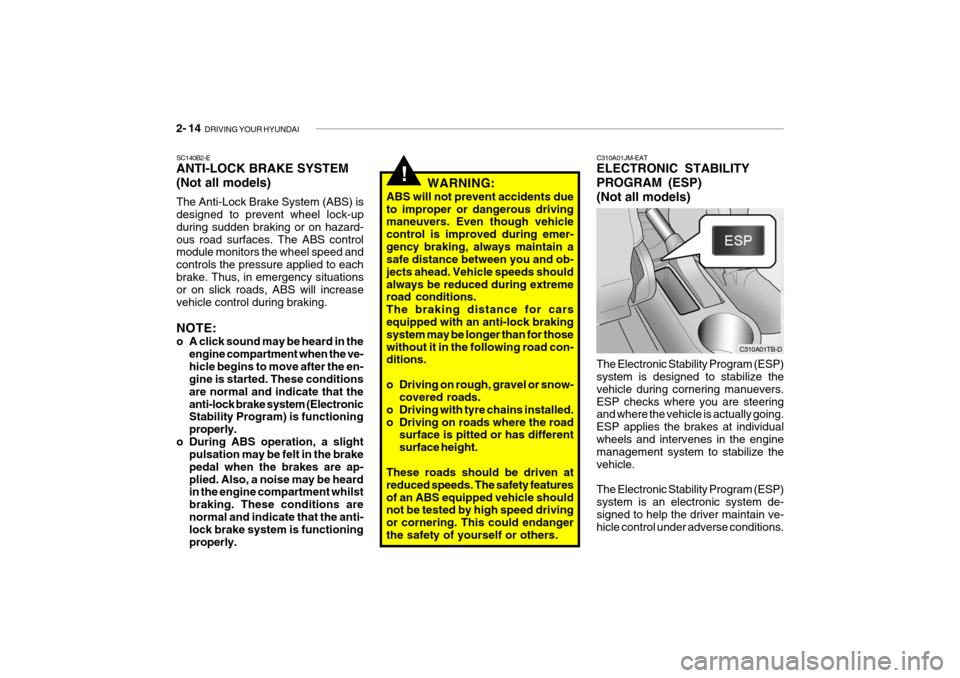
C310A01JM-EAT ELECTRONIC STABILITY PROGRAM (ESP)(Not all models) The Electronic Stability Program (ESP) system is designed to stabilize the vehicle during cornering manuevers.ESP checks where you are steering and where the vehicle is actually going. ESP applies the brakes at individualwheels and intervenes in the engine management system to stabilize the vehicle. The Electronic Stability Program (ESP) system is an electronic system de-signed to help the driver maintain ve- hicle control under adverse conditions. C310A01TB-D
Page 375 of 463
DRIVING YOUR HYUNDAI 2- 15
!
It is not a substitute for safe driving practices. Factors including speed, road conditions and driver steering input canall affect whether ESP will be effective in preventing a loss of control. It is still your responsibility to drive and cornerat reasonable speeds and to leave a sufficient margin of safety.
WARNING:
Electronic stability program is a driv- ing aid; all normal precautions for driving in inclement weather and on slippery road surfaces should beobserved.
! CAUTION:
Driving with varying tyre or wheel size may cause the ESP system to malfunction. When replacing tyres,make sure they are the same size as your original tyres. C310D01JM-EAT Indicators and Warning The indicators should illuminate when the ignition key is turned to ON orSTART but should go out after approxi- mately 3 seconds. If the indicators do not illuminate, or theESP-OFF indicator does not go out after approximately 3 seconds, have the vehicle checked by Hyundaiauthorised repairer. Should there be any unusual conditions in the device whilst driving, ESP-OFF indicator illuminates as a warning. If ESP-OFF indicator illuminates, pullyour car to a safe place and stop the engine. Then, start the engine again to check ifthe ESP-OFF indicator goes out. If the indicator remains lit even after the engine has been started, have your car checked by Hyundai authorised repairer.
C310B01JM-AAT ESP ON/OFF Mode When the ESP is operating, the ESP indicator in the instrument cluster willblink. If you turn the system off by pressing the ESP switch, the ESP-OFF indica-tor will come on and stay on. In the ESP-OFF mode, the stability control will be deactivated. Adjust your drivingaccordingly. To turn the system back on, press the switch again. The ESP- OFF indicator should go off. NOTE: The ESP mode will automatically be turned ON after the engine is turned off and restarted.